A building photographed at blue hour, with warm light pouring through glass and a still pool holding the whole facade, used to cost a crew, a permit and a very patient architect. Now it costs a sentence. Cinematic architecture AI tools can produce frames that look like stills from a feature film, and the same frames can be animated into slow dolly shots and drone-style reveals. The catch is that most people type "modern house" and get a generic, plastic-looking render. This article shows which free options are worth opening, the prompt structure that produces believable buildings, and ready-to-use motion prompts for turning stills into short clips.
💡 Quick answer: Use an image model like Seedream 4.5 or Nano Banana Pro for the still, then animate it with an image-to-video model like Wan 2.7 I2V or Kling v3 Video. Write prompts like a photographer, not like a catalog.
What Cinematic Architecture Really Means
Photography Rules Still Apply
"Cinematic" is not a filter. It is a set of choices: where the camera sits, what the light is doing, how much of the frame is empty, and what the eye follows. A strong architectural frame has one clear light source, converging lines that lead somewhere, and texture you could almost touch: board-formed concrete, lime plaster, wet travertine, weathered cedar.
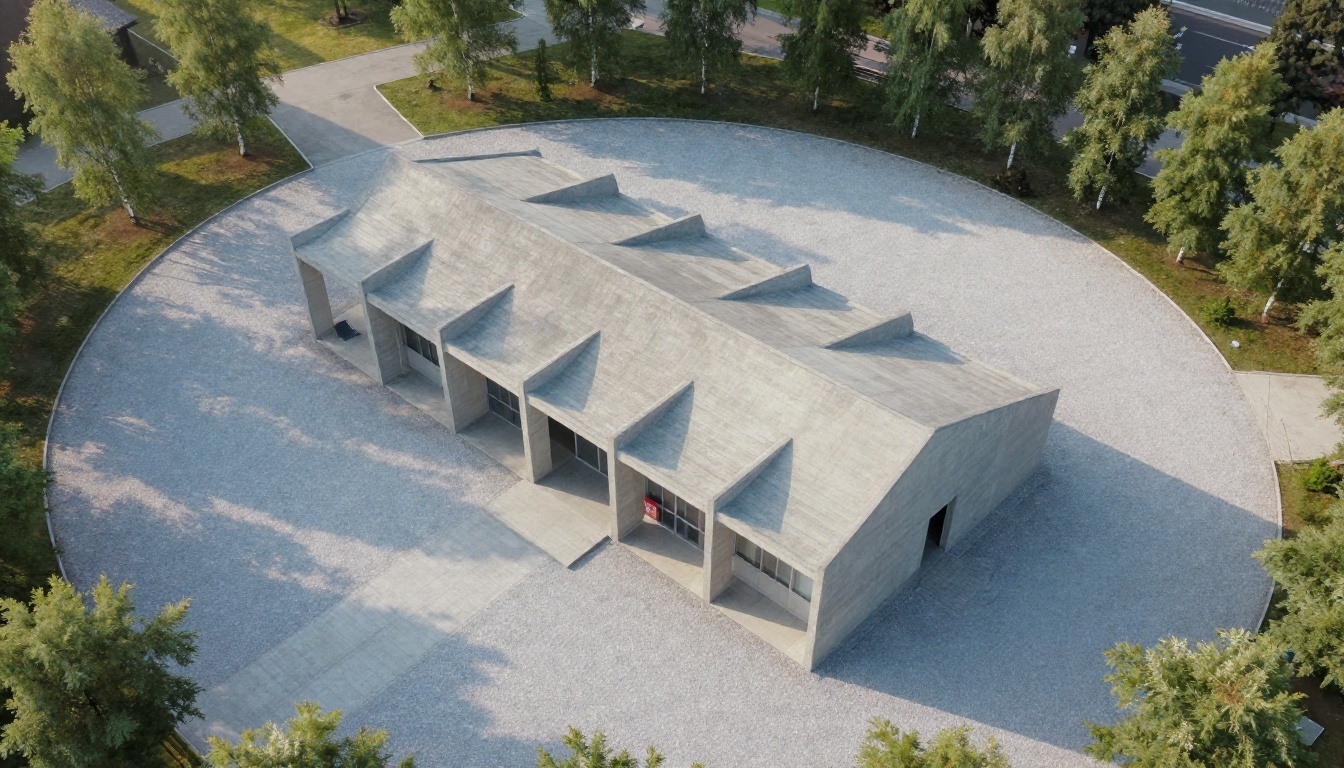
Notice what the frame above is doing. The raking morning light from the left carves the roof into repeating shadows, the gravel plaza gives the building room to breathe, and the high angle turns a simple volume into a pattern. None of that comes from the word "cinematic". It comes from describing light, angle and surface.
Why AI Fits This Genre
Buildings are forgiving subjects for generative models. They do not blink, they do not have hands, and their geometry is mostly straight lines and repeating modules. That is why architecture is one of the genres where AI output often looks closest to real photography. Where models still slip is in structural logic: stairs that lead nowhere, columns that do not meet a beam, windows that change rhythm halfway across a facade.
Treat the output as concept and mood, not as a construction document. Architects use these images for early client conversations, competition boards, pitch decks and film location mockups. Final marketing visuals for a real project still benefit from a traditional renderer or a photographer.
Free Options Worth Your Time
Image Models for Stills
For stills, the quality gap between models shows up in three places: material texture, light behavior and facade consistency. These are the ones I would test first:
| Model | Best for | Why it suits architecture |
|---|
| Seedream 4.5 | High-resolution exteriors | Sharp edges, clean glazing, strong detail up to 4K |
| Nano Banana Pro | Editing and iterating on one scene | Keeps layout while you change time of day or materials |
| Imagen 4 Ultra | Photoreal interiors | Natural light falloff and believable fabrics |
| Imagen 4 Fast | Quick concept sweeps | Cheap, rapid iterations for testing massing ideas |
| Flux 2 Klein 9B Base LoRA | Consistent style across a series | LoRA support helps hold one visual look |
If you want to test several models on the same prompt before committing, the full catalog is at picassoia.com/en/all-models.
Video Models for Motion
Once you have a still you like, image-to-video keeps the building exactly as designed and adds only camera movement and atmosphere. That is the safest route for architecture, because text-to-video alone tends to invent a different building every few frames.
- Wan 2.7 I2V and Wan 2.5 I2V Fast: dependable image animation with gentle camera moves.
- Kling v3 Video: strong cinematic motion and good handling of reflections.
- Veo 3.1 Fast: useful when you want native sound, such as rain, wind or footsteps on stone.
- Seedance 2.5 Lite: listed as a free and unlimited generator for clips up to 10 seconds, which makes it a low-risk place to practice camera prompts.
- LTX 2.5 Fast: fast turnaround when you are testing many angles.
What Free Usually Means
"Free" in this space comes in four flavors, and mixing them up leads to disappointment:
- Free tier with daily credits. Tools such as Luma Dream Machine have offered limited free generations, which is enough to test one or two ideas.
- Free trial credits. Kling AI and similar services typically hand out a small starter balance, then charge per clip.
- Open weights. Stable Video Diffusion is free to download, but you need your own GPU or paid cloud time, so it is only free if you already have hardware and patience.
- Free and unlimited on a platform. A few generators on PicassoIA are labeled that way, which is the easiest route if you want to iterate without watching a credit counter.
💡 Free-tier limits change often. Check the current terms of any tool before you plan a project around it.
The Five-Part Structure
After testing dozens of architecture prompts, the ones that work follow the same order. Think of it as describing a photograph to a blind assistant:
- Subject and typology: "a long cantilevered concrete house", "a sawtooth-roof cultural center".
- Environment: "on a cliff above the Pacific", "between old stone buildings in Copenhagen".
- Light and time: "blue hour with warm interior light", "raking morning light from the left".
- Camera and lens: "24mm tilt-shift at f/8", "low angle, 28mm".
- Texture and atmosphere: "board-formed concrete, wet stone, thin fog, film grain".
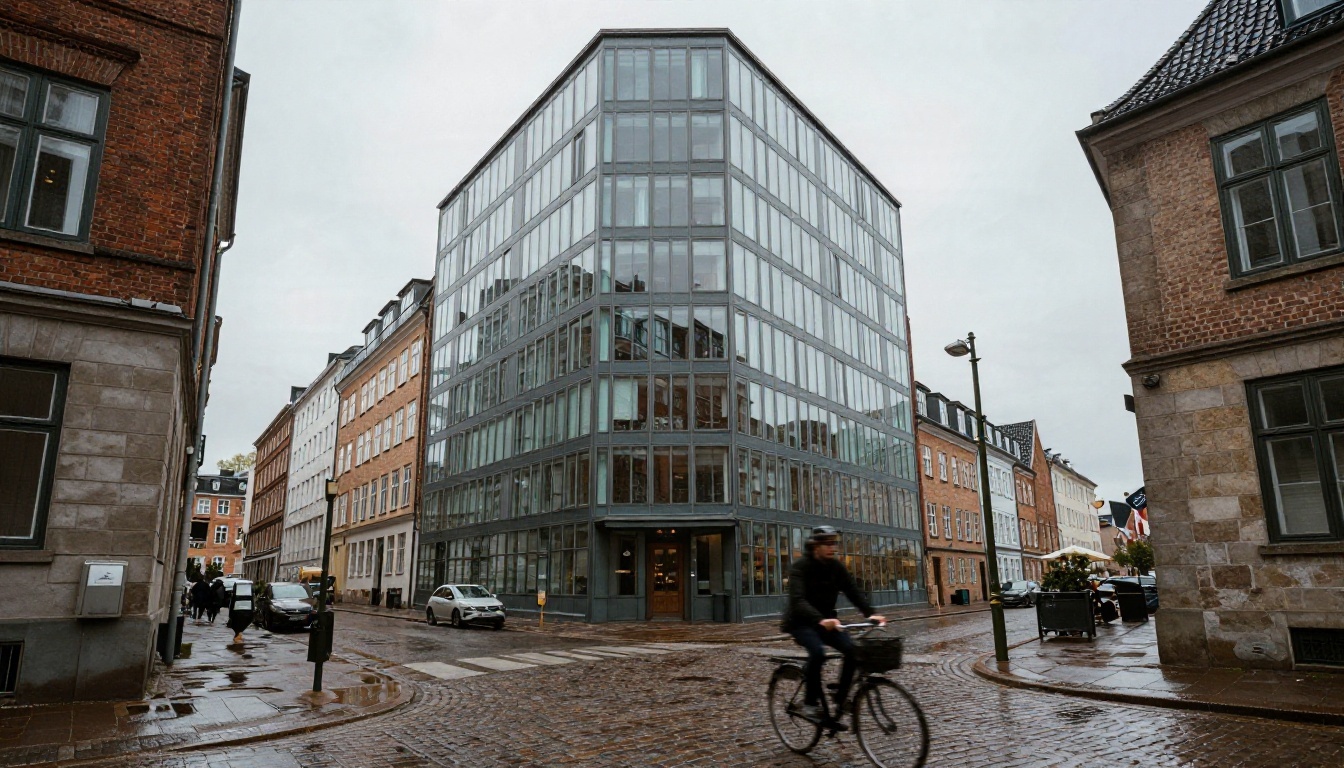
The frame above came from exactly that order: the tower, the street, the overcast light, a low 28mm angle, and handmade brick against wet cobblestones. Swap any one of the five parts and the picture changes character completely.
Lighting Words That Work
Light does most of the cinematic work. These phrases consistently produce better results than generic "beautiful lighting":
- Blue hour with warm interior glow: the classic real estate and film look.
- Raking morning light from the left: exaggerates texture and shadow rhythm.
- Overcast soft light from above: perfect for brick, stone and muted palettes.
- Midday sun with crisp shadows: ideal for white modernist volumes.
- Light rain with reflections on wet pavement: adds mood and doubles the building.
Lens and Camera Language
Models respond well to real photography vocabulary. A 24mm tilt-shift keeps verticals straight, which matters when a building should not lean. A 50mm at f/2 gives night scenes soft bokeh. An 85mm macro is the right choice for material close-ups. Add film grain, Kodak Portra 400 and you will get a gentler color response than the default digital look.
Ten Prompts Worth Copying
Each of the prompts below follows the five-part structure. Change the place, the material or the hour, and you have a new shot.
Exterior Establishing Shots
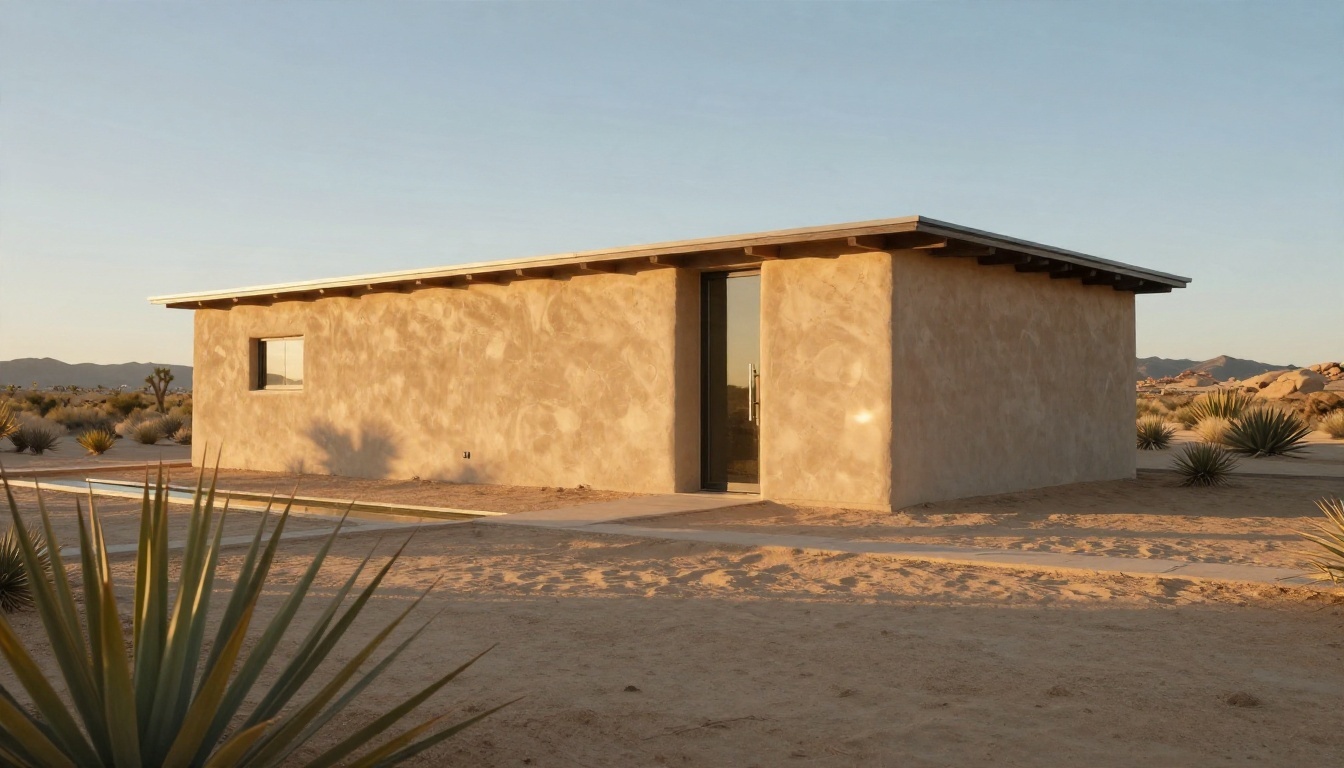
Desert villa, golden hour: Wide golden hour photograph of a minimalist desert villa with rammed earth walls and a flat steel roof, long shadows across pale sand, a narrow reflecting channel leading to a pivoting steel door, warm low sun from the right, yucca plants in the foreground, 35mm lens at f/8, visible soil layers in the walls, film grain, Kodak Portra 400.
White villa, midday: Symmetrical front view of a white modernist villa with ribbon windows on a Portuguese hillside, clear midday sun, deep blue sky, olive trees and terracotta ground, smooth lime plaster with hairline cracks, 28mm lens at f/9, tripod-level composition.
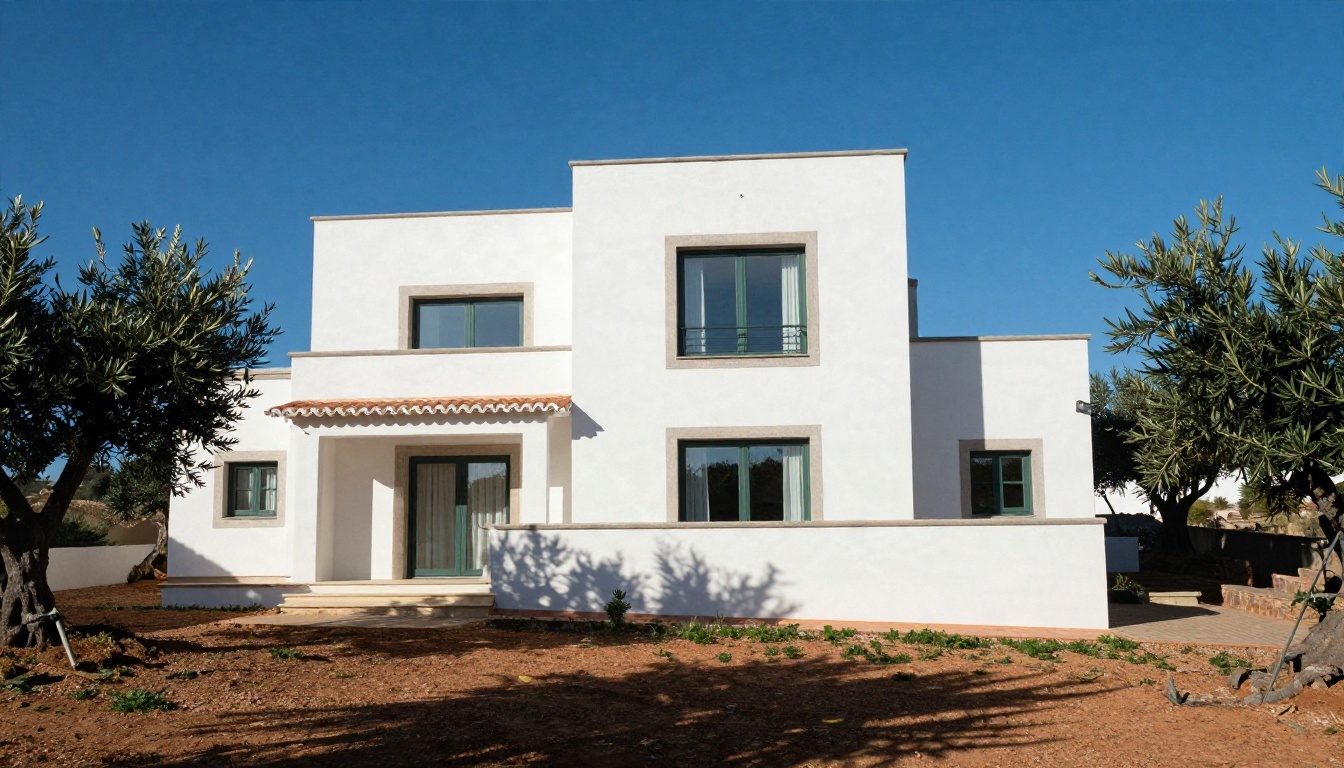
💡 Symmetry is a cheap way to look intentional. If a prompt says "symmetrical front view" and "tripod-level", the model tends to produce a calm, gallery-grade frame.
Interior Atmosphere
Interiors are where AI lighting either shines or collapses. Anchor the shot with one window or skylight and let the rest fall off naturally.
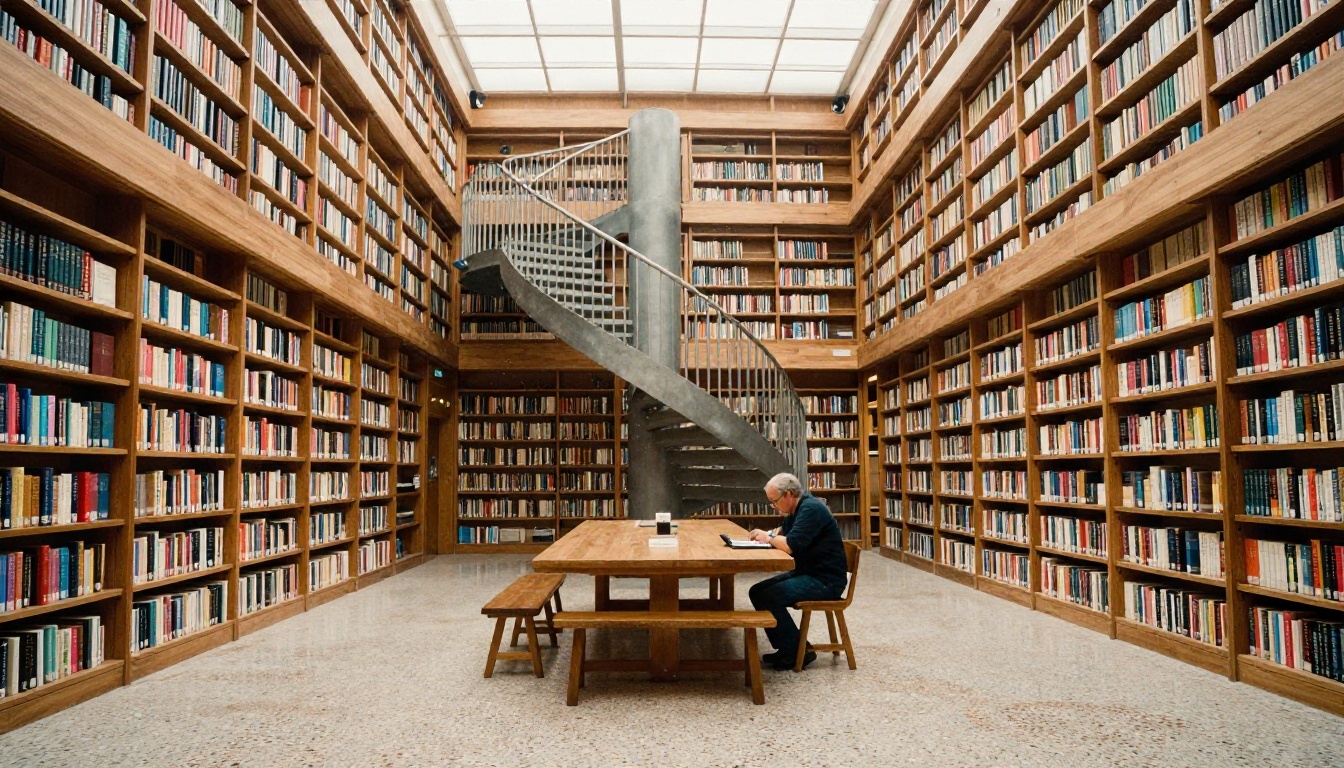
Library atrium: Interior one-point perspective of a tall brutalist library atrium with a spiral staircase of pale oak and steel, a skylight pouring diffused daylight onto polished terrazzo, shelves with worn book spines, a lone reader at a long table, 24mm lens at f/8, dust motes in the light.
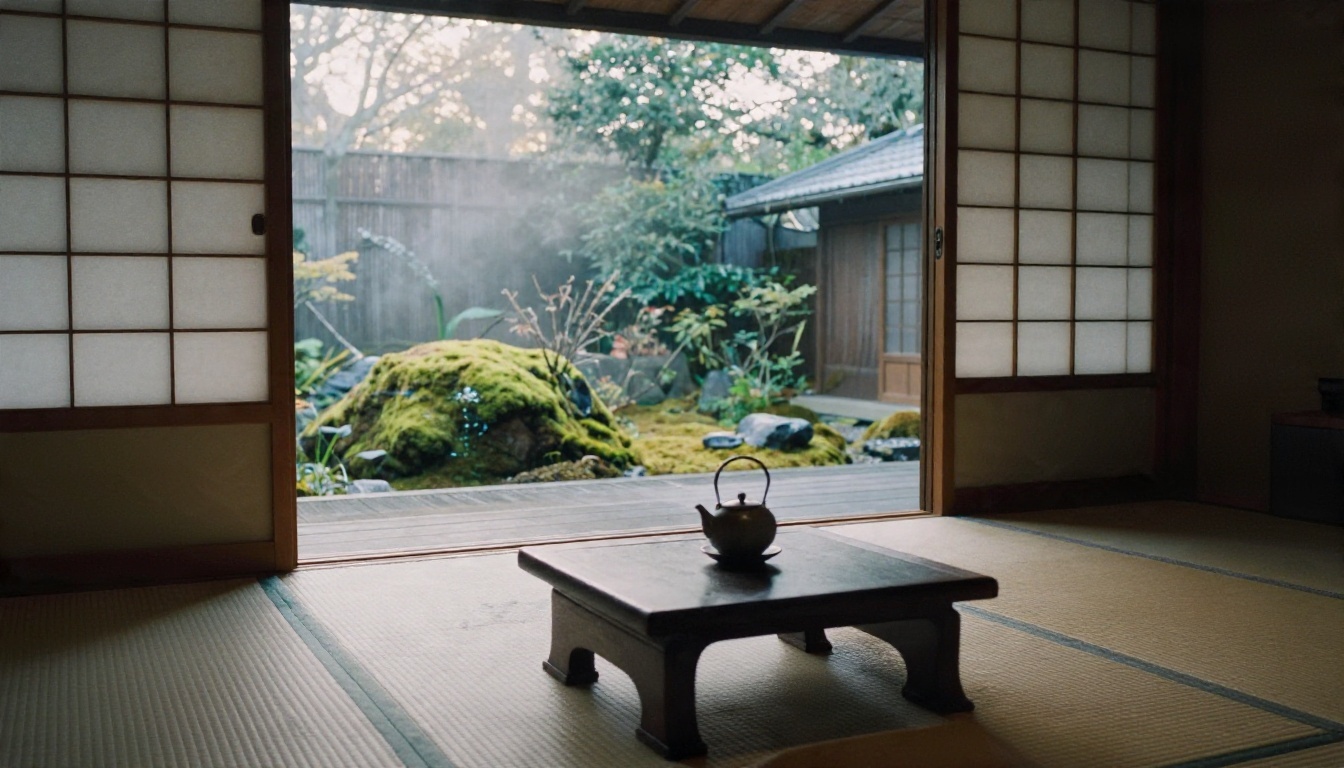
Timber home at dawn: Interior of a Japanese-inspired timber home at dawn, seen from a low seated height across a tatami room toward a sliding glass door opening to a moss garden, soft light from the left, cedar beams with visible grain, a ceramic teapot, mist outside, 35mm lens at f/4.
Night and Weather
Weather is the cheapest production design there is. Rain, fog and wet stone add reflections, and reflections add depth.
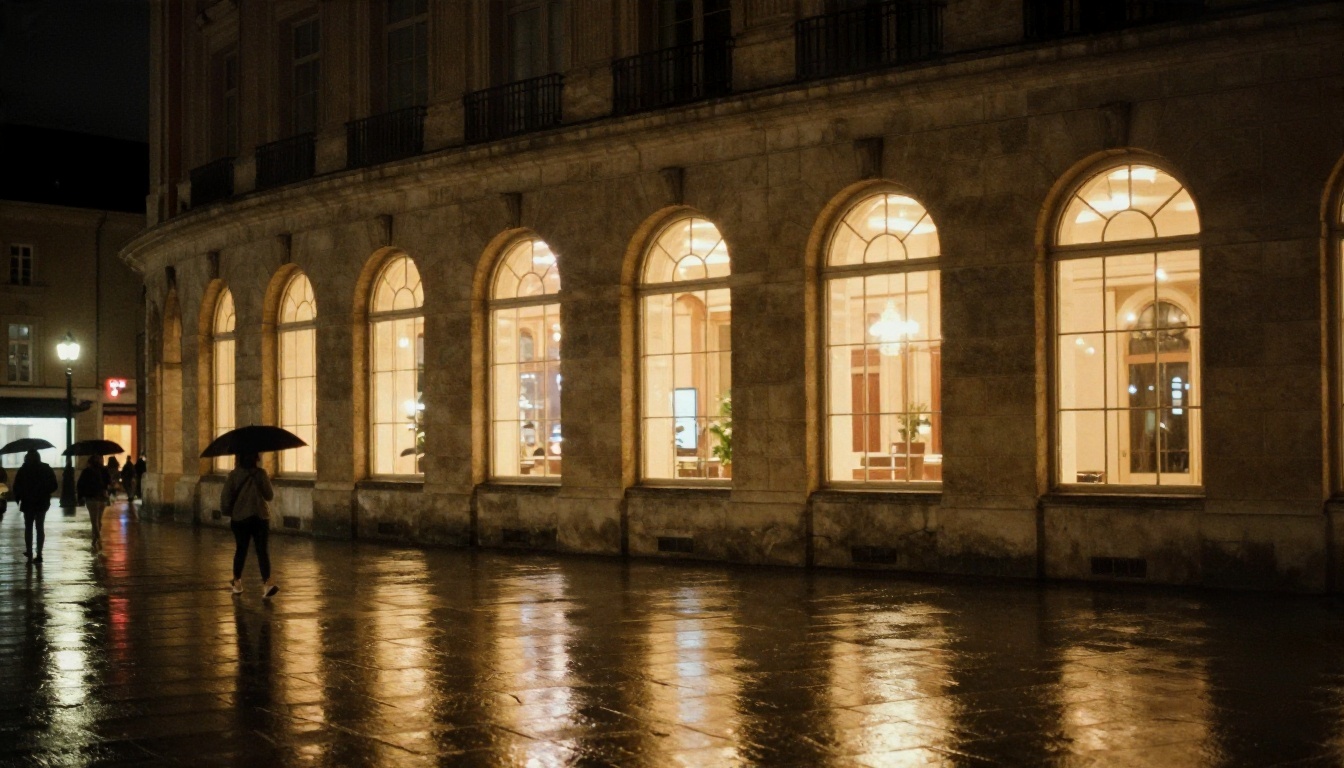
Museum in the rain: Night scene of a curved limestone museum facade with tall arched windows, warm interior light glowing through them, light rain on the plaza creating reflections, a few small pedestrians with umbrellas, 50mm lens at f/2, soft bokeh from streetlamps, visible stone texture.
Gallery Corridors and Leading Lines
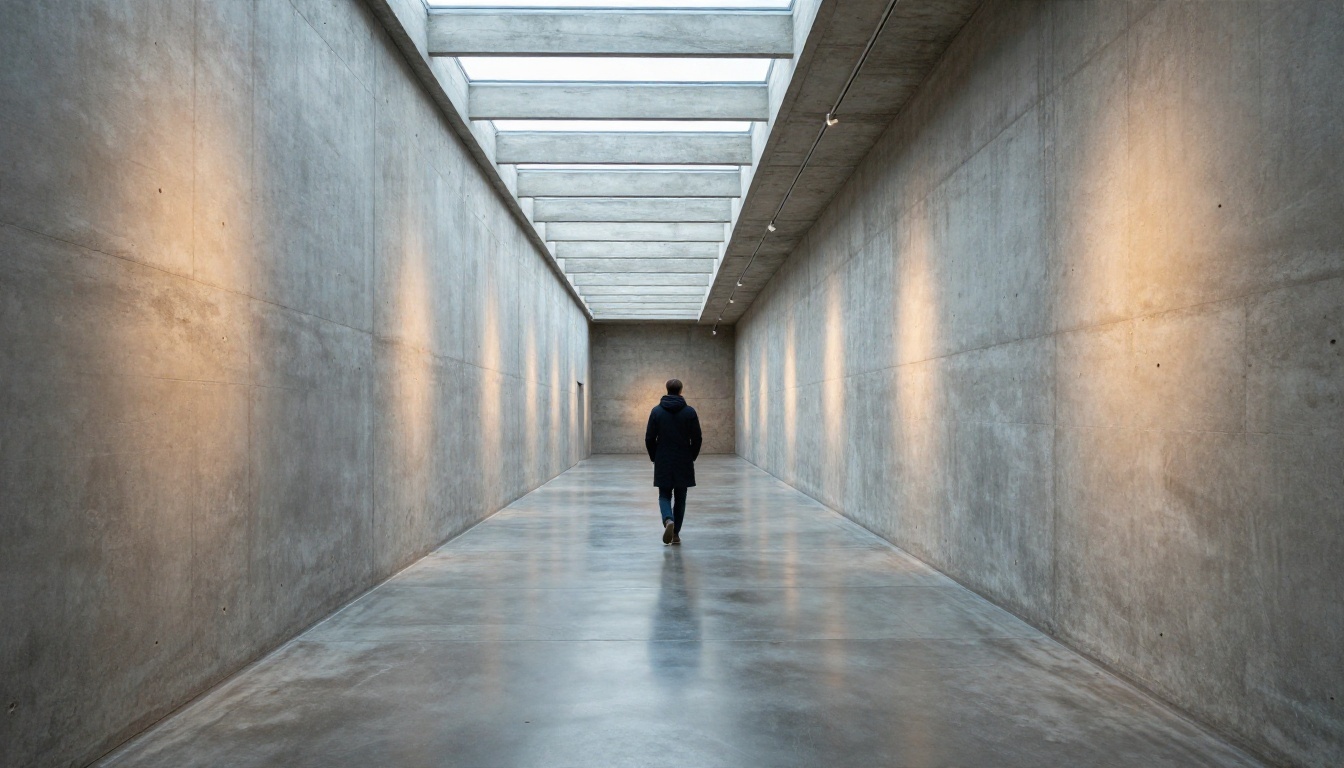
Concrete gallery: Long corridor inside a contemporary art gallery with exposed concrete walls and a single band of skylight overhead, a figure in a dark coat walking away in the distance, polished concrete floor reflecting the light strip, strong converging lines, 24mm lens at f/5.6.
Video Examples and Motion Prompts
From Still Frame to Moving Shot
Image-to-video works best when you describe only what changes. The building is already fixed by the image, so spend your words on camera, light and small environmental motion. A solid motion prompt has three parts: the starting frame, the camera move over five seconds, and the atmosphere that moves.
Here are five motion prompts matched to the stills above. Paste each one alongside its image into an image-to-video model such as Wan 2.7 I2V, Kling v3 Video or Seedance 2.5 Lite.
| Source still | Motion prompt |
|---|
| Desert villa | Slow dolly forward along the reflecting channel toward the steel door, long shadows creeping slightly, a faint wind moving the yucca leaves, warm low sun steady. |
| Library atrium | Gentle upward tilt from the reader to the skylight, dust motes drifting through the light, no other movement in the room. |
| Museum in the rain | Slow lateral track to the right along the facade, rain falling lightly, reflections rippling on the wet plaza, pedestrians walking calmly. |
| Gallery corridor | Steady push-in down the corridor, the figure walking away at the same pace, the skylight band reflecting along the floor. |
| Copenhagen tower | Low camera tilting slowly upward along the brick face, the cyclist passing and leaving frame, soft overcast light constant. |
Camera Moves That Suit Buildings
Not every move flatters architecture. These are the ones that tend to hold up:
- Slow dolly-in: reveals depth and draws the viewer toward an entrance.
- Lateral track: shows the rhythm of a facade without distorting it.
- Upward tilt: emphasizes height on towers and atriums.
- Gentle orbit: works for a single sculptural volume, but keep it under a quarter turn.
- Aerial pull-back: ends on context, good for site and landscape.
💡 Avoid fast whip pans, aggressive zooms and "dynamic" in motion prompts. Fast motion exposes structural errors, while slow motion hides them and reads as more expensive.
Adding Sound and Atmosphere
If you want ambient sound, a model with native audio like Veo 3.1 Fast can add rain on stone, distant traffic or wind through grass. Describe the sound in the prompt just as you would describe the light: "soft rain on limestone, distant footsteps, low room tone".
A Workflow That Saves Credits
Sketch, Still, Then Motion
The cheapest route to a good clip is to spend your attempts on stills. A still costs very little and a clip costs more, so do not animate until the frame is right.
- Generate six to eight stills with a fast model such as Imagen 4 Fast.
- Pick one and regenerate it at high resolution in Seedream 4.5 or Imagen 4 Ultra.
- Edit details such as hour, weather or material with Nano Banana Pro, keeping the layout intact.
- Animate with a single, slow camera move.
- Repeat the same prompt with a different seed if the first clip drifts.
Keeping a Series Consistent
Clients rarely want one image. They want a set that looks like one project. Reuse the same lens, the same time of day and the same palette words across every prompt, and consider a LoRA-capable model such as Flux 2 Klein 4B Base LoRA when you need a locked look.
Common Mistakes to Avoid
Writing "cinematic" and nothing else. The word alone gives a generic teal-and-orange wash. Describe the light.
Overloading the prompt. Ten materials and four weather conditions confuse the model. Pick one hero material and one weather condition.
Ignoring scale cues. A tiny figure, a bicycle or a chair tells the viewer how big the building is. Without scale, even a beautiful render looks like a model.
Asking for impossible geometry. Cantilevers need a believable counterweight, and stairs need landings. If a feature looks wrong in the still, fix it before animating, because motion makes errors more obvious.
Skipping the negative space. Great architectural photography leaves sky, ground or wall empty. Ask for "generous sky above" or "building on the lower third".
💡 If the facade keeps changing between generations, shorten the prompt about the building and lengthen the part about light and lens. Models hold a simple form better than a complicated one.
Build Your Own Cinematic Shot
You do not need a drone, a site visit or a rendering workstation to test a cinematic idea for a building. Pick a place, a material and an hour, write one prompt in the five-part structure, and generate a still. If it works, animate it with a single slow camera move. Start with the free options, keep what looks real, and discard what does not.
Open PicassoIA, try Seedream 4.5 for your first frame, then bring it to life with Wan 2.7 I2V or Seedance 2.5 Lite. Browse every available model at picassoia.com/en/all-models and run the same prompt across a few of them. The differences in light and texture will show you quickly which one suits your style.


