Search for Comfy UI AI porn and you hit the same wall within minutes: a pile of node graphs, checkpoint downloads, red error boxes and a GPU that sounds like a leaf blower. The results can look stunning, but the road to them is long. This article shows what ComfyUI really does, where you can run it for free online, which prompts produce photorealistic glamour, and what to use when you want the same quality without wiring a single node.
Everything below stays on the tasteful side: swimwear, lingerie, boudoir lighting, adult subjects only. The workflow logic is identical whether you aim for a beach editorial or a bedroom portrait, so the lessons transfer.
💡 Quick answer: ComfyUI is a free, open-source, node-based interface for image models. It is powerful but slow to set up. If you only want results, a browser generator like Seedream 4.5 gets you there in one prompt.
What ComfyUI Actually Does
ComfyUI is not an AI model. It is the control room that sits around one. You load a checkpoint (the model file), connect it to a prompt node, a sampler, and an output node, then press run. Every step of image generation is a visible box you can rewire.

Nodes Instead of Buttons
A normal generator gives you a text box and a button. ComfyUI gives you a canvas. A basic text-to-image graph has about seven nodes, and a serious one with upscaling, face repair and pose control can pass fifty.
That is the whole appeal. You decide exactly where noise is added, how many steps run, which sampler is used, and what happens after the first pass. The trade-off is that a single broken link stops everything.
Why People Use It for Adult Content
Three reasons come up again and again:
- Local control: run it on your own machine and no platform filter reads your prompt.
- Model choice: SDXL-based checkpoints such as Pony Diffusion and Juggernaut XL are popular for glamour work, and people share them on community model sites.
- Repeatability: a saved workflow reproduces the same look every time, which matters for a consistent character or photo series.
The cost is time. Expect an evening of installing, a few hours of fixing missing nodes, and a steady need for VRAM.
💡 Reality check: Many "free ComfyUI NSFW" pages online are affiliate listings. Treat any claim of "unlimited and uncensored" with suspicion until you have tested it yourself.
Free Online ComfyUI Options
You do not have to own a graphics card. Several services host ComfyUI in the browser, and a few offer free tiers.
Shared Servers and Queues
RunComfy runs a free ComfyUI tier on a shared public server with no card required. The catch is the queue: your job waits behind everyone else's, and there is no persistent storage, so your files disappear when the session ends. ComfyOnline and ComfyFlow are listed as free-tier hosts too.
One thing the listings rarely mention: each host sets its own content rules. A workflow that runs happily on your laptop may be blocked or removed on a hosted server. Read the terms before you build a project around one.
Running It Locally
Local is still the most common free route. You need:
- A GPU with at least 8 GB of VRAM for SDXL-class models, and more for newer ones.
- The ComfyUI folder and a Python environment.
- One or two checkpoints, a VAE, and optional LoRA files.
- Roughly 30 to 60 GB of free disk space once models pile up.
Local runs cost nothing per image, but electricity, hardware and your patience are not free. For most people the break-even point never arrives.
Browser Generators Without Nodes
The third option skips node graphs altogether. You type a prompt, pick a model, and receive the image. On PicassoIA you can even run a saved graph through Any ComfyUI Workflow, which accepts a workflow file so you keep your custom setup without hosting anything.
| Route | Cost | Setup time | Speed | Control |
|---|
| Local ComfyUI | Free plus hardware | Hours to days | Depends on GPU | Maximum |
| Free hosted ComfyUI | Free with limits | Minutes | Queue based | High |
| Browser model on PicassoIA | Generous free access | Seconds | Fast | Prompt level |
Why Seedream 4.5 Leads for Glamour
For photorealistic adult glamour, Seedream 4.5 is the model I would start with. It renders skin with believable pores, handles silk and lace without that plastic sheen, and follows long, detailed prompts closely. It also returns images in seconds, not minutes.
The second tool to know is PicassoIA Image Editor Pro. It offers unlimited generations, which changes how you work. When every attempt is free, you stop treating each prompt as precious and start iterating freely: change the lighting, swap the outfit, adjust the pose, and keep going until the frame feels right. Both tools suit uncensored creative work within the platform's rules, with no node wiring and no queue.
How to Use Seedream 4.5 on PicassoIA
- Open the Seedream 4.5 page.
- Paste a prompt built with the formula in the next section.
- Choose a 16:9 aspect ratio for scenic and editorial frames, or 3:4 for portraits.
- Generate, then compare two or three variations before refining.
- Send the best frame to Image Editor Pro to adjust clothing, background or lighting.
Parameter tips:
- Keep prompts between 60 and 120 words. Shorter prompts leave the model guessing.
- Name a lens and an aperture. "85mm f/1.8" reliably produces portrait compression and soft background blur.
- Describe light by direction, not just mood: "window light from the left" beats "soft lighting".
- Change one detail per rerun so you can see what caused the difference.
Prompts That Actually Work
Prompts for photorealism read less like poetry and more like a shot list. Think of yourself as the photographer briefing a crew.
The Five-Part Formula
Every strong prompt in this article follows the same order:
- Subject and pose: age range, hair, clothing, expression, what she is doing.
- Environment: the room, the weather, background objects.
- Lighting: direction, color temperature, time of day.
- Camera: lens length, aperture, angle, distance.
- Texture and grain: skin pores, fabric weave, film stock.
Put them together and you get something like this:
Adult woman in her late twenties in a champagne satin slip dress standing before a tall antique mirror in a boutique hotel room, soft diffused morning light from a sheer-curtained window on the right, 50mm f/1.8 lens, visible satin folds, natural skin texture, Kodak Portra 400 grain, raw photograph.
Always state that the subject is an adult. It sets the tone for the whole render and keeps your project squarely within the rules of every platform.
Lighting Phrases to Steal
Lighting does more for realism than any other single line. These phrases earn their place:
- "Golden hour backlight with warm rim glow on hair"
- "Large softbox from camera left with a reflector fill"
- "Cool monitor glow on the face with warm lamp light from behind"
- "Hard midday sun from directly above, sharp caustic ripples"
- "Diffused window light through a sheer curtain"
Negative Prompt Habits
ComfyUI users rely on negative prompts to remove unwanted traits. If your model supports them, a short list works better than a long one: blurry, extra fingers, distorted hands, plastic skin, oversaturated, watermark, text. Models such as Seedream 4.5 follow positive descriptions so well that you can often skip the negative field completely. Instead of banning "plastic skin", ask for "visible pores and peach fuzz".
💡 Hands are still the weak spot. Tuck them into hair, rest them on a surface, or hold an object. Open, spread fingers invite errors.
Example Images and Their Prompts
Here are four scenes, each shot with a different lens, light and distance. Use them as templates and swap in your own details.
Golden Hour on the Beach
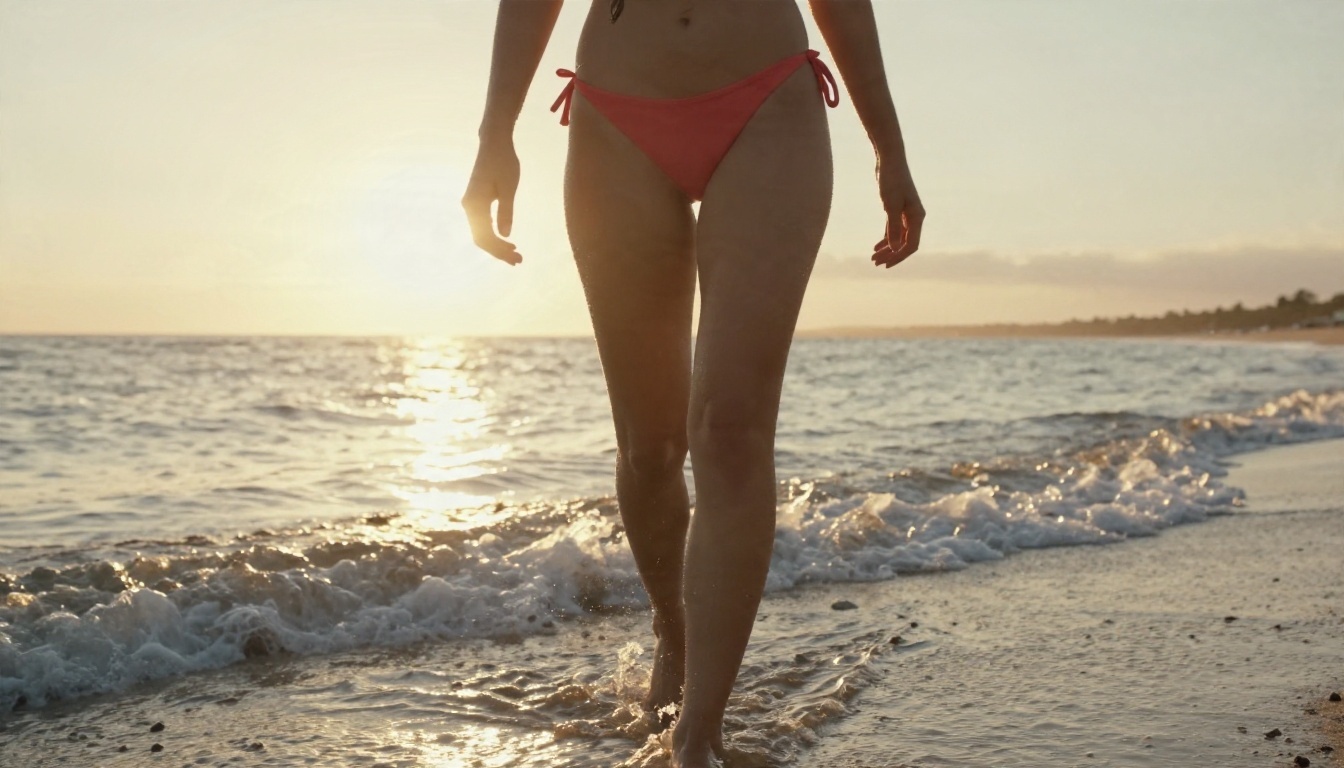
A low-angle frame at 35mm with the sun behind the subject. The wet sand gives you free reflections, and the backlight turns salt water droplets into small highlights on the skin. This is the easiest scene to get right because the light does the heavy lifting.
Template: Adult woman in a coral bikini walking along wet sand at golden hour, low-angle shot, small waves around her ankles, sun flare behind her shoulder, 35mm f/2, Kodak Portra 400 grain.
Pool From Above
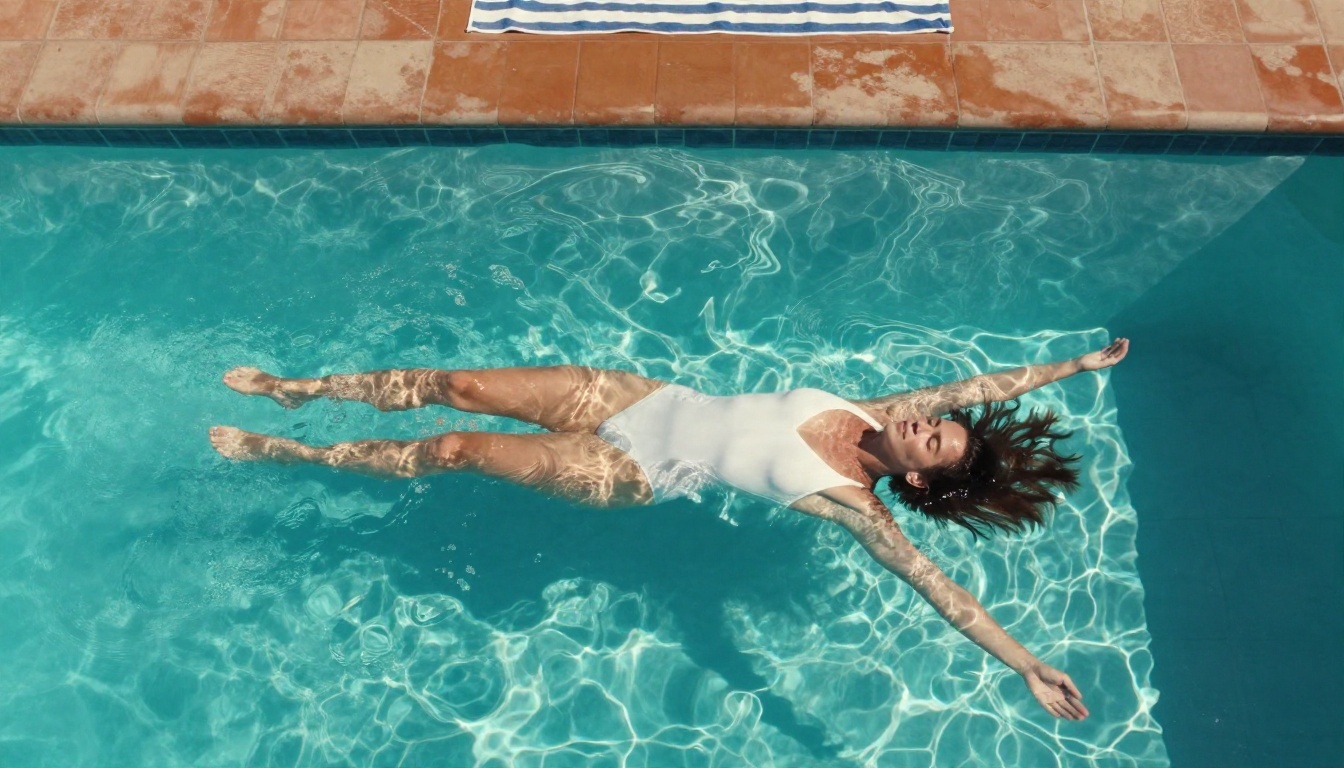
Top-down compositions hide most of the usual body-proportion mistakes and let the water pattern carry the picture. Use hard midday sun for those crisp ripple lines. A striped towel or terracotta tile at the edge adds scale and color.
Mirror Reflection
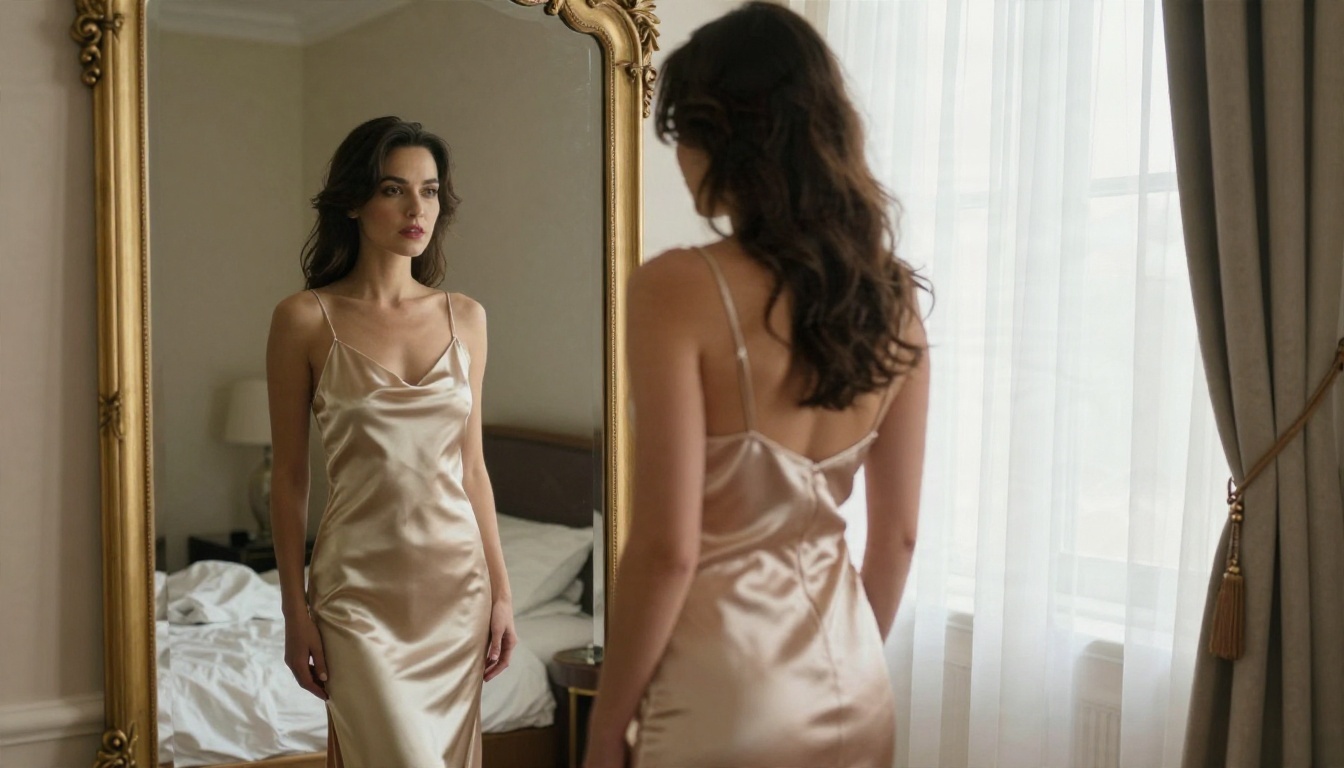
Mirrors are a stress test. The reflected face must match the real one, and the glass edges must line up. Seedream 4.5 handles this well; older SDXL checkpoints in a local graph often warp the reflection and need an inpainting pass.
Rooftop at Dusk
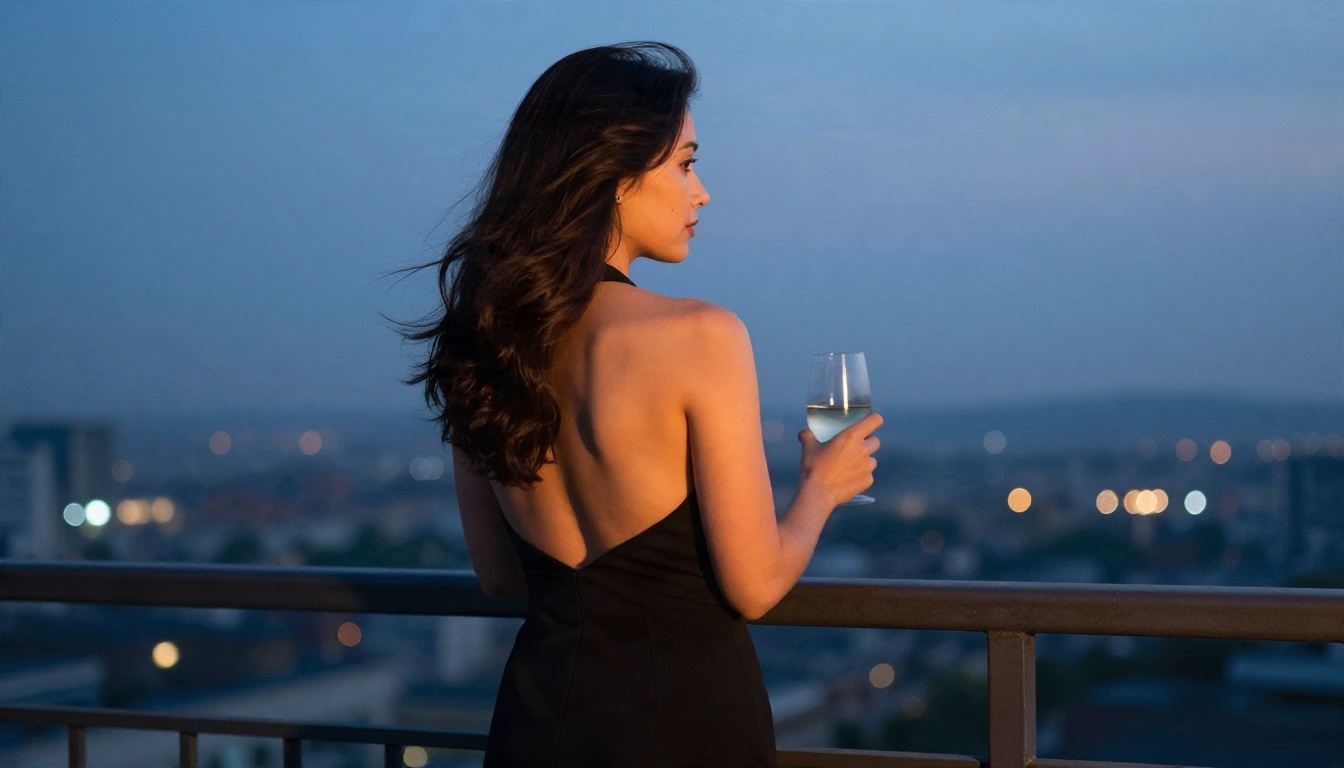
Shooting from behind removes the face-consistency problem and puts the focus on shoulders, fabric and atmosphere. A blend of warm sunset on skin and cool blue sky behind gives the image depth with no extra effort.
Other Models Worth Trying
No single model wins every scene. These are the ones I keep within reach, all with pages on PicassoIA:
Need a bigger file? Run your favorite frame through a super-resolution model for a 2x to 4x upscale. Need to fix a face or a stray detail? Use inpainting rather than regenerating the whole scene.
💡 Workflow tip: Draft with Z Image Turbo, pick the strongest composition, then regenerate that exact prompt in Seedream 4.5 for the final render. You save time and keep quality high.
Mistakes That Waste Credits
I have made all of these, some of them repeatedly.
- Vague subjects. "Sexy woman on a beach" gives you a stock-photo average. Add age range, clothing, light direction and lens.
- Too many lighting sources. Pick one main light and one fill. Five competing lights produce muddy skin.
- Ignoring the background. A clean room reads as studio work. Clutter with no logic reads as AI.
- Overusing "8K" and "masterpiece". These words add little. Lens, light and grain do the real work.
- Using real people. Never prompt with the name or likeness of a real person. Create original adult characters instead. It protects you and it protects them.
- Chasing a perfect first image. Generate four, choose one, refine. Unlimited tools like Image Editor Pro make this painless.
Start Making Your Own
You do not need fifty nodes to get a magazine-grade frame. Pick a scene from the examples above, copy the template, change two details, and run it. Try the beach prompt in Seedream 4.5, then push the result into Image Editor Pro and keep adjusting the light, the outfit and the pose until it feels right. If you already have a ComfyUI graph you love, Any ComfyUI Workflow lets you run it without hosting a thing.
Ready for more choice? Browse every image model at picassoia.com/en/all-models and build your own photorealistic series today.


