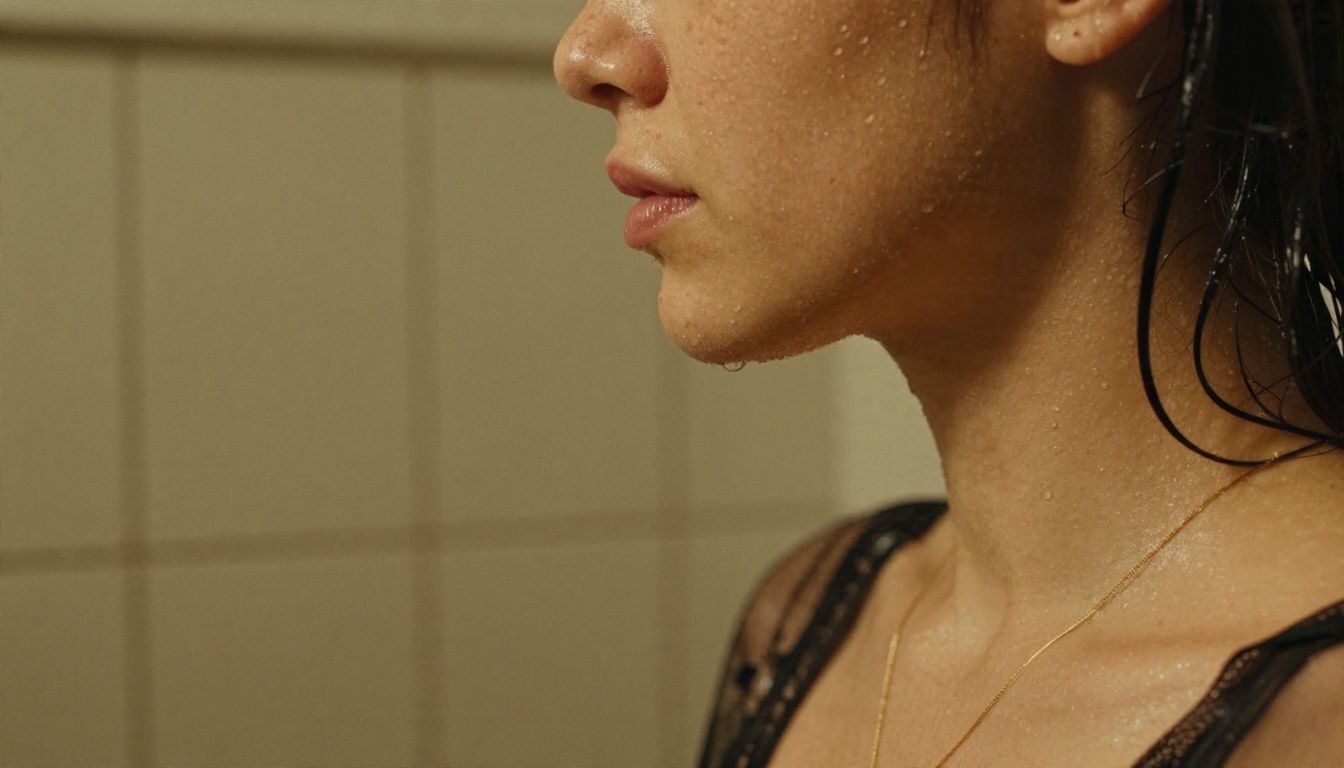
ComfyUI NSFW Prompt: Examples, Prompt Generator and Enhancer Tips
Ready-to-paste ComfyUI NSFW prompt examples for glamour, boudoir and swimwear photos, plus a simple prompt generator built from wildcards and an LLM-based prompt enhancer. Includes negative prompt lists, weighting rules and a no-install alternative on PicassoIA.
Most people who say their ComfyUI NSFW prompt "doesn't work" have the same problem: they typed a short sentence, hit queue, and got a plastic face with melted hands. The graph isn't broken. The prompt is thin. A checkpoint can only paint what the text tells it to paint, and when the text is vague, it falls back on its most average training data.
This article gives you copy-ready prompt examples for tasteful, non-explicit glamour work (lingerie, swimwear, boudoir, editorial portraits), a simple prompt generator you can build with wildcards, and a clear method for using an LLM as a prompt enhancer so your three-word idea turns into a 90-word photographic description. Everything here assumes adult subjects and suggestive, magazine-style results, not explicit content.
💡 Quick answer: Write prompts in this order: subject, clothing, pose, setting, light, lens, film look. Keep the negative prompt short. Let an LLM expand your idea instead of stacking random quality tags.
Why ComfyUI Prompts Behave Differently
ComfyUI gives you no hidden helper. Some web tools quietly rewrite your text before it reaches the model. In ComfyUI, the CLIP Text Encode node sends exactly what you typed. That is great for control and brutal for lazy prompting.
The Checkpoint Sets the Vocabulary
Each model family reads prompts differently:
Model family
Prompt style it prefers
Typical length
SD 1.5 and SDXL derivatives
Comma-separated tags, weights like (word:1.2)
40 to 75 tokens
Flux style models
Natural sentences, no weight syntax
60 to 150 words
Qwen and Z Image style models
Plain descriptive English, long is fine
50 to 200 words
Anime-trained checkpoints
Booru-style tags
30 to 80 tags
If you paste a tag list into a sentence-based model, you get stiff, generic results. If you paste a paragraph into a tag-based model, the tail end of it gets ignored. Match the format first, then tune the content.
A Prompt Order That Works
The text encoder gives more attention to what comes first. Use this order every time:
Subject: age range, hair, skin tone, expression
Clothing: fabric and color (satin, lace, linen, knit)
Pose and framing: close-up, three-quarter, low angle
Setting: room, beach, hotel corridor
Light: direction and quality (window light from the left, golden backlight)
Lens and film: 85mm f/1.8, Kodak Portra 400, fine grain
The reason this order works is simple. Subject and clothing define what the image is. Everything after that defines how it looks. When the first two slots are weak, no amount of lens language will save the image.
Prompt Examples You Can Paste
Every example below stays suggestive and non-explicit. They are written in sentence form, which suits Flux, Qwen and Z Image style checkpoints. For tag-based SDXL checkpoints, see the conversion tip after the examples.
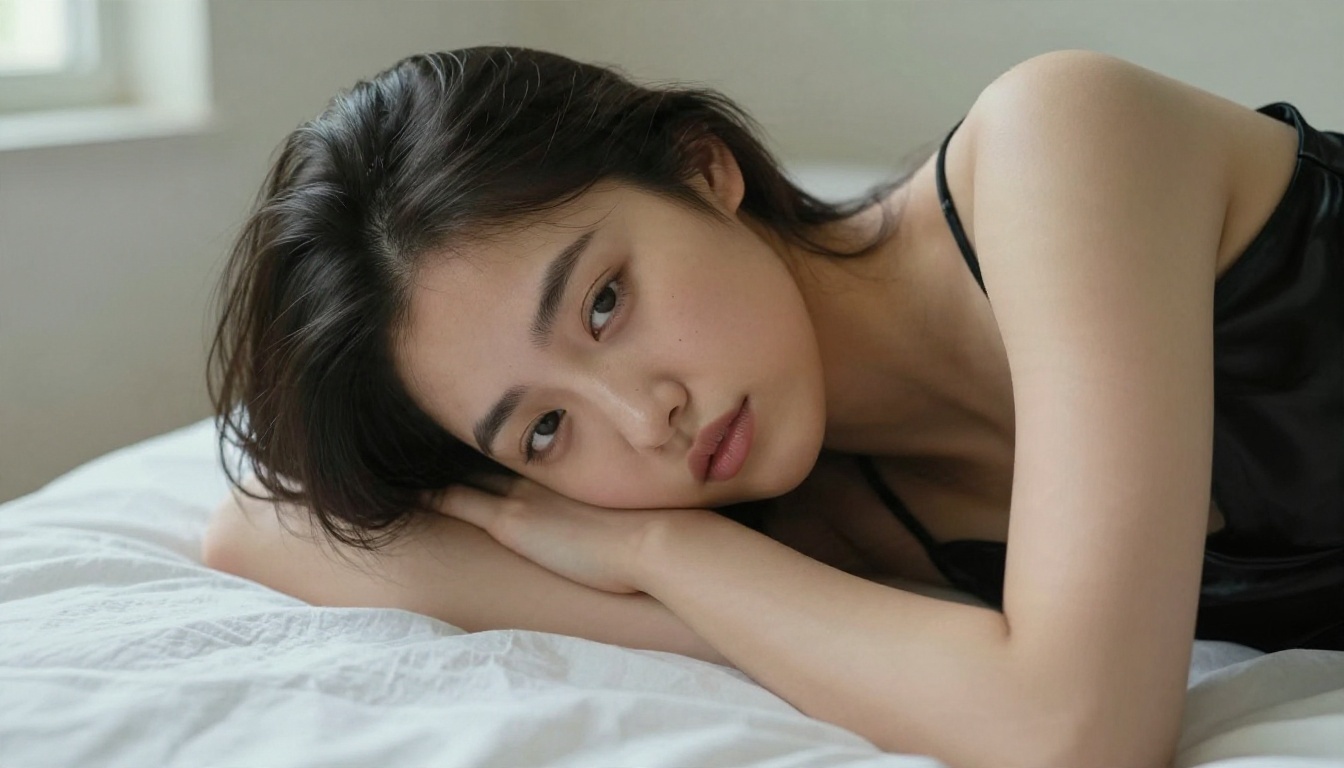
Boudoir Portrait
Close-up portrait of an adult woman with long dark hair in a black satin
camisole, lying on her side on rumpled white linen sheets, chin resting on
her forearm, relaxed half-lidded eyes looking into the lens. Pale plaster
bedroom wall, soft window light from the left, gentle side shadows, visible
skin pores and fine hairs, 85mm f/1.8 shallow depth of field, Kodak Portra
400 film grain, raw photograph
Why it works: the light direction and the skin detail words stop the model from smoothing the face. "Rumpled" gives the sheets believable folds.
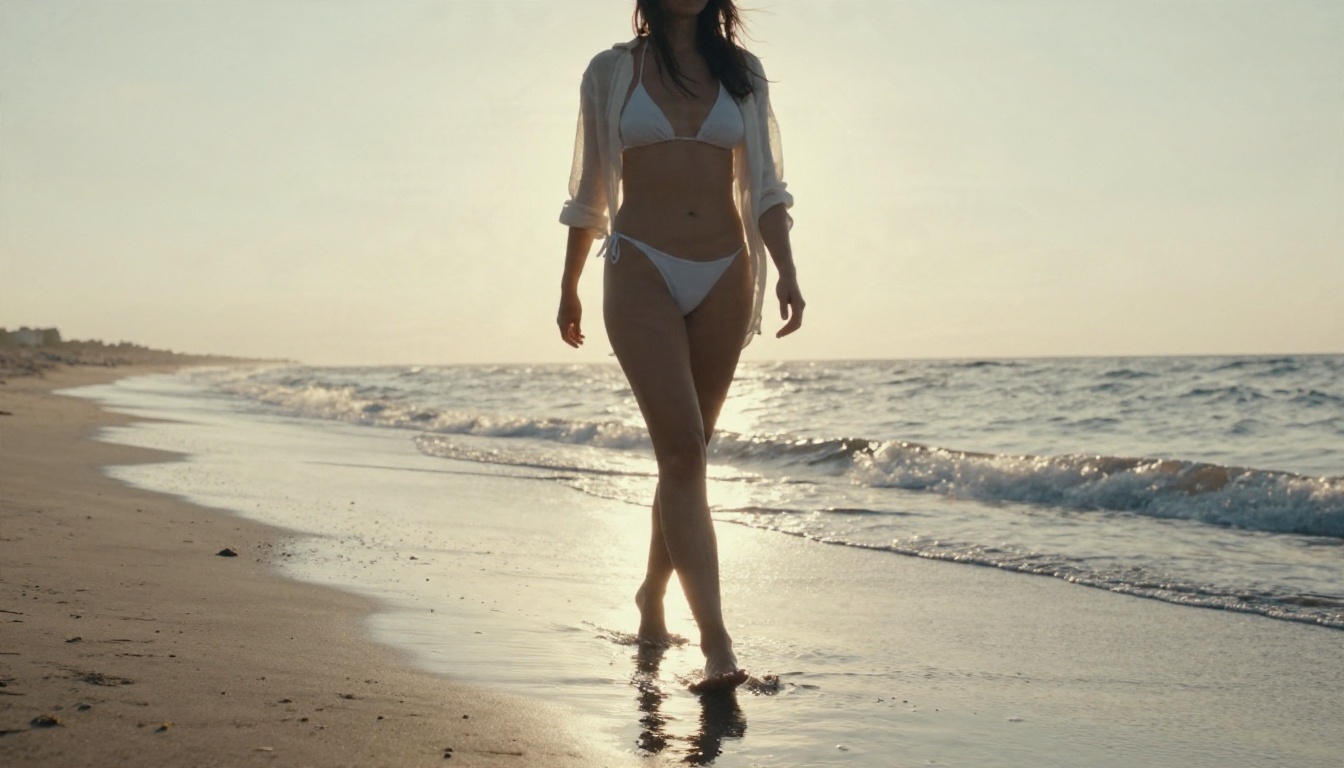
Beach Glamour
Full-length low-angle photo of a tanned adult woman in a white string bikini
and a sheer linen shirt walking along a quiet Mediterranean beach at golden
hour, wet sand reflecting the sky, small waves foaming around her ankles,
hair blowing in the sea breeze. Warm backlight from the setting sun creating
a soft rim glow on her shoulders, 35mm f/2 lens, natural film grain
Why it works: the wet sand reflection forces the model to render a believable ground plane, which keeps feet and ankles from floating.
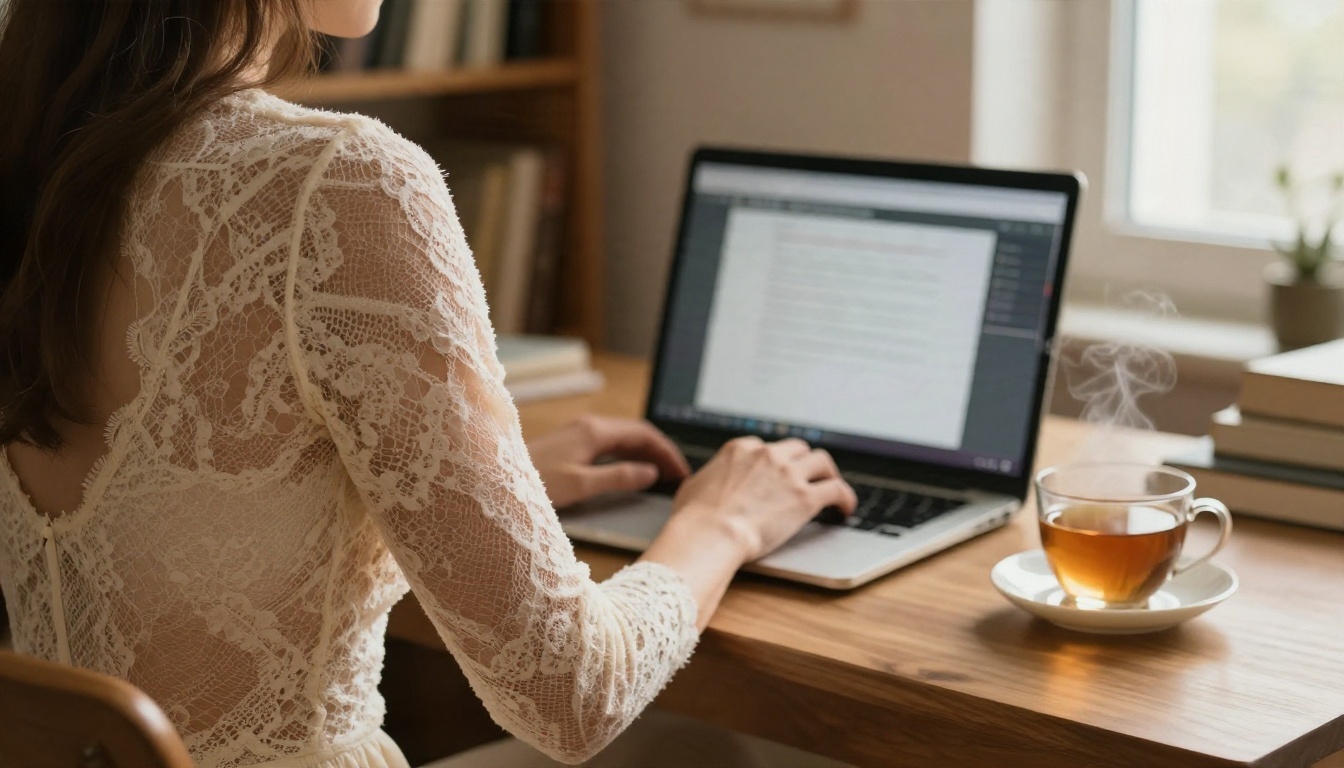
Desk and Lace
Over-the-shoulder view of an adult woman in an ivory lace bodysuit sitting at
a wooden desk in a cozy apartment, typing on a laptop with a blurred screen,
a cup of tea steaming beside it. Late afternoon window light from the right,
warm wood tones, bookshelves softly out of focus, 50mm f/1.8 lens, subtle film
grain, realistic lace texture
Why it works: an everyday activity (typing) produces natural hand poses. Hands doing something are easier for the model than hands floating in empty space.
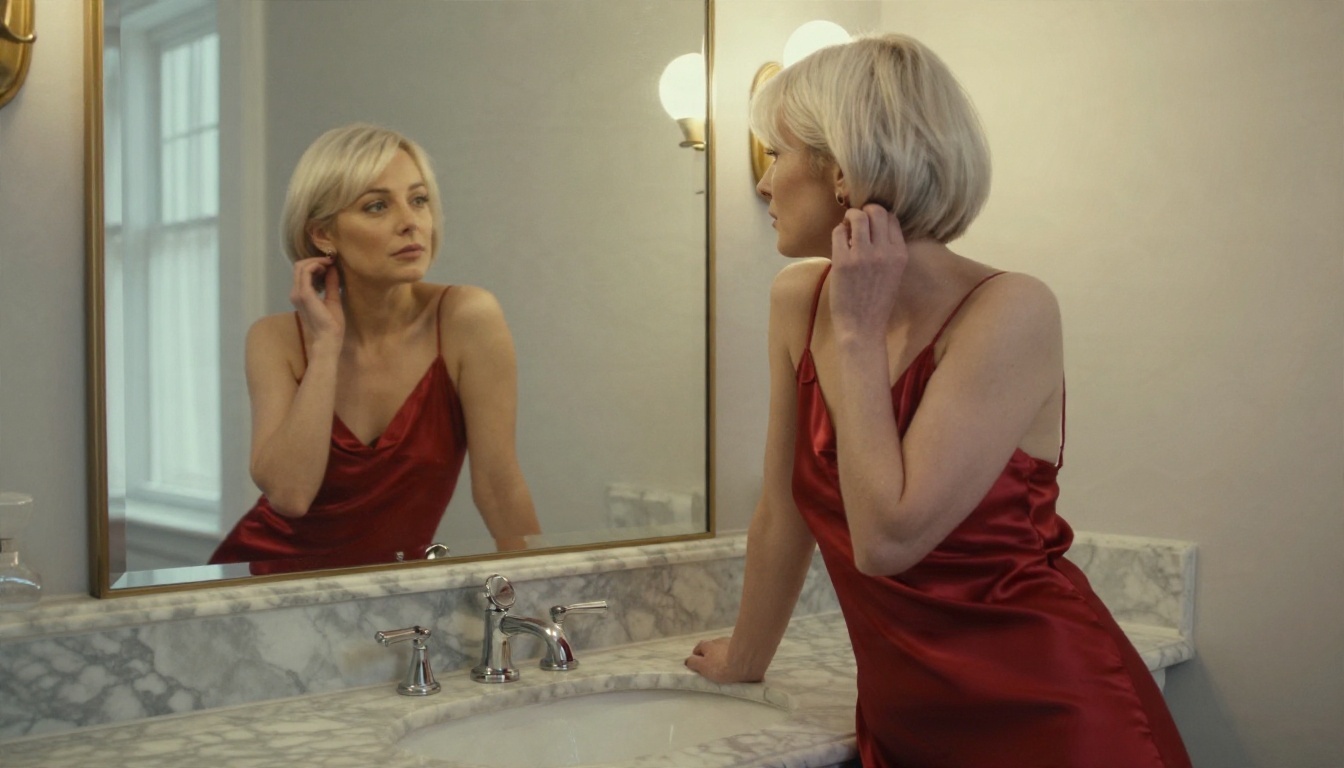
Mirror Scene
Medium shot of an adult woman with a short platinum bob wearing a red satin
slip dress, leaning against a marble bathroom vanity in front of a large
antique mirror, reflection visible, one hand adjusting an earring. Soft
diffused window light mixed with warm bulb glow, glossy marble texture, fine
skin pores, 50mm f/2 lens at eye level, Kodak Portra 400 tones
⚠️ Mirrors are a stress test. If the reflection doesn't match the subject, lower CFG by 0.5 and add "single reflection, matching pose" to the prompt.
Poolside Overhead
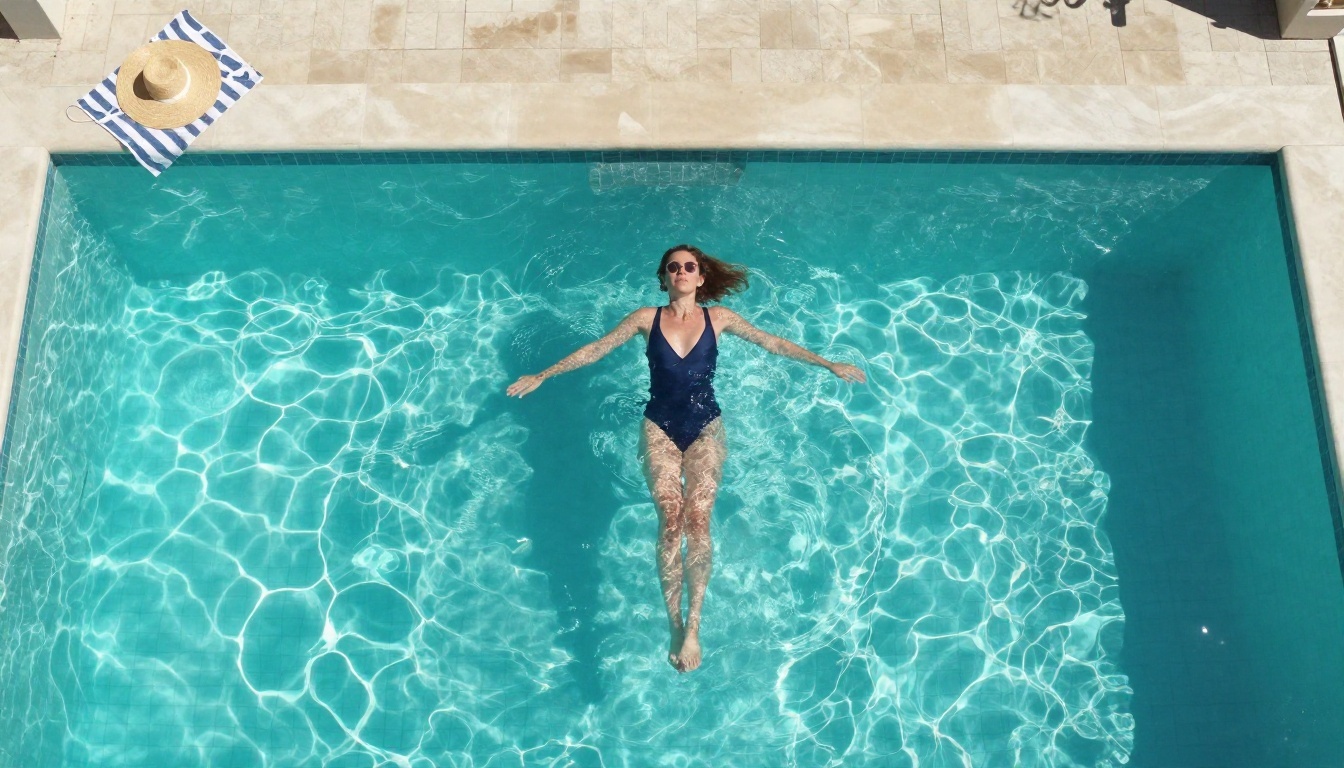
Aerial top-down photo of an adult woman in a navy one-piece swimsuit floating
on her back in a clear turquoise swimming pool, arms outstretched, ripples of
light dancing on the tiled pool floor, a striped towel and straw hat on the
stone deck. Bright midday sun, natural hard shadows, 24mm lens from a balcony
above, subtle grain
Converting to Tag Format for SDXL
For SDXL derivatives, break the same idea into tags and add weights only to the parts that matter:
adult woman, long dark hair, (black satin camisole:1.2), lying on side, white
linen sheets, soft window light from left, (detailed skin texture:1.1),
85mm, shallow depth of field, film grain, photograph
Weights above 1.3 usually distort faces. Stay between 1.05 and 1.25.
Negative Prompts and Weights
A negative prompt is a filter, not a magic fix. Long lists of 80 banned words often flatten the image and add nothing. Keep it short and specific.
A Short Negative Starter List
For photographic work on SDXL or SD 1.5 checkpoints:
cartoon, illustration, 3d render, plastic skin, extra fingers, fused fingers,
deformed hands, extra limbs, blurry, watermark, text, logo, oversaturated,
low resolution
Flux style models mostly ignore negative prompts, so skip them there and describe what you want in the positive text instead. Write "natural skin with visible pores" rather than "no plastic skin."
Weighting Rules That Hold Up
Use (word:1.1) to (word:1.25) for small boosts.
Never weight more than three terms in one prompt.
If a color bleeds into the wrong object, separate the clauses with commas or use BREAK on checkpoints that support it.
Change one thing per run. If you change the prompt, sampler and CFG at once, you will never know which one helped.
Setting
Starting value
When to change it
Steps
28 to 35
Raise only if details look unfinished
CFG
4 to 6 (Flux 1 to 3.5)
Lower if skin looks burnt or contrasty
Sampler
dpmpp_2m or euler
Switch if textures look noisy
Resolution
1024 x 1024 base, then upscale
Keep the base size native to the model
Building a Prompt Generator Workflow
Typing fresh prompts all day is slow. A prompt generator turns a few lists into hundreds of variations, and ComfyUI can do it with community nodes that read text files.
Wildcards in Plain Text Files
Most wildcard packs work the same way. You create a text file for each slot, one option per line, and reference it in your prompt with double underscores.
clothing.txt
black satin camisole
ivory lace bodysuit
red satin slip dress
emerald silk robe over lingerie
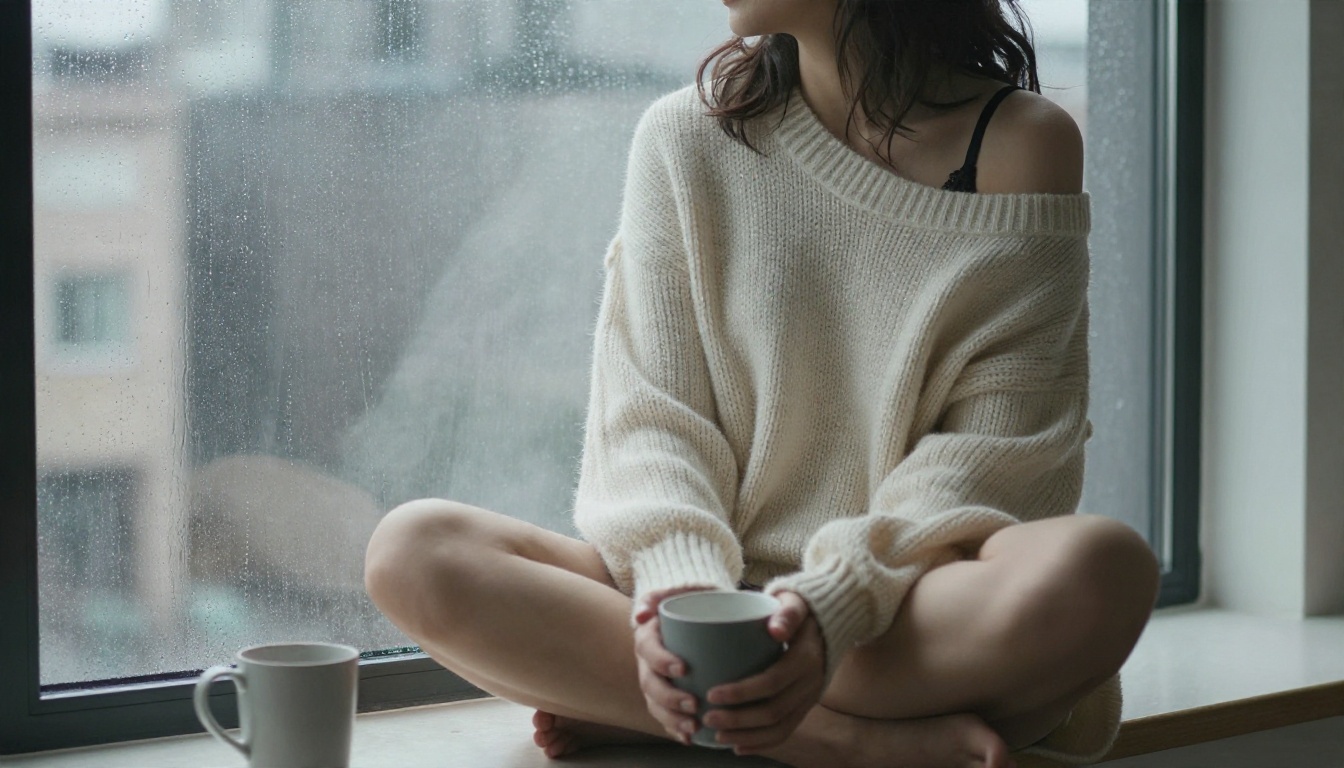
cream knit sweater slipping off one shoulder
white string bikini
setting.txt
sunlit loft apartment
vintage hotel corridor with brass sconces
rainy window seat
Mediterranean beach at golden hour
marble bathroom vanity
light.txt
soft window light from the left
warm golden backlight
diffused overcast light
warm tungsten side light
Your master prompt then becomes:
Portrait of an adult woman in __clothing__, in a __setting__, __light__,
85mm f/1.8, Kodak Portra 400 film grain, raw photograph
Each queue picks a random line from each file. Ten minutes of list building gives you thousands of combinations, and every one of them follows the prompt order from earlier.
Template Nodes and Seeds
Wildcards alone can drift. Two habits keep a generator useful:
Fix the seed when you like a composition, then vary only one wildcard to compare.
Log every prompt. ComfyUI embeds the full graph in the PNG metadata, so drag the image back into the canvas and you get the exact prompt and settings.
💡 Build one lock list for things that should never change (lens, film look, "adult woman") and keep it outside the wildcard files. That way no random pick can drop your quality anchors.
Prompt Enhancer Tips With LLMs
A wildcard generator is random. An LLM is intentional. You give it five words and it writes a full photographic paragraph, with light direction and texture details you would have forgotten.
Local or Hosted Models
The ComfyUI community has built several nodes that sit between your text box and the CLIP encoder. Searge-LLM, Plush Advanced Prompt Enhancer and Ollama-based nodes are examples. They send your short text to a language model, then pass the expanded result to the sampler.
Option
Strength
Weakness
Local model through Ollama or LM Studio
Private, no per-call cost
Uses VRAM that your image model also needs
Hosted chat model
Better writing, no VRAM cost
Needs an API key, has its own content rules
Chat model used manually in a browser tab
No custom nodes to install
Copy and paste step
The VRAM point matters. A local LLM loaded next to a large image checkpoint can push a 12 GB card into out-of-memory errors. If that happens, unload the LLM after it writes the prompt, or run it on a second machine.
A System Prompt That Gets Photo Results
The instruction you give the LLM matters more than which LLM you pick. This one works well for tasteful glamour prompts:
You write prompts for a photorealistic image model. Take the user's idea and
expand it into one paragraph of 70 to 90 words. Always include: subject
(adult), clothing with fabric type, pose, setting, light direction, camera
lens and aperture, film stock, and skin or fabric texture. Keep the result
suggestive and non-explicit. No lists, no quotation marks, no commentary.
Output only the prompt.
Give it a short input such as "woman in silk robe, hotel corridor" and you get a ready paragraph. The "output only the prompt" line prevents chatty intros that would otherwise end up inside your CLIP encoder.
Which Chat Models Work Well
For writing visual descriptions, you want a model that follows format instructions and writes concrete, physical detail. Models on PicassoIA that handle this well include Claude Sonnet 5 for long, precise paragraphs, GPT 5.6 Luna for fast short replies, Gemini 3.5 Flash when you want speed with decent detail, and Qwen3.7-Plus when you need it to read a reference photo and describe it. Deepseek v3.1 is a solid option for batch rewriting a long list of ideas.
⚠️ Hosted chat models apply their own safety rules. Keep your requests to suggestive, glamour-level descriptions and you will get consistent, usable text. Requests that push past that will often be refused or watered down.
Before and After
Input idea
Expanded result (shortened)
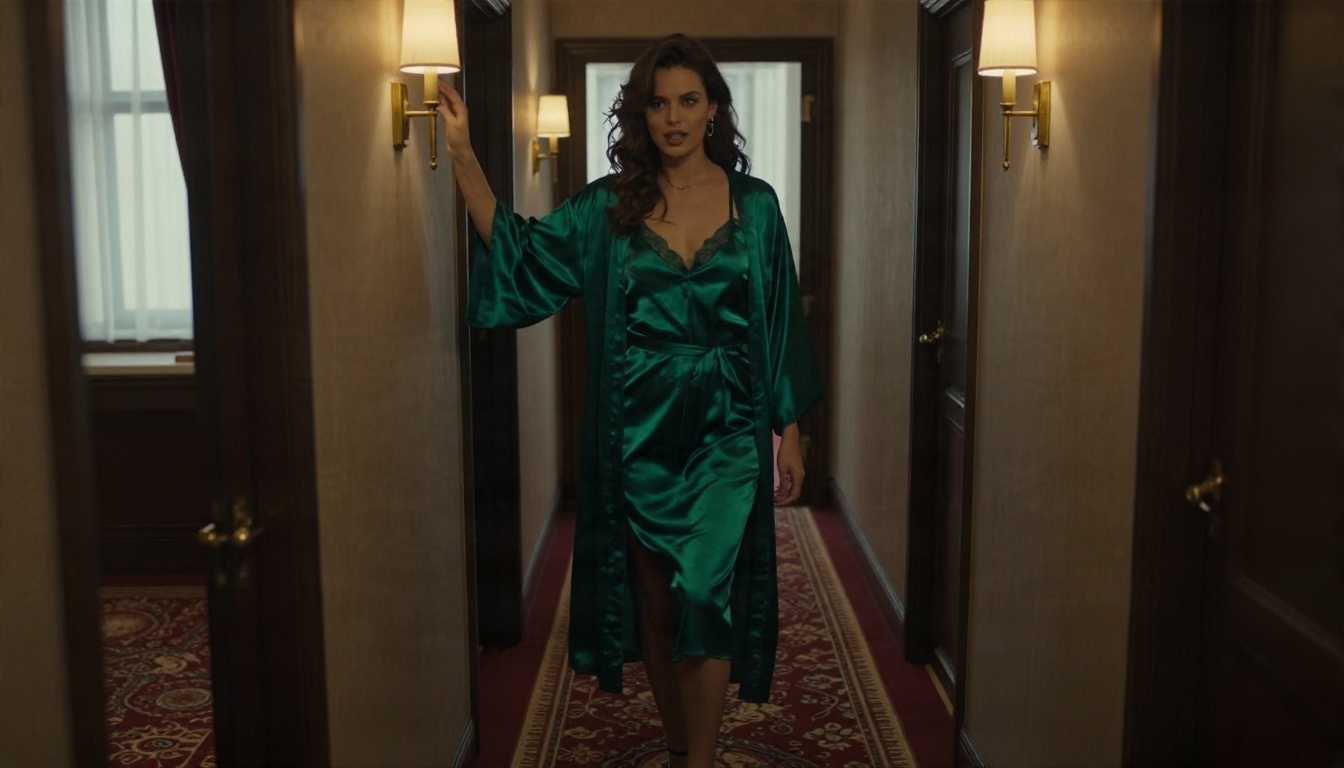
woman, robe, hotel
Adult woman in an emerald silk robe over lingerie, standing in a dim vintage hotel corridor, patterned carpet, brass sconces, one hand on a doorframe, glancing back, warm sconce light against cool window daylight, 35mm f/1.8, fine film grain
bikini, beach, sunset
Tanned adult woman in a white string bikini on a quiet beach at golden hour, low angle, wet sand reflecting the sky, warm backlight rim on her shoulders, 35mm f/2
The expanded versions never add new people or objects you did not ask for, as long as your system prompt says "expand, do not invent new subjects."
Same Prompts on PicassoIA, No Install
ComfyUI is excellent when you want node-level control, but it asks for a GPU, model downloads, custom node updates and patience. If you just want the pictures, the prompts above work in a browser too.
How to Use Seedream 4.5
Seedream 4.5 is the first model to try for this kind of work. It reads long natural-language prompts well and handles skin, fabric and lighting with very little tuning, so your sentence-style prompts from this article drop straight in.
Paste one of the sentence-form prompts above into the prompt box.
Set the aspect ratio to 16:9 for scenes or 3:4 for portraits.
Generate, then change one detail at a time (clothing, light direction, lens) to compare.
Save the versions you like and keep the prompt next to them in your library.
Parameter tips: keep prompts between 60 and 120 words, state the light direction explicitly, and mention one fabric texture per outfit. Adding "natural skin with visible pores" works better than any negative list.
Editing With Image Editor Pro
Once you have a picture you like, PicassoIA Image Editor Pro is the second stop. It offers unlimited generations, which makes it a good fit for iteration: change an outfit color, swap a background, soften a shadow, then run it again without watching a counter.
A practical workflow: use an LLM from the list above to expand your idea, run the paragraph through Seedream 4.5 for the first pass, then refine in Image Editor Pro.
Common Mistakes to Fix First
Mistake
What you see
Fix
Quality tag spam ("8k, masterpiece, ultra detailed" repeated)
Over-sharpened, waxy skin
Replace with one lens and one film stock
No light direction
Flat, shadowless faces
Add "window light from the left" or similar
Weights above 1.4
Distorted faces, burnt colors
Keep weights between 1.05 and 1.25
Pasting tags into a sentence model
Generic, stiff results
Rewrite as a descriptive sentence
Long negative list on Flux
No visible change
Move the wording into the positive prompt
LLM left loaded in VRAM
Out-of-memory errors
Unload it or run it elsewhere
Vague subject ("a girl")
Random age and styling
State "adult woman" plus hair and skin details
Three Habits That Save Hours
Keep a prompt notebook. One text file with your best 20 prompts beats a thousand forgotten ones.
Test with a fixed seed. Otherwise you are comparing luck, not prompts.
Describe the camera, not the mood. "85mm f/1.8, window light" gives the model measurable instructions. "Sensual, beautiful, stunning" gives it nothing.
Build Your Own Prompt Library
You now have the pieces: a prompt order that works, example prompts for glamour, boudoir and swimwear scenes, a wildcard generator, and an LLM routine that turns short ideas into full descriptions. The next step is yours. Pick one example, change the clothing and the light, and see what happens.
If you would rather skip the setup, open Seedream 4.5 on PicassoIA, paste a prompt from this article, and compare it with what your ComfyUI graph produces. Then take the result into PicassoIA Image Editor Pro for unlimited edits. For the full list of image and language models, visit picassoia.com/en/all-models and start building your own library today.