Copy and Paste ChatGPT Prompt Photo Prompts Green: Free Examples for Backgrounds and Outfits
Ready to paste green photo prompts for ChatGPT and GPT Image models: studio backdrops, forests, greenhouses, blazers, satin dresses and streetwear. Each example comes with a real result, shade vocabulary, a simple formula and fixes for green skin cast.
Green is the easiest color to get wrong in an AI photo, and one of the most beautiful once your wording is right. Ask for "a girl in a green dress" and you will probably get a flat, neon, plastic looking mess with a skin tone that has picked up a faint olive tint. Ask with the right shade names, light direction and lens, and the same idea turns into something that looks like it came out of a fashion shoot. This page gives you free green photo prompts you can copy and paste into ChatGPT, plus the reasoning behind each one so you can adapt them to your own backgrounds and outfits.
Every example below is written in plain language, uses bracketed slots such as [subject] you can swap, and was tested against realistic photography goals: natural light, visible fabric texture, believable skin. The images you see were generated from prompts built on the very same structure.
💡 Quick note: ChatGPT itself is not a PicassoIA model. The prompts work in ChatGPT, and they also work in the GPT Image family and other text to image models you can run on PicassoIA, which I cover in the tutorial section further down.
Why Green Prompts Work So Well
Green sits in the middle of the visible spectrum, which is why cameras and image models have seen it more than almost any other color. Grass, leaves, forests, cloth, painted walls: the training data is full of it. That is good news, because a model already knows what green should look like. The trick is steering it away from the generic version.
Green Is Forgiving on Camera
Warm skin and green are close to complementary, so a green wall or a green jacket makes faces look healthy and bright. Photographers have used sage backdrops and olive wardrobe for decades for this exact reason. When your prompt says "muted sage" instead of just "green," the model borrows that tasteful, slightly desaturated look.
Here is a small test you can run. Take the same portrait prompt and only change the color word:
Color word
Typical result
Realism
"green"
Bright, flat, saturated
Low
"sage green"
Soft, grey leaning, calm
High
"emerald green"
Rich, deep, jewel tone
High
"lime green"
Loud, can look artificial
Medium
"forest green"
Dark, moody, natural
High
What Makes a Prompt Copy Ready
A prompt you can paste without editing needs three things: a clear subject, a specific shade, and a camera description. Everything else is a bonus. The best performing prompts in this collection share one habit, they describe the light before they describe the style. "Soft window light from the left" does more work than five adjectives about beauty.
Green Background Prompts to Copy
Backgrounds are where green shines, because a single colored surface behind your subject does all the visual work. Below are four scenes, each with a prompt you can paste straight into ChatGPT.
Studio Seamless Backdrop
A seamless paper backdrop gives you that clean magazine portrait look. The shade matters most here.
Photograph of [a woman / a man] standing in front of a seamless muted sage green paper backdrop in a photo studio, wearing [a cream shirt and dark trousers]. Large softbox key light from camera right, gentle fill from the left, soft shadow falloff on the backdrop. Visible skin pores, natural fabric weave. Shot on an 85mm lens at f/1.8, shallow depth of field, Kodak Portra 400 film grain, realistic and unretouched.
The result below uses this structure for a professional headshot. Notice how the sage tone keeps the navy shirt and the dark green tie from fighting with the wall.
💡 Tip: If you want a LinkedIn style headshot, add "head and shoulders framing, relaxed friendly expression, eyes sharp." It keeps the model from cropping awkwardly.
Painted Wall Portrait
Painted plaster walls give you texture without clutter. Mint, pistachio and celadon look especially fresh in morning light.
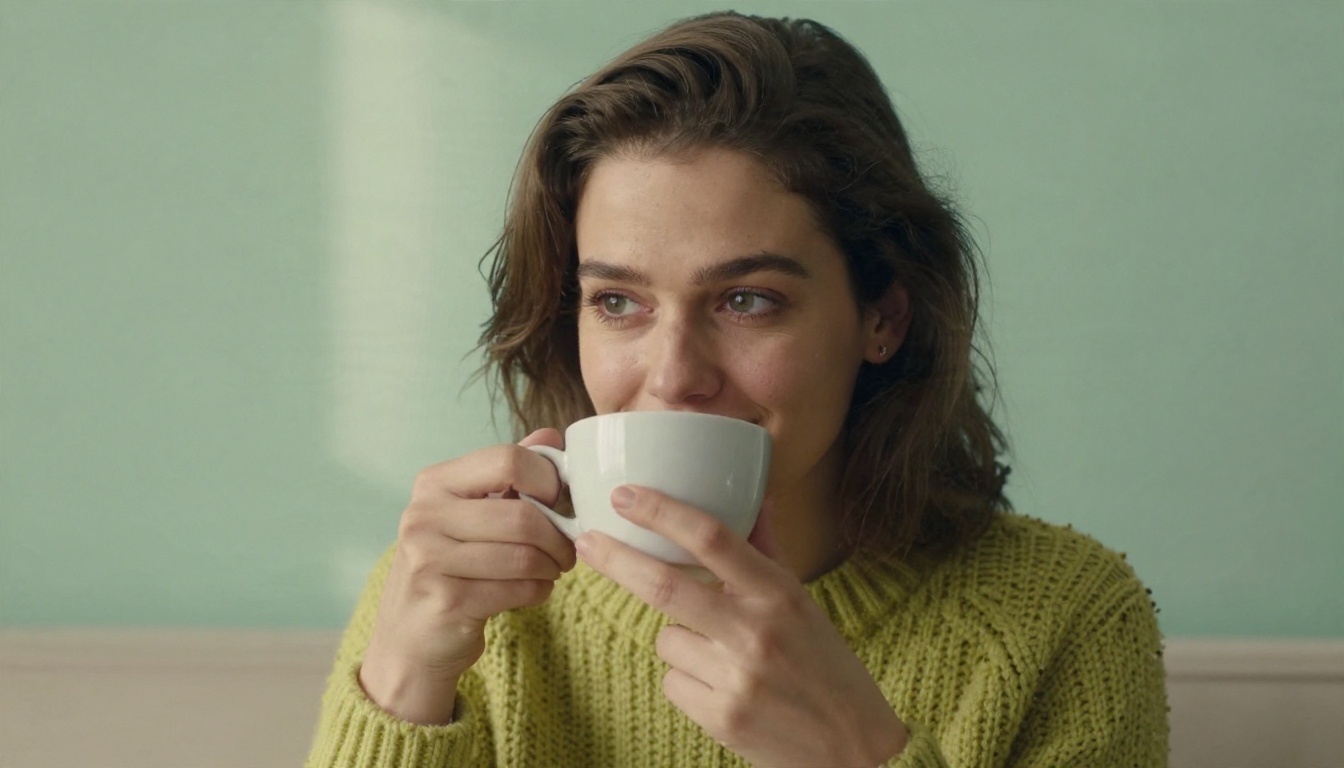
Close-up portrait of a woman in her late twenties seated in front of a pale mint green plaster wall, wearing a chunky knit pistachio sweater and holding a white ceramic cup near her chin. Warm morning window light from the left, soft shadows on the wall, visible plaster texture. 85mm lens, shallow depth of field, Kodak Portra 400 grain, natural muted tones.
Want a moodier version? Replace "pale mint" with "deep forest green" and swap the light for "warm lamp light from the right mixed with cool daylight from a window." That single change gives you a cozy home office feel.
Forest, Greenhouse and Meadow Scenes
Natural green backgrounds are harder, because the model has to handle thousands of leaves at once. The fix is to name the light and describe depth: foreground, subject, background.
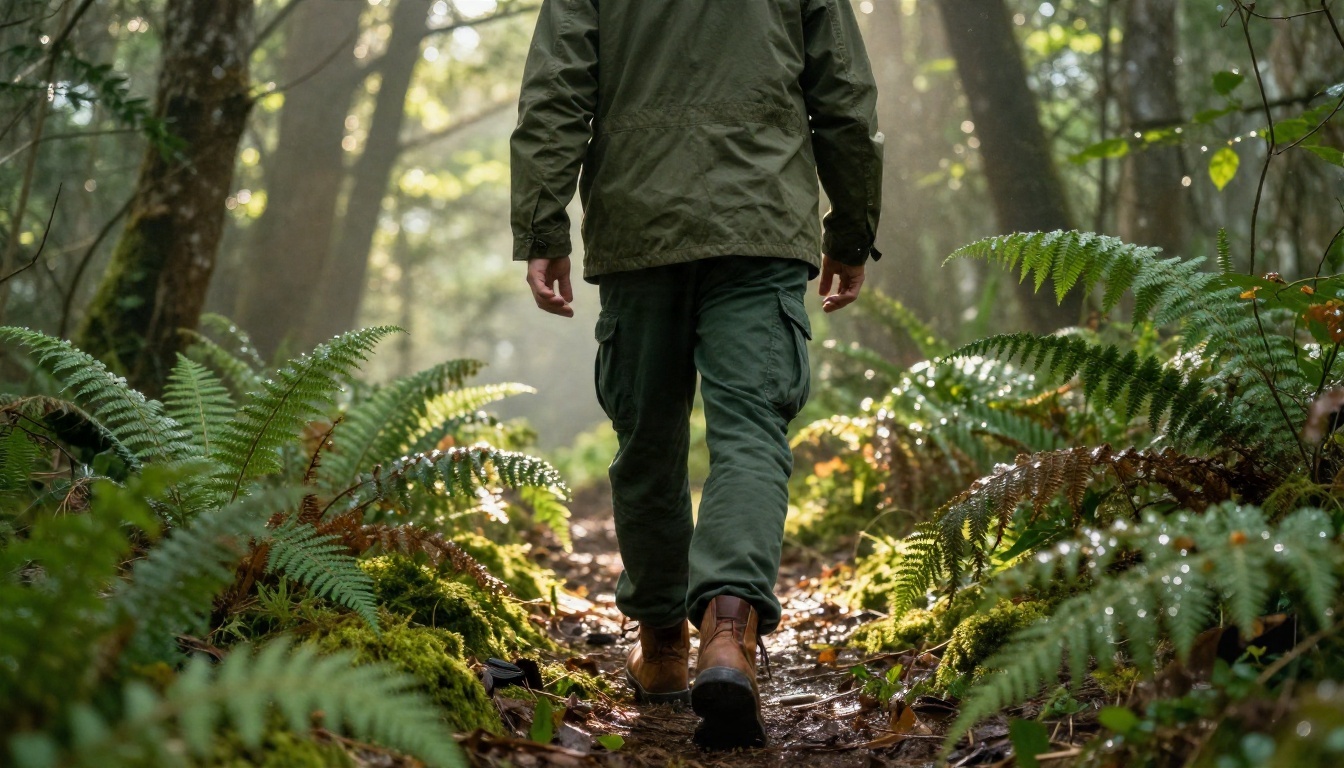
Forest path prompt:
Low angle photograph of [a man / a woman] walking along a dense sunlit forest path, wearing an olive green waxed cotton jacket and brown leather boots. Ferns and moss on the ground, volumetric morning light filtering through the canopy from behind, soft mist between trunks, wet leaves with small droplets. 35mm lens at f/2, natural color, Kodak Portra 400 grain.
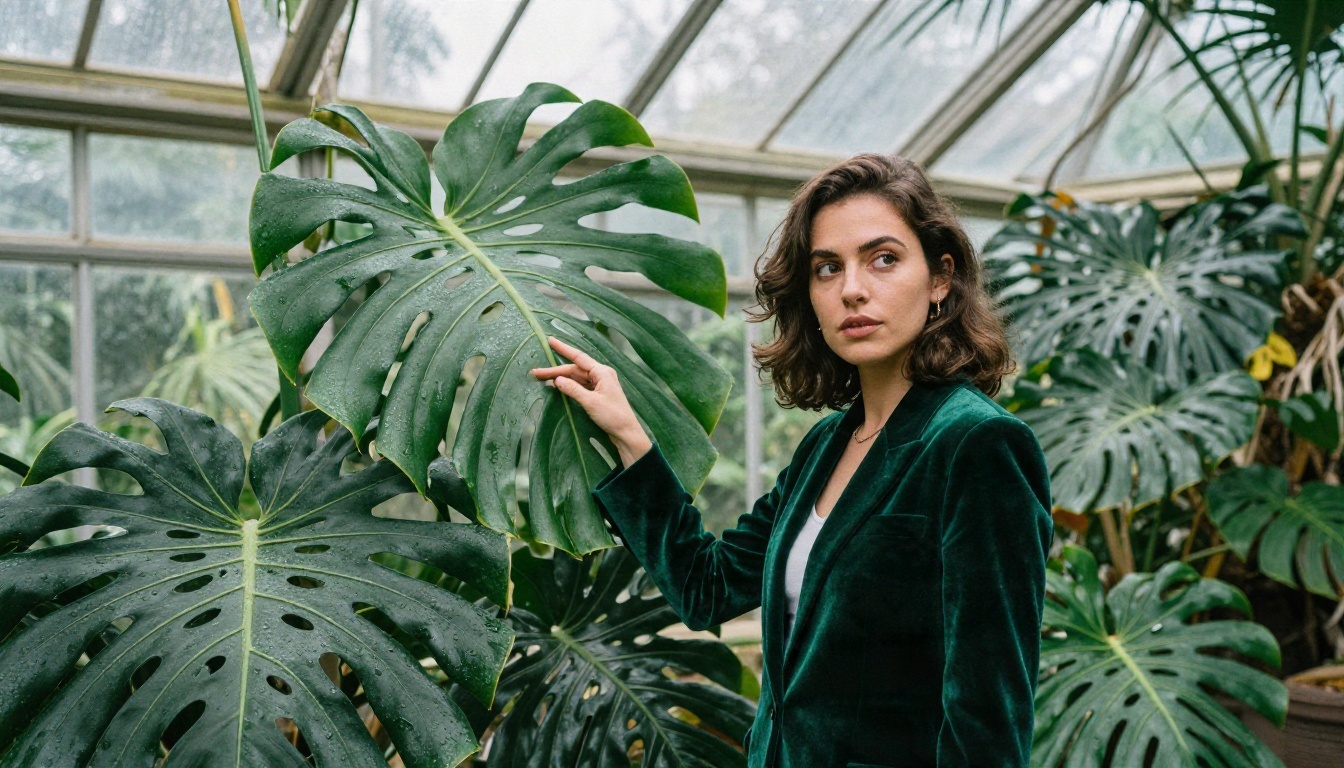
Greenhouse prompt:
Medium shot of a woman in an emerald green velvet blazer standing inside a botanical greenhouse filled with tall monstera and palm leaves, one hand touching a leaf, glancing sideways at the camera. Soft overcast daylight through glass roof panels, humidity droplets on leaves, velvet pile catching light. 50mm lens at f/2, eye level, Kodak Portra 400 grain.
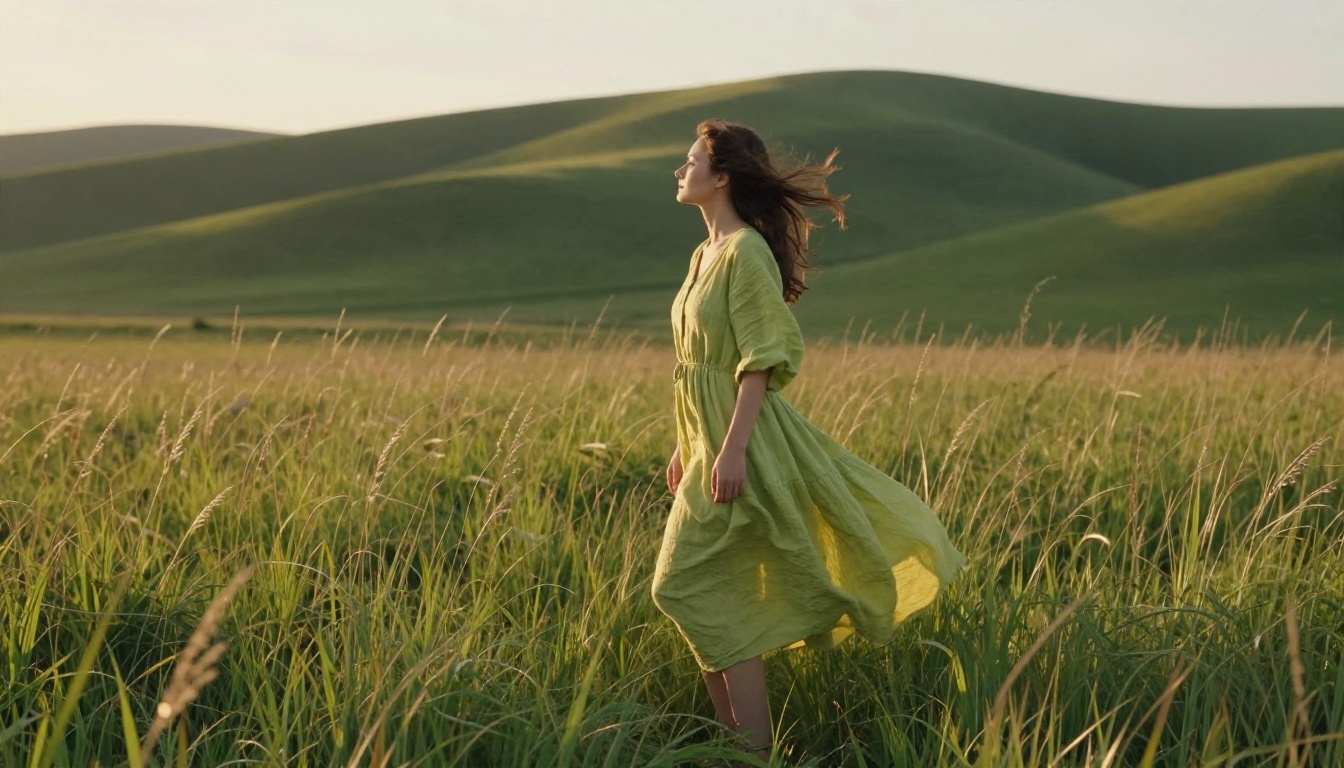
Golden hour meadow prompt:
Wide shot of a woman in a flowing lime green linen dress standing in a meadow of tall grass at golden hour, wind moving her dress and hair, rolling green hills behind her. Warm low sunlight from the right creating a rim glow on her hair, long soft shadows, individual grass blades sharp in the foreground. 35mm lens at f/2.8, low angle, Kodak Portra 400 grain.
💡 Why this works: The lime dress would look loud against a green meadow if it were in flat light. Golden hour warms the whole scene, so the dress sits inside the palette instead of fighting it.
Green Outfit Prompts to Copy
Outfit prompts need more fabric vocabulary than background prompts. Models respond well to material words: wool, velvet, satin, waxed cotton, suede, linen. Pair every garment with a shade and a material.
Blazers and Tailoring
Tailored green looks sharp in almost any setting. Here is a template built for fashion style portraits.
Editorial photograph of [a woman / a man] wearing a tailored sage green wool blazer over a silk olive camisole and wide leg forest green trousers, one hand in a pocket, calm confident expression. Seamless deep emerald studio backdrop, soft diffused window light from the left with a gentle bounce fill. Visible wool weave, subtle silk sheen, fine skin texture. 85mm lens at f/1.8, Kodak Portra 400 film grain, no retouching.
This tone on tone approach, sage over olive over forest, is the trick behind the cover photo at the top. When every layer is a different shade of the same color, the outfit looks planned instead of random.
Satin Dresses and Formal Looks
Satin is demanding, because the model must show a believable sheen without turning it into plastic. Specify light direction and fold behavior.
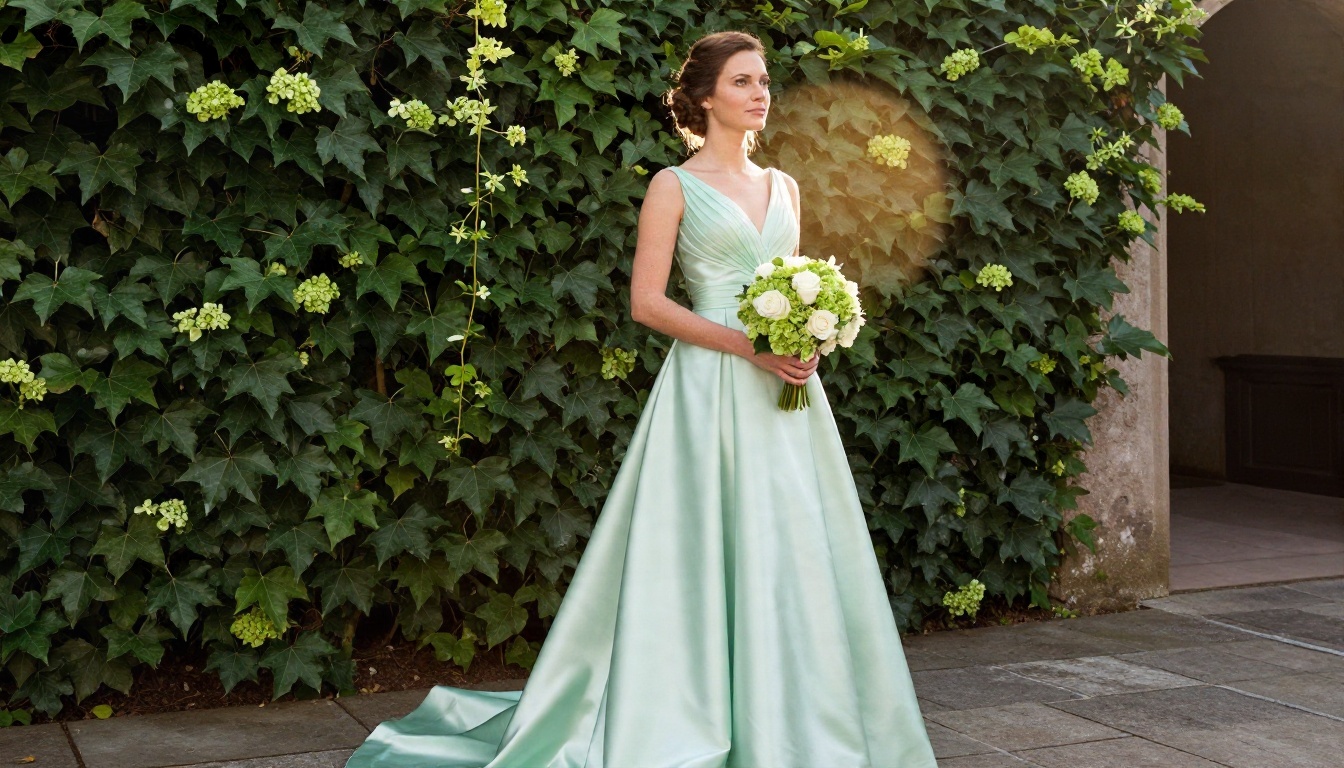
Portrait of a fashion model in a pale celadon green satin gown standing on a stone terrace beside a clipped ivy hedge, holding a bouquet of green hydrangeas and white roses, serene look toward the horizon. Soft late afternoon light from behind left, gentle lens glow, satin folds with realistic sheen, visible skin pores. 85mm lens at f/1.4, eye level, Kodak Portra 400 grain.
Streetwear and Casual Looks
Casual green looks great against weathered surfaces. Brick, concrete and peeling paint add the grit that stops an image from looking too polished.
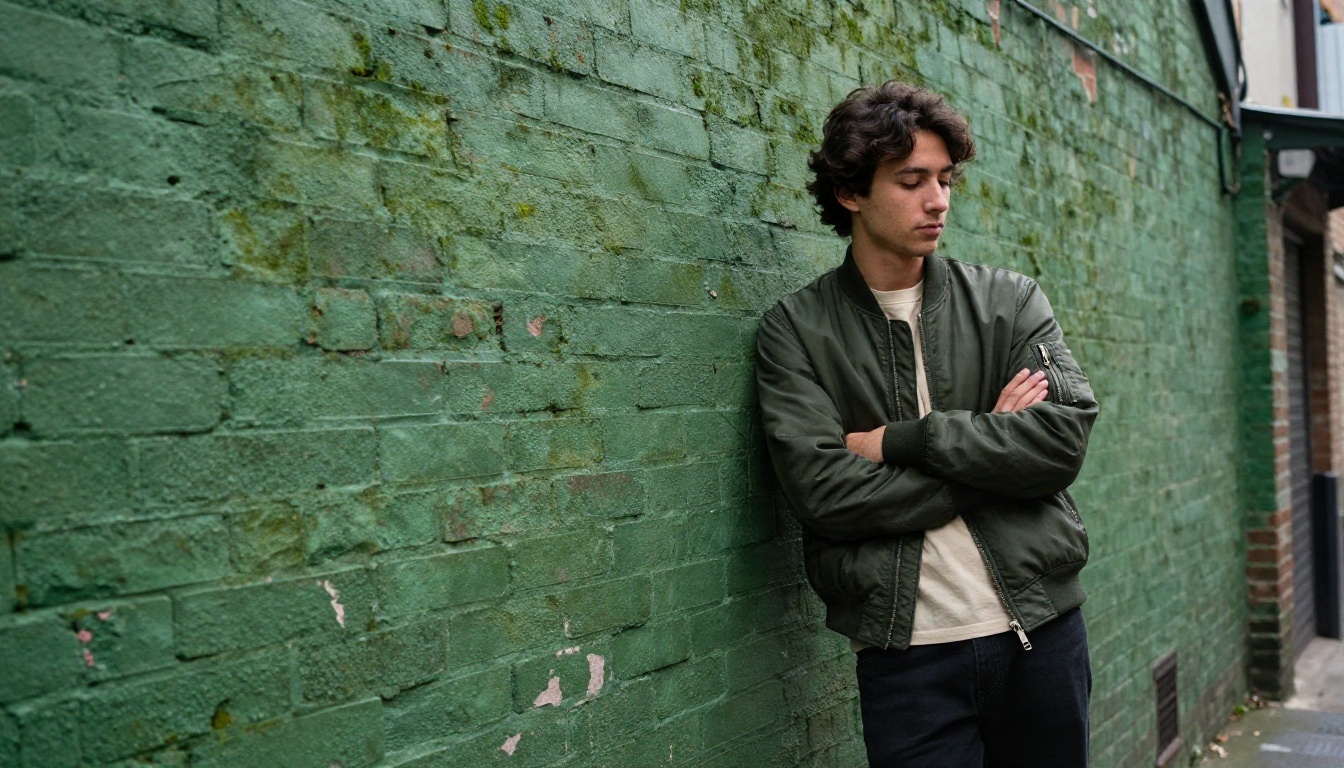
Candid street photograph of a young man in a dark green bomber jacket and cream t-shirt leaning against a moss green painted brick wall in a quiet city alley, arms crossed, looking down the street. Soft overcast light, weathered paint and chipped brick edges, nylon jacket detail. 40mm lens at f/2, slightly low angle, Kodak Portra 400 grain, muted natural tones.
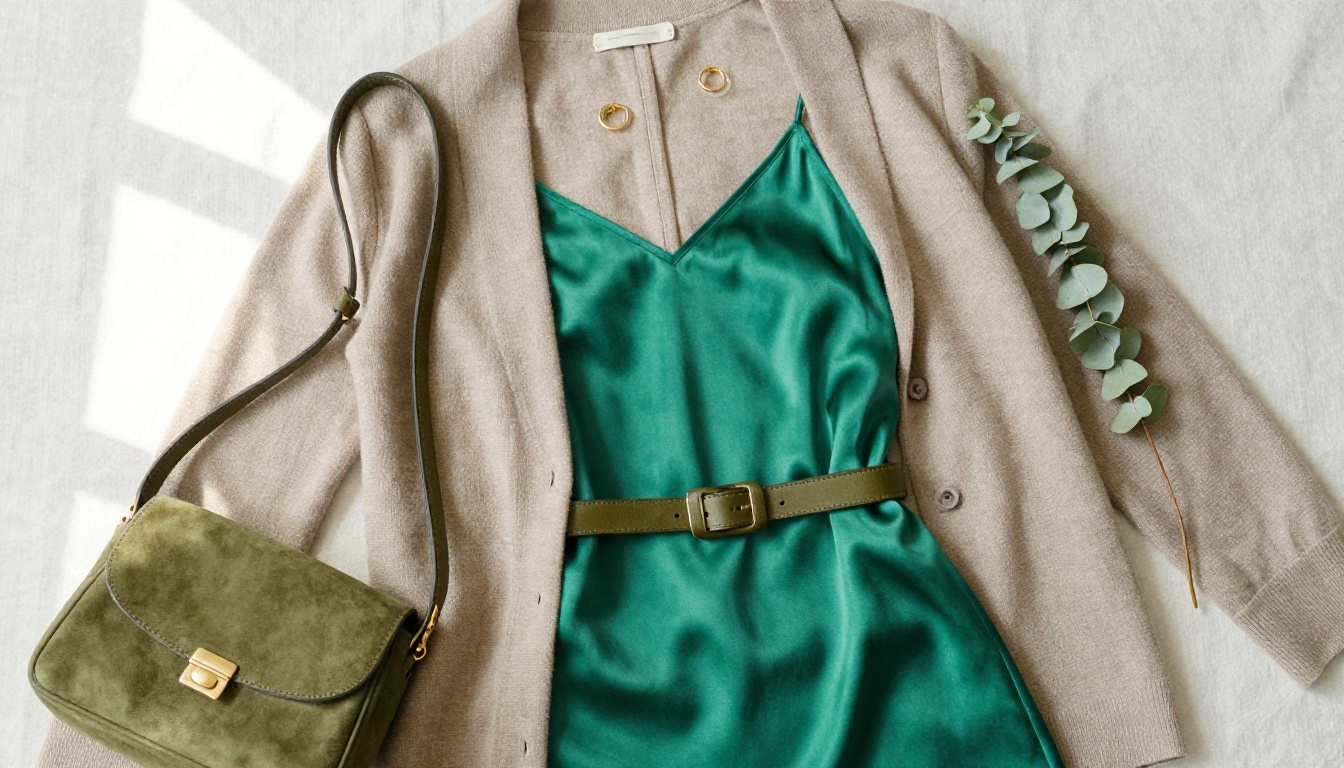
If you are planning a wardrobe instead of a portrait, ask for a flat lay. It is a quick way to test combinations before you commit to a look.
Overhead flat lay photograph of a green outfit on a pale linen surface: emerald satin slip dress, sage cardigan, olive leather belt, small green suede handbag, gold earrings and a sprig of eucalyptus. Soft diffused daylight from a window above left, gentle natural shadows, visible satin sheen and suede nap. 50mm lens at f/4, top down view, Kodak Portra 400 grain.
Build Your Own Green Prompt
Copy and paste gets you started fast, but a formula lets you create endless variations. Once the structure is clear, you will write better prompts in under a minute.
The Six Part Formula
Use this order every time:
Subject and pose: who is in the frame and what they are doing.
Outfit with material and shade: "sage green wool blazer," never just "green blazer."
Background: the surface or scene, with its own shade.
Light: direction, softness and time of day.
Camera: lens in millimeters, aperture, angle.
Texture and film look: skin pores, fabric weave, film grain.
Here is the formula filled in as a blank you can reuse:
Photograph of [subject and pose], wearing [material + shade + garment], in front of [background with shade]. [Light direction and softness]. Shot on [lens] at [aperture], [camera angle], Kodak Portra 400 film grain, visible skin texture and fabric detail, natural muted color.
Green Shade Vocabulary
Pick shades with intent. This table groups them by the mood they create.
Shade
Mood
Best for
Sage
Calm, soft
Headshots, studio backdrops
Olive
Earthy, grounded
Jackets, cargo pants, hoodies
Emerald
Rich, luxurious
Velvet, satin, evening wear
Forest
Dark, moody
Walls, coats, cozy interiors
Mint
Fresh, airy
Painted walls, spring looks
Pistachio
Warm, friendly
Knitwear, cafes
Celadon
Delicate, elegant
Gowns, weddings
Moss
Natural, weathered
Brick, street scenes
Lime
Bold, playful
Summer dresses, accents
💡 Pairing rule: Choose a background one or two steps darker or lighter than the outfit. Identical shades make your subject disappear into the wall.
How to Use GPT Image 1.5 on PicassoIA
If you like the way ChatGPT follows detailed instructions, GPT Image 1.5 is the closest match you can run on PicassoIA. It reads long prompts well, which suits the paragraph style prompts above, and it handles written instructions about clothing and color with good accuracy.
Paste one of the prompts from this page into the prompt box.
Replace each bracketed slot with your own subject, garment and shade.
Choose a wide aspect ratio for backgrounds and scenes, or a portrait ratio for outfit shots, when the option is offered.
Generate, check the skin tone and the green shade, then adjust one detail at a time and run it again.
Parameter Tips
Change one thing per run. If you change the shade, the light and the lens together, you will not know which edit helped.
Keep prompts long. This model rewards specific wording about material, light and camera.
Lock a good result. When you land a look you like, copy the full prompt into a note and reuse it as a template for new outfits.
Try the older sibling.GPT Image 1 is worth a run when you want to compare how two versions interpret the same shade words.
Fix Common Green Problems
Even a great prompt sometimes misses. These are the two problems I see most often with green photos, and the exact wording that repairs them.
Green Skin Cast
When a green background is bright, the model sometimes bleeds that color onto the face. Add one of these lines to your prompt:
"neutral natural skin tones, no green reflection on the skin"
"warm skin color, soft white balance"
"subject lit by soft window light, background lit separately"
Also try making the background a muted shade such as sage or moss. Saturated greens throw more color onto the subject.
Outfit Blends Into the Background
A green sweater against a green wall can vanish. You have three fixes:
Change the value: make the wall dark and the outfit light, or the reverse.
Add a neutral: cream, white, tan or denim break up the color and give the eye a resting point.
Add a rim light: "soft rim light from behind" separates the subject's outline from the surface.
💡 Plain language works: You do not need technical vocabulary for every fix. "Make the jacket a darker olive so it stands out from the wall" is a perfectly good follow up message in a chat style tool.
Other Models Worth Trying
Different models read the same prompt in different ways. Running your favorite green prompt through two or three of them is a quick way to find the look you like.
A practical workflow: draft the look in a fast model, then move the winning prompt into a higher detail model like Seedream 4.5 for the final render. If you already have a photo and only want to change the color of a jacket or the wall behind a person, Nano Banana is built for that kind of edit.
Try Your Own Green Set Today
You now have nine ready prompts, a six part formula, a shade vocabulary and a list of fixes. The fastest way to make them yours is to pick one prompt, change the garment and the background shade, and generate it. Then change just the light and generate again. In ten minutes you will have a small collection of green portraits that all feel like one photo shoot.
Open GPT Image 1.5 on PicassoIA, paste the sage studio prompt, and see what your first image looks like. When you want more variety, browse the full catalog at picassoia.com/en/all-models and compare how each model handles emerald velvet, celadon satin or a moss green brick wall. Experiment freely, keep the prompts that work, and build your own green look book.