Most people write a DALL E 3 prompt the way they would send a text message: short, vague, and hopeful. Then they wonder why the result looks like stock art from 2019. The model is actually very good at reading long, specific descriptions. It just needs you to tell it what a photographer would decide on set: who is in the frame, where the light comes from, what lens is on the camera, and what the surface of everything feels like.
This article gives you the DALL E 3 prompts, settings, free options, and uncensored alternatives in one place. You will get a prompt formula you can reuse, six worked examples with the reasoning behind them, a settings table, honest notes on where free access stands today, and a list of other models to try when a content filter blocks a perfectly reasonable idea.
💡 Quick status check: reports from several sources say OpenAI removed DALL E 3 from its own API in May 2026 and moved ChatGPT users to its newer GPT Image models. DALL E 3 is still available to run on PicassoIA, so everything below stays practical.
Why Prompt Wording Matters So Much
DALL E 3 was built around a simple idea: it follows your sentence closely instead of treating it as a loose mood board. That is great news and bad news. Great, because a detailed prompt gets detailed results. Bad, because a lazy prompt gets a lazy average of everything the model has seen.
When you type "a woman at a desk", the model has to guess the age, the room, the time of day, the camera, the color palette, and the emotional tone. It will guess the most common answer every time. When you supply those decisions yourself, you stop getting the average and start getting your picture.
What the Model Actually Reads
The model reads your prompt as a description, in order. Words near the start carry more weight, so lead with the subject and the action. Details about environment, light and lens come after. Style words go last, as a finishing note.
The Cost of Vague Prompts
A vague prompt does not just look generic. It also wastes generations. If you need four tries to land one usable image, you have burned four times the time for the same result. Spending thirty extra seconds on the first prompt almost always costs less than rerolling.
Here is the structure I keep coming back to. It maps neatly to how a photographer thinks, and it works on almost every text-to-image model, not just DALL E 3.
| Slot | What to write | Example fragment |
|---|
| Subject and action | Who or what, doing what | "an elderly fisherman mending a blue net" |
| Environment | Place, time, weather | "on a weathered wooden pier at golden hour" |
| Light | Direction and quality | "warm low sun from the right, rim light on stubble" |
| Camera | Lens, angle, distance | "85mm f/1.8, close-up, shallow depth of field" |
| Texture | Surfaces you want to feel | "deep wrinkles, salt-dried skin, nylon cord" |
| Finish | Film or grading cue | "Kodak Portra 400 grain, natural color" |
You do not need every slot every time. A product shot may skip the face-related texture and lean on material detail instead. But if your result feels flat, the missing slot is usually light or camera.
💡 Tip: write prompts as one flowing sentence or two, not as a comma-stuffed pile of tags. DALL E 3 responds better to natural language than to keyword soup.
Six DALL E 3 Prompt Examples
Each example below is a prompt you can paste and adjust. The images shown were generated to illustrate the style of result you are aiming for.
Portrait With Character
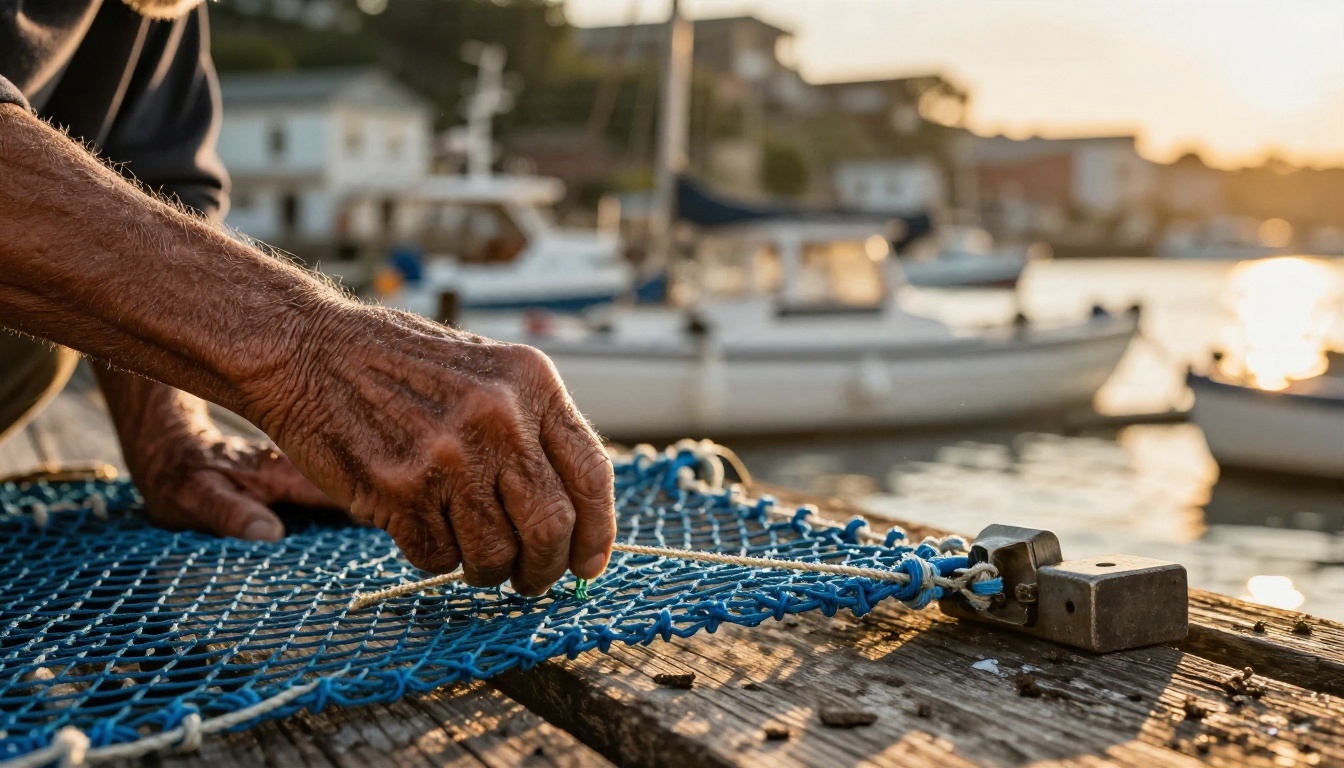
Prompt: Close-up of an elderly fisherman mending a blue net on a weathered wooden pier at golden hour, deep wrinkles and salt-dried skin in sharp detail, calloused hands holding nylon cord, warm low sun from the right creating rim light on his white stubble, blurred harbor boats behind, 85mm f/1.8 shallow depth of field, Kodak Portra 400 film grain.
Why it works: the face carries the story, so the prompt spends its words on skin, hands and the direction of light. The lens note keeps the background soft and the eyes sharp.
Food Flat Lay
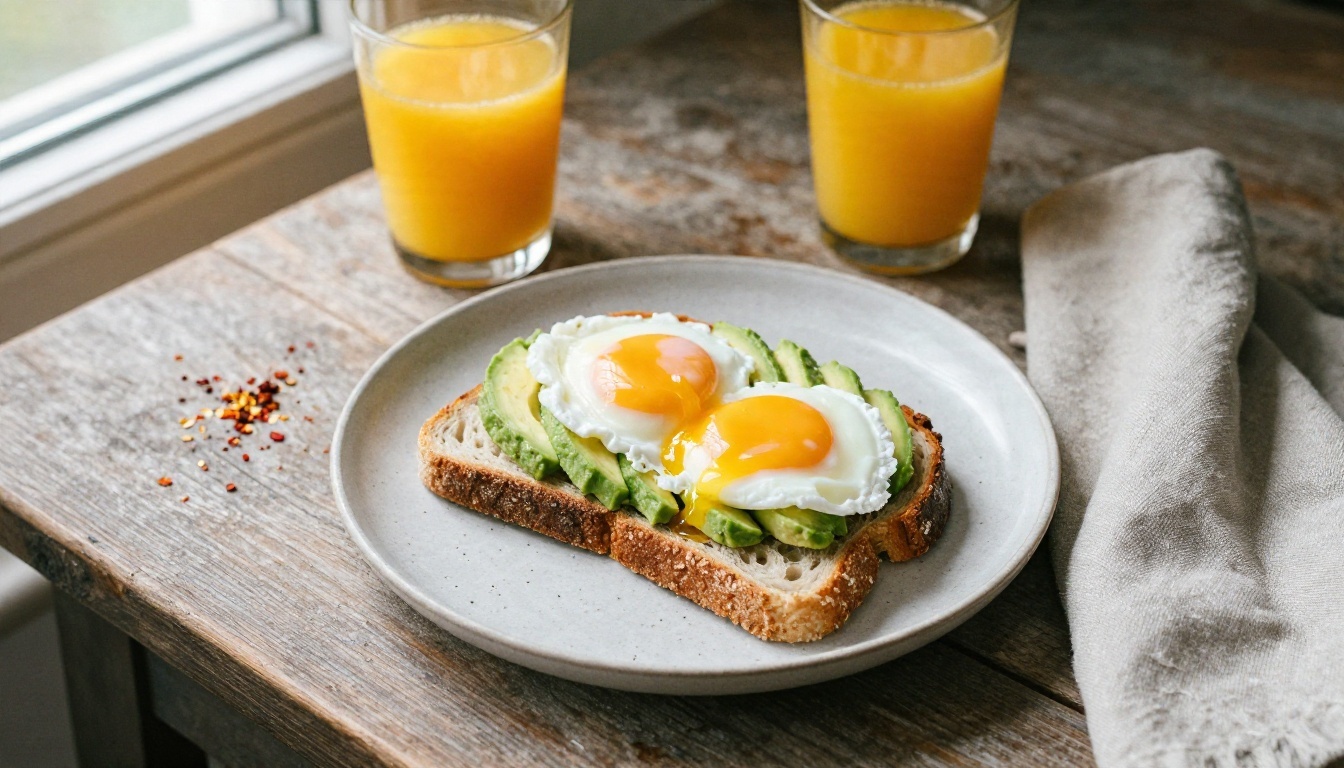
Prompt: Overhead flat lay of a rustic breakfast table: sourdough toast with avocado slices and poached egg on a speckled ceramic plate, glass of orange juice, linen napkin, scattered chili flakes, morning daylight from a window on the left casting soft shadows, 35mm top-down angle, crisp food textures.
Why it works: "top-down" is a clear camera instruction, and listing the small props (chili flakes, linen napkin) gives the scene believable clutter. Side window light adds soft shadow so the food looks dimensional instead of pasted on.
Product on Location
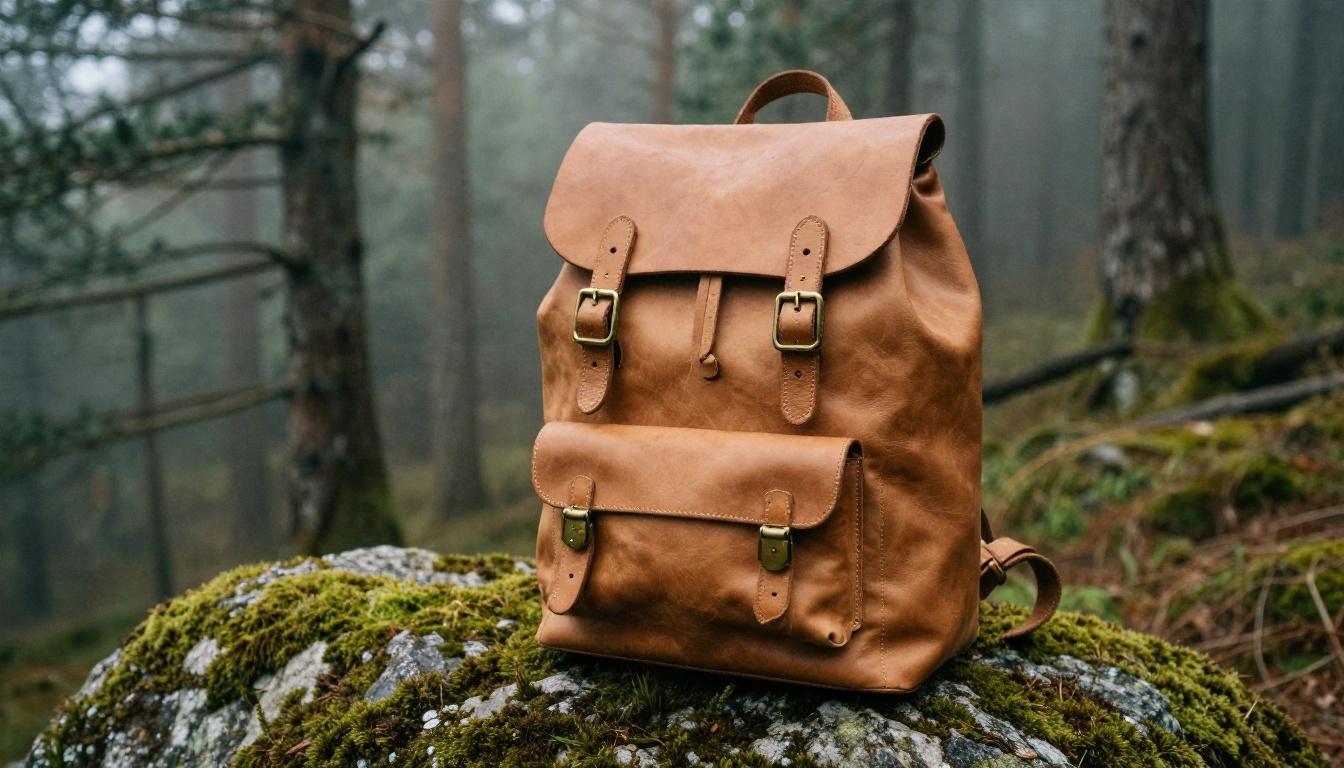
Prompt: Low-angle product photograph of a tan leather backpack standing on a mossy granite boulder in a misty pine forest, brass buckles catching diffused overcast light, visible leather grain and stitching, dew drops on moss, background trees softly blurred, 50mm f/2 lens.
Why it works: overcast light is forgiving for leather and metal, because it avoids harsh reflections. A low angle makes a plain object feel heroic. Naming the material (grain, stitching, brass) pushes the model toward real texture.
Aerial Landscape
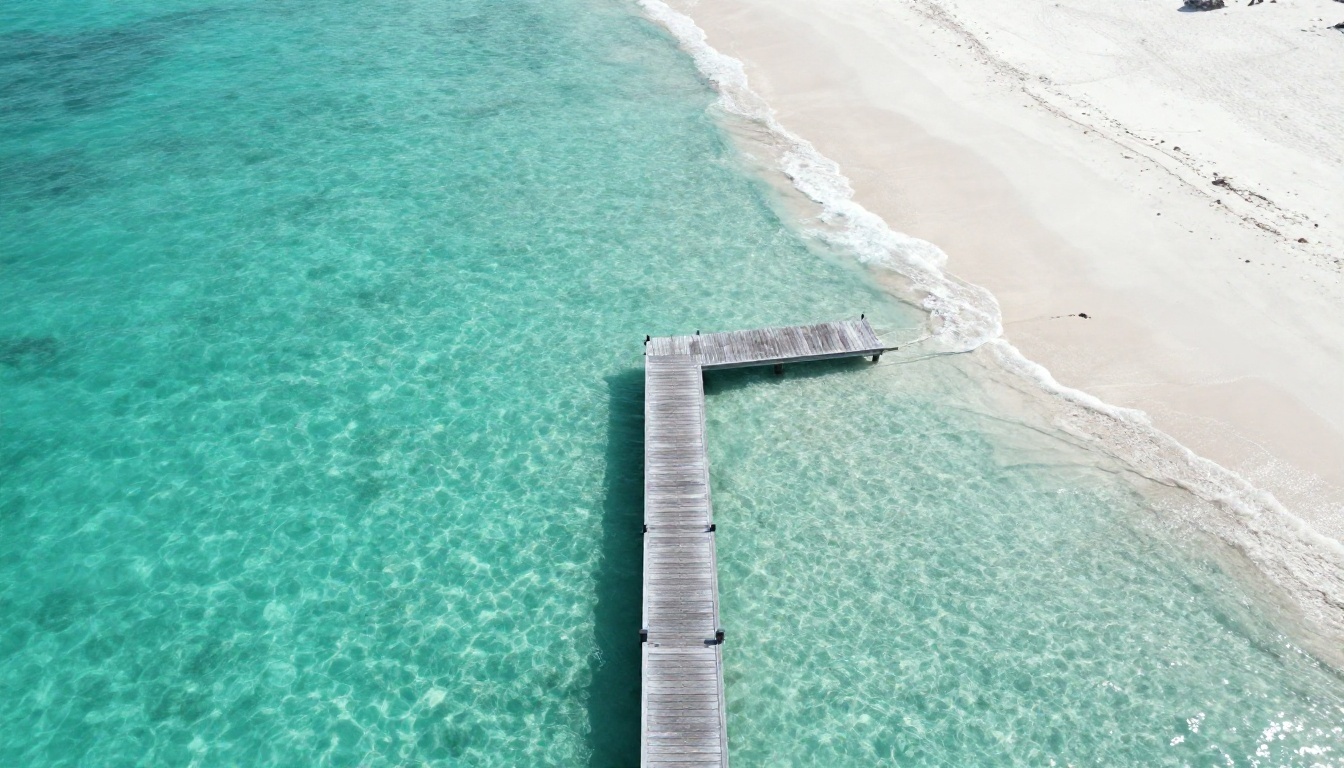
Prompt: Wide aerial drone photograph of a turquoise lagoon meeting white sand with a lone wooden dock, gentle waves leaving foam lines, midday sun high above producing clear water transparency and visible sandbars, 24mm lens from 80 meters, subtle haze at the horizon.
Why it works: stating the altitude and the sun position explains why the water looks clear. A single focal element, the dock, gives the eye a place to land.
Street Scene at Night
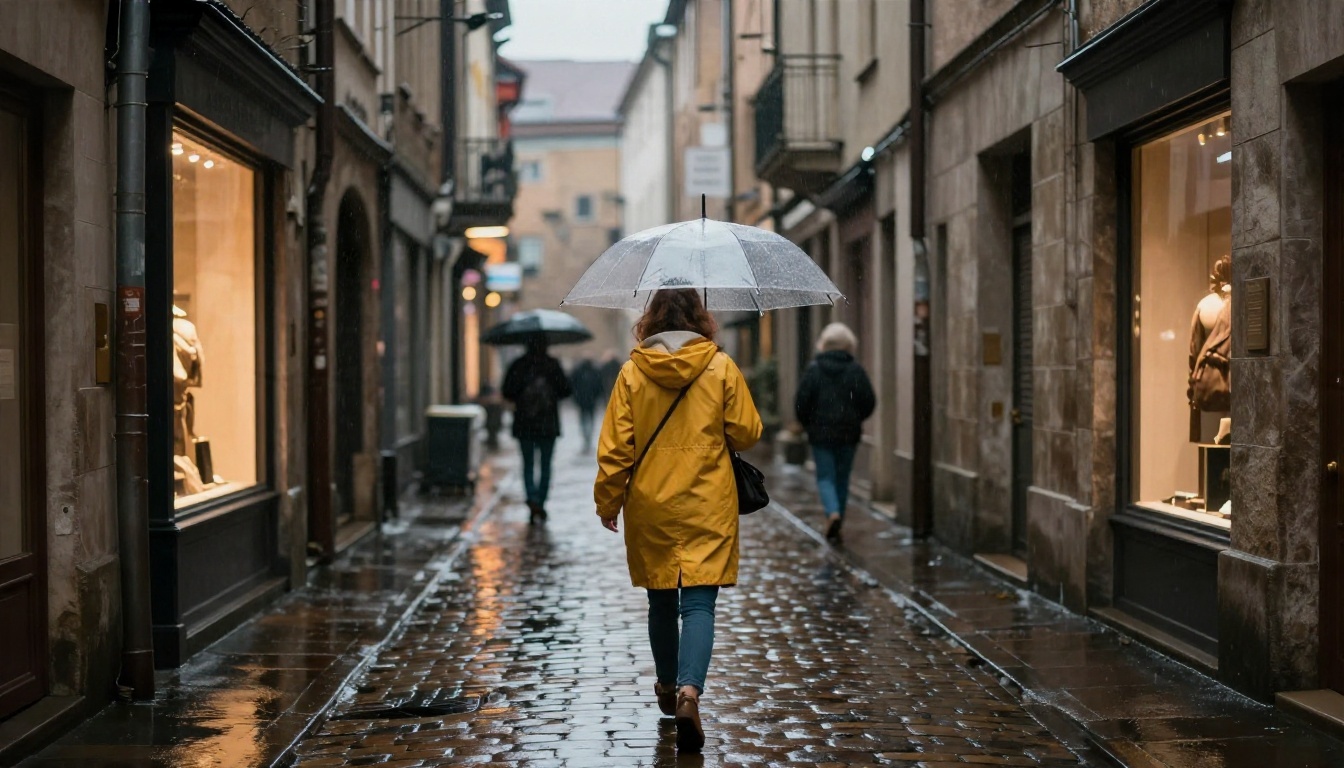
Prompt: Street photograph of a rainy evening in a narrow European old town alley, a woman in a mustard raincoat holding a clear umbrella walking away, wet cobblestones reflecting warm shop windows, soft drizzle visible in backlight, 35mm f/1.4 lens at eye level.
Why it works: the mustard coat is a single color accent against cool, wet stone. Backlight makes rain visible, which is the detail that sells the weather.
Interior Space
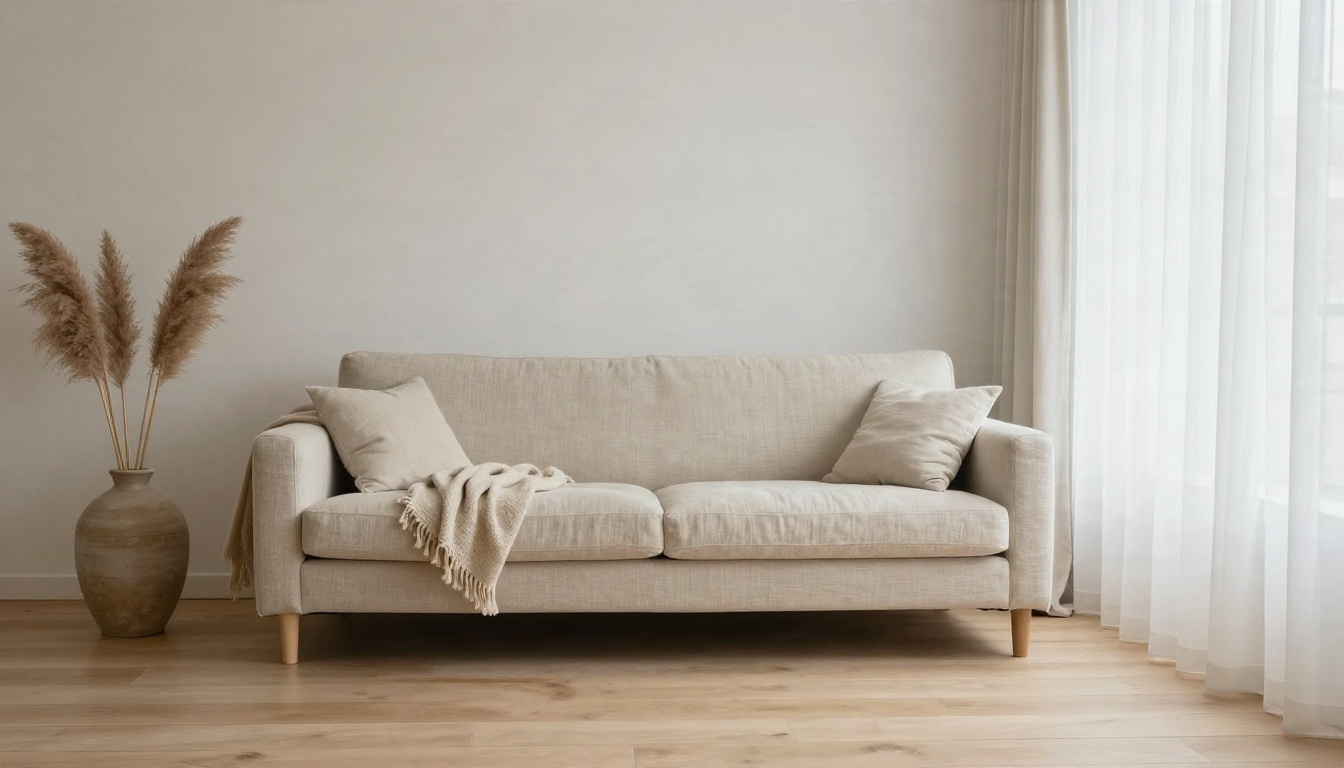
Prompt: Interior architecture photograph of a minimalist Scandinavian living room, pale oak floor, linen sofa, tall window with sheer curtains, soft overcast daylight from the right, a woven wool throw and a ceramic vase with dried pampas, straight-on wide angle 24mm, calm palette of cream and sage.
Why it works: a restricted palette keeps the model from adding random color. Naming textiles (linen, wool, ceramic) makes the room feel lived in.
DALL E 3 Settings That Change Results
The PicassoIA version of DALL E 3 keeps the controls simple. There are three inputs: the prompt, a style, and an aspect ratio. Small as that list is, two of those choices change the look more than people expect.
| Setting | Options | When to pick it |
|---|
| Style | vivid, natural | Vivid for punchy marketing visuals and saturated color. Natural for editorial, documentary and realistic skin tones. |
| Aspect ratio | 1:1, 3:2, 2:3 | 1:1 for social posts and avatars. 3:2 for landscapes, banners and desktop wallpapers. 2:3 for portraits and phone screens. |
| Prompt | free text | Be specific. Long and clear beats short and clever. |
Vivid or Natural
Vivid is the default, and it leans dramatic: richer contrast, stronger color, a slightly hyper-real feel. It is great for ads and thumbnails. If you want something that could pass as a magazine photo, switch to natural. Skin looks less glossy, shadows are gentler, and colors sit closer to what a camera would capture.
Picking the Right Ratio
Choose the ratio before you write the prompt, because composition depends on it. A wide 3:2 scene deserves a sentence about foreground and horizon. A tall 2:3 portrait deserves a note about head-to-waist framing. Cropping afterward always loses detail you paid for.
Prompt Length
For simple subjects, 30 to 50 words is plenty. For complex scenes with several elements, go to 70 or more. Past roughly 120 words you begin to see the model dropping details, so split an overloaded idea into two images instead.
Free Ways to Run DALL E 3
Free access to DALL E 3 has shifted a lot. OpenAI reportedly shut down its own API endpoint in May 2026 and moved ChatGPT image generation to newer GPT Image models, so the old "ask ChatGPT for a DALL E image" routine is no longer how most people reach it. I could not confirm current free-tier limits inside ChatGPT, so I will not promise any.
Here is the practical picture:
- Run it on PicassoIA. DALL E 3 on PicassoIA lets you type a prompt, pick a style and ratio, and get an image in seconds in your browser. Check the site for the current free allowance on your account.
- Use a newer OpenAI model. If you want the successor line, GPT Image 2 is on PicassoIA, and so are GPT Image 2.5 Flare and GPT Image 2.5 Sunburst.
- Try a free-leaning editor. PicassoIA Image Editor Pro offers unlimited generations, which is the real answer when "free" means "I want to experiment without watching a counter."
💡 Tip: if you are testing prompts, do your rough drafts on an unlimited tool, then spend your DALL E 3 generations on the final polished prompt.
How to Use DALL E 3 on PicassoIA
Here is the quick workflow, from blank page to finished image.
Step by Step
- Open the model page. Go to DALL E 3 on PicassoIA.
- Write your prompt. Use the formula: subject and action, environment, light, camera, texture, finish.
- Pick a style. Choose natural for realistic photos or vivid for bold, saturated visuals.
- Pick an aspect ratio. 1:1, 3:2 or 2:3, depending on where the image will live.
- Generate. Review the result, then change one thing at a time in the prompt: light first, then lens, then palette.
- Save the winner. Keep your best prompts in a note so you can reuse the structure.
Parameter Tips
- Change one variable per attempt. If you change light, lens and setting together, you will not know which edit helped.
- If faces look too smooth, switch style to natural and add "visible skin pores" to the prompt.
- If an image feels crowded, remove props instead of adding words about "clean composition". Fewer nouns give the model fewer things to argue with.
- Describe what you want, not what you do not want. "Empty street" works better than "no people".
Common Prompt Mistakes
Even strong prompts fail for predictable reasons. Here are the ones I see most often.
Stacking Style Words
Writing "ultra realistic, hyper detailed, 8K, masterpiece, trending" does very little for a model that already reads sentences. A single sentence about the camera and light does far more than a pile of adjectives.
Forgetting the Light
Light is the difference between a snapshot and a photograph. If you only add one detail to a weak prompt, add the light: direction, quality, time of day.
Asking for Readable Text
Long text inside an image is still unreliable on most models. If you must include text, keep it to one or two short words and put them in quotes. For anything longer, add the text afterward in an editor.
Overloading a Single Image
Ten subjects, three locations and four moods in one prompt gives you mush. Pick a single subject and a single place, then build variations.
When Filters Get in the Way
DALL E 3 has strict content rules. That is sensible for a mass-market tool, but it also blocks plenty of legitimate creative work: fashion and swimwear editorials, boudoir-style portraits, figure studies, and some historical or medical imagery. A prompt for a beach fashion shoot can be refused for no clear reason, and rewording it three times is a poor use of an afternoon.
If that sounds familiar, the fix is not to trick the filter. It is to switch to a model built with a different policy.
What "Uncensored" Really Means
In this context, uncensored means fewer arbitrary refusals for adult-oriented and glamour content. It does not mean anything goes. The goal is suggestive, attractive and tasteful work, such as swimwear, glamour and fashion photography, without the model refusing a bikini.
Uncensored Alternatives on PicassoIA
For adult-leaning and glamour imagery, start with these, in this order:
- Seedream 4.5 is the first model to try. It produces sharp, detailed 4K images with convincing skin and light, and it handles glamour and swimwear prompts that other tools block.
- PicassoIA Image Editor Pro offers unlimited generations, so you can iterate quickly without worrying about a counter. It is also the best place to edit and refine an image you already have.
- Flux 2 Klein 9B Base LoRA is a good option when you want a styled look and room to experiment.
- Qwen Image 3 gives you another strong photorealistic option with a different visual signature.
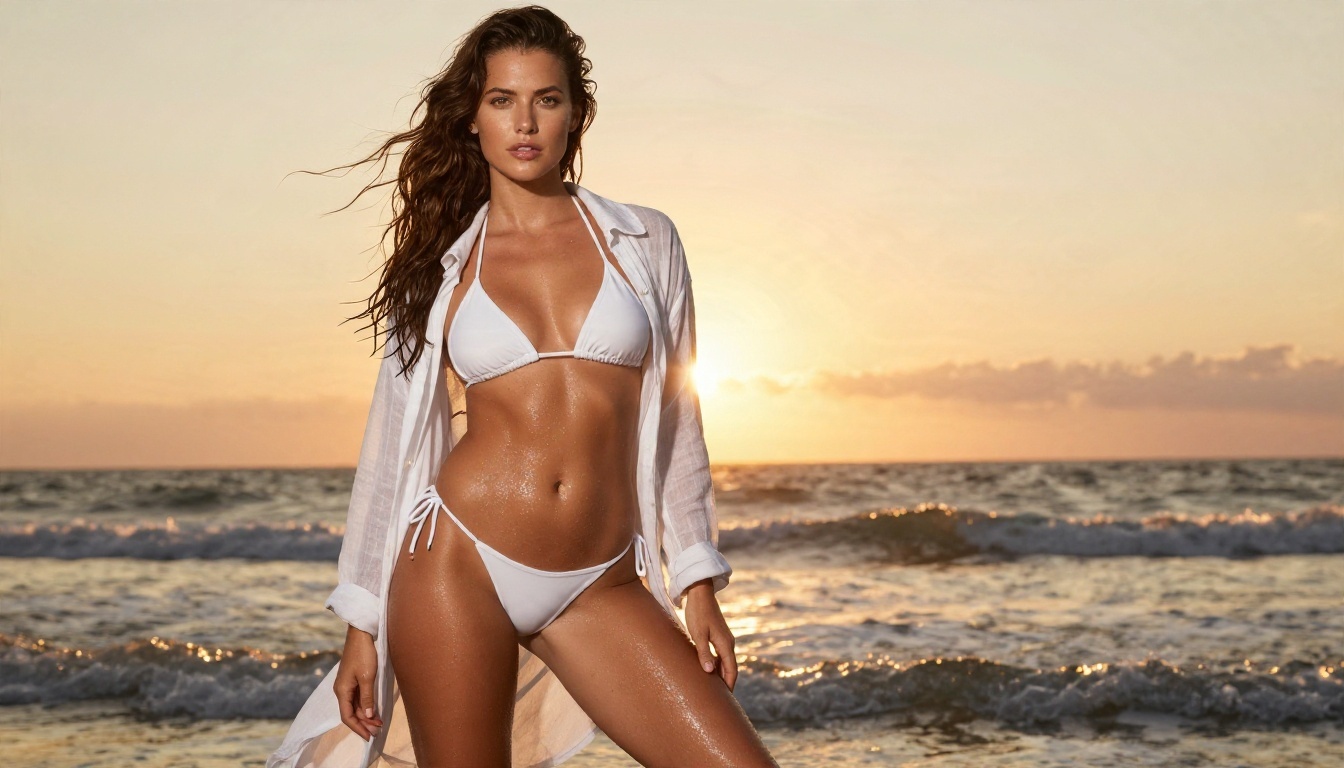
💡 Tip: a glamour prompt follows the same formula as any other. Name the pose, the place, the light and the lens, and describe skin as natural texture. Sunset rim light and a low angle do more for a beach portrait than any list of adjectives.
Keep the content tasteful and non-explicit. These models are for beautiful, attractive imagery, not pornography, and the better your photographic direction, the better the result looks.
DALL E 3 Versus Other Models
A model comparison helps you decide where to spend your time. This is a simplified view based on what each model is generally good at.
| Model | Best for | Link |
|---|
| DALL E 3 | Following long, detailed sentences closely | Open |
| GPT Image 2 | Newer OpenAI line, strong prompt following and edits | Open |
| Seedream 4.5 | Sharp 4K realism, glamour and fashion work | Open |
| Imagen 4 | Clean photorealism with accurate lighting | Open |
| Nano Banana Pro | Fast generation and image editing | Open |
| Image Editor Pro | Unlimited iteration and editing | Open |
A Simple Way to Choose
If you need a model to follow a long, specific description, start with DALL E 3. If you need a newer OpenAI style, try GPT Image 2. If you need speed and editing, go to Nano Banana Pro. If you need glamour or adult-leaning work without refusals, Seedream 4.5 and Image Editor Pro are the better fit.
Run the Same Prompt Twice
The fastest way to learn a model is to run the same prompt on two of them. Differences in lighting, skin and composition show up immediately, and you will quickly learn which one matches your taste.
Ten Prompts to Copy Today
Swap the bracketed words for your own subject, and keep the structure.
- Portrait of [person] in [place], soft window light from the left, 85mm f/1.8, natural skin texture, Kodak Portra 400 grain.
- Overhead flat lay of [dish] on a [surface], morning daylight from the left, 35mm top-down, crisp textures.
- Low-angle product photograph of [object] on [location], diffused overcast light, 50mm f/2, visible material grain.
- Aerial photograph of [landscape] at [time of day], 24mm lens, natural color, subtle haze.
- Street photograph of [person] walking through [city] in rain, backlit drizzle, 35mm f/1.4, wet reflections.
- Interior photograph of a [style] room, [window light], [three named materials], restrained color palette.
- Close-up macro of [hands or object] on [surface], 100mm f/2.8, shallow depth of field, high angle.
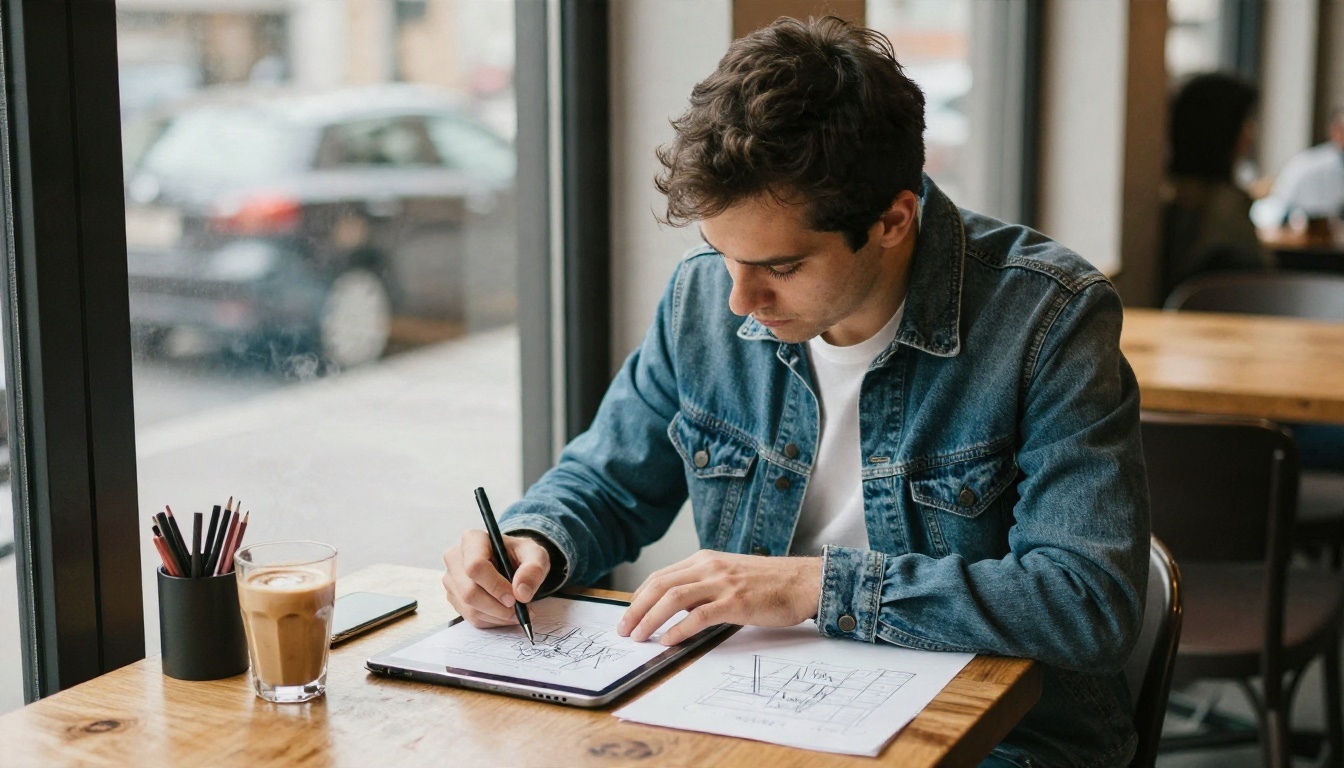
- Candid photograph of [person] working at [desk or cafe], window light, 50mm f/1.8, relaxed expression.
- Glamour portrait of [person] at [beach or pool] at sunset, rim light from behind, 85mm f/1.8, tasteful editorial style.
- Architectural exterior of [building] at blue hour, wide lens, warm interior lights glowing through windows, quiet street.
Try Your Own Prompts on PicassoIA
You now have a formula, six worked examples, a settings table, and a short list of alternatives for the moments when a filter says no. The only step left is to test it. Pick one prompt from the list above, change the subject to something you care about, and run it on DALL E 3 with the natural style. Then run the same prompt on Seedream 4.5 and compare.
If you want room to experiment without limits, open PicassoIA Image Editor Pro and iterate freely. And when you are ready to try every option side by side, browse the full catalog at picassoia.com/en/all-models. Your next best image is probably one prompt revision away.


