Most people who type "dirty RP AI" into a search bar have the same story. They tried a mainstream chatbot, set up a flirty scene, and got a polite refusal two messages in. The scene died, the mood went with it, and now they want a chatbot that actually plays along. This article is about the tools that do, the prompts that make them better, and the traps to avoid on the way.
Everything here is for adults only. Dirty RP, short for adult roleplay, means consenting grown-up fiction between you and an AI character. We keep it suggestive and tasteful in this article, but the tools themselves are built for mature storytelling.

What Dirty RP AI Actually Means
Dirty RP is interactive fiction. You write as one character, the AI writes as another, and the story builds turn by turn. The "dirty" part is only the tone: flirtation, tension, innuendo, romance and, on some platforms, fully adult scenes.
It is not a single product. It is a use case that shows up in three different kinds of tools:
- Hosted character apps. You open a website, pick a character, and start typing. Easy, fast, usually freemium.
- Bring your own model platforms. The site gives you the interface and character library, and you plug in a language model through an API connection.
- Local setups. You run an open model on your own computer, so nothing leaves your machine.
Each has a different trade between convenience, cost and privacy, and we will compare them below.
💡 Quick definition: "Uncensored" in this context rarely means "no rules at all." It usually means a model or platform that allows mature fiction between adults, while still blocking things like content involving minors or real people. Any serious tool draws that line, and you should want it to.
Why Mainstream Bots Refuse
General assistants are tuned to be safe for a very wide audience, from school kids to office workers. Their providers set strict content policies, so a spicy scene gets softened or blocked. That is a business decision, not a bug. It is also why a separate category of roleplay-first tools exists.
Who Uses These Tools
The audience is wider than people assume. Some users want a flirty companion for the evening. Others are fiction writers testing romance dialogue, tabletop players building a story-driven campaign, or people practicing conversation in a low-pressure setting. The common thread is that they want a partner that stays in character instead of lecturing them.
Free Uncensored Chatbots Worth Testing
The market changes quickly, and pricing and policies shift without warning. The notes below come from a quick scan of current reviews in 2026, and many of those reviews are affiliate blogs, so treat any "number one" claim with a grain of salt. Always check the current terms on the app itself before you pay for anything.

| App | Best for | Free option | Watch out for |
|---|
| Janitor AI | Huge community character library | Free, but you connect your own model | Setup takes a few minutes, spartan interface |
| CrushOn AI | Fast, plug-and-play adult chats | Reported daily free message allowance | Limits and plans change often |
| Candy AI | Memory and polished companions | Limited free trial | Paywalls on longer sessions |
| SillyTavern | Power users who want total control | Free app, you pay for any API usage | Not beginner friendly |
| Joyland | Chatting before making an account | Free to try | Smaller library |
| Character.AI | Huge library, smooth writing | Free | Heavily filtered, so not a dirty RP tool |
Janitor AI: The Free Favorite
Janitor AI gets mentioned first in a lot of "free" roundups because the platform itself costs nothing. The catch is that you supply the brain. You connect a language model, and the quality of your roleplay depends on which one you choose. It rewards people who like to tinker.
CrushOn AI and Candy AI: Plug and Play
These two are the closest thing to opening an app and getting a partner right away. Both lean on character libraries and companion features like memory. Reviews describe daily free message caps on the entry tier, which is fine for testing a persona but gets tight if you roleplay for hours. Expect a subscription nudge.
SillyTavern: The Tinkerer's Choice
SillyTavern is a free front end that you run yourself. It does not decide what is allowed. Your connected model does. That means total control over character cards, lorebooks, sampler settings and formatting, and also a steeper learning curve than any hosted app.
A Note on Character.AI
Character.AI is polished and has enormous character variety, but it is filtered and text only. If your goal is dirty RP, you will fight the filter the whole time. It is still a fine place to test how a character voice reads before you move it somewhere more permissive.
Dirty RP Prompts That Work
The model matters less than most people think. A well-built opening prompt will beat a lazy one on almost any platform. The goal is to give the AI a voice, a setting, a boundary and a hook.

The Four Ingredients
| Ingredient | What it does | Example |
|---|
| Voice | Sets personality and speaking style | "Dry humor, teasing, never rushes a sentence" |
| Setting | Anchors the scene so it feels real | "A hotel bar at closing time, rain outside" |
| Boundaries | Keeps the scene on tone | "Stay suggestive, fade to black when it gets intense" |
| Hook | Gives the AI something to react to | "We both pretend we are meeting for the first time" |
Starter Prompt Templates
Copy these and adjust the details. They are written for adults and stay on the suggestive side.
Slow burn: "You are Mara, a witty bartender in her thirties who has been flirting with me for weeks. It is closing time and the room is empty. Write in the third person with short, sensory paragraphs. Build tension slowly. Do not rush. Wait for my reply before moving the scene forward."
Rivals to lovers: "You are Elias, my sharp-tongued rival at a law firm. We are stuck late in the office after a big case. Keep the banter fast and competitive, with chemistry simmering under every line. Never speak for me."
Vacation fling: "You are Camille, a confident traveler on a villa holiday. We have just met by the pool. Keep the tone playful, warm and a little bold. Describe small details like heat, water and light, and always end on a question."
💡 Pro move: Add a line like "Never speak or act for my character." Without it, many models start writing your side of the story, which kills the back-and-forth.
Fixing Common Problems
- The AI gets repetitive. Ask for a scene change, a new location or a surprise visitor. Models loop when nothing new enters the story.
- The replies are too short. Add "write three to five paragraphs per reply" to your setup.
- The character forgets details. Pin the important facts at the top of the prompt, such as names, history and the current location, and repeat them every so often.
- The tone drifts. Restate the boundary line. A single reminder usually resets it.
Build a Character Card First
A solid character card makes the chatbot feel like a person. Hosted apps and SillyTavern both use a version of this idea: a short profile the model reads before every reply.

What to Put on the Card
- Name, age and occupation. Always make the character an adult, and say so in the card.
- Personality in three words. "Guarded, funny, secretly romantic" gives more to work with than a paragraph of adjectives.
- Speech pattern. Short sentences or long ones, slang or formal, pet names or none.
- Backstory in two lines. Enough to create motives, not enough to box the story in.
- Opening scene. The first message sets the pacing for everything after it.
Let an LLM Draft It
If writing character cards feels like homework, you can use a general language model to draft the structure. On PicassoIA you can try Gemini 3.5 Flash for quick brainstorming, Qwen3.7-Plus for longer, structured profiles, or Claude Sonnet 5 for polished prose.
To be clear about what these are: they are mainstream models with their own content rules, so use them to draft names, personalities, backstories, settings and dialogue style. Then paste the finished card into the roleplay platform of your choice, where the mature scenes happen.
Give Your Character a Face
Text alone is fine, but a portrait makes a persona stick. It is also the fastest way to keep a character consistent across sessions, because you can see who you are talking to.

Start With Seedream 4.5
For suggestive, glamour-style character portraits, Seedream 4.5 is the first model to try. It produces sharp, photorealistic skin, fabric and lighting, and it handles adult glamour themes such as lingerie, swimwear and boudoir styling without the constant refusals you get elsewhere. We keep results tasteful and non-explicit, which is also what makes them safe to share.
A prompt that works:
"Adult woman in her late twenties with a platinum bob, wearing a dark green silk robe, leaning on a vanity with warm bulbs, teasing half smile, soft key light from the left, 85mm lens, shallow depth of field, natural skin texture, film grain."
Edit and Refine With Image Editor Pro
Once you have a face you like, PicassoIA Image Editor Pro lets you adjust outfits, backgrounds and lighting without starting over. It offers unlimited generations, so you can iterate on the same character as many times as you want. That matters for roleplay, where you may want the same persona in a bar, on a beach and in a hotel corridor.
Other Models Worth Trying
💡 Consistency tip: Write one fixed "look" sentence for each character, covering hair, eyes, build and signature outfit, and paste it into every image prompt. Small repeated details do most of the work.
How to Make Character Portraits Step by Step
You do not need design skills. This is the same workflow whether you use Seedream 4.5 or Image Editor Pro.

- Open the model page. Go to Seedream 4.5 for a fresh portrait, or Image Editor Pro if you want to modify an existing image.
- Write a subject line. Age, hair, outfit and expression. Always state that the person is an adult.
- Add the scene. Location, time of day and one or two props, such as a candle, a pool or a vanity mirror.
- Set the light. "Warm lamplight from the left" or "golden hour from the right" does more than any style keyword.
- Name a lens. "85mm, shallow depth of field" for close portraits, "24mm" for wide environmental shots.
- Generate, then refine. Change one thing at a time so you can see what each edit does.
- Save your favorites. Keep the prompt text with the image so you can recreate the character later.
💡 Keep it tasteful: Suggestive glamour is fine. Explicit imagery is not what these prompts are for, and keeping portraits non-explicit means they are easier to use on avatars and profiles.
Keep Your Chats Private
Intimate conversations are sensitive data. Before you type anything personal into a hosted app, spend two minutes on safety.
A Short Safety Checklist
- Use a throwaway email. There is no reason your main address should be tied to adult roleplay.
- Skip real details. No full name, workplace, address or photos of yourself.
- Read the data policy. Look for whether chats are stored, used for training or shared.
- Watch the billing. Cancel trials before they roll into a paid plan, and check for per-message or credit charges.
- Stay away from real people. Roleplaying as a real person, especially a celebrity or someone you know, is where legal and ethical trouble starts. Use original characters.
- Adults only, always. Reputable platforms refuse anything involving minors, and so should you.
Where Your Data Goes
| Setup | Who sees your chats | Cost |
|---|
| Hosted app | The company, under its privacy policy | Free to monthly subscription |
| Bring your own model | The platform plus your model provider | Pay per API use |
| Local model | Only you | Hardware cost, then free |
Going Local for Full Control
If privacy is your top concern, running an open model on your own machine means chats never leave your computer. This is the setup SillyTavern users tend to love.
What You Need
- A computer with a decent graphics card, or a lot of patience with a slower processor setup.
- A local runner for open models.
- A front end such as SillyTavern for characters and chat history.
- An open model tuned for roleplay and fiction.
The Trade Offs
Local setups are free after the hardware, private and endlessly customizable. They are also slower to set up, and smaller models write less richly than the large hosted ones. If you only want to chat tonight, a hosted app is easier. If you plan to build a long-running story, local is worth the afternoon.
💡 Middle path: Many people draft their characters, scenes and portraits on a flexible platform, then move only the roleplay itself to a private or local setup.
Which Option Fits You
Here is the short version, based on what you want most.
| If you want... | Try this |
|---|
| The fastest start | CrushOn AI or Candy AI |
| The most freedom for free | Janitor AI with your own model |
| Total privacy | SillyTavern with a local model |
| A first test of a character voice | Character.AI, then move elsewhere |
| Good portraits for your characters | Seedream 4.5 and Image Editor Pro |
Make Your Own Characters Today
Chat is half the fun. The other half is seeing the person you are writing with. Try building a character on your terms: draft the profile with an LLM, create the portrait with Seedream 4.5, and then refine outfits and settings with PicassoIA Image Editor Pro, where generations are unlimited and you can iterate as often as you like.
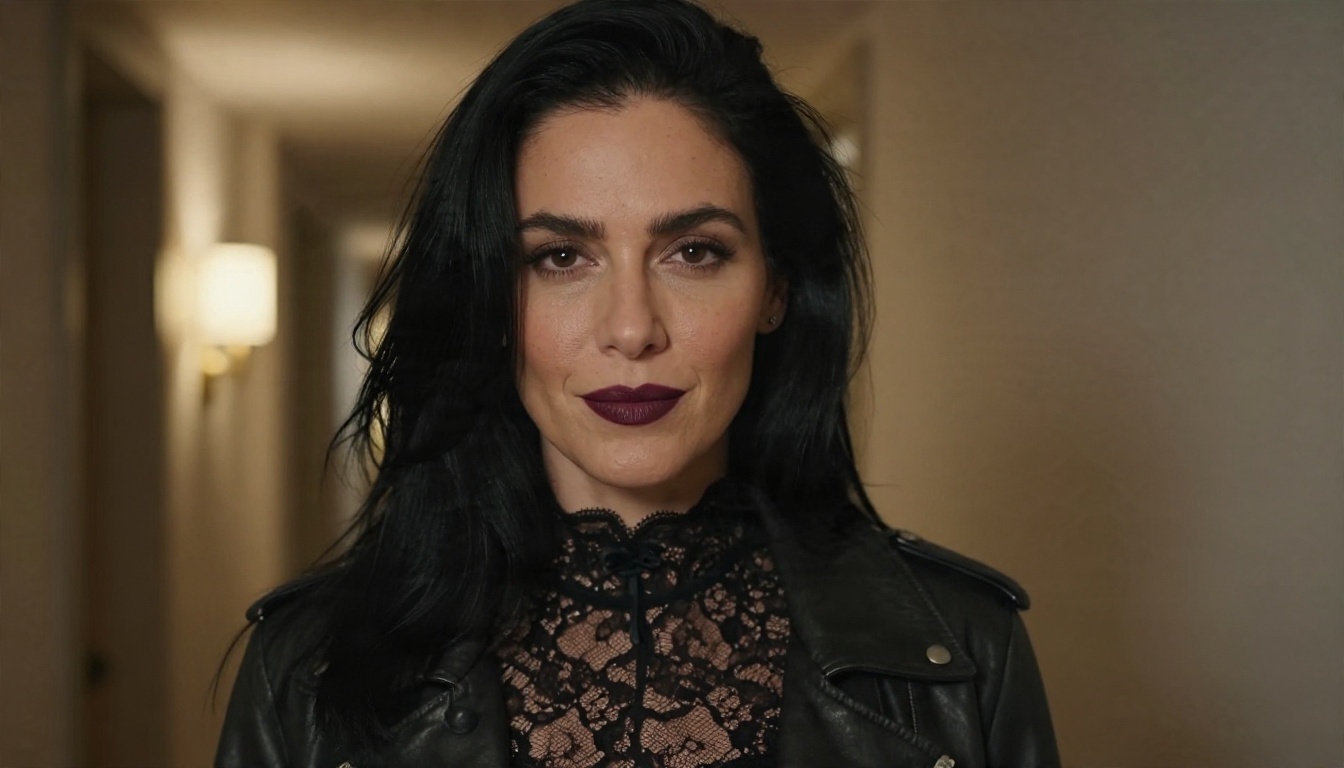
Pick a persona, write a one-line look, and generate your first portrait in under a minute. Then change the setting, the outfit or the light, and watch the same character show up in a new scene. When you are ready for more options, browse every image, video and language model at picassoia.com/en/all-models and build the cast you actually want to talk to.


