Flux NSFW Prompts: Copy and Paste Examples, Free Generator and Best Settings
Ready to paste Flux NSFW prompts for tasteful glamour, swimwear and boudoir photos, with a prompt formula, a settings table for guidance and steps, fixes for common problems, and a free browser generator to run everything.
Most people who type an adult-leaning prompt into Flux Dev get one of two results: a soft, blurry mess where the model quietly dodges the idea, or a stiff stock photo that looks nothing like what they pictured. The problem is almost never the model. It is the prompt. Flux responds to specific, photographic language, and when you give it lighting, lens, fabric and mood, the output jumps from "meh" to magazine quality.
This page gives you copy and paste Flux NSFW prompts for tasteful glamour, swimwear, boudoir and lifestyle photos, a prompt formula you can reuse, the best settings for guidance and steps, and a free generator you can run in your browser. Everything here targets suggestive, beautiful, non-explicit imagery of fictional adults. That is the zone where Flux shines, and it is also the zone that gives you images you can actually use.
What Flux Does With NSFW Prompts
Before you copy anything, it helps to know what you are working with. Flux is a family of image models from Black Forest Labs, and each version behaves a little differently when a prompt leans toward adult themes.
Base Flux Has Limits
The base Flux models were trained without a focus on explicit material. In practice that means a prompt asking for anything graphic tends to produce blurred, distorted or oddly covered results. Community guides talk about unlock-style LoRAs, which are small add-on files, used at a strength of roughly 0.5 to 0.8, but those mostly live in local ComfyUI setups that need 12 GB or more of VRAM. Treat those claims with caution: they come from community posts and marketing pages, and stacking several adapters is widely reported to cause conflicts.
You do not need any of that for the kind of image that performs well anyway. Swimwear, lingerie-adjacent fashion, silk robes, bare shoulders, sun-warmed skin and moody bedroom light are all things the model renders beautifully with zero add-ons.
Where the Line Sits Here
On PicassoIA the target is suggestive and attractive, never pornographic. Think beach editorial, boutique hotel mornings, vanity mirror portraits and pool days. Some prompts are also blocked outright by content filters, especially anything that reads as sexual in a literal sense. If a generation fails, the fix is rarely a trick. Rewrite the prompt around fashion, light and mood instead of body detail, and it usually passes and looks better.
💡 Quick rule: describe the photograph, not the act. A prompt that sounds like a fashion shoot gets better skin, better light and fewer refusals than one that sounds like a request for something explicit.
A second rule matters more than any setting: only write prompts about fictional adults. Never prompt for a real person's likeness, and never for anyone who looks young. Generating sexual imagery of real people without consent is illegal in a growing number of places, whether the model runs locally or in the cloud.
Best Models for Flux NSFW Prompts
Flux is not the only route. Depending on how much freedom and speed you want, a few models on PicassoIA are worth running side by side with the same prompt.
If your goal is a fast, good-looking result from a glamour prompt, start with Seedream 4.5. It handles swimwear, boudoir lighting and skin texture with very little prompt wrestling, and it outputs high resolution without extra upscaling. Paste any prompt from the sections below, run it, and compare the result against Flux. For many scenes it wins on speed and realism.
Image Editor Pro Keeps You Iterating
PicassoIA Image Editor Pro is the one to open once you have an image you almost love. Because generations are unlimited, you can keep nudging: change the dress color, swap the room, soften the light, fix a hand. It turns a good first draft into a finished image without worrying about running out of credits.
Flux Options for Photographic Control
Flux Dev is the best all-round choice when you want exact control over light and lens. Flux 1.1 Pro Ultra pushes detail further for big editorial frames. Flux Schnell is for drafting prompts at speed, and Flux Dev LoRA is where you plug in a custom look. If you want to edit an existing photo with plain-language instructions, Flux Kontext Fast does that well.
Copy and Paste Prompt Examples
Each prompt below follows the same logic: subject, outfit, setting, light, lens, texture. Paste them as they are, then swap one detail at a time to make them yours. Every example describes an adult woman in a non-explicit scene.
Beach and Swimwear
Golden hour beach:
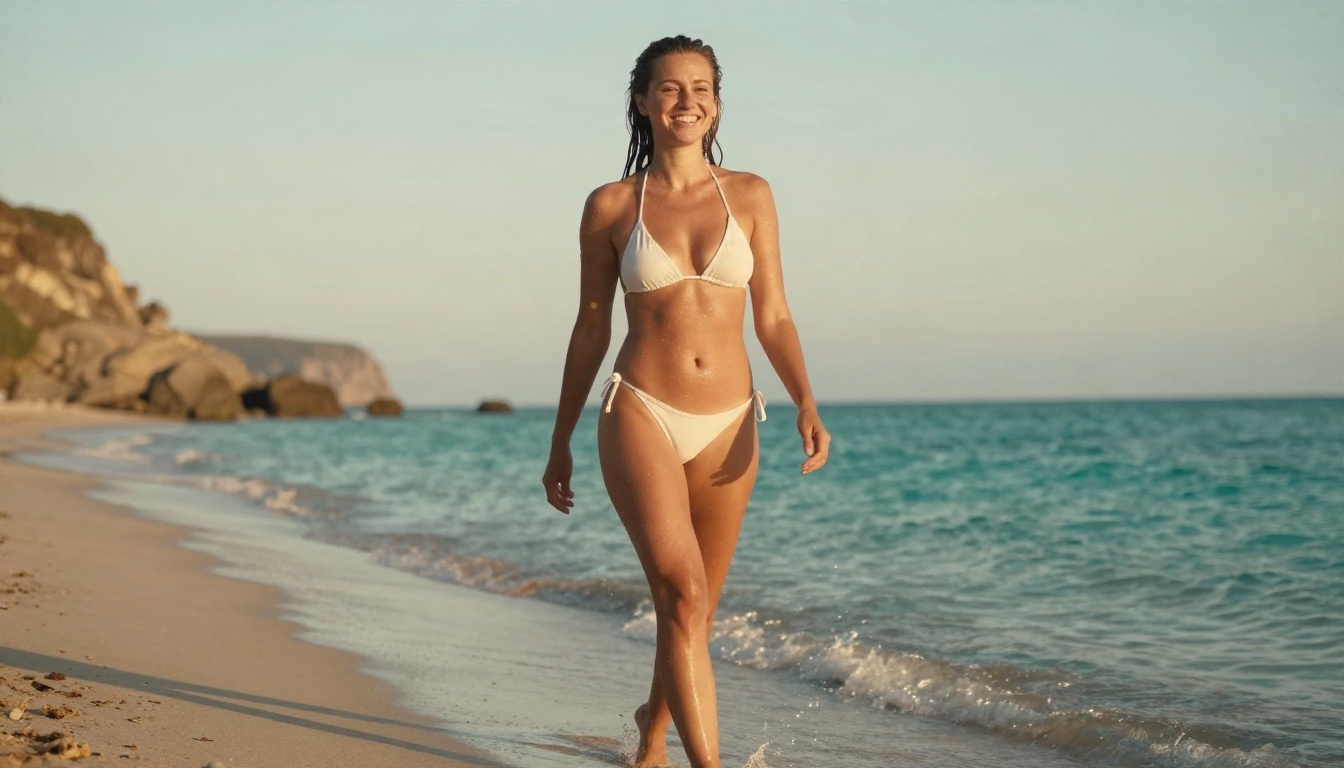
Adult woman in a white string bikini walking out of turquoise shallow water on a quiet beach at golden hour, wet hair slicked back, water droplets on tanned skin, laughing toward the camera, warm backlight from the low sun, 70mm f/2.8 lens from knee height, realistic skin texture, Kodak Portra 400 film grain, raw 8K photograph
Rooftop pool, overhead:
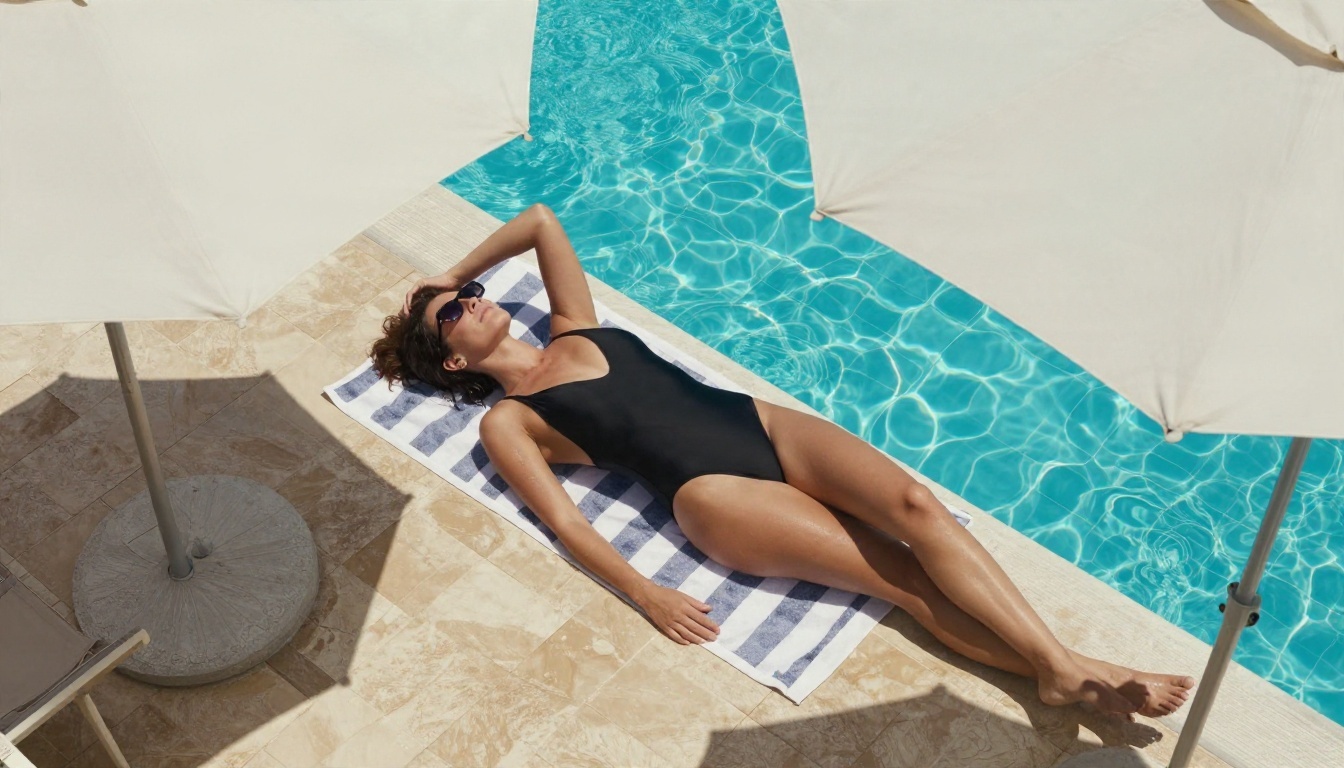
Overhead view of an adult woman in a black one piece swimsuit lying on a striped towel beside a rooftop pool, sunglasses pushed into her hair, one arm raised above her head, hard midday sunlight with crisp parasol shadows, 35mm f/4 lens shot from directly above, wet tile texture, sun-warmed skin, raw photograph
Sailboat deck:
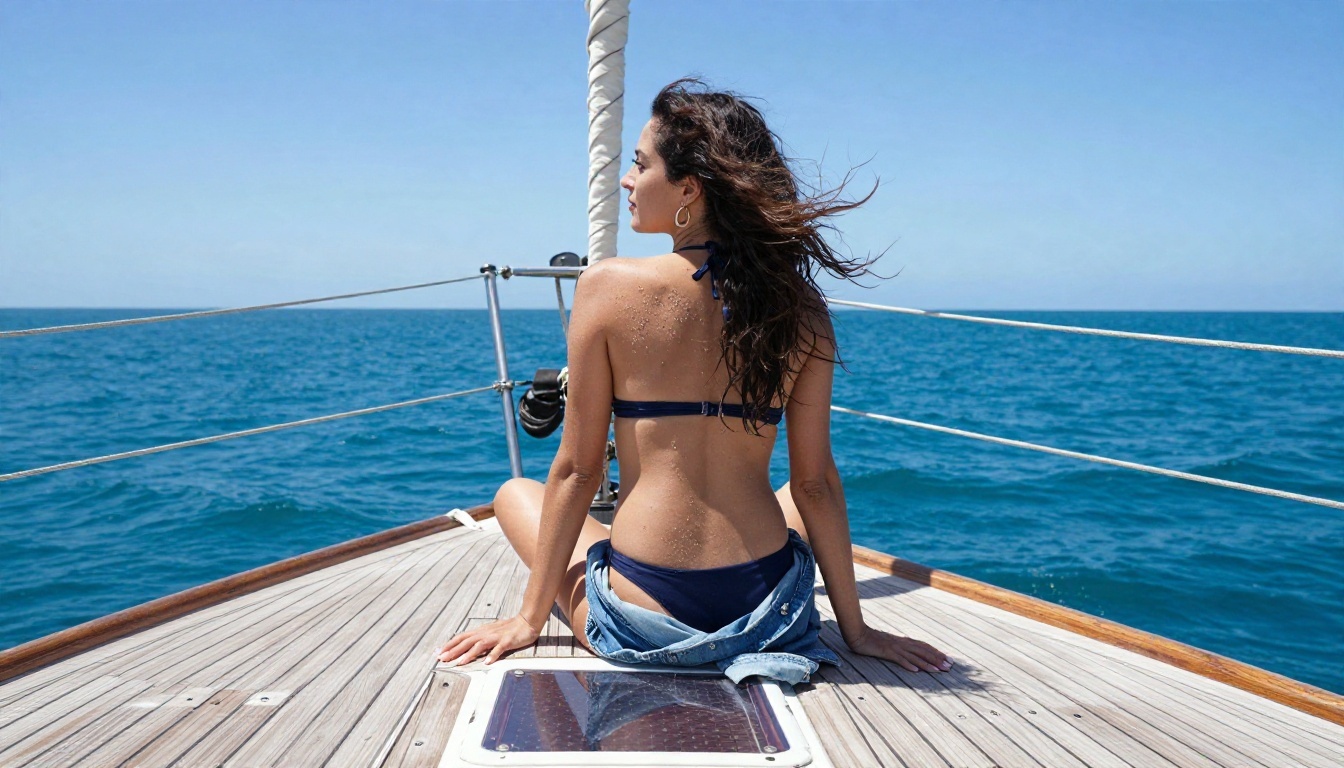
Adult woman in a navy bikini and open denim shirt sitting on the teak deck of a sailboat, knees up, wind blowing her hair, open sea behind her, bright sunlight from front right, 24mm f/4 wide angle from a low angle, salt on skin, rope texture, Kodak Portra 400, raw 8K photograph
Boudoir and Lounge
Velvet sofa evening:
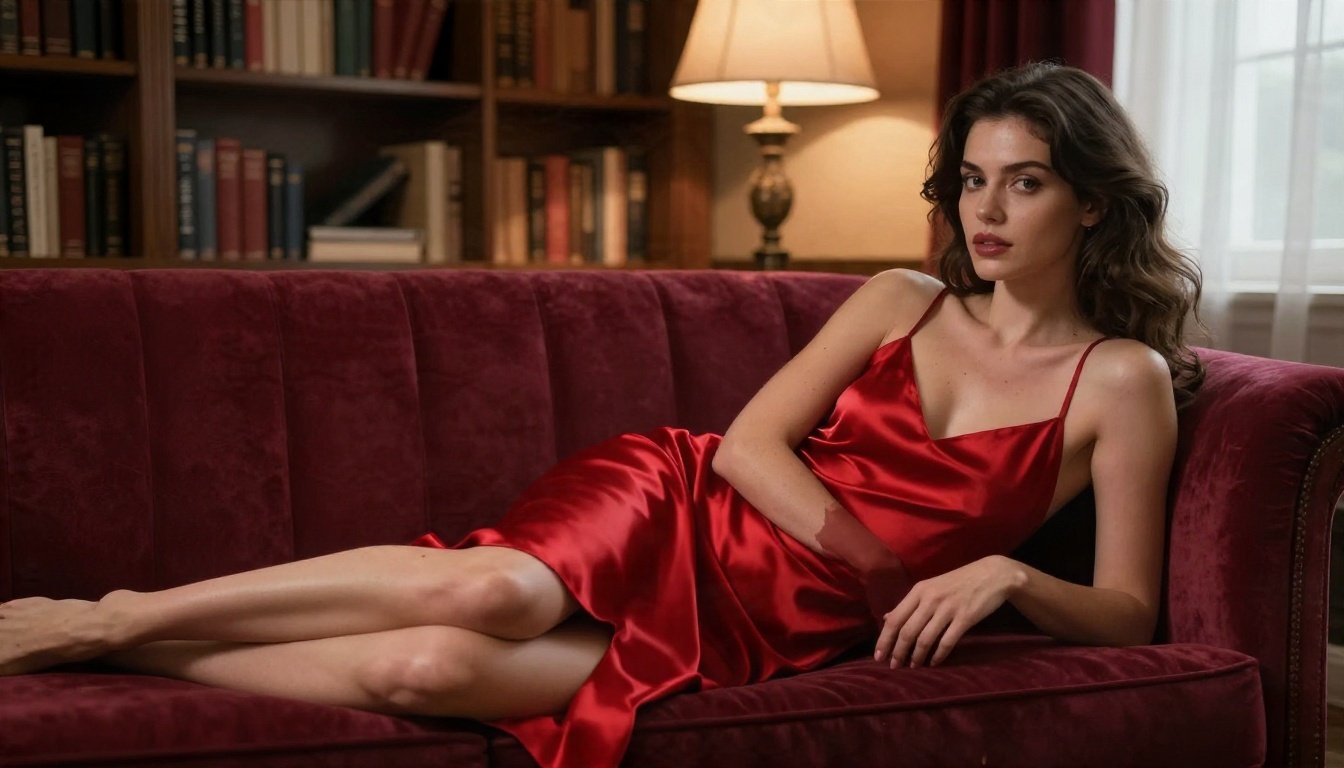
Adult woman in a red satin slip dress lounging on a velvet burgundy sofa, one leg tucked beneath her, glancing over her shoulder at the camera, moody apartment with bookshelves and a warm table lamp, soft window light from the right, 50mm f/1.8 lens at a slight low angle, visible skin pores, satin highlights, film grain, tasteful glamour photograph
Vanity mirror:
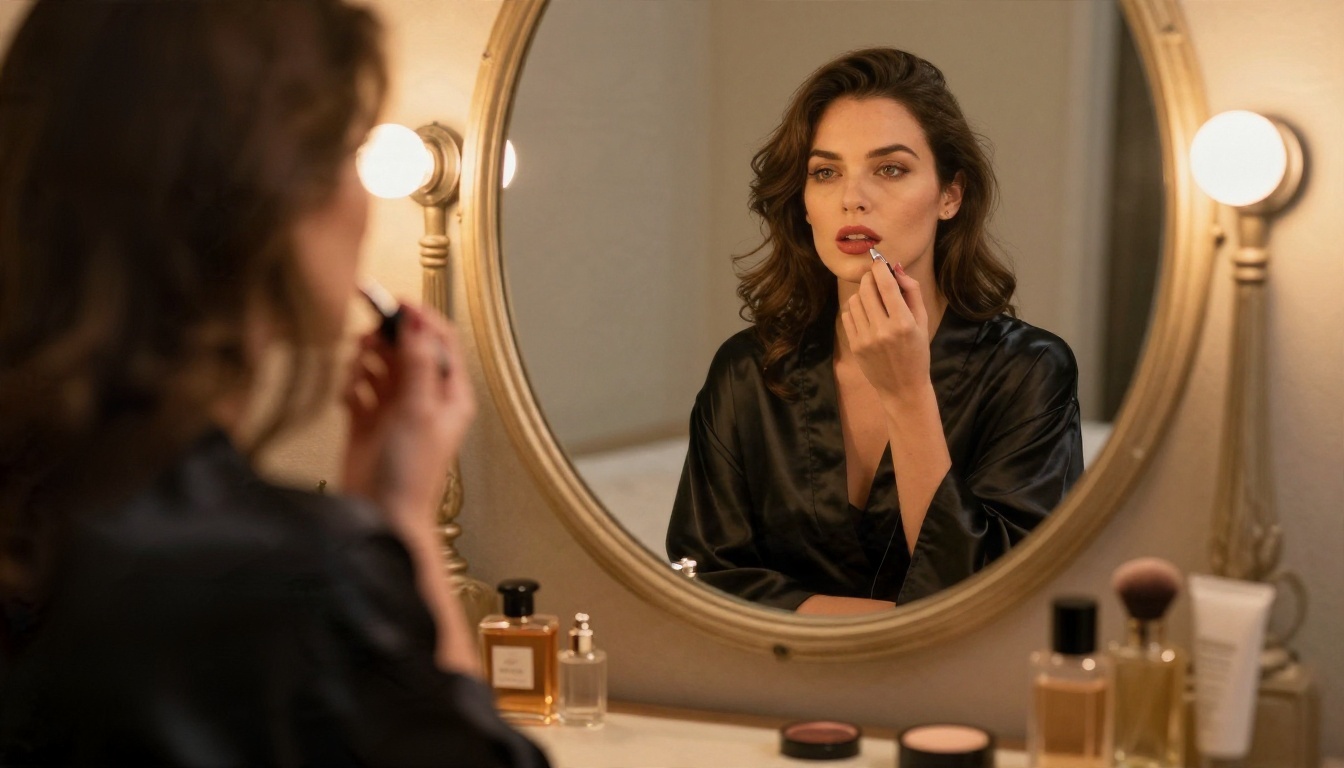
Adult woman in a black silk robe loosely tied, seated at a vintage vanity mirror applying lipstick, reflection visible in the round mirror, warm bulb lights around the frame, perfume bottles and brushes on the table, 50mm f/2 lens from behind her shoulder, shallow depth of field, amber glow, Kodak Portra 400 grain
Cabin fireside:
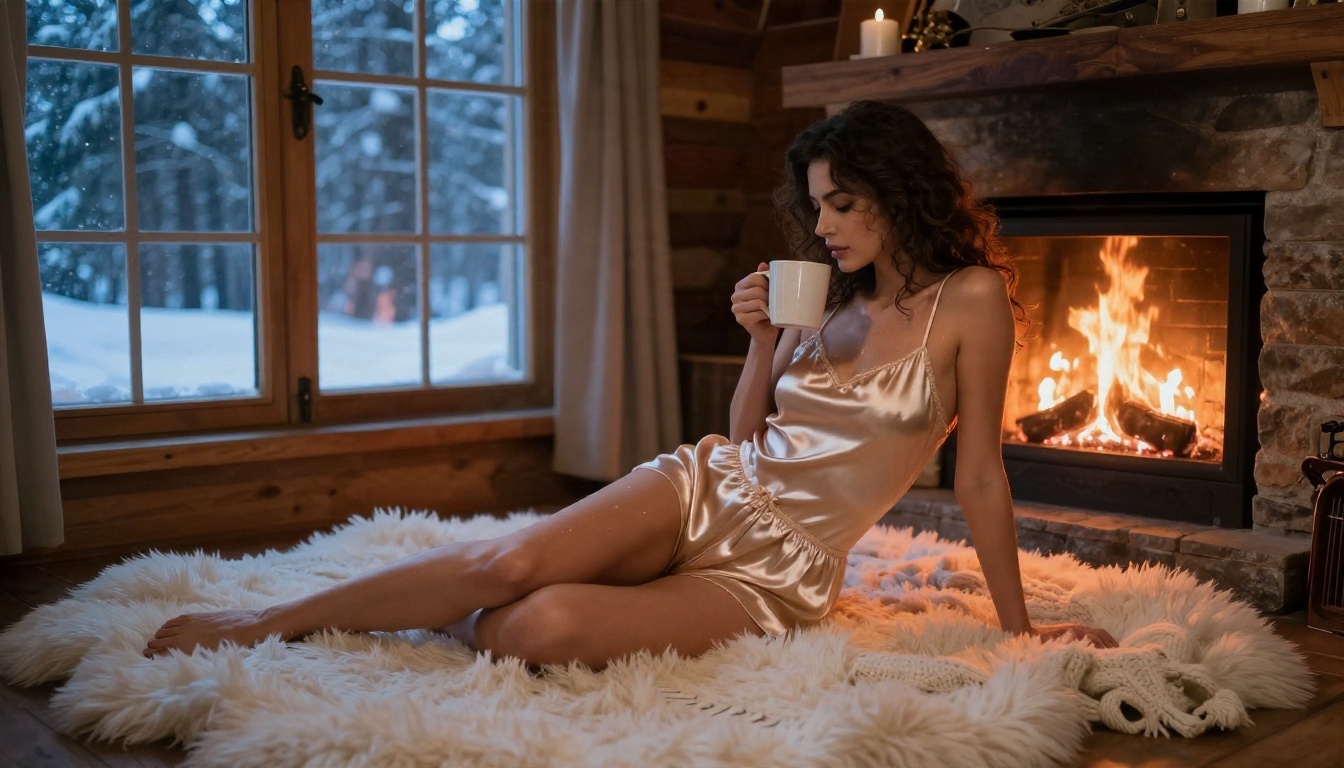
Adult woman in a champagne satin camisole and shorts stretched out on a white fluffy rug beside a fireplace, holding a mug, firelight flickering on her skin, snowy forest visible through the window, 85mm f/1.4 lens at floor level, warm orange glow against cool blue window light, knit blanket texture
Close Portraits
Close framing is where Flux gets most of its realism. Skin pores, lashes and tiny facial hairs are all things the model draws well when you ask for them.
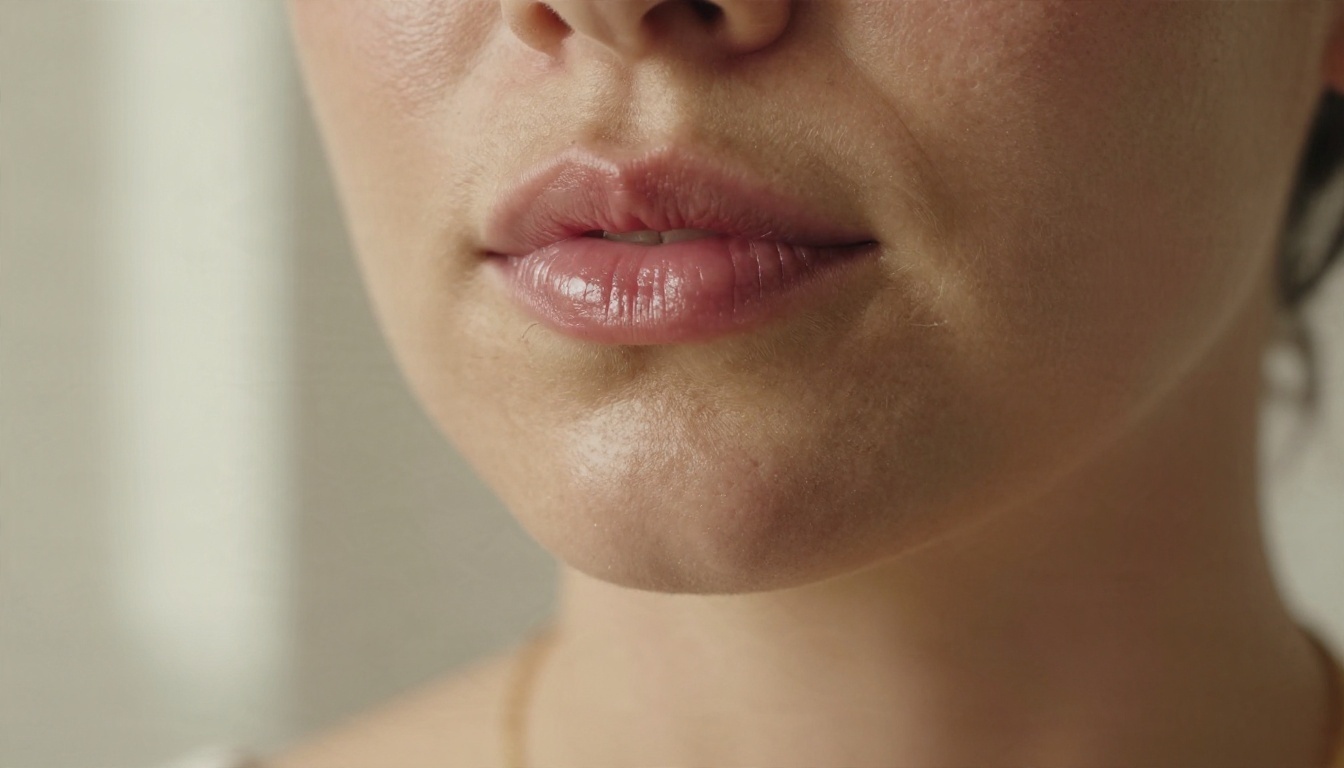
Extreme close-up portrait of an adult woman with glossy lips, light freckles and damp lashes, bare shoulders with a thin gold chain necklace, soft side light from a window on the left, blurred beige wall behind, 100mm macro f/2.0 lens, detailed skin pores and fine facial hairs, natural makeup, subtle film grain
Travel and Lifestyle
Mediterranean alley:
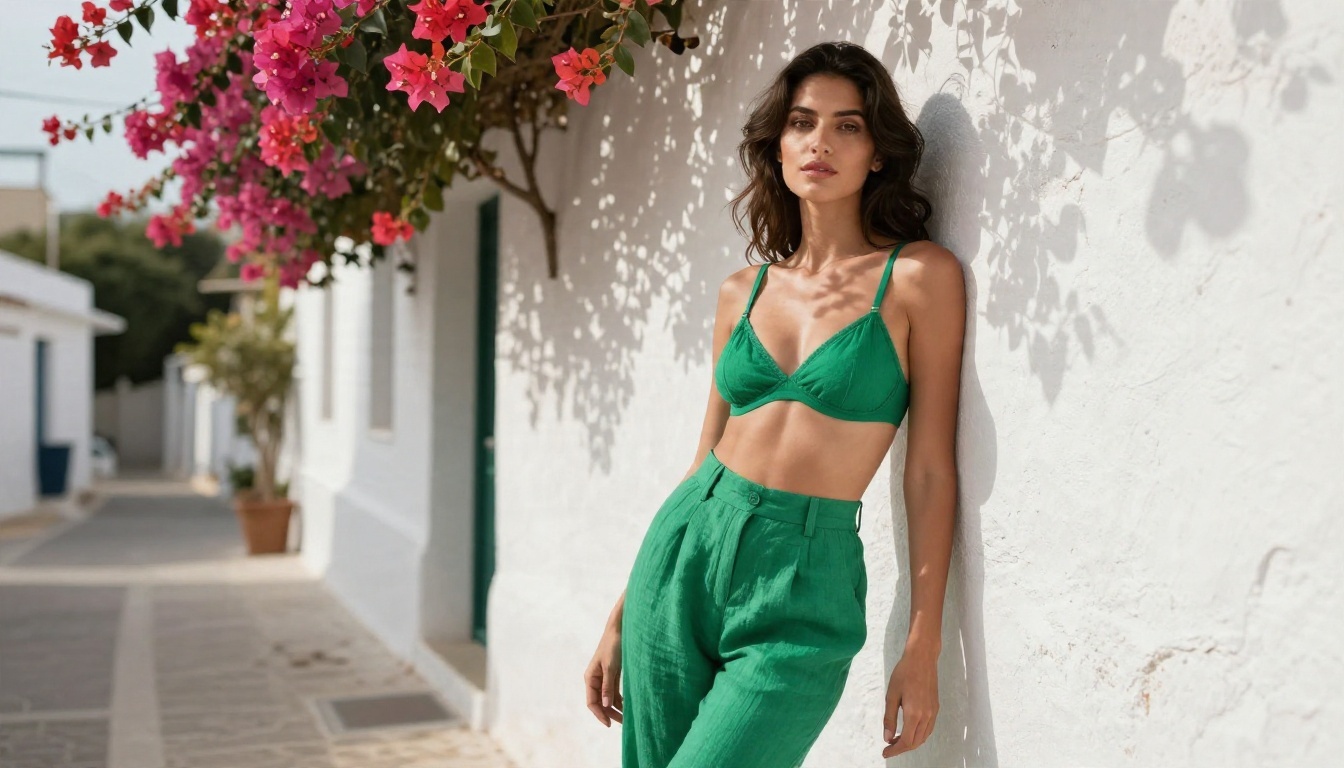
Adult woman in an emerald green bralette and high waisted linen trousers leaning against a whitewashed wall in a Mediterranean alley, bougainvillea overhead, dappled sunlight patterns across her midriff and face, confident gaze, 85mm f/2 lens, rough plaster texture, Kodak Portra 400 film look
Dawn window:
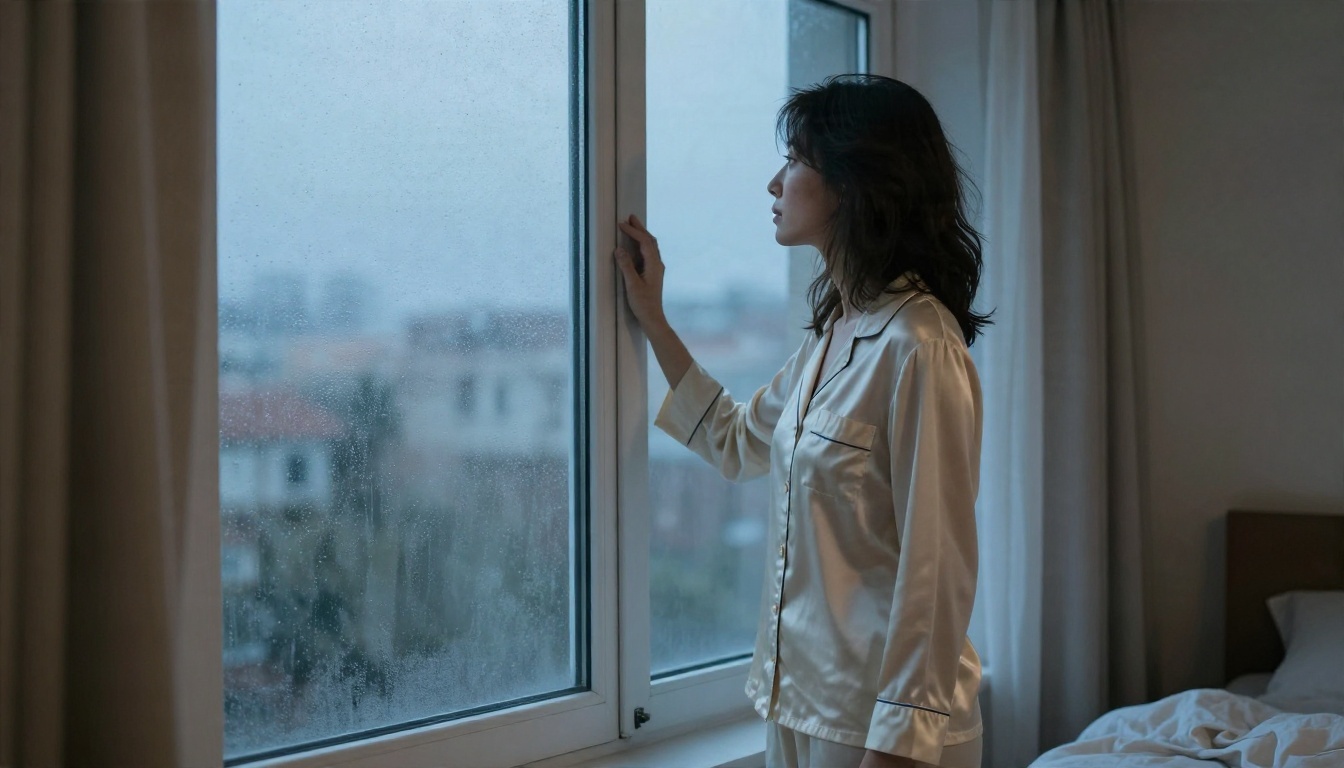
Adult woman in a cream silk pajama top standing at a tall bedroom window in soft blue dawn light, profile view, one hand on the glass, tousled hair, rumpled linen bed behind her, 35mm f/1.8 lens, window condensation, muted tones, film grain
The Prompt Formula That Works
You do not need a library of prompts. You need one structure you can fill in. Use this order, because Flux gives more weight to what comes first.
Subject and age cue: "adult woman", plus hair, skin tone and expression.
Outfit and fabric: satin, silk, linen, lace trim, denim. Fabric words add realism.
Pose and action: leaning, lounging, walking, glancing over a shoulder.
Setting: hotel suite, rooftop pool, cabin, beach, alley.
Light: direction and quality, such as "golden hour backlight from the left" or "soft window light".
Camera: lens and aperture, such as "85mm f/1.8".
Texture and film look: "visible skin pores", "Kodak Portra 400 grain", "raw photograph".
💡 Tip: Flux reads natural sentences better than comma-stacked tag lists. Write the prompt like you are briefing a photographer, and keep it between 40 and 90 words for the best balance of control and freedom.
Words That Raise Quality
Terms like "natural skin texture", "peach fuzz", "rim light", "shallow depth of field", "film grain" and a named lens consistently push output toward photographic realism. Fabric words such as "satin sheen" or "washed linen creases" help too.
Words That Cause Trouble
Avoid "perfect skin", "flawless", "airbrushed" and "8K ultra HD masterpiece" stacks. They produce a waxy, plastic look. Also avoid literal sexual language, since it triggers filters and rarely improves the picture.
Best Settings for Flux NSFW Prompts
Settings matter less than the prompt, but a few values are worth locking in. These come from the real controls on Flux Dev.
Setting
Recommended
Why
Guidance
3 to 4
Lower looks natural, above 5 gets harsh and oversaturated
Fast mode uses a quantized version, the full one holds a bit more detail
Seed
Fixed once you like a result
Lets you change one word and compare
Flux Dev Dial-In
Start at guidance 3 and 28 steps. If skin looks flat, raise guidance to 3.5 and add "natural skin texture, fine pores" to the prompt. If colors look too punchy, drop guidance back down rather than adding negative language, because Flux does not use negative prompts the way older Stable Diffusion models did.
Speed Versus Quality
Draft with Flux Schnell at four steps. When the composition is right, copy the same prompt into Flux Dev or Flux 1.1 Pro Ultra for the final render. It saves time and credits.
Fixes for Common Problems
Problem
Fix
Plastic skin
Remove "perfect" and "flawless", add "visible pores, peach fuzz"
Blurry or covered output
Rewrite around fashion and light, not body detail
Weird hands
Give hands a simple job, such as "holding a mug" or "resting on the glass"
Same face every time
Change hair, age range and face shape words, and change the seed
Prompt blocked
Swap sexual wording for fabric, pose and setting words
How to Use Flux Dev on PicassoIA
Here is the fastest route from prompt to finished image using Flux Dev.
Open the model page. Go to the Flux Dev page on PicassoIA. No install, no GPU, no ComfyUI setup.
Paste your prompt. Use any example above, or build your own with the seven-part formula.
Set the aspect ratio. Choose 16:9 for scenes or 2:3 for portraits.
Set guidance and steps. Start at 3 guidance and 28 steps.
Choose the output. Pick JPG at quality 90, or PNG if you plan to edit.
Generate and compare. Lock the seed when you like the framing, then change one phrase at a time.
💡 Img2img trick: upload a reference photo of a pose or location you like, set prompt strength near 0.7, and describe the new outfit and lighting. You keep the composition and change everything else.
Free Generator Tips
A free generator works best when you treat it like a darkroom: shoot a lot of frames, keep a few, and refine those.
Run the Same Prompt on Two Models
Paste one prompt into Seedream 4.5 and into Flux Dev. Seedream usually gives the quicker, more polished glamour look. Flux gives you more photographic grain and control. Picking the better one takes seconds.
Build a Personal Prompt Library
Save your three best prompts for each scene type: beach, boudoir, portrait, travel. Keep the fixed parts (lens, light, film look) in one block and swap only the subject and setting. It keeps your style consistent across a whole set of images.
Use a LoRA for a Consistent Look
If you want the same visual style across dozens of images, Flux Dev LoRA accepts custom LoRA weights. Newer small models like Flux 2 Klein 9B Base LoRA also take LoRAs and run quickly. Keep the strength moderate, since high values tend to overpower the prompt.
Start Making Your Own
You now have the formula, the prompts and the settings. What is left is practice. Pick one scene from this page, paste it into Seedream 4.5, then run the same text through Flux Dev and compare. Refine your favorite in PicassoIA Image Editor Pro, where generations are unlimited, so you can change the outfit, the room or the light as many times as you want.
Change one detail per run, keep notes on what works, and within an hour you will have a personal style that looks nothing like a generic AI render. Ready to try more models? Browse the full list at picassoia.com/en/all-models and start creating on Picasso IA today.