Most people type a vague line into Flux, get glossy plastic skin and a stiff stock-photo pose, then blame the model. The model is fine. The prompt is the problem. Flux reads long, concrete, photographic sentences better than almost any other open image model, and it rewards you for describing light, lens and fabric the way a working photographer would. This article gives you the formulas, nine example prompts with the photos they produce, the settings that matter, and the free online tools worth your time for adult-leaning glamour work.
One thing up front, so nobody wastes an afternoon: everything below is suggestive, tasteful and non-explicit. Think swimwear, boudoir, silk, lace and magazine-style glamour. That is where Flux is strongest, and it is also where you get the most realistic faces and bodies.
What Flux Prompts Really Do
Why Flux Handles Skin So Well
Flux was trained to follow natural language closely. Older Stable Diffusion models wanted a pile of comma-separated tags. Flux wants sentences. If you write "soft window light from the left, visible pores, faint freckles across the nose," it will usually give you exactly that, down to the fine peach fuzz on a cheek.
That is why the community started searching for "Flux porn prompts" in the first place. People noticed that the model produces believable human photography with very little effort, and they wanted prompt recipes that push toward intimate, adult-oriented looks. The recipe is not a secret list of magic words. It is a structure.
What "Uncensored" Means Here
The word gets thrown around loosely, so let me be precise. Flux Dev ships as open weights, which means there is no filter baked into the model file itself. Hosted tools, though, each add their own moderation layer on top, and policies differ a lot from one site to the next.
On PicassoIA the practical meaning is simple: you get far more freedom with swimwear, lingerie-style fashion, boudoir and glamour than you do on mainstream assistants, but you should not expect explicit pornographic output. If a prompt is flagged, the fix is almost always the same: rewrite it toward editorial fashion language, which also happens to look better.
💡 Tip: Treat a blocked prompt as feedback, not a wall. Swap "lingerie set" for "satin camisole and shorts" or "silk robe," keep the lighting and lens details, and the photo usually comes out just as striking.
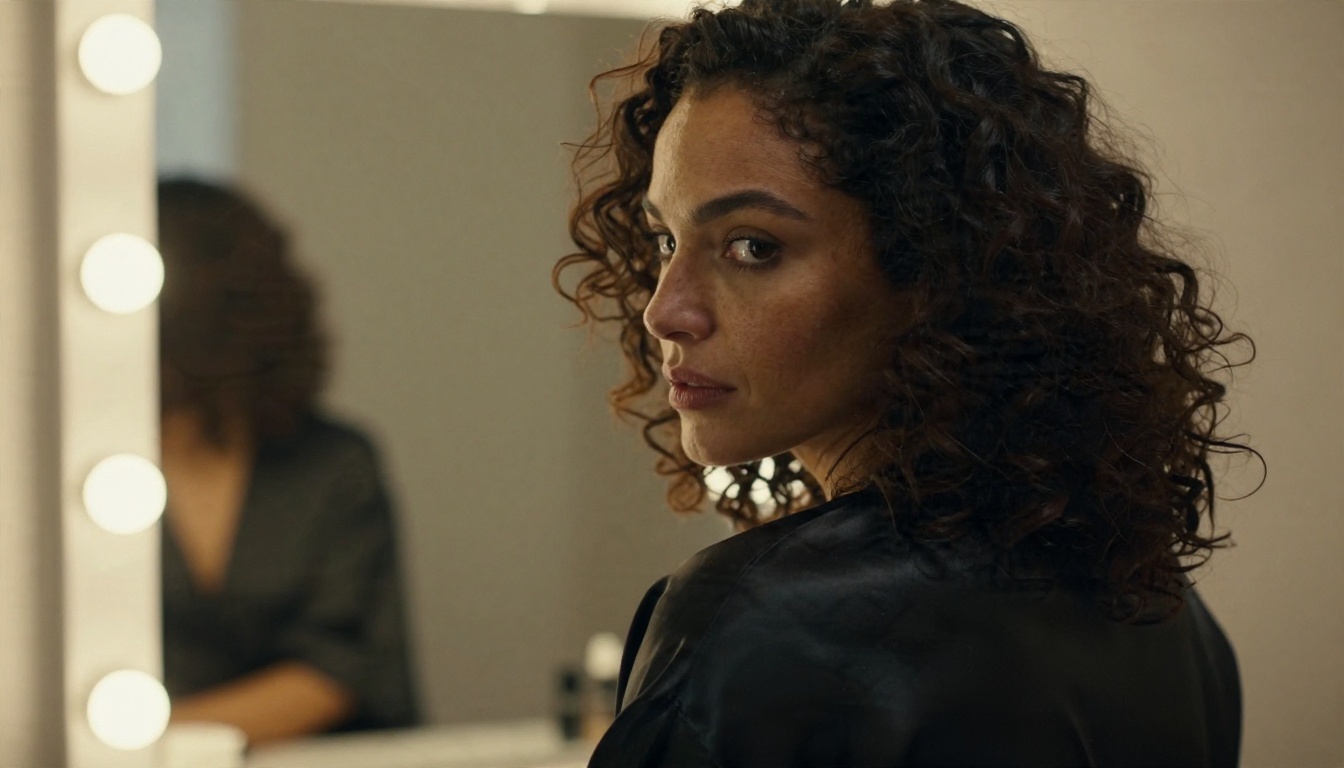
Every strong Flux glamour prompt has the same five layers. Write them in this order and the model rarely misses.
| Layer | What to write | Example |
|---|
| Subject and pose | Age, hair, expression, body position | "adult woman with dark curly hair looking over her shoulder" |
| Wardrobe | Fabric first, then garment | "black satin robe slipping off one shoulder" |
| Environment | Room, props, background depth | "dressing room, vanity mirror with warm bulbs" |
| Lighting | Direction, softness, time of day | "soft window light from the left" |
| Camera and film | Lens, aperture, stock, grain | "85mm f/1.8, Kodak Portra 400, fine grain" |
Subject and Wardrobe
Always state that the subject is an adult, and give an age range like "late twenties." It keeps results grounded and removes ambiguity. Then describe fabric before garment. "Champagne silk slip dress" gives you highlights, folds and sheen. "Dress" alone gives you a flat shape.
Add one tiny imperfection: a strap slipping, a rumpled sleeve, flyaway hair. Perfect symmetry is what makes AI photos look fake.
Lighting and Lens
Light does most of the work. Name the direction (from the left, from behind, from above), the quality (soft, hard, diffused, golden) and the source (window, softbox, streetlamp). Then name a lens. An 85mm at f/1.8 gives you portrait compression and creamy background blur. A 24mm from above gives you a bold, wide poolside view.
Film Stock and Texture
Phrases like "Kodak Portra 400," "fine film grain" and "natural lifted blacks" pull the colors toward warm, forgiving skin tones. Add "visible pores" or "fine freckles" when you want realism. Skip words like "perfect skin" or "flawless," because Flux takes them literally and smooths everything into plastic.
Nine Prompt Examples to Copy
Each prompt below was used for the photo shown next to it. Paste them as they are, then change one variable at a time.
Boudoir and Bedroom Looks
Example 1: Mirror editorial
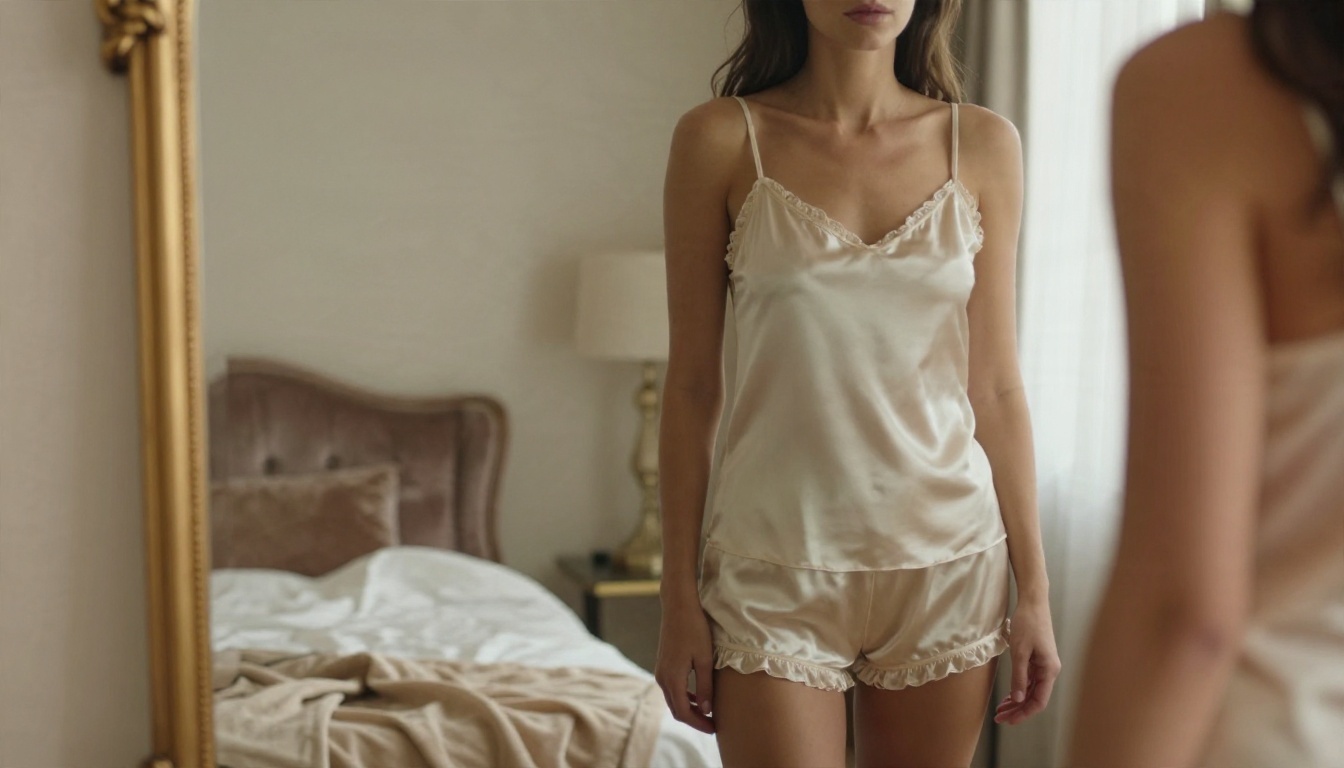
Prompt: Mirror reflection shot of an adult woman in a cream satin camisole and matching pajama shorts standing in a boutique hotel room, tall antique mirror with gilded frame, soft diffused window light from the right, rumpled sheets and a velvet armchair in the background, fine fabric texture and natural skin detail, 50mm f/1.8 lens, medium distance, warm shadows, film grain, tasteful fashion editorial.
The mirror gives you two views of the subject in one frame, which reads as intimate without showing anything explicit. The gilded frame and velvet chair add depth the model can anchor on.
Example 2: Morning window
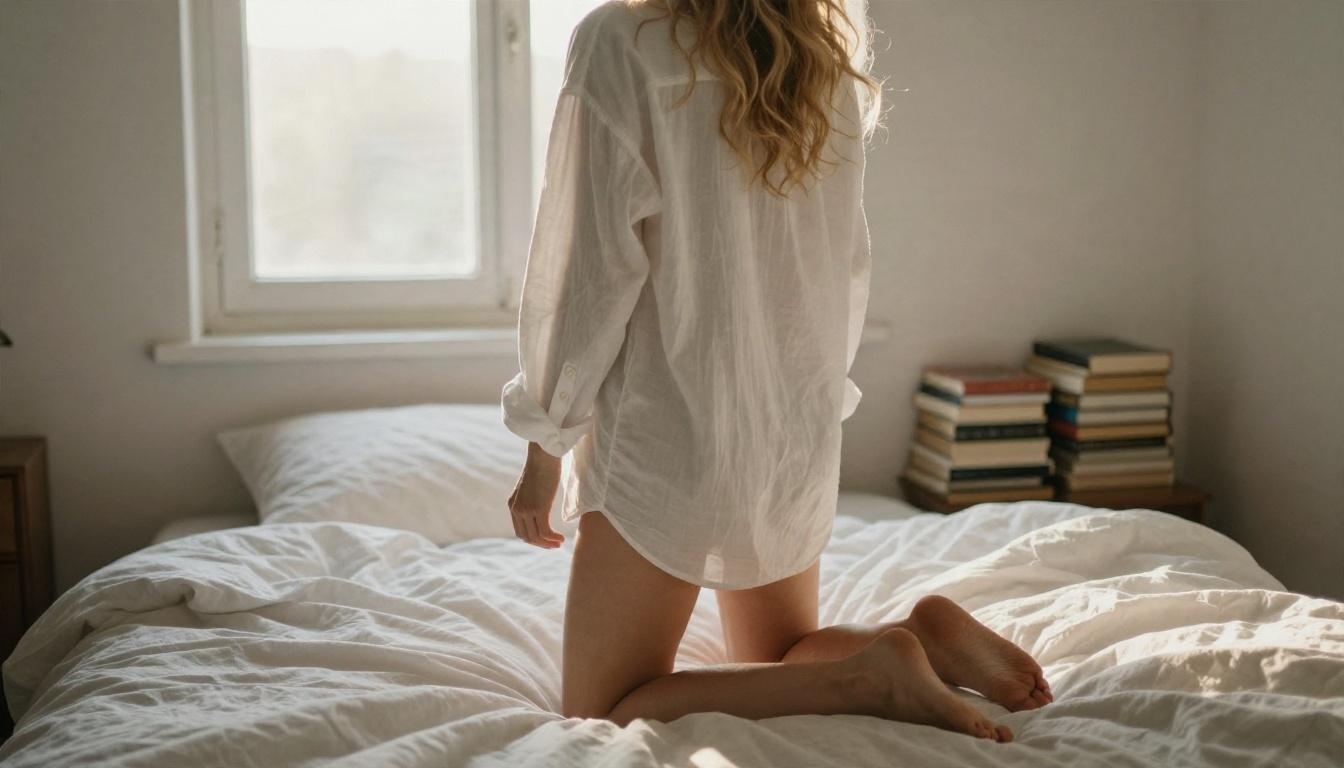
Prompt: Over-the-shoulder shot of an adult woman in an oversized white button-down shirt standing at a bedroom window at sunrise, bare legs, tousled blonde hair, soft rim light outlining her silhouette, rumpled linen bed and a stack of books behind her, hazy morning glow from the front-left, 35mm f/1.8 lens, natural skin texture, warm Portra 400 tones, gentle film grain, intimate candid lifestyle photograph.
An oversized shirt is one of the most reliable wardrobe choices in Flux. It looks candid, it drapes naturally, and it passes moderation on nearly every platform.
Example 3: Studio blanket portrait
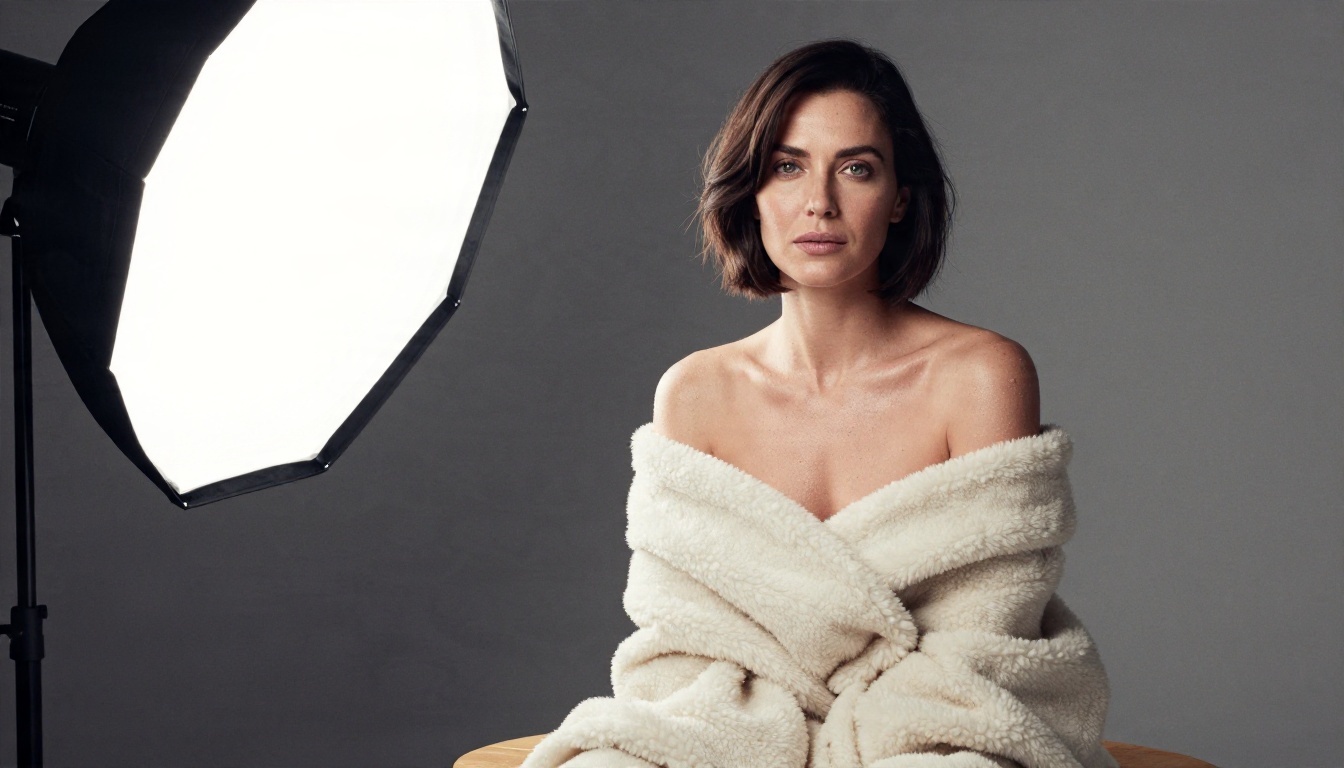
Prompt: Studio portrait of an adult woman with a sleek bob haircut and bare shoulders wrapped in a cream cashmere blanket, seated on a wooden stool, large octabox softbox camera left producing soft Rembrandt lighting, grey seamless paper backdrop, subtle skin sheen and pores visible, 105mm f/2.8 lens, tight chest-up framing, calm direct gaze, low contrast Portra 400 palette.
Naming a real studio setup ("octabox," "Rembrandt lighting," "seamless paper") makes Flux behave like a photographer with a plan. This is the cleanest way to get consistent skin.
Beach and Pool Scenes
Example 4: Golden hour surf
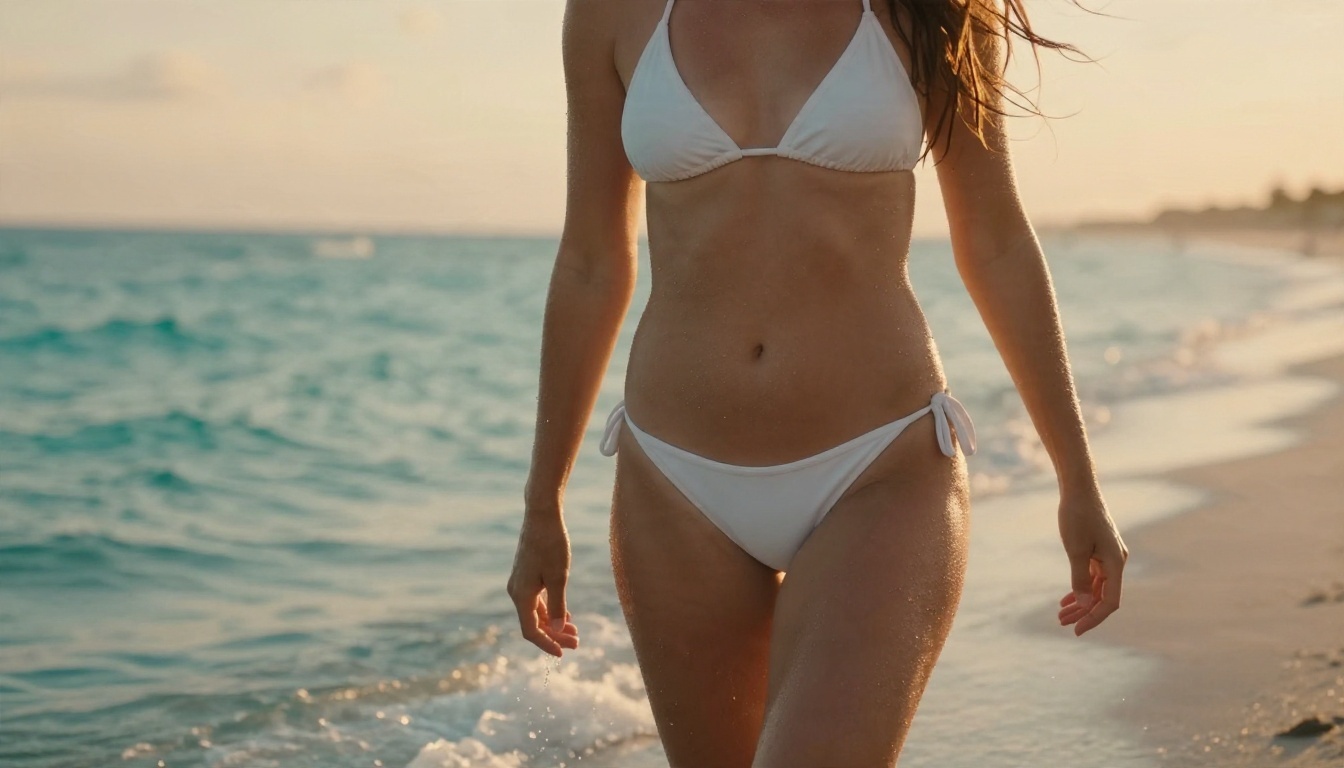
Prompt: Low-angle shot of an adult woman in a white string bikini walking out of shallow turquoise surf at golden hour, wet skin glittering with water droplets, wind-blown sun-bleached hair, wet sand reflecting the orange sky behind her, warm backlight rim lighting her shoulders, 35mm f/2 lens, natural lens flare, fine film grain, Kodak Portra 400 warm tones, candid beach photography.
Backlight plus water droplets is a cheat code for realism. The rim light separates the subject from the sky, and the droplets give the model a texture to render instead of smooth skin.
Example 5: Aerial poolside
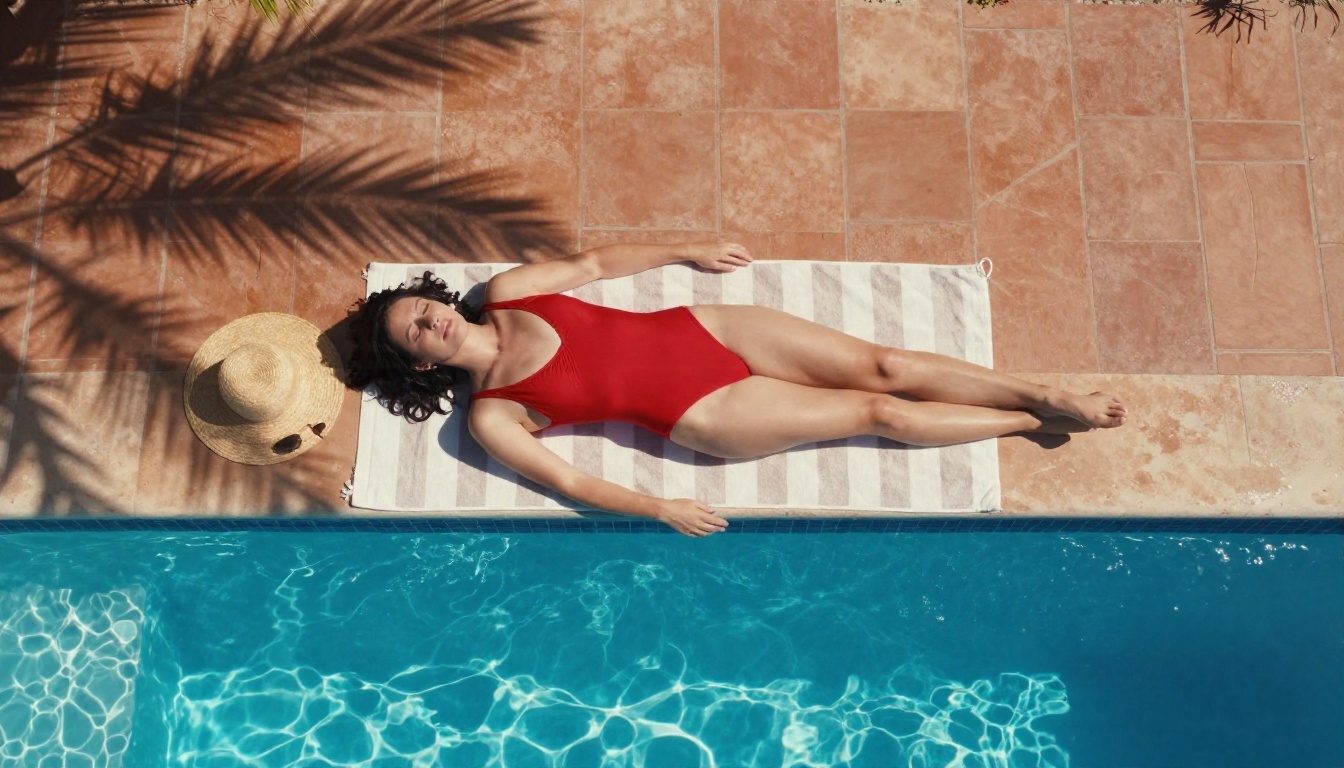
Prompt: Aerial top-down view of an adult woman in a red one-piece swimsuit lying on a striped towel beside a blue rectangular villa pool, terracotta tiles, a straw hat and sunglasses beside her, hard midday sun creating crisp shadows, water ripples with natural caustic light, 24mm lens from above, saturated but natural colors, light film grain, summer glamour photography.
Top-down angles are underused. They flatten the scene into a graphic composition, and Flux handles the geometry of tiles, towels and water surprisingly well.
Evening and Street Glamour
Example 6: Red gown at night
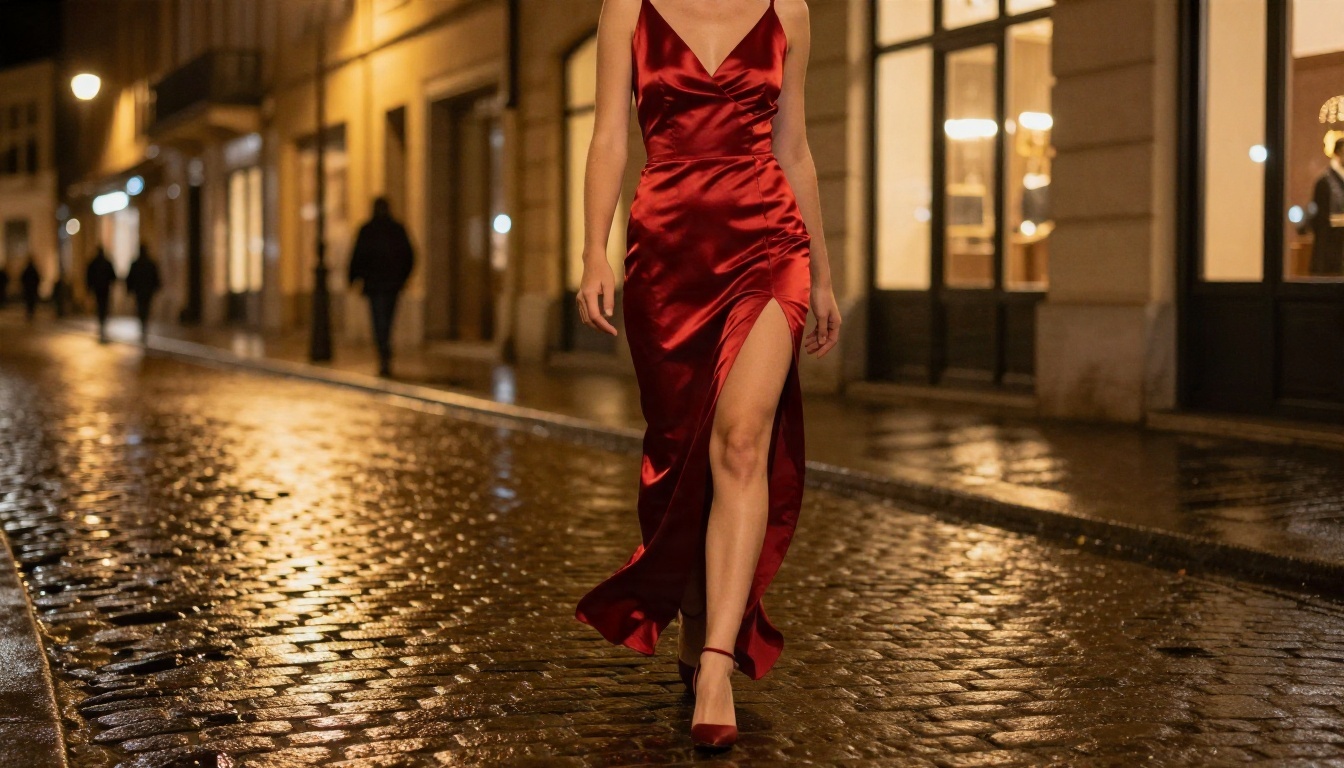
Prompt: Night street fashion photograph of an adult woman in a fitted red satin evening gown with a high leg slit walking across a wet cobblestone European street, warm tungsten streetlamps and shop windows glowing amber in the background, soft reflections on the wet stones, medium-wide shot from slightly low angle, 50mm f/1.4 lens, shallow depth of field, natural color, fine film grain.
Use tungsten and amber to describe night light. It keeps the palette warm and photographic, and it avoids the garish glow that "neon" tends to produce.
Retro and Athletic Looks
Example 7: 1970s convertible
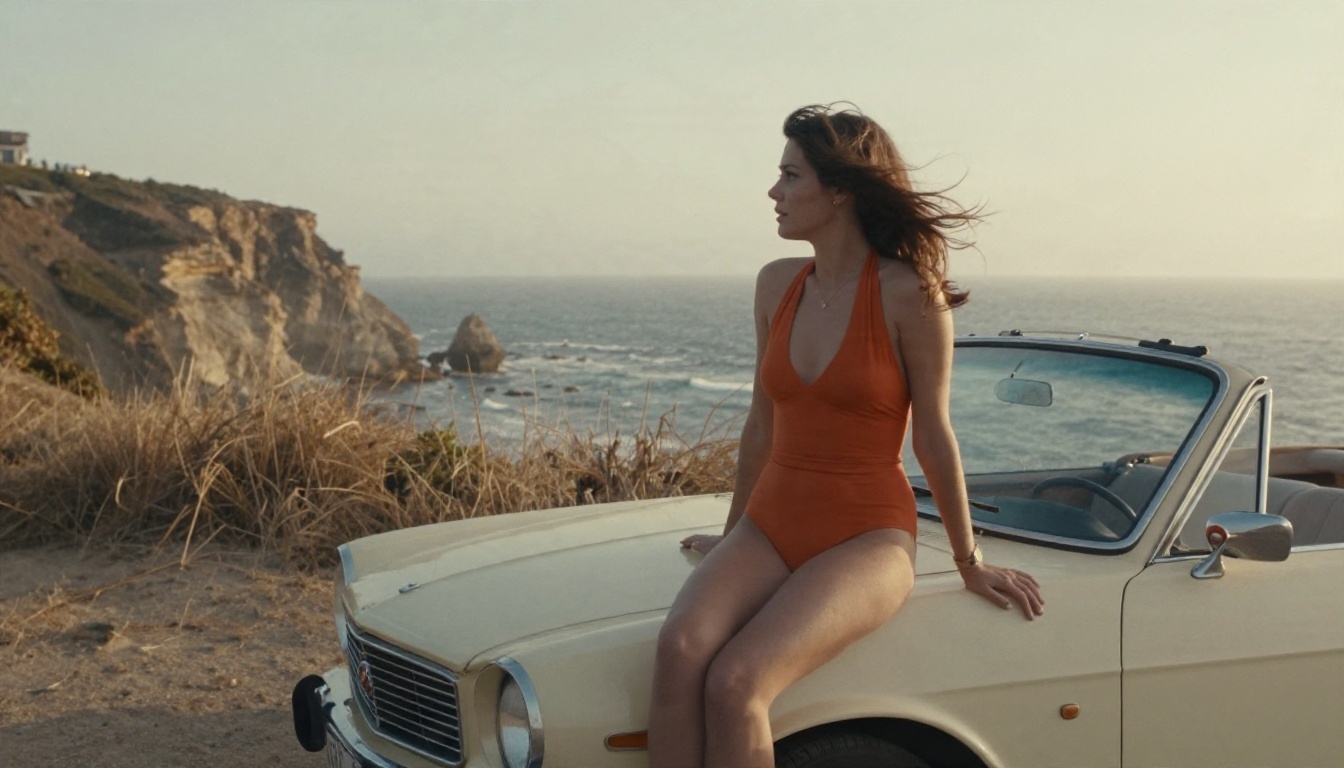
Prompt: Wide shot of an adult woman in a vintage 1970s orange halter swimsuit sitting on the hood of a cream convertible parked beside a coastal road, ocean cliffs and dry grass behind her, late afternoon sun from the right, soft haze, slight lens softness and grain as if shot on 35mm film, 40mm f/2 lens, faded warm colors, natural skin texture and windblown hair, retro glamour photograph.
Era words work as a style shortcut. "1970s," "faded colors" and "lens softness" pull the whole image toward vintage film without any extra tags.
Example 8: Loft stretch
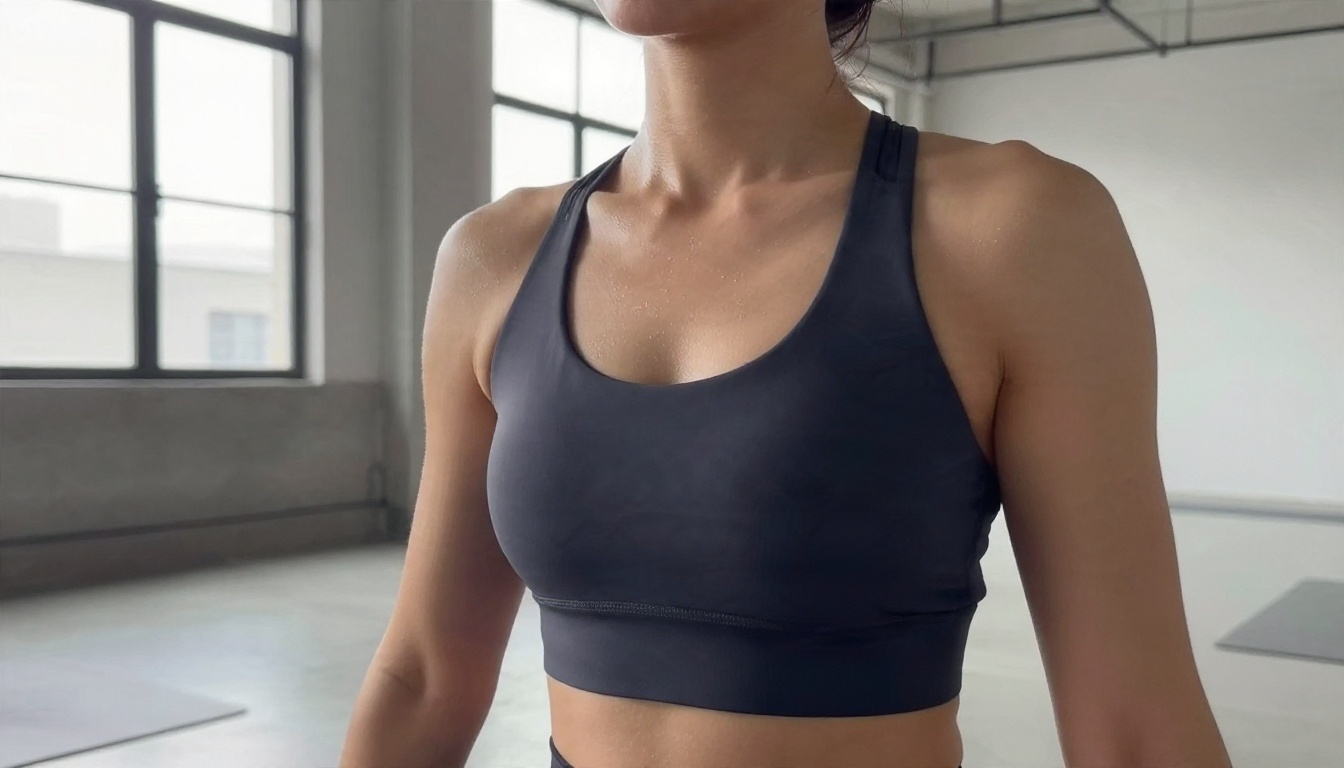
Prompt: Medium close-up of an adult woman in a charcoal sports bra and leggings stretching in a bright minimalist loft studio after a workout, light sweat glistening on her shoulders, large factory windows with soft overcast daylight from the left, concrete floor and a yoga mat, 70mm f/2 lens, slightly low angle, athletic realistic skin texture, muted natural color palette, fine grain.
"Light sweat glistening" is a favorite detail. It adds specular highlights on skin and makes the body look alive instead of airbrushed.
Example 9: The cover look
The cover photo of this article came from a long, 400-word version of the same formula: silk slip dress, morning light from the left, peonies on the nightstand, Canon-style 85mm portrait lens. Long prompts are not wasted on Flux. Once you have a base, pile on small, real-world props. Coffee cups, curled petals and brass hooks make the scene feel lived in.
Best Settings for Flux Dev
Prompts get you 70 percent of the way. Settings finish the job. These are sensible starting values for Flux Dev, and they transfer reasonably well to its siblings.
| Setting | Starting value | What it changes |
|---|
| Guidance scale | 3 to 4 | Lower is more natural, higher is more literal and more contrasty |
| Steps | 28 to 35 | Below 20 you lose skin detail, above 40 you gain little |
| Aspect ratio | 16:9 or 3:2 | Wide frames suit environments, 3:2 and 4:5 suit portraits |
| Seed | Fixed while testing | Lets you change one phrase and see exactly what it did |
| Output format | PNG or high-quality JPG | Keeps film grain from turning to mush |
Guidance and Steps
The most common mistake is cranking guidance up because the image "isn't following the prompt." On Flux, high guidance burns skin into an orange, over-sharpened mask. Stay around 3.5 and fix the prompt instead.
Aspect Ratio and Seeds
Lock the seed, then edit a single phrase per run. Swap "soft window light" for "hard midday sun" and compare. After five or six runs you will have a personal sense of how each phrase behaves, which is worth more than any list of prompts.
💡 Tip: If you want speed over fidelity during testing, run drafts on Flux Schnell, then move the winning prompt and seed idea to Flux Dev for the final render.
How to Use Flux Dev on PicassoIA
Flux Dev is the best all-round Flux model for photographic glamour on the platform, and it takes about a minute to set up.
Step by Step
- Open the Flux Dev page and sign in.
- Paste one of the prompts above into the prompt box. Keep the full sentence structure.
- Set the aspect ratio to 16:9 for scenes or 3:2 for portraits.
- Leave guidance near 3.5 and steps near 28.
- Generate, pick the best frame, and note the seed.
- Change one phrase (light direction, wardrobe, lens) and regenerate with the same seed.
Fixing Common Problems
- Plastic skin: remove "perfect" and "flawless," add "visible pores, fine freckles, natural skin texture."
- Stiff pose: describe an action instead of a stance. "Adjusting a strap" beats "standing."
- Blocked prompt: rewrite toward fashion language, keep the lighting and lens lines.
- Weird hands: keep hands busy with a prop, like a coffee cup or a hat, or crop them out of the frame.
- Wrong style: add "raw photograph, film grain, no illustration" and drop any art-style words.
For custom looks, Flux Dev LoRA lets you layer a style on top of the base model, and Flux 1.1 Pro Ultra gives you larger 4MP output when you want to print or crop in tight.
Flux is not the only route. For adult-leaning glamour, a few other models on PicassoIA give you very good results with even less friction.
Seedream 4.5 First
Seedream 4.5 is the model I reach for first when the goal is glamour, swimwear or boudoir. It is fast, it renders skin and fabric with real texture, and its output reaches 4K. It follows the same prompt formula as Flux, so every example above works in it with no changes.
Image Editor Pro for Unlimited Edits
PicassoIA Image Editor Pro is built for iteration. Upload a generated photo, then ask for a new outfit, a different background or softer light. Because generations are unlimited, you can run dozens of variations without watching a counter, which is exactly how you refine a look.
Flux Variants Worth Trying
💡 Tip: A good workflow is draft on Flux Schnell, finish on Seedream 4.5 or Flux Dev, then use Image Editor Pro for wardrobe and background tweaks.
Mistakes That Ruin Results
Writing tags instead of sentences. "1girl, bikini, beach, 8k, masterpiece" belongs to an older generation of models. Flux wants a full description of what a camera would see.
Stacking contradictory light. "Golden hour backlight, hard midday sun, soft studio softbox" in one prompt gives you muddy, flat lighting. Choose one source and one direction.
Ignoring the background. A subject on an empty backdrop looks cut out. Add three real props: a chair, a plant, a cup. They carry the realism.
Over-describing the body. Long lists of physical features usually produce distorted proportions. Describe pose, light and wardrobe, and let the model handle anatomy.
Using fantasy art words. Terms like "ethereal," "glowing" and "dreamy" push Flux toward painterly output. Stay with camera language.
Skipping the seed. If you change five things between runs, you never learn which one helped. Lock the seed while you test.
Start Making Your Own
You now have the formula, nine prompts that work, and the settings that keep skin looking like skin. The fastest way to make it stick is to run a few yourself. Open Seedream 4.5 or Flux Dev on PicassoIA, paste the mirror editorial prompt, then change one thing: the light, the fabric, the lens. Send your favorite result into PicassoIA Image Editor Pro and push it further with unlimited edits.
When you want to see what else is out there, browse every image model at picassoia.com/en/all-models. Pick a prompt, press generate, and see what your own version looks like.


