Free AI Prompts: Image, Video and NSFW Prompt Examples to Copy
Free AI prompts you can copy today: photorealistic portraits, landscapes and product shots, cinematic video scenes, and tasteful non-explicit NSFW glamour. Each example comes with the exact wording, the reason it works, and the best model to run it on.
Most people type five words into an AI generator, get a plastic-looking result, and decide the tool is the problem. It almost never is. The prompt is. A sentence like "beautiful woman on a beach" leaves the model to guess the lens, the light, the mood and the skin texture, so it guesses the most average version of each. The prompts below do the opposite. They are free, copy-ready and tested, and they cover three things people search for most: photorealistic images, short cinematic video, and tasteful, non-explicit NSFW glamour.
Every example follows the same logic: a clear subject, a real place, a light direction, a lens and a texture cue. Paste them as they are, or swap a few nouns and make them yours. At the end you will find which model suits each type of prompt, plus a short list of fixes for when a result misses.
💡 Quick tip: Treat every prompt below as a template. Change the subject first, then the light, then the lens. One change at a time shows you what each part does.
How a Good Prompt Works
The Five-Part Formula
Strong prompts for photoreal output nearly always contain the same five ingredients, in roughly this order:
Subject and action: who or what is in the frame, and what they are doing.
Environment: the place, the time of day, the small props that make it believable.
Light: direction, softness and color. "Soft window light from the left" beats "good lighting" every time.
Camera and lens: focal length and aperture, for example "85mm f/1.8 shallow depth of field".
Texture and grain: skin pores, wool fibers, wet asphalt, film grain. This is what kills the plastic look.
Write them as one flowing description rather than a pile of comma-separated tags. Modern models such as Seedream 4.5 and Nano Banana Pro read natural sentences very well.
Words That Change Results
Some words carry far more weight than others. Here is a short table of swaps that reliably improve output:
Weak wording
Stronger wording
What changes
"nice lighting"
"golden hour backlight from the left"
Direction, warmth and shadows
"high quality"
"Kodak Portra 400 film grain, 8K detail"
Real photographic character
"close up"
"85mm f/1.8, shallow depth of field"
Background blur and subject isolation
"pretty skin"
"natural skin texture, visible pores, no retouching"
Removes the airbrushed look
"city street"
"rain-soaked side street at dusk, shop reflections in puddles"
Atmosphere and believable detail
"moving camera"
"slow dolly-in, handheld sway"
Clear motion for video models
Image Prompts to Copy
Portrait Prompt
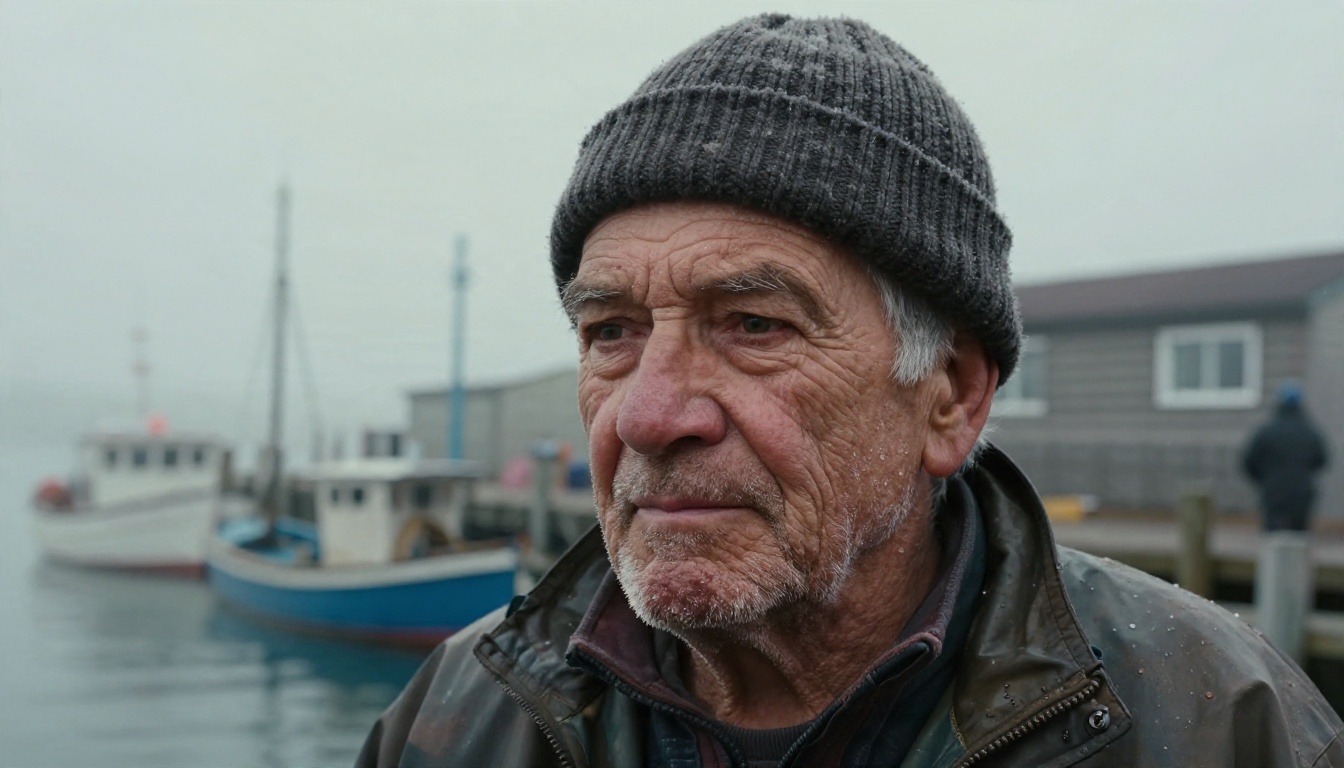
Portraits are where weak prompts fail fastest, because faces are the one thing everyone judges instantly. The fix is to name age, expression, clothing material and the exact light.
Close-up portrait of an elderly fisherman with deep weathered wrinkles and silver stubble, wearing a wool beanie and oilskin jacket, looking calmly past the camera, on a misty harbor dock at dawn with blurred wooden boats behind him. Soft overcast light from the right, 85mm f/1.8 shallow depth of field, visible skin pores, salt droplets on wool, Kodak Portra 400 film grain.
Why it works: "looking calmly past the camera" gives a natural gaze instead of a stock-photo stare. "Salt droplets on wool" is a tiny detail that tells the model this is a real, damp, cold morning.
💡 Swap the fisherman for a baker, a violin maker or a market vendor. Keep the lens, light and texture lines untouched.
Landscape Prompt
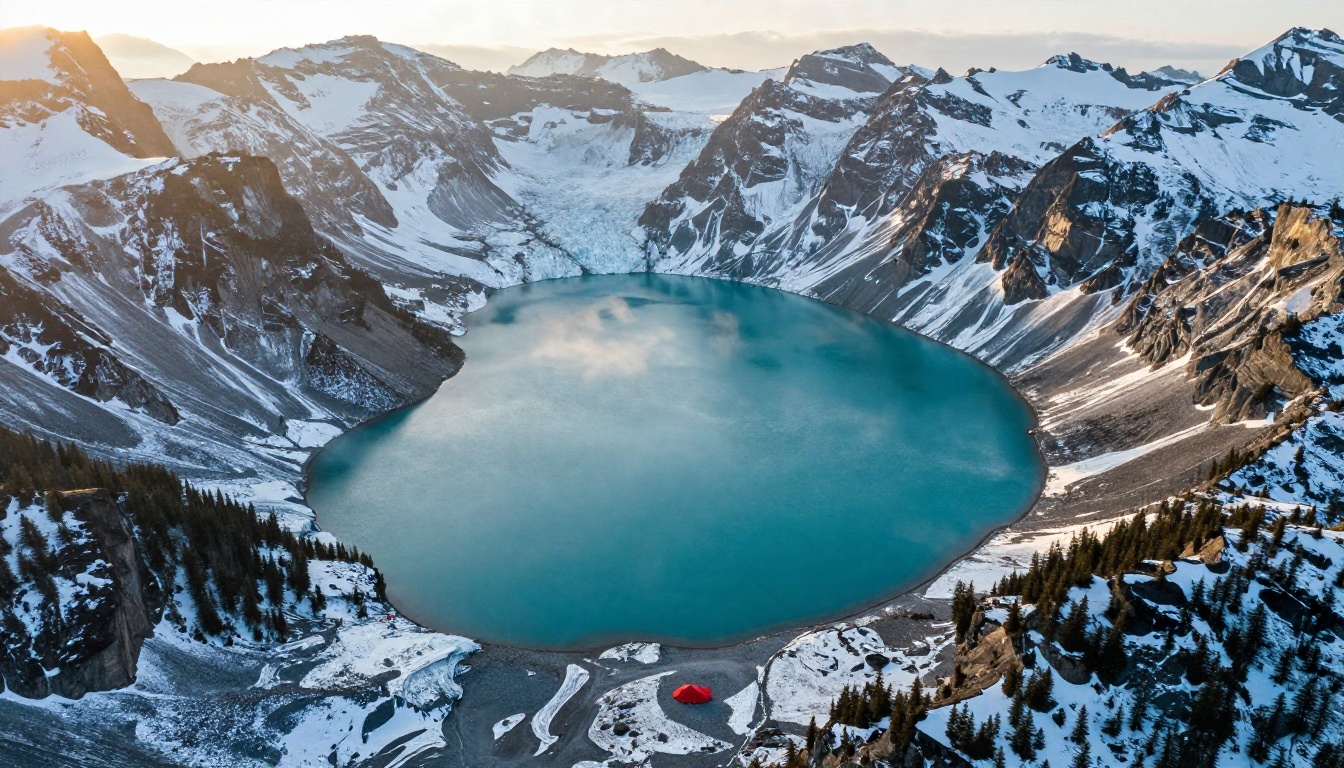
Landscapes reward scale. A single human-made object, like a tent, gives the eye something to measure the mountains against.
Wide aerial view of a turquoise glacial lake surrounded by jagged snow-dusted mountains at sunrise, a lone red tent on a pebbled shore, thin mist drifting over the water. Low golden light from the left raking across rock faces, drone shot from 120 meters, 24mm f/5.6 lens, crisp detail in scree and pine forest, natural color, subtle film grain.
Why it works: "raking light" produces long shadows that reveal rock texture. "Drone shot from 120 meters" fixes the viewpoint so the model does not drift to ground level.
Product Prompt
Product shots sell things, so they need clean surfaces and honest material detail. Low angles make objects look substantial.
Low-angle product photograph of a matte black ceramic coffee pour-over set on a travertine countertop beside fresh roasted beans and a linen cloth, steam rising from the cup. Soft window light from the left with a gentle shadow falloff, 100mm macro f/2.8 lens, visible ceramic glaze texture, scattered coffee grounds, warm neutral tones, clean commercial look, fine film grain.
Why it works: The word "scattered" makes the scene feel used rather than staged. The macro lens line pushes the model toward close, tactile detail.
Video Prompts to Copy
Video prompts need one extra layer: time. Describe what happens at the start, what moves, and how the camera behaves over the five or ten seconds. A single still frame idea is not enough.
Cinematic Street Scene
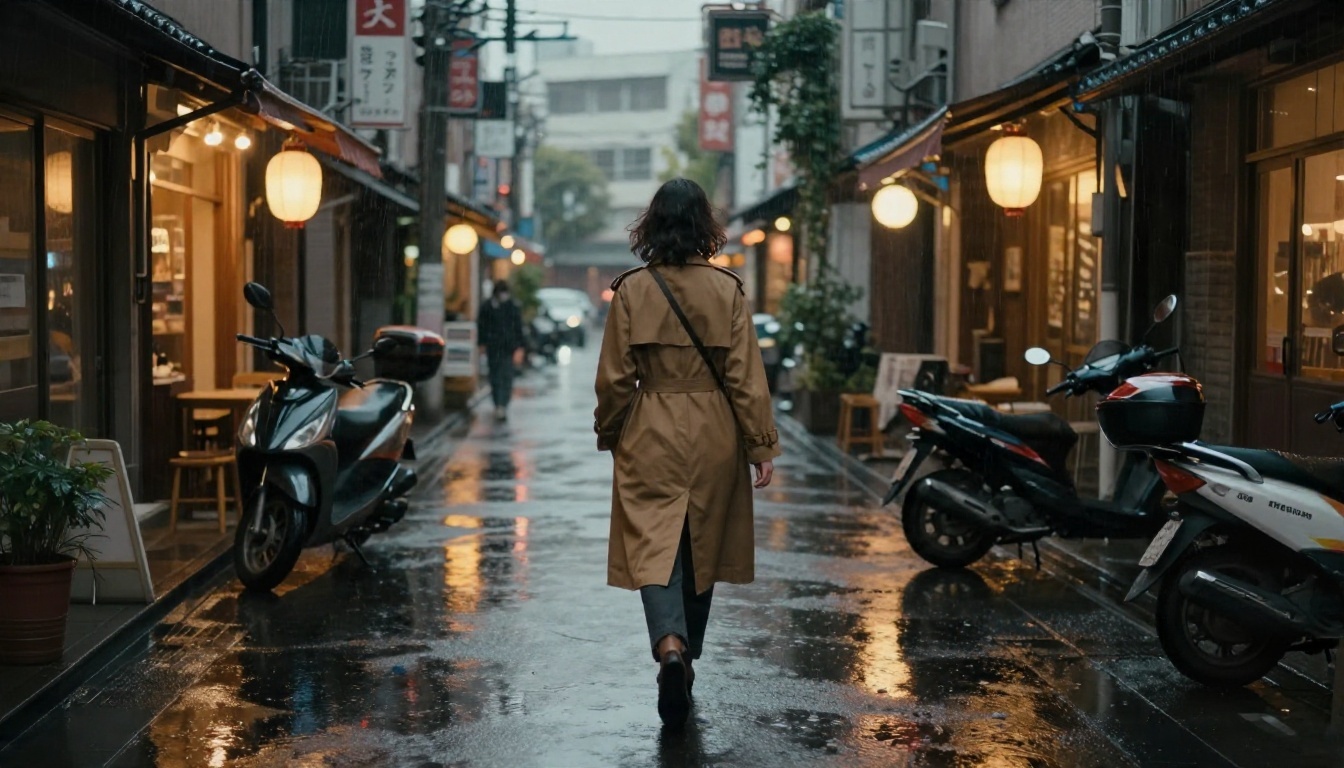
This one works as a still, and it also works as a first frame for an image-to-video model.
Cinematic wide shot of a woman in a long camel trench coat walking alone down a rain-soaked Tokyo side street at dusk, reflections of warm shop lights in puddles, parked scooters, a paper lantern swaying. Backlit from storefronts, 35mm anamorphic look at f/2, light rain streaks visible, damp asphalt texture, shallow depth of field, Kodak Portra 400 grain, movie still composition.
Video version, ready to paste into a text-to-video model:
A woman in a camel trench coat walks away from the camera down a wet Tokyo side street at dusk. Her coat sways with each step, rain falls lightly, and a paper lantern rocks in the breeze. Slow dolly-in following her from behind at shoulder height. Warm storefront light reflects in the puddles. Soft ambient rain and distant traffic sound.
Notice the structure: starting pose, motion over time, camera movement, atmosphere and sound. Models like Kling v3 Video and Veo 3.1 Fast respond well to this order, and Veo also generates native audio, so the sound line is worth including.
Road and Motion Shots
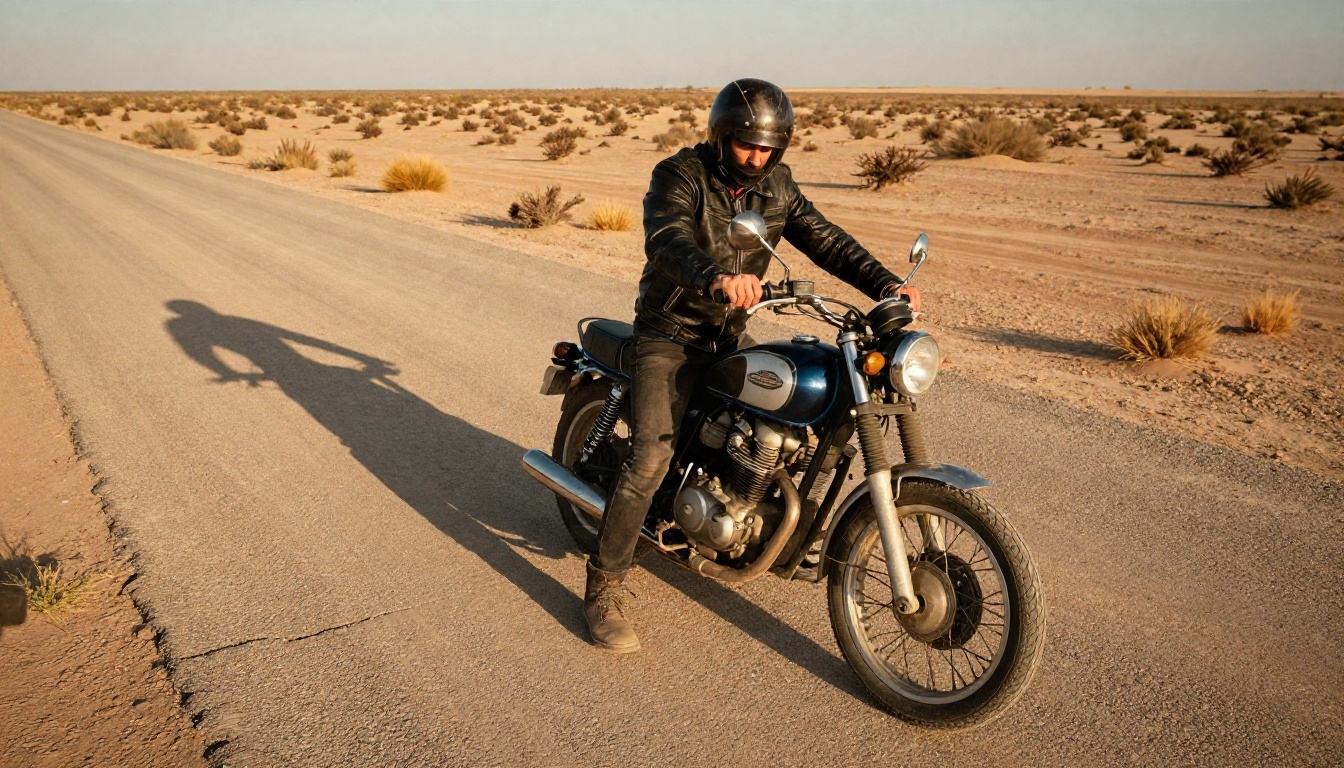
Wide open spaces give video models room to show movement without cluttered edges.
Aerial drone shot of a leather-jacketed rider leaning on a vintage motorcycle across a dusty desert highway at golden hour, long shadows stretching over cracked asphalt, tumbleweeds and scrub. Warm low sun from the right, 35mm f/4 lens, fine dust in the air, worn leather and chrome textures, natural film grain.
Video version:
The rider pushes off and rides down the empty desert highway, dust trailing behind the rear wheel. The drone rises slowly and tilts down, following the bike as the long shadows slide across the cracked asphalt. Warm golden sunlight, engine rumble fading into wind.
Camera words are the cheapest way to make video look directed. Use one per clip, not five.
Movement
Prompt wording
Best for
Push in
"slow dolly-in toward the subject"
Emotional close-ups
Pull back
"gradual pull-back revealing the surroundings"
Reveals and landscapes
Orbit
"camera slowly orbits the subject at waist height"
Products and portraits
Follow
"tracking shot from behind at shoulder height"
Walking and driving scenes
Rise
"drone rises and tilts down"
Wide establishing shots
Static
"locked-off tripod shot, only the subject moves"
Dialogue and calm scenes
💡 If a clip looks chaotic, the cause is usually too many things moving. Pick one subject action and one camera move, and remove everything else.
NSFW Prompts That Stay Tasteful
Adult-leaning prompts are among the most searched in AI generation, and most of them fail for the same reason: they are vague and rushed. The best results come from the opposite approach, which is glamour photography language. Think swimwear editorials, boudoir portraits and evening fashion. Everything below is suggestive and attractive but non-explicit, with the focus on light, fabric, pose and mood.
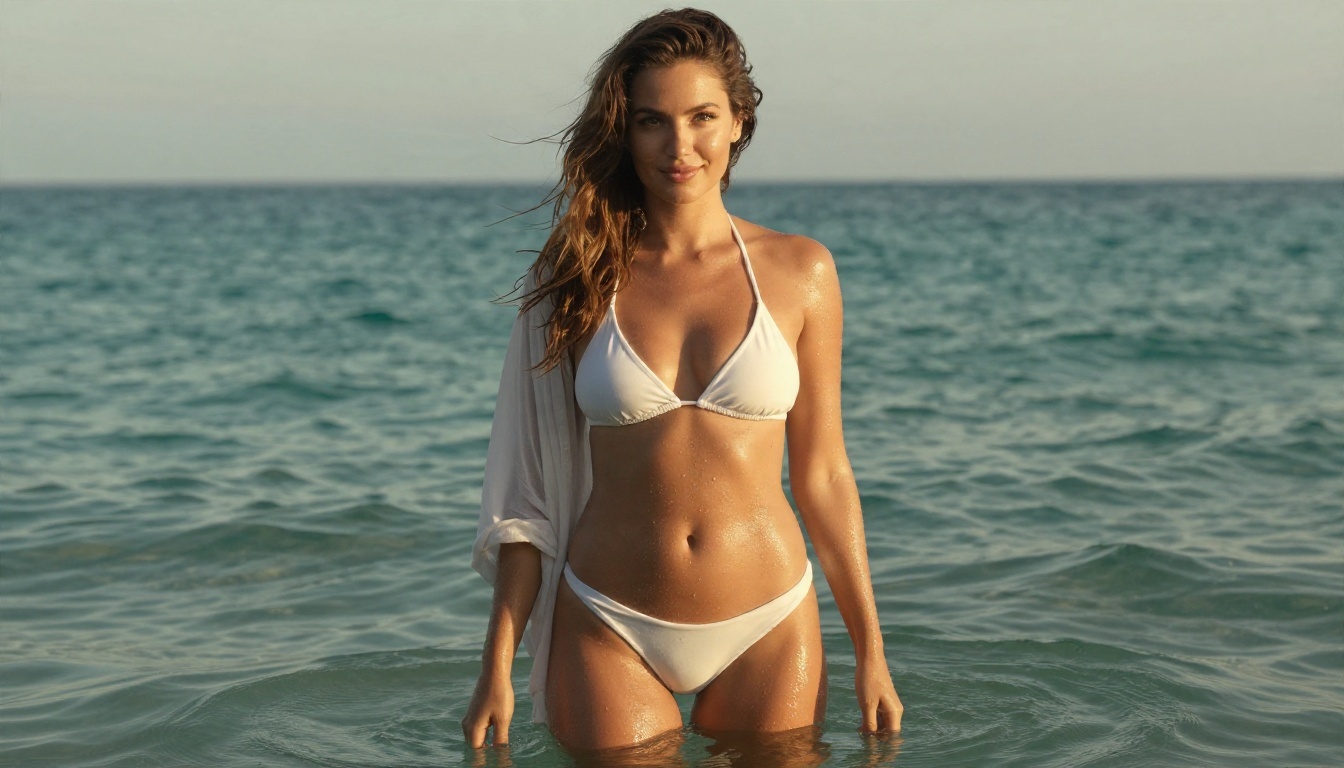
Beach Glamour Prompt
Golden-hour backlight is the cheat code here. It rims the hair, flatters skin and gives that sun-kissed editorial feel without any extra effort.
Glamour beach portrait of a confident woman in a tasteful white bikini and sheer linen cover-up, standing knee-deep in clear turquoise water at golden hour, windswept wavy hair, sun-kissed skin with natural sheen and tiny water droplets, gentle smile toward camera. Warm backlight from low sun on the left, 85mm f/1.8 shallow depth of field, soft sea haze, Kodak Portra 400 grain, elegant non-explicit editorial style.
Why it works: "natural sheen and tiny water droplets" gives believable skin. "Elegant non-explicit editorial style" sets the tone and keeps the model in fashion-photography territory.
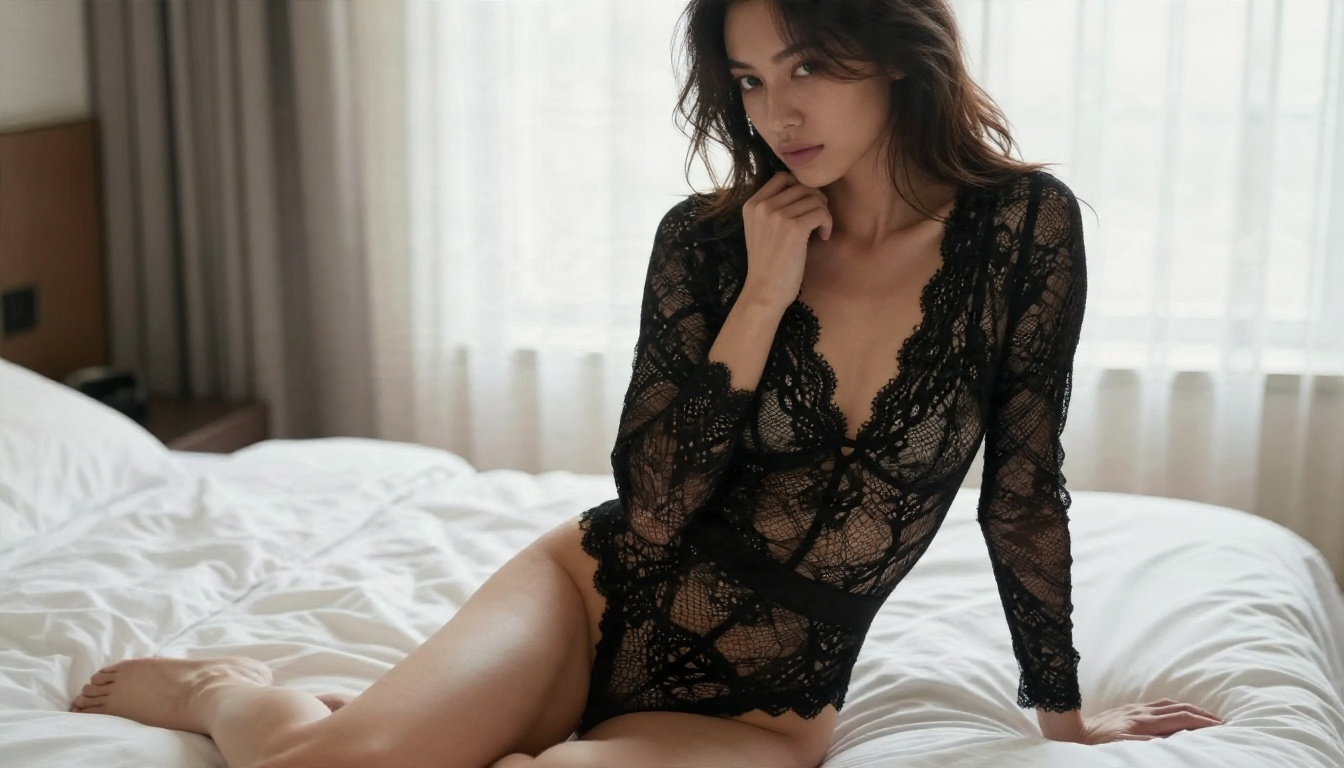
Boudoir Prompt
Boudoir is about restraint. Soft window light, textured fabric and a calm gaze do more than any explicit description could.
Tasteful boudoir-style portrait of a woman in an elegant black lace bodysuit seated on the edge of a rumpled white linen bed in a bright hotel suite, one hand brushing her hair, calm confident gaze, non-explicit. Soft diffused window light from the right, 50mm f/1.8 lens, visible lace pattern and linen folds, natural skin texture, warm muted tones, Kodak Portra 400 grain.
Why it works: Lace and linen are texture-rich, which gives the model plenty to render sharply. "Rumpled" adds a lived-in, intimate feel.
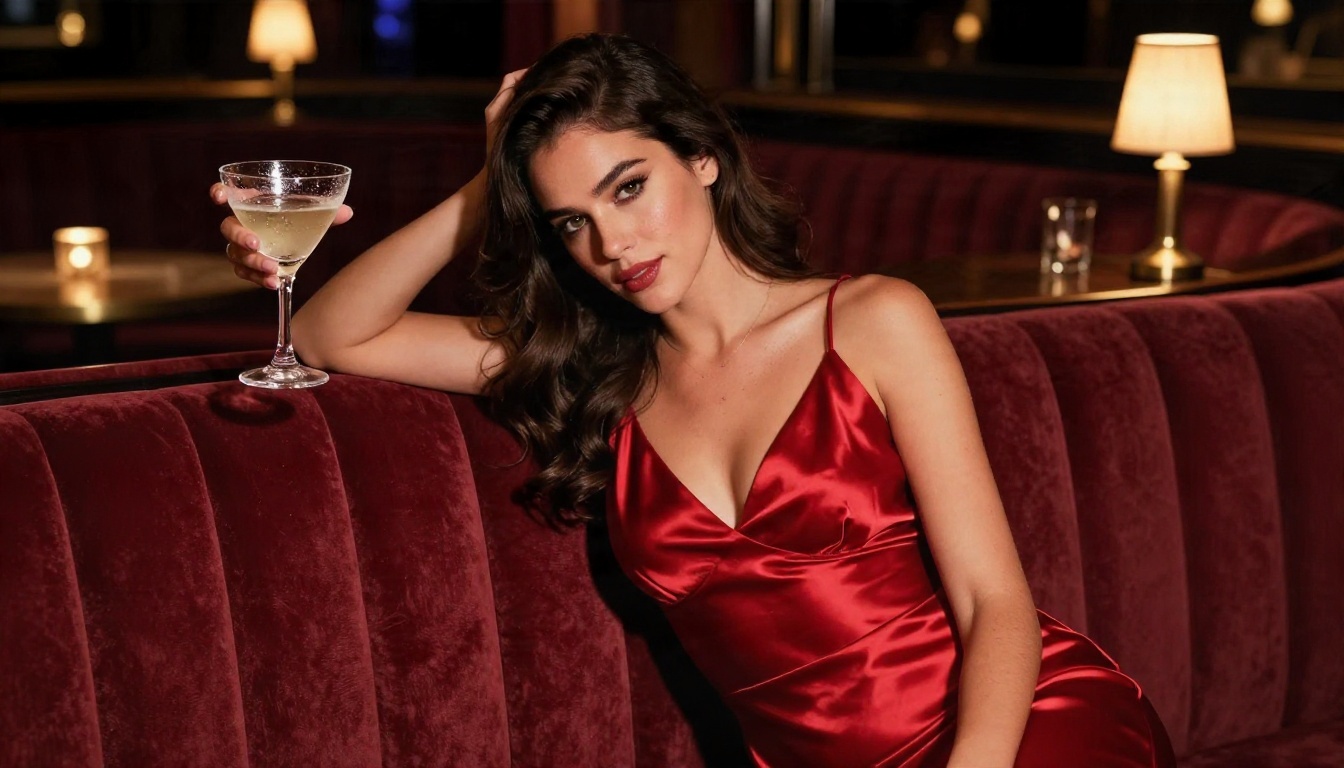
Lounge Editorial Prompt
Evening glamour trades daylight for warm practical lamps and shiny fabrics.
Medium shot of a woman in a satin red evening dress with a plunging neckline leaning against a velvet booth in a dimly lit jazz lounge, holding a cocktail glass, glamorous and flirtatious expression, non-explicit fashion editorial. Warm tungsten practical lamps from behind and a soft key from the left, 70mm f/1.8 lens, shimmering satin folds, glass condensation, natural skin texture, film grain.
Why it works: Two light sources, a warm backlight and a soft front fill, give depth and separate the subject from the background.
Best Models for Adult Glamour
For this type of work, start with Seedream 4.5. It handles skin, fabric and light with excellent realism, and it follows long descriptive prompts closely. Next, try PicassoIA Image Editor Pro, which offers unlimited generations, so you can iterate on a pose or outfit as many times as you like without watching a counter. After those, these are worth testing in order:
Z Image Turbo: very fast, ideal for trying ten variations in a minute.
Nano Banana Pro: strong at edits and consistency across a set.
💡 Speed matters more than people expect. When a model returns an image in seconds, you test more ideas, and the tenth attempt is nearly always better than the first.
A workflow that saves time: build the perfect still image first, then feed it to an image-to-video model as the first frame. The look stays consistent, and you control the composition before any motion is added.
Fix Prompts That Fall Flat
Compare Versions Side by Side
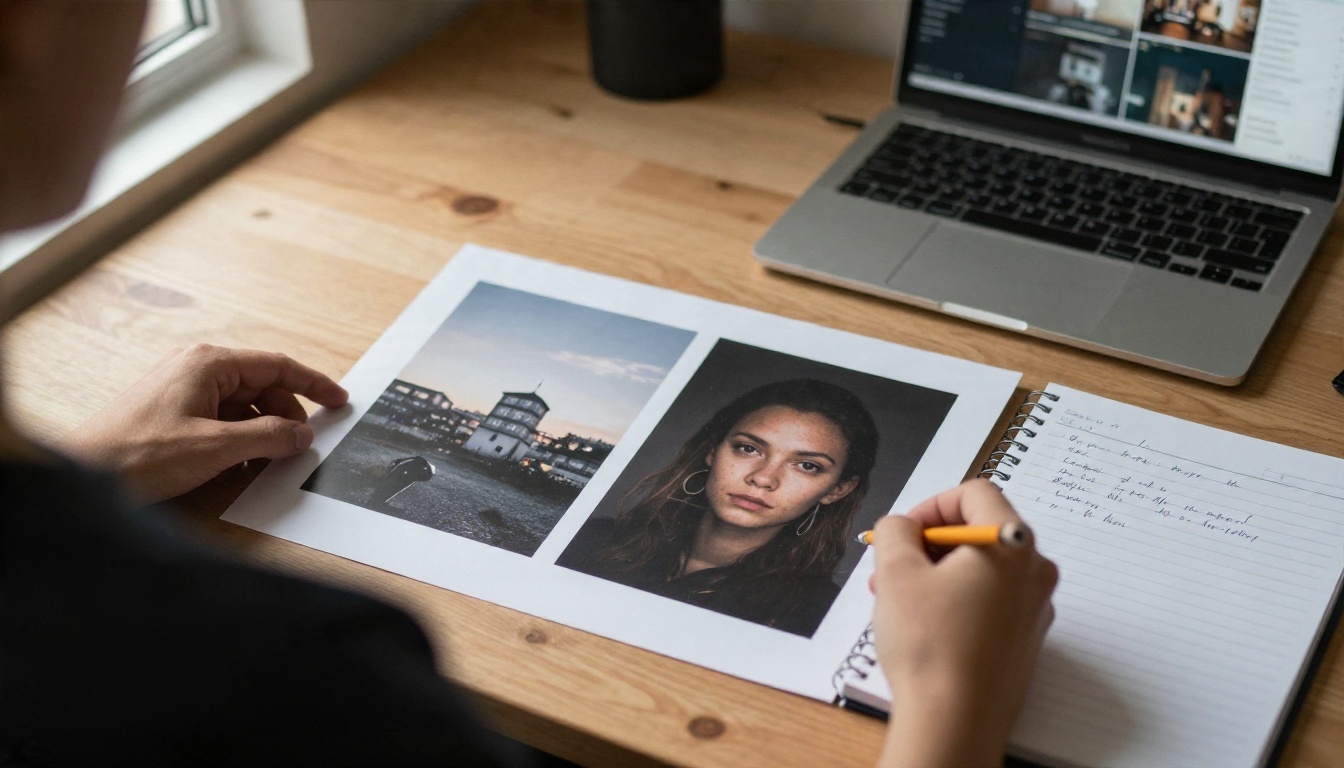
When an image is close but not right, do not rewrite the whole prompt. Generate two or three versions that differ in one detail, then compare them like contact sheets. Softer light against harsher light. A wider lens against a tighter lens. You will see in seconds which direction helps.
Keep a notebook or a text file of the wording that worked. After a week you will have your own personal prompt library, and it will beat any list you find online because it matches your taste.
Three Common Mistakes
Stacking contradictions. "Soft light" and "dramatic hard shadows" in the same prompt cancel each other. Choose one.
Piling on quality tags. Ten words like "ultra, masterful, perfect, stunning" add noise. One concrete detail, such as "visible pores" or "wet asphalt", is worth more.
Forgetting what to exclude. If hands or text keep looking odd, simplify the scene: fewer people, hands resting in pockets or on objects, no signs or labels in the background.
When a Video Looks Wrong
Video models struggle most when the prompt asks for too much. If motion looks rubbery, shorten the action to one sentence. If the camera jitters, name a single movement. If the face drifts, start from a strong still image and use image-to-video rather than text-to-video.
💡 Rule of thumb: one subject, one action, one camera move. Add detail to the setting, not to the motion.
Copy, Paste, Create
You now have a stack of working prompts: a portrait, a landscape, a product shot, two video scenes and three glamour looks. The fastest way to improve is to run them, change one detail, and compare. Start with the fisherman or the glacial lake to see how light and lens words behave, then move to the video versions and watch the same ideas gain motion.
Open PicassoIA, pick a model from the table above, paste a prompt and press generate. Try Seedream 4.5 for realism, PicassoIA Image Editor Pro when you want unlimited tries, and Kling v3 Video when a still is ready to move. Then write your own version. Your first strong result will probably arrive within a few attempts.