Free NSFW AI Prompt Generator: Examples, Copy and Paste Prompts, No Sign Up
A working free NSFW AI prompt generator you can use right now: a seven part prompt formula, seven copy and paste glamour prompts with photo results, a reusable template for any chat model, and the best image models to run them in. No sign up needed to copy anything.
Most people who search for a free NSFW AI prompt generator want the same thing: a prompt they can paste in, press generate, and get a photo that looks like it came from a real glamour shoot. Not a blurry mess, not a plastic face, not a six fingered hand. This page gives you exactly that. You will find a seven part formula, seven copy and paste prompts with the photos they produced, a reusable template that turns any chat model into your own generator, and a short list of image models that handle adult glamour work well. Nothing here asks for an email. Copy, paste, adjust, done.
One boundary before we start. Every prompt below describes adults in suggestive but non-explicit scenes: bikinis, lingerie, silk robes, boudoir lighting. The goal is attractive photography, the kind you would see in a fashion editorial or a swimwear campaign.
Why Prompt Generators Beat Guessing
A prompt generator is just a structure that stops you from forgetting the details that matter. Image models do not read minds. They read words, and the words you leave out get filled in with the most average guess the model can make. Average is where bad skin, flat light and stock-photo poses come from.
Why Random Prompts Fail
Typing "sexy woman, beach, 4k" gives the model almost nothing to work with. It has to invent the pose, the lens, the light, the skin, the mood. You get a generic result, then you add "ultra detailed, masterpiece, trending" and get the same generic result with more sharpening.
Three problems show up again and again:
No light direction. Without it, the model defaults to flat frontal lighting that kills depth.
No camera language. "85mm f/1.8" tells the model to blur the background and flatter the face. "Photo" does not.
No texture words. Skin pores, fabric weave and water droplets are what separate a photograph from an illustration.
The Seven Part Formula
Every prompt in this article follows the same order. Fill each slot and you have a working prompt.
Slot
What to write
Example
1. Subject
Age group, hair, outfit
adult woman, dark curly hair, black lace bralette
2. Action
One simple pose or movement
pushing wet hair back with both hands
3. Setting
Place and background details
quiet Mediterranean cove, limestone cliffs
4. Light
Direction, quality, time of day
golden hour sun from the right, rim light
5. Camera
Lens, aperture, angle
35mm f/2, low angle from the water
6. Texture
Skin, fabric, surface details
water droplets, visible skin pores
7. Film look
Stock, grain, finish
Kodak Portra 400, film grain, RAW photo
💡 Tip: Keep the action to one verb. "Leaning against a wall" works. "Leaning, laughing, adjusting her hair, holding a glass" confuses most models and gives you extra hands.
Copy and Paste Prompts That Work
Each prompt below is ready to paste. Swap the hair color, outfit or location and keep the structure. All were written for photorealistic output.
Beach and Bikini Prompt
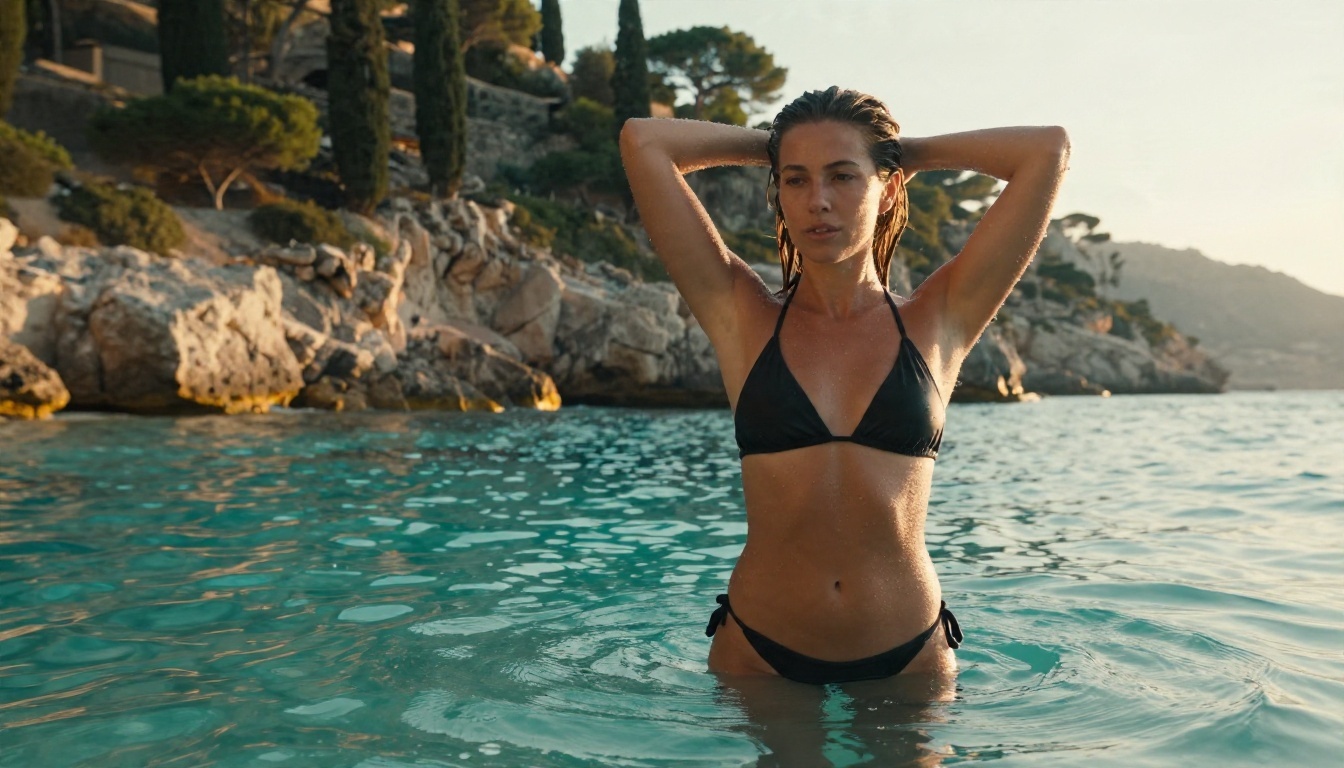
A classic that rewards good light. The low angle puts the water in the foreground and makes the scene feel candid.
Adult woman in a black halter bikini standing waist deep in turquoise water at a quiet Mediterranean cove, pushing wet hair back with both hands, low-angle shot from the water surface, limestone cliffs and cypress trees behind her, harsh golden hour sunlight from the right creating rim light on wet skin, 35mm f/2 lens, water droplets on her shoulders, natural skin texture, Kodak Portra 400 film grain, RAW 8K photography
Boudoir and Lace Prompt
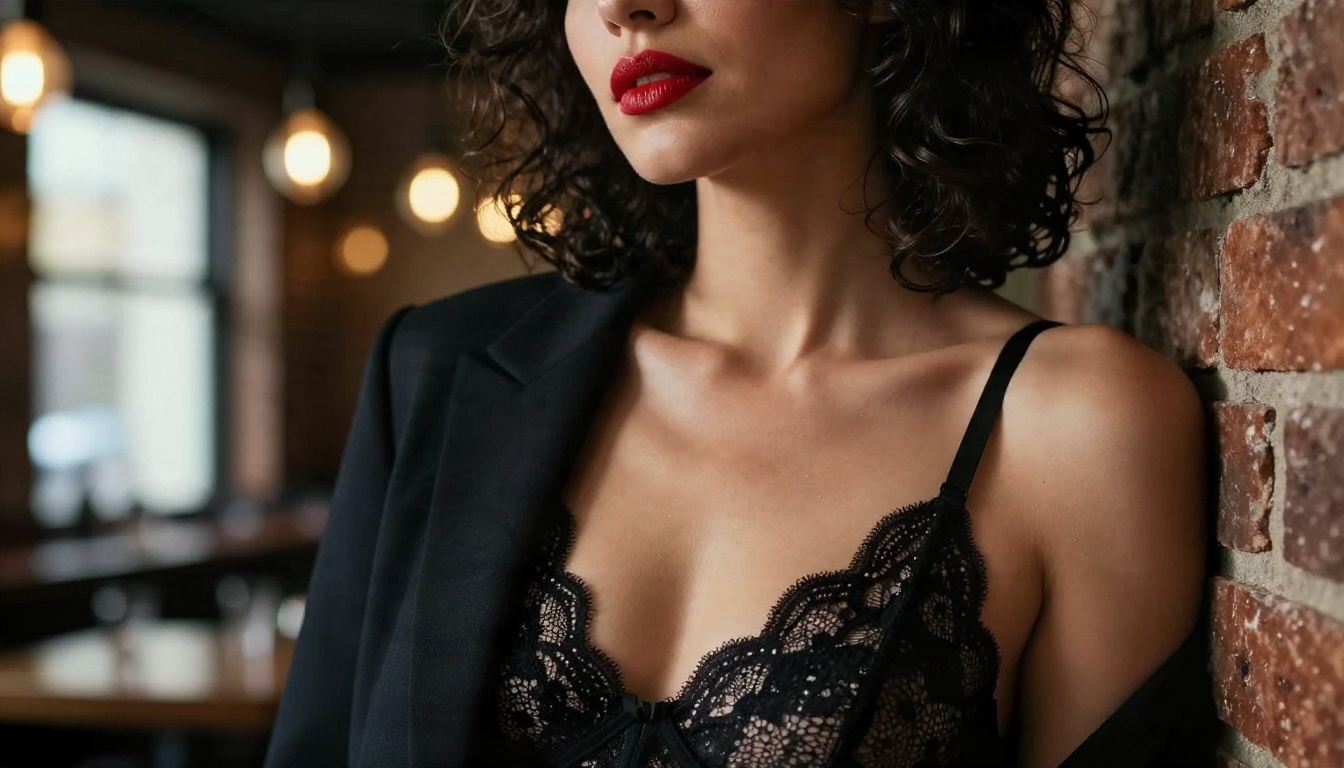
Close portraits live or die on skin and lighting. A single window source from the side gives soft shadow without needing any studio gear.
Close-up portrait of an adult woman with dark curly hair and red lipstick, wearing a black lace bralette under an open tailored blazer, leaning against a brick wall in a dim wine bar, soft window light from the left, warm tungsten bulbs blurred in the background, 85mm f/1.4 shallow depth of field, visible skin pores, glossy lips, lace texture, subtle film grain, Kodak Portra 400, RAW 8K photography, tasteful and non-explicit
Pool Villa Prompt
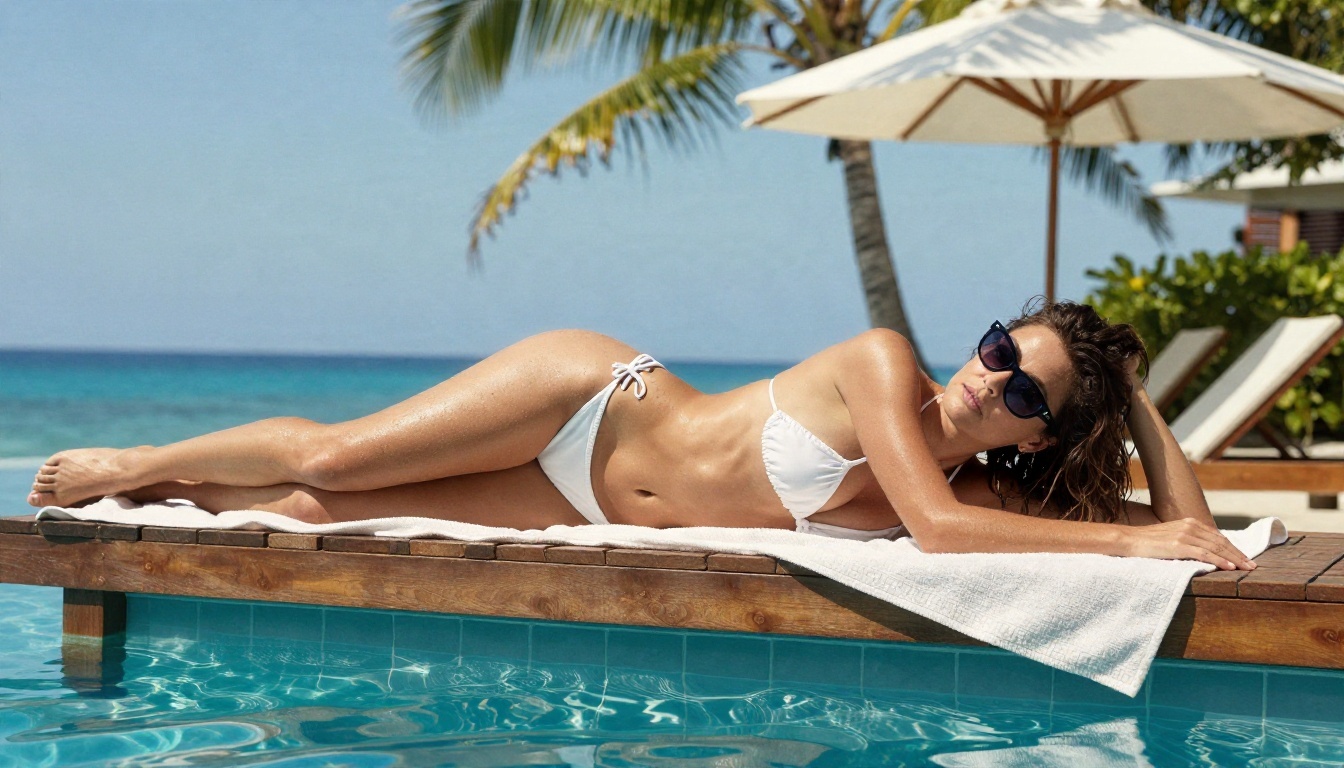
Bright midday sun is hard to handle, so this prompt asks for a parasol. The filtered, dappled light keeps highlights from blowing out.
Medium shot of an adult woman in a white string bikini and sheer linen wrap lying on a wooden sunbed beside an infinity pool at a tropical villa, propped on one elbow with sunglasses pushed into her hair, palm fronds and blue sky behind, bright midday sun filtered through a white parasol creating soft dappled light, 70mm f/2.8 lens from a slightly high angle, tanned skin with a light sheen of oil, towel texture, water ripples, Kodak Portra 400 film grain, RAW 8K photography
Studio Glamour Prompt
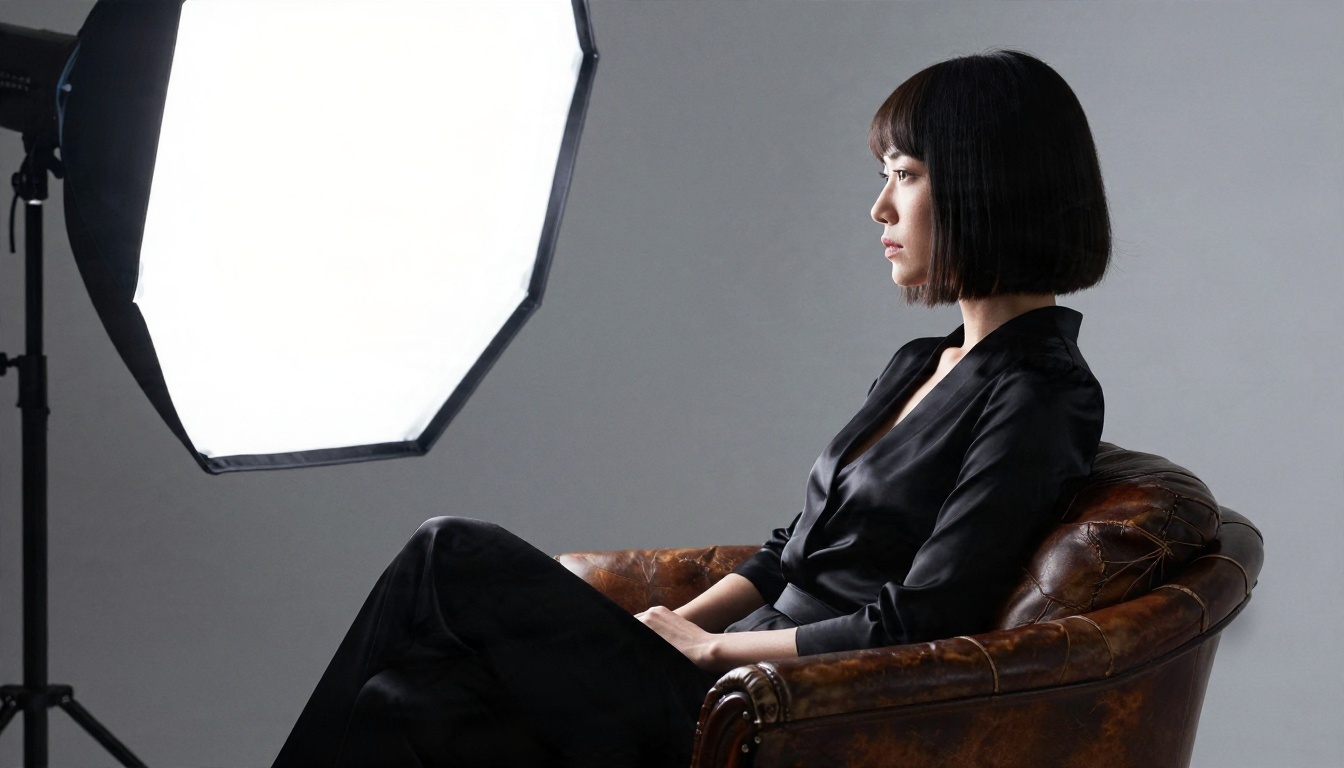
Backlight and a plain backdrop. This one is the easiest way to get a clean, magazine look because the model has very little background to get wrong.
Side profile portrait of an adult woman with a sleek bob haircut wearing a black satin bodysuit, sitting on a vintage leather armchair in a photography studio, single large softbox from behind-left creating a bright rim light, seamless grey backdrop, 105mm f/2 lens at eye level, visible fabric sheen, leather cracks, skin texture, subtle film grain, Kodak Portra 400, RAW 8K photography, editorial glamour, non-explicit
Golden Field Prompt
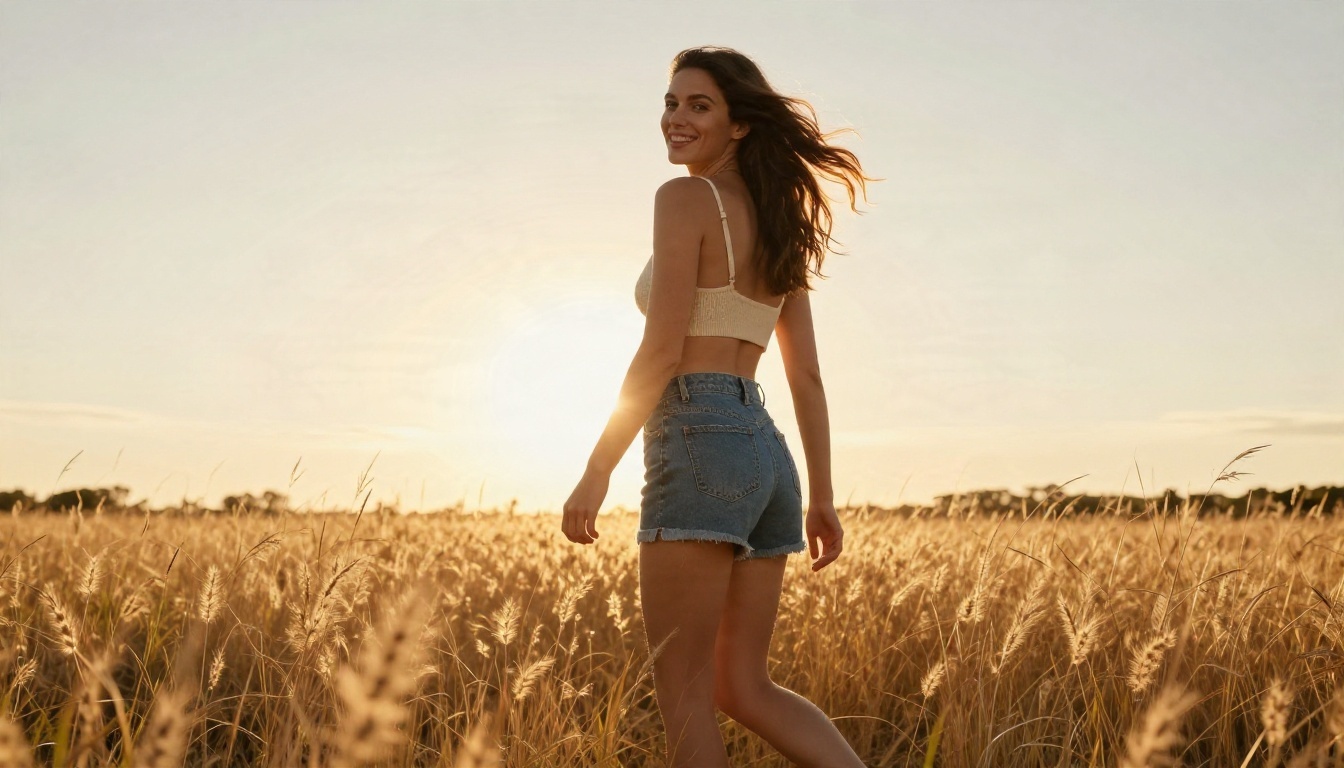
Warm, playful and natural. Backlight at sunset produces the halo around hair that makes this style recognizable.
Wide candid shot of an adult woman in a cream knit bralette and high-waisted denim shorts walking barefoot through tall golden grass at sunset in a field, hair blowing in the wind, glancing back toward camera with a laugh, low sun directly behind creating a warm backlit halo, 35mm f/2 lens from a low angle, grass seed heads glowing, skin texture, light lens flare, Kodak Portra 400 film grain, RAW 8K photography, non-explicit
Sailboat Swimsuit Prompt
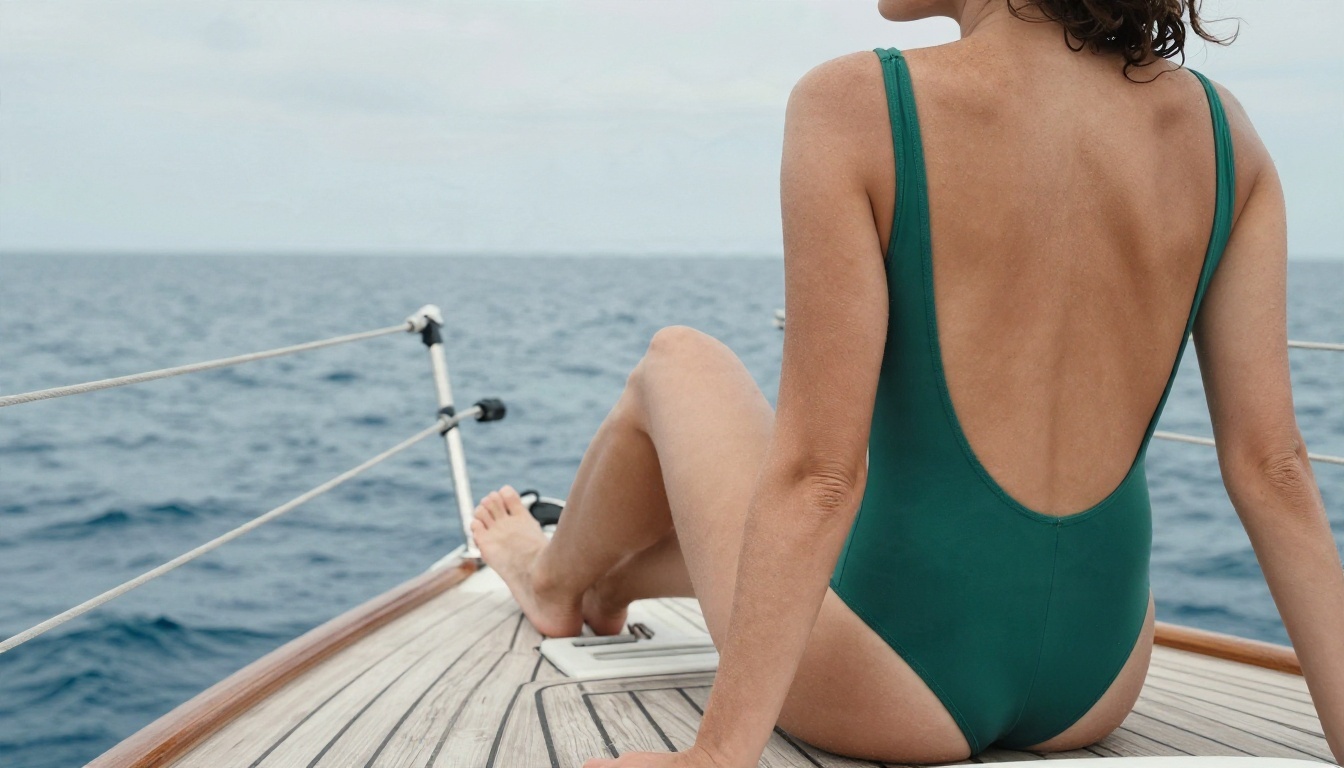
Shooting from behind is a smart trick. Faces are where most image models slip, so a back view with strong texture detail gives you a safer first result.
Detail shot from behind of an adult woman in a one-piece emerald swimsuit with open back sitting on the edge of a wooden sailboat deck, feet dangling above the sea, hair in a loose bun, shoulder blades and freckled skin in focus, calm deep blue ocean horizon, overcast soft daylight diffused from above, 85mm f/2 lens at shoulder height, rope and teak texture, salt on skin, Kodak Portra 400 film grain, RAW 8K photography, tasteful and non-explicit
Rainy Night Prompt
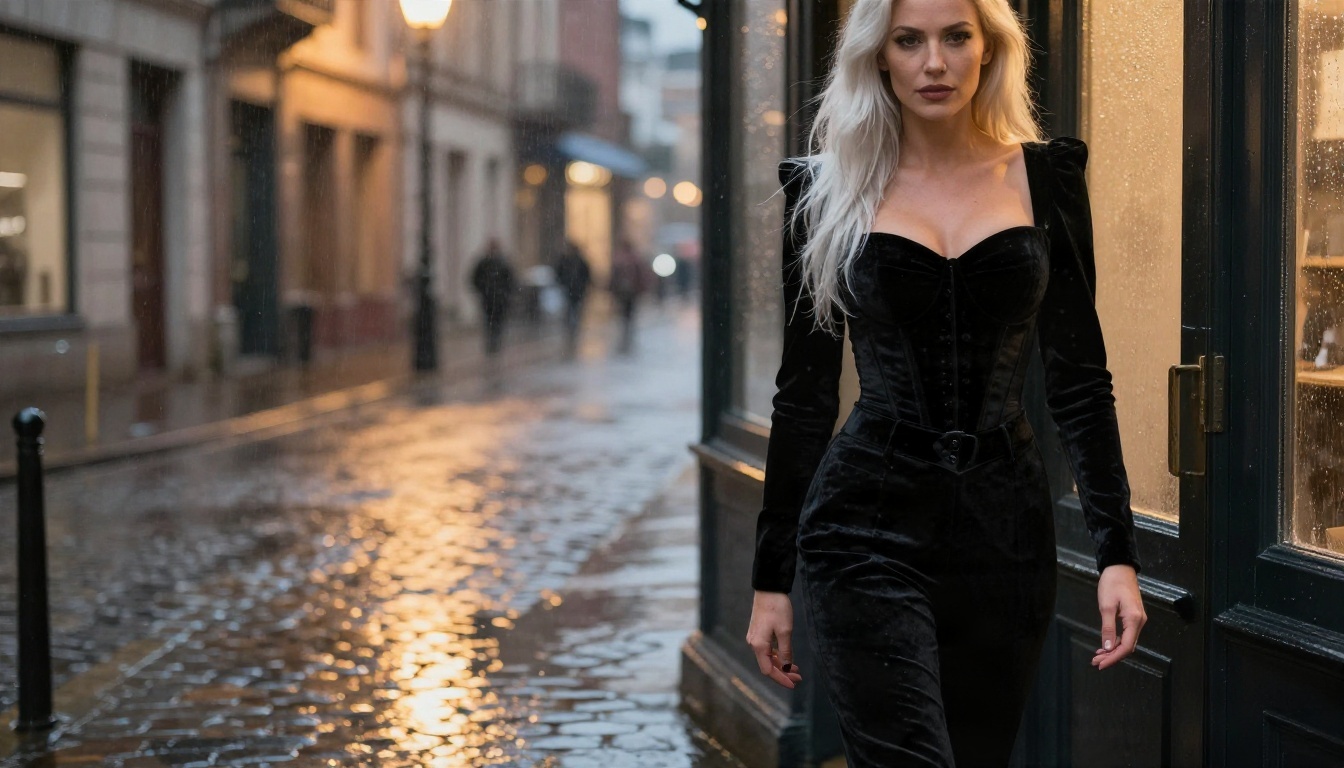
Moody and cinematic without any neon. Warm street lamps and a fogged window do all the atmosphere work.
Moody glamour shot of an adult woman with long platinum hair in a black velvet corset-style top and high-waisted trousers, standing in a rainy city doorway at night, wet cobblestone street reflecting warm street lamps, shot through a slightly fogged window from outside at eye level, 50mm f/1.4 lens, raindrops on glass, velvet texture, soft warm rim light from a lamp on the right, natural skin, Kodak Portra 400 film grain, RAW 8K photography, non-explicit
Build Your Own Generator
Seven prompts get you started, but the real value is a generator that writes new ones on demand. A chat model can do this for free once you give it the formula.
The Reusable Template
Paste this into any chat model, then fill in the brackets in the last line:
You write prompts for photorealistic image models. Output one prompt per request, 60 to 90 words, in this order: subject (adult, hair, outfit), one simple action, setting with background details, light direction and quality, camera lens and angle, skin and fabric texture, film stock and grain. Keep every scene suggestive and non-explicit: swimwear, lingerie, robes, boudoir or glamour styling. No text in the image. No illustration, no 3D, no neon. Give me 5 variations for: [theme], [location], [time of day].
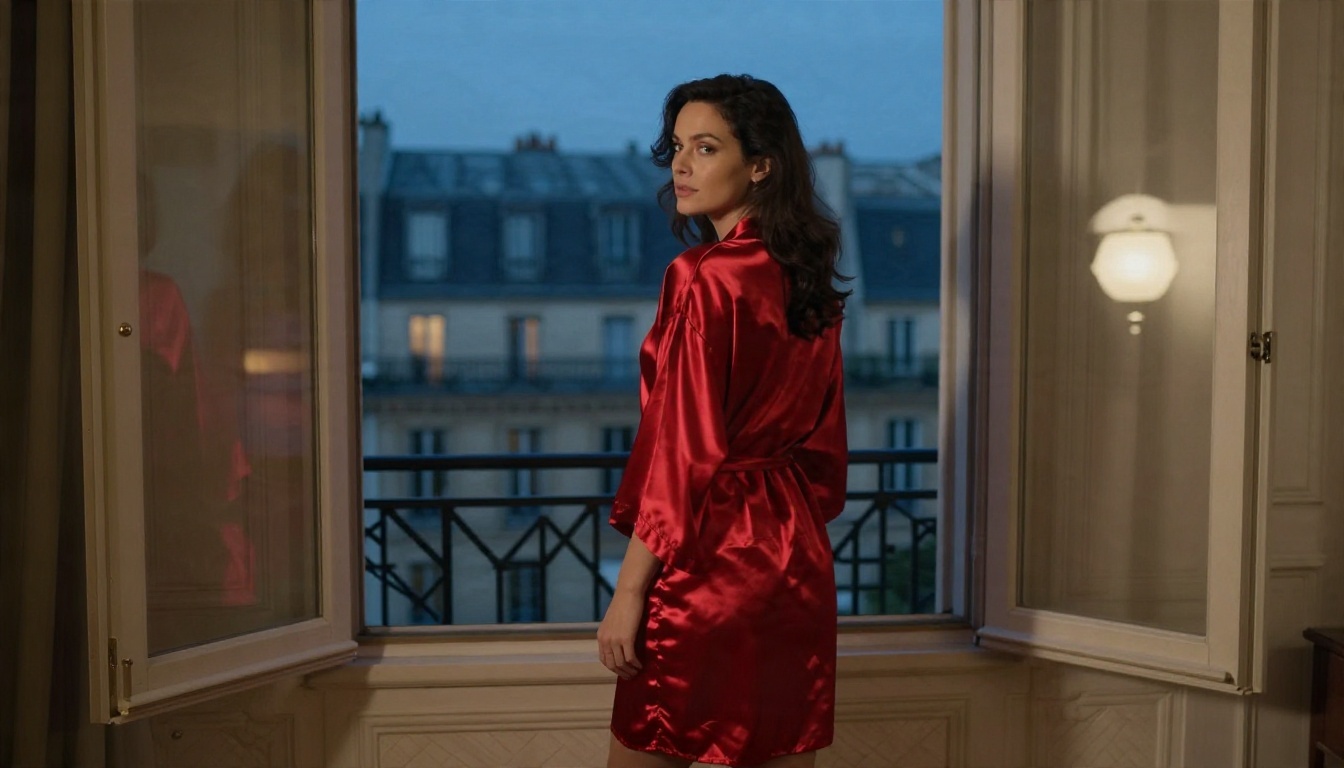
Example fill-in: "silk robe, Lisbon apartment, early morning." You get five fresh prompts in seconds, each one already in the right order.
💡 Tip: Ask for variations in lens and camera angle, not just outfits. A change from 85mm to 35mm alters the whole feel of a scene far more than a change from red to blue.
Which Chat Model to Use
Any capable assistant works. Good options on PicassoIA include Gemini 3.5 Flash for speed, Claude Sonnet 5 for careful, consistent formatting, and GPT 5.6 Luna for fast replies. Chat models apply their own content rules, so a request for suggestive glamour wording works better than anything blunt. If a model refuses, rephrase around the photography: outfit, light, lens, mood.
A good prompt still needs a model that does not flinch at adult glamour themes. Many mainstream generators block swimwear and lingerie requests, or quietly blur the result. These are the models worth running your prompts in, in the order I would try them.
Seedream 4.5 First
Seedream 4.5 is the model to start with. It follows long, structured prompts closely, renders skin and fabric convincingly, and holds lighting direction well, which is exactly what the seven part formula leans on. Outputs go up to 4K, so the micro-details you write about (pores, lace stitching, wet skin) actually show up.
Image Editor Pro for Unlimited Runs
PicassoIA Image Editor Pro is the one for volume. Unlimited generations mean you can iterate freely: change one slot, rerun, compare. It also edits, so you can keep a result you like and adjust only the outfit color or background. For prompt work, that is the fastest loop there is, because prompt writing is mostly trial and error.
Other Models Worth Testing
Different models read the same prompt differently, so a short comparison round is useful.
Paste one of the prompts above into the prompt box. Delete any --ar or --style flags if you add them yourself; set the ratio in the interface instead.
Choose 16:9 for scenes with a lot of environment (beach, field, sailboat) and a taller ratio for single-figure portraits.
Generate once without changing anything. Judge the result against the prompt, not against your imagination.
Change one slot only: the lens, the light direction, the outfit. Generate again.
When you find a frame you like, send it to PicassoIA Image Editor Pro for small fixes such as a background tweak, outfit color change or a cleaner hand.
Parameter tips that make a visible difference:
Prompt length: 60 to 90 words is the sweet spot. Shorter prompts leave gaps, longer ones start to contradict themselves.
Aspect ratio: match it to the scene. Wide for locations, portrait for faces.
Seed: once a result is close, keep the seed and change one word. You see exactly what that word does.
Common Mistakes and Fixes
Mistake
What happens
Fix
Stacking quality words ("ultra, masterpiece, 8K, HDR")
Oversharpened, plastic look
Use lens, light and film stock instead
Two or three actions in one prompt
Extra limbs, odd poses
One verb, one pose
No light direction
Flat, lifeless skin
Name the side and the time of day
Asking for neon or glow effects
Artificial, synthetic feel
Use warm lamps, sun, window light
Long lists of outfits
Muddled clothing
One outfit, one color, one fabric
Ignoring hands
Wrong finger count
Keep hands busy with a simple task or out of frame
Three more habits worth building:
Write the setting before the subject when the background matters. Models weigh early words heavily.
Name a fabric. "Satin," "lace," "velvet" and "knit" each produce a distinct sheen and fold pattern.
Keep a swipe file. When a prompt works, save it. Your own tested prompts beat any list you find online.
Safety Rules Worth Following
Adult content tools come with responsibilities, and a few simple rules keep you on the right side of them.
Adults only. Every subject is an adult. State it in the prompt, every time.
No real people. Never write the name of an actual person. Generate invented characters only.
Keep it non-explicit. Swimwear, lingerie, boudoir and glamour styling give you attractive results and stay within what most platforms accept.
Mind where you publish. Social networks and ad platforms each have their own adult-content policies. Check them before posting.
Label AI work when you share it, so nobody mistakes it for a photo of a real person.
Try Your First Prompt Today
You now have a formula, seven tested prompts and a template that writes more. The fastest way to see the difference a structured prompt makes is to run one. Paste the beach prompt into Seedream 4.5, then change only the time of day from golden hour to blue hour and compare the two frames. Then take your favorite to PicassoIA Image Editor Pro and push it further with unlimited generations.
Want to try other models with the same prompts? Browse the full catalog at picassoia.com/en/all-models and run your own versions on PicassoIA.