Most people searching for a free NSFW art generator hit the same wall within ten minutes: a blurred preview, a "daily limit reached" banner, or a refusal on a prompt as tame as a bikini on a beach. If that sounds familiar, this page is built for you. Below you will find which generators actually work online, what "no limits" really means in practice, and a set of tested prompts with real photorealistic examples you can copy, paste and adjust.
One boundary first. Everything here is about suggestive, glamour-style imagery of adults: swimwear, lingerie-style boudoir, implied artistic portraits. It is not about explicit content, and nothing shown on this page is explicit. That focus is also why the results look good: tasteful work depends on lighting, fabric and mood, not on shock value.
What a Free NSFW Art Generator Does
An NSFW art generator is a text-to-image model (or an editor sitting on top of one) that accepts adult-leaning prompts instead of rejecting them. You type a description, the model returns a picture. The "art" part of the name is misleading, though. The strongest results today do not look like illustrations at all. They look like photographs from a magazine shoot.
Three things separate a useful generator from a frustrating one:
- Moderation behavior. Does it refuse swimwear, robes and implied portraits, or does it handle them like any other fashion subject?
- Photographic realism. Skin texture, fabric folds, believable hands and natural light.
- Usage caps. Credits, queues, watermarks and daily limits decide whether you can iterate 5 times or 50.
💡 Quick test: run the same prompt on any generator you are considering: "adult woman in a coral bikini standing in shallow water at golden hour, 35mm photo." If it blocks that, it will block almost everything you actually want.
Why Most Free Tools Disappoint
The typical free tier gives you a handful of generations, then asks for a subscription. Others stay free but run old models that produce plastic skin and extra fingers. A few simply over-filter, treating any visible shoulder as a violation.
That is why the combination of a strong photorealistic model, sensible moderation and generous or unlimited usage matters more than any single feature.
What "No Limits" Should Mean
Be skeptical of the phrase. Real "no limits" should mean you are not rationed on how many images you can try. It should not mean the tool is asking you to generate anything at all. Adult-only subjects, consenting-looking fictional people, and non-explicit framing are the sensible zone, and they are also where the best commercial-quality results live.
Best Models for NSFW Art Online
Here is how the options on PicassoIA stack up for this type of work. The order reflects how well each one handles adult-leaning, non-explicit prompts while still looking like a real photo.
| Rank | Model | Best For | Notes |
|---|
| 1 | Seedream 4.5 | Glamour, swimwear, boudoir portraits | 2K and 4K output, strong skin and fabric detail |
| 2 | PicassoIA Image Editor Pro | Editing, restyling, unlimited iteration | Unlimited generations, ideal for refining one concept |
| 3 | Z Image Turbo | Fast drafts and quick tests | Very quick results for prompt experiments |
| 4 | Flux 2 Klein 9B Base LoRA | Styled looks, consistent aesthetic | Good when you want a specific visual signature |
| 5 | Realistic Vision v5.1 | Classic photographic portraits | Lifelike faces with a familiar film feel |
Seedream 4.5: The Lead Pick
Seedream 4.5 is where I would start. It follows long, detailed prompts closely, which matters because glamour photography lives in the details: the direction of the light, the sheen of satin, the grain of linen. It outputs at 2K or 4K, so the pictures stay sharp even when you crop in on a face.
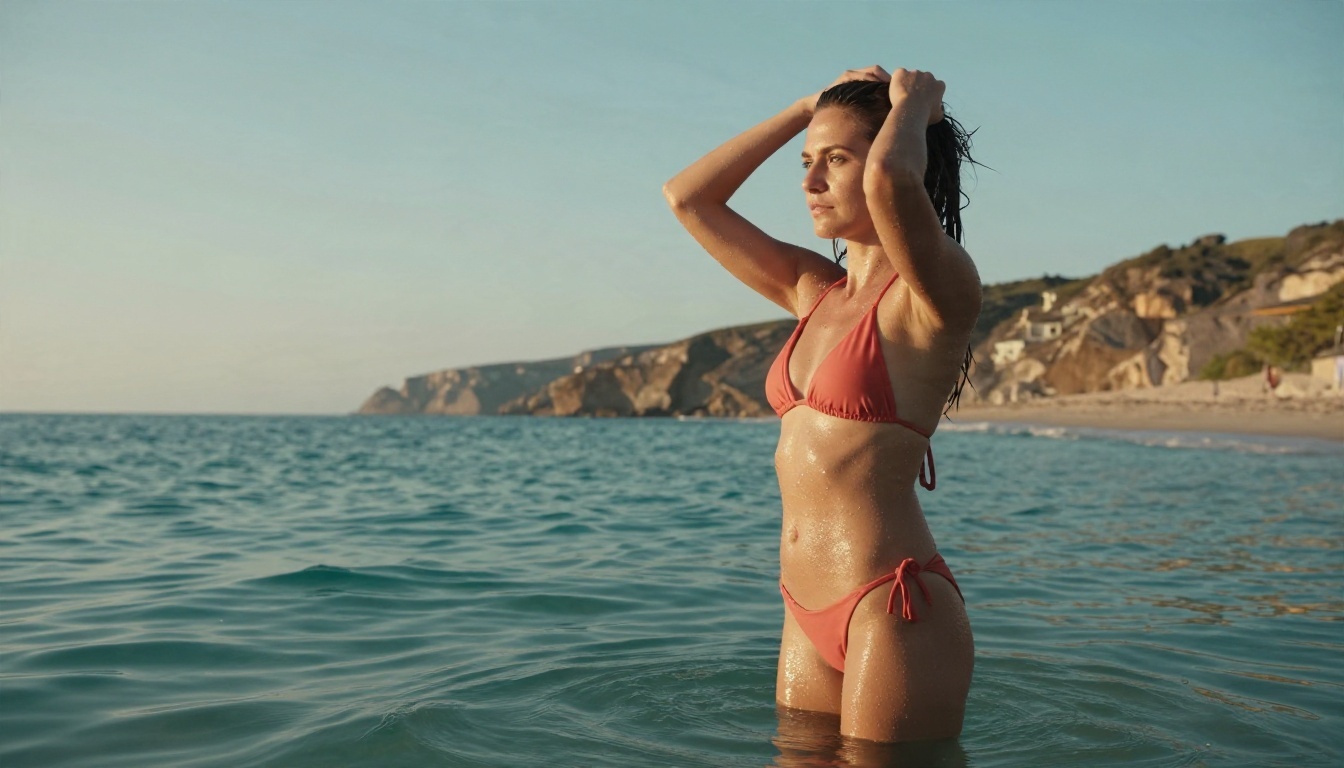
Swimwear at golden hour: low angle, warm rim light, water droplets on skin.
PicassoIA Image Editor Pro: Unlimited Iteration
PicassoIA Image Editor Pro solves the problem that kills most free tools: running out of tries. With unlimited generations, you can take one good image and push it through variations. Change the outfit color, swap the location, soften the light, all without watching a credit counter. For anyone building a set of consistent images, that freedom is the real value.
Z Image Turbo and the Rest
Z Image Turbo is the model I use for fast sketching. When I am testing whether a prompt idea works, speed beats polish. Once a concept lands, I move it to Seedream 4.5 for the final render. Flux 2 Klein 9B Base LoRA suits a more styled look, and Realistic Vision v5.1 gives classic, film-flavored portraits.
Prompts That Actually Work
Good NSFW art prompts are rarely about the "NSFW" part. They are photography briefs. The formula below produces consistent results across models.
💡 Prompt formula: Subject and pose + outfit and fabric + environment + light direction + camera and lens + texture and film stock.
The Five-Part Structure
- Subject and pose. "Adult woman seated at a vintage vanity, one shoulder bare, glancing toward the mirror."
- Outfit and fabric. Name the material: satin, silk, lace, linen, knit. Fabric words push the model toward realistic folds.
- Environment. A specific place beats a vague one. "Boutique hotel suite" works better than "bedroom."
- Light. Say where it comes from: "soft window light from the left," "low golden sun from behind."
- Camera. "85mm f/1.4, shallow depth of field, Kodak Portra 400 film grain."
Example: Vanity Glamour Portrait
Prompt: Close-up portrait of an adult woman with dark curly hair wearing a deep red satin robe slipping off one shoulder, seated at a vintage vanity mirror with warm bulbs, soft window light from the left, visible skin pores and freckles, glossy lipstick, perfume bottles blurred behind, 85mm f/1.4, Kodak Portra 400 film grain.
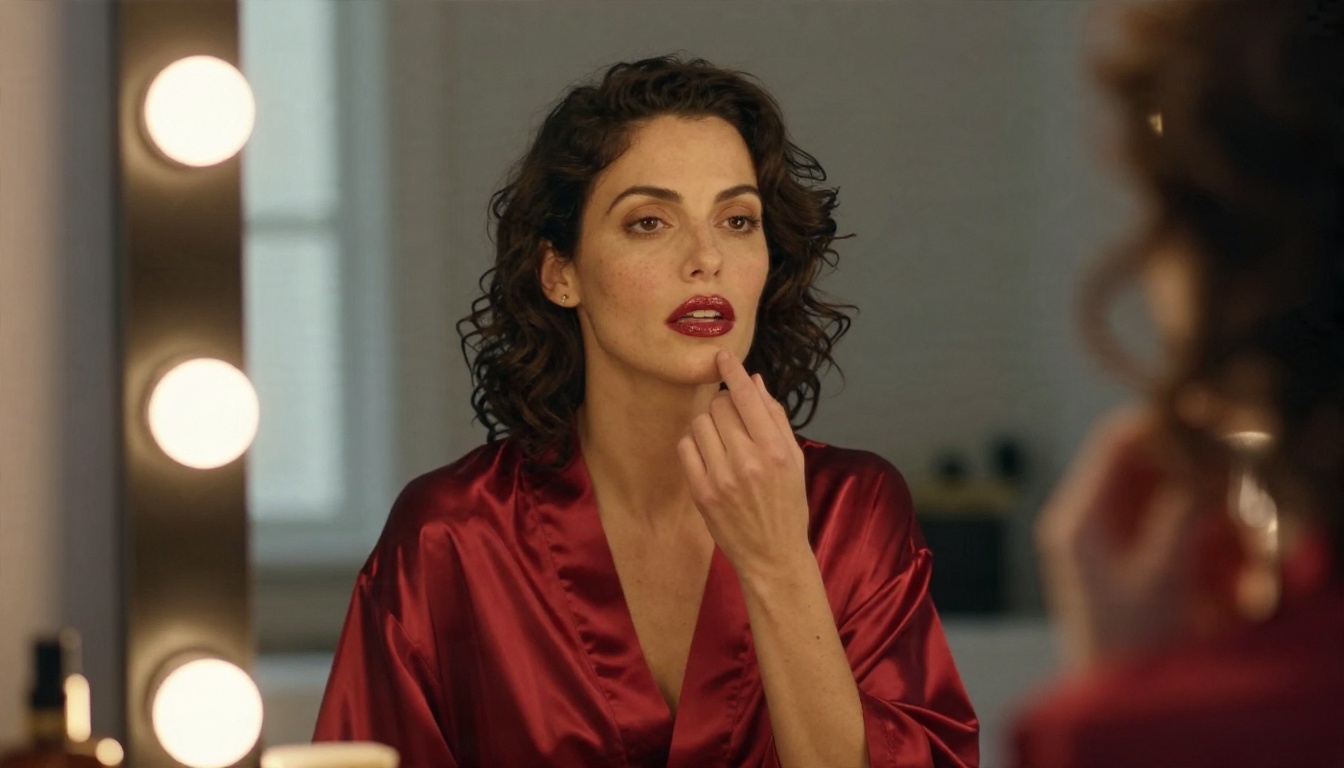
Close-up glamour: the fabric sheen and skin pores come from the texture words in the prompt.
Example: Rooftop Pool From Above
Changing the camera position changes the whole mood. An overhead shot turns a simple swimsuit picture into a lifestyle editorial.
Prompt: Wide aerial overhead shot of an adult woman in a white one-piece swimsuit lying on a striped towel beside a rooftop infinity pool, sunglasses on, straw hat and iced drink nearby, bright midday sun with crisp shadows, 24mm lens, realistic sunscreen glow, Kodak Portra 400 film grain.
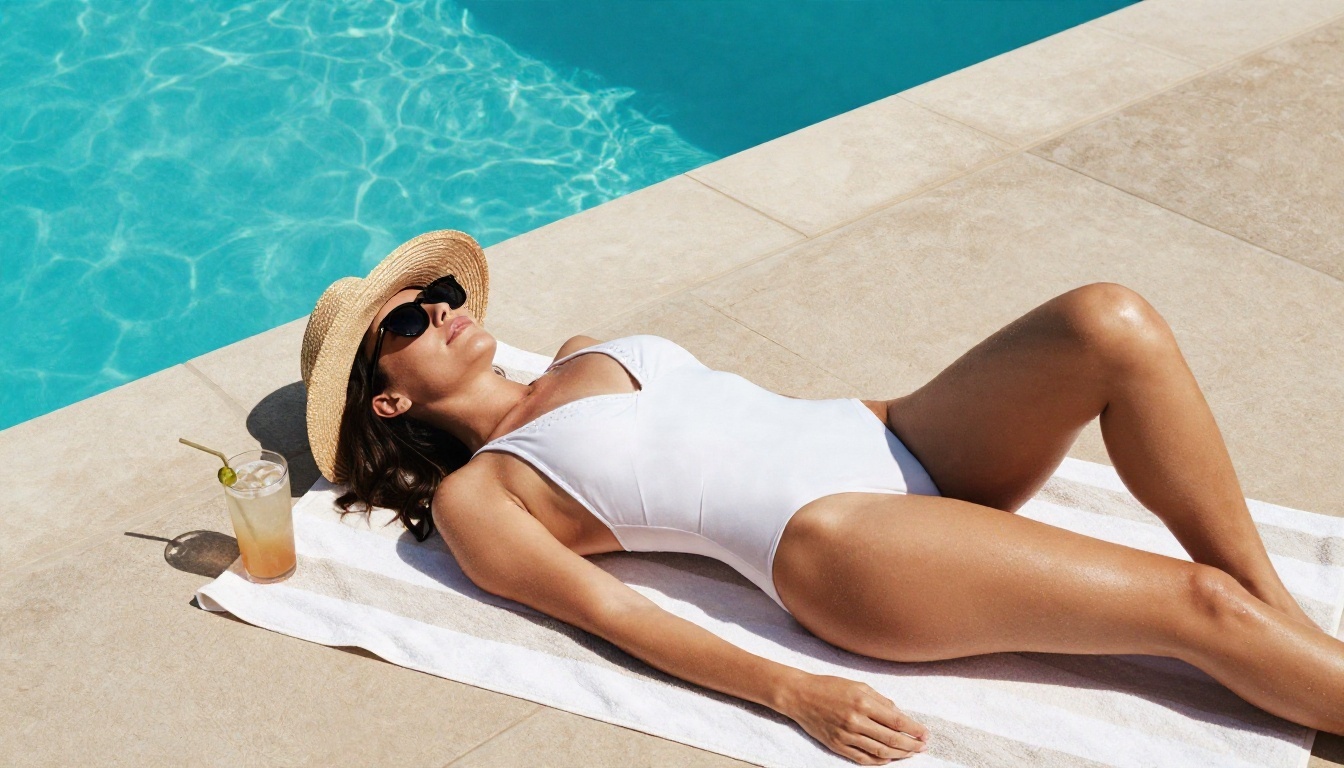
Overhead framing: harsh midday light is flattering when the props and tiles carry the composition.
Photo Styles Worth Trying
Variety keeps a collection from looking repetitive. Here are four directions that reliably produce attractive, non-explicit results.
Evening Street Glamour
Dusk light mixes warm lamps with cool blue sky, which flatters skin beautifully. A silk slip dress against brick gives you texture contrast without anything revealing.
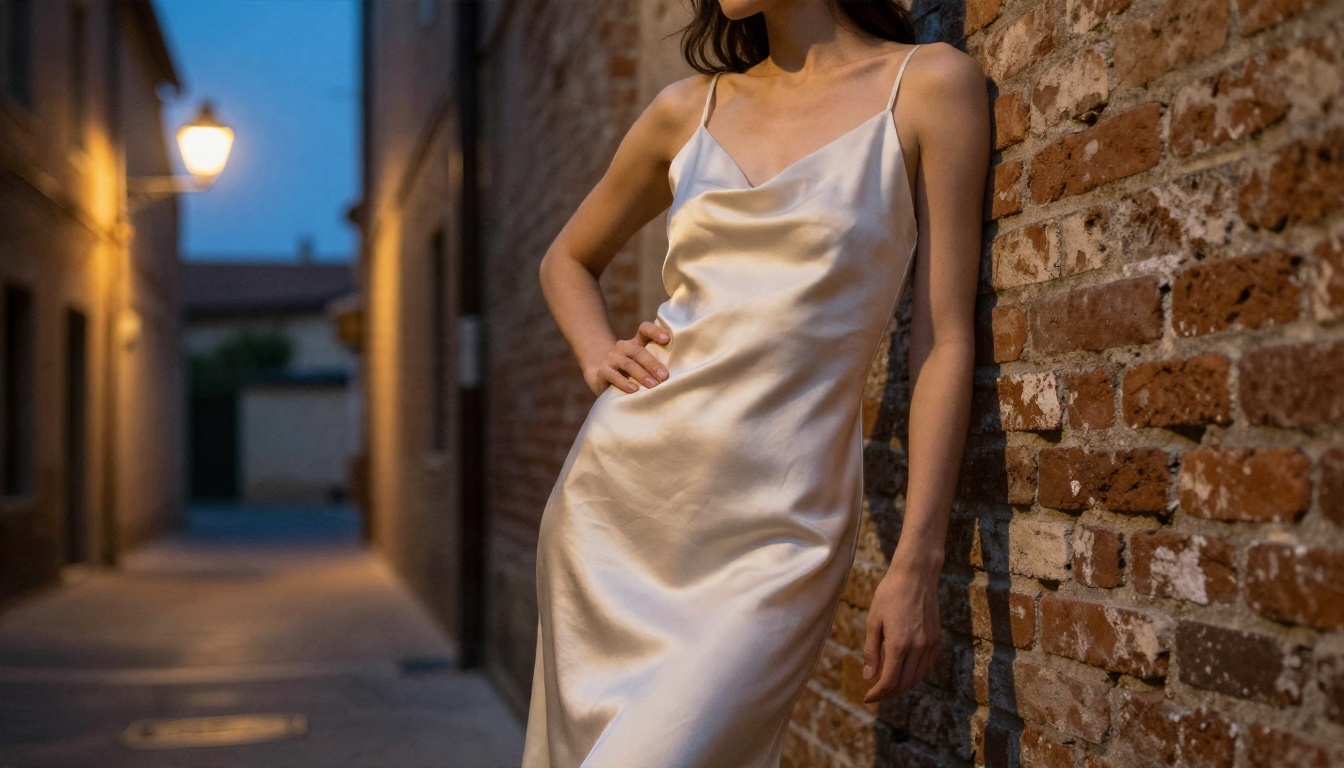
Dusk light: warm streetlamp against a cool sky, 50mm for a natural perspective.
Implied Artistic Portraits
This is the most delicate category. The trick is implication, not exposure: a white bedsheet, a bare shoulder, a spine line against soft north light. Photographers have worked this way for a century, and models respond well to it because the composition does the work.
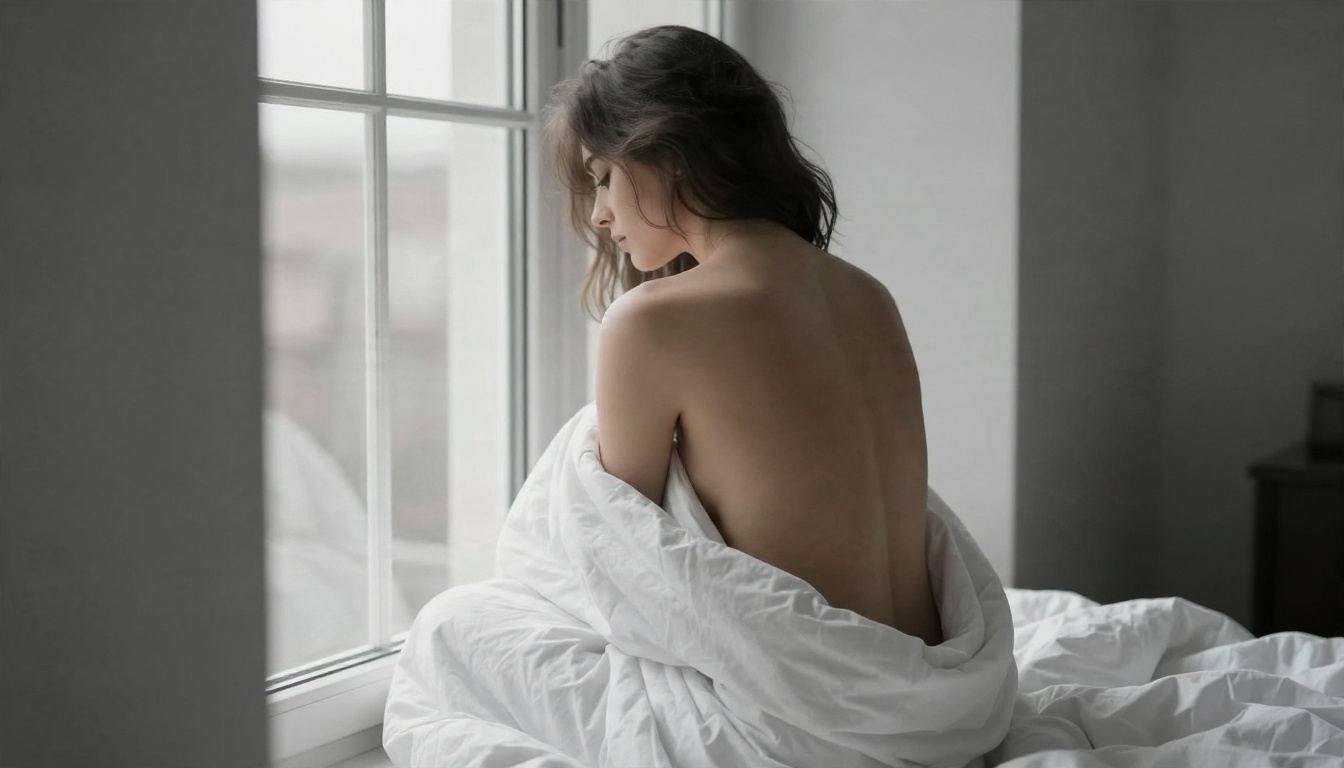
Implied, not explicit: soft diffused window light and a minimal grey wall.
Candid Vacation Swimwear
Laughter and motion make swimwear shots feel real. A sailboat deck, wind in the hair, rope and teak texture in the foreground: these details tell the model you want a lifestyle photo, not a studio pose.
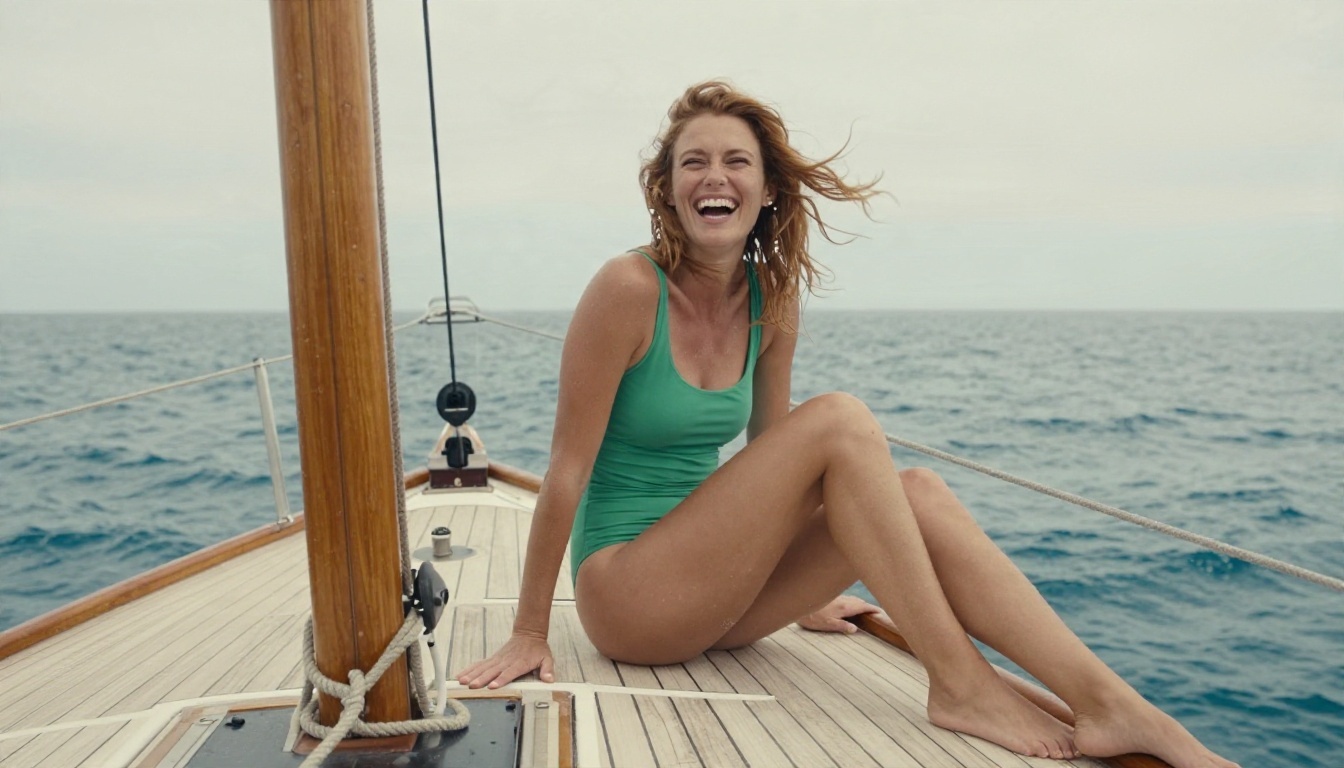
Candid energy: overcast light is soft, even and very forgiving.
Cozy Loungewear
Not every attractive image needs a beach. A lace bodysuit under an oversized cardigan, a coffee mug, a rainy window: this mix of intimate and ordinary reads as relaxed and genuine.
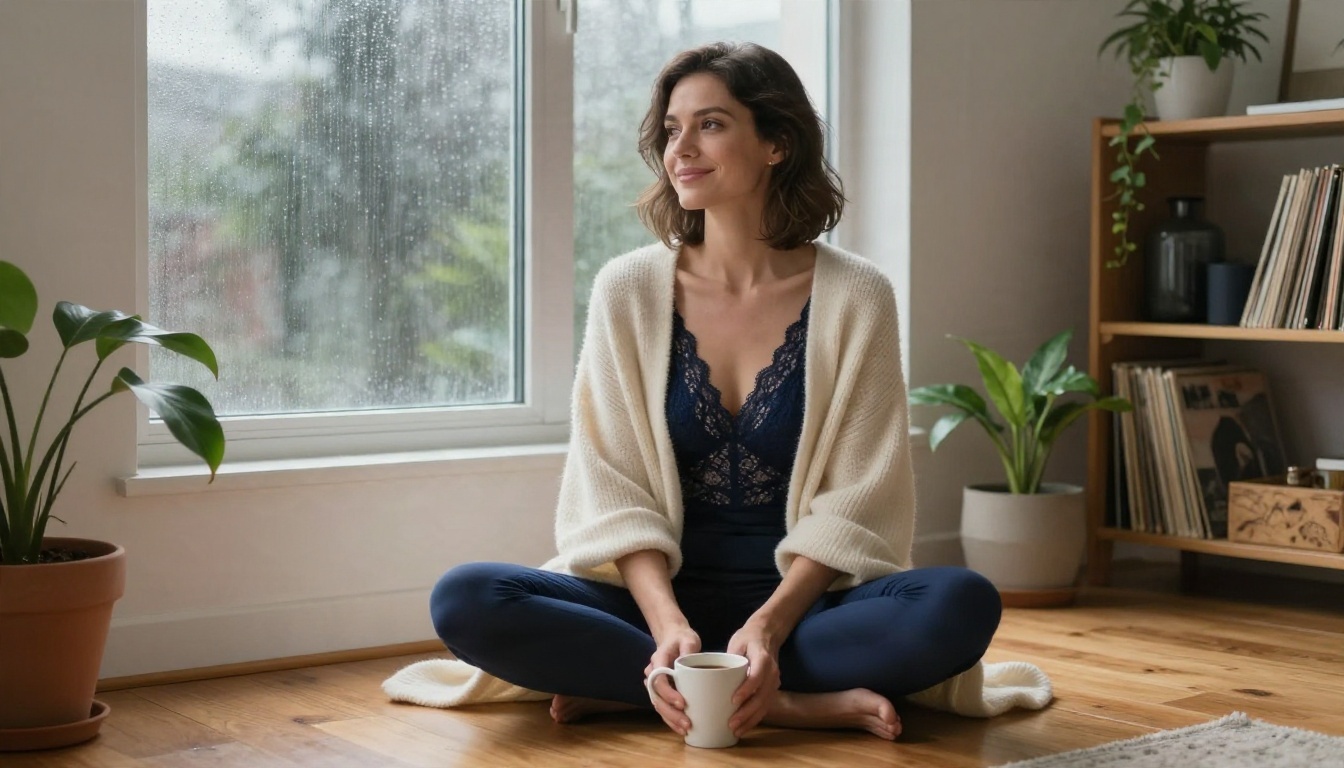
Loft mood: grey rainy-day light from the right, wool and lace textures.
How to Use Seedream 4.5 on PicassoIA
Here is the workflow I use for final renders with Seedream 4.5.
Step 1: Open the Model
Go to the Seedream 4.5 page on PicassoIA. The prompt box sits at the top, with settings below it.
Step 2: Write the Prompt
Paste a prompt built with the five-part structure. The model accepts up to 4,000 characters, so there is no reason to be brief. Long, specific prompts are where it performs best.
Step 3: Set the Parameters
| Setting | Recommended Value | Why |
|---|
| Size | 2K for tests, 4K for finals | 4K gives you room to crop and print |
| Aspect ratio | 16:9 for scenery, 3:4 or 2:3 for portraits | Match the format to the subject |
| Max images | 1 to 4 | Use batches to compare variations |
| Sequential generation | Auto for sets | Produces related images in one run |
| Image input | Optional, up to 14 references | Keeps a face or style consistent |
Step 4: Generate and Compare
Run the prompt, then change one thing at a time: the light direction, the outfit fabric, the lens. Changing three variables at once makes it impossible to tell what helped.
Step 5: Refine in Image Editor Pro
Once you have an image you like, open it in PicassoIA Image Editor Pro. Because generations are unlimited, you can try new colors, backgrounds and moods around the same subject without hesitating.
💡 Consistency tip: upload your favorite result as a reference image in Seedream 4.5 and ask for new scenes. The model uses the reference to keep the look steady across a series.
Common Mistakes and Quick Fixes
Most disappointing results trace back to the same five errors.
- Vague prompts. "Sexy woman" gives a generic result. "Adult woman in champagne satin on a velvet sofa, lamp light from the left" gives a photograph.
- No light direction. Without it, the model defaults to flat, even lighting that looks artificial.
- Forgetting texture words. Add "visible skin pores," "fabric weave," "film grain." Plastic skin usually means those words were missing.
- Ignoring the camera. Lens and aperture change the entire feel. 85mm with a wide aperture flatters portraits, 24mm makes environments feel larger.
- Over-stacking style tags. Ten style words fight each other. Pick one film stock and one lens.
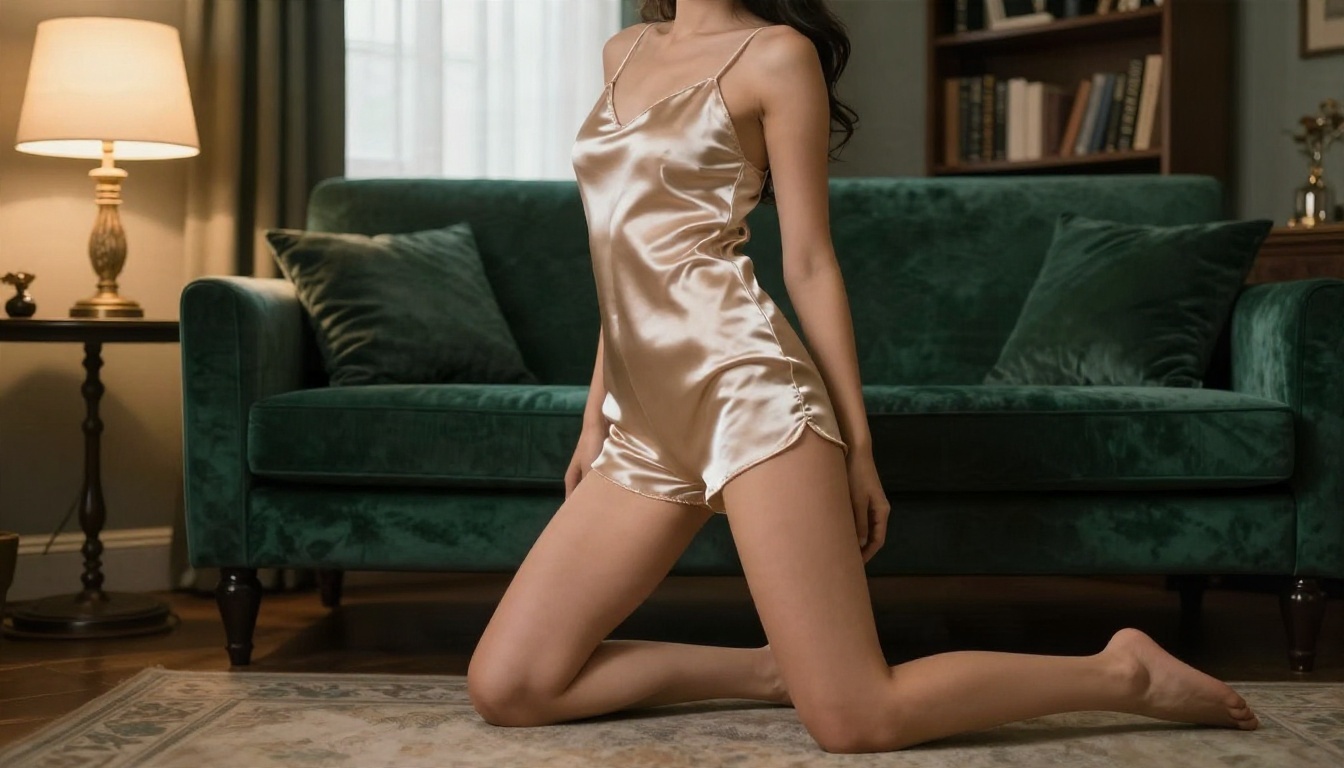
Low-angle loungewear: warm lamp light and satin sheen make the scene feel lived in.
When a Prompt Gets Blocked
Sometimes a prompt that looks harmless is refused. Rather than pushing harder, rewrite the framing. Replace anatomy-focused language with fabric, setting and mood. If a generator rejects a portrait, try describing the outfit and location first and the person last. Adding words like "editorial," "fashion," or "magazine" also sets a clearer, more photographic context.
Quick Troubleshooting Table
| Problem | Likely Cause | Fix |
|---|
| Plastic-looking skin | No texture words | Add "visible pores, freckles, film grain" |
| Flat lighting | No light direction | State the light source and its side |
| Odd hands | Complex pose | Hide hands in the pose, or hold an object |
| Face drifts between images | No reference | Use a reference image input |
| Blurry result | Low resolution setting | Switch to 4K, or upscale afterward |
Making a Consistent Photo Series
Single images are fun, but a series is what makes a portfolio or a gallery. Three habits help.
Lock the Character
Describe the same hair, build and age bracket in every prompt, and reuse a reference image. A fixed anchor like "dark curly hair, light freckles" keeps faces recognizable.
Vary the Setting, Not the Look
Change location and lighting while keeping the subject description steady. Beach at sunrise, loft in rain, hotel at noon. The contrast between places is what gives the series rhythm.
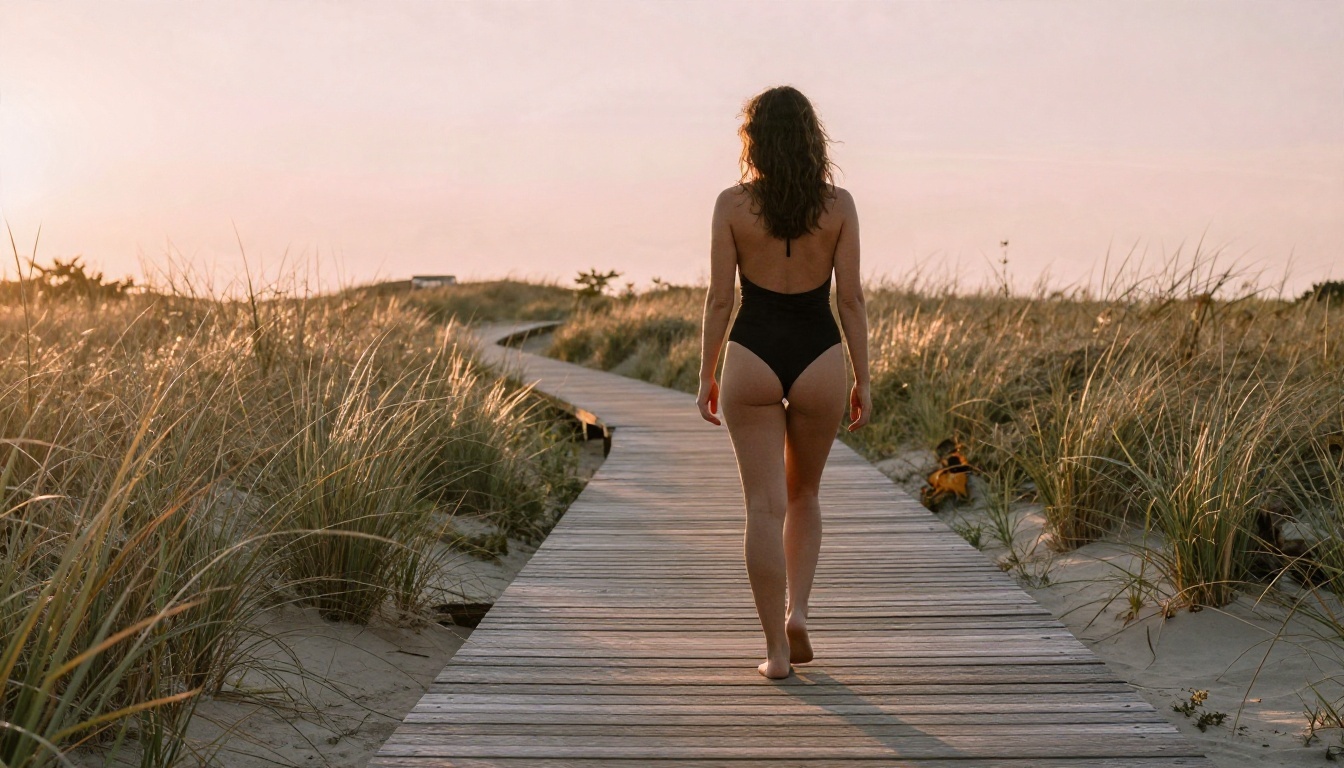
Sunrise dunes: telephoto compression and a long shadow add a cinematic feel.
Plan Your Shot List
Mix distances. A wide environmental shot, a medium lifestyle frame, and a close portrait make a set feel like a real photo shoot. Use Z Image Turbo to sketch the whole list quickly, then render the best frames in Seedream 4.5.
Responsible Use Rules
Staying within clear lines protects you and keeps these tools available.
- Adults only. Every subject should be clearly an adult. Never generate anything that suggests a minor.
- Fictional people. Do not generate images of real individuals without their permission, including celebrities and people you know.
- Non-explicit framing. Keep work suggestive and artistic. This is also where image quality is highest.
- Label AI content. If you publish, say the images are AI-generated.
- Check platform rules. Social networks and print services each set their own limits on adult-leaning material.
💡 Privacy note: do not upload photos of real people to image editors unless you have their clear consent.
Try Your Own Images Today
You now have a model lineup, a prompt formula, and nine examples to copy from. The fastest way to see what works is to run one yourself. Open Seedream 4.5, paste the vanity portrait prompt above, and change a single detail: the robe color, the lamp position, the lens. Then send your favorite to PicassoIA Image Editor Pro and keep iterating with unlimited generations.
When you want more choices, browse every available model at picassoia.com/en/all-models. Fast drafts, styled looks, classic film portraits: they are all a click away, and the only thing left to decide is what you want to shoot first.


