Type "free sexbot AI" into a search bar and you get a wall of apps that all promise the same thing: no filters, no judgment, no price tag. Then you open one, send a dozen messages, and a banner asks for a subscription. That gap between the promise and the reality is what this article is about. We'll look at what these tools actually are, where the free tiers stop, what happens to your conversations, and which alternatives give you more for your time, especially if what you really want is attractive, photorealistic, non-explicit visuals.
💡 Quick answer: a "free sexbot AI" is a roleplay chat app built on a language model with its adult filters loosened. Free access usually means a daily message cap, slower replies and a locked adult mode. Paid plans typically start in the low single digits per month.
What a Free Sexbot AI Really Is

Chat Apps, Not Magic
Strip away the marketing and a sexbot is a character chat app. A large language model receives a persona description (name, personality, backstory, tone), a running history of your messages, and a set of instructions about what it may or may not say. Everything it writes is statistical prediction shaped by that setup. It does not feel anything, it does not remember you the way a person does, and it can be wrong, repetitive or oddly forgetful after a long session.
What makes an app "uncensored" is mostly configuration. Mainstream assistants ship with strict safety layers. Companion platforms either use models with lighter restrictions or switch their filters off for users who confirm they are adults, sometimes only on paid plans.
Why Search Demand Keeps Growing
People look for these tools for different reasons. Some want flirty roleplay without the awkwardness of a dating app. Some are lonely and want a conversational partner at 2 a.m. Others are writers who use character chat to draft romance scenes. A smaller group simply wants to see what the technology can do. Knowing which camp you are in matters, because it changes which limits will bother you most.
The Free Label Is Flexible
"Free" can mean at least four different things in this niche:
- Free to install, but every useful feature is behind a paywall.
- Free with a daily message cap, which resets every 24 hours.
- Free with a monthly cap, which runs out and stays out.
- Free with ads or queues, where your replies wait behind paying users.
Read the pricing page before you get attached to a character. Switching apps means losing the conversation history.
Where Free Tiers Run Out

Message Caps
The most common wall is a message limit. Recent reviews of CrushOn AI reported that its free tier moved from a monthly allowance of about 100 messages to a daily allowance of about 50 in spring 2026, with full adult access reserved for plans starting around $6 per month. SpicyChat is described inconsistently across reviews: some say free users face no hard daily cap, others say the limits are low enough that the free tier works like a trial. Janitor AI is usually described as free but capped, with lower priority in the response queue.
💡 Reality check: pricing pages on these apps change often, and many "review" sites are affiliate pages. Treat any number you read (including the ones here) as a snapshot, and confirm it on the app's own site before you rely on it.
Paywalled Adult Modes
The second wall is the content layer itself. Several platforms let you chat for free but hold back the most permissive mode for subscribers. That means "uncensored" in the ad can really mean "uncensored after you pay." If unfiltered conversation is your whole reason for installing, test whether the free tier delivers it before you invest an evening building a character.
Slow Queues and Short Memory
Free users often get smaller context windows, which means the character forgets details sooner. You may also wait longer for replies at peak hours. A model that forgets your character's name after forty messages is frustrating in a way no feature list will warn you about.
| Limit | What it looks like | How much it hurts |
|---|
| Daily message cap | Chat locks until tomorrow | High for long sessions |
| Monthly cap | Chat locks for weeks | Very high |
| Locked adult mode | Replies stay mild | Depends on your goal |
| Short memory | Character forgets details | Medium |
| Priority queue | Slow replies at peak hours | Low to medium |
| Ads or upsells | Constant prompts to pay | Annoying, not blocking |
Uncensored Chat Apps Compared

How the Big Names Stack Up
The table below summarizes how the best known apps are generally described in 2026 reviews. It is a rough orientation, not a promise. Terms shift, and some regions face extra restrictions.
| App | Free tier | Adult content | Typical weakness |
|---|
| CrushOn AI | Daily message allowance | Mostly on paid plans | Free NSFW is limited |
| SpicyChat | Reported as generous, but reports conflict | Available with an age claim | Inconsistent limits |
| Janitor AI | Free with caps | Permissive, sometimes with ID checks by region | Queue priority |
| Candy AI | Limited trial style | Behind age verification and payment | Cost climbs quickly |
| Character.AI | Free | Strict filters | Not an uncensored option |
Character.AI is on the list as a reference point. It is popular and polished, but its filters are strict, which is exactly why so many people go looking for alternatives in the first place.
What Free Users Actually Want
When you read forum threads, the same four wishes appear again and again: longer memory, fewer refusals in the middle of a scene, consistent character voice, and no surprise paywall. No free tier delivers all four. Most deliver one or two, and the trade shifts from app to app.
A Fair Way to Test Any App
Before you commit, run a ten minute test:
- Create a throwaway account with an email you do not use elsewhere.
- Send twenty messages in a normal flow and note when the cap appears.
- Ask the character to recall a detail from the first message.
- Check whether replies slow down.
- Read the privacy policy for how chats are stored.
Ten minutes tells you more than ten review pages.
Privacy and Age Checks

What Gets Stored
This is the part people skip, and it matters most. Your messages on these apps are often some of the most personal text you will ever type. Reviews repeatedly flag that conversations are stored on the company's servers without end to end encryption, and at least one privacy watchdog label for a popular companion app carried a warning. That means staff, contractors or a future data breach could expose what you wrote.
Practical steps that cost nothing:
- Use an email alias and never your main address.
- Skip real names, workplace details and your location.
- Do not upload personal photos.
- Check whether the app offers conversation deletion, and use it.
Age Gates That Barely Gate
Many platforms rely on a checkbox that says you are 18 or older. Some regions and some apps add third-party ID verification. Self-declared age gates are weak protection, and they are one reason regulators keep paying attention to this category. If you are an adult, expect to see stricter verification over time. If you are not an adult, these apps are not for you, full stop.
Emotional Safety Matters Too
A chatbot that always agrees, never gets tired and never judges can feel better than real conversation. That is exactly why heavy use can crowd out real relationships for some people. A simple rule helps: if you are skipping sleep, plans or friends to keep the conversation going, scale back.
💡 Tip: set a daily time limit on your phone for any companion app, the same way you would for social media.
Better Alternatives for Visual Content

If part of what draws you to a sexbot is the fantasy of an attractive character, you can often get a better result by creating the visuals directly. A photorealistic portrait of a glamorous character in swimwear, a satin robe or an evening dress gives your imagination more to work with than any chat reply. Everything here stays tasteful and non-explicit: aesthetics, styling and atmosphere.
Seedream 4.5 First
Seedream 4.5 is the model to start with for glamour and portrait work. It handles skin texture, fabric sheen and lighting with a realism that makes generic stock photography look flat. It is also far less restrictive about swimwear, lingerie style fashion and sensual but non-explicit mood than most mainstream tools, which often refuse those requests outright.
How to get good results:
- Describe the subject, the outfit and the setting in one clear sentence.
- Add the light source: "golden hour light from the left" works better than "nice lighting."
- Name a lens and aperture, such as "85mm f/1.8," for natural depth of field.
- Mention texture: "visible skin pores, satin folds, soft film grain."
- Generate several variations and keep the best one.
💡 Prompt to try: "A woman in a deep red satin robe at a vintage vanity mirror, warm bulb lights, 50mm f/1.8, visible skin pores, Kodak Portra 400 film grain."
Image Editor Pro for Volume
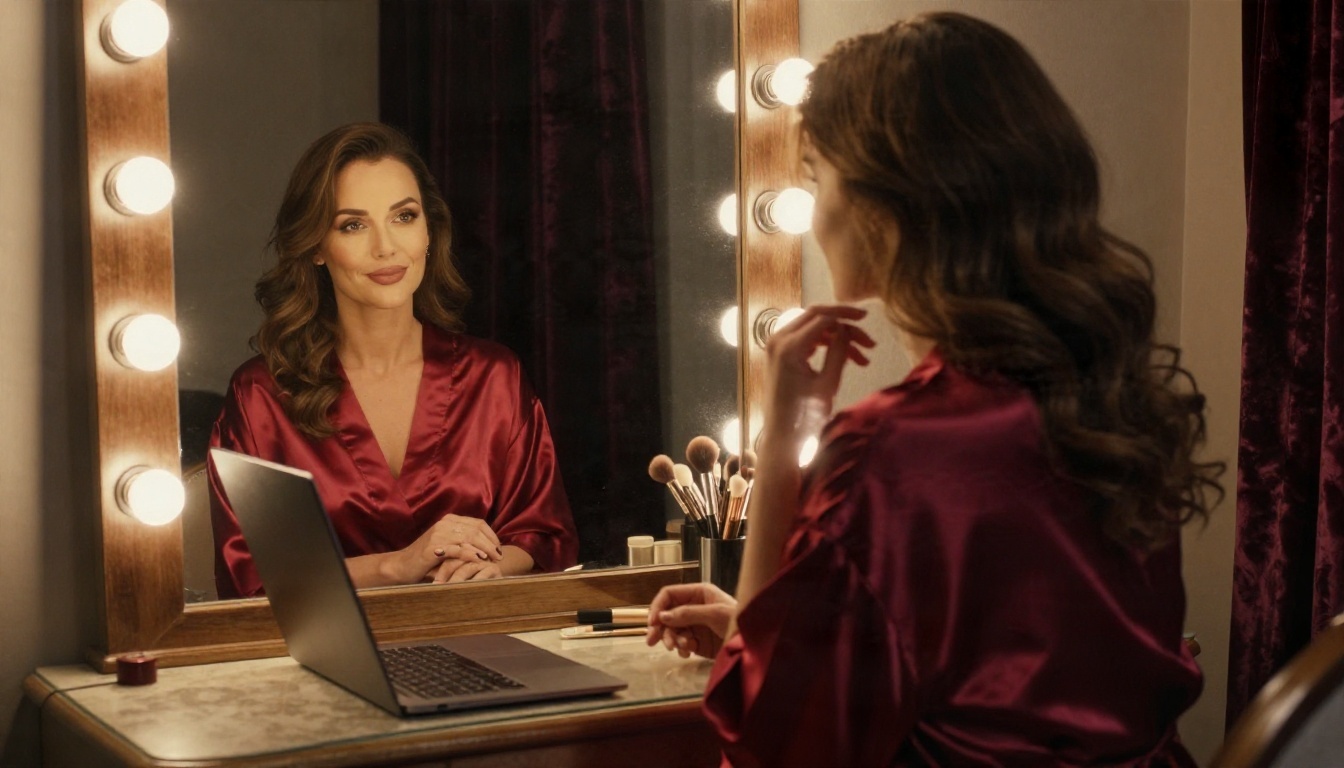
When your problem is limits, PicassoIA Image Editor Pro is the direct answer: it offers unlimited generations, so there is no daily cap quietly ending your session. It also edits. You can upload a portrait and change the outfit, the background or the lighting, then keep iterating until the image is right. For anyone frustrated by a chat app that cuts you off after fifty messages, this is the opposite experience.
Other Models Worth Trying
Several other image models handle glamour and portraits well, each with a slightly different look:
You can see every option in the full catalog at picassoia.com/en/all-models.
Using General Chat Models Instead

What Chat Models Do Well
Companion apps are not the only way to talk to a language model. General models are excellent at writing, brainstorming and conversation. They are not built as adult roleplay platforms, and they apply their own safety rules, so do not expect them to behave like a sexbot. What they can do is help you draft romantic fiction with tasteful tension, build a character profile, write dialogue, or plan a story arc.
Options available on PicassoIA include GPT 5.6 Luna for fast replies, Claude Sonnet 5 for careful writing, Gemini 3.5 Flash for quick chat, Deepseek v3.1 for long drafts, and Llama 4 Maverick Instruct as an open model with a conversational tone.
The Real Cost of Free
It helps to count what a "free" companion app costs you when you add it all up:
- Time: rebuilding a character and history when a cap hits.
- Money: the $6 plan becomes a recurring habit, and add-ons stack on top.
- Privacy: your most personal messages sit on someone else's server.
- Attention: constant prompts to upgrade break the mood.
An unlimited image tool trades the chat for something you keep: the pictures are yours.
Moderation Is Part of the Picture
If you are building your own chat project, a safety layer is not optional. Llama Guard 4 12B is a content moderation model that classifies text so you can filter what your app accepts and returns. It is a tool for builders, not for chatting.

A Simple Decision Table
| If you want... | Start with... |
|---|
| Flirty roleplay chat | A companion app, tested with the ten minute check |
| No daily limits | Unlimited image generation in Image Editor Pro |
| The most realistic portraits | Seedream 4.5 |
| Help writing romantic fiction | A general chat model such as Claude Sonnet 5 |
| Privacy | Fewer personal details and an alias email |
Questions People Ask
Is any free sexbot truly unlimited? Rarely. Some come close, but queues, memory limits or a changing policy usually show up. Check the current terms.
Are these apps safe? Safe enough for casual use if you protect your identity. Not safe for anything you would be upset to see leaked.
Can I get images from a chat app? Some offer paid image add-ons. Dedicated image models give you more control over style, outfit and lighting.
Will the rules change? They already do, often. Apps tighten or loosen filters, change pricing and add verification with little notice.
Make Your Own Images Today

Chat apps give you words that vanish behind a paywall. Images give you something that lasts, and you control every detail: the character, the outfit, the light, the mood. That is where PicassoIA fits. Open Seedream 4.5 and write a prompt for the glamorous, photorealistic character you have in mind. Then move to Image Editor Pro to adjust the styling, swap the backdrop and generate as many variations as you like without a message counter running down.
Start with one prompt, change one detail at a time, and see how far a single idea can go. When you want more options, browse the full catalog at picassoia.com/en/all-models and try a few models side by side. Your next favorite character might be one prompt away.


