Search for a free unlimited NSFW video generator and you will find dozens of pages that promise exactly that. Then you sign up, render one clip, and hit a watermark, a three-second ceiling or a credit counter that runs dry before lunch. The words "free" and "unlimited" almost never describe the same product. This article sorts the real online options by what actually limits them: clip length, resolution, watermarks and daily caps. It also shows example frames and prompts so you can judge the results before you spend a minute on any of them.
Everything here focuses on suggestive, non-explicit content: swimwear, lingerie-style glamour, boudoir lighting and beach editorials. That is also where AI video performs best today, because motion, fabric and skin read naturally when the scene is simple.
What "Free and Unlimited" Really Means
Most pages use the two words as one phrase. In practice, they describe two different things, and one of them is always paid for somewhere else.
The four caps every free tier uses
Nearly every free plan limits at least one of these:
- Daily credits. You get a handful of generations, then a countdown timer.
- Clip length. Free clips usually stop at 4 to 10 seconds.
- Resolution. Free output often tops out at 480p or 720p.
- Watermarks. The clip is fine, but a logo sits across the frame.
A tool that removes all four for free would have no revenue, which is why research into the market keeps finding the same pattern: truly unlimited free generation is rare, and the sites that claim it often hide the cap in a slow queue or a lower quality model.
Free to try versus unlimited to use
There are two honest models. The first is a free trial: a few generations to test quality. The second is a flat-rate plan where generation is unlimited because you pay a monthly fee instead of per clip. Both are legitimate. The trouble starts when a site markets the second as the first.
💡 Quick test: Before you upload anything, look for the words "per generation", "credits" or "queue" on the pricing page. If they appear, the plan is not unlimited, whatever the headline says.
Online Options Compared
The market splits into four groups. Here is how they behave in practice.
| Type of tool | Typical clip length | Watermark on free | Truly unlimited? |
|---|
| Credit-based web apps | 4 to 8 seconds | Usually yes | No, credits run out |
| Open source models on rented GPUs | 5 to 6 seconds | No | Only if you pay for the GPU |
| Telegram and Discord bots | 3 to 5 seconds | Often | No, daily limits |
| Flat-rate platforms with model choice | 5 to 10 seconds, up to 30 on top models | No | Yes, on paid flat plans |
Credit-based web apps
These are the loudest advertisers. You get a few free credits, a five-second clip costs several of them, and the next tier asks for a subscription. They are fine for one test, not for iterating on a scene.
Bots and open source models
Bots are fast and cheap but cap length hard. Running an open model yourself removes content filters entirely, but it needs a powerful GPU, patience with setup, and you carry all the cost. Models such as Wan 2.2 work this way in the open source world, and a hosted version is available through Wan 2.2 I2V A14B if you prefer to skip the install.
Flat-rate platforms
This is where "unlimited" starts to mean something. You pay a fixed monthly price and generate as many clips as you like, within the length each model supports. On PicassoIA, Seedance 2.5 Lite is the example worth testing first: it is tuned for 480p and 720p, produces clips of 5 or 10 seconds, and runs without a per-clip cost for Elite and Infinite members.
Length Limits by Model Tier
Clip length is the limit most people notice last and regret first. A five-second clip is a beat, not a scene. Here is what to expect.
5 seconds: the standard
Most free and mid-range models render 5 seconds. That is enough for one motion: a turn, a hair flip, a walk toward the camera, a slow push-in. If your prompt describes two actions, the model will rush both.
10 seconds: room for a shot
Ten seconds lets a subject enter, pause and react. Seedance 2.5 Lite offers both 5 and 10 second durations, so you can test a prompt at 5 seconds and extend it once the motion looks right.
30 seconds: top-tier output
Longer clips exist, but they sit on the heaviest models. Seedance 2.5 is built for 30-second videos, which makes it the pick when you need a continuous scene rather than a loop. Expect it to be slower and to cost more than the lite version.
Other models worth a test
Each of these models applies its own content filters, so a prompt that works on one may be refused on another. Test with a simple swimwear scene first and adjust.
How to Use Seedance 2.5 Lite on PicassoIA
For a free-to-start, unlimited-for-members workflow, this is the shortest path from idea to clip. Open the Seedance 2.5 Lite page and follow these steps.
Step 1: Pick text or image input
You can describe a scene from scratch, or upload a still image and use it as the first frame. Image input is the more reliable choice for glamour content, because the face, outfit and lighting are locked before any motion starts. When you provide an image, the clip inherits its aspect ratio.
Step 2: Write a chronological prompt
The model responds best to a short description of what happens, in order. A good structure is: subject and starting pose, the motion over time, the camera move, and the light.
💡 Prompt that works: "A woman in a white bikini stands at the water's edge at sunset. She turns slowly toward the camera and brushes hair from her face. Slow dolly-in, warm backlight, gentle waves, natural sound of surf."
Step 3: Set duration and resolution
| Setting | Options | Recommendation |
|---|
| Duration | 5 or 10 seconds | Draft at 5, finish at 10 |
| Resolution | 480p or 720p | 480p to test, 720p to keep |
| Aspect ratio | Match image, 16:9, 9:16, 1:1 and more | 9:16 for social, 16:9 for web |
| Audio | On by default | Turn off for silent clips |
| Seed | Optional | Lock it to reproduce a result |
Step 4: Iterate with a locked seed
Once a clip is close, fix the seed and change one thing in the prompt: the camera move, the light or the action. Because members generate without a per-clip cost, this is where the "unlimited" label pays off.
Build a Better Start Frame
The single biggest quality jump comes before you generate any video. A strong first frame decides how good the clip looks, so spend time there.
Seedream 4.5 for the still
Seedream 4.5 is the first model to try for glamour stills: it renders skin texture, fabric and natural light convincingly and handles swimwear and boudoir scenes without the constant refusals you get elsewhere. Generate three or four variants, pick the one with the most natural pose, and use that as your video input.
Image Editor Pro for fixes
PicassoIA Image Editor Pro offers unlimited generations, which matters when you are adjusting a start frame. Change the outfit color, fix a hand, soften the background or swap the setting, all without watching a counter. Fast edits at this stage save you from regenerating a whole video later.
Other image models
If you want a different look, Riverflow v2.5 Pro and Qwen Image 3 Pro both produce photorealistic portraits that animate well.
Real Examples and Prompts
Below are the kinds of start frames that animate cleanly, each paired with a motion prompt you can adapt. They are all suggestive and non-explicit, which keeps them inside the filters of most models.
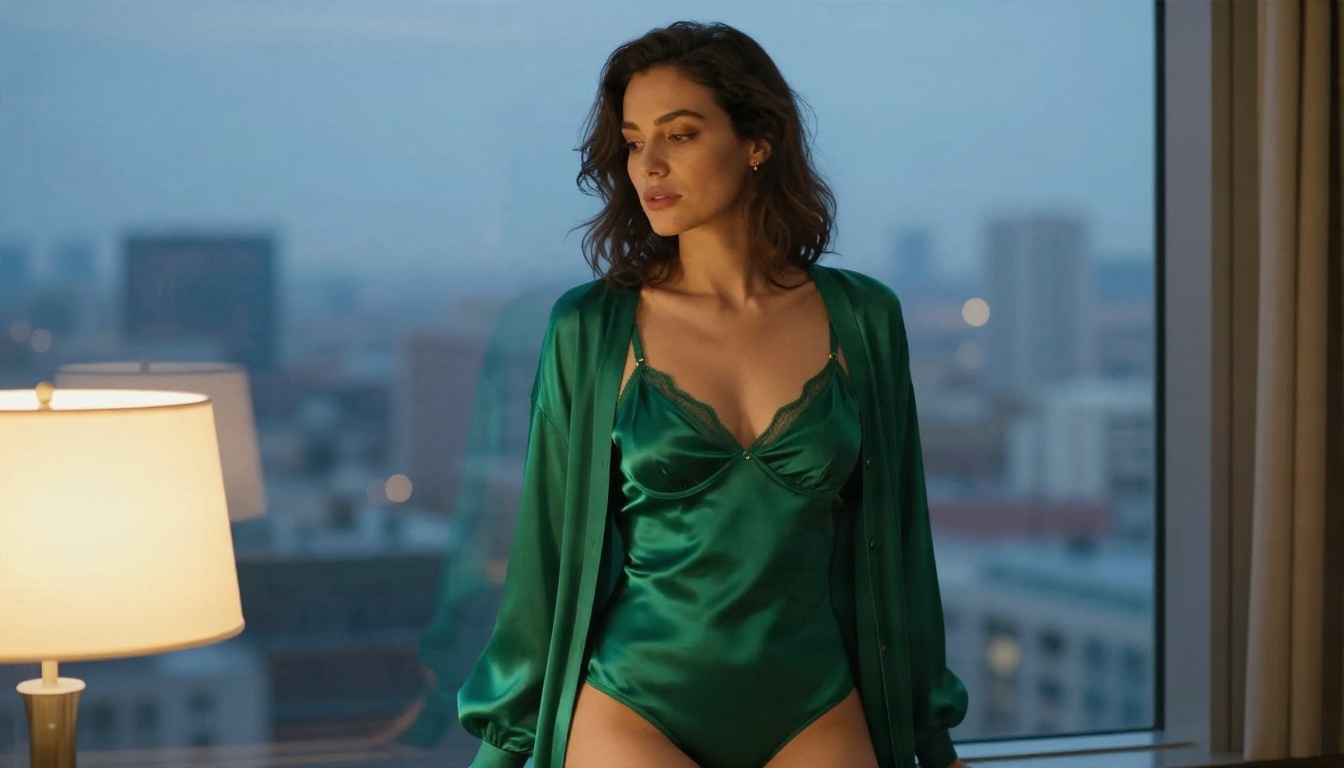
Hotel window at dusk
The frame above has a warm lamp on the face and cool twilight behind. It is an ideal image-to-video source because the lighting contrast is already strong.
Motion prompt: "She lifts her chin and turns her head slightly toward the window, the cardigan shifting on her shoulders. Slow push-in, city lights flickering softly behind, quiet room tone."
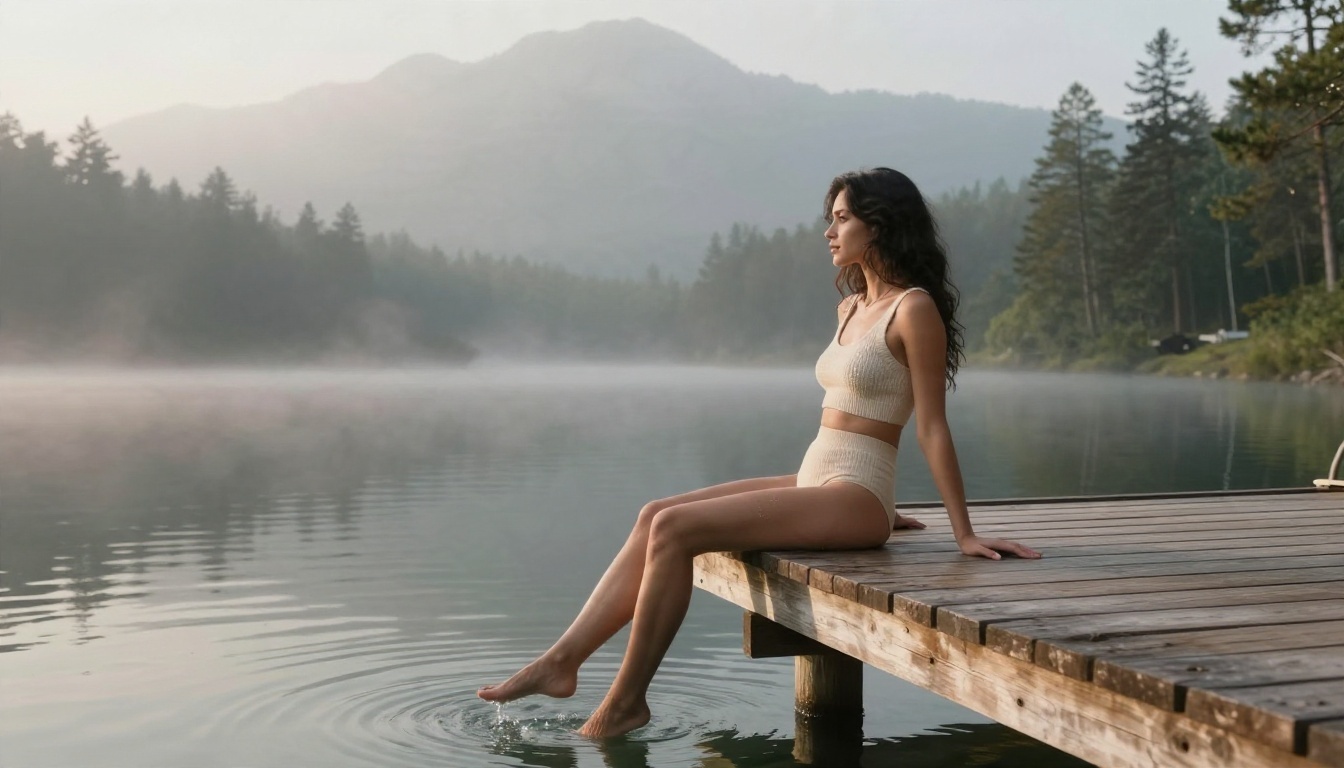
Mountain lake at dawn
A calm scene like this one gives the model very little to get wrong.
Motion prompt: "She swings her legs gently above the water, ripples spreading outward. Mist drifts across the lake. Static camera with a very slow tilt up, soft morning light, birdsong."
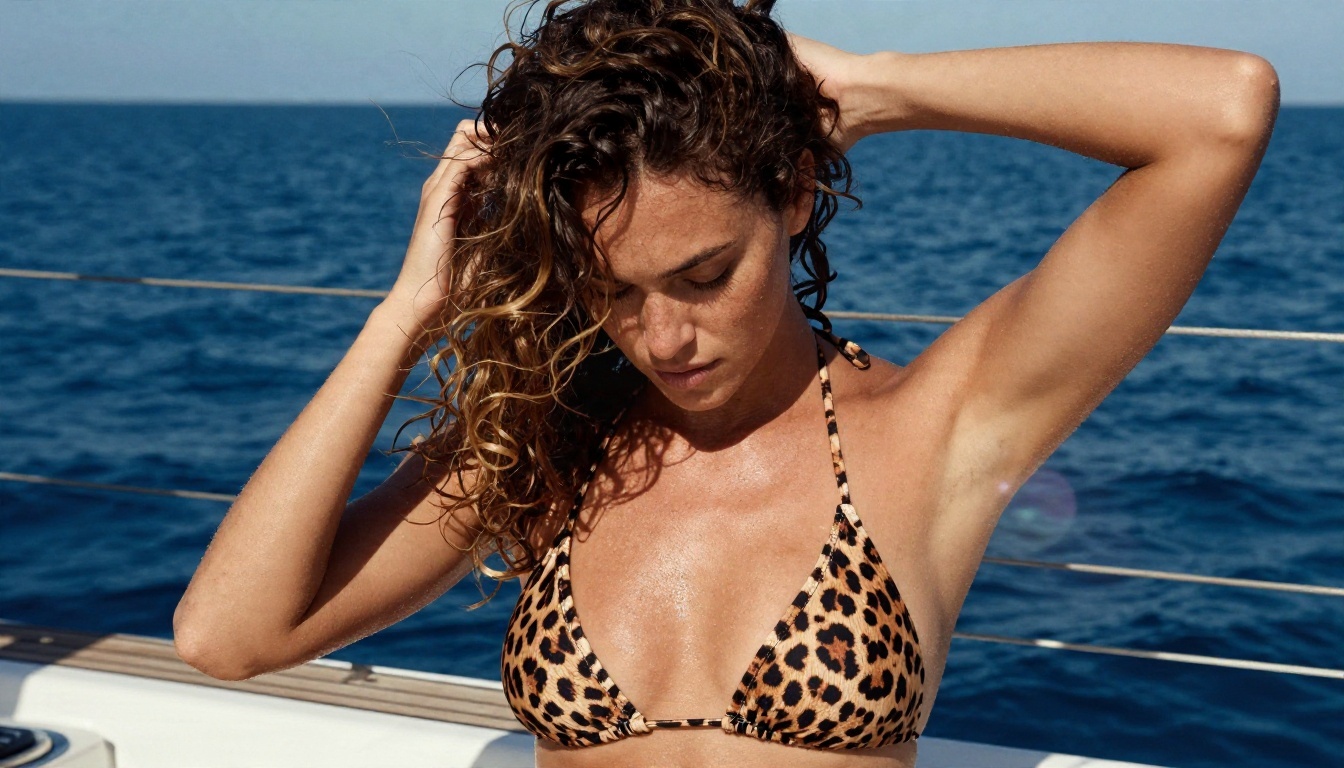
Sailboat deck
Wind and water add natural movement, which hides the small imperfections that AI video sometimes introduces.
Motion prompt: "Wind lifts her curls as she tucks a strand behind her ear and glances out to sea. Handheld feel, slight sway of the boat, bright side light, rope creaking."
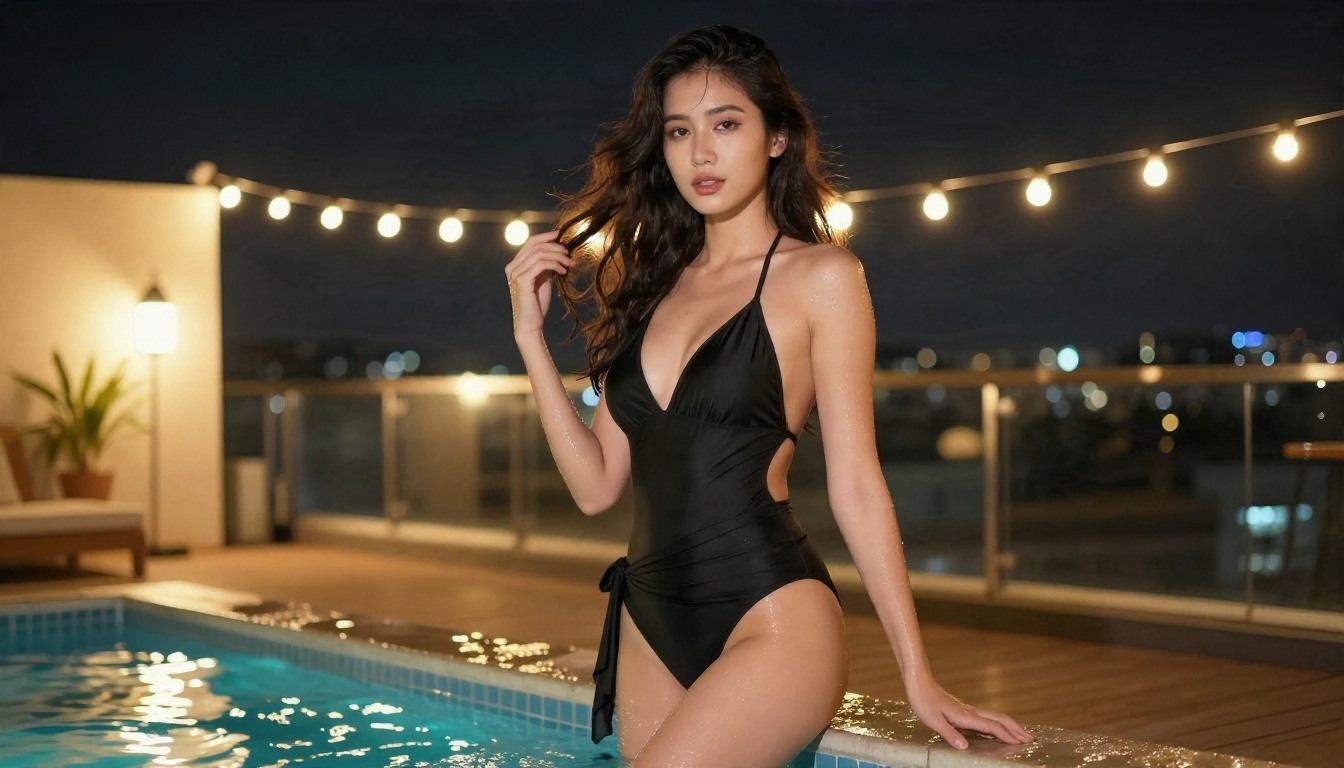
Rooftop pool at night
String lights and water reflections look impressive and move in believable ways.
Motion prompt: "She steps to the pool edge, the sarong swaying in the breeze, and looks back over her shoulder. Slow orbit around her, warm bulbs reflecting on the water, distant city hum."
Common Mistakes to Avoid
Most disappointing clips share the same handful of problems.
Writing too much action
A 5-second clip can hold one motion. A prompt such as "she walks, spins, laughs, sits and picks up a glass" produces mush. Keep to one verb and one camera move.
Starting with a weak image
If the source photo has a blurry face or a hand in an odd position, the video will make it worse. Fix the still first.
Trusting the headline
If a site says unlimited but shows credit costs next to each button, it is not unlimited. Check the pricing page, and look for hidden watermarks in the preview before you commit.
Skipping the draft step
Rendering at 720p and 10 seconds on every attempt wastes time. Test the motion at 480p and 5 seconds, and only then raise the settings.
Ignoring sound
Models with native audio add ambient noise, surf, wind and room tone, that makes a short clip feel real. If you do not want it, switch audio off. Otherwise, mention the sound in your prompt.

A Practical Workflow
Here is a routine that keeps cost, time and quality in balance.
- Generate stills with Seedream 4.5 until the pose and light are right.
- Fix details in PicassoIA Image Editor Pro, where generations are unlimited.
- Draft the motion in Seedance 2.5 Lite at 480p and 5 seconds.
- Refine the prompt by changing one detail at a time and locking the seed.
- Render the final at 720p and 10 seconds.
- Switch models only if the motion still fails: try Hailuo 2.3 Fast for body movement or Kling v2.5 Turbo Pro for camera work.
- Go longer with Seedance 2.5 when you need a 30-second scene.
💡 Rule of thumb: Spend 80 percent of your time on the still image and the prompt, and 20 percent on rendering. The video model can only animate what you give it.
Try It Yourself
The honest answer to the search that brought you here is this: fully free and fully unlimited NSFW video does not exist anywhere without a trade-off, but you can get very close. Free access lets you test quality, and a flat-rate plan removes the counter once you know what you like. The most useful thing you can do now is run your own test.
Start with a single swimwear or boudoir still in Seedream 4.5, refine it in PicassoIA Image Editor Pro, and animate it in Seedance 2.5 Lite. Try three different prompts on the same frame and compare the motion. When you want more models to experiment with, browse the full catalog at picassoia.com/en/all-models and see which one fits your style.


