You paste a forty page report into Grok, ask three follow up questions, and somewhere around question four the answers start to drift. Names get mixed up. A detail you gave in the first message vanishes. That is not a mood swing. It is the context window doing exactly what it was built to do, and once you know how it works, you can plan around it instead of fighting it.
This article gives you the numbers, the behavior, and the habits that matter. You will see how many tokens Grok models can hold, what a token looks like in real words and pages, what happens when a chat gets long, what free users can reasonably expect, and four worked examples you can copy.
What the Context Window Means
The context window is the total amount of text a model can look at in a single turn. Think of it as a desk, not a filing cabinet. Everything on the desk is visible at once: your system instructions, every message you sent, every reply Grok wrote, and any document you attached. Anything that does not fit on the desk is simply not seen.
That desk has a fixed size, measured in tokens. When the total of your input plus the model's output goes past that size, something has to give. Either the oldest material is dropped, the request is refused, or the answer is cut short.
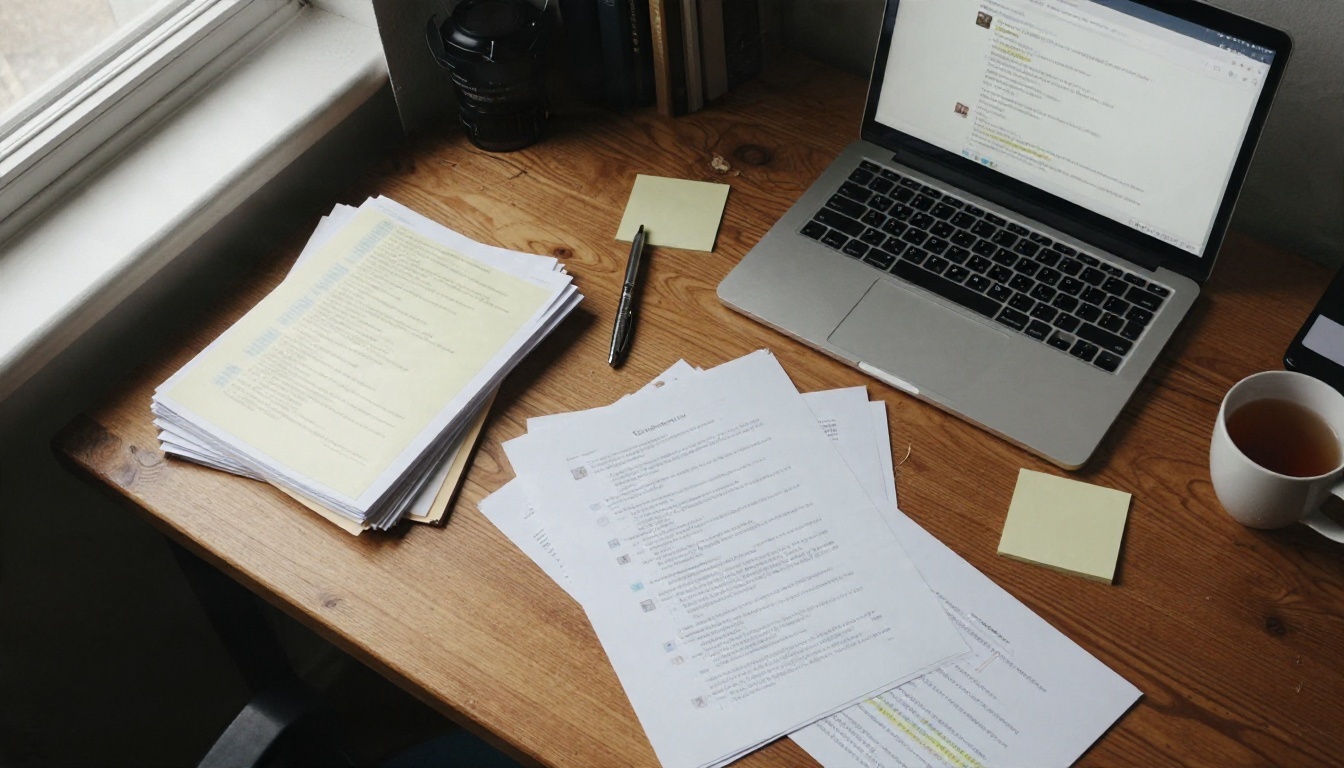
Context is not memory
A common mix up: people treat the window as long term memory. It is not. The window only exists inside one conversation. Open a fresh chat and the desk is wiped clean. Some apps add a separate memory feature that stores short notes between sessions, but that is a different layer sitting on top of the model.
Input and output share the space
Your question and Grok's reply draw from the same pool. If a model has a 256,000 token window and you send 250,000 tokens, only about 6,000 tokens remain for the answer. Long documents plus long requested outputs is the fastest way to hit a wall.
Tokens in Plain Numbers
A token is a chunk of text, usually a piece of a word. Common English words are often one token. Rare words, names, code symbols and non English text break into several.
Handy rules of thumb for English:
- 1 token is roughly 4 characters.
- 100 tokens is roughly 75 words.
- 1,000 tokens is roughly 750 words, or about a page and a half of single spaced text.
- Code, tables and languages other than English usually burn more tokens per word.

Here is how common window sizes translate:
| Window size | Approx. words | Approx. pages | Rough equivalent |
|---|
| 8,000 tokens | 6,000 | 12 | A long magazine article |
| 128,000 tokens | 96,000 | 190 | A mid length novel |
| 256,000 tokens | 190,000 | 380 | Several short books |
| 2,000,000 tokens | 1,500,000 | 3,000 | A small shelf of books |
💡 These are estimates. Always leave a buffer of 10 to 20 percent, because your real text may tokenize less efficiently than average English prose.
Grok Token Limits by Model
Here is where honesty matters, because the figures depend on which Grok model you use and whether you reach it through the chat app or through a developer API.
What is well documented: xAI's Grok 4.1 Fast, built for tool calling and long research tasks, is listed with a 2 million token context window in developer platforms. The earlier Grok 4 Fast is reported at the same size by at least one listing, though I would treat that as tentative.
What varies by source: The original Grok 4 is widely cited at around 256,000 tokens in API listings, while some third party pages quote a smaller figure near 130,000. Newer releases in the Grok 4 line are listed in the hundreds of thousands up to one million tokens depending on the variant and the site you check.
What is not published: xAI does not publish one fixed context number for the consumer chat experience. Third party comparison sites mention figures like 128,000 tokens for free chat, but those are secondary claims, not an official promise.
| Access route | Typical window reported | How reliable the number is |
|---|
| Grok 4.1 Fast via API | 2,000,000 tokens | Listed consistently across platforms |
| Grok 4 via API | About 256,000 tokens | Widely cited, some sources differ |
| Grok chat app, paid plans | Plan and model dependent | Not officially fixed |
| Grok chat app, free plan | Plan and model dependent | Not officially fixed |
💡 If the exact number matters for your project, test it. Send a known amount of text, ask Grok to quote something from the very beginning, and see whether it can.
Why bigger is not always better
A 2 million token window sounds like the end of the problem. It is not. Models tend to use information at the start and end of a long input more reliably than details buried in the middle. Cost and response time also climb as the input grows. A well organized 30,000 token prompt often beats a messy 600,000 token dump.
What Happens in Long Chats
Every time you send a message in a chat, the app re sends the earlier conversation along with it so the model can "remember." That means a long chat is really a growing pile of text, and the pile has to fit the window.

Signs the window is filling up
Watch for these symptoms. None of them proves a problem alone, but two or three together is a strong hint:
- Grok forgets a rule you set at the start, such as tone, format or language.
- It repeats a question you already answered.
- Names, numbers or dates from early messages come back wrong.
- Replies get shorter or end abruptly.
- It starts contradicting an earlier decision.
Grok does not show a token counter or a "chat is 80 percent full" warning in the way a developer dashboard does, so you have to infer the state of the chat from behavior.
What the app does when space runs out
Depending on the product, one of three things happens. The oldest messages may be trimmed silently. Older turns may be compressed into a short summary. Or the request may fail with a length error. In all three cases the effect on you is the same: early details lose weight or disappear.
Fixing a drifting chat
The cleanest fix is a reset with a handoff:
- Ask Grok: "Summarize this conversation in 300 words. Include decisions made, open questions, and any rules I set."
- Read the summary and correct anything wrong.
- Open a new chat and paste the summary as your first message.
- Continue from there.
You trade a few minutes for a fresh, full window, and the new chat answers faster too.
Free Use and Realistic Limits
Can you use Grok for free? Yes, with a limited plan. The practical question is what "limited" means for long text.

Message caps matter more than the window
For free users, the tighter constraint is usually the number of messages in a rolling time period, not the token window. Secondary sources describe something like 10 to 20 questions in a two hour block, but xAI changes these numbers often and does not commit to a figure. Treat any number you read online, including this one, as a snapshot.
Attachments eat tokens fast
A single PDF can swallow a big part of the window. A 100 page document is roughly 50,000 to 70,000 tokens. On a free plan with a modest window, one large upload can leave little room for follow ups.
Smart habits for free users
- Ask big questions first. Put the document and your main request in one message, then follow up with short questions.
- Trim before you paste. Remove headers, footers, repeated disclaimers and anything the task does not need.
- Split by section. Feed a long file in chunks and ask for notes on each, then combine the notes in a final prompt.
- Start fresh per topic. One chat per task keeps the desk clean.
💡 Free tiers change. Before you plan a workflow around a limit, check the current plan details inside the app, and run a small test with your own material.
Four Worked Examples
Numbers are easier to trust when you see them in use. These examples use rough token math so you can adapt them.
Example 1: Contract review

A 60 page agreement is about 30,000 words, or roughly 40,000 tokens. That fits easily inside a 128,000 token window with room for questions. A good prompt:
"Here is a services agreement. List every clause that sets a deadline, a payment amount or a termination condition. Present them in a table with the clause number, a one line summary, and the risk level."
Asking for structure in the first message keeps the answer anchored to the text instead of the model's guesses.
Example 2: A codebase

Code is token hungry. A project with 40 files of 200 lines each might reach 120,000 tokens or more. On a 256,000 token window that works. On a smaller window, send only the files relevant to the bug, plus a short note describing the folder layout. Ask Grok to name which files it wants to see next instead of pasting everything.
Example 3: A novel manuscript

An 80,000 word manuscript is about 107,000 tokens. It fits a 128,000 token window, but only just, and your edit requests will crowd the space. Work chapter by chapter, and keep a running "story bible" of 500 words with character names, ages and the timeline. Paste the bible at the top of each new chat.
Example 4: A research stack
A dozen reports of 40 pages each is roughly 500,000 tokens. That is beyond a 256,000 token window but inside a 2 million token one. With the smaller window, summarize each report separately into 400 words, then paste all twelve summaries (about 6,500 tokens) into one final chat and ask for patterns, conflicts and gaps.
Habits That Save Tokens
Small changes add up quickly when a chat runs for hours.
Write a short rules block
Put your standing instructions in one compact paragraph at the top, such as tone, format, length and audience. When a chat drifts, you can re paste that paragraph in seconds.
Ask for compact answers
If you only need a decision, say "answer in under 100 words." Long replies fill the window as fast as long prompts do, and they come back with every follow up.
Use checkpoints
After every major milestone, ask for a five line summary and keep it in a notes file. If the chat goes sideways, you restart from the last checkpoint instead of the beginning.
Quote, don't paste twice
Do not paste the same document again in message six. The model already has it earlier in the chat. Refer to it by section or by a short quote.
Match the model to the job
Long input with simple questions suits a model with a huge window. Hard reasoning on a short problem suits a stronger reasoning model with a modest one. Mixing the two up wastes tokens or quality.
How to Use Grok 4 on PicassoIA
If you want a clean place to test Grok's reasoning on your own text, Grok 4 on PicassoIA runs from a simple text field with no installation or API keys to manage. It is a good sandbox for checking how the model handles a long prompt before you build a workflow around it.
Steps:
- Open the Grok 4 page on PicassoIA.
- Type or paste your prompt into the Prompt field. Put the document first and your question last.
- Leave Temperature near its default of 0.1 for factual work like summaries and contract checks. Raise it toward 0.7 for brainstorming.
- Check Max Tokens. The default is 2,048, which is about 1,500 words of output. Raise it if your answer gets cut off, and lower it for short replies.
- Use Presence Penalty and Frequency Penalty if answers feel repetitive. Small values, around 0.2 to 0.5, are usually enough.
- Run the prompt, read the result, then refine and run again.
💡 Tip: because the output limit on this tool is set separately from the input, a long document plus a long answer can still fall short. Ask for a section at a time when you need something big.
Other models worth a test
Different jobs call for different tools. These are all on PicassoIA, so you can compare answers side by side with the same prompt:
Run the same long prompt through two or three of these. The differences in how they handle a detail buried in the middle will tell you more than any spec sheet.
Common Mistakes to Avoid
- Trusting the headline number. A 2 million token window does not mean perfect recall across all 2 million.
- Pasting everything. More text can mean more noise, and the model may latch onto the wrong passage.
- Ignoring output space. If the prompt eats the window, the answer gets squeezed.
- Running one endless chat. Long chats drift. Restart with a summary.
- Skipping a test. A quick check with a known fact at the start of your input takes two minutes and saves hours.
Try It on Your Own Projects
The best way to learn where a model's limits sit is to push on them with your own material. Take a document you already know well, paste it into Grok 4 on PicassoIA, and ask about a detail from page one, then a detail from the last page. Compare it with one of the other models above and see which one holds on to the middle.

PicassoIA is also built for visual work. Once your text is sorted, you can turn the same ideas into images, video and audio on the platform, from product shots to storyboards. Browse the full catalogue at picassoia.com/en/all-models, pick a model, and start experimenting today.


