Type "sexy woman" into Grok and you will get one of two things: a bland stock-photo smile or a polite refusal. Neither is what you wanted. The gap between a blocked request and a gorgeous, magazine-quality result is almost always the wording, not the tool. This article gives you Grok NSFW prompt examples you can paste today, for both stills and short clips, along with the structure behind them so you can write your own. Everything here stays on the suggestive, non-explicit side: swimwear, lingerie silhouettes, boudoir mood, glamour lighting. That is where Grok-style models give you the best results anyway.
💡 Quick note: This is about adult subjects only, fictional or original, never real people without consent. Prompts below describe adult models in tasteful, non-explicit settings.
Why Grok Prompts Behave Differently
Grok's image and video generator is built around a conversational model. It reads your prompt like a request to a photographer, not like a list of tags. That changes how you should write.
What Grok Allows Right Now
Reports about Grok's adult settings have been inconsistent. Some sources describe a "spicy" mode that was loose at launch in 2025 and then tightened considerably in early 2026, while others say it is restricted to certain apps and verified accounts. The honest summary: the rules move, and they differ between the consumer app and API access. Treat any guide that promises "no limits" with suspicion.
What stays consistent is the middle ground. Swimwear, lingerie-style outfits, bare shoulders, silk, lace, wet hair, golden hour skin all tend to pass when the prompt reads like fashion or boudoir photography. Anything explicit gets stopped or softened.
Why Prompts Get Blocked
Most refusals come from a handful of triggers:
- Explicit anatomy words or sexual acts named directly
- Real names, especially celebrities, which are blocked for very good reasons
- Age ambiguity, such as "girl", "teen" or "schoolgirl" (always write "adult woman" and give an age range like "late 20s")
- Stacked intensity words like "naked, erotic, extreme, raw" in one sentence
- Sheer or transparent fabric combined with a revealing pose, which many filters read as nudity
The fix is rarely to argue with the filter. It is to describe the image the way a fashion editor would.
Suggestive images succeed when the prompt spends its words on light, lens and mood instead of on explicit detail. A strong prompt makes the viewer feel something through atmosphere.
The Five Part Structure
Use this order every time:
- Subject: adult woman, age range, hair, skin tone, one distinctive feature
- Outfit: specific fabric and cut (satin slip, red bikini, velvet corset top)
- Pose and action: what she is doing, where she is looking
- Environment: location with two or three concrete props
- Photography: light direction, lens, film stock, texture words
Here is how each part earns its place:
| Part | Weak version | Strong version |
|---|
| Subject | "hot girl" | "adult woman in her late 20s, wavy chestnut hair, olive skin" |
| Outfit | "sexy outfit" | "black satin slip dress with lace trim" |
| Pose | "posing" | "looking over her bare shoulder, hand on collarbone" |
| Environment | "bedroom" | "sunlit hotel suite, rumpled white linen, dried pampas grass" |
| Photography | "high quality" | "85mm f/1.8, golden window light from the left, Portra 400 grain" |
Wardrobe and Pose Words
Some words consistently produce attractive results without tripping filters. Others invite trouble.
| Safer, still alluring | Riskier, often blocked |
|---|
| silk robe, satin slip, lace bodysuit | sheer, see-through, transparent |
| bikini, one-piece, swimsuit | topless, nude, unclothed |
| bare shoulders, collarbone, back view | explicit body part names |
| glancing back, soft smile, relaxed pose | provocative acts or positions |
| wet hair, water droplets, warm skin glow | "wet" paired with clothing descriptions |
💡 Tip: If a prompt gets blocked, change one element only: usually the fabric or the pose. Swapping "sheer kimono" for "ivory silk robe" is the kind of edit that turns a refusal into a result.
Grok NSFW Image Prompt Examples
Each example below was written in the five part structure. Copy them as they are, then swap the hair, outfit or location to make them yours.
Beach and Pool Scenes
Water scenes give you natural skin highlights and an obvious reason for swimwear, which is why they pass so often.
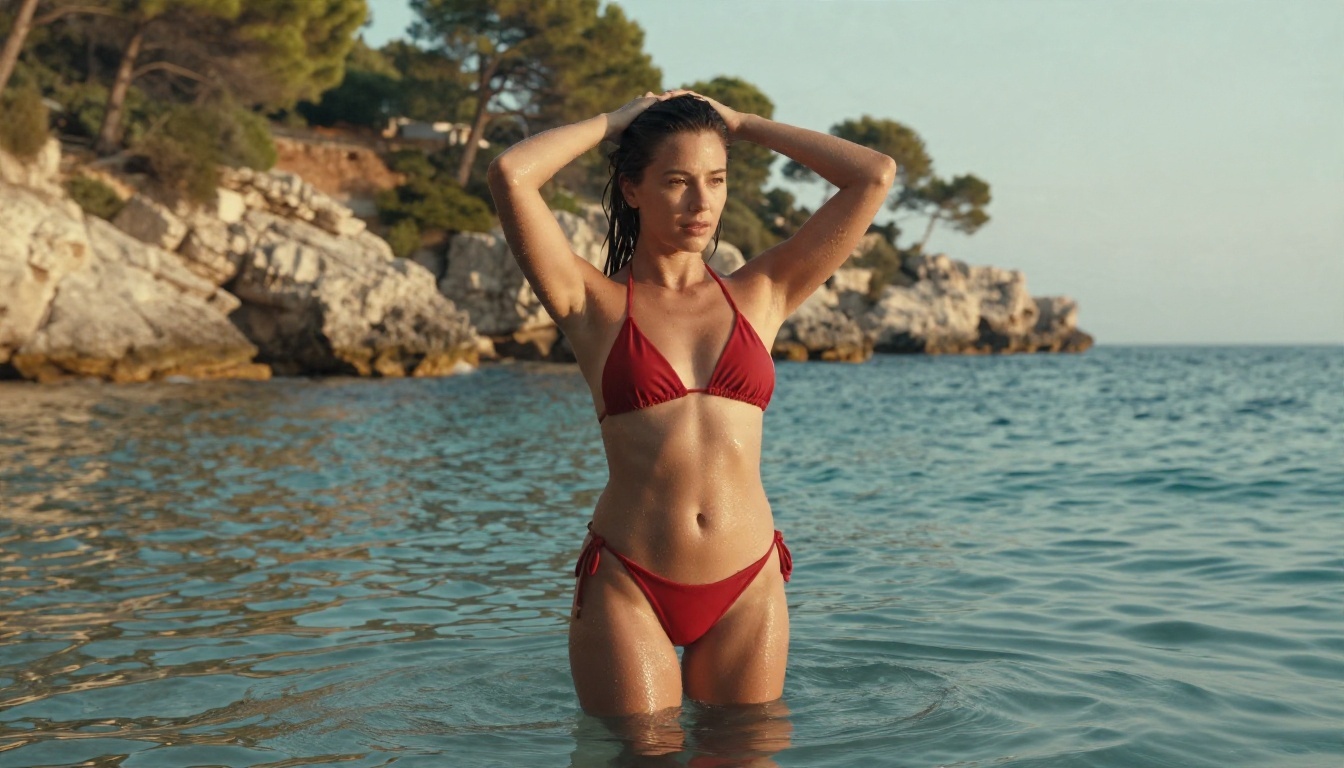
Prompt 1, cove portrait:
"Adult woman in a red two-piece bikini standing knee-deep in turquoise shallow water at a quiet Mediterranean cove, hands pushing wet dark hair back, water droplets on tanned skin. Limestone cliffs and pine trees behind, late afternoon golden light from the right, low-angle shot, 35mm f/2.0 lens, visible skin texture, wet sheen, Kodak Portra 400 film grain, photorealistic."
Why it works: the low angle gives power to the pose, and the water droplets add realism that the model rarely invents on its own.
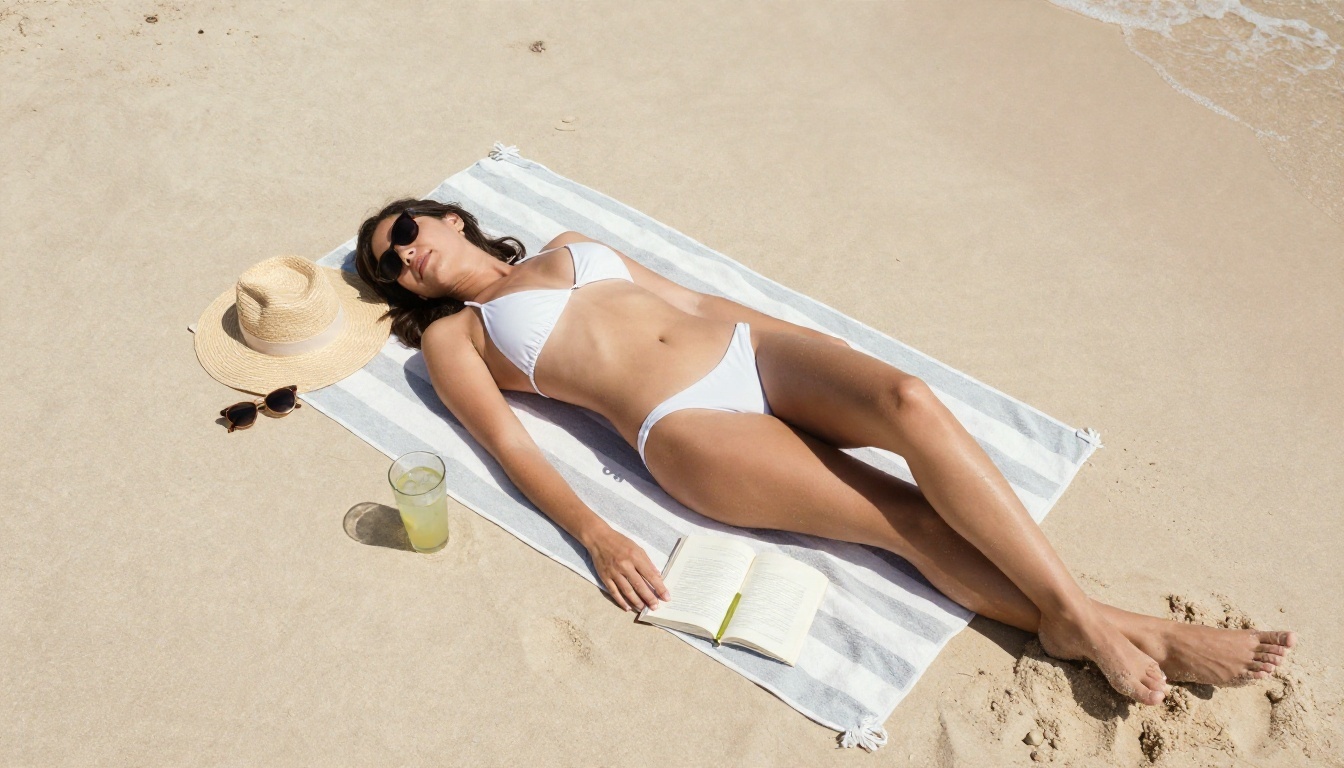
Prompt 2, aerial beach:
"Overhead aerial view of an adult woman in a white string bikini lying on a striped beach towel on pale sand, sunglasses beside her, a straw hat, a paperback and a glass of iced lemonade, gentle wave foam at the frame edge. Hard midday sun from above, crisp shadows, 24mm lens from a high angle, sand grain texture, tanned skin detail, Kodak Portra 400 look, photorealistic."
Props matter here. A lemonade glass and a paperback make the frame read as lifestyle photography, which keeps the tone relaxed.
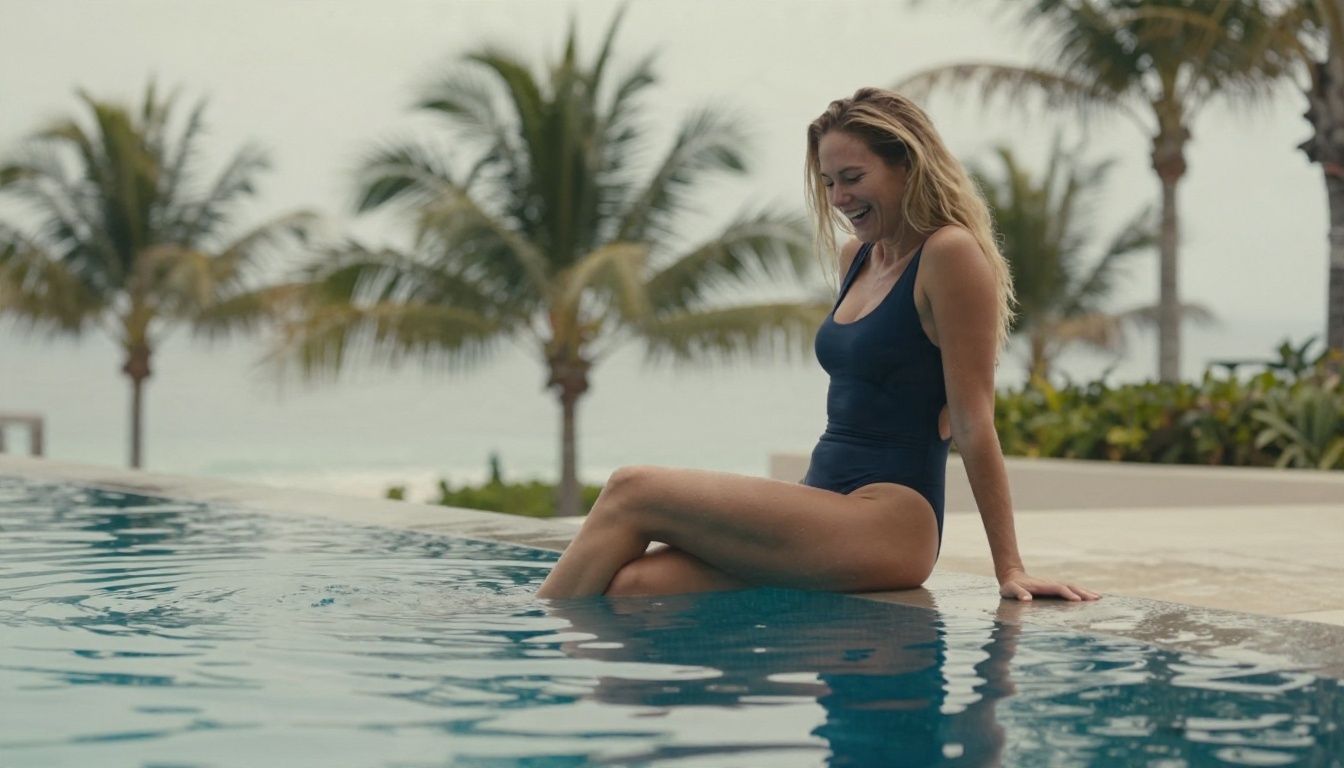
Prompt 3, villa pool:
"Adult woman with long blonde hair in a navy one-piece swimsuit sitting on the edge of an infinity pool at a villa, feet in the water, laughing and looking down at her reflection. Soft overcast diffused light, rippling water reflections, palm trees behind, 70mm f/2.8 lens, side profile medium shot, damp skin texture, water ripples, muted film colors, photorealistic."
Notice the overcast light. Soft, flat light is forgiving on skin and gives a calm, editorial feel.
Boudoir and Hotel Room Looks
Indoor scenes depend on fabric and window light. Name the fabric, and the model fills in the sheen.
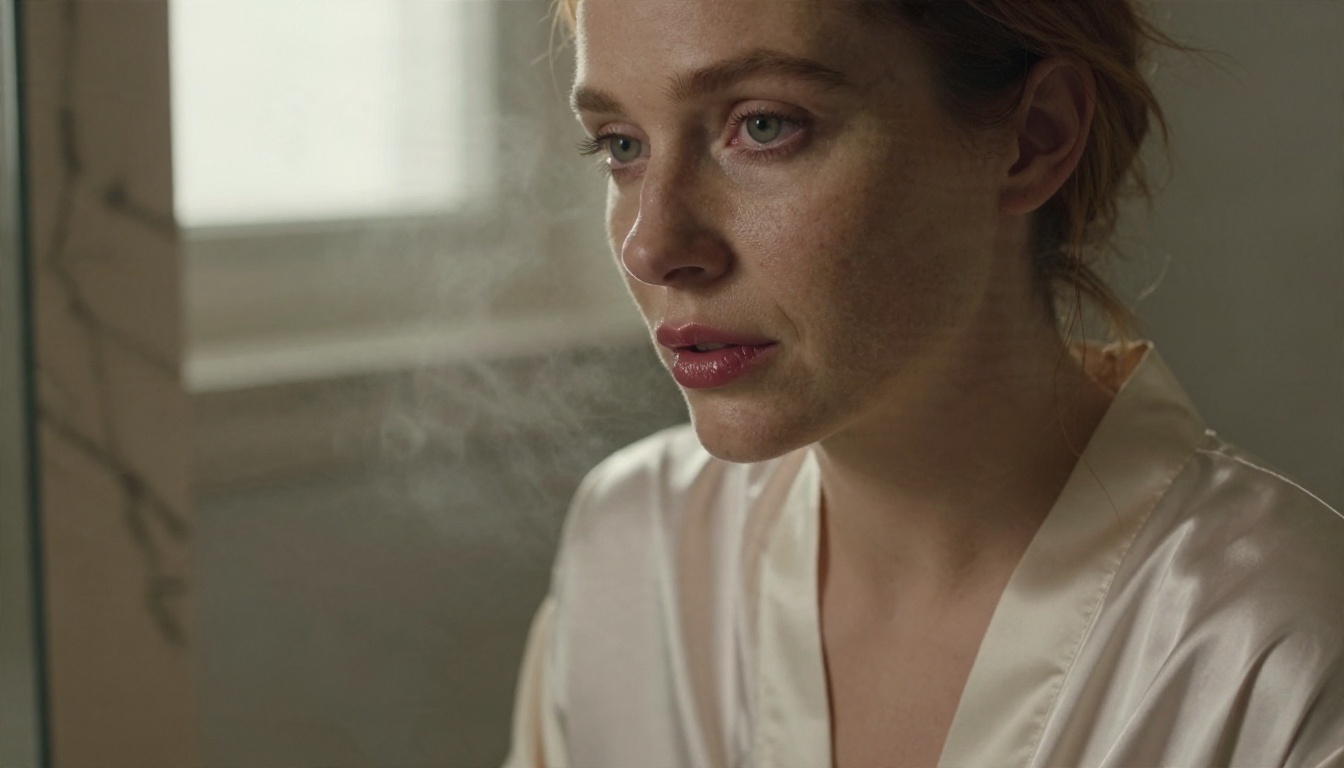
Prompt 4, silk robe close-up:
"Close-up portrait of an adult woman with auburn hair and green eyes wearing a cream silk robe loosely tied, leaning against a marble bathroom doorway, soft steam in the air. Window light from the left, 100mm f/2.0 portrait lens, shallow depth of field, fine freckles, glossy lips, silk sheen and fabric folds, warm neutral tones, film grain, photorealistic."
Prompt 5, loft sofa:
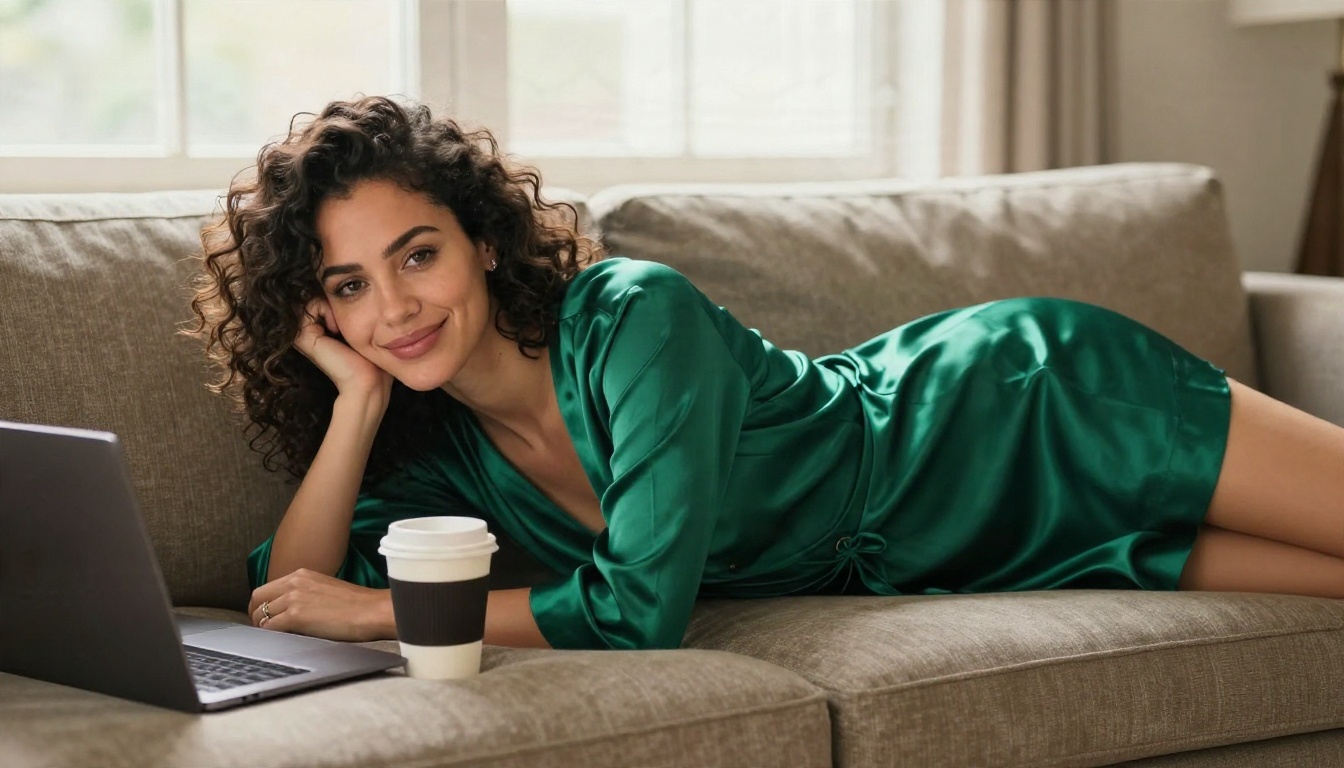
"Adult woman with curly dark hair in an emerald green satin camisole and shorts lying on her stomach on a sofa in a sunlit loft, chin on folded arms, smiling at the camera, a laptop and coffee mug nearby. Soft window light from behind-left creating a hair rim glow, 35mm f/1.8 lens at floor level, shallow depth, satin sheen, warm skin tones, Portra 400 grain, photorealistic."
This one proves you do not need a bedroom. A laptop and coffee mug make it feel candid, and the candid feel is what people respond to.
Prompt 6, vanity mirror:
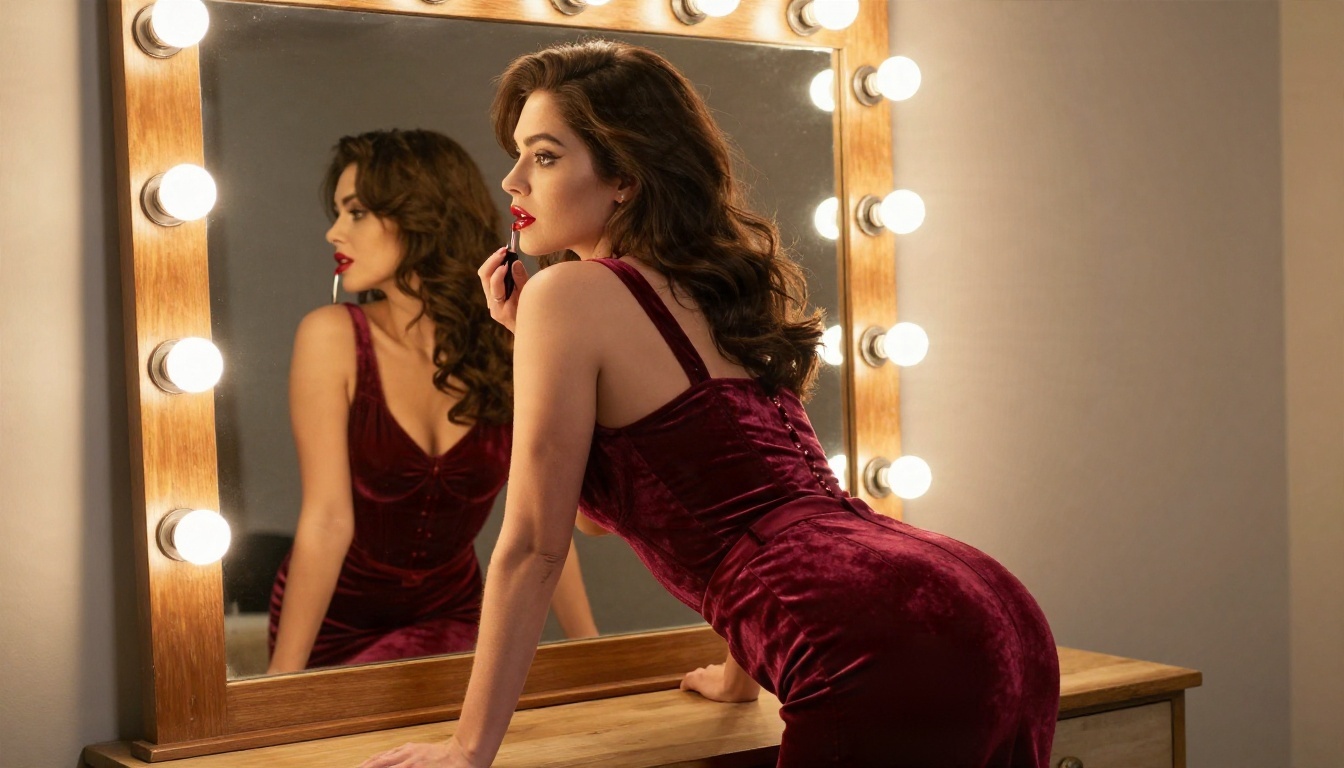
"Adult woman in a burgundy velvet corset-style top and high-waisted trousers leaning on a vintage vanity mirror in a dressing room lined with bulb lights, applying red lipstick, her face reflected in the mirror. Warm practical bulb light, slight rim light from the left, 50mm f/1.8 lens, over-the-shoulder composition, velvet pile texture, glossy lipstick detail, grain, photorealistic."
Evening and Window Light Portraits
Dusk and rain give mood without needing a revealing outfit. That makes them reliable.
Prompt 7, city dusk:
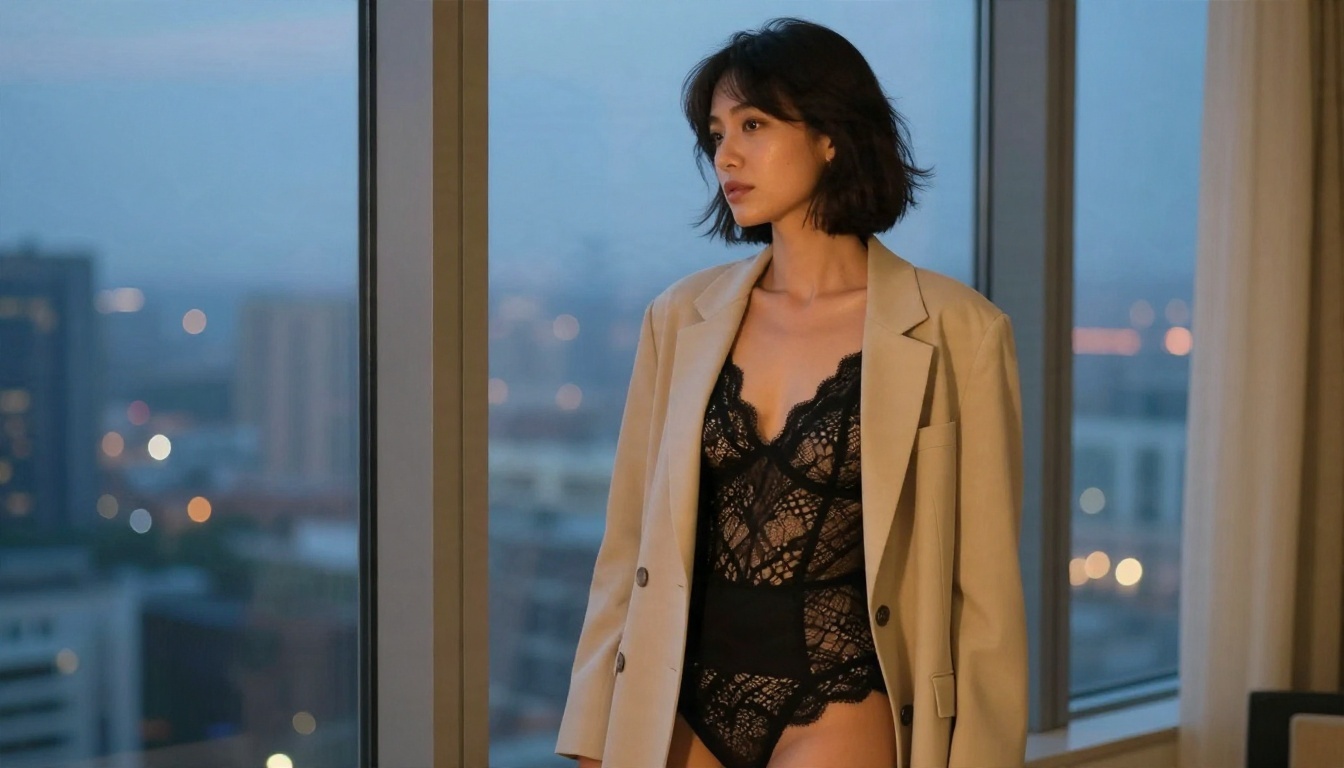
"Adult woman with a short dark bob in a black lace bodysuit and oversized beige blazer, standing at a floor-to-ceiling window of a high-rise apartment at dusk, city lights softly blurred behind her, glancing back at the camera. Warm tungsten lamp light from the right mixed with blue twilight from the window, 50mm f/1.4 lens, medium shot from behind-side angle, lace texture, soft skin highlights, film grain, photorealistic."
Layering a blazer over lace is a trick worth remembering: it keeps the look confident and fashion-forward instead of explicit.
Prompt 8, sunrise pier:
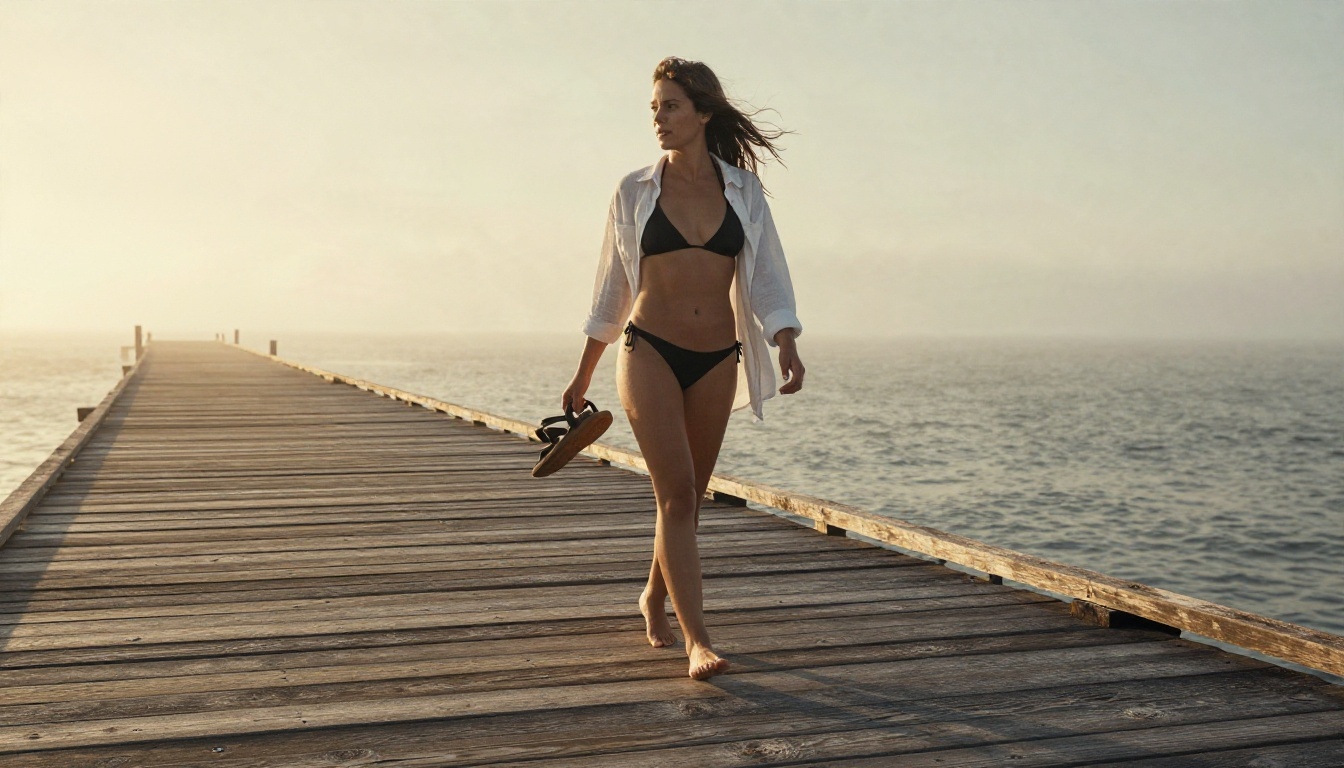
"Wide shot of an adult woman in a white linen shirt over a black bikini walking along a wooden pier at sunrise, hair blowing in the breeze, carrying sandals in one hand, misty sea behind. Low golden sunlight from the front-left, long shadows on weathered planks, 28mm f/2.8 lens, wood grain and rope texture, soft haze, film grain, photorealistic."
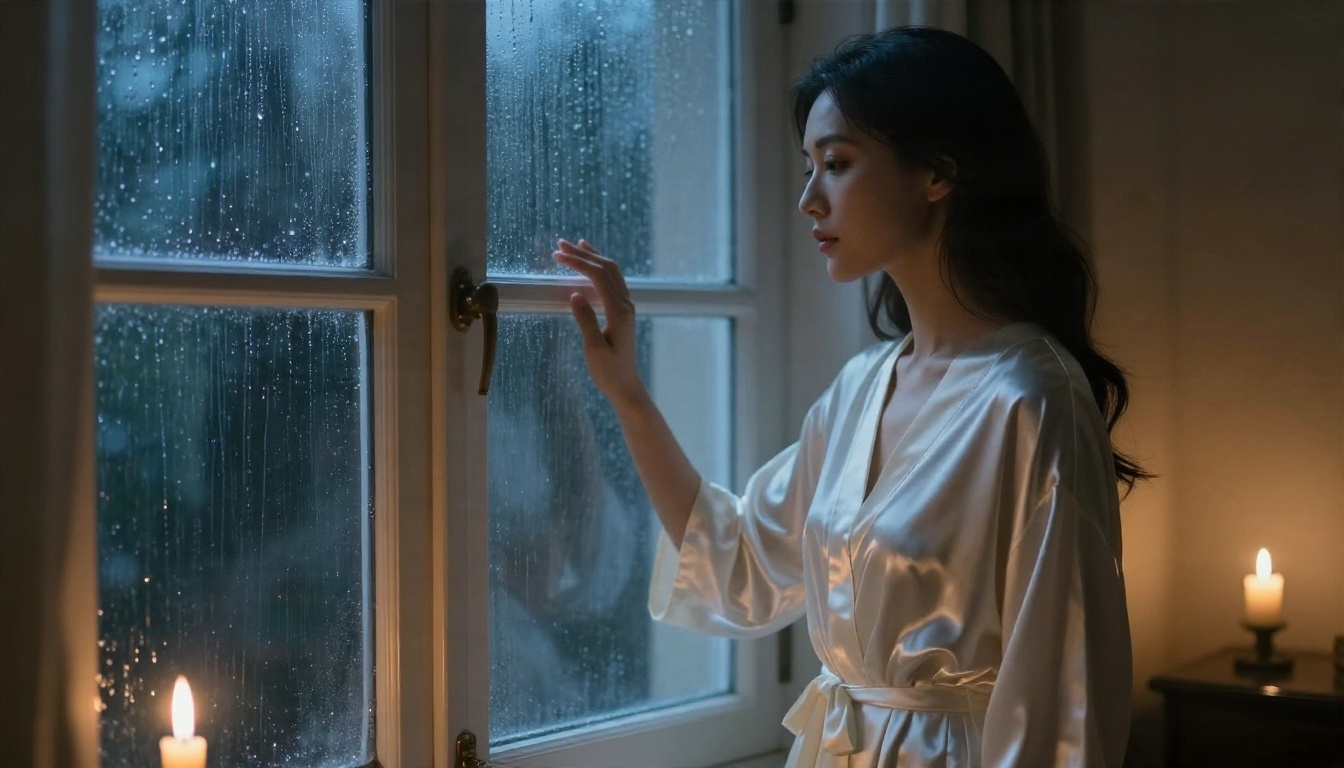
Prompt 9, rainy window:
"Adult woman in an elegant long ivory silk robe standing in a dim candlelit bedroom by a tall window with rain streaks, one hand resting on the glass, face in three-quarter profile, calm pensive expression. Soft warm candlelight from the right and cool blue window light from the left, 85mm f/1.4 lens, shallow depth of field, silk folds, rain droplets on glass, fine film grain, photorealistic."
An earlier draft of this prompt used a sheer kimono over lingerie, and it was refused. Replacing it with a solid silk robe fixed it without losing any mood. That is the pattern to copy.
Video Prompts for Moving Shots
A still image is a great starting point for video. Grok's video mode, and image-to-video models in general, work best when you give them a finished still and describe only the motion. You are not rewriting the scene, you are directing five seconds of it.
The Motion Formula
Use this order:
- Starting pose (what the frame already shows)
- Subject motion over time (what changes, in sequence)
- Camera move (dolly, pan, orbit, handheld drift)
- Light and atmosphere (what shifts or stays constant)
- Audio cue, if the model generates sound
💡 Tip: Keep the motion small. A turn of the head, a hand through hair or a breeze in the curtains looks real. Big action looks fake and is more likely to trigger moderation.
Five Video Prompt Examples
Use these with any of the stills above as the first frame.
| Source image | Video prompt |
|---|
| Cove portrait | "She slowly wipes water from her hair, turns her face to the sun and smiles. Slow dolly-in from low angle, gentle waves lapping, late golden light, sound of surf." |
| Silk robe close-up | "Steam drifts across the frame. She tilts her head slightly toward the window light and blinks slowly. Subtle push-in, soft ambient room tone." |
| City dusk window | "She glances back over her shoulder and lets the blazer slide slightly. Slow lateral pan, city lights twinkling, quiet apartment ambience." |
| Pier at sunrise | "She walks toward the camera, hair and shirt lifted by the sea breeze, sandals swinging. Camera tracks backward at walking pace, mist rolling, gulls in the distance." |
| Rainy window | "Raindrops slide down the glass as she exhales and fogs the pane. Slow dolly-in, candle flame flickering, soft rain sound." |
Camera Moves That Look Natural
- Slow dolly-in: the safest, most cinematic move for portraits
- Gentle orbit: works for standing poses, keep it under 20 degrees
- Handheld drift: gives a candid, behind-the-scenes feel
- Locked camera: let the subject and light do the work, ideal for hair and fabric movement
How to Use Grok Imagine on PicassoIA
Both Grok image models and the Grok video model are available on PicassoIA, so you can run every prompt above in one place without worrying about an app's mood swings on moderation.
Steps for Images
- Open Grok Imagine Image 2, which generates and edits 2K images. For a quality-focused alternative, try Grok Imagine Image Quality.
- Paste a prompt in the five part order: subject, outfit, pose, environment, photography.
- Choose a 16:9 ratio for scenic shots and a portrait ratio for single-figure shots.
- Generate, then compare two or three variations before editing anything.
- If a prompt is blocked, change only the fabric or the pose and run it again.
💡 Parameter tip: Put the lens and light early in the photography section ("85mm f/1.8, window light from the left"). Models respond more strongly to details placed near the start of that segment.
Steps for Video
- Pick your best still as the first frame.
- Open Grok Imagine Video 1.5, an image-to-video model with audio.
- Upload the still and paste a motion prompt from the table above.
- Keep the description to one subject movement and one camera move.
- Generate and review the five seconds. If the face drifts, shorten the action and try again.
Beyond Grok: Better Odds on Suggestive Work
Grok is fun, but it is not the only option, and for suggestive work it is not always the most dependable. If you want fewer refusals and more room to experiment, these are worth trying in this order.
Seedream 4.5 First
Seedream 4.5 is the first model to try for glamour, swimwear and boudoir scenes. It produces up to 4K output, handles skin texture and fabric well, and is fast enough that you can iterate through ten prompt variations in a sitting. Paste any of the nine prompts above and it will usually return something usable on the first or second attempt.
Image Editor Pro for Unlimited Edits
PicassoIA Image Editor Pro is the practical workhorse. It offers unlimited generations, so you can keep refining without watching a credit counter. Generate a base image, then edit the outfit, background or lighting with plain-language instructions until it looks right.
Other Models Worth Trying
💡 Workflow tip: Generate in Seedream 4.5, fix details in Image Editor Pro, then take the final still into Grok Imagine Video 1.5 for motion. Three steps, one platform.
Common Mistakes and Fixes
1. Writing a vibe instead of a scene.
"Sexy, hot, steamy" tells the model nothing useful. Replace it with fabric, light and place.
2. Skipping the age description.
Always write "adult woman" with an age range such as "late 20s" or "early 30s". It improves results and keeps every prompt unambiguous.
3. Piling on intensity words.
One strong mood word is enough. Three in a row make the prompt look like a request for explicit content.
4. Forgetting photography language.
Without a lens and light direction, you get a flat, plastic look. "85mm f/1.8, window light from the left, film grain" fixes that in ten words.
5. Changing five things after a refusal.
Change one thing, then re-test. You will quickly see which word was the problem and can reuse that knowledge in every future prompt.
6. Using real names.
Never. Describe an original character instead: hair, face shape, mood. Likenesses of real people are blocked on most platforms and for good reason.
7. Asking video to do too much.
Five seconds is short. One head turn, one camera move, done.
A quick reference of prompt starters you can reuse:
- "Adult woman in her late 20s, [hair], wearing [fabric + garment], [simple pose], [location with 3 props], [light direction], [lens], Kodak Portra 400 grain, photorealistic"
- "Start from this image. [One small movement]. Slow dolly-in, [light detail], [ambient sound]"
Try Your Own Prompts Today
You now have nine image prompts, five video prompts and a formula that keeps working when you change the outfit, the hair or the location. The fastest way to get better is to run them, change one detail at a time and compare results side by side.
Open Seedream 4.5 for your first batch, refine in PicassoIA Image Editor Pro with unlimited generations, and animate your favorite in Grok Imagine Video 1.5. Pick one prompt from this page, paste it in and see what you get. When you want more models to compare, browse the full list at picassoia.com/en/all-models.


