Most people who try Grok's Spicy Mode type a vague line, get a bland or blocked result, and decide the feature is broken. It usually isn't. The difference between a flat clip and a striking one almost always comes down to how the prompt is built, which settings are switched on, and whether you picked the right tool for the job. This article walks through all three: prompt formulas that work, where the settings sit, and what you can use for free when the paywall gets in the way.
Everything here stays on the tasteful side of adult content: swimwear, lingerie-style glamour, boudoir lighting and suggestive mood. No explicit material, just good aesthetics.
What Spicy Mode Actually Is
Spicy Mode is a setting inside Grok Imagine, the image and video generator built into xAI's Grok app. When you animate a picture, the app offers a few motion styles. Reports describe options such as Normal, Fun and Spicy, and Spicy loosens the moderation threshold so that glamour, swimwear and more sensual scenes are less likely to be refused.
It is not a separate model. It is a permission level applied to the same generator. That matters for prompting, because the model still reads your words the same way. A good prompt works in every mode, and a weak prompt stays weak even with the toggle on.
💡 Menu labels and rules change often. xAI has tightened filters more than once, so treat any screenshot or step list (including this one) as a snapshot and check the app itself before you plan around a setting.
Spicy vs Normal Output
| Feature | Normal | Spicy |
|---|
| Swimwear and glamour scenes | Often softened or refused | Generally accepted |
| Motion style | Neutral, safe | More expressive, slower, more sensual |
| Moderation | Strict | Looser, but still active |
| Typical access | Free tier with limits | Reported to need a paid plan |
| Best for | Everyday clips | Fashion, boudoir and beach content |
Who Can Use It
Most reports point to a paid subscription (SuperGrok or X Premium+) for Spicy, while basic Grok Imagine access is offered free with limited daily generations. Regional limits also apply in some countries. If the option is missing for you, the usual causes are the account tier, the region, or the content preference switch being off.

Where the Settings Live
The path reported by most users goes through your account settings rather than the generation screen itself.
Turn on Content Preferences
Open the app settings, find the content preferences area, and enable the option that allows sensitive or adult content to be displayed. You may need to confirm your age. Without this switch, the Spicy option often never appears.
Pick the Mode Per Clip
After you upload or generate a still, a dropdown near the video button lets you choose the motion style. Pick Spicy there, then write your motion prompt. Remember the mode is chosen per generation, not saved forever.
Settings Checklist
- Confirm your plan includes the feature.
- Enable the content preference toggle in account settings.
- Verify your age if asked.
- Start from a clean, well-lit still image.
- Select the mode before you press generate.
💡 If a prompt is blocked, don't paste it again five times. Rephrase it. Repeated identical attempts rarely change the outcome and just burn your daily allowance.
Strong prompts for this kind of content share one structure. Think of it as five slots you fill in order.
Subject + Wardrobe + Setting + Light + Camera/Motion
Each slot has a job:
- Subject: age range, hair, skin tone, expression. Keep it concrete.
- Wardrobe: the garment, the color and the fabric. Fabric words like satin, crochet, linen and lace add realism.
- Setting: a real location with two or three props.
- Light: direction and time of day. This single slot changes the result more than any other.
- Camera/Motion: lens, angle and one simple movement.
Words That Help and Words That Hurt
| Helps | Hurts |
|---|
| golden hour, rim light, soft window light | bright, nice lighting |
| 85mm f/1.8, shallow depth of field | high quality, 8k masterpiece spam |
| satin, crochet, lace, linen | sexy outfit |
| slow dolly in, hair moving in the breeze | lots of movement |
| film grain, natural skin texture | perfect flawless skin |
The last row is worth repeating. Prompts that demand "flawless" skin push the model toward a plastic look. Asking for visible pores, freckles and small imperfections gives a photograph feel.
Prompt Examples You Can Copy
These examples are written in a tasteful glamour style. Swap the details for your own character or location.
Poolside Portrait
"Close-up portrait of a woman with glowing tan skin and wet slicked-back dark hair at the edge of an infinity pool at sunset, emerald one-piece swimsuit, water droplets on her shoulders, chin resting on her forearms, warm low sun from behind left, 100mm lens, shallow depth of field, film grain."
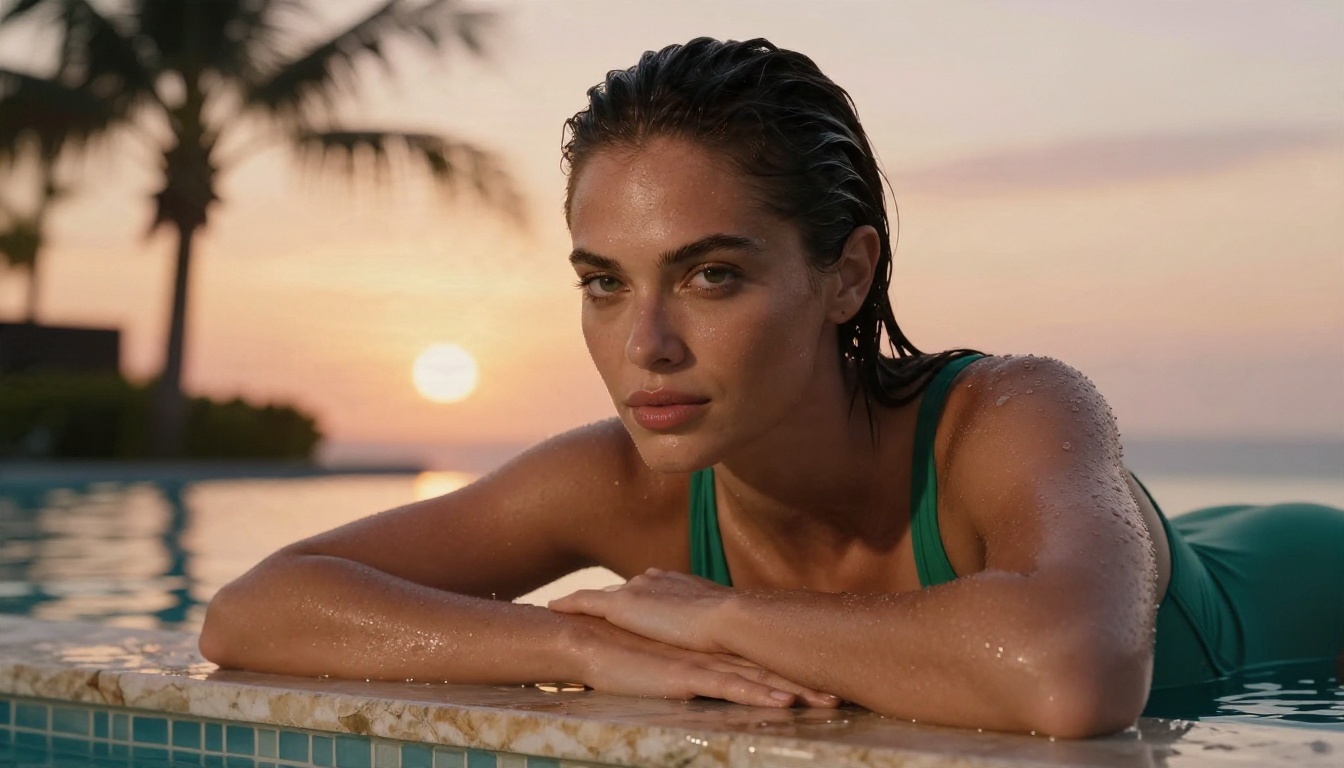
Why it works: the wet hair and water beads give the model texture to render, and the backlight defines the shoulders without any need for explicit wording.
Dawn Beach Walk
"Full-length low-angle shot of a woman walking barefoot along a wet beach at dawn, white crochet bikini top and a sheer sarong fluttering in the wind, foam around her ankles, pastel sky, mist over the waves, 24mm wide lens."
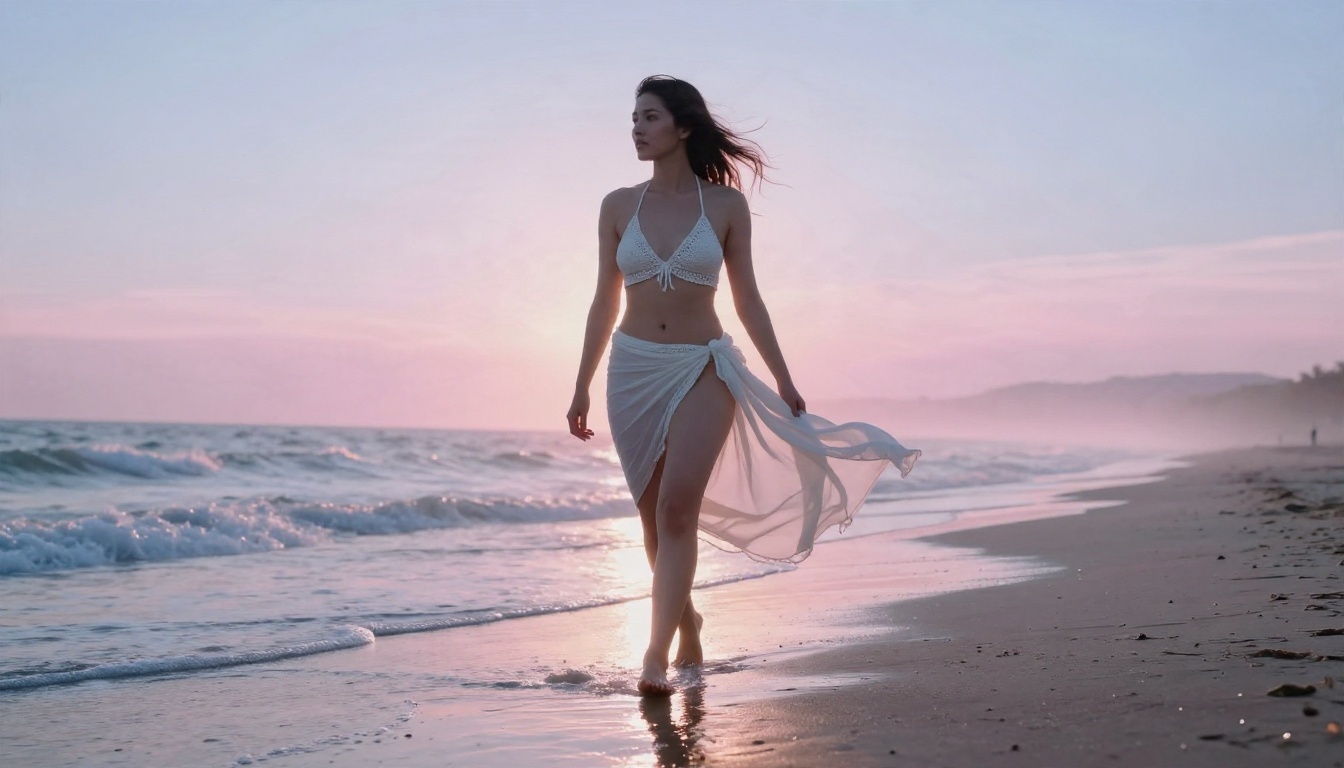
For video, add one line of motion: "slow tracking shot alongside her, sarong moving in the wind, gentle waves." One clear movement beats a list of five.
Hotel Window at Blue Hour
"Medium shot of an elegant woman in a black satin slip dress with lace trim, standing by a tall window in a boutique hotel suite, one hand on the sheer curtain, city skyline blurred outside, warm lamp light mixing with cool window light, 50mm f/1.4."
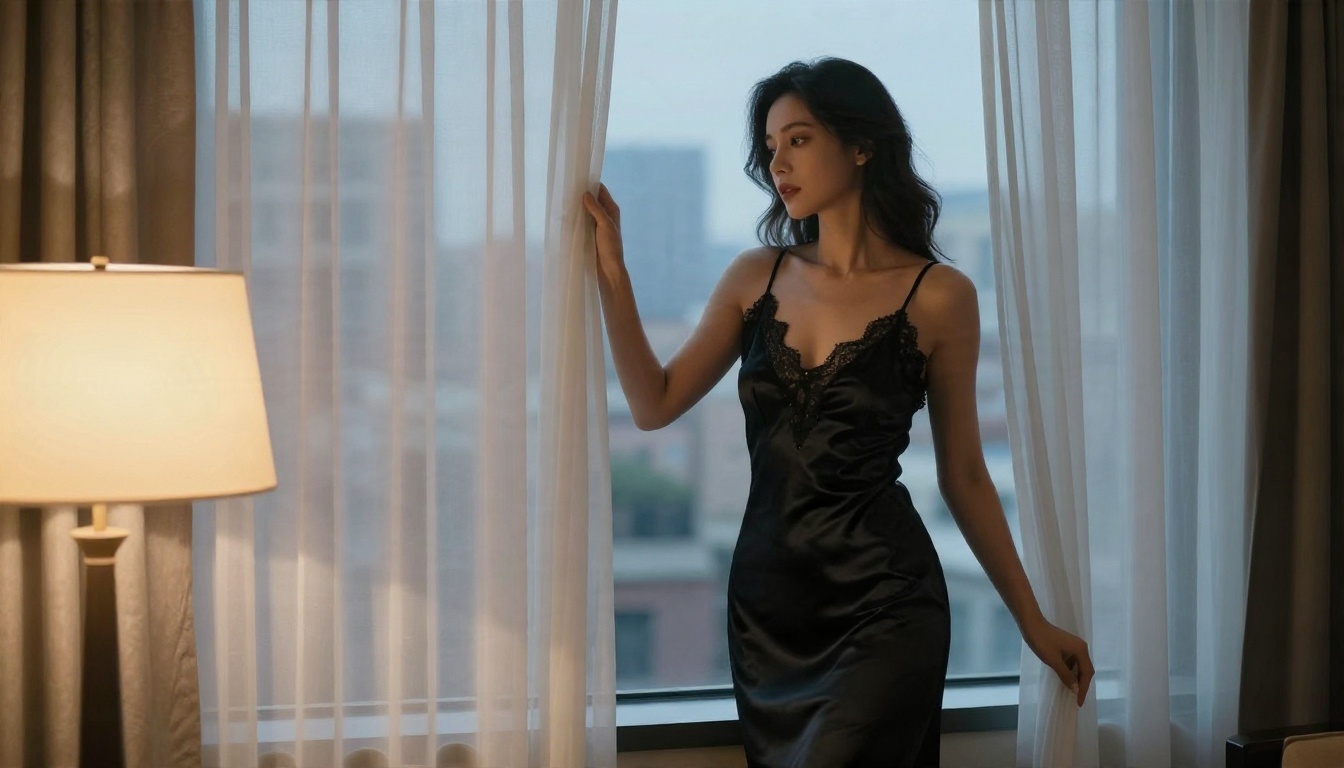
This is the style that suits Spicy Mode best: mood, fabric and lighting doing the work, rather than anything graphic.
Morning in a Silk Robe
"Intimate close-up of a woman with curly auburn hair in a white silk robe, seated on the edge of a bed in soft morning light, sipping coffee with both hands, glancing at the lens with a playful smile, 85mm f/1.8."

Everyday moments like this one read as intimate without needing anything explicit. They also tend to pass moderation more reliably.
Motion Prompts for Clips
Spicy Mode is mostly used to animate a still, so the motion line matters as much as the image itself.
Keep One Camera Move
Pick a single movement: a slow push-in, a gentle orbit or a handheld drift. Stacking moves makes the footage jittery and the body can warp.
Describe Small, Natural Movement
Good: "hair lifts in the breeze, she turns her head toward the camera and smiles, fabric ripples." Bad: "she dances wildly while the camera spins." Subtle movement stays coherent for the full clip.
A Reusable Motion Template
"[Starting pose]. Over five seconds, [one body or fabric movement], [one camera move], [light and ambient sound]."
Example: "She stands at the yacht railing. Over five seconds her hair whips in the sea breeze as she turns toward the lens, slow push-in, bright afternoon sun, waves and rope creaking."

💡 Audio is part of the result in current Grok Imagine video. Mention a sound (waves, wind, soft music) in the prompt and the clip feels far more finished.
Mistakes That Waste Your Credits
Piling Up Adjectives
Ten adjectives in a row dilute each other. Three precise details beat ten vague ones.
Ignoring the Source Image
If you start from a still, the still decides most of the outcome. Blurry, dark or cropped inputs produce muddy clips. Start with a sharp, evenly lit photo.
Fighting the Filter
Trying to sneak around moderation with odd spellings tends to fail and can lower the quality of what does come through. Work with the system: describe mood and styling, and let the lighting carry the sensual feel.
Skipping the Real Location
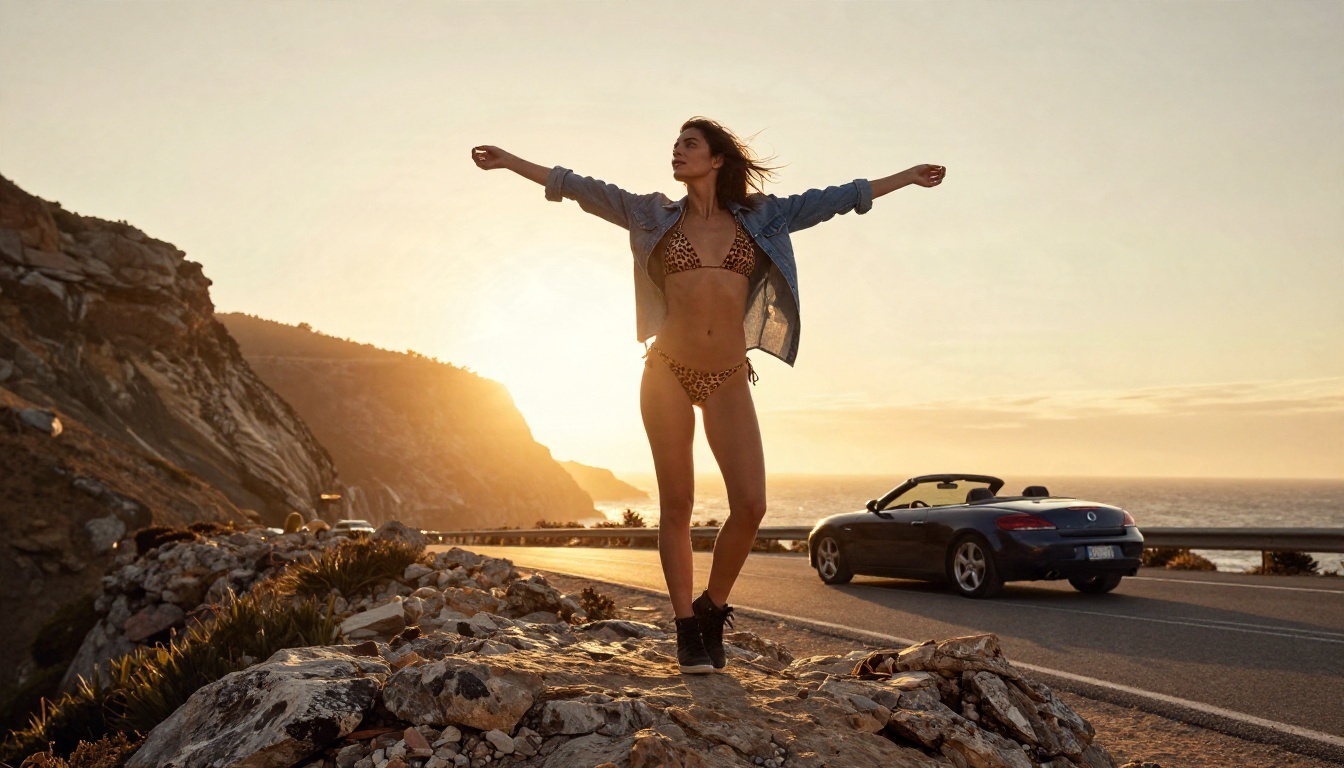
"A beach" gives you a generic beach. "A rocky coastal viewpoint at sunset with a convertible on the road behind" gives you a scene with depth.
Free Options That Actually Work
Here is the honest picture. Spicy Mode is generally tied to a paid plan, the free allowance is small, and the rules can change overnight. If you want to create regularly, you need a setup that doesn't depend on one app's toggle.

Free Tier Limits
The free Grok tier gives a handful of generations per day, and Spicy is reported to sit behind a subscription. That's fine for testing a prompt, but not for batch work.
Why Alternatives Make Sense
An image model with fewer restrictions lets you build the still first, refine it, and only then animate it. That order saves time, because you fix composition at the cheap stage instead of regenerating clips.
How to Get Similar Results on PicassoIA
Spicy Mode itself is a feature of xAI's own app, so this article makes no claim that it exists on PicassoIA. What you can do on PicassoIA is get the same look, glamour stills and short animated clips, with models built for it. Here is the order that works best.
Step 1: Start with Seedream 4.5
Seedream 4.5 is the strongest starting point for glamour and swimwear imagery. It produces 4K photorealistic images with convincing skin, fabric and light, and it follows the five-slot formula above very closely.
Parameter tips:
- Use a 16:9 ratio for landscape scenes and 3:4 for portraits.
- Put the light direction early in the prompt.
- Name the fabric of each garment.
- Add "natural skin texture, film grain" at the end.
Step 2: Refine with PicassoIA Image Editor Pro
PicassoIA Image Editor Pro offers unlimited generations, which is the real advantage over a metered free tier. Use it to change an outfit color, adjust the background or fix a small detail without paying per attempt.

Step 3: Quick Edits with P Image Edit
P Image Edit works in under a second, which suits rapid trial and error. P Image Edit LoRA adds style control when you want a consistent look across a set.
Step 4: Variations with Flux 2 Klein
Flux 2 Klein 4B Base and Flux 2 Klein 9B Base LoRA are handy for fast variations when you want ten takes on the same scene.
Step 5: Add Motion
When the still is right, animate it. Wan 2.6 I2V and Kling v3 Video turn a photo into a short clip, and Grok Imagine Video 1.5 offers image to video with audio. Reuse the motion template from earlier: one pose, one movement, one camera move.
💡 The Grok Imagine image models on PicassoIA, Grok Imagine Image 2 and Grok Imagine Image Quality, are worth trying for standard photorealistic work, but they are separate from the Spicy toggle in the xAI app.
Model Comparison
A Workflow That Saves Time
Here is a loop that works whether you use Grok or anything else.
- Write the still prompt using the five slots.
- Generate three to five variations and pick the best.
- Fix small details in an editor rather than regenerating from scratch.
- Write one motion line with a single camera move.
- Animate and keep the best take.
- Upscale if needed with a super resolution model before posting.
This order means you spend your limited video credits only on images you already like.
Keep It Tasteful and Legal
Only create content of adults, and only of people you are allowed to depict. Never use a real person's likeness without consent. Fictional characters and original AI faces are the safe path, and they keep you inside the rules of every platform where you plan to publish.
Quick Prompt Fixes
| Problem | Fix |
|---|
| Plastic-looking skin | Ask for pores, freckles, film grain |
| Warped hands or limbs | Simplify the pose, shorten the motion |
| Flat lighting | Name the direction and time of day |
| Prompt refused | Describe mood and fabric, not skin |
| Clip looks jittery | Remove extra camera moves |
Your Next Step
Spicy Mode is a useful toggle, but the prompt does the heavy lifting, and a good prompt travels with you from app to app. Write with the five slots, keep the motion simple, and build the still before you spend anything on video.
When you are ready to build your own set, open PicassoIA Image Editor Pro for unlimited generations, start your first scene in Seedream 4.5, and browse every available option at picassoia.com/en/all-models. Pick one of the prompts above, change the location and the outfit, and see what comes back. The fastest way to improve is to run ten variations and compare them side by side.


