Nine copy-ready Grok xAI image prompts for portraits, products, landscapes, street scenes, food, interiors, macro, wildlife and fashion. Includes the aspect ratio, resolution and quality settings that matter, a prompt formula and a style table.
Most people type "a beautiful woman in a garden" into Grok, get something that looks like a stock illustration, and decide the model is average. It isn't. The model is fine, the prompt is the problem. Grok Imagine from xAI reacts strongly to photographic language: lens length, light direction, surface texture and mood. Give it those, and the output starts looking like a photograph instead of a render.
This article gives you nine free Grok xAI image prompts you can copy, the settings worth changing, a simple prompt formula, and a table of styles that work and styles that fall apart. Every prompt below is tested for structure, and the sample photos show the look each prompt is aiming for.
💡 Quick note: The sample photos in this article illustrate the target look of each prompt. Your own Grok results will differ in the details, which is normal, since every generation starts from a different seed.
Why Grok Imagine Gets Attention
xAI's image model sits inside the Grok ecosystem, so it has a loose, conversational feel. You can write a sentence the way you would brief a photographer, and it usually follows. The current generation, Grok Imagine Image 2, was reported as released in August 2026 and is the version most platforms now recommend over the older Grok Imagine Image and Image Pro variants, which are being phased out.
Three traits stand out:
Photographic vocabulary works. Terms such as "85mm f/1.8" or "overcast softbox light" shift the result in a predictable direction.
Output up to 2K. Enough for web, social and light print use without an upscale step.
Batch generation. You can request several images from one prompt and pick the strongest, which is the fastest way to find a good seed.
On Grok's own app, free image generation was reportedly cut back during 2026, and paid plans now handle most image work. That is one reason people look for other places to run the same model. You can run Grok Imagine Image 2 on PicassoIA, and a second variant, Grok Imagine Image Quality, is available for output that favors detail.
Prompts get the attention, but three settings quietly decide whether you waste credits or not.
Aspect Ratio
If you leave the ratio on auto, Grok picks a shape for you. That is fine for experiments and bad for finished work. Decide the destination first.
16:9 for blog headers, YouTube thumbnails and desktop wallpapers
1:1 for product listings and profile pictures
4:5 or 3:4 for Instagram portraits and Pinterest pins
9:16 for Stories, Reels covers and phone wallpapers
21:9 for cinematic landscapes and banner ads
Composition changes with ratio. A "close portrait" in 9:16 leaves space above the head, while in 16:9 the model tends to push the subject to one side and fill the gap with background. Mention the ratio in your thinking before you write the framing.
Resolution and Quality
Work in two passes. Run drafts at a lower quality setting to test composition, then switch to the higher setting once you like the framing. That habit alone cuts wasted generations by about half. Keep the final pass at the full 2K output, since textures like skin pores, fabric weave and stone grain only show up at that size.
Batch Size
Batches of several images per prompt help you judge the prompt rather than the seed. If four out of four images share the same flaw, such as plastic skin or a washed-out sky, the prompt needs a fix. If only one of four fails, it is the seed, and you can ignore it.
💡 Rule of thumb: Change one thing at a time. If you edit the subject, the lighting and the lens in the same run, you will not know which edit helped.
The Prompt Formula That Works
After testing dozens of variations, the structure that gives the most consistent photographic result is this:
Subject and action + Environment + Light direction + Camera and lens + Texture and mood
Here is how each part pulls its weight:
Subject and action. Say who or what it is, what they are doing, and one visible detail. "A woman with freckles looking toward a window" beats "a woman."
Environment. Two or three concrete objects in the background. They anchor the scene and stop the model from filling the space with generic gradients.
Light direction. "Soft window light from the left" is a real instruction. "Good lighting" is not.
Camera and lens. A focal length plus an aperture controls perspective and blur. 85mm f/1.8 gives portrait compression. 24mm f/8 gives wide landscape sharpness.
Texture and mood. Words like "visible pores," "wool fibres," "film grain" and "Kodak Portra 400" pull the output away from the smooth look of generic AI imagery.
Keep each prompt focused, roughly 50 to 90 words. Past a certain length, extra adjectives start to contradict each other, and the model averages them into something bland.
Nine Free Prompts to Copy
Each prompt below uses the formula above. Paste it as is, then swap the subject for your own idea.
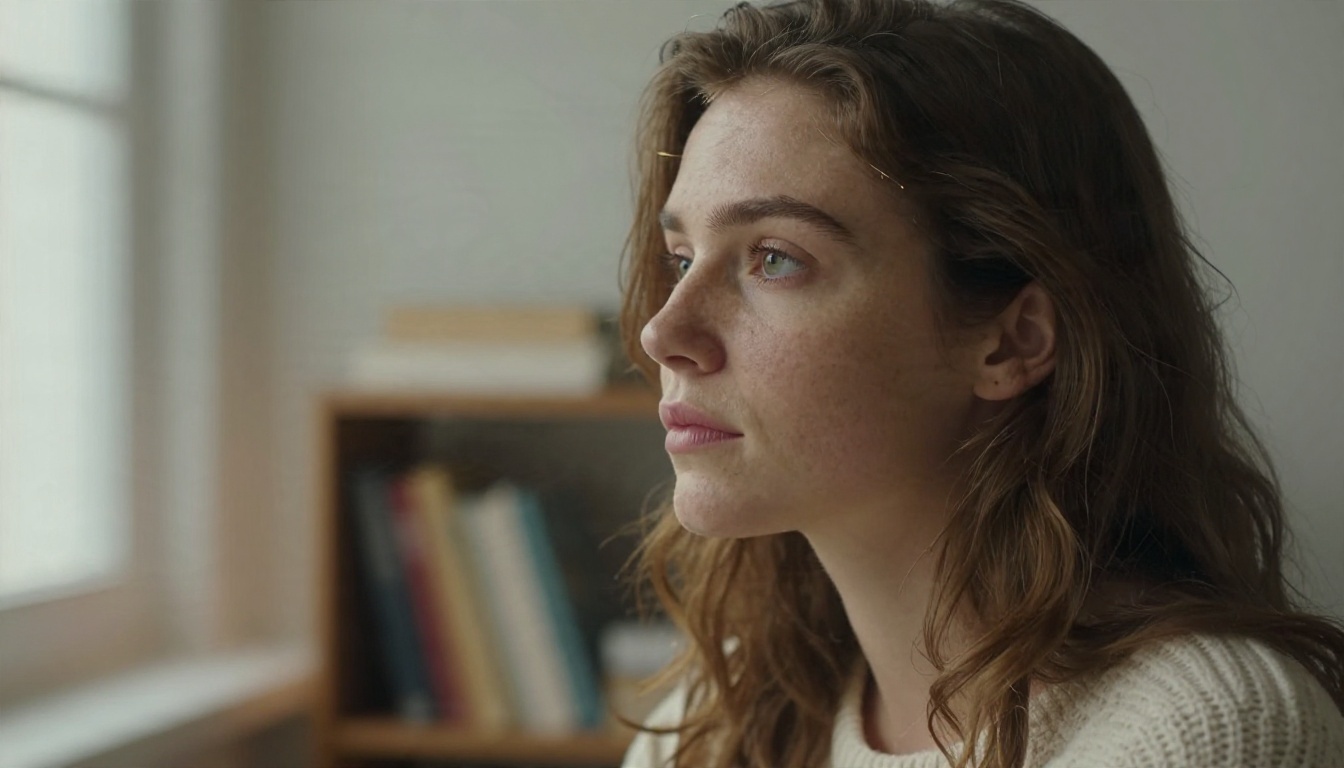
Portrait Prompt
Portraits are where Grok shows the biggest gap between a lazy prompt and a good one. The two things that matter are the catchlight in the eyes and a single, directional light source.
Close-up portrait of a young woman with freckles and wavy chestnut hair looking calmly toward a tall window, a loose cream knit sweater on her shoulders, in a sunlit apartment with pale plaster walls and a blurred wooden bookshelf behind her. Soft directional window light from the left sculpts her cheekbones, with a subtle catchlight in each eye. Shot on 85mm f/1.8 lens at eye level, shallow depth of field, visible skin pores, fine baby hairs lit like a halo, Kodak Portra 400 film grain, natural warm tones.
Setting tip: 4:5 or 3:4 ratio, higher quality pass.
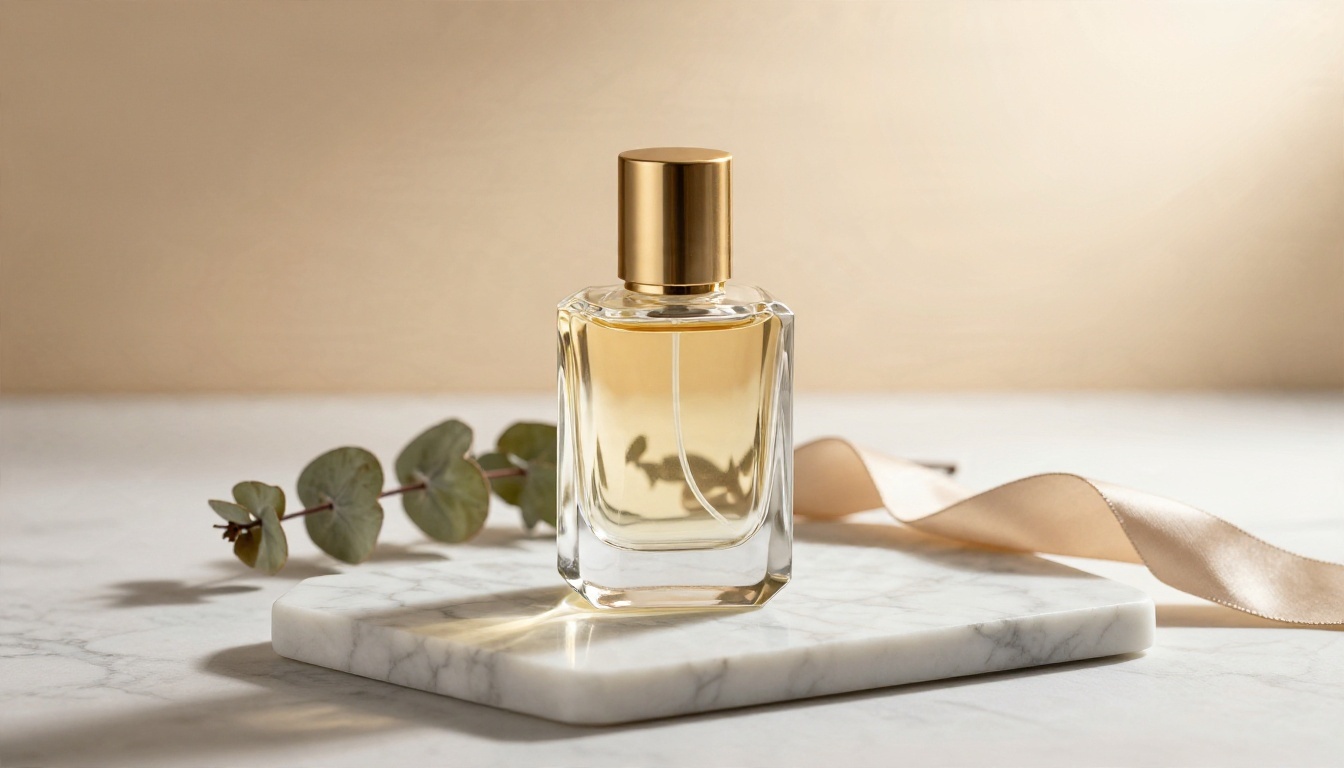
Product Prompt
Product shots need clean backgrounds and believable reflections. Tell Grok to leave the label blank, or it may invent unreadable lettering.
Product photograph of a faceted glass perfume bottle with a brushed gold cap standing on a slab of white Carrara marble with grey veins, a single dried eucalyptus sprig and a folded silk ribbon beside it. Plain warm beige backdrop, soft diffused studio softbox light from upper right, gentle reflections on the glass and a long soft shadow on the marble. Shot at a low three-quarter angle with 100mm macro lens at f/4, crisp edges, fine surface texture, subtle film grain, no text on the label.
Setting tip: 1:1 ratio for marketplaces, then crop to taste.
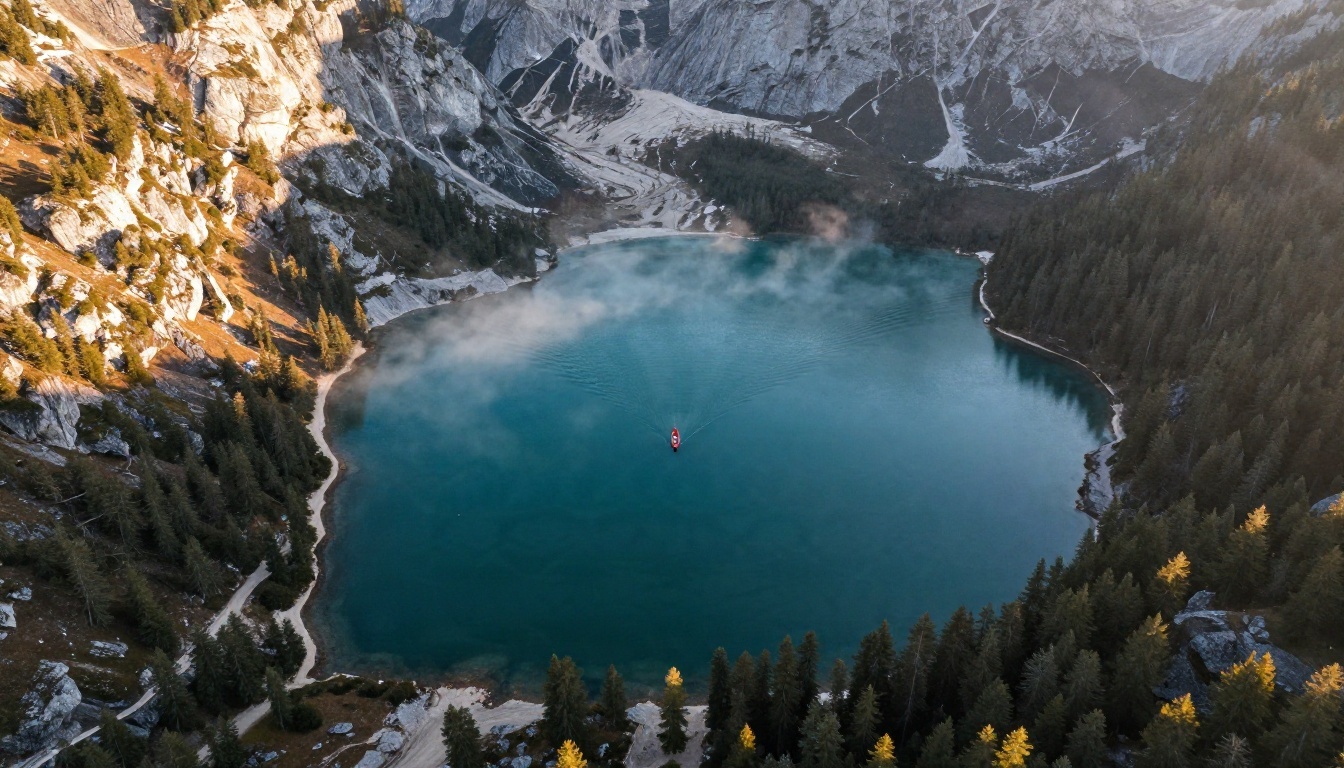
Landscape Prompt
For landscapes, a small human element gives the scene scale. One rowboat, one hiker, one cabin. Without it the image reads as a wallpaper.
Aerial drone view looking straight down at a turquoise alpine lake surrounded by dark pine forest and grey granite ridges, thin morning mist drifting over the water, a lone red wooden rowboat leaving a faint V-shaped wake. Low golden sunrise light from the east throws long shadows across the slopes, snow patches on the highest peaks. Shot on 24mm wide lens at f/8, high altitude, crisp rock texture, natural saturated yet realistic color, subtle film grain, serene atmosphere.
Setting tip: 16:9 or 21:9 ratio.
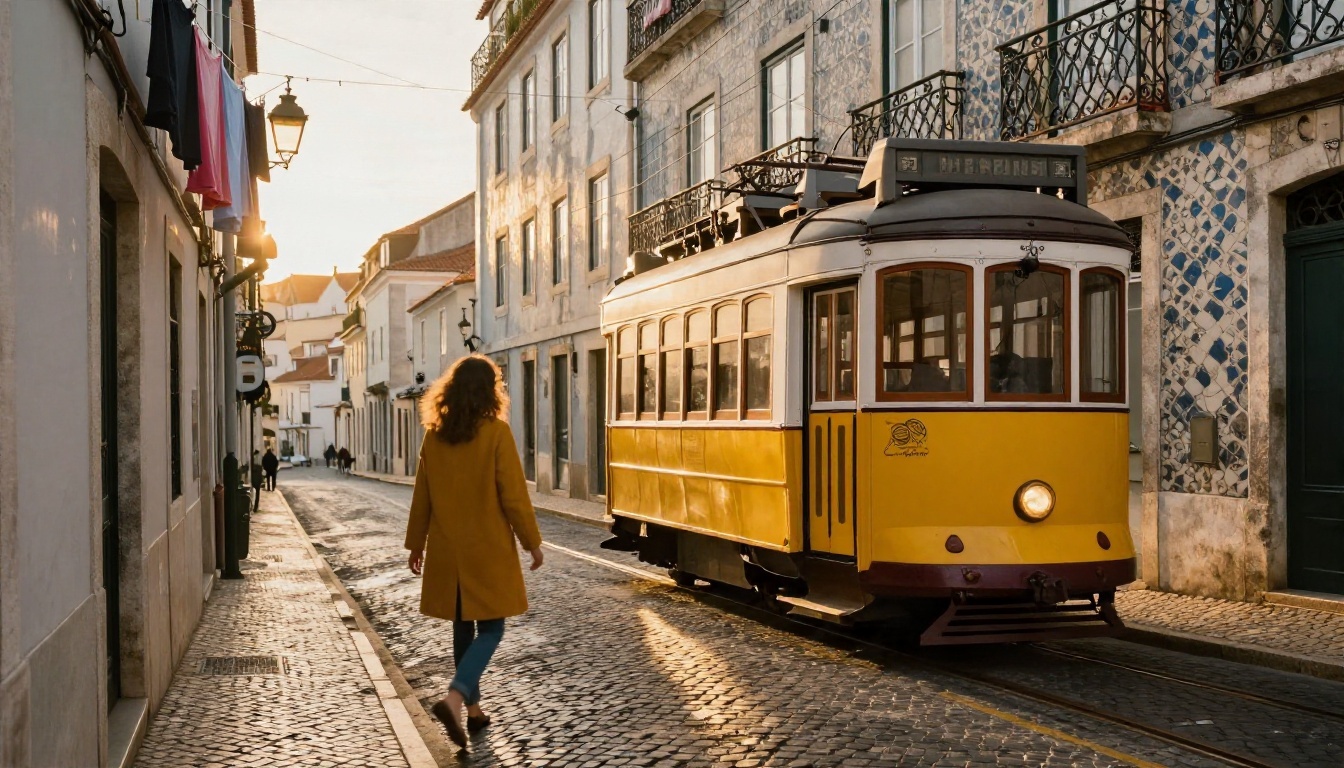
Street Scene Prompt
Street photography benefits from motion and layers: a foreground subject, a midground vehicle and a background of buildings. Name a real city, because place names carry architecture, color and light with them.
Street photograph at golden hour in a steep cobblestone lane of Lisbon, a vintage yellow tram climbing past pastel tiled facades with wrought iron balconies, a woman in a mustard coat crossing in the foreground with motion in her stride, laundry hanging high above. Warm low sun from behind the tram creating rim light and long shadows on the stones. Shot at 50mm f/2 from knee height, slight lens flare, authentic worn textures, Kodak Portra 400 grain.
Setting tip: 3:2 or 16:9 ratio.
Food Prompt
Food photography lives or dies on texture and steam. Use a dark surface for contrast and a straight-down angle for tidy composition.
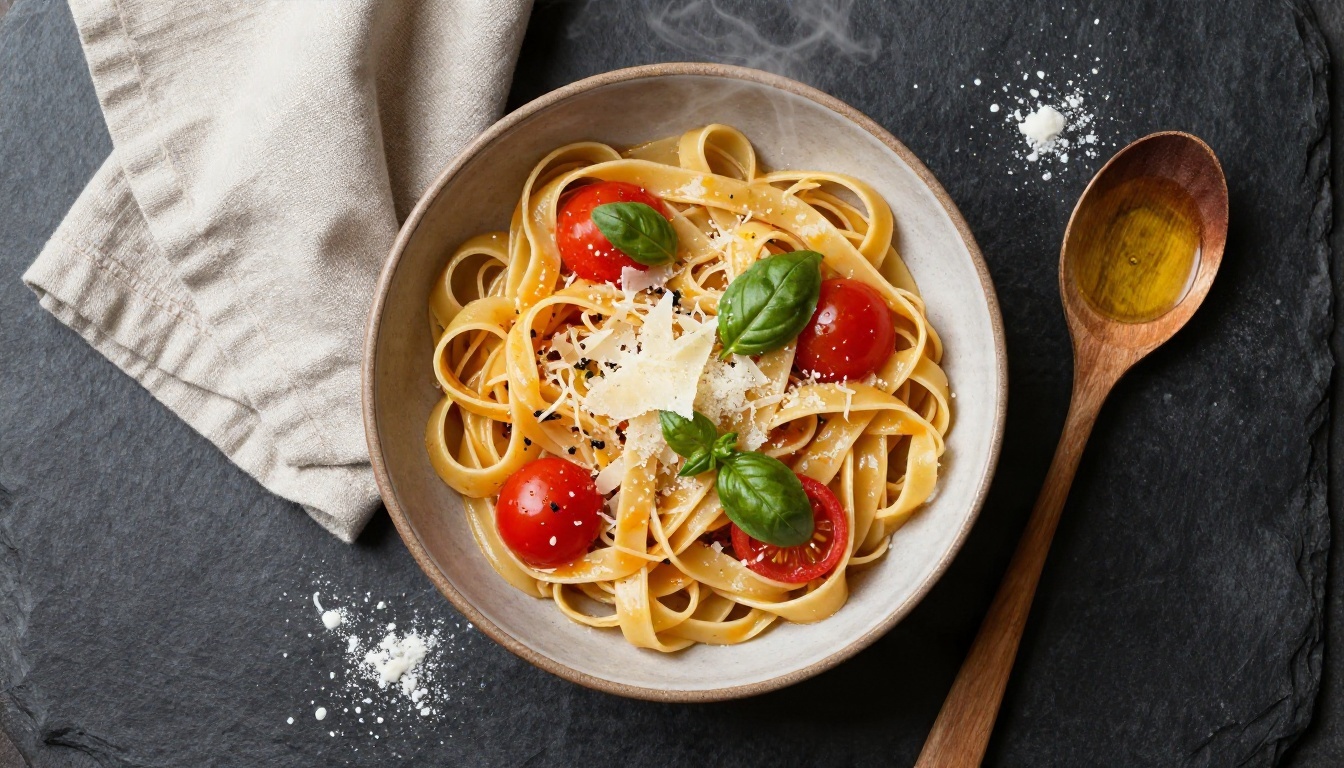
Overhead flat lay of a rustic bowl of fresh tagliatelle with cherry tomatoes, basil leaves and shaved parmesan on a dark slate table, beside a linen napkin, a small bowl of olive oil, a wooden spoon and scattered flour. Soft window light from the left creating gentle shadows and glossy highlights on the sauce, steam rising faintly. Shot straight down with 50mm lens at f/4, crisp food texture, visible pasta ribbons and cheese crumbs, natural warm colors, subtle film grain.
Setting tip: 1:1 or 4:5 ratio.
Interior Prompt
Interior prompts need straight verticals. Asking for a tilt-shift lens at eye level keeps walls from leaning inward, a common flaw in wide shots.
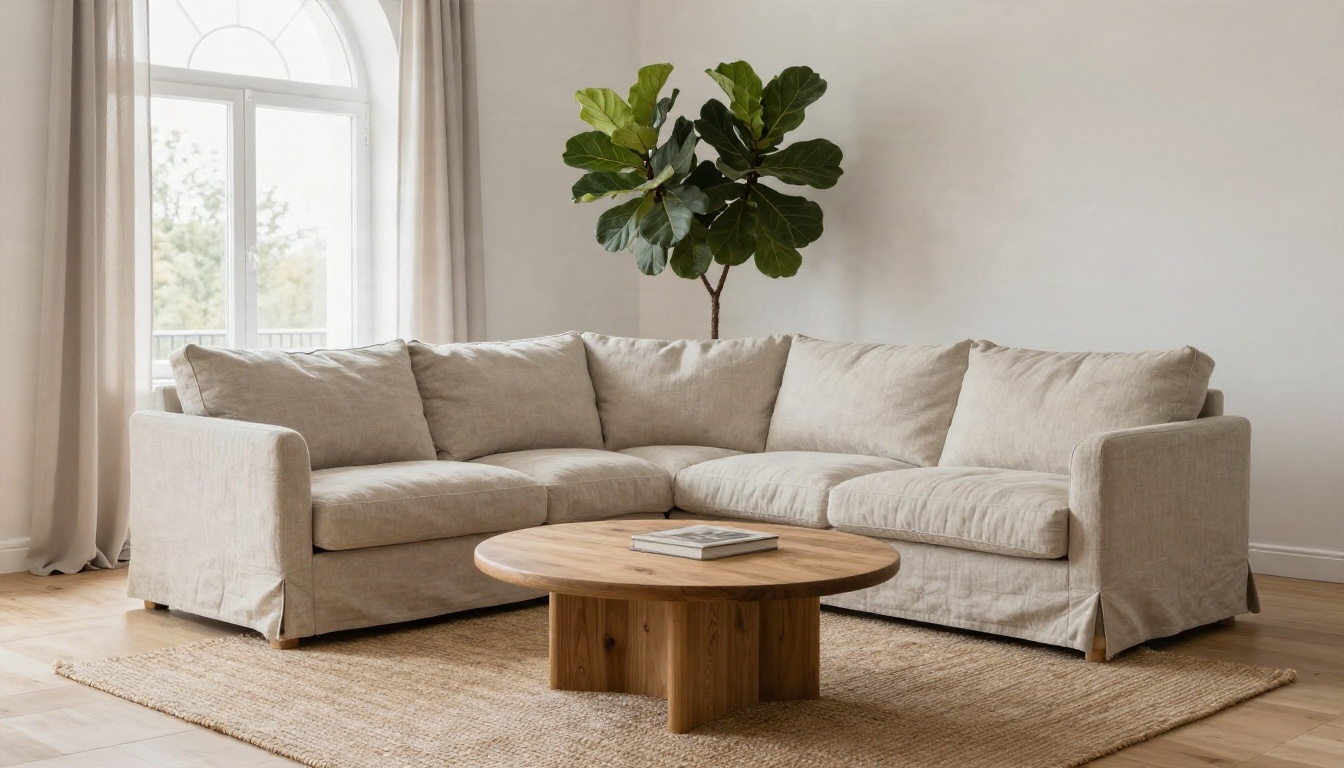
Wide interior photograph of a Scandinavian living room with a low oatmeal linen sofa, a round oak coffee table, a woven jute rug and a tall fiddle leaf fig, large arched window with sheer curtains, pale oak floor and white walls. Soft overcast daylight from the right fills the room evenly with gentle shadow gradients on the textiles. Shot at eye level with 24mm tilt-shift lens at f/8, straight vertical lines, tactile fabric weave, wood grain detail, muted natural palette, fine film grain.
Setting tip: 16:9 or 3:2 ratio.
Macro Prompt
For macro, describe the backlight and the bokeh color. Both help the subject separate from a busy background.
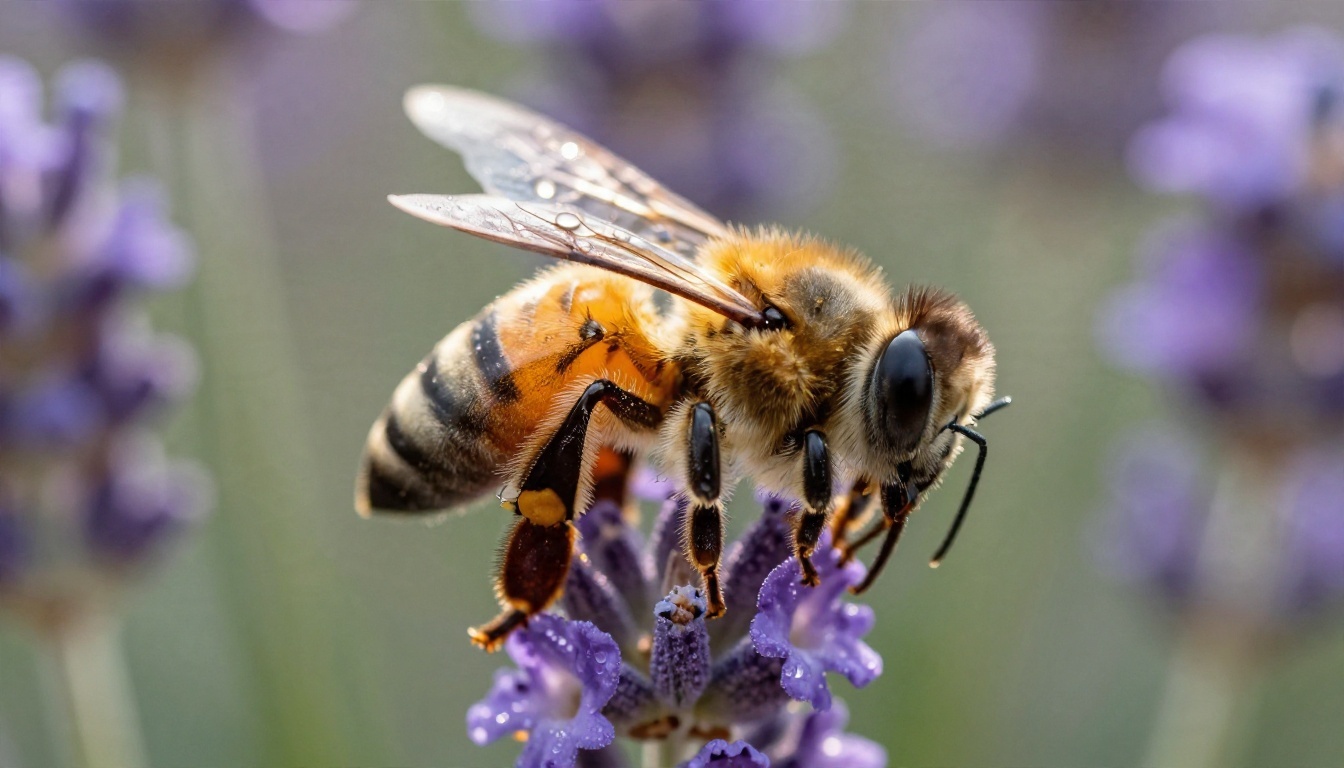
Extreme macro photograph of a honeybee clinging to a purple lavender sprig, pollen dusting its fuzzy golden thorax, translucent wings catching backlight, dew beads on the petals. Background of a lavender field melted into soft violet and green bokeh under low morning sun from behind. Shot with 100mm macro lens at f/2.8 from eye level with the insect, razor sharp compound eye and hair detail, natural color, subtle film grain.
Setting tip: 3:2 ratio, high quality, and run a batch, since macro anatomy varies from seed to seed.
Wildlife Prompt
Wildlife shots feel real when the telephoto compression is stated. A 400mm lens flattens the background into soft shapes, which is exactly how nature photographers shoot.
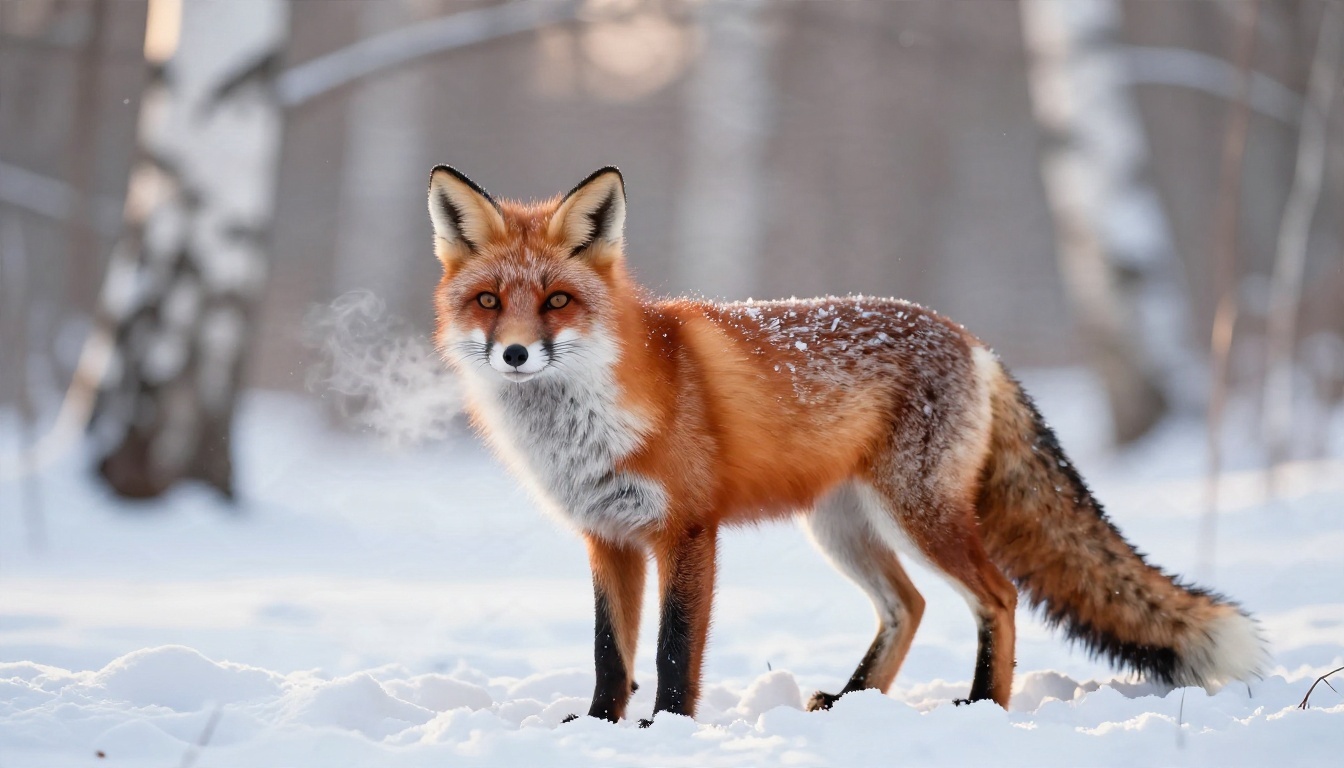
Wildlife photograph of a red fox standing alert in deep fresh snow at the edge of a birch forest, breath visible in cold air, thick orange winter coat dusted with snowflakes, ears turned forward, amber eyes fixed on the camera. Pale blue dawn light filtering through the trees with a soft warm glow on its fur. Shot on 400mm telephoto at f/4 from a low ground-level angle, compressed background, fine fur texture, gentle snowfall grain, natural colors.
Setting tip: 3:2 or 16:9 ratio.
Fashion Prompt
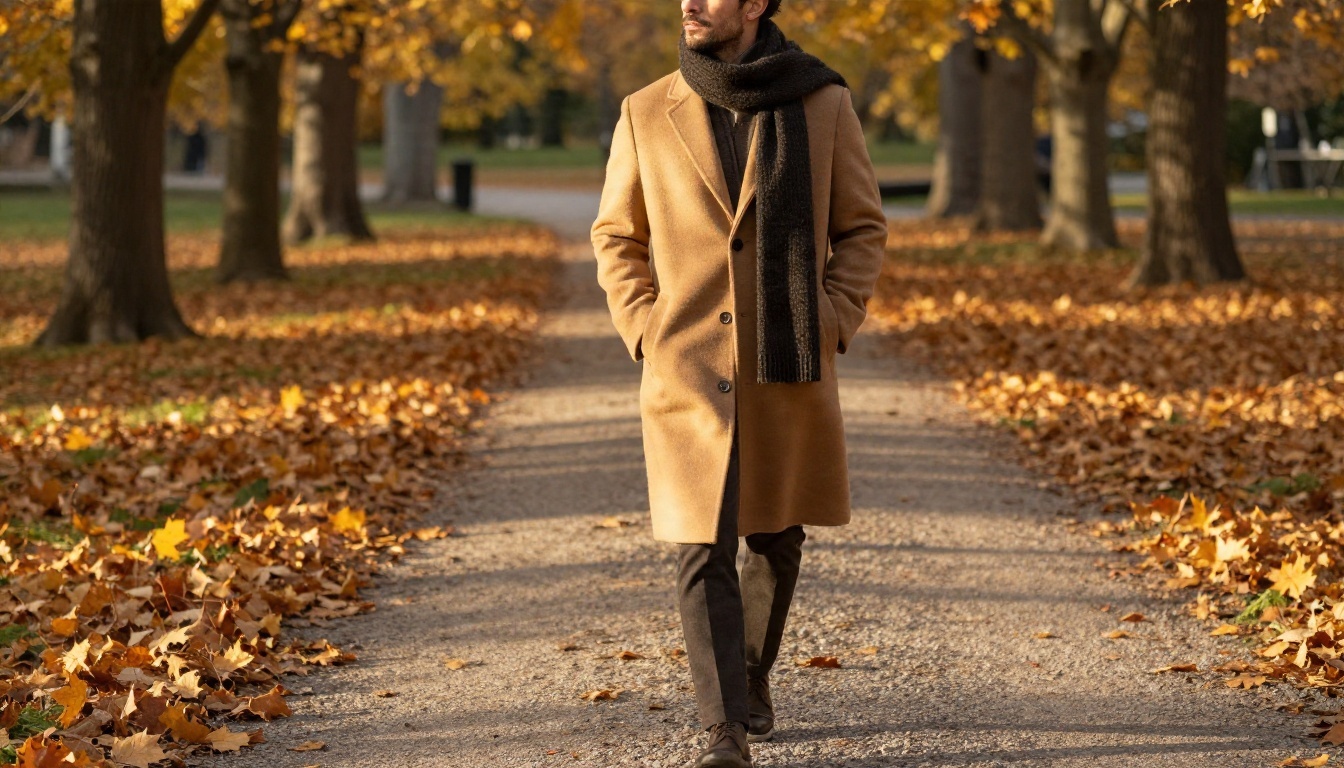
Fashion prompts need fabric names. "Camel wool overcoat" gives the model far more to work with than "nice coat."
Fashion editorial photograph of a man in a camel wool overcoat and dark knit scarf walking along a gravel path in an autumn park, golden maple and beech leaves scattered on the ground, hands in pockets, looking off to the side with a relaxed expression. Warm late afternoon sunlight from behind and right creating rim light on the coat fibers and long soft shadows. Shot on 70mm f/2.8 lens from a low three-quarter angle, creamy background bokeh, visible wool texture, Kodak Portra 400 grain.
Setting tip: 4:5 ratio for social, 16:9 for editorial headers.
Styles That Work and Styles to Skip
Grok handles many looks, but photographic styles give the least random output. Here is how common style words behave.
Style word
Result
Verdict
Kodak Portra 400
Warm skin tones, soft grain
Excellent for portraits and lifestyle
Overcast softbox light
Even, flattering, low contrast
Excellent for product and interior
Golden hour rim light
Warm glow, long shadows
Excellent for street and fashion
Black and white film
Strong contrast, timeless feel
Good, name the film stock
Cinematic
Vague, often adds teal and orange
Use only with a lens and light
Hyper-realistic 8K
Overprocessed, plastic skin
Skip, use real camera terms
Trending on art sites
Pulls toward illustration
Skip for photos
💡 Pattern to notice: Words that describe a real camera, real light or real film stock beat words that describe a vibe. "8K masterpiece" asks for nothing specific, while "50mm f/2 from knee height" asks for a lot.
How to Use Grok Imagine on PicassoIA
Grok Imagine Image 2 is on PicassoIA, so you can run every prompt above without extra setup. Here is a clean workflow.
A good habit: run the same prompt in two models and keep the better frame. The prompt formula works across all of them.
Mistakes That Waste Generations
Most failed generations trace back to five habits.
Stacking style words. "Cinematic, epic, ultra detailed, masterpiece, 8K" contains no information. Replace the whole string with one lens, one light and one film stock.
Skipping the light. Without a stated light direction, Grok defaults to flat, even lighting. Flat lighting is the biggest reason images look artificial.
Asking for text. Long words on signs and labels usually come out garbled. If you need text, limit it to one or two short words in quotation marks, and expect to run a few batches.
Contradicting yourself. "Dark moody night scene with bright sunny lighting" forces the model to average two ideas. Pick one mood.
Ignoring the ratio. A prompt written for a tall portrait will not work in a wide frame. Rewrite the framing for the shape you chose.
💡 Fix for plastic skin: Add "visible skin pores, fine baby hairs, natural skin texture" and remove words like "flawless" or "perfect," which push the model toward airbrushed results.
Try Your Own Prompts Today
You now have nine prompts, a formula and a settings checklist. The fastest way to improve is to run them, change one detail, and compare. Take the portrait prompt and move the light from left to right. Take the street prompt and swap Lisbon for Marrakech. Take the product prompt and change marble to dark walnut. Each small edit teaches you how the model reads your words.
Open Grok Imagine Image 2 on PicassoIA, paste a prompt, and generate your first batch. When you want to compare other engines, browse every option at picassoia.com/en/all-models and run the same prompt through a few of them. Your best images will come from the prompts you rewrite yourself.