Most image generator comparisons show you a mountain landscape and a cartoon fox, then leave you guessing how the same tool handles skin, fabric, wet hair and window light. That is not what people actually search for. If you want suggestive, glamour style photos, you need to see swimwear, boudoir and evening looks, and you need to know which models are free, which are fast, and which settings stop faces from turning waxy. This image gen comparison is built around exactly that: real prompt examples, a clear scorecard, free options, and a settings sheet you can copy today.
Everything here stays non-explicit. We are talking bikinis, lingerie lighting, satin dresses and magazine style glamour, the kind of imagery that looks like a summer fashion issue, not adult content. All people shown are adults, and all examples are photorealistic.
How the Comparison Works
Before looking at a single picture, it helps to agree on what "better" means. Two models can both produce a pretty woman on a beach and still differ wildly in the details that make a photo believable.
Five Scores That Matter
Every model in this comparison is judged on the same five things:
| Score | What to look for | Why it matters |
|---|
| Skin realism | Pores, freckles, tiny hairs, natural sheen | Plastic skin is the fastest giveaway of an AI image |
| Fabric and material | Silk sheen, lace pattern, wet cotton, knit texture | Swimwear and lingerie live or die on texture |
| Anatomy | Hands, shoulders, proportions, jewelry placement | One extra finger ruins an otherwise perfect shot |
| Lighting logic | Shadows that match the light source | Wrong shadows make a photo feel pasted together |
| Speed and cost | Seconds per image, free or paid, limits | You will rerun prompts many times, so this adds up |
💡 Tip: Run the same prompt and the same seed on every model you test. Changing two things at once tells you nothing.
What Counts as NSFW Here
"NSFW" is a wide label. For this article it means suggestive and attractive, not pornographic. Think bikinis, sheer robes, lingerie in a hotel suite, bare shoulders in satin. The goal is aesthetics: light, mood, fabric, confidence. Prompts that stay in this lane also tend to produce better photos, because models trained on fashion and editorial imagery know that territory well.
NSFW Image Examples
These are the kinds of results a good prompt gives you. Each image below was built from a prompt that names the pose, the location, the light direction, the lens and the film look.
Swimwear and Beach Scenes
Swimwear is the easiest place to judge a model, because it combines skin, water, wind and fabric in one frame.
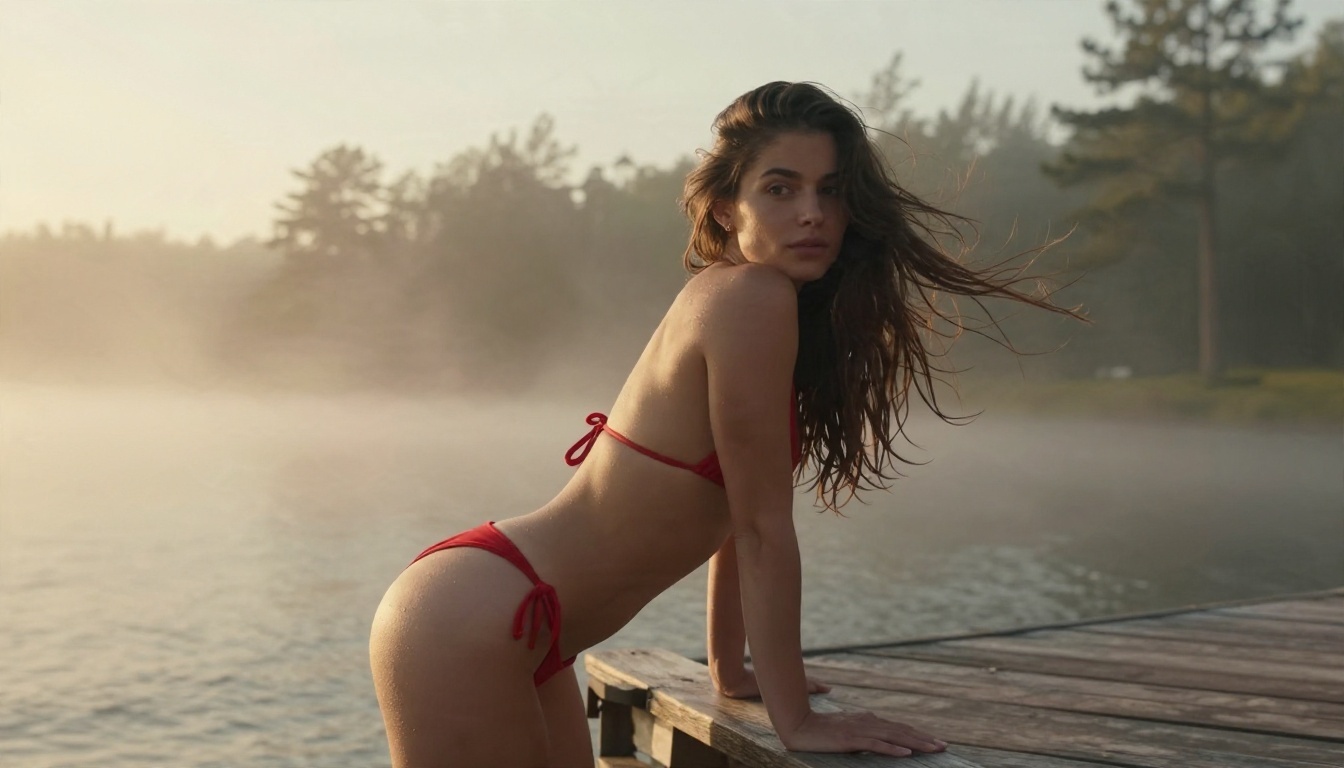
The pier shot works because the prompt gives the model a light direction (soft golden light from the left) and a lens (50mm f/1.8). That pair of details alone pushes most generators toward natural shadows and soft background blur. Notice the water droplets on the skin: asking for them gives the surface believable micro texture.
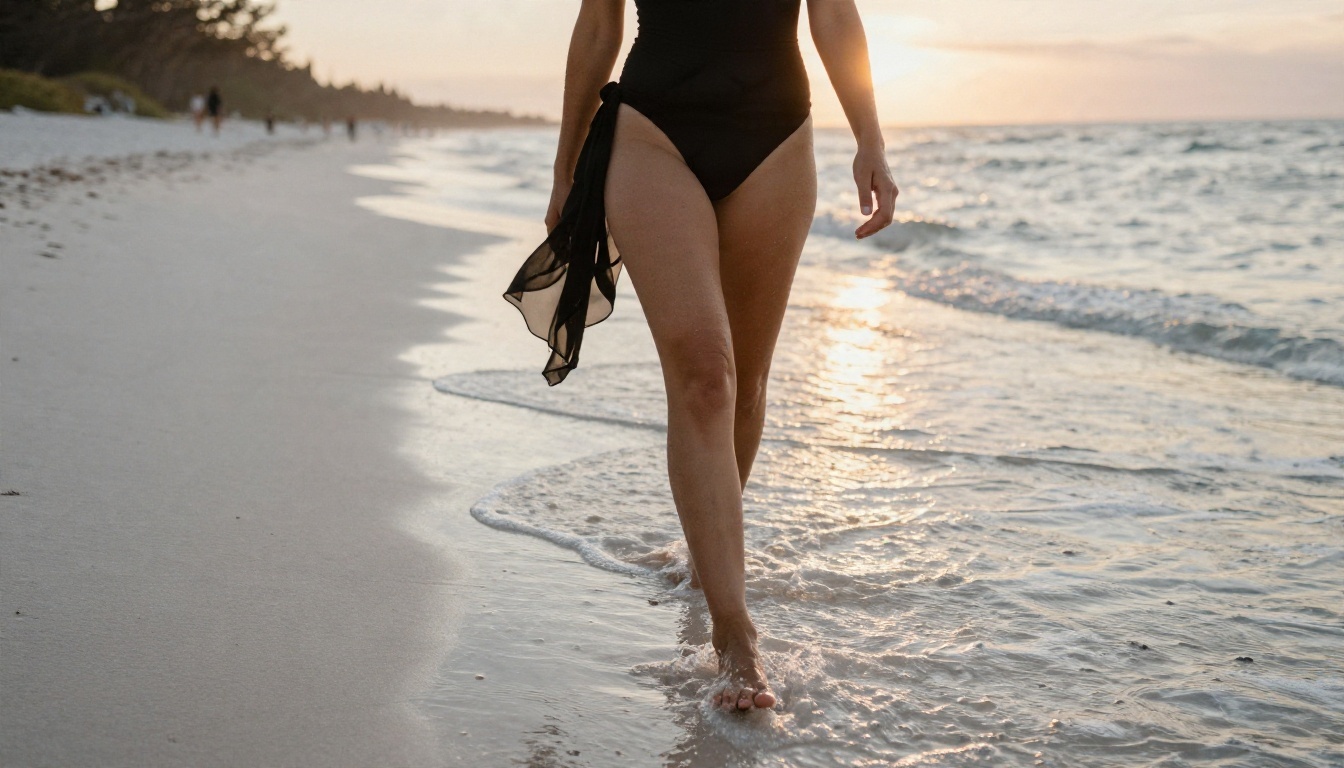
Low-angle beach scenes are a stress test. The long shadow, wet sand reflections and backlit shoulders all have to agree with each other. If a model gets the shadow direction wrong here, it will get it wrong everywhere.
Boudoir and Lingerie Lighting
Indoor glamour is mostly a lighting problem. Hard flash looks cheap; soft window light looks expensive.
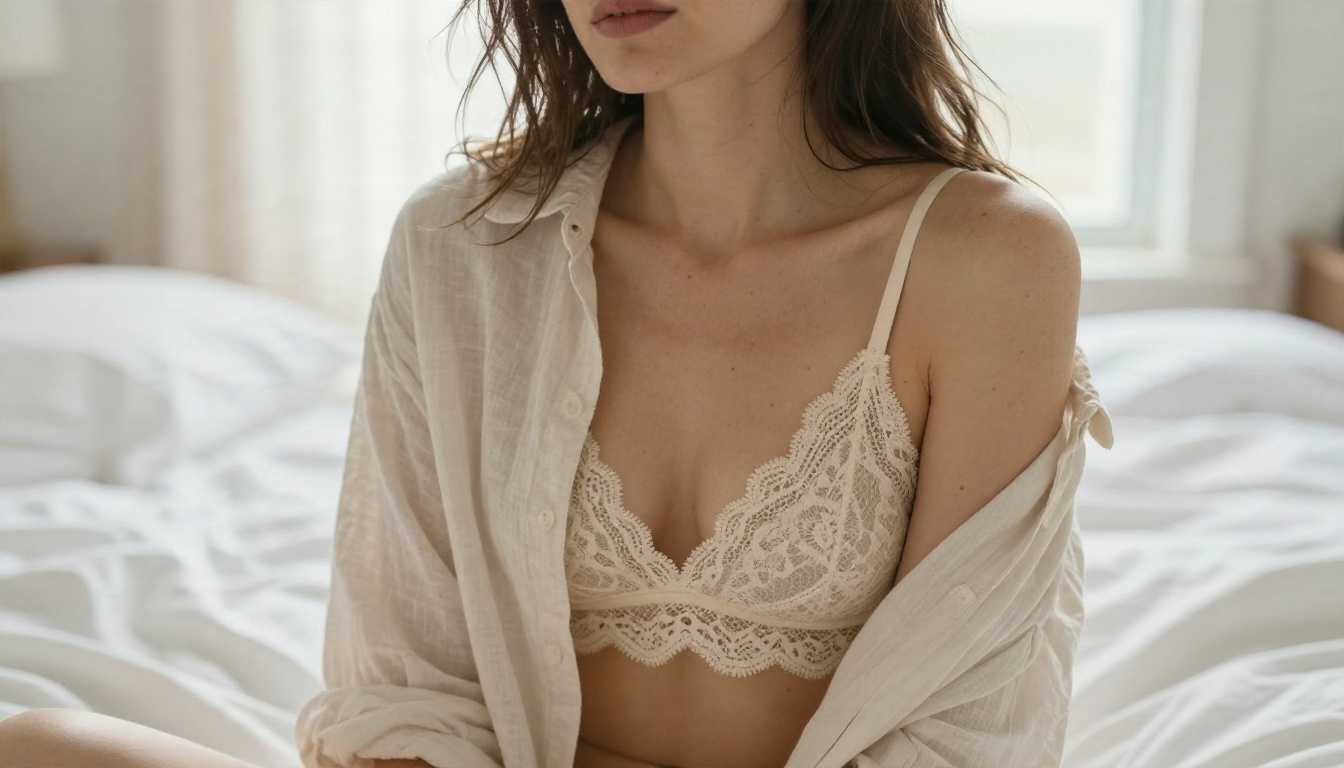
A tight 85mm f/1.4 head and shoulders crop forces the model to spend all its effort on face and skin. This is where weak models show waxy cheeks and dead eyes. Good ones keep freckles, flyaway hair and the soft falloff of window light across the face.
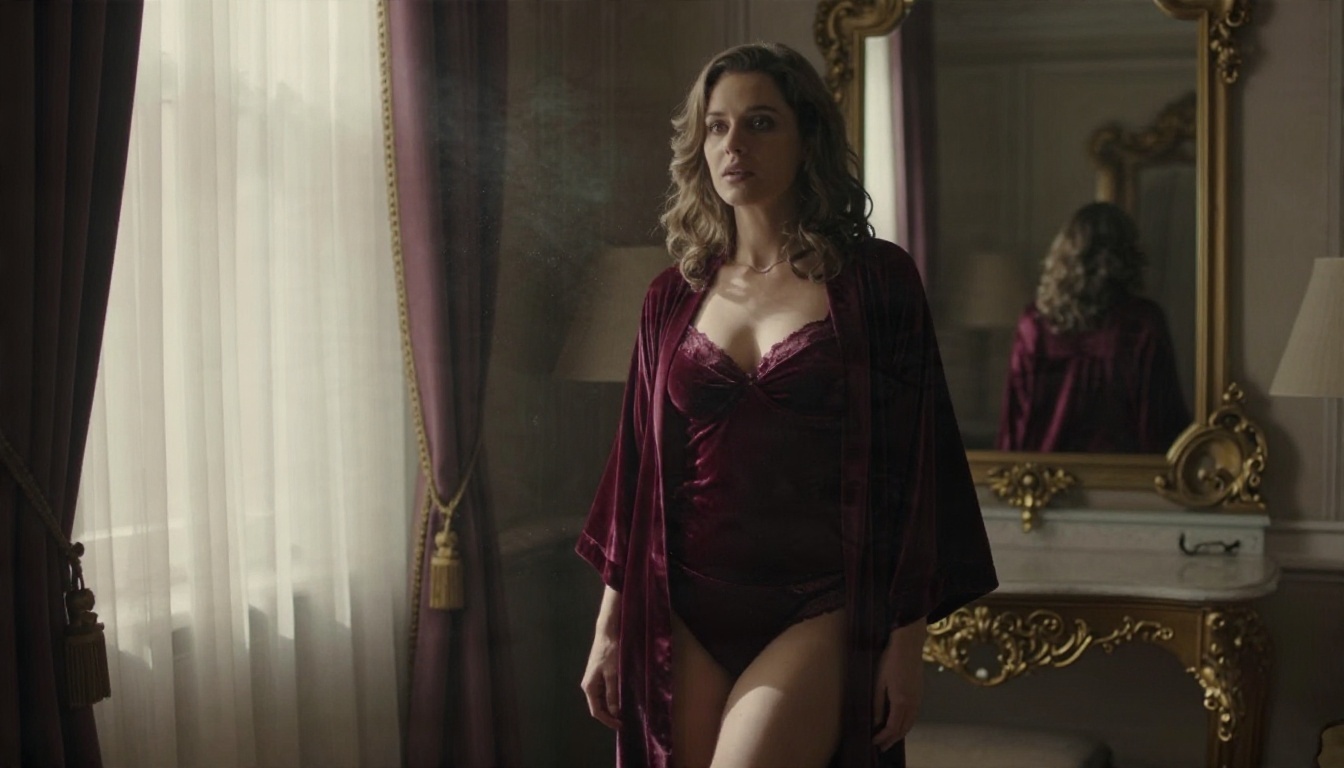
Here the test is multiple materials in one frame: velvet, silk, antique mirror glass and heavy curtain. A strong model keeps each texture distinct instead of blending everything into one shiny surface.
Evening Glamour
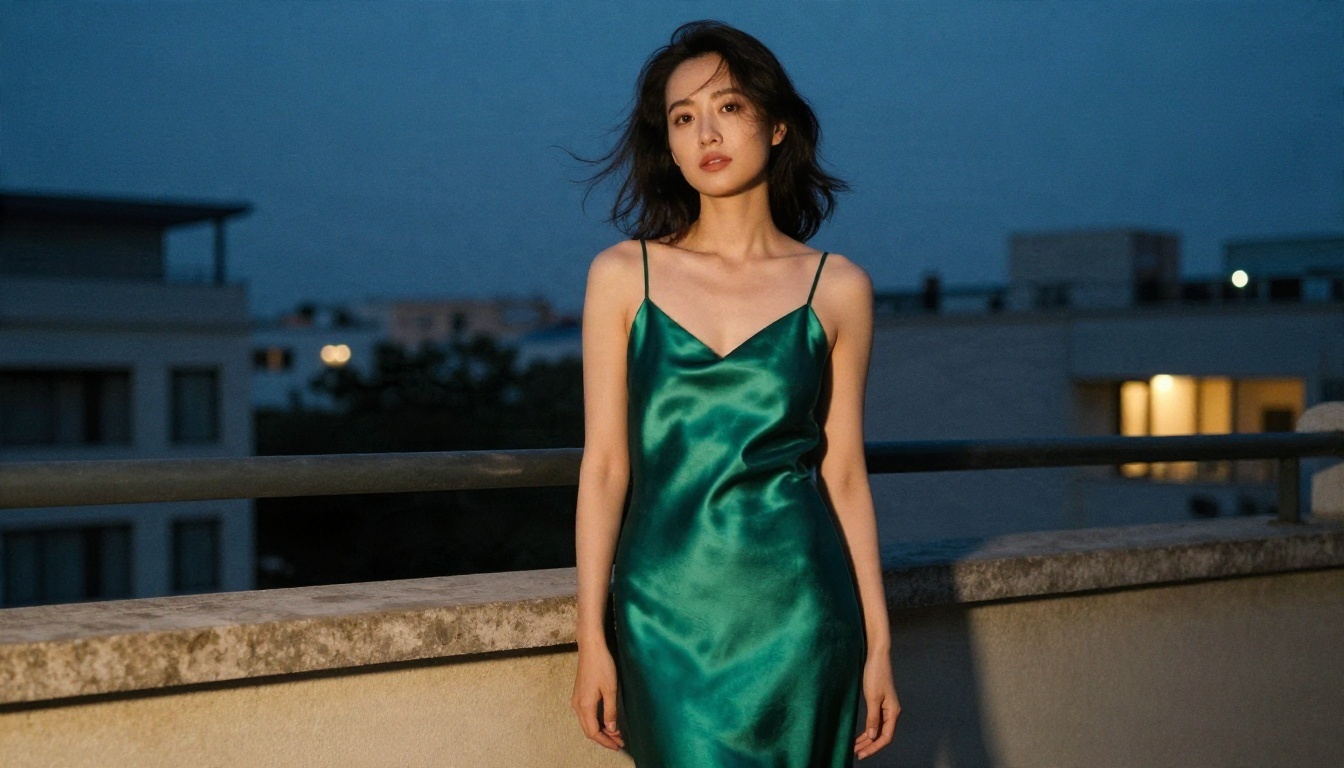
Mixed light is the hardest lighting setup in portrait work: warm lamp light from behind, cool twilight sky in front. Prompts that name both sources produce far more convincing results than "evening light" alone.
Model by Model Breakdown
Here is how the main text-to-image options on PicassoIA fit this kind of work. These are practical impressions of where each model sits, so run your own test with the scorecard above before settling on one.
Seedream 4.5 Comes First
For photoreal glamour, start with Seedream 4.5. It outputs up to 4K, follows long prompts closely, and handles skin, fabric and lighting language well. That makes it the best first stop when your prompt includes details like "satin sheen", "salt crystals on the shoulder" or "rim light from the left". It is also the model to use when you want the final, frame worthy version of an idea you drafted on a faster model.
Image Editor Pro for Unlimited Runs
PicassoIA Image Editor Pro is the one to open when you want to iterate without watching a counter. It offers unlimited generations, which changes how you work: instead of agonizing over one perfect prompt, you can test ten variations of pose, outfit and light in a row. It also doubles as an editor, so you can adjust an existing photo instead of starting over.
Z Image Turbo and Flux 2 Klein
Z Image Turbo is built for speed and gives sharp results in seconds, which makes it ideal for drafting compositions. Flux 2 Klein 4B Base is a lighter model in the Flux 2 family and a solid choice when you want fast generations with good prompt adherence. Use both as sketch tools: lock the composition, then move the best prompt to a larger model.
Hunyuan Image 3 and Qwen Image 3
Hunyuan Image 3 produces sharp images with strong scene understanding, so it copes well with busy environments like the hotel suite example. Qwen Image 3 is positioned around photorealistic output and is worth testing when faces and skin are the priority. If you want a second opinion on a prompt, these two give you a different "look" from Seedream, which is useful when one model keeps misreading your lighting.
Quick Reference Table
| Model | Best for | Speed | Use it when |
|---|
| Seedream 4.5 | Final quality, up to 4K | Medium | The prompt is detailed and the result matters |
| Image Editor Pro | Unlimited iteration and edits | Fast | You want to test many variations |
| Z Image Turbo | Quick drafts | Very fast | You are still choosing a composition |
| Flux 2 Klein 4B Base | Lightweight, prompt faithful | Fast | You want a second draft style |
| Hunyuan Image 3 | Busy scenes, sharp detail | Medium | Backgrounds are complex |
| Qwen Image 3 | Photorealistic faces | Medium | Skin realism is the priority |
⚠️ Heads up: Content filters differ between models and can change over time. If a model refuses a suggestive but tasteful prompt, switch models instead of rewording the same request ten times.
Free Models Worth Using
"Free" is where most people start, so it deserves honest treatment. Free does not mean bad, but it usually means a trade.
Speed First Options
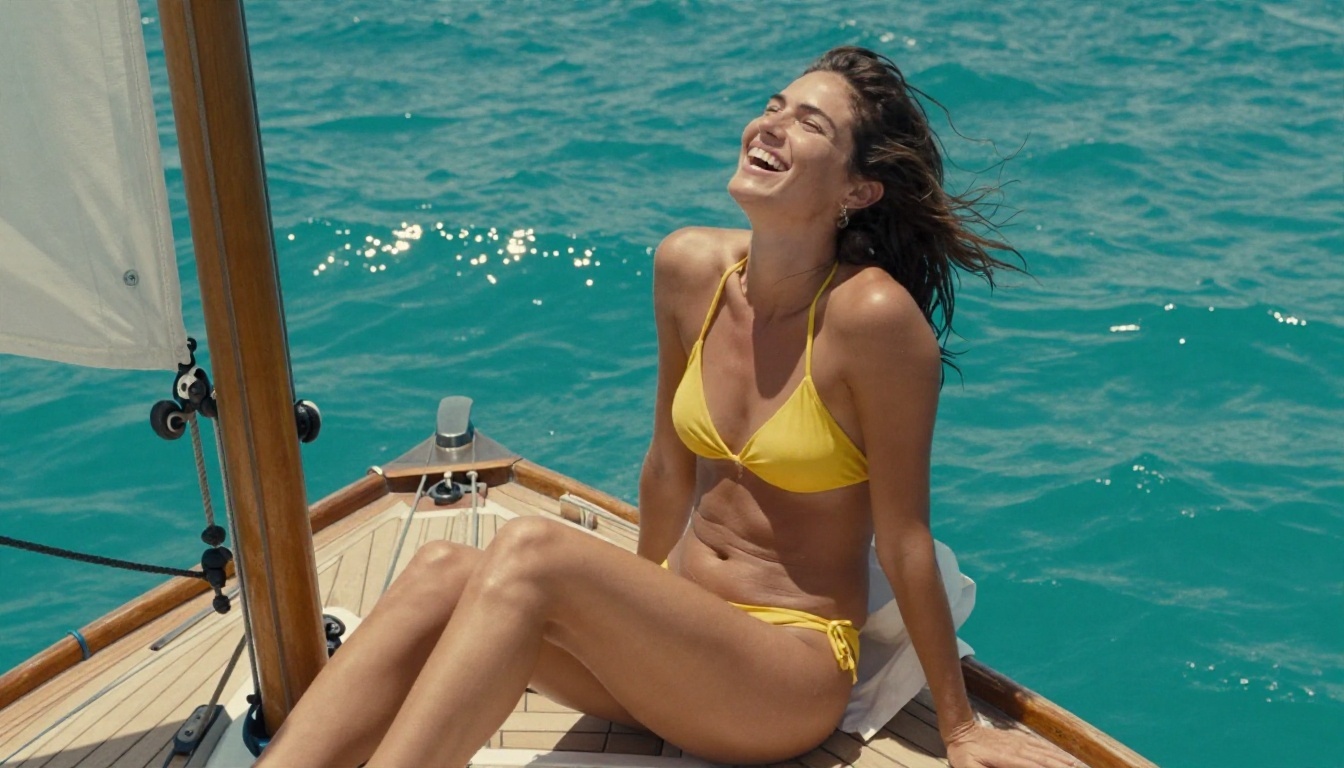
A candid, laughing, wind-blown shot like this is a good test for fast models. Movement and expression are harder than a posed portrait, and quick generators often stiffen faces. A few free or low cost options on PicassoIA are worth trying:
What Free Usually Costs You
| Trade off | What you may notice |
|---|
| Lower resolution | Soft detail in hair, lace and skin when you zoom in |
| Fewer steps | Faster images, but weaker fabric texture |
| Simpler prompt reading | Long, detailed prompts get partially ignored |
| Usage limits | A cap on daily generations, which slows iteration |
The smart workflow is to draft on a fast model, finish on a strong one. Use Z Image Turbo or Flux Schnell to pick a composition, then rerun the best prompt on Seedream 4.5 for the final render.
Prompts That Work
A good prompt reads like a photographer's shot list. It does not describe a feeling; it describes what the camera sees.
The Five Part Formula
Build every prompt in this order:
- Subject and pose: "adult woman in a black silk two-piece, seated on the edge of a daybed, looking toward camera"
- Environment: "private villa terrace, whitewashed balustrade, calm sea behind"
- Lighting: "warm low sun from camera left, soft bounce from white linen"
- Camera and lens: "85mm f/1.8, shallow depth of field, eye level, thighs up"
- Texture and film look: "visible pores, freckles, silk sheen, Kodak Portra 400, fine grain"
Keep the order consistent. Models weigh the start of a prompt more heavily, so the subject and the light should come early.
Three Prompts to Copy
Beach golden hour:
Adult woman in a red bikini leaning on a wooden pier railing at sunrise, looking over her shoulder, misty lake and pine trees behind, soft golden light from the left, 50mm f/1.8, water droplets on skin, Kodak Portra 400 grain, raw photograph.
Window boudoir:
Close-up of an adult woman in a cream lace bralette and open linen shirt by a tall window, soft diffused morning light from the right, blurred white sheets behind, 85mm f/1.4, natural pores and freckles, tousled hair, film grain.
Evening glamour:
Adult woman in an emerald satin slip dress on a hotel balcony at blue hour, warm lamp light behind her and cool twilight in front, 50mm f/1.8, slightly low angle, satin folds with realistic sheen, fine grain.
Words That Quietly Hurt Your Results
Some habits make photos worse:
- "Perfect skin" pushes models toward airbrushed plastic. Ask for natural skin texture instead.
- "8K, ultra detailed, masterpiece" piled on top of each other adds little. One mention of "raw 8K photograph" is enough.
- Style tags like "digital art" or "3D" pull the image away from photography. Stay with camera and film language.
- Vague light such as "nice lighting" gives you flat results. Name the direction and the quality.
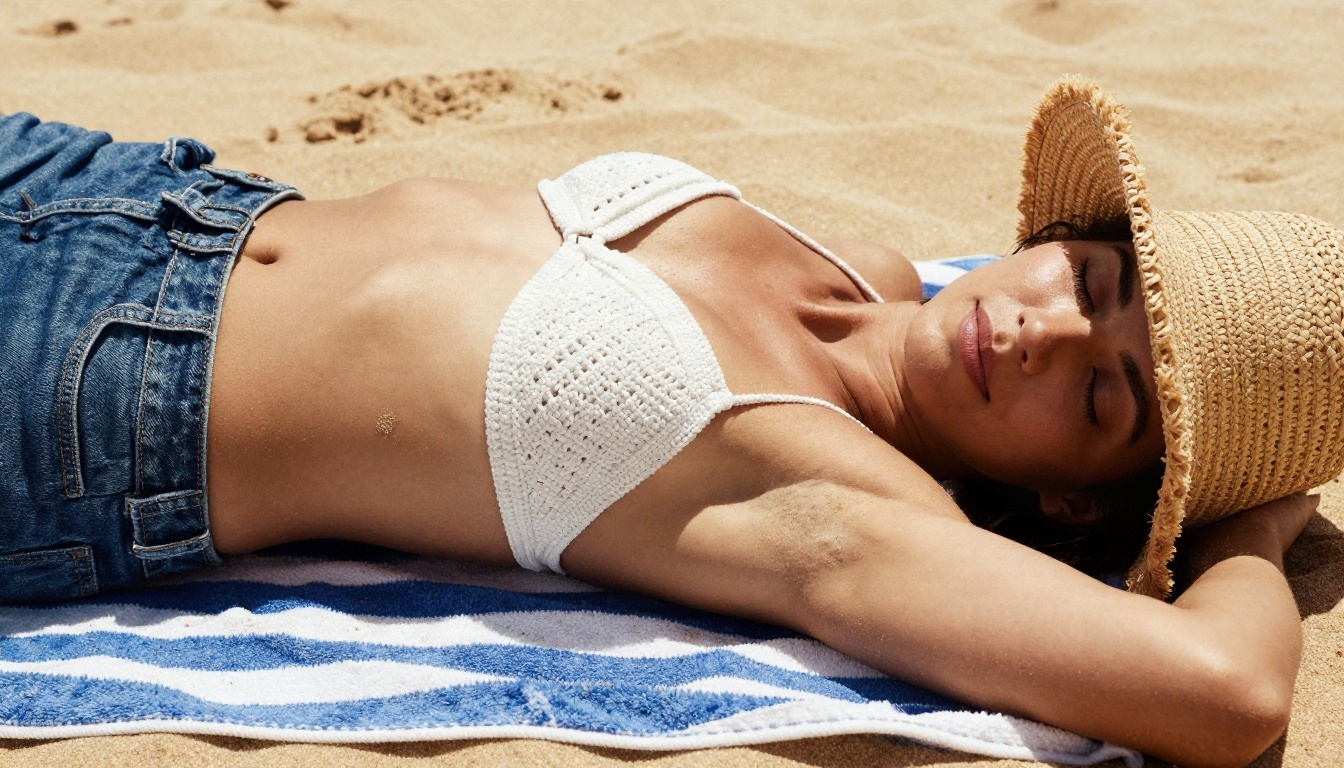
This close, sun-warmed shot shows what the "natural skin" wording buys you: sand grains, fine hairs and a shadow from a straw hat that softens harsh midday light.
Settings Cheat Sheet
Prompts get the attention, but settings decide whether the output is sharp or mushy.
Aspect Ratio and Resolution
| Use case | Ratio | Tip |
|---|
| Blog headers, wide scenes | 16:9 | Leaves room for environment and mood |
| Portraits and social posts | 3:4 or 4:5 | Keeps the face large in frame |
| Phone wallpapers | 9:16 | Pose the subject in the lower two thirds |
| Close-ups | 1:1 | Works well for skin texture checks |
Generate at the highest native resolution a model supports (up to 4K on Seedream 4.5), and only upscale after you pick a winner.
Seeds, Steps and Guidance
- Seed: Lock it when comparing models or tweaking a single detail. Change it when you want a fresh face or pose.
- Steps: More steps usually means finer detail on slower models. Fast "turbo" and "lightning" models are tuned for very few steps, so do not push them higher.
- Guidance or prompt strength: Moderate values keep skin natural. Pushing it too high gives contrasty, overcooked images.
- Batch size: Generate four at once, pick one, then refine. It is cheaper than rewriting prompts blindly.
Fixing Hands, Skin and Light
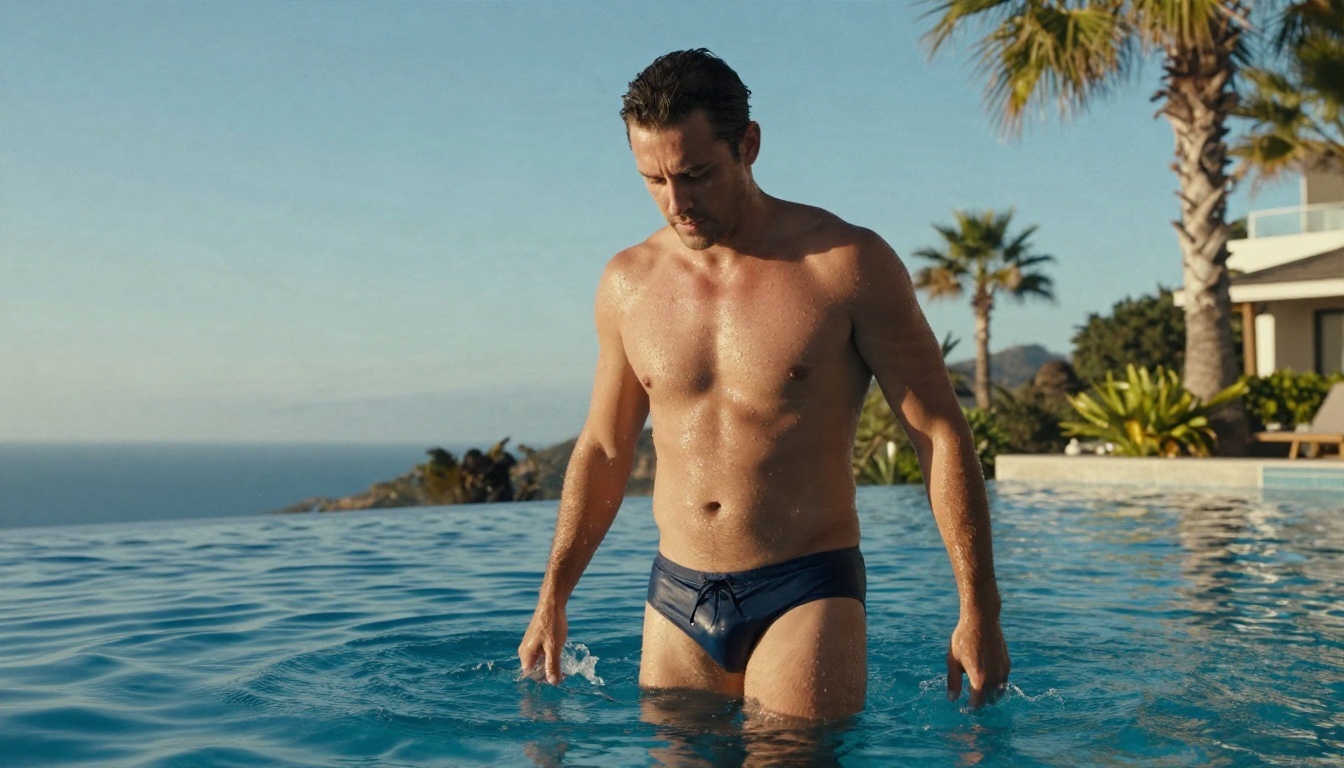
Everything above applies to male subjects as well. Wet skin, water streaming off the shoulders and strong backlight are the same challenges, just with different anatomy to check.
When something looks off, fix one thing at a time:
- Hands look wrong: Hide them. Prompt for a hand resting on a collarbone, in a pocket, or holding a glass.
- Skin looks waxy: Add "natural skin texture, visible pores, fine film grain" and remove "flawless" or "perfect".
- Lighting feels flat: Name the light direction and add a bounce source such as white linen or a pale wall.
- Face drifts between images: Keep the seed fixed and change only the clothing or location words.
Mistakes That Waste Credits
After many test runs, the same errors show up again and again:
- Switching models and prompts at the same time. You will never know which change helped.
- Writing a 300 word prompt for a fast model. Short models ignore the tail. Match prompt length to the model.
- Chasing explicit results. Explicit prompts get refused or filtered, and tasteful ones look better anyway. Suggestion beats exposure in photography.
- Skipping the draft stage. Spending a premium render on an untested idea is the quickest way to burn through a budget.
- Forgetting about editing. Often a good image only needs a small fix, such as an outfit color or background tweak. Image Editor Pro handles that without a fresh generation.
💡 Tip: Keep a simple notes file with the prompt, model, seed and a one line verdict for each test. After ten runs, you will have a personal playbook better than any generic list.
Run Your Own Test on Picasso IA
The fastest way to settle a comparison is to run it yourself. Pick one prompt from this article, paste it into Seedream 4.5 for the polished version, then open Image Editor Pro to iterate without limits. Add a draft run on Z Image Turbo, score all three with the table at the top, and keep the combination that fits your style.
Change one detail per run: the light direction, the lens, the outfit color. Within an hour you will know which model suits your taste and which settings you can trust. When you are ready to compare more options, browse the full catalog at picassoia.com/en/all-models and try your own glamour, swimwear and boudoir ideas on Picasso IA.


