Cloud chatbots love to say "I can't help with that" the moment a story turns romantic. A local LLM for porn and adult fiction never says it. The model lives on your own graphics card, nothing gets uploaded, nobody reads your chat logs, and there is no monthly fee. If you are an adult who wants private erotic roleplay or spicy story writing, running a model at home is now realistic even on a mid-range gaming PC.
This article lays out what "uncensored" really means, which free models fit which hardware, which apps actually work, and how to go from empty drive to a running chat in about twenty minutes. Everything below is about writing for and between consenting adults, with fictional adult characters only.
Why Run Adult AI Locally
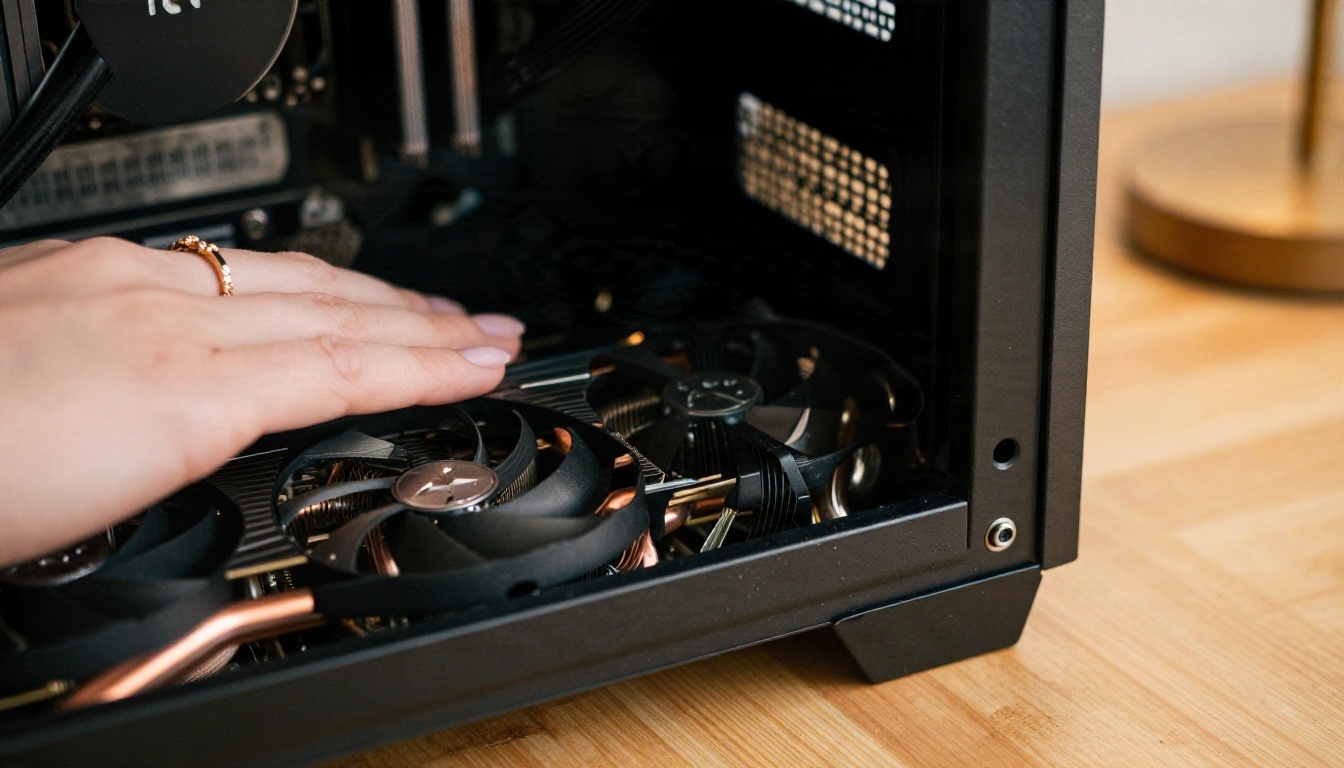
The case for local comes down to three things: privacy, freedom and cost. Hosted services can change their rules overnight, add filters after you have built a character you love, or log every message for "quality review."
Privacy Nobody Else Controls
When the model runs on your machine, prompts and replies never leave it. You can even unplug the network cable and keep chatting. For adult content that is the biggest selling point, because there is no account, no email, no payment trail and no data breach waiting to leak your fantasies.
No Refusals, No Subscriptions
Once the files are downloaded, every message is free. You pay in electricity and patience, not tokens. There is no daily cap, no "cooldown" and no sudden policy email. A decent 24B model on a gaming GPU can write for hours without costing a cent.
What "Uncensored" Actually Means
Here is the part most listicles skip. "Uncensored" almost never means a model with no limits at all. It usually means one of two things:
- Fine-tuned uncensored models: a community team retrains a base model on roleplay and fiction data so it stops refusing and writes with a better voice.
- Abliterated models: someone edits the weights to remove the internal "refusal direction," so the original model stops declining. The writing style stays close to the original, which can feel flat for romance.
💡 Tip: If your goal is character roleplay, pick a model tuned for roleplay. A plain abliterated model will say yes, but it often writes like a polite assistant who just stopped saying no.
What Your Hardware Can Run

The single number that matters is VRAM, the memory on your graphics card. Models are shared as quantized GGUF files, which shrink the weights so they fit on consumer cards. A rough rule: a Q4 file takes about 0.6 GB per billion parameters, plus extra room for the context window.
| Your VRAM | Model size to aim for | Typical quant | What to expect |
|---|
| 6 to 8 GB | 7B to 8B | Q4 or Q5 | Fast, decent prose, shorter memory |
| 12 GB | 12B to 14B | Q4 | Solid roleplay, good speed |
| 16 GB | 22B to 24B | Q4 | The sweet spot for most people |
| 24 GB | 24B to 32B | Q4 to Q6 | Long context, richer dialogue |
| 48 GB or 64 GB unified memory | 70B | Q4 | Closest thing to a cloud model at home |
Mac users with Apple Silicon get a bonus: unified memory acts as VRAM, so a 64 GB machine can load a 70B model that would need two desktop GPUs. If you have no GPU at all, a small model on CPU still works, just slowly, at a few words per second.
💡 Tip: Leave 2 to 3 GB of VRAM free for context. A model that "just fits" will crash or crawl as soon as the conversation gets long.
Best Free Uncensored Models Right Now
Model names change fast, and the rankings below come from community feedback in 2026, not lab benchmarks. Treat them as a shortlist to test, not gospel. All of these are open weights you can download for free from Hugging Face. They are not hosted on PicassoIA, so they appear here as plain names.
Small Models for 8 GB Cards
Llama 3.1 8B Lexi Uncensored V2 is a popular pick when VRAM is tight. It sits on the Llama 3.1 Instruct base, offers a roomy context window and runs quickly. Expect competent, straightforward scenes rather than literary prose. Dolphin fine-tunes in the 7B to 8B range are another common choice and tend to follow system prompts well.
The 24B Sweet Spot
Community threads keep returning to Mistral Small 3.2 and its abliterated or roleplay-tuned descendants. Cydonia 24B, a fine-tune built on Mistral Small, is often named as a favorite for character chat because it stays in voice and handles slow-burn romance well. If you have 16 GB of VRAM, this tier gives you the best ratio of quality to hassle.
Big Models for 48 GB and Up
Llama 3.3 Euryale 70B is the name that keeps showing up for high-end rigs. It writes with more nuance, remembers details better and keeps multiple characters apart. The price is hardware: you need roughly 40 GB just for a Q4 file.
| Model | Size | Best for | Hardware |
|---|
| Llama 3.1 8B Lexi Uncensored V2 | 8B | Quick, simple scenes | 8 GB GPU |
| Dolphin fine-tunes | 7B to 24B | Following instructions | 8 to 16 GB |
| Mistral Small 3.2 abliterated | 24B | General adult fiction | 16 GB GPU |
| Cydonia 24B | 24B | Character roleplay | 16 to 24 GB |
| Llama 3.3 Euryale 70B | 70B | Rich, long stories | 48 GB or Mac 64 GB |

💡 Tip: Download two models in different sizes and run the same scene through both. Your own taste beats any leaderboard.
Apps That Run the Model

You need two layers: a backend that loads the model and a frontend that gives you a pleasant chat window. Some tools do both.
KoboldCpp for Roleplay
KoboldCpp is a single executable with no install. You point it at a GGUF file, choose how many layers go on the GPU, and it starts a local server and a basic story interface. Writers like it because it exposes many sampler controls and supports long context without fuss. Several 2026 guides call it the right backend when creative writing is your main use.
LM Studio and Ollama
LM Studio is the easiest on-ramp: a normal desktop app with a built-in model browser, one-click downloads and a chat tab. It also runs a local server that other apps can connect to. Ollama is a lean command line tool with a huge library. One caution from the community: its default context length is short, so raise it manually or long roleplay will quietly forget the start of the scene.
SillyTavern as the Chat Front End
SillyTavern is the most common frontend for character roleplay. It handles character cards, lorebooks, group chats, saved personas and message branching, and connects to KoboldCpp, LM Studio, Ollama or any OpenAI compatible endpoint. If you want a scene with a persistent partner, this is the tool.
| App | Role | Difficulty | Best for |
|---|
| KoboldCpp | Backend and basic UI | Easy | Story writing, sampler control |
| LM Studio | Backend and chat UI | Easiest | First-time users |
| Ollama | Backend, command line | Medium | Developers, scripting |
| SillyTavern | Frontend | Medium | Character cards, long roleplay |
Setup in Six Steps

This is the fastest path I would recommend for a first run: KoboldCpp plus SillyTavern.
- Update your GPU drivers. NVIDIA users should install the latest driver; AMD and Apple Silicon work too, with different backends.
- Download KoboldCpp. Pick the build that matches your card (CUDA for NVIDIA, Vulkan for most others). It is one file, no installer.
- Download a GGUF model. Choose from the table above, matching your VRAM. A Q4_K_M file is a safe default.
- Launch and load. Open KoboldCpp, select the GGUF, set GPU layers to the maximum that fits, and set context to 8192 to start. Press launch.
- Install SillyTavern. It needs Node.js. Run it, open the local address in your browser and choose the KoboldCpp API connection.
- Import or write a character card and start chatting.
If a build is too new for your files, update KoboldCpp or llama.cpp. Fresh model architectures sometimes need a recent build before they load.
Tune Samplers and Context
Defaults are fine for a first night, but two changes help quickly. Keep temperature around 0.8 to 1.0 for lively dialogue, and add a small min-p value (around 0.05) to cut off nonsense words. Raise context as far as your VRAM allows, since a longer context means the model remembers the setup of the scene.
What to Do When It Crawls
If replies take forever, your model is spilling into system RAM. Drop one quant level, shrink context, or move down one model size. A smaller model at full GPU speed beats a bigger one at two words per second.
Prompts and Characters That Work
An uncensored model will say yes, but it will not read your mind. Quality comes from the setup you write.
Write a Tight System Prompt
Keep it short and concrete. Name the genre, tone, point of view and tense, and say how long replies should be. For example: "Third person, past tense, sensual slow burn, three paragraphs per reply, never speak for the user's character." Specific instructions beat long lists of adjectives.
Build Character Cards With Depth
A strong card has a name, an adult age, a distinct voice, a few habits and one or two flaws. Add three sample lines of dialogue, because models copy the rhythm they see. Skip the 2,000 word biography: smaller models lose focus when the card is bloated.
Fix Repetition and Drift
Long chats often loop or lose the plot. Three fixes work well:
- Edit the last reply by hand and keep going; the model follows your edit.
- Add a short running summary to the author's note every 20 messages or so.
- Raise the repetition penalty a little, or switch the sampler preset.
💡 Tip: Need help drafting character backstories or cleaning up a system prompt? A hosted assistant such as Qwen3.7-Plus or Deepseek v3.1 can help with the non-explicit setup, such as personality traits, settings and plot beats. Keep the adult scenes themselves for your local model.
Add Images to Your Stories

Text is half the fun. A character feels real once you can see her. Running image models locally needs a strong GPU, a lot of tinkering and a pile of checkpoints, so most people pair their local text setup with a hosted image generator.
Start With Seedream 4.5
Seedream 4.5 is the first model I would reach for on PicassoIA. It produces sharp, photorealistic portraits with natural skin texture and believable lighting, and it is quick enough to iterate on a character look in minutes. Paste your character card's appearance line as the prompt, add a setting, lighting and lens, and generate.
- Open the model page and choose a 16:9 or 3:4 ratio.
- Write the prompt: subject, outfit, setting, light direction and lens, for example "85mm portrait, warm window light, natural skin".
- Generate a few variations and pick the one closest to your character.
- Reuse the same description in later prompts so she stays consistent.
PicassoIA content stays suggestive and non-explicit, so think glamour, swimwear, lingerie style portraits and tasteful mood shots as your character art.
Refine With Image Editor Pro
PicassoIA Image Editor Pro is the one to use for edits, with unlimited generations. Upload a portrait you like, then change the outfit, background or lighting without starting over. It is fast, which matters when you are building a whole set of scenes for one character.
Other Image Models Worth Testing
Qwen Image 3 Pro is a strong alternative for photoreal faces and clean detail. Browse the full lineup at picassoia.com/en/all-models to compare options for your own look.
Rules Worth Keeping
Freedom is the point of a local setup, so a few self-imposed rules are what keep it healthy.
- Adults only. Every character is an adult, clearly stated as one, with no exceptions and no "she looks young" loopholes.
- Fiction only. Never write explicit content about real people, and never generate images of real people without their consent.
- Keep your files private. Chat logs are stored on your drive in plain text. Encrypt the disk or the folder if others use the computer.
- Download from trusted pages. Stick to well known Hugging Face accounts and check file sizes. A GGUF is a data file, but a random executable is not.
- Know your local law. Rules about adult material differ by country, and you are responsible for yours.
💡 Tip: Models can still be wrong. Fact check anything that looks like real world advice, because roleplay writing is built to sound confident, not to be accurate.
Common Mistakes to Skip
A few traps catch almost everyone on night one:
- Picking the biggest model that technically loads. Speed matters more than parameter count for a chat that feels alive.
- Ignoring context length. If the model forgets the opening scene, the cause is almost always a small context setting.
- Using the wrong prompt template. Each model expects a format such as ChatML or Mistral style. SillyTavern lets you pick one, and a mismatch makes the replies odd or repetitive.
- Chasing every new release. Pick a model you like and settle in for a few weeks. Constant switching resets the voice you built.
Try It Yourself
You now have the full picture: a model that fits your VRAM, an app that loads it, a frontend that remembers your characters and a prompt that sets the tone. Spend one evening on the setup, and you will own a private writing partner that never refuses and never bills you.
Then give your characters a face. Open Seedream 4.5 on PicassoIA, describe your lead in a few lines, and generate a portrait in seconds. Polish the result with PicassoIA Image Editor Pro, which has unlimited generations, then browse every available model at picassoia.com/en/all-models. Your story, your pace, your images.


