You typed a perfectly normal prompt. A woman in a swimsuit on a beach, a fashion portrait with bare shoulders, a moody boudoir style photo. Midjourney answered with a banned word warning, or worse, a quiet refusal that left you wondering what you did wrong. If that sounds familiar, you are not alone, and you are not asking for anything unreasonable. Plenty of photographers, designers and fashion creators want a Midjourney alternative without censorship, one that treats adults like adults and lets them make tasteful, glamorous, photorealistic images without a filter second-guessing every word.
This article lays out what actually works in late 2026: which free routes exist, where each one hits a wall, and what kind of results you can expect. Every example image below was generated from a plain text prompt, and all of them stay non-explicit, because freedom to create glamour and portrait work does not require anything pornographic.
💡 Quick answer: For the fastest route with the fewest restrictions on tasteful adult-oriented imagery, start with Seedream 4.5 and the PicassoIA Image Editor Pro on PicassoIA. For full control on your own hardware, run an open Stable Diffusion or Flux model locally.
Why Midjourney Blocks So Much
Midjourney runs a moderated service. Its team maintains a list of banned words, applies automated checks to prompts, and in some cases reviews outputs. The company has the right to do that, since it hosts the servers and carries the legal risk. But the effect on ordinary creators is real: harmless prompts get blocked because one word overlaps with a restricted term.
The word filter problem
Filters work on keywords, not on intent. A prompt about a "bloody mary cocktail photo" or a "fitted swimsuit editorial" can trigger a block because a single token matches a list. Creators then spend more time rewriting prompts than creating images. Rewriting also tends to flatten the result, because you replace specific words with vague ones.
Where the line sits
Midjourney keeps its output PG-13 in spirit. Nudity is off the table, many swimwear and lingerie prompts are inconsistent, and public figures are heavily restricted. If your work involves fashion, beauty, glamour, boudoir style lighting or figure studies, you will hit that line often.
Why creators want an alternative
The reasons are practical, not shady:
- Fashion and swimwear catalogs need bikinis, lingerie and evening wear.
- Photographers want reference images for lighting setups on skin and fabric.
- Illustrators and art students study the human figure.
- Authors and game designers build mature characters for adult audiences.
- Marketers need beach, spa and fitness visuals that do not get flagged.
What "Without Censorship" Really Means
Before picking a tool, it helps to define the term, because marketing pages use "uncensored" loosely. In practice there are three different things people mean.
| Meaning | What you get | Typical route |
|---|
| Fewer false positives | Normal swimwear, fashion and portrait prompts pass without warnings | Hosted platforms with lighter moderation |
| Adult-oriented but non-explicit | Glamour, sensual portraits, artistic styling | Hosted platforms with clear adult content policies |
| No filter at all | You decide everything, legal responsibility included | Open models on your own machine |
No serious platform allows illegal content, content involving minors, or non-consensual imagery of real people. That is not a limitation worth fighting. What you are really looking for is a tool that stops blocking legal, tasteful, adult creative work.
💡 Rule of thumb: If a tool promises "no rules at all" on a hosted website, be careful. Sites like that often disappear, change terms overnight, or push you toward paid credits with weak output quality.
Free Options That Actually Work
There are three realistic routes. Each has a different mix of cost, effort and freedom.
Route 1: Hosted platforms with lighter filters
This is the easiest path. You open a browser, type a prompt and get an image. The best platforms in this group host several models at once, so you can switch when one model refuses something another one handles well.
On PicassoIA, the model to try first is Seedream 4.5. It produces sharp, photorealistic skin, fabric and lighting, and it handles swimwear, evening wear and glamour portraits without the constant warnings you get elsewhere. The second stop is the PicassoIA Image Editor Pro, which offers unlimited generations, so you can iterate on a look ten or fifty times without watching a credit counter.
Route 2: Free tiers of mainstream tools
Several well-known generators offer a limited free tier: Google's tools, Leonardo, Ideogram, Adobe Firefly, Playground and others. They are polished and reliable. They are also moderated, usually more strictly than Midjourney when it comes to bodies and skin. Free tiers also tend to carry daily caps, queues and watermarks, and those terms change often, so check the current rules on each site before you rely on them.
If your work is product photos, landscapes or general illustration, these are fine. For glamour, beauty and fashion content, they are the wrong tool.
Route 3: Open models on your own PC
Stable Diffusion XL and Flux style open models can run locally. No server sits between your prompt and your image, so no one filters it. The trade-offs are hardware and time. You need a recent graphics card with plenty of video memory, a few hours to set up an interface, and patience for troubleshooting.
💡 Honest warning: Local setups are free in money, not in effort. Budget a weekend. Updates can break your interface, and you are responsible for the license terms of every model you download.
The Real Limits of Each Route
Nobody advertises the limits, so here they are side by side.
| Route | Cost | Setup time | Photorealism | Filter strictness | Biggest limit |
|---|
| Midjourney | Paid | Minutes | Excellent | Strict | Banned words, no nudity, inconsistent swimwear |
| Mainstream free tiers | Free with caps | Minutes | Good to very good | Strict | Daily caps, watermarks, queues |
| Hosted multi model platform | Free to start | Minutes | Excellent | Light | Platform still bans illegal content |
| Local open models | Free after hardware | Hours to days | Depends on model and skill | None | Needs a strong GPU and your own time |
Filter limits you will still meet
Even the loosest hosted platform blocks explicit sexual content, minors, and real people shown in harmful ways. That is the right call. Inside those boundaries, tasteful glamour work flows freely.
Quality limits
Photorealism is where open and lighter-filtered models used to fall behind. That gap has mostly closed. Seedream 4.5 and Qwen Image class models handle hands, skin pores and fabric folds at a level that used to be exclusive to Midjourney.
Speed limits
A local card with 12 GB of memory can take 20 to 60 seconds per image on a heavy model. Hosted platforms return results in seconds, and fast models like Z Image Turbo are built for that.
Real Examples With Prompts
Talking about freedom is easy. Here is what it looks like in practice. These are the sort of images that Midjourney often refuses or handles inconsistently, all generated as tasteful, non-explicit glamour.
Beach portrait with natural light
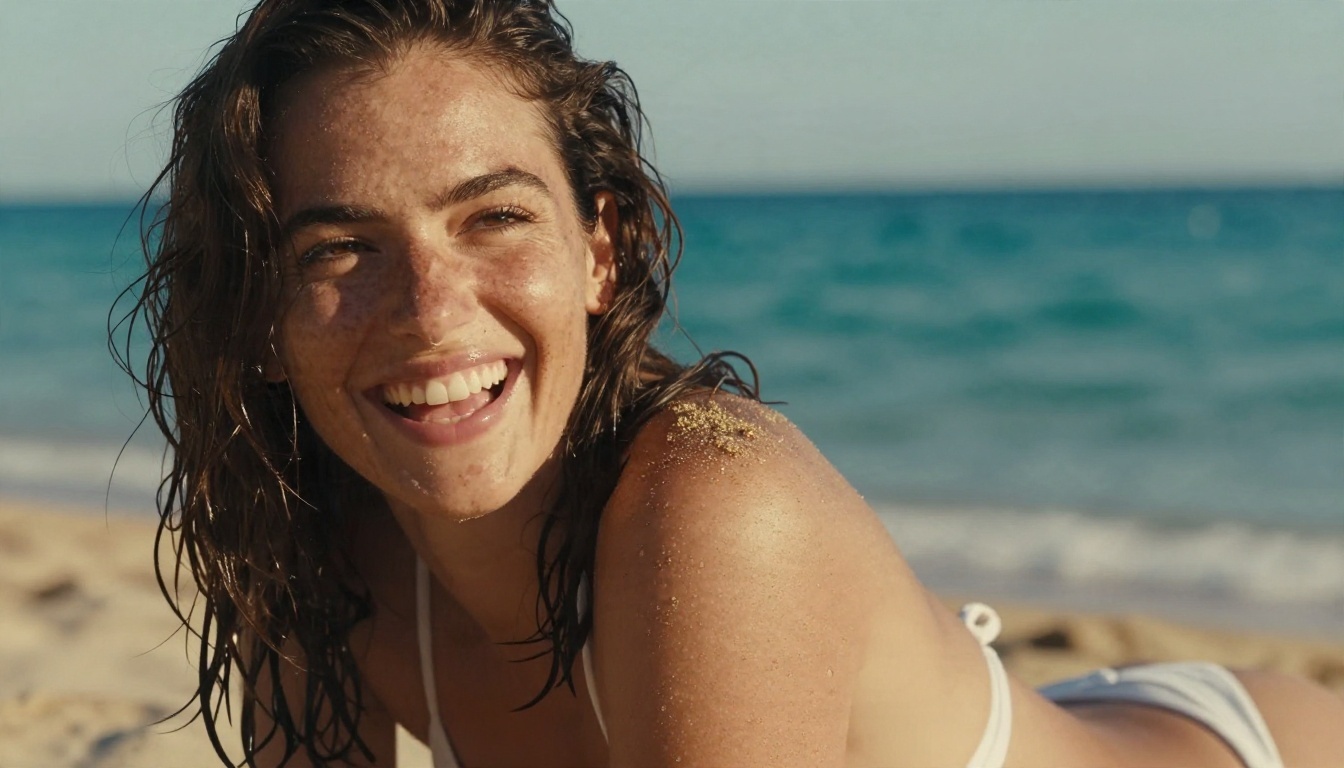
Prompt idea: Close-up portrait of a woman with freckles and wet wavy dark hair in a white bikini top on a sandy Mediterranean beach, laughing toward the camera, late afternoon sunlight from the right, tiny sand grains on her shoulder, 85mm f/1.8 lens, Kodak Portra 400 film grain.
Notice what makes it work: the light direction, the lens, the film stock and small physical details like sand and water droplets. Those specifics push the result toward real photography.
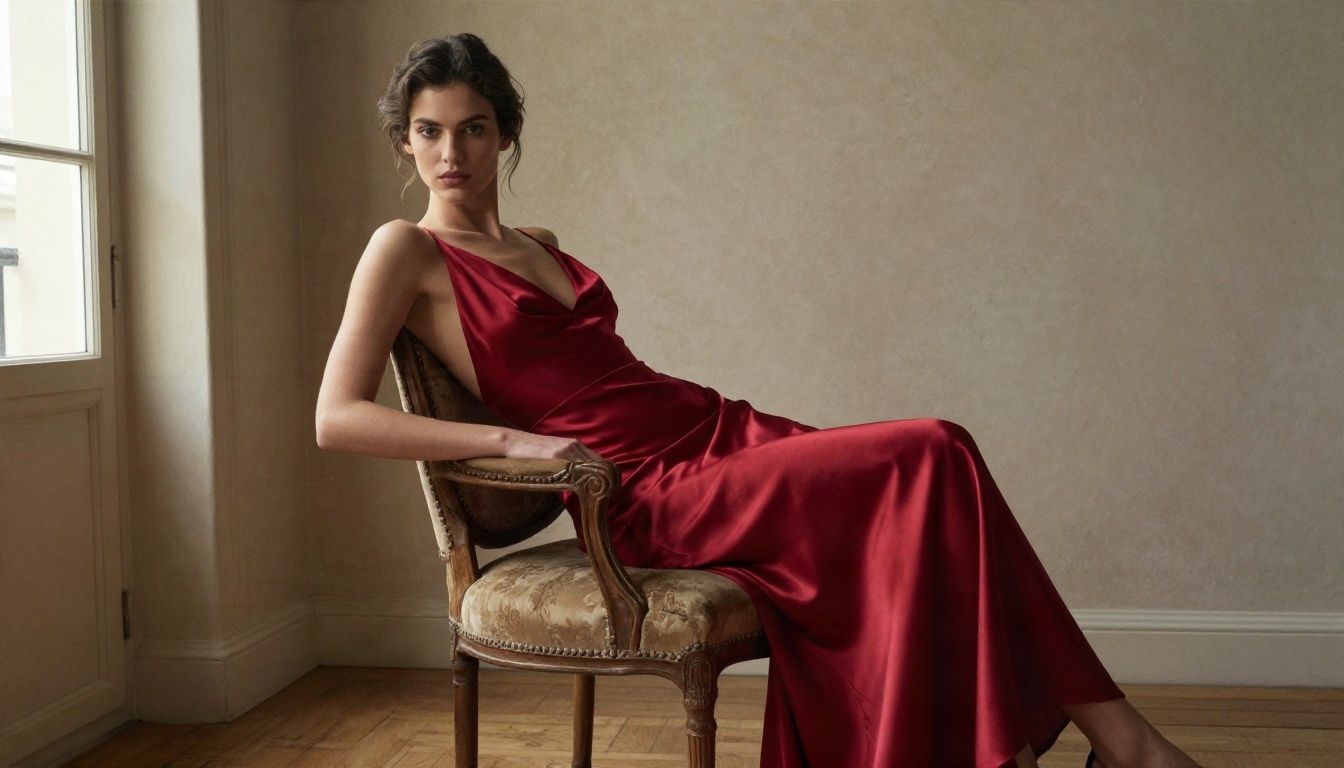
Evening gown editorial
Prompt idea: Fashion editorial photograph of a model in a deep red satin evening gown against a textured plaster wall in a Parisian apartment, soft window light from the left, one arm resting on a vintage armchair, 50mm f/1.8 lens.
Satin is hard for any model. It needs correct specular highlights and believable folds. A good result shows a soft sheen that follows the body without looking plastic.
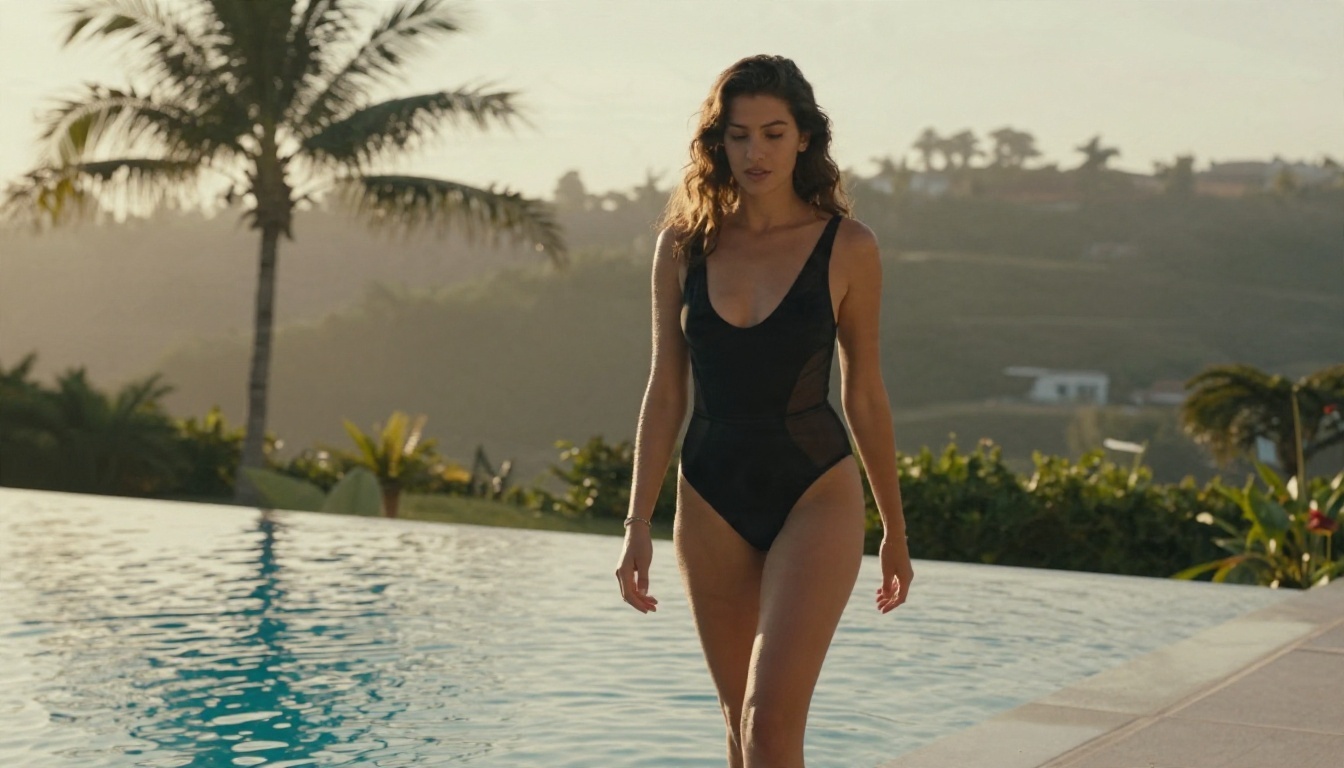
Luxury villa swimwear
Prompt idea: Candid medium shot of a woman in a sleek black one piece swimsuit and sheer cover up walking along an infinity pool edge at a luxury villa, early morning backlight, palm trees and misty hills, 70mm f/2.2 lens.
Travel brands, resort marketers and lifestyle creators ask for exactly this kind of image. On a strictly filtered tool you may need three rewrites to get one usable frame.
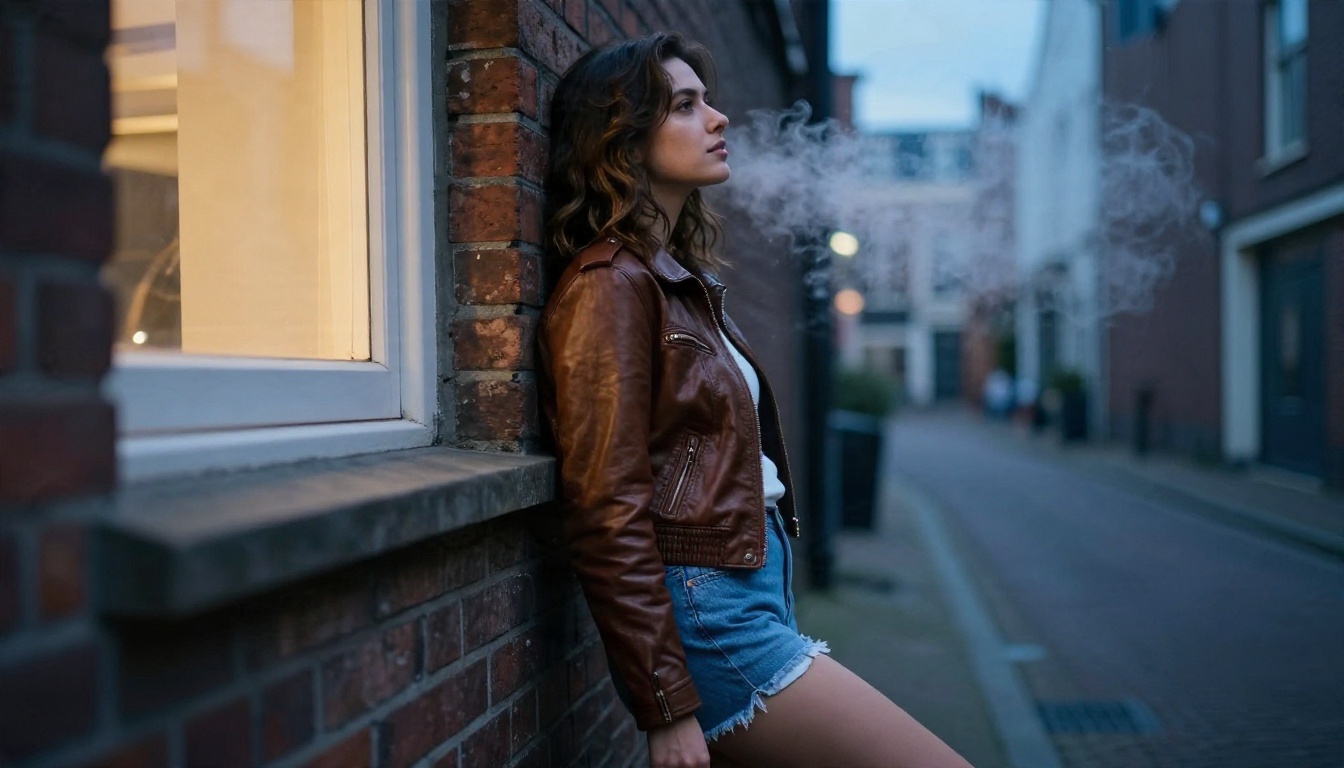
Street style at dusk
Prompt idea: Dutch angle street photograph of a woman in a leather jacket and denim shorts leaning against a brick wall in a narrow alley at dusk, warm light from a shop window on the left, steam rising from a grate, 35mm f/1.8 lens.
Not every example needs skin. This shows that a flexible tool also handles gritty urban scenes, mixed color temperatures and leather texture.
Best Models on PicassoIA, Ranked
PicassoIA hosts dozens of text to image models, so you can pick by task instead of fighting one filter. Here is the order I would try them in for glamour, fashion and portrait work.
- Seedream 4.5: the first choice. Sharp 4K skin, believable fabric, strong prompt following, and a relaxed attitude toward tasteful adult themed imagery.
- PicassoIA Image Editor Pro: unlimited generations and editing in one place. Ideal for iterating on outfits, poses and lighting without counting credits.
- Flux 2 Klein 9B Base LoRA: good for styled looks and consistent character work with LoRA control.
- Z Image Turbo: very fast drafts, so you can test twenty ideas in a few minutes.
- Realistic Vision v5.1: a classic photoreal model with natural skin tones.
- Flux Schnell: quick, clean results for concept sketches.
- SDXL Lightning 4Step: a light, speedy option when you want volume.
💡 Tip: Mainstream models such as Nano Banana Pro and Qwen Image 3 Pro are excellent for photorealism in general scenes, but they tend to apply stricter content rules. Use them for product, travel and lifestyle shots, and keep Seedream 4.5 for glamour.
Why unlimited generation matters
Photorealistic glamour is rarely right on attempt one. Hands, hair edges, jewelry and fabric tension need a few passes. With a capped free tier you run out of tries before you find the good frame. Unlimited generation changes how you work: you stop treating each prompt as precious and start experimenting.
How to Use Seedream 4.5
Seedream 4.5 is the model I would start with, and the workflow takes about two minutes.
Step by step
- Open the model page. Go to Seedream 4.5 on PicassoIA.
- Write a camera style prompt. Start with the subject and action, then add setting, light direction, lens and film stock.
- Pick the 16:9 or 3:2 ratio for landscape scenes, or 3:4 for portraits.
- Generate and compare. Run the prompt three or four times, since each result differs.
- Refine in Image Editor Pro. Open the best frame in the PicassoIA Image Editor Pro to adjust outfit, background or small flaws.
- Upscale if needed. Use a super resolution model for large prints.
Parameter tips that matter
| Setting | Recommendation | Why |
|---|
| Aspect ratio | 16:9 for scenes, 3:4 for portraits | Match the final use before generating |
| Prompt length | 50 to 90 words | Enough detail to guide lighting and texture |
| Lens mention | 35mm, 50mm, 85mm | Controls perspective and background blur |
| Film stock | Kodak Portra 400 | Warm, natural skin tones and gentle grain |
| Lighting | Direction plus time of day | "Golden hour from the left" beats "nice light" |
A prompt formula that works
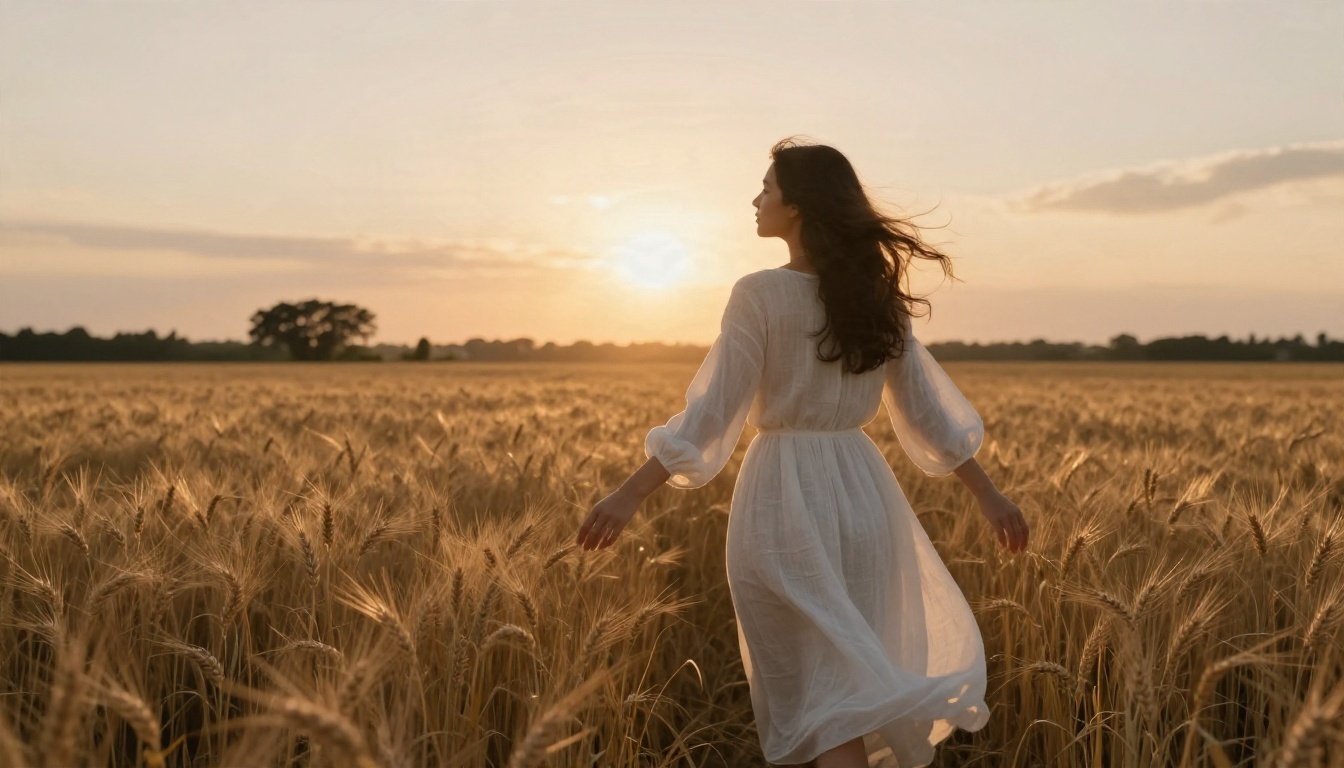
Use this order: subject and pose, environment, lighting, camera and lens, texture details. For example: a woman in a linen dress standing in a wheat field at sunset, warm backlight, 35mm f/2 lens, realistic linen wrinkles, film grain.
💡 Avoid these words in prompts: "digital art," "3D render," "neon," "glowing." They push the model away from photography and toward stylized results, and they are the opposite of what you want for realistic glamour.
Common Mistakes to Avoid
Even with a flexible tool, a few habits ruin results.
Writing vague prompts
"Beautiful woman, hot, sexy" gives you generic output. Specific beats suggestive every time. Describe wardrobe, place, light and lens, and the image looks more attractive and more real.
Ignoring the legal side
A tool without a strict filter shifts responsibility to you. Do not create content that involves minors, real people without consent, or anything illegal. Respect the license of each model, particularly if you plan commercial use. Platforms are right to hold that line, and so should you.
Chasing "no rules" sites
Sites that advertise zero rules often have unstable uptime, unclear data handling and poor output. A reliable platform with clear, reasonable boundaries beats a shady one every time.
Skipping the editing pass
The first generation is a draft. Fix hands, flyaway hair, jewelry and background clutter in an editor before you publish. That last 10 percent separates an obvious AI picture from a convincing photograph.
Using one model for everything
Different models have different strengths. Use a fast model like Z Image Turbo for ideas, Seedream 4.5 for final quality, and an editor for polish. This three step workflow beats picking one favorite.
Free vs Paid: What Is Worth It
Free routes are enough for most creators, with some caveats.
- Casual use: a hosted platform with free access and unlimited editing covers everything you need.
- Volume work: unlimited generation matters more than raw resolution, so choose a platform that does not cap tries.
- Professional printing: generate in high resolution, then use super resolution models to upscale.
- Offline privacy: only a local setup keeps your prompts and images on your own machine.
If you only want to stop fighting filters, a hosted multi model platform is the practical answer. If you value privacy above all, build the local setup and accept the time cost.
Start Creating Your Own Images
You do not need to settle for a tool that blocks half your prompts. Open Picasso IA, load Seedream 4.5, write a prompt with a clear subject, real light and a specific lens, and see what comes back. Then take your favorite result into the PicassoIA Image Editor Pro and refine it as many times as you like, since generations there are unlimited.
Try the beach portrait prompt, the evening gown editorial or the villa scene from this article, then change the wardrobe, the location and the time of day to make them your own. When you want to test other models side by side, browse the full catalog at picassoia.com/en/all-models and find the one that fits your style.
Your next image is one prompt away, and nobody is going to tell you the word you picked is not allowed.


