Type a prompt into a mainstream AI tool, get a polite refusal, and wonder why a bikini photo or a dark short story counts as a policy violation. That frustration is exactly why searches for no boundaries AI keep climbing. People want a tool that follows the brief without a lecture. The catch is that "no boundaries" is a marketing phrase, not a technical fact. Every tool has some limit, whether it is a content filter, a daily cap, a queue, a resolution ceiling, or the law of the country you live in.
This article sorts the hype from the reality. You will see what uncensored actually means for images and for chat, which kinds of free tools exist, what their limits tend to be, how to write prompts that get the result you pictured, and where the hard lines sit that no responsible tool or user should cross.
💡 Quick take: "Free," "uncensored," and "high quality" rarely arrive together. Pick two, and know which one you are giving up before you start.
What "No Boundaries" Really Means
When people type this phrase into a search bar, they usually mean one of three things. Some want fewer refusals on adult-leaning but legal content like glamour, swimwear, boudoir, and mature fiction. Others want no account walls, meaning they can open a page and start creating. A third group wants no usage meter, so they can iterate fifty times on one idea without hitting a paywall.
Those are different wishes, and a single tool seldom grants all three.
Censorship versus moderation
A filter that blocks a prompt before it reaches the model is prompt-level moderation. A filter that scans the finished picture and hides it is output-level moderation. Some platforms use both, and that is why the same prompt can pass on one site and fail on another that runs the very same underlying model.
Why filters exist at all
Platforms face payment processor rules, app store rules, and legal exposure. A filter is often a business decision rather than a moral stance. That explains why a tool can feel strict on Monday and loose on Friday after a policy update.

Chat is where "no boundaries" gets the most attention, because text filters are easy to trip. Ask a mainstream assistant for a violent thriller scene or a frank conversation about adult relationships and it may hedge, soften, or decline.
What the free options look like
Recent roundups describe a few patterns. Some sites let you chat without creating an account at all. Others give a daily allowance of messages, then ask for a subscription. A few lean on open-weight models that run with lighter rules. Reviews are mostly written by vendors, and the claims often conflict, so treat every "unlimited" badge as a claim to test rather than a promise.
What you give up
Free uncensored chat usually comes with smaller models, shorter memory, and slower replies at peak hours. A smaller model forgets the plot of your story sooner, drifts out of character, and makes more factual mistakes. For creative writing that is tolerable. For anything involving health, money, or legal questions, it is a real risk.
💡 Tip: If a chatbot never refuses anything, it is not showing confidence. It is showing a lack of judgment. Use that fact when you decide how much to trust its answers.
Mainstream models for everyday work
For research, coding, and drafting, a capable assistant with sensible guardrails is the better choice. On PicassoIA you can chat with models such as GPT 5.6 Luna for fast replies, Gemini 3.5 Flash for quick answers with images, DeepSeek V3.1 for writing and reasoning, or Qwen3.7-Plus when you want to mix text with pictures. These keep their normal safety behavior, so use them for drafting prompts, outlines, captions, and research rather than expecting them to ignore their rules.
Free Uncensored Image Generators
Images are the second half of the story, and the free landscape here is wider and messier. Several well-known no-filter sites advertise no sign-up and no prompt blocking. One often-cited generator reportedly tops out at modest resolution. Another is described as having no daily limit on its free tier, while free users wait behind paying customers in the queue. Others, like Grok Imagine, are reported to put strict daily caps on free users, with full access tied to a paid subscription. And a well-known free option from Google is called generous on volume, though it applies standard content filters, so it is not uncensored at all.
The pattern behind the claims
Whenever a service says "free and uncensored," look for the trade. Usually it is one of these:
| Trade-off | What it looks like in practice |
|---|
| Lower resolution | Output capped around standard social sizes, soft detail |
| Slow queues | Minutes of waiting at busy hours, free users served last |
| Credit systems | "Unlimited" in the headline, credits in the fine print |
| Watermarks | Logos or marks on free exports |
| Weak privacy | Prompts and uploads stored, unclear retention |
| Inconsistent anatomy | Older models with hand and face errors |

Glamour is not the same as explicit
There is a wide space between a refusal and pornography. Swimwear, lingerie campaigns, boudoir portraits, and artistic implied nudity all live there, and they are what most users actually want. A tool built for that range gives you beautiful, tasteful results without pushing you toward content that gets accounts banned or breaks the law.
Where PicassoIA Fits In
If you want to create photorealistic glamour and adult-leaning portraits without constant refusals, start with the models that handle that range well and give you room to iterate.
Seedream 4.5 first
Seedream 4.5 is the first model to try. It produces detailed, sharp images up to 4K, handles skin texture, fabric, and lighting convincingly, and responds well to long, descriptive prompts. For swimwear, boudoir, and editorial glamour work, it is fast and consistent. Keep in mind that it is a mature-friendly photoreal model, not a tool for explicit content, and you should treat that line as a feature rather than an obstacle.
Image Editor Pro for unlimited runs
PicassoIA Image Editor Pro is the one to open when you need volume. It offers unlimited generations, which matters because good results rarely arrive on the first try. You can generate, edit, adjust, and regenerate as many times as you need without watching a counter drain. That is the practical meaning of "no boundaries" for most creators: no meter on your experiments.
A note on Seedream 5 Lite
Seedream 5 Pro is a sharp 2K option for general photography and product work. For adult-leaning glamour specifically, stay with Seedream 4.5 and Image Editor Pro, because newer lighter variants tend to be stricter on mature themes.
Prompts That Actually Work
Most disappointing results come from short prompts. A model fills every gap you leave with an average guess. Fix that by describing five things in order: the subject, the setting, the light, the camera, and the texture.
The five-part formula
- Subject and pose: who is there and what they are doing.
- Setting: a specific room, street, or beach, with two or three small props.
- Light: direction and quality, such as "low golden sun from camera left."
- Camera: lens and distance, such as "85mm f/1.8, chest height."
- Texture: skin pores, fabric weave, sand grains, steam from a cup.
A prompt you can paste
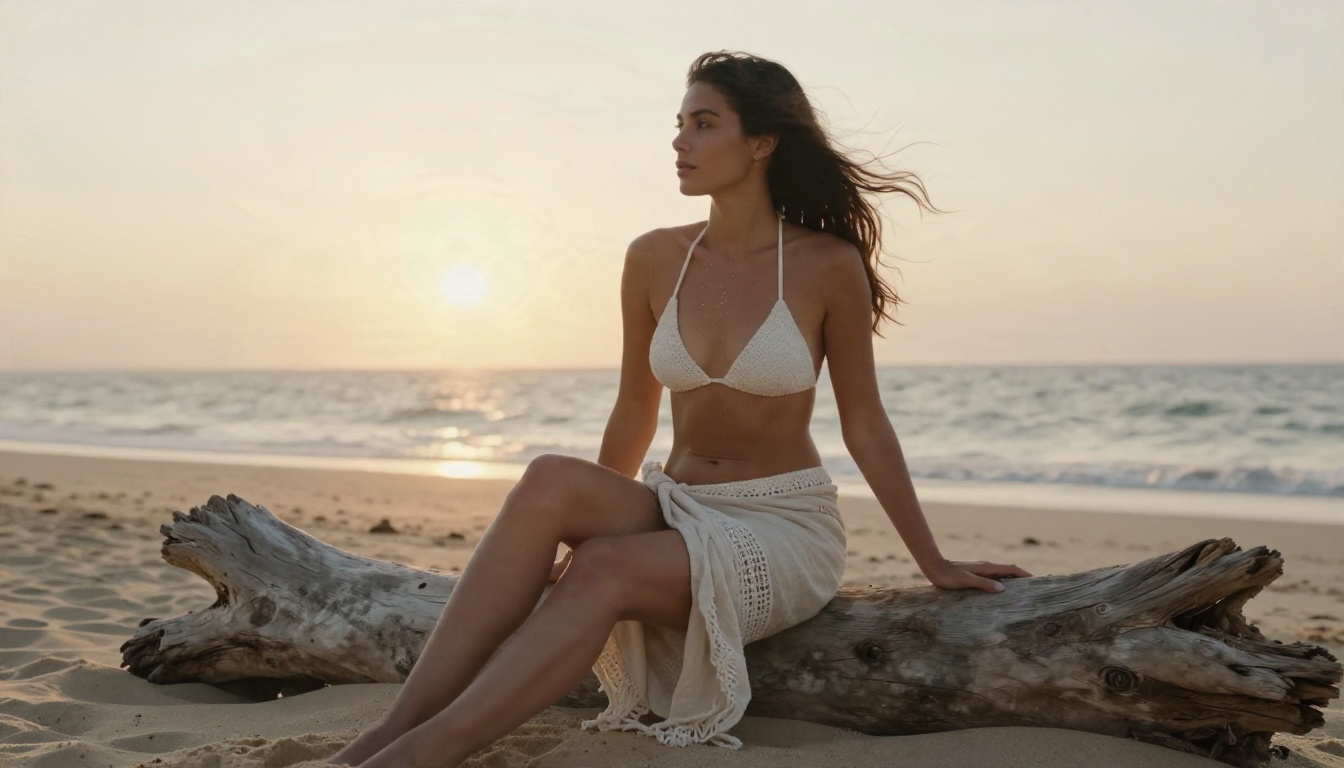
A woman in a white crochet bikini top and a linen wrap skirt sits on weathered driftwood at sunset, wind in her hair, calm ocean haze behind her. Low warm sun from behind creates rim light on her shoulders. Shot on an 85mm lens at f/1.8, shallow depth of field, visible crochet stitches, salt and sand on skin, natural film grain, warm amber tones.
Words that help and words that hurt
| Helps | Hurts |
|---|
| Lens and aperture details | "Ultra realistic 8K masterpiece" with nothing else |
| Named light direction | Long lists of contradictory styles |
| One clear subject | Five characters in one scene |
| Material words like linen, satin, terry cloth | Vague words like "nice outfit" |
| Mood in plain language | Piles of stacked buzzwords |
Using chat to write better prompts
Here is a workflow that saves time. Ask a chat model to turn your rough idea into a five-part prompt, then paste it into the image tool. Chat models are good at expanding "girl at the beach at sunset" into three hundred precise words. The image model then has far less to guess.
How to Run It on PicassoIA
Here is the short path from idea to finished image using the two models above.
With Seedream 4.5
- Open the Seedream 4.5 page.
- Paste a five-part prompt into the text box. Aim for 60 to 120 words.
- Choose 16:9 for landscape scenes or 3:4 for portraits.
- Generate, then compare the result against your light and lens notes.
- Change one detail per round, such as the light direction, and run it again. Changing several things at once hides what worked.
With Image Editor Pro
- Open PicassoIA Image Editor Pro.
- Upload an image you made or own, or start from a prompt.
- Describe the change in plain language: swap the outfit color, shift the light to evening, clean up a background.
- Run as many variations as you like. Generations are unlimited.
- Keep your favorite and, if you need more resolution, send it through a super resolution model.
💡 Tip: Save your best prompts in a notes file. A strong prompt is reusable. Swap the setting and keep the lighting and lens lines, and you get a consistent series.
Limits You Will Still Hit
Even on a generous platform, a few ceilings stay in place. Knowing them ahead of time saves frustration.
Technical limits
Models still struggle with hands holding small objects, legible text inside an image, and crowds of faces. Resolution caps vary: some tools output standard sizes, while others reach 4K. Queue time depends on traffic, so a model that takes seconds at noon may take minutes on a Friday night.
Rules that stay on everywhere
Responsible platforms keep a few lines fixed, and you should too:
- No minors. Any content that sexualizes a minor, or someone who looks like one, is illegal and banned everywhere. This is absolute.
- No real people without consent. Making explicit or misleading pictures of a real person, including celebrities, classmates, or ex-partners, is harmful and in many places a crime.
- No deceptive use. Passing AI images off as real evidence, news, or identification is fraud.
- No harassment. Content made to shame or threaten someone crosses a line regardless of how it was produced.
💡 Remember: A tool that lacks a filter does not remove the law. You are still responsible for what you make and share.
Platform limits
Even tools with no refusals set daily caps, credit meters, or slower queues. That is the real reason unlimited generations matter more to many creators than the absence of filters. A mild filter you can work around is a small cost. A hard cap that stops you after five tries is a much bigger one.

Privacy and Safety Checks
Free tools make money somehow. Sometimes it is ads, sometimes subscriptions, and sometimes it is your data.
Before you upload anything
- Read the retention line. Look for how long prompts and uploaded photos are stored.
- Avoid personal photos of other people, and never upload anyone's face without their permission.
- Use a separate email for sites you are only testing.
- Skip sites that ask for payment details just to open a "free" trial with no clear cancel button.
- Check the exports. Look for watermarks, strange metadata, or forced sharing to a public gallery.
Spotting a weak claim
A quick checklist helps you filter marketing noise:
| Claim | Ask yourself |
|---|
| "Unlimited free" | Is there a credit system on the pricing page? |
| "No filters" | Are results hidden after generation? |
| "4K output" | Is it native, or a basic upscale? |
| "Private" | Where is the policy, and how long is the retention? |
| "No sign-up" | Does a queue push you toward paying? |
Chat and Image Together
The strongest setup pairs one chat model with one image model. Chat handles planning, and the image tool handles pictures.
A simple three-step loop
- Brief the chat model. Describe the scene in rough words and ask for a five-part prompt.
- Generate with the image model. Paste the prompt into Seedream 4.5 or Image Editor Pro.
- Refine. Tell the chat model what is wrong, such as "the light is too flat and the dress looks plastic," and ask for an updated prompt.
Run that loop four or five times and you usually land on a result far better than any single attempt. It also keeps your attempts organized, since each version of the prompt is saved in the conversation.
Which chat model for which job
When to use a moderation model
If you build a project that accepts input from other people, a safety model like Llama Guard 4 12B can screen text before it reaches your image tool. It is a useful reminder that "no boundaries" works best for a single adult creator working alone, and that anything public needs some guardrails.

Your Turn to Create
The honest answer to "is there really a no boundaries AI?" is that there are tools with fewer refusals, tools with fewer meters, and a few that offer both for a while. What matters is picking one that gives you speed, quality, and room to iterate, then using it responsibly.
Here is a simple plan for your next session. Open Seedream 4.5 and write one five-part prompt with a clear light source and lens. Run it, change one detail, and run it again. When you want to keep refining without watching a counter, switch to PicassoIA Image Editor Pro and iterate as many times as you like. Use a chat model to rewrite your prompts when you get stuck.
Ready to try it yourself? Pick a scene you have been imagining, build the prompt, and start creating with Picasso IA today. When you want to see more options, browse the full catalog at picassoia.com/en/all-models and test a few models side by side.


