You open a chat page at midnight, expecting a sign-up form, an email confirmation, maybe a credit card prompt. Instead there is just a text box and a blinking cursor. That is the appeal of no login AI sexting: zero friction, no profile, a flirty conversation that starts in ten seconds. It is also where most people get burned, because "no login" rarely means "no limits", and it almost never means "no data trail".
This article is for adults (18+) who want to know how the format really works. You will get the honest limits, free prompts you can paste right now, tame example exchanges that show the rhythm of a good flirty chat, an app versus browser comparison, privacy rules, and a way to pair the text with tasteful, photorealistic images.
💡 Quick note: everything below assumes consenting adults and fictional characters. Never use real people's names, photos or private details in a flirty AI chat.
What No Login Really Means
The phrase sounds simple, but it hides three very different setups. Knowing which one you are using changes everything about your risk and your results.
Guest Chat vs. Real Anonymity
A guest chat lets you type without creating an account. The site still sees your IP address, your browser fingerprint and whatever you type. It may store the conversation in a cookie or in local storage so the character "remembers" you for the session. That is convenient, not anonymous.
Real anonymity would mean no logs, no tracking and no retention on the server. Almost no free service promises this, and you should be skeptical of any that does without explaining how.
| Setup | Account needed | Memory between visits | Privacy level |
|---|
| Guest browser chat | No | Usually cookie based, often lost | Low to medium |
| Free account with email | Yes | Saved on server | Medium |
| Local model on your own machine | No | Fully yours | High |
| Paid companion app | Yes | Long term | Depends on policy |
Why Sign-Up Walls Keep Returning
Many services that started as open guest chats have added gates. The reasons are boring and practical: age-check rules in several countries, the cost of running large models for anonymous traffic, and the need to block abuse. A free tier with no login is expensive for the operator, so expect it to be throttled, ad supported or short lived.
If a no login page you bookmarked last month now asks for an email, that is the pattern, not a glitch.

The Real Limits You Will Hit
Free and anonymous access comes with a predictable set of walls. Here is what they look like in practice.
Message Caps
The most common limit is a daily or hourly message cap. Some popular companion platforms reportedly give free users around 50 messages a day, then ask for a subscription. Others throttle speed instead, so replies get slower the longer you chat. Because pages of this type promote themselves heavily and contradict each other, treat any "unlimited free" claim as unverified until you have chatted for an hour and checked.
A practical trick: since every message counts, write longer, richer messages instead of one-liners. One 60-word message that sets a scene is worth more than six short ones.
Memory and Context
Free tiers usually keep a short context window. After a while the character forgets your name, the setting, or the mood you built. Without an account, that memory often disappears completely when you close the tab.
To work around it, keep a short recap line in a notes file and paste it at the start of each session:
"Recap: you are Elena, a bookshop owner in Lisbon. We have been trading slow, teasing messages for a week. Tone: warm, playful, a little mischievous."
Filters and Age Checks
Most mainstream chat models will flirt, then steer away from explicit material. That is by design. Dedicated companion platforms may be looser, but they typically add age confirmation and content rules of their own. Whatever the platform, remember:
- You must be 18 or older to use any of this.
- Characters must be clearly adult and fictional.
- Platforms can and do change their filters without notice.
- Anything that targets a real person is off limits.
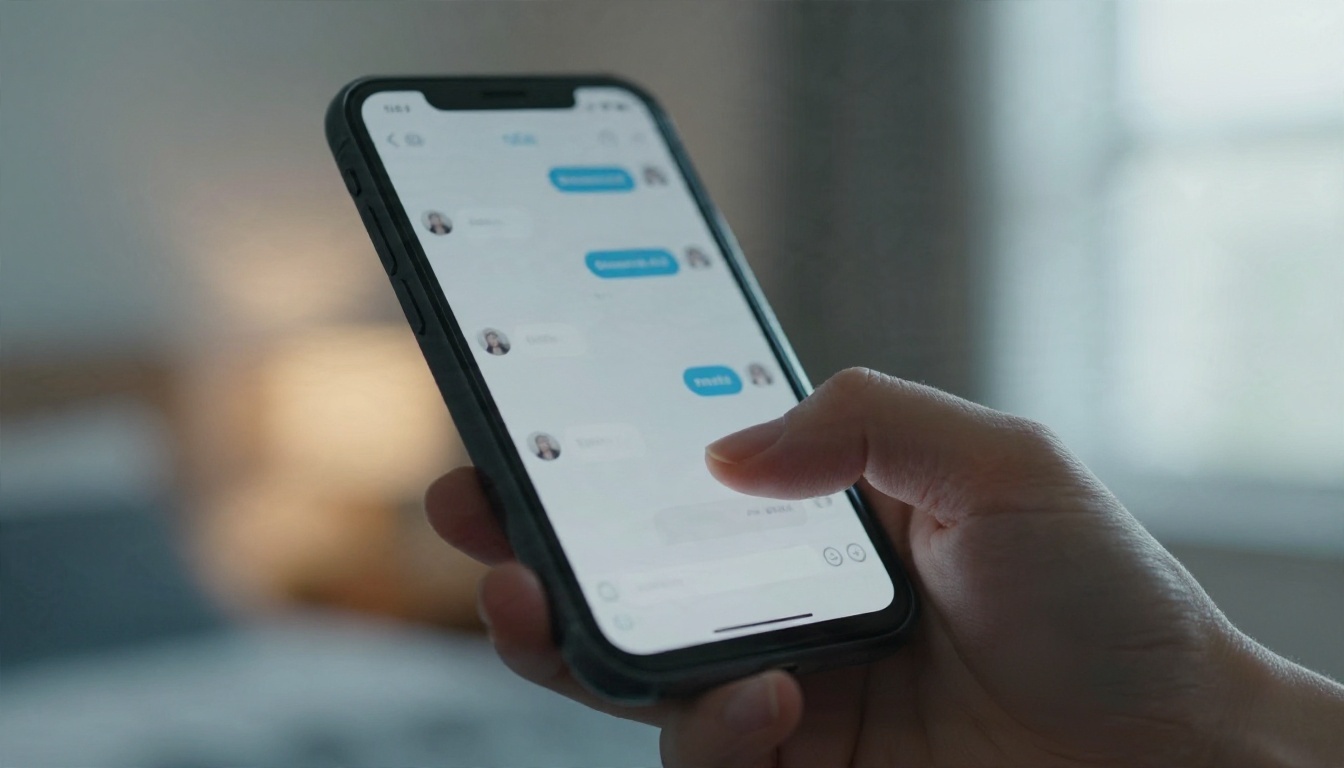
Free Prompts to Copy and Paste
Good flirty chat is mostly good setup. The model needs a character, a setting, a tone and a pace. Here are prompts built to survive a short context window and keep things suggestive rather than explicit.
Opening Line Prompts
Use these as a first message. They establish voice immediately.
- "Let's start a slow-burn flirty conversation. You are Marco, a confident, funny architect who writes short, teasing messages. Keep it suggestive, never crude. Start by asking what I'm doing tonight."
- "Roleplay as Elena, a bookshop owner who is a little shy but loves banter. Reply in two to four sentences, use subtle innuendo and keep the mood romantic."
- "You are my late-night texting partner. Warm, witty, a bit mischievous. Ask me one question per reply and tease me gently about my answers."
Character Setup Prompts
A longer setup message pays off when you have a cap. Include name, age (adult), personality, speaking style and boundaries.
💡 Template: "Character: [name], [adult age], [job]. Personality: [three adjectives]. Speaks in [short/long] messages with [dry/playful/romantic] humor. Boundaries: keep it flirty and suggestive, no explicit detail, no real people. Setting: [place, time]. Begin."
Filling the template once and saving it gives you a reusable character you can paste into any no login chat.
Pacing and Tone Prompts
Chats often rush. These steering lines slow them down:
- "Slow down. Build tension with small details, not big moves."
- "Make your reply shorter and more playful. Leave something unsaid."
- "Change the mood to teasing, like we're trading texts across a crowded room."
- "Pause the scene. Ask me what I would like to happen next, then follow my lead."

Examples of Flirty Exchanges
Examples help more than rules. These two show the rhythm of a good chat: short turns, one question at a time, tension built through implication. They are deliberately tame.
The Slow Burn
You: Long day. I'm on the sofa pretending I'm not going to scroll for an hour.
Character: Pretending is a strong word. What would it take to get you off that screen and into something more interesting?
You: Depends. Are you offering?
Character: I'm suggesting. Offers come after you tell me what a perfect evening looks like. Start with the lighting.
Notice how the reply answers, teases and hands the conversation back with a question. That structure keeps the exchange moving even on a message cap.
The Playful Banter
You: Be honest, how many people have you used that line on?
Character: Only the ones who asked. You're the first to ask like you already know the answer.
You: I do know the answer.
Character: Then you also know I'm still here. Your move.
Banter works because both sides keep a little distance. If a model starts rushing, use a pacing prompt from the earlier section.
When the Chat Goes Flat
If replies feel generic, the fix is almost always your side of the conversation. Give the character something specific to react to: a detail, a memory, a small confession. Vague input gets vague output, every time.

App or Browser: Which Fits You
Both routes work. The right pick depends on how much you value convenience, privacy and memory.
Browser Chat
A browser page needs no install, leaves no icon on your phone and is easy to close and forget. Use a private window, and remember that private mode only hides history from your own device, not from the site. This is the better choice for casual, one-off chats.
Mobile App
A dedicated app usually gives you saved characters, push notifications and better memory, but it asks for an account and often an age confirmation. App stores also enforce their own content rules, so the tone is generally tamer than a web page. Choose this if you want a long-running character, and read the data policy first.
| Feature | Browser (no login) | App (account) |
|---|
| Setup time | Seconds | Minutes |
| Saved characters | Rarely | Yes |
| Free message cap | Common | Common |
| Notifications | No | Yes |
| Data trail | Smaller | Larger |
Local Models
If you are comfortable with a little setup, running a small open model on your own computer removes caps and keeps text off third-party servers. The trade-off is quality and effort. For most people, a browser chat plus a good prompt template is plenty.

Privacy Rules Worth Following
Flirty chats feel private because you are alone in a room. The server does not know that. A few habits protect you.
What Never to Type
- Your real full name, address, workplace or phone number.
- Photos of real people, including yourself, if you cannot confirm how they are stored.
- Payment details in a chat window.
- Anything about a real third party.
Small Habits That Help
- Use a separate email if a site eventually asks for one.
- Close the tab and clear site data after a session.
- Skim the privacy page for the words "retention", "training" and "third parties".
- Avoid reusing a password from anywhere else.
If you want to check whether a piece of text would be flagged before you post it somewhere public, a moderation model such as Llama Guard 4 12B is built for exactly that kind of screening.

Add Images With Seedream 4.5
Text sets the mood, but a picture can set the scene. Many people pair a flirty chat with tasteful AI imagery: a character portrait, a bedroom at night, a poolside afternoon. Done well, these stay suggestive and beautiful rather than explicit.
Why Start With Seedream 4.5
Seedream 4.5 is the model to try first. It produces sharp, photorealistic results with convincing skin, fabric and light, and it handles glamour, swimwear and boudoir style scenes without fuss. It also follows detailed prompts closely, which suits the character-card approach you used in chat.
A prompt that works well:
"Adult woman in a satin burgundy slip dress leaning in a dim hallway, warm light from a room behind her, 35mm lens, shallow depth of field, natural skin texture, film grain, tasteful glamour."
Reuse the details from your character setup (hair, clothes, setting) so the portrait matches the voice you are chatting with.

Refine With Image Editor Pro
Once you have a base image, PicassoIA Image Editor Pro lets you adjust it with plain-language instructions and unlimited generations. Change the outfit color, soften the lighting, swap the background, or fix a small flaw. Because there is no per-image cap, you can iterate until the portrait feels right, which is the opposite of the throttled experience on most free chat pages.
Steps that work:
- Generate your base portrait with Seedream 4.5.
- Open it in Image Editor Pro.
- Describe one change at a time, such as "warmer lamp light" or "different hairstyle".
- Repeat until the mood matches your character.

Speed and Freedom
Fast generation matters when you are keeping a conversation rolling. A picture that arrives in seconds fits the pace of a chat, while a slow one breaks the mood. Seedream 4.5 and Image Editor Pro are built for that kind of quick loop, and they take a looser, more adult-friendly approach than many mainstream image tools.
Pick a Text Model on PicassoIA
PicassoIA also hosts large language models, and they are useful for the writing side of this hobby, even if they are not dedicated companion apps. Mainstream models generally keep flirtation light and decline explicit material, so think of them as collaborators for banter, character cards and scene descriptions rather than unfiltered chat partners.
Models Worth Trying
- GPT 5.6 Luna is fast, which suits quick back-and-forth banter and rewriting a stiff line into something smoother.
- Gemini 3.5 Flash handles short, punchy replies well and is a good pick for drafting opening lines.
- Claude Sonnet 5 writes with more nuance, which helps when you want a character with a distinct voice.
- DeepSeek V3.1 is a solid free-form option for generating many character ideas at once.
What to Ask Them
Instead of asking a model to roleplay everything, use it as a writing partner:
- "Write five flirty opening messages for a shy bookshop owner character. Suggestive, not explicit."
- "Rewrite this reply so it sounds more teasing and less formal."
- "Describe a candlelit rooftop scene in three sentences for an image prompt."
- "Give me a character card with personality, speech style and boundaries."
Then paste the best output into your favorite chat, or turn the scene description into an image with Seedream 4.5.
💡 Workflow tip: draft a character card with a text model, paste it into a no login chat, and use the same description as an image prompt. One idea, three uses.
Common Mistakes to Avoid
Most disappointing chats come from the same handful of errors.
- Typing one-word messages. They burn your daily cap and give the model nothing to work with.
- Skipping the setup prompt. Without a character and tone, replies drift toward generic.
- Rushing the pace. Tension is the point. Use pacing prompts early.
- Trusting "unlimited" claims. Test them before you invest time in a character.
- Sharing real details. A fictional persona protects you better than any privacy policy.
- Ignoring age and consent rules. Keep everything adult, fictional and consensual.
Start Creating Your Own Scenes
No login chat is a fine way to dip in, as long as you go in with realistic expectations: caps, short memory, filters and a thin privacy promise. The best results come from a solid character prompt, patient pacing and a bit of visual flavor.
Pair that text with imagery and the experience changes. Open Seedream 4.5 to build a photorealistic portrait of your character, then refine it in PicassoIA Image Editor Pro with as many unlimited edits as it takes. Draft your banter and character cards with a text model such as GPT 5.6 Luna, and keep every project adult, fictional and consensual.
Want to see what else is available? Browse the full catalog at picassoia.com/en/all-models and start experimenting with your own prompts today.


