NSFW AI Prompt Generator: Free, Online, With Prompt Examples
A practical walkthrough of how to build NSFW AI prompts that look like real photography. You get a five-part formula, eight copy-and-paste prompt examples with results, a free chat model workflow, and the best image models for suggestive, non-explicit glamour, boudoir and swimwear photos.
Most people who try adult AI image tools blame the model when the result looks flat, plastic or just wrong. Nine times out of ten, the real problem is the prompt. A vague line like "sexy woman in bikini" gives the model nothing to work with, so it fills the gaps with generic defaults. A good NSFW AI prompt generator fixes that by turning a rough idea into a sharp, photographic description: outfit, pose, light, lens, mood. This article shows you how to do that for free, online, with a formula you can reuse and eight prompt examples you can copy right now. Everything here stays suggestive and non-explicit: swimwear, lingerie, glamour and boudoir photography, the kind of imagery you would see in a fashion magazine.
What an NSFW Prompt Generator Does
A prompt generator takes a short idea and expands it into the detailed text an image model needs. Think of it as a translator between how you imagine a picture and how a model reads instructions.
Why Prompts Matter More Than Models
Today's best image models are all capable of beautiful skin, believable fabric and natural light. What separates a stunning result from a mediocre one is how much visual information you hand over. Compare these two inputs:
Weak: "woman in lingerie on bed"
Strong: "woman in a black lace bodysuit lying on rumpled white linen sheets, soft window light from behind, 85mm lens, shallow depth of field, Kodak Portra 400 grain"
The second one names the fabric, the surface, the light direction, the lens and the film look. The model no longer has to guess, and you get the same quality every time you run it.
Generator vs Writing by Hand
You can write every prompt yourself, and many experienced users do. A generator earns its place when you want speed, variety or a second opinion. It is also useful when you hit a creative wall and need ten different scene ideas in a minute.
Approach
Speed
Variety
Control
Cost
Writing by hand
Slow
Limited by your ideas
Total
Free
Chat model as generator
Fast
High
High, if you edit
Free to low
Fixed template with blanks
Very fast
Medium
High
Free
💡 Tip: The best workflow mixes all three. Let a chat model draft, plug the draft into your template, then edit the final line by hand.
The Five-Part Prompt Formula
Every strong photographic prompt answers five questions. Answer them in order and you will rarely get a bad image.
Part
Question it answers
Example
1. Subject
Who or what is in the frame, and what are they wearing?
Woman in her late twenties, ivory silk robe over black lace
2. Pose and action
What are they doing?
Seated cross-legged, looking toward the window
3. Setting
Where is this?
Sunlit loft bedroom, whitewashed brick wall
4. Light
Where does the light come from?
Golden morning light from the left
5. Camera and film
How was it shot?
85mm f/1.8, Kodak Portra 400, fine grain
Subject and Outfit
Be specific about clothing materials. "Lace," "satin," "linen," "leather" and "wet cotton" each tell the model how fabric should fold and reflect light. Mention skin texture as well: freckles, fine pores, a light sheen of moisturizer. These small phrases are what remove the airbrushed plastic look.
Setting and Light
Light does more for realism than any other part of the prompt. Say where it comes from (left, right, behind), what quality it has (soft, hard, diffused), and what time of day it is. "Volumetric morning light from the left" will beat "good lighting" every time. A single clear light source also gives you natural shadows that sell the photo.
Camera and Film Look
Lens choices change the whole feel. An 85mm f/1.8 gives portrait compression and creamy background blur. A 35mm f/2 feels candid and documentary. A 24mm wide lens suits aerial or environmental shots. Add a film stock such as Kodak Portra 400 for warm skin tones and gentle grain.
💡 Tip: Keep the camera details realistic. Phrases like "RAW photo, natural film grain, true to life color" push the model toward photography and away from the glossy, over-rendered look.
Free Online Ways to Generate Prompts
You do not need paid software to build prompts. A chat model plus a good instruction is enough.
You are a prompt writer for photorealistic image models.
I will give you a short idea. Rewrite it as one paragraph of
60 to 80 words with: subject and outfit, pose, setting, light
direction, lens and film stock. Keep it suggestive but
non-explicit. The subject is a fictional adult. No text in
the image. Idea: [your idea here]
Some chat models are stricter than others and may soften or refuse certain wording. If one pushes back, rephrase around fashion, swimwear and boudoir photography, or try a different model from the list. Keeping the request focused on lighting, fabric and composition tends to work across all of them.
Build Your Own Template
A fill-in-the-blank template is the fastest generator of all, and it costs nothing. Save this line in a notes file:
[subject + outfit], [pose], [setting], [light direction and quality],
[lens] lens, [film stock], natural skin texture, RAW photograph
Swap the brackets and you have a new prompt in ten seconds. Keep a short list of your favorite lights, lenses and settings so you can mix them like cards.
Prompt Examples You Can Copy
Each example below follows the five-part formula. Paste them as they are, or change the outfit, setting and light to make them yours.
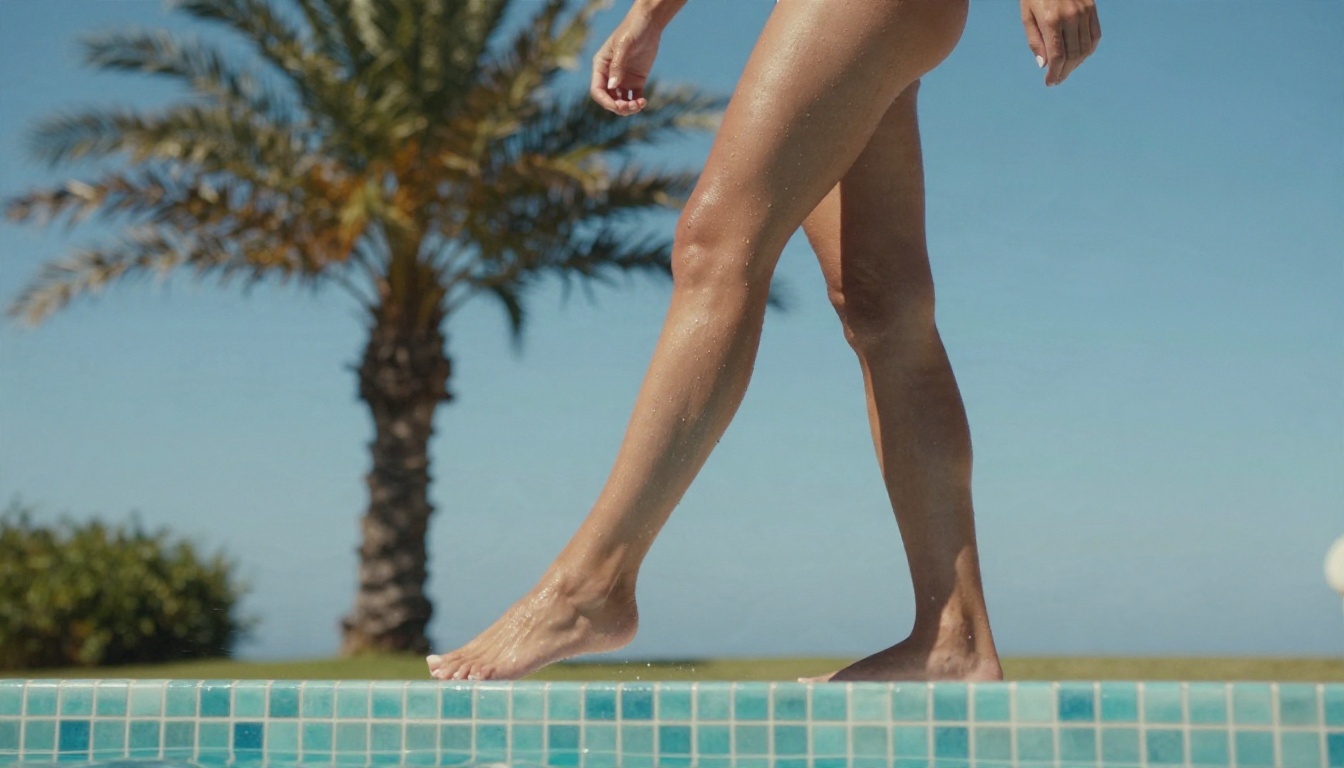
Poolside Bikini, Low Angle
Low-angle photograph of a tanned woman in a white string bikini
stepping out of an infinity pool at a villa, water droplets on
her skin, palm trees and clear sky behind, midday sun softened
by haze, 35mm f/2.8 lens, realistic skin texture, wet hair
strands, Kodak Portra 400 grain
Shooting from pool level makes the subject feel taller and adds real drama. The water droplets and wet hair are what sell the scene.
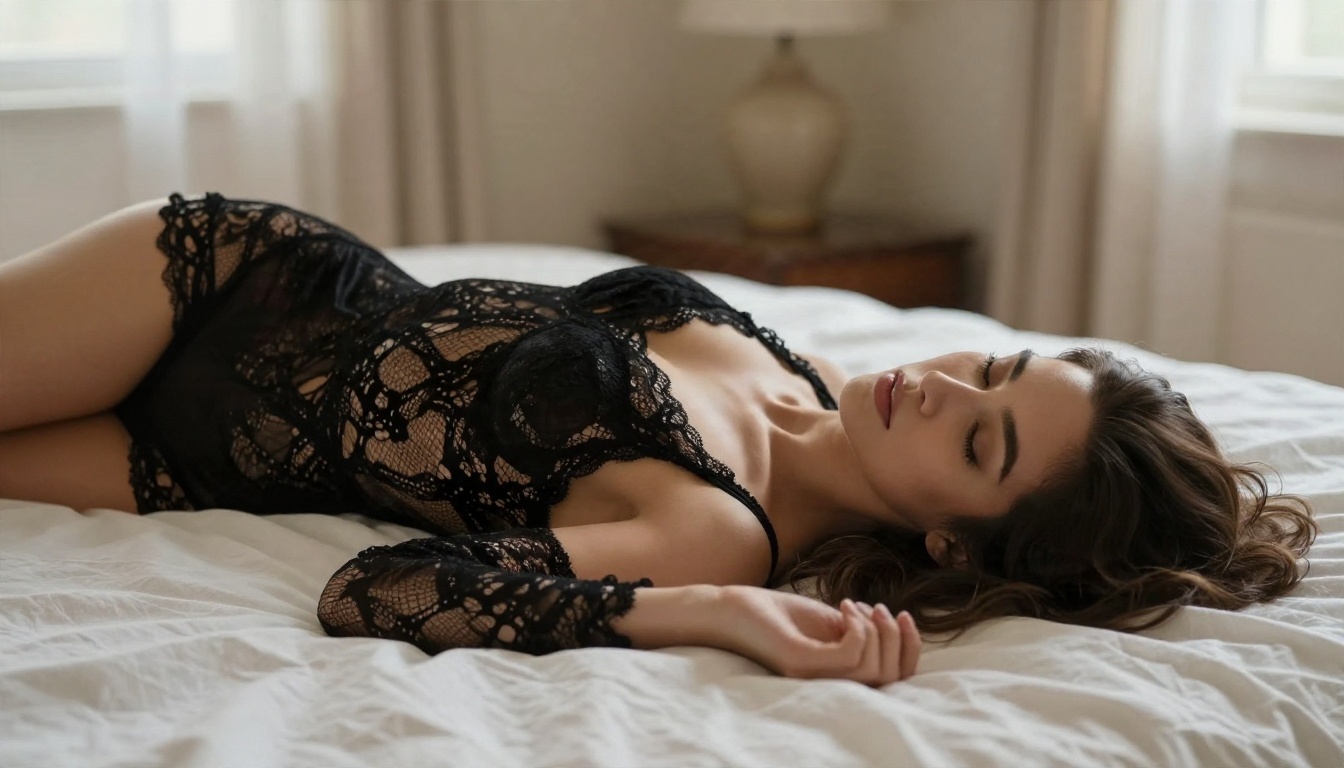
Boudoir Morning, Side Angle
Side-angle boudoir photograph of a woman in a black lace
bodysuit lying on her side on rumpled white linen sheets, soft
diffused window light from behind creating a rim on her hair,
85mm f/1.8, visible lace thread detail, Kodak Portra 400 grain,
elegant and non-explicit
Backlight is the secret here. It wraps the edge of the figure in a soft glow and hides the flat, front-lit look that makes AI images feel fake.
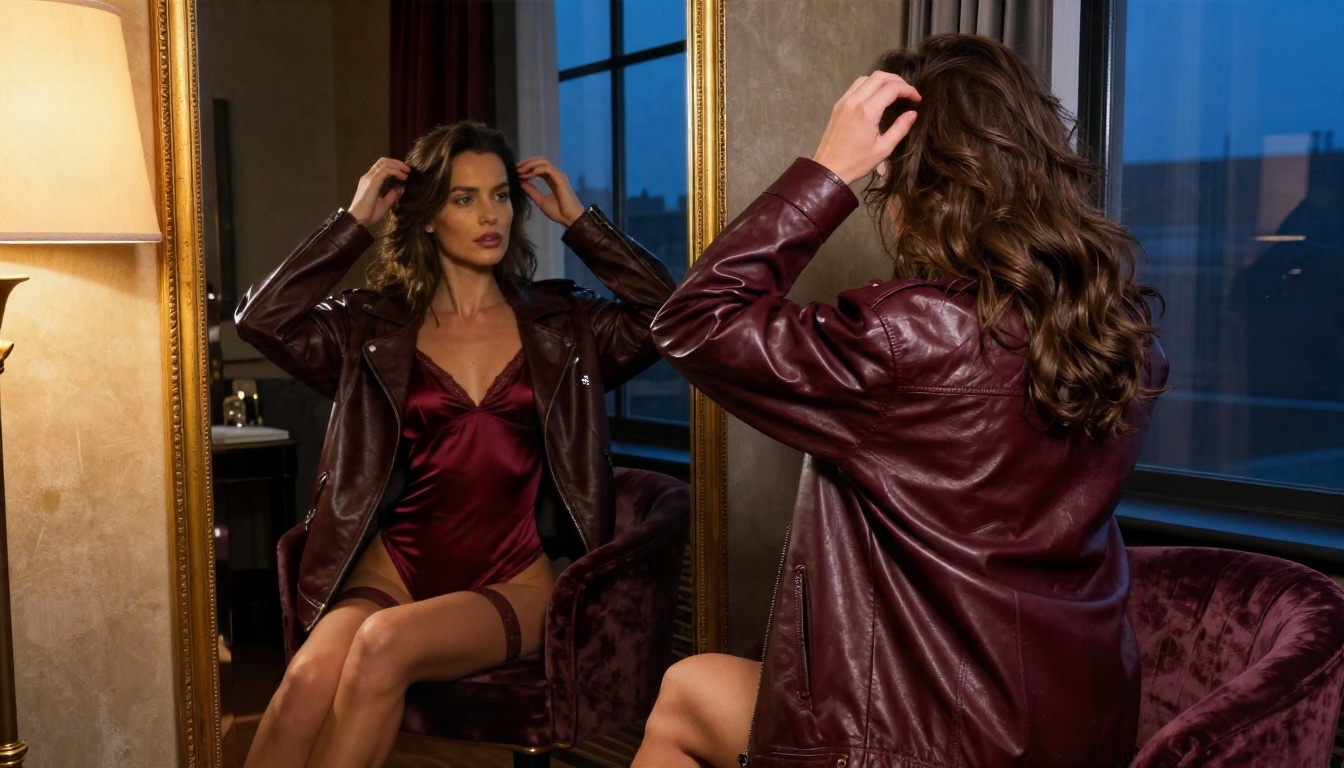
Hotel Mirror With Leather Jacket
Mirror photograph in a boutique hotel room, a woman in burgundy
satin lingerie and an open oversized leather jacket adjusting her
hair, gilded mirror with aged edge, warm tungsten lamp from the
left and cool dusk window light from the right, 50mm f/2,
visible leather creases, Kodak Portra 400 grain
Two light sources in two colors, warm and cool, give this prompt its moody, cinematic split. The contrast between glossy satin and creased leather adds texture.
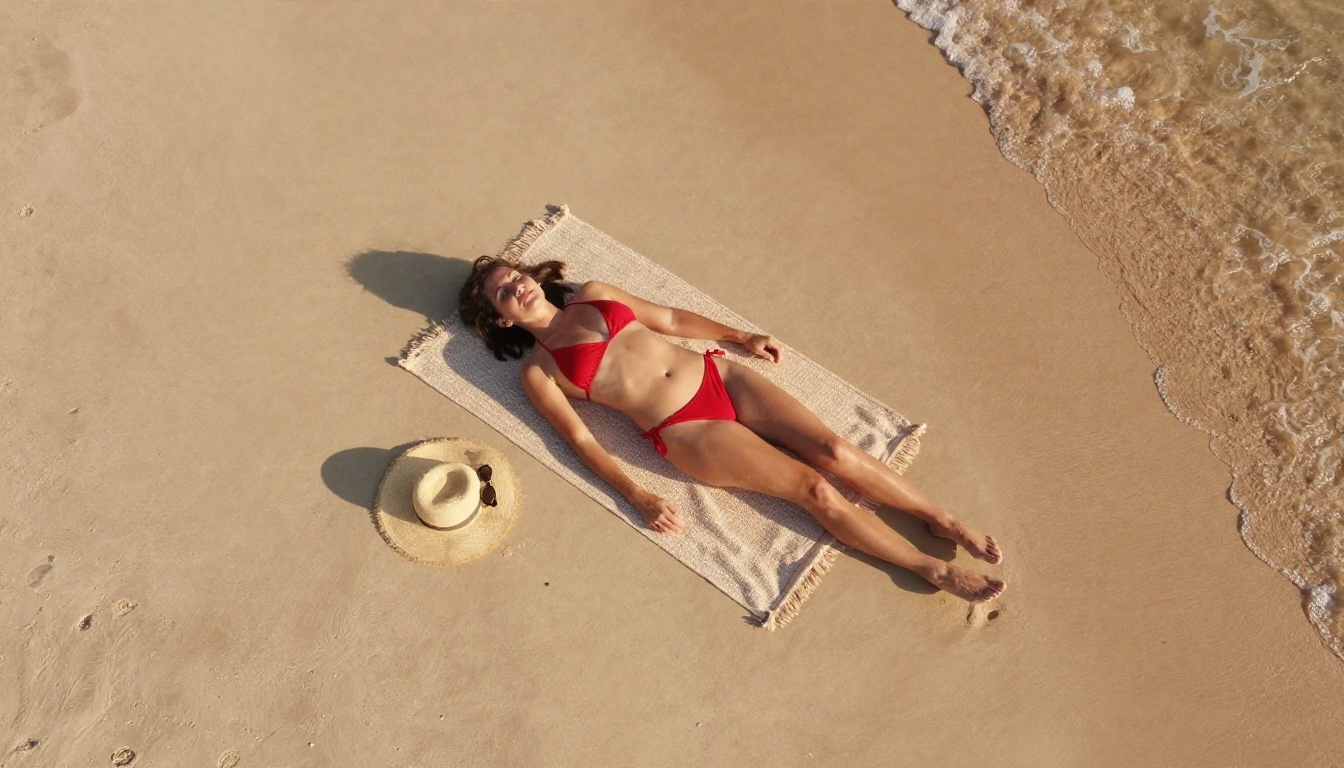
Beach at Golden Hour, Aerial
Top-down aerial photograph of a woman in a red bikini lying on a
woven beach towel on pale golden sand at sunset, foamy waves at
the frame edge, long soft shadows to the right, 24mm lens, visible
sand grains, straw hat and sunglasses beside her, natural tan
lines, Kodak Portra 400 grain
An overhead angle is a great way to add variety to a set. Long shadows from a low sun give you depth without any extra effort.
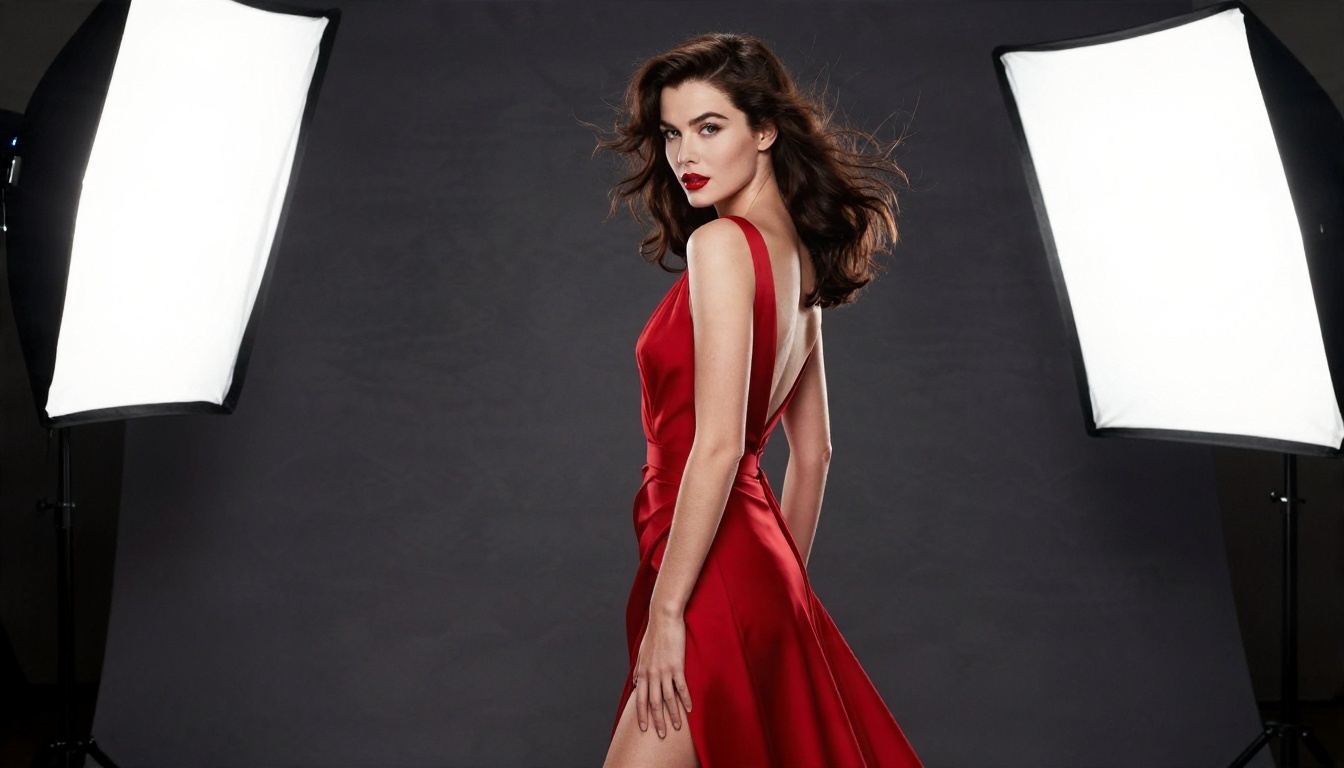
Studio Glamour in Red
Studio glamour portrait of a woman in a backless crimson evening
gown with a high thigh slit, three-quarter turn against a dark
charcoal backdrop, large softbox key light from camera left and a
subtle hair light from behind, 85mm f/2, silk drape texture,
glossy red lipstick, natural skin pores, Kodak Portra 400 grain
Naming the exact lighting setup (softbox plus hair light) gives studio results that look produced by a real photographer.
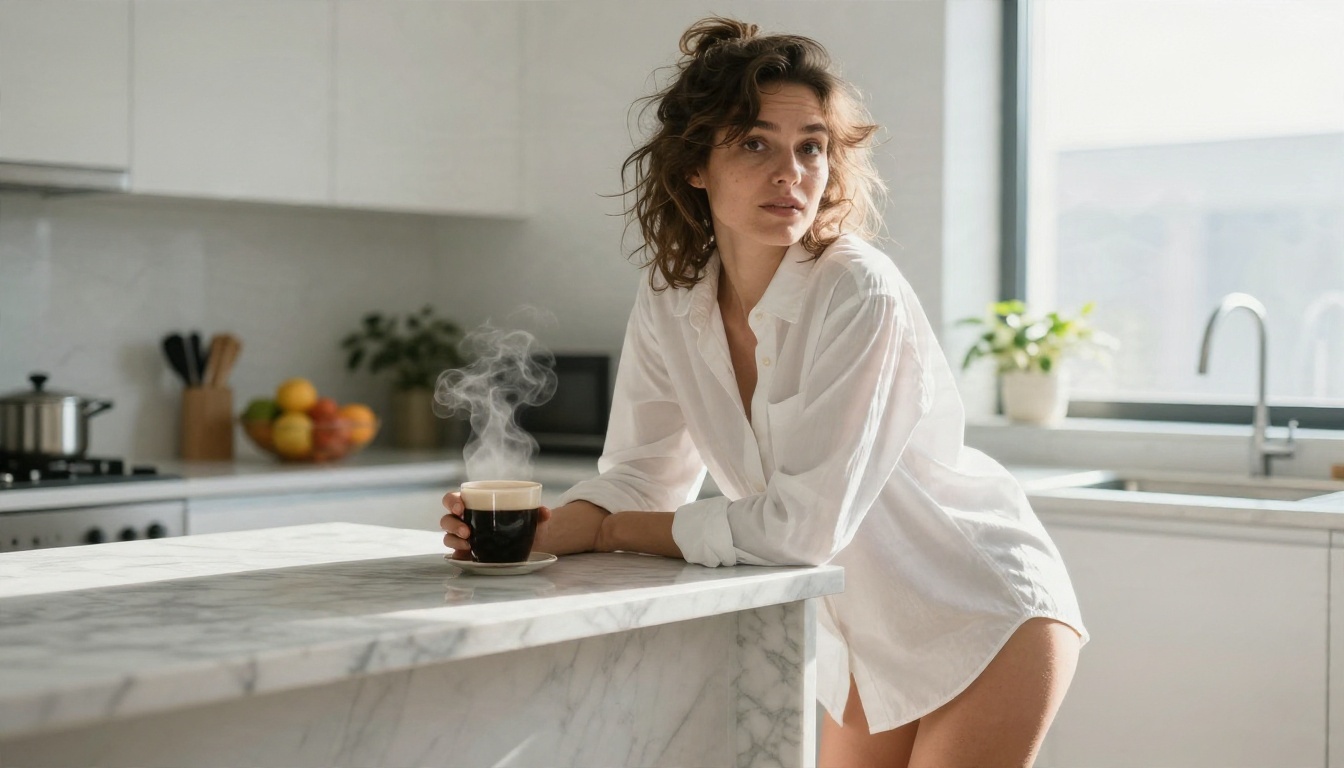
Oversized Shirt, Sunny Kitchen
Medium shot of a woman in only an oversized white button-up shirt,
barefoot in a sunny modern kitchen, leaning on a marble counter
with a coffee cup, messy bun, playful glance at the camera, morning
light from a large window on the right, 35mm f/2, cotton wrinkles,
steam from the cup, Kodak Portra 400 grain
This is the "girlfriend morning" look: casual, warm and relatable. Small props like steam and a fruit bowl make the scene feel lived in.
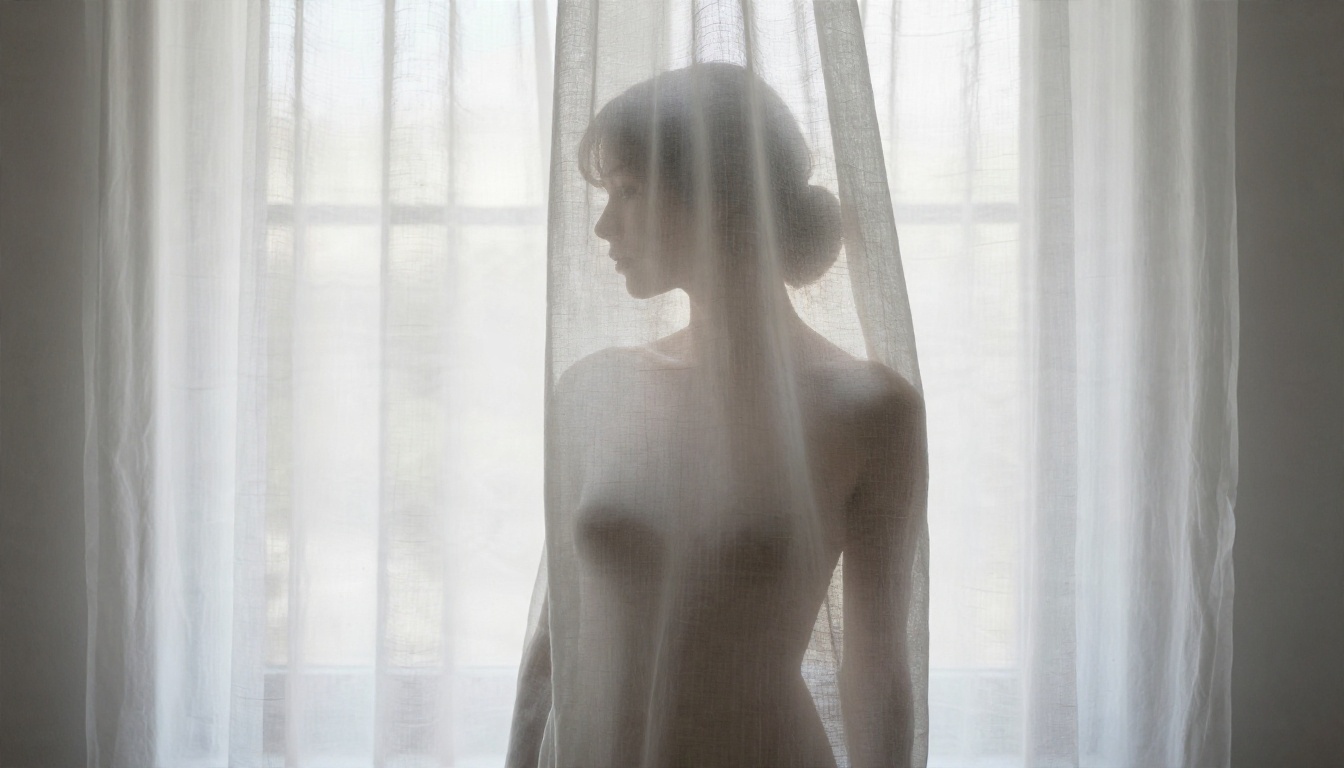
Sheer Curtain Silhouette
Artistic silhouette photograph of a woman behind a sheer white
linen curtain, body implied and modestly covered by fabric folds,
strong backlight from a window creating a soft glowing outline,
70mm f/2.8 from a slight low angle, minimalist plaster room,
fabric weave texture, tasteful fine-art mood
Implied is often more striking than shown. Using fabric as a veil keeps the image elegant and fully non-explicit.
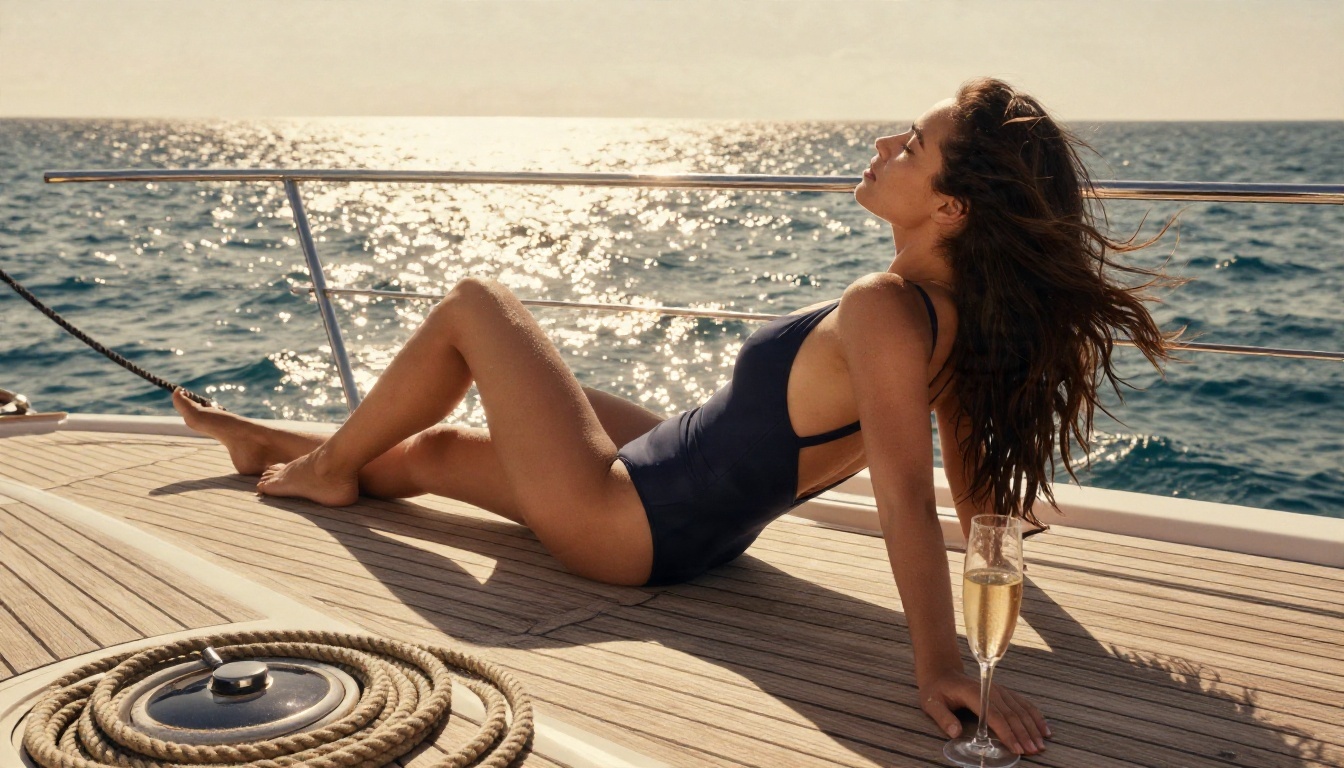
Yacht Deck Swimwear
Wide candid photograph of a woman in a navy one-piece swimsuit
with side cut-outs lounging on a teak yacht deck, sea horizon
behind, late afternoon golden light from the right, 28mm f/4
from slightly above, rope coils and a champagne glass in the
foreground, salt-kissed skin, wind in her hair
Foreground objects add layers to the frame. A rope coil and a glass of champagne tell a small story before the viewer even reaches the subject.
Which Model Renders Your Prompt Best
A great prompt still needs the right model. These are the ones to use on PicassoIA, in the order I would try them for adult, suggestive imagery.
Order
Model
Best for
Link
1
Seedream 4.5
Sharp, photographic skin and fabric, strong prompt following
The big advantage of these models is freedom. Seedream 4.5 handles swimwear, lingerie and glamour scenes without the constant blocking you get on mainstream tools. Image Editor Pro is the one to keep open all day, because unlimited generations mean you can run twenty variations of the same prompt without watching a counter.
💡 Tip: Draft with Z Image Turbo, then re-run your best prompt in Seedream 4.5 for the final render. You spend less and keep the quality where it counts.
How to Use Seedream 4.5 on PicassoIA
Here is a clean workflow from blank page to finished photo with Seedream 4.5.
Open the model page. Go to the Seedream 4.5 page on PicassoIA and open the prompt box.
Paste your prompt. Use one of the eight examples above, or write your own with the five-part formula.
Set the aspect ratio. Choose 16:9 for wide scenes like beaches and yachts, and a portrait ratio for full-body glamour shots.
Pick a resolution. Start at a standard size for testing, then raise it for the final image. The model supports up to 4K output.
Run it three or four times. Small random changes between runs often give you one clear winner.
Change one thing at a time. If the light is off, edit only the light line. If you rewrite everything, you will never know what helped.
Polish in Image Editor Pro. Send the best frame to PicassoIA Image Editor Pro to fix small details like a hand, a strap or a background object.
Parameter tips:
Put the most important words first. Models weigh the start of a prompt more heavily.
Keep prompts between 50 and 80 words. Shorter is vague, longer starts to contradict itself.
Do not stack more than two light sources unless you want a mixed, moody look.
Skip text in the image. Words inside pictures often come out garbled.
Mistakes That Ruin Results
Most failed images come from the same small set of errors. Check these before blaming the model.
Calling it "8K photo" and nothing else. Resolution words do not replace lighting and lens detail.
Mixing styles. Adding "cinematic," "anime" and "oil painting" to a photo prompt pulls the result away from realism.
Forgetting skin texture. Without words like pores, freckles or light sheen, skin turns smooth and waxy.
Ignoring the background. An empty setting produces a floating subject. Name two or three objects in the room.
Overloading the pose. One clear action beats a long list of body instructions.
Using neon or glowing light. It pushes the image toward illustration. Stick to natural, motivated light sources.
💡 Tip: Keep fictional adult subjects only, and never describe real, named people. It keeps your work safe and keeps the output focused on the look you want.
Write Your First Prompt Today
You now have everything you need: a five-part formula, a free chat model workflow, a reusable template and eight examples that already work. Pick one example, change the outfit and the light, and run it. Then do it again with a different lens. In an hour you will have a small personal library of prompts that give you consistent, photographic results.
PicassoIA puts the whole workflow in one place. Draft your prompts with a chat model, render them in Seedream 4.5, refine them in Image Editor Pro with unlimited generations, and test fast ideas in Z Image Turbo. When you want to try other options, browse the full list at picassoia.com/en/all-models and pick the model that fits your next idea. Open the prompt box, paste your first line, and see what you get.