You type a prompt for a woman in a bikini on a beach, and the generator answers with a "content policy" error. Frustrating, right? That is the daily reality of most mainstream image tools, and it is exactly why people search for an NSFW AI text to image generator that works online, costs nothing to try, and still produces sharp, believable photos.
This article covers what these generators do, which models on PicassoIA handle suggestive glamour without constant blocking, and the prompt formula behind the nine examples below. Everything here stays on the non-explicit side: swimwear, lingerie style glamour, boudoir mood, implied artistic nudity. Beautiful, attractive, adult, and never pornographic.
💡 Quick answer: Start with Seedream 4.5 for text to image, then move to PicassoIA Image Editor Pro when you want unlimited generations and edits on the same picture.
What an NSFW AI Image Generator Does
An NSFW AI text to image generator turns a written description into a picture where adult themes are allowed: swimwear, sensual poses, glamour lighting, boudoir settings. The word "NSFW" simply means "not safe for work", so the category is broad. Most users want something much tamer than the name suggests: a bikini campaign shot, a moody portrait in a satin dress, a silhouette behind a curtain.
How text becomes a photo
The model reads your prompt, converts it into numerical meaning, and then removes noise from a blank canvas step by step until a picture matches that meaning. Modern models trained on huge photo sets can reproduce skin pores, fabric weave, lens blur and film grain from words alone. That is why a prompt that mentions "85mm f/1.8" and "Kodak Portra 400" tends to look like a real magazine photo, while a vague prompt gives you plastic skin.
What "non-explicit" means here
Every image in this article follows one rule: suggestive, not explicit. Think fashion magazine, swimwear catalog, boudoir portfolio. Bodies are covered by clothing, fabric, shadow or framing. This keeps the results attractive, keeps them useful for creators, and keeps them on the right side of platform rules.
| Content type | Included in this article | Notes |
|---|
| Bikinis and swimwear | Yes | Beach, pool, yacht scenes |
| Lingerie style glamour | Yes | Lace, satin, silk, boudoir mood |
| Implied artistic nudity | Yes | Silhouettes, draped sheets, covered by fabric |
| Pornographic or explicit acts | No | Never generated or described |
Best Free Online Options on PicassoIA
Not every model treats adult themes the same way. Some refuse almost anything involving skin, some blur the result, and some simply cannot render a believable body. After testing prompts across the catalog, this is the order I would try them in.
Seedream 4.5 comes first
Seedream 4.5 is the model to open first. It handles realistic skin, believable hands and complex lighting, and it accepts glamour, swimwear and boudoir prompts without constant refusals. It also renders at high resolution, so an image can go straight into a portfolio or a social feed without upscaling.
Why it earns the top spot:
- Photoreal skin and fabric, including satin sheen and lace weave
- Strong prompt following, so camera angle and lighting notes actually show up
- Fast generations, which matters when you iterate ten times on one idea
- Uncensored feel for suggestive content, so you spend time creating instead of rewording
Image Editor Pro for unlimited runs
PicassoIA Image Editor Pro is the second stop. Its big selling point is unlimited generations, which changes how you work: you stop rationing attempts and start experimenting. You can generate, then edit the same image: change an outfit color, swap a background, soften the light, fix a hand. For anyone producing sets of images with a consistent look, this is the best value on the platform.
Other models worth trying
Once you have a feel for the first two, these are good alternatives for different looks:
- Flux Dev: crisp, natural portraits with a photographic feel
- Z Image Turbo: very fast drafts when you want to test a dozen prompts quickly
- Hidream L1 Full: sharp detail and strong color
- Flux Dev LoRA: useful when you want a specific style baked in
💡 If you want to compare more options side by side, the full catalog lives at picassoia.com/en/all-models.
How to Use Seedream 4.5 on PicassoIA
Here is the exact workflow I use. It takes under two minutes for the first image.
- Open the model page. Go to Seedream 4.5 on PicassoIA and sign in.
- Write the prompt in one block. Use the formula in the next section: subject, setting, light, lens, texture.
- Choose 16:9 for landscape scenes and 3:4 or 2:3 for full length portraits. Wide ratios suit beach and interior scenes best.
- Generate and review. Look at the hands, the eyes and the fabric edges first. Those are where weak outputs show up.
- Change one thing at a time. If the light is flat, edit only the lighting line. If you rewrite everything, you lose what worked.
- Send the best result to Image Editor Pro. Use PicassoIA Image Editor Pro for outfit changes, background swaps and cleanup without limits.
Parameter tips that save time:
- Keep prompts between 50 and 120 words. Shorter prompts get generic faces; longer ones start contradicting themselves.
- Use one light source in the prompt ("golden window light from the left"). Multiple competing sources confuse the output.
- Add "natural skin texture, visible pores" to avoid the airbrushed look.
- Name a film stock such as Kodak Portra 400. It nudges colors toward warm, believable tones.
Every example in this article uses the same five part structure. Copy it, then swap the content.
Subject and pose + environment + lighting + camera and lens + texture and mood
Subject, pose and outfit
Be specific and always state that the subject is an adult woman. Mention the outfit by material and color: "red satin slip dress", "white string bikini", "ivory lace bodysuit under an open knit cardigan". Then give one clear pose: "looking over her shoulder", "floating on her back", "propped on her elbows". A single pose beats a list of three.
Light, lens and angle
This is where photos stop looking like AI. Give the light a direction and a quality: "warm low sun backlighting from the right", "soft diffused morning light from the window". Add a lens and aperture: "85mm f/1.8" for portraits with soft backgrounds, "24mm" for wide environmental shots, "35mm f/2.8" for beach scenes. Then pick an angle: low, overhead, eye level, three quarter.
Skin, fabric and film grain
Texture words do a lot of work. "Visible pores", "flyaway hairs", "salt spray on skin", "satin sheen", "lace weave", "wrinkled linen", "fine film grain". These small details tell the model you want a photograph, not a render.
💡 Copy this template: "Adult woman in [outfit], [one pose], in [location]. [Light source and direction]. [Lens] f/[aperture], [angle]. [Skin and fabric texture], fine film grain, Kodak Portra 400, photorealistic."
Prompt Examples With Results
Below are nine examples, each with the thinking behind it. Use the prompt idea as a starting point, then adjust the details to your own project.
Beach and pool scenes
Water and sunlight are the easiest way to get a flattering, natural swimwear photo. The trick is low sun and wet surfaces.
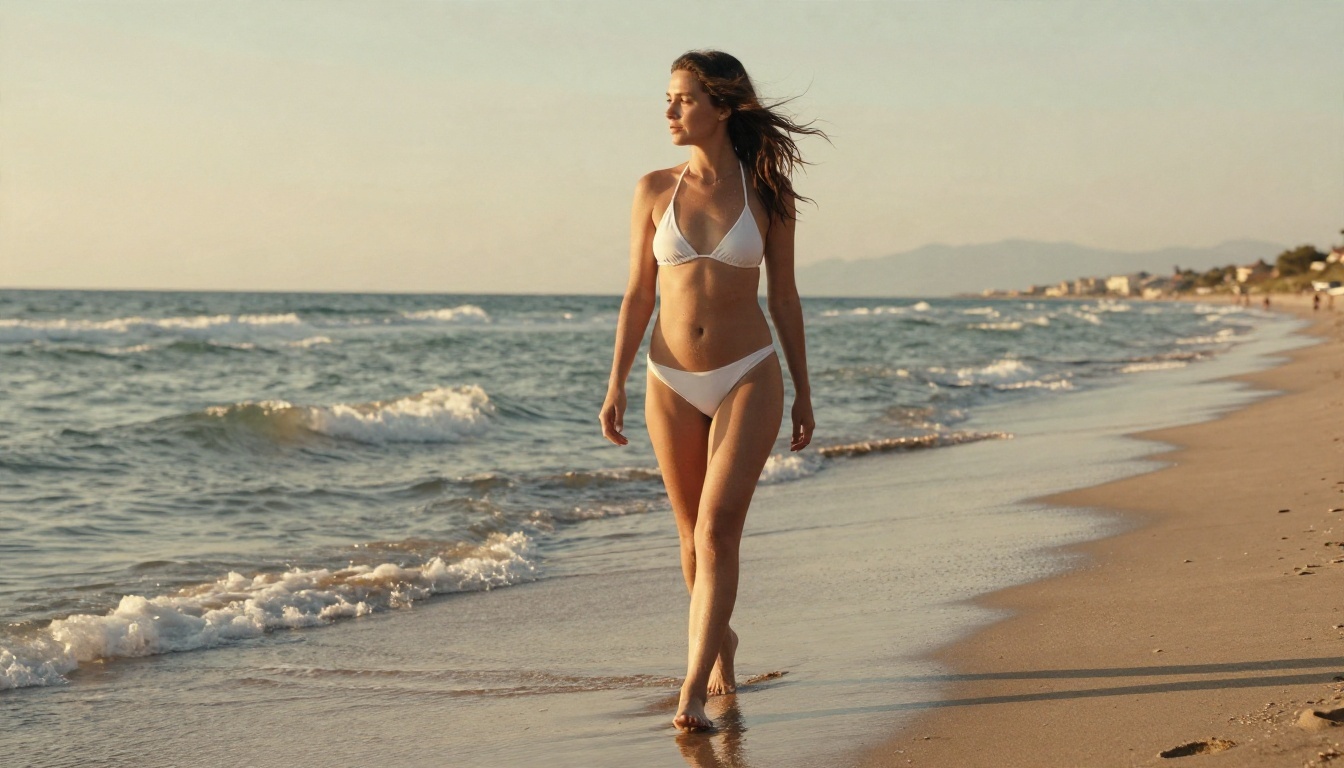
Prompt idea: Adult woman in a white string bikini walking along a quiet Mediterranean beach at golden hour, wet sand reflecting the sky, gentle waves around her ankles. Warm low sun backlighting from the right. Wide low angle, 35mm f/2.8, salt spray texture on skin, fine film grain, Kodak Portra 400.
Why it works: the backlight creates a soft rim on the shoulders, and the wet sand adds a mirror reflection that makes the scene feel real.
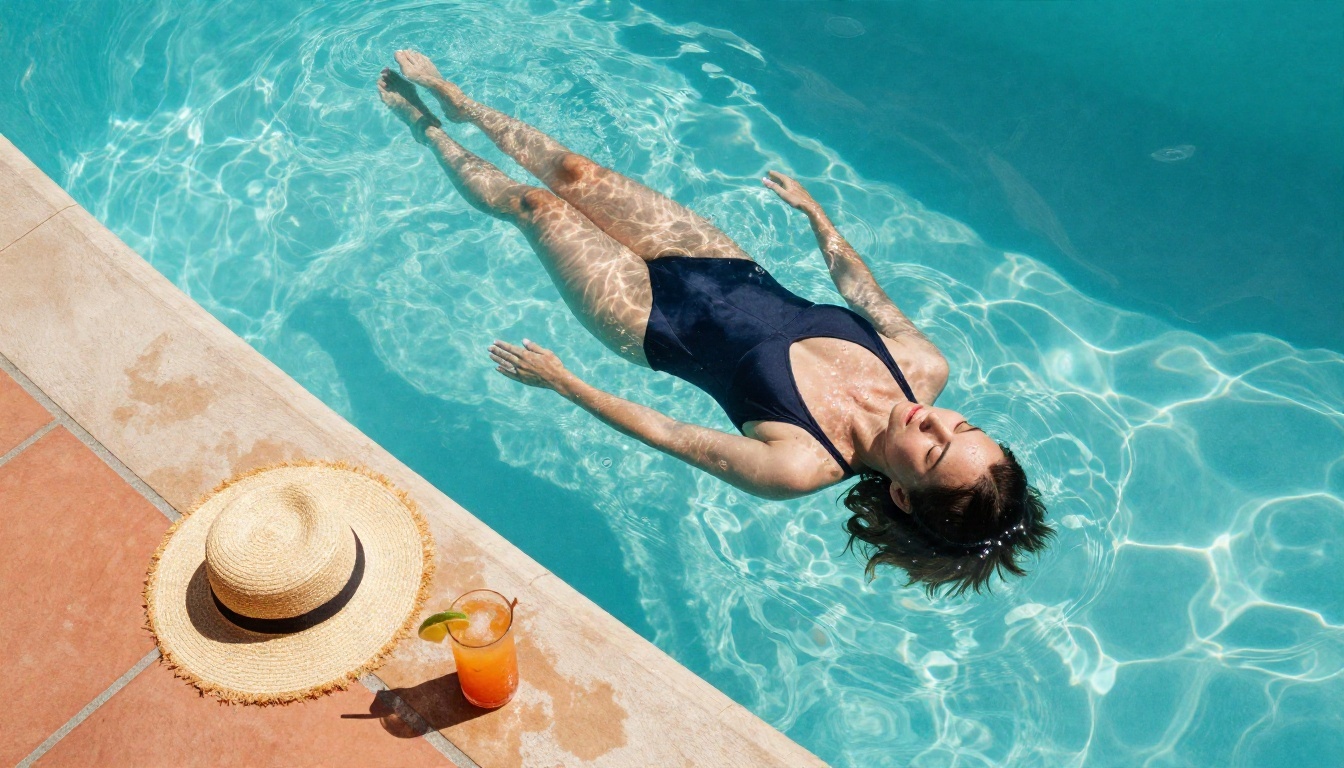
Prompt idea: Overhead view of an adult woman in a navy one piece swimsuit floating on her back in a clear turquoise infinity pool beside terracotta tiles. Hard midday sun with crisp shadows and water caustics on her skin. 24mm lens from a balcony, f/5.6.
Overhead framing is a great trick for variety. It changes the whole composition and hides awkward limb positions.
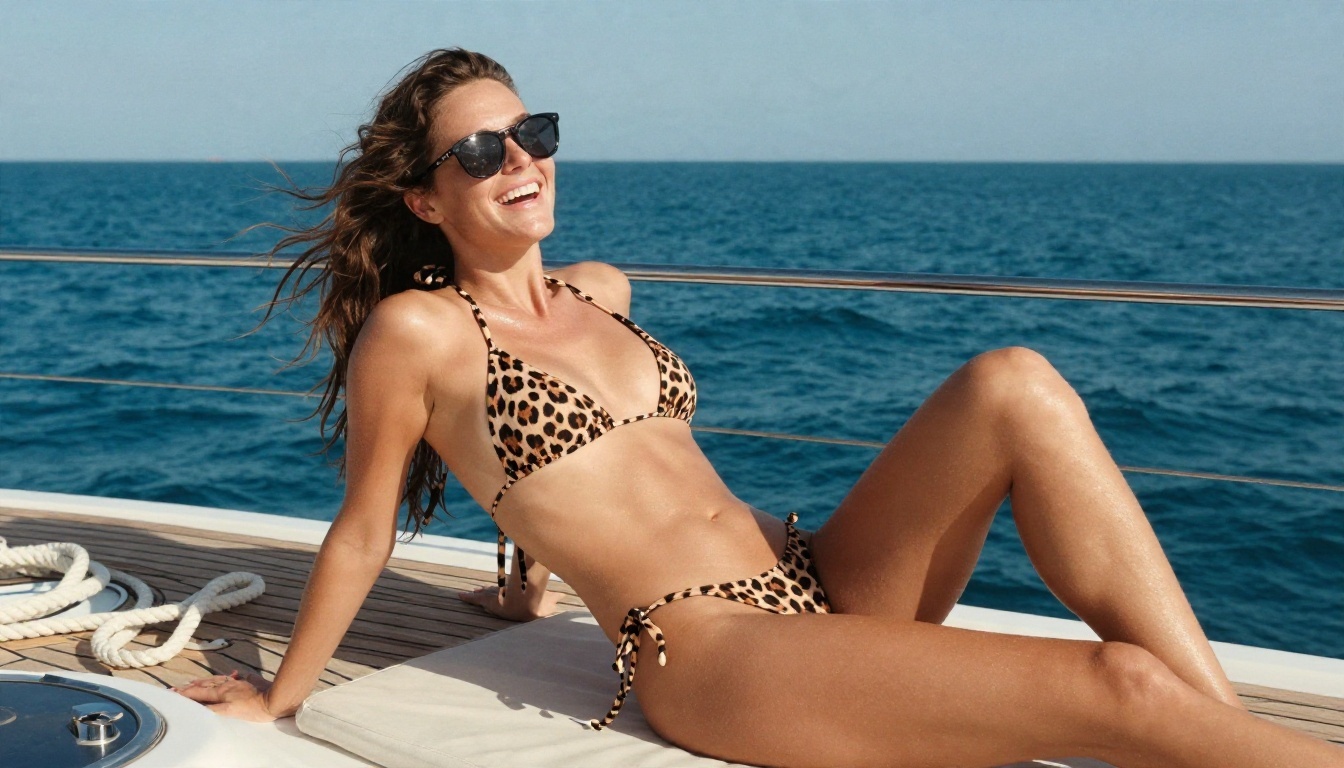
Prompt idea: Adult woman in a leopard print bikini and sunglasses lounging on a yacht deck cushion, ocean horizon behind her, laughing toward the camera. Bright direct sun from the upper left, teak deck texture, white rope coils. 50mm f/2.2, eye level three quarter shot.
A laugh or a candid expression makes the image feel lived in. Stiff, posed faces are the quickest giveaway of AI.
Portraits and close ups
Portraits live or die on skin, eyes and hair. Pick a longer lens and a shallow depth of field.
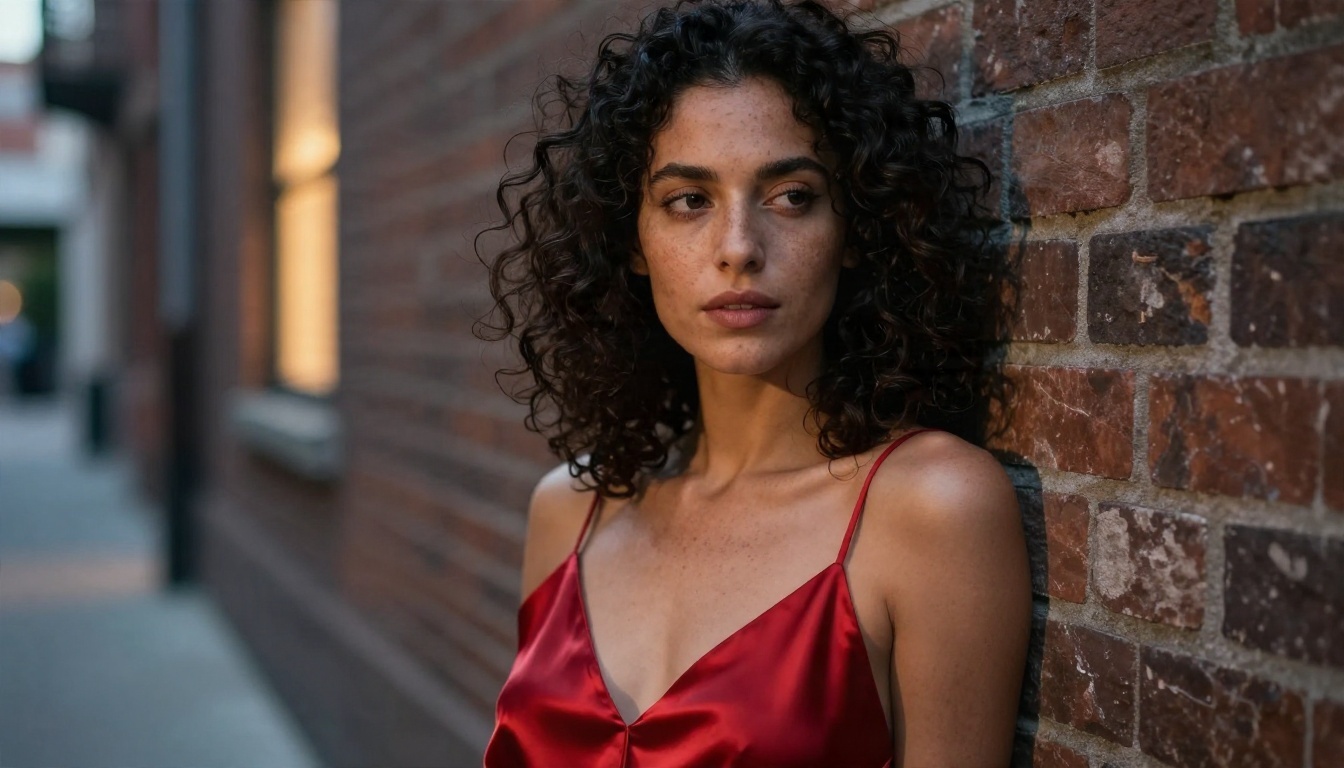
Prompt idea: Close-up portrait of an adult woman with dark curly hair and freckles wearing a red satin slip dress, leaning against a weathered brick wall at dusk, looking over her shoulder. Soft overcast light from above with warm window glow from the left, visible pores, flyaway hairs. 105mm f/2.
Red satin against old brick is a classic contrast. The rough wall makes the skin and fabric look smoother and more luxurious by comparison.
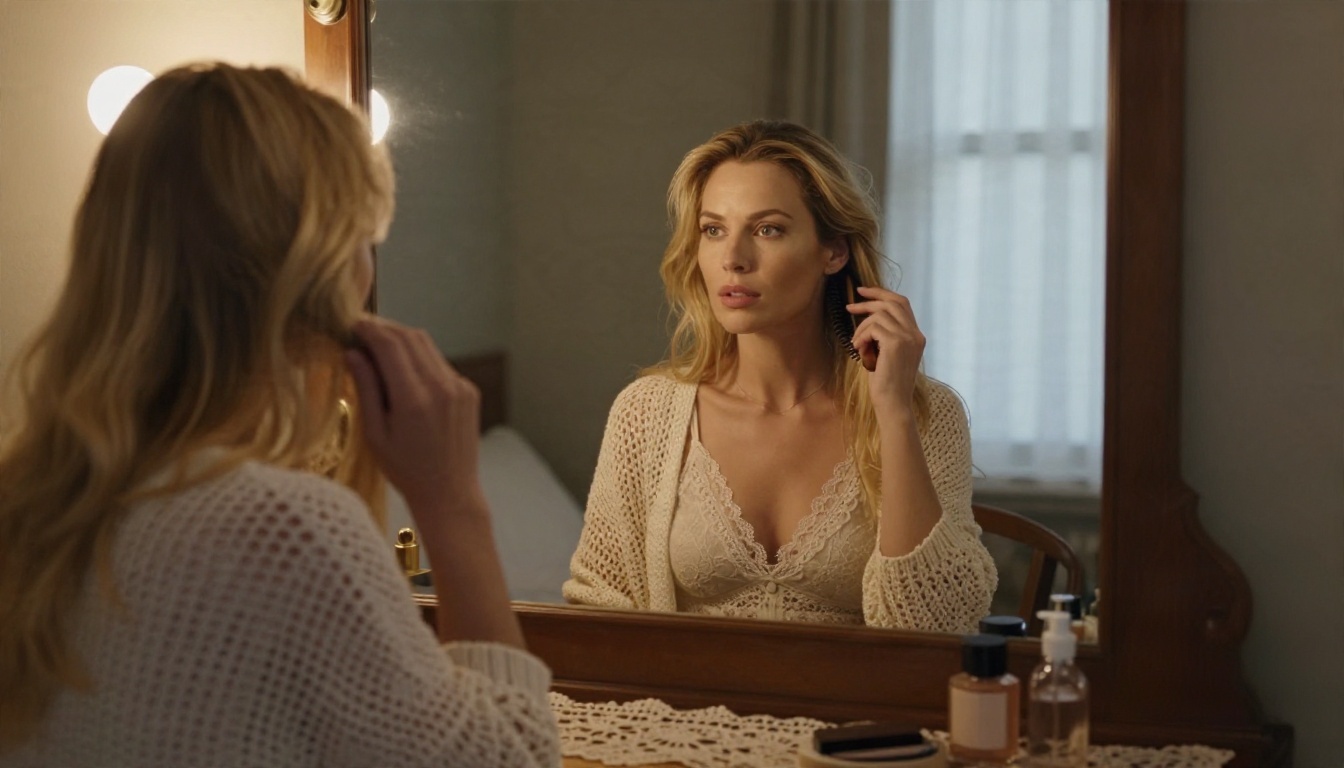
Prompt idea: Adult woman seated at a vintage vanity mirror in a dim bedroom, wearing an ivory lace bodysuit under an oversized open knit cardigan, brushing her long blonde hair, reflected face visible in the mirror. Warm tungsten bulbs around the mirror plus soft cool window light. 50mm f/1.4.
Mirrors are tricky for AI, so keep the reflection simple: one face, one angle. The layered outfit keeps the picture tasteful while staying suggestive.
Implied and artistic styles
Implied styles are where "NSFW" becomes art. The viewer fills in the rest, and that restraint is what makes the picture work.
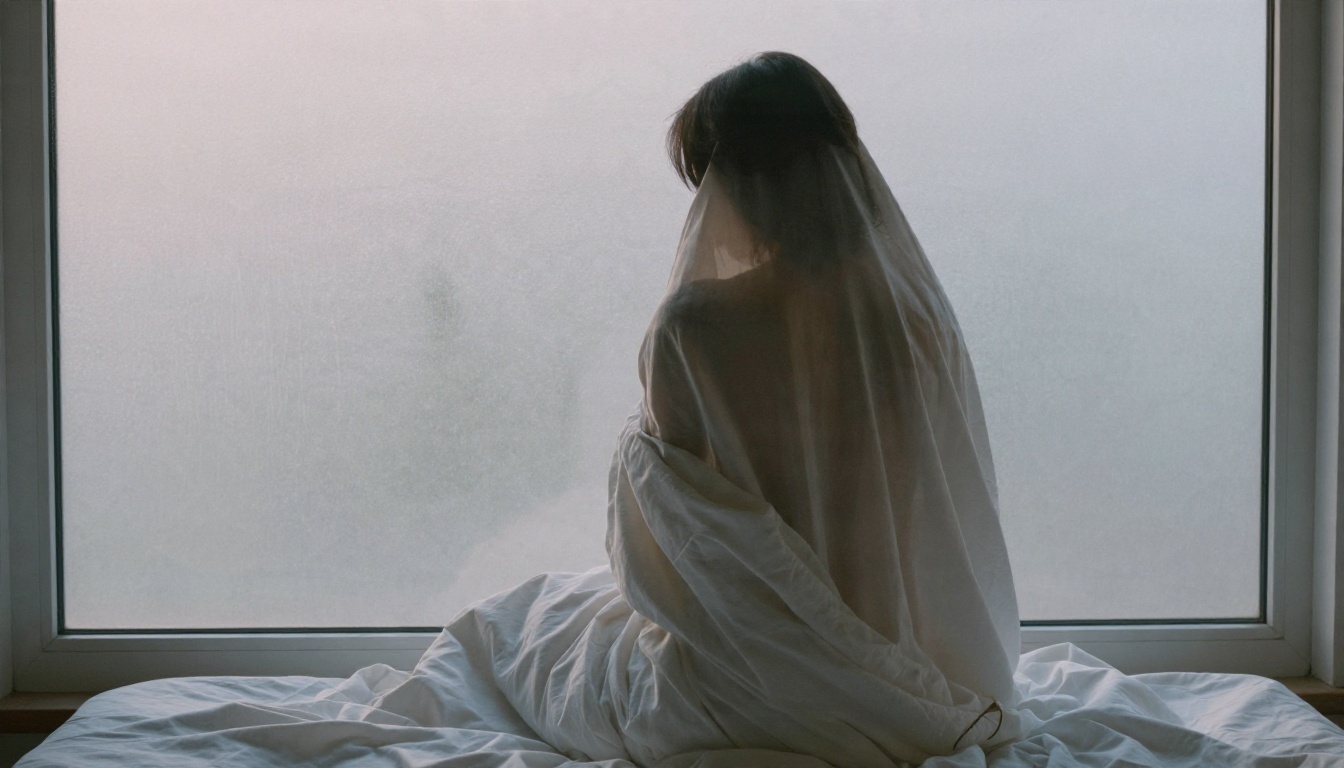
Prompt idea: Artistic implied silhouette of an adult woman draped in a white bedsheet before a large frosted window, bare shoulders and back visible, body fully covered by fabric, seen from behind. Soft diffused morning light from the window. 70mm f/2.8, muted tones, fine film grain.
State clearly that the body is covered by fabric. That single phrase keeps the result elegant and avoids moderation blocks.
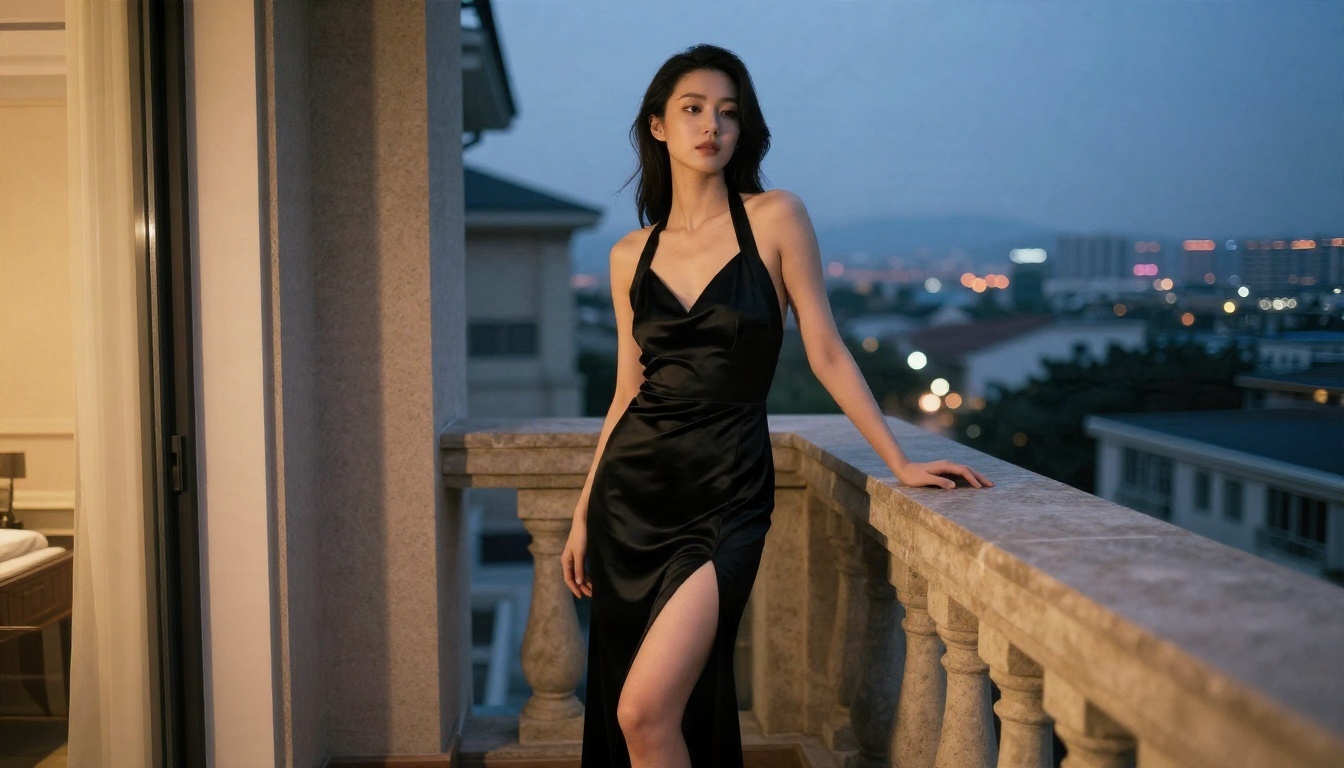
Prompt idea: Adult woman in a black halter evening gown with a high leg slit stepping onto a hotel balcony at blue hour, city lights softly blurred below, hand on the stone railing, looking back with a calm stare. Cool dusk light from the front mixed with warm interior glow. 85mm f/1.8, low angle.
Mixing cool dusk light with a warm doorway glow gives you instant cinematic mood without any fantasy effects.
Casual and editorial looks
Not every NSFW prompt needs a bedroom. Casual summer looks and studio editorials sell well because they feel relatable.
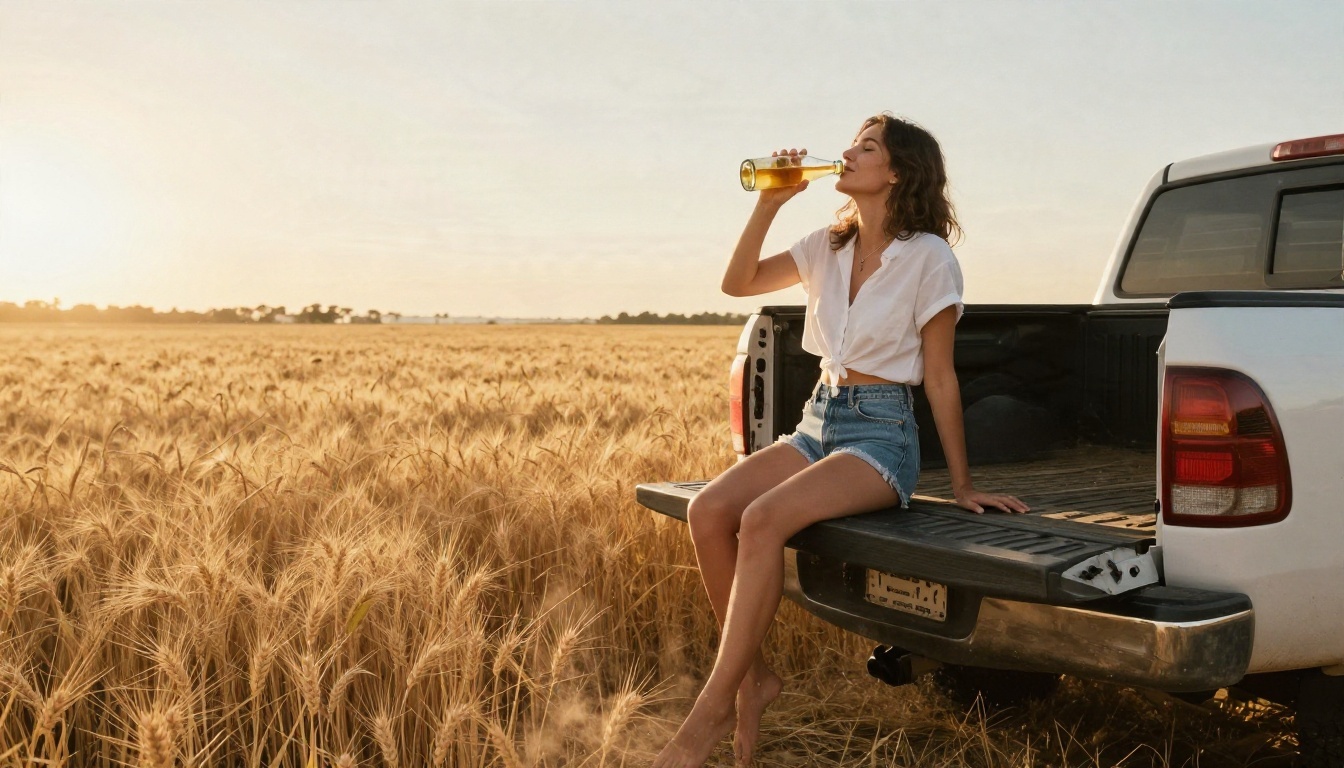
Prompt idea: Adult woman in a cropped white shirt and denim shorts sitting on a pickup truck tailgate in a golden wheat field, barefoot, sipping from a glass bottle, relaxed smile. Late afternoon sun low from behind, dust motes in the air, denim texture. 35mm f/2, slightly below eye level.
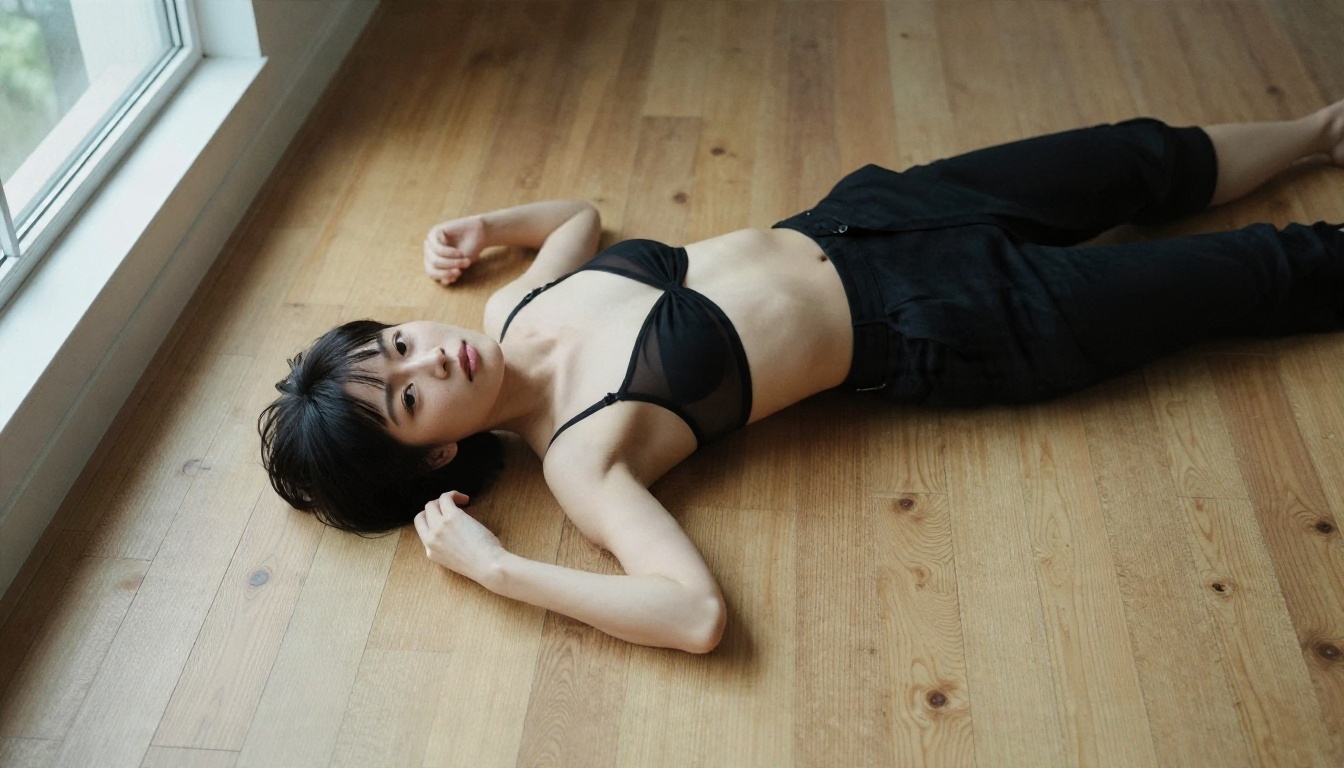
Prompt idea: Adult woman with a short black bob in a sheer black bralette and high waisted trousers lying on the hardwood floor of a bright loft studio, propped on her elbows, looking up at a camera directly above. Large window light from the left. 35mm f/2.8, top down, muted editorial tones.
The top down angle with wood grain and window light is a strong editorial look, and it works well in Flux Dev or Seedream 4.5 alike.
Mistakes That Ruin Your Results
Most bad outputs come from the same handful of errors. Fix these and your hit rate jumps.
- Asking for too much in one prompt. Five outfits, three poses and two locations produce mush. One idea per image.
- Skipping the light. Without a light direction, you get flat, even, artificial looking skin.
- Using style words that fight realism. "Cinematic neon", "hyperreal 3D", "glowing skin" push the model toward illustration. Stick with film stock and lens language.
- Ignoring hands. Keep hands simple: resting on a railing, holding a bottle, running through hair. Complicated hand poses fail often.
- Forgetting negative space. Leave room in the composition. Crowded frames look fake.
- Never editing. The first generation is rarely the best. Pull it into Image Editor Pro, fix one detail, and run it again.
💡 Fast fix for plastic skin: add "natural skin texture, visible pores, subtle freckles, fine peach fuzz" and remove words like "perfect" and "flawless".
Safety, Consent and Limits
A generator is a tool, and a few rules keep it a good one.
- Adults only. Every subject in your prompt must be an adult. Never create images that suggest a minor.
- No real people. Do not generate images of real individuals, celebrities, coworkers or exes without their clear consent. Invented characters only.
- No explicit content. The approach in this article is suggestive and artistic. Keep it there.
- Label your work. If you publish AI images, say they are AI generated. Readers appreciate the honesty and platforms increasingly require it.
- Mind where you post. Social networks, ad platforms and stock sites each have their own adult content rules. Check them before you upload.
If you want a quick polish pass after generating, the platform also offers super resolution tools to upscale a favorite image to a larger size, and inpainting inside the editor to fix a small detail without redoing the whole picture.
Try Your Own Prompts Today
You now have the formula, the model order and nine working examples. The fastest way to improve is to run your own tests.
Here is a simple plan for your first session:
- Open Seedream 4.5 and paste the beach prompt from above.
- Change only the outfit and the location, then generate again.
- Switch to PicassoIA Image Editor Pro and refine your favorite result with unlimited generations.
- Try a quick draft in Z Image Turbo to test ten ideas in a few minutes.
- Compare the options in the full catalog at picassoia.com/en/all-models.
Open Picasso IA, paste a prompt, and make your first image before your coffee gets cold. Swap one detail at a time, keep the light consistent, and you will have a photoreal glamour set that looks like it came from a real shoot.


