NSFW AI Video Prompt Generator: Free Examples and Settings for Better Clips
Copy-ready NSFW AI video prompts, a plug-in template that turns any LLM into a prompt generator, and the exact duration, resolution, seed and negative prompt settings that keep suggestive glamour clips smooth, sharp and non-explicit.
Most people who try adult-leaning AI video get the same result: a stiff, rubbery clip where the subject drifts, the fabric melts and the camera does something nobody asked for. The model is rarely the problem. The prompt is. A vague line like "sexy woman on beach" gives the generator nothing to plan around, so it improvises, and improvisation looks like AI.
This article gives you three things: a prompt formula you can reuse, seven free examples you can copy today, and the settings that decide whether a 5 second clip looks like a swimwear campaign or a glitch reel. Everything here stays in suggestive, glamour territory: bikinis, silk, boudoir lighting, sunlit skin. Nothing explicit, because explicit prompts are also the ones that break most often.
💡 Quick answer: an NSFW AI video prompt generator is any tool, usually a large language model with a good system prompt, that turns a rough idea into a structured line covering subject, wardrobe, one motion, camera move and light. Paste the result into an image to video model and you get a far steadier clip.
What a Video Prompt Generator Does
A video model reads your text as a shot description. The generator's job is to write that description the way a cinematographer would, in a fixed order, with one clear action.
Why Video Prompts Fail
Three mistakes show up again and again:
Too many actions. "She walks, turns, laughs, adjusts her hair and lifts her glass" asks for five beats in five seconds. The model blends them into mush.
No camera instruction. Without a camera move, the model picks one at random, often a jittery zoom.
Adjectives instead of physics. "Beautiful, stunning, sexy" tells the model nothing about light, fabric or movement. "Wind lifts the hem of a white sarong" does.
Where an LLM Fits In
You can write prompts by hand, and for one clip that is fine. But when you want ten variations of the same scene, a language model saves hours. Feed it your rough idea and a strict template, and it returns clean prompts you can paste straight into a video model.
Several chat models on PicassoIA work well for this job:
Use this order every time. Video models weight early words more heavily, so the subject and the motion go first.
Subject + Wardrobe → One Motion → Camera Move → Light → Atmosphere
Slot
What to write
Example
Subject
Adult woman, age cue, hair, skin detail
"adult woman in her late twenties, wavy chestnut hair, freckled skin"
Wardrobe
Fabric and color, never vague
"black bikini, open white silk shirt"
Motion
One action that fits 5 seconds
"slowly turns her head toward the camera and smiles"
Camera
One move, named
"slow dolly in, shallow depth of field"
Light
Direction and time of day
"golden hour sunlight from the left"
Atmosphere
Small environmental movement
"sea breeze lifts the shirt fabric"
Subject and Wardrobe
Be specific about fabric. Silk, satin, terry cotton, lace trim and linen all move differently, and video models know it. "Satin slip dress" produces a believable sheen and drape. "Sexy outfit" produces a guess.
Always state that the subject is an adult, and give an age cue. It keeps the output on the right side of every platform's rules and helps the model pick mature proportions and features.
Motion in One Beat
Pick one verb. Turns, walks, lifts, leans, stretches, glances. If you want a second action, make it passive and environmental: wind, water, steam, drifting light. The subject does one thing, the world does the rest.
Camera and Light
Name the camera move in plain film language: slow dolly in, gentle pan left, static tripod shot, low angle tracking, overhead drone descent. Then name the light source and its direction. These two lines do more for realism than any quality tag.
Seven Free Prompt Examples
Copy these as they are, then swap the wardrobe, location or camera move. Each one is written for image to video, meaning you start from a still frame and the prompt describes only what moves.
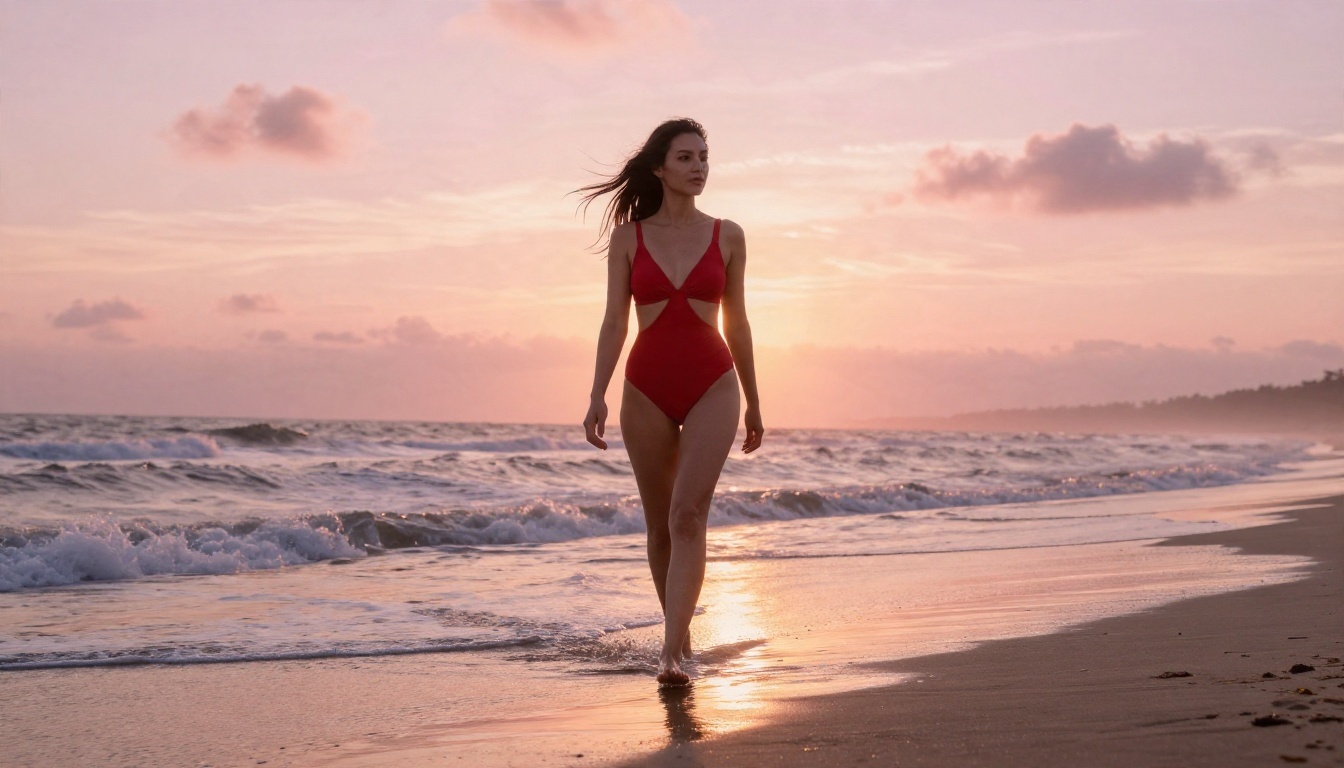
Example 1: Sunrise Beach Walk
Adult woman in a red two-piece swimsuit walks slowly toward the camera along wet sand, small waves wash around her ankles, hair lifted by a light breeze. Low angle tracking shot moving backward at walking pace. Warm sunrise backlight, pink and amber sky, glistening skin, realistic water splashes. Natural motion, 24fps film look.
Why it works: one subject action (walking), one camera move (tracking back), and physical details the model can simulate (water, breeze).
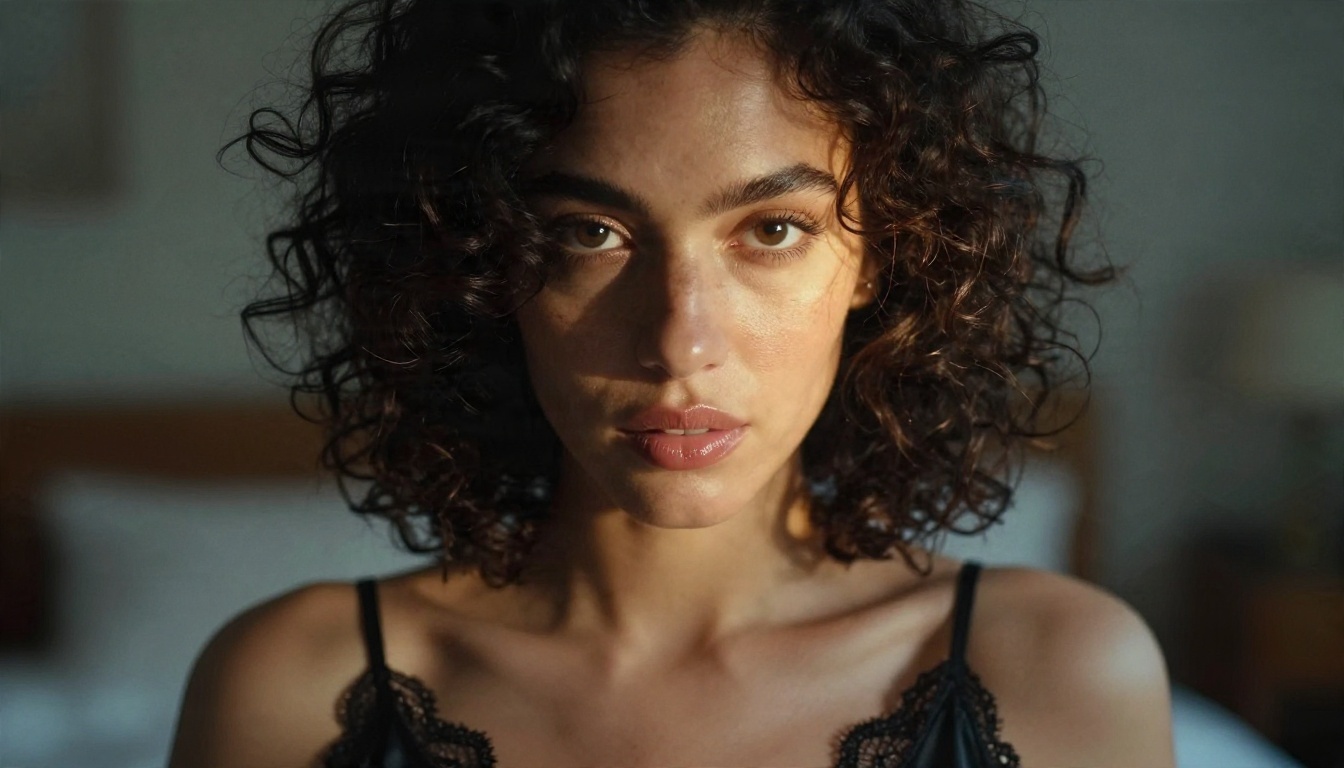
Example 2: Boudoir Close-Up
Close-up of an adult woman with dark curly hair in a black lace-trimmed satin camisole. She holds eye contact with the lens, then slowly lowers her gaze and gives a small smile. Camera pushes in very slowly. Warm tungsten lamp on one side of her face, cool window light on the other, shallow depth of field, soft film grain.
💡 For close-ups, keep the motion tiny. A blink, a glance and a smile are plenty. Big head turns tend to warp faces.
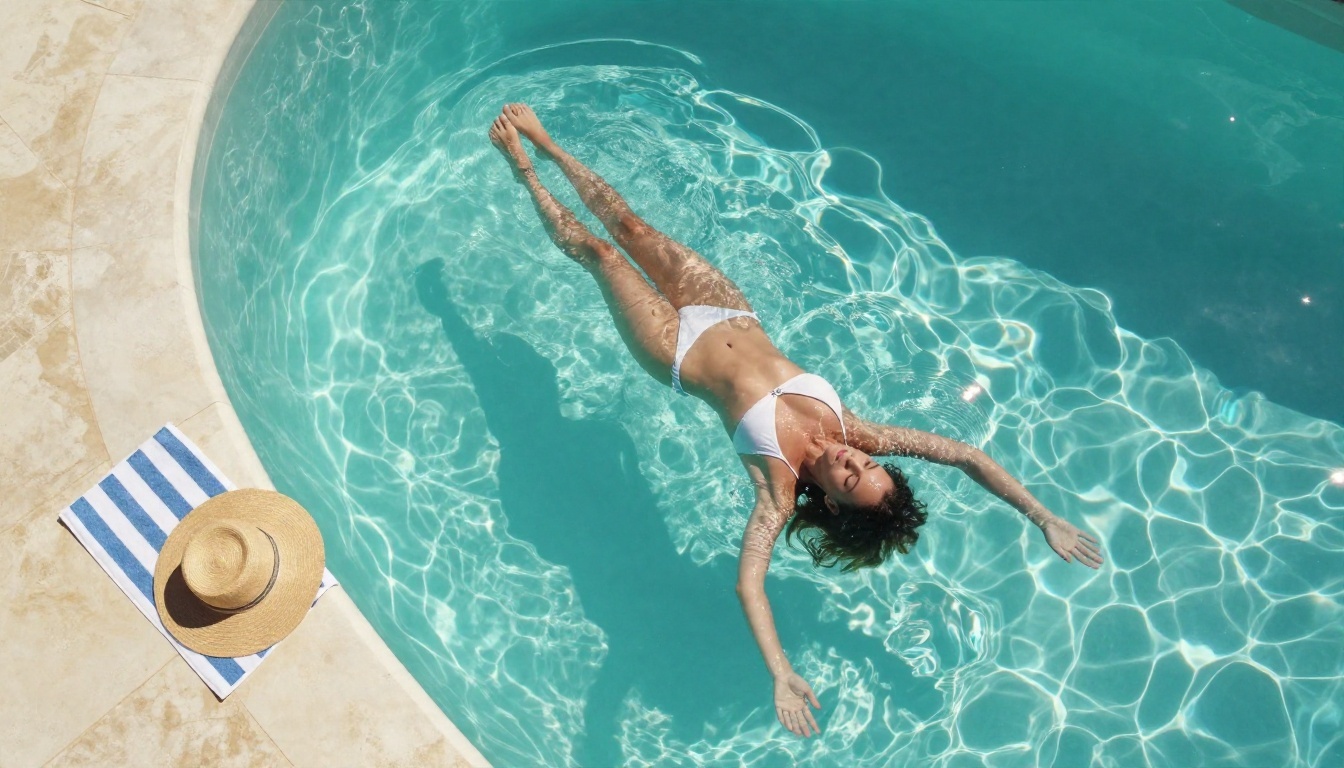
Example 3: Overhead Pool Float
Overhead drone view of an adult woman in a white bikini floating on her back in a clear turquoise pool. Gentle ripples spread outward from her body, light caustics ripple across the tiles. Camera descends slowly and rotates a few degrees clockwise. Bright midday sun, crisp shadows, natural saturated color.
Overhead shots are forgiving. Water physics hides small errors, and there is no face to distort.
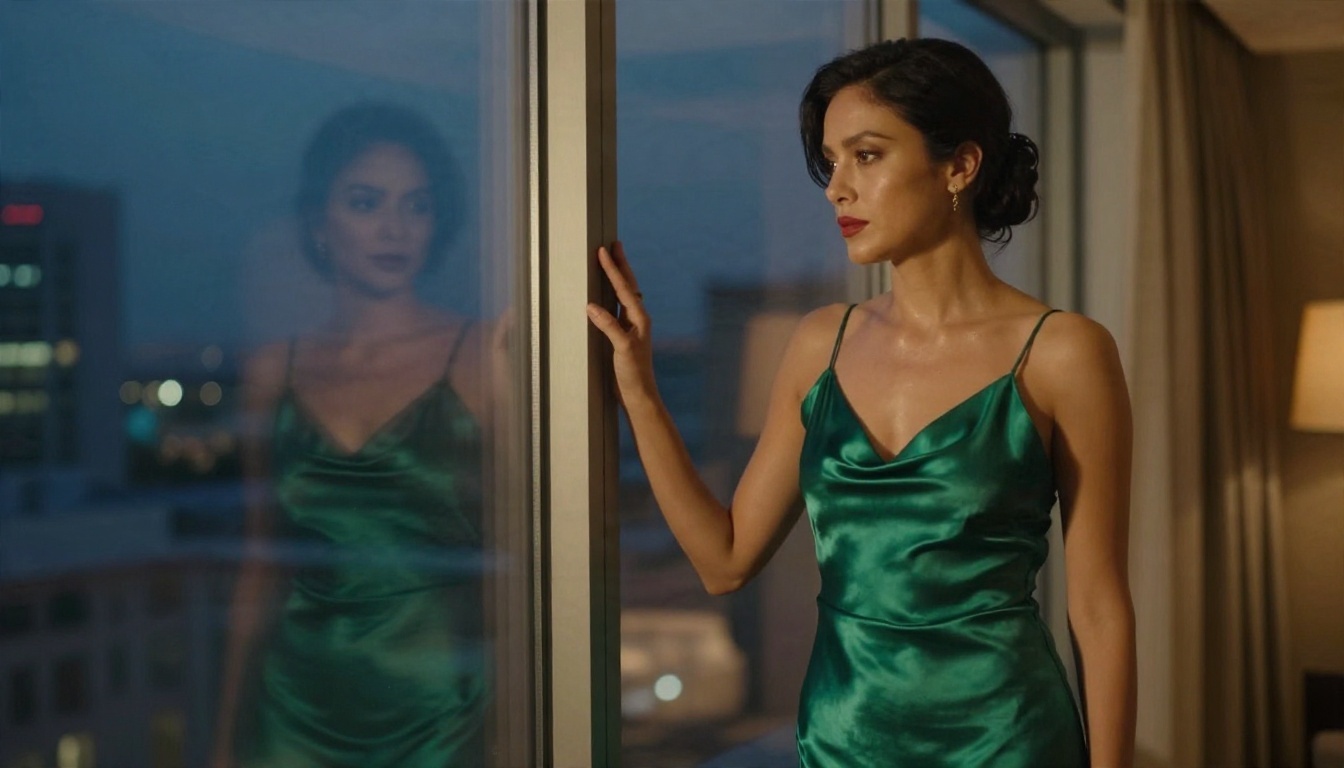
Example 4: Dusk at the Window
Adult woman in an emerald green satin slip dress stands at a floor-to-ceiling hotel window at dusk. She rests one hand on the glass and slowly turns her face toward the camera. City lights shimmer softly out of focus behind her. Slow dolly in, warm lamp light from the right mixed with blue twilight, satin highlights shifting as she moves.
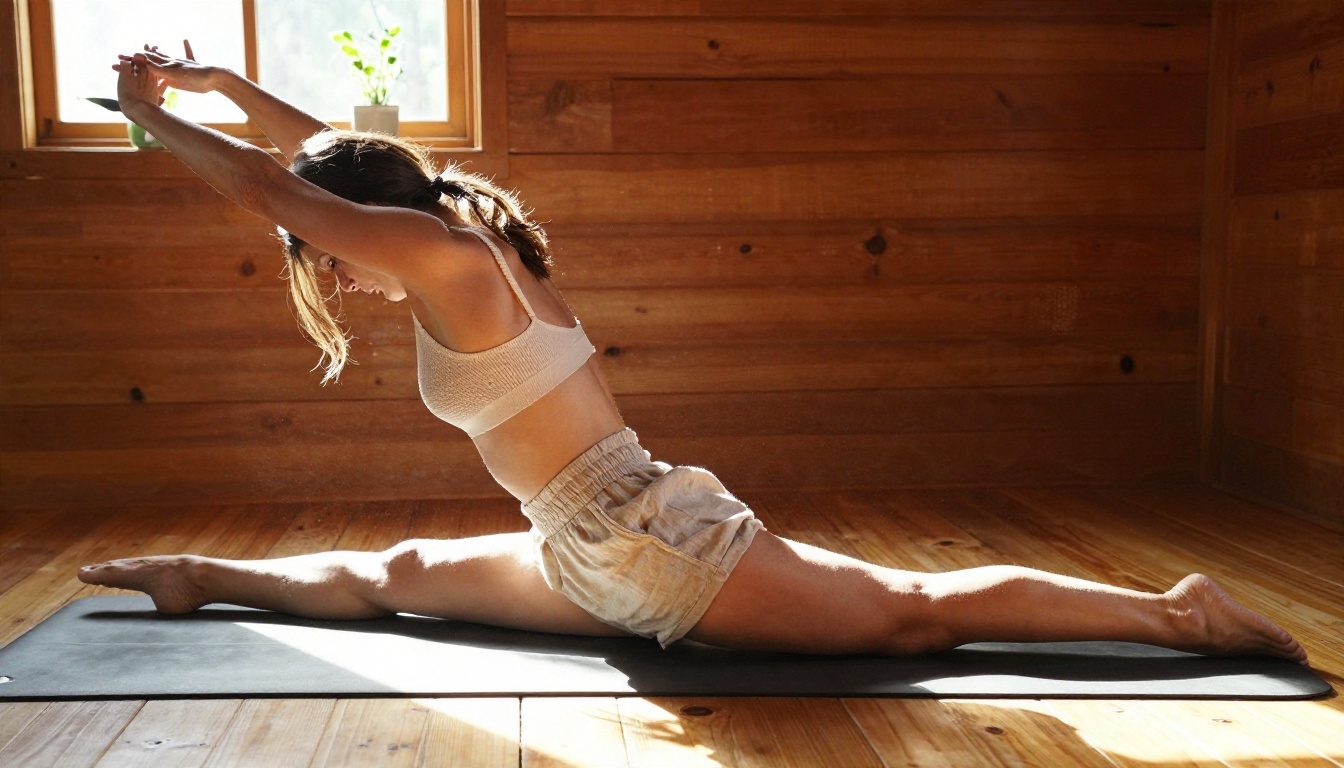
Example 5: Slow Stretch
Adult woman in a cream knit bralette and linen shorts raises both arms overhead and stretches slowly on a yoga mat in a sunlit wooden cabin. Side profile, static camera on a tripod. Dust drifts through long beams of window light, plants sway very slightly. Natural muscle movement, gentle slow motion.
A static camera is underrated. When the subject does the moving, locking the camera cuts the chance of warping in half.
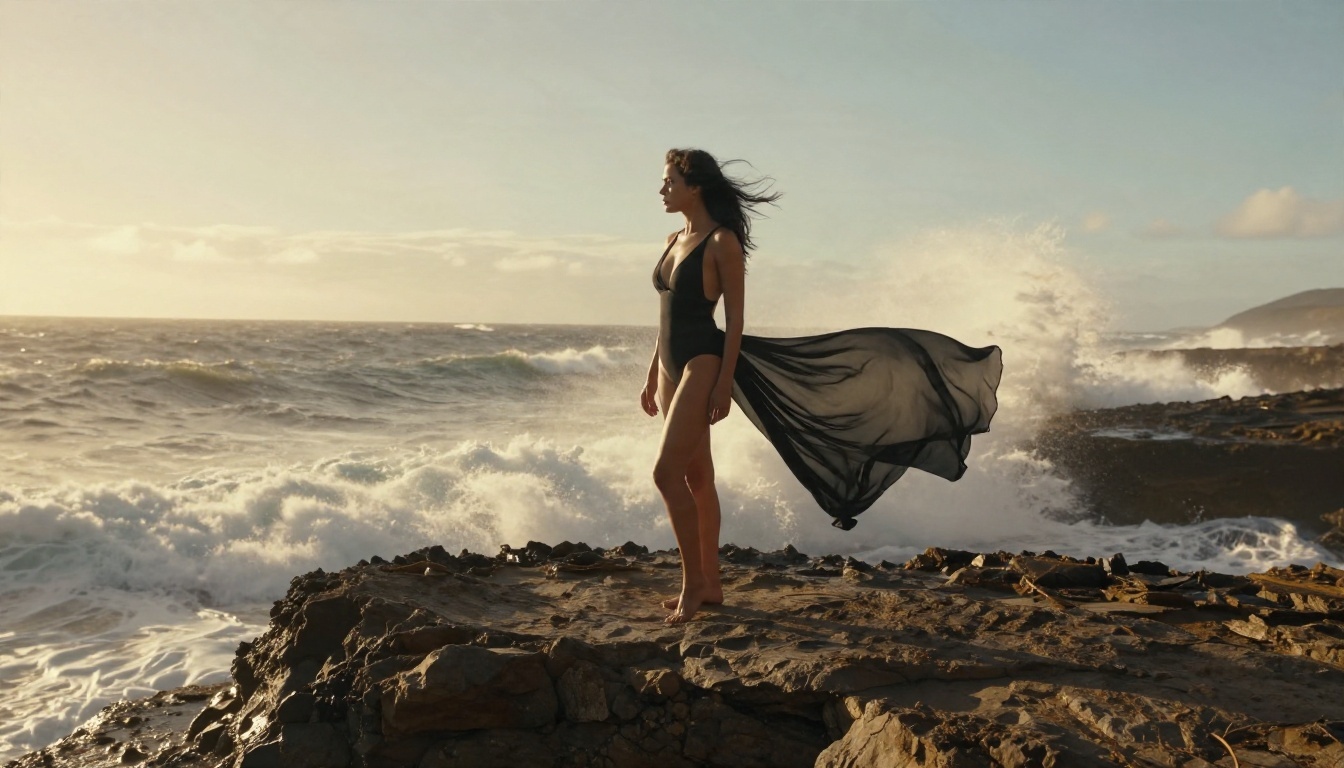
Example 6: Windswept Cliff
Wide shot of an adult woman in a black one-piece swimsuit standing on a rocky coastal cliff at golden hour. A strong wind makes her sheer sarong billow and her hair stream across her shoulders. Waves crash far below, sea spray drifts through the air. Camera slowly pans right. Warm sidelight, deep focus, cinematic film grain.
Wind is the cheapest way to add life to a frame. Fabric and hair respond to it, and models animate them convincingly.
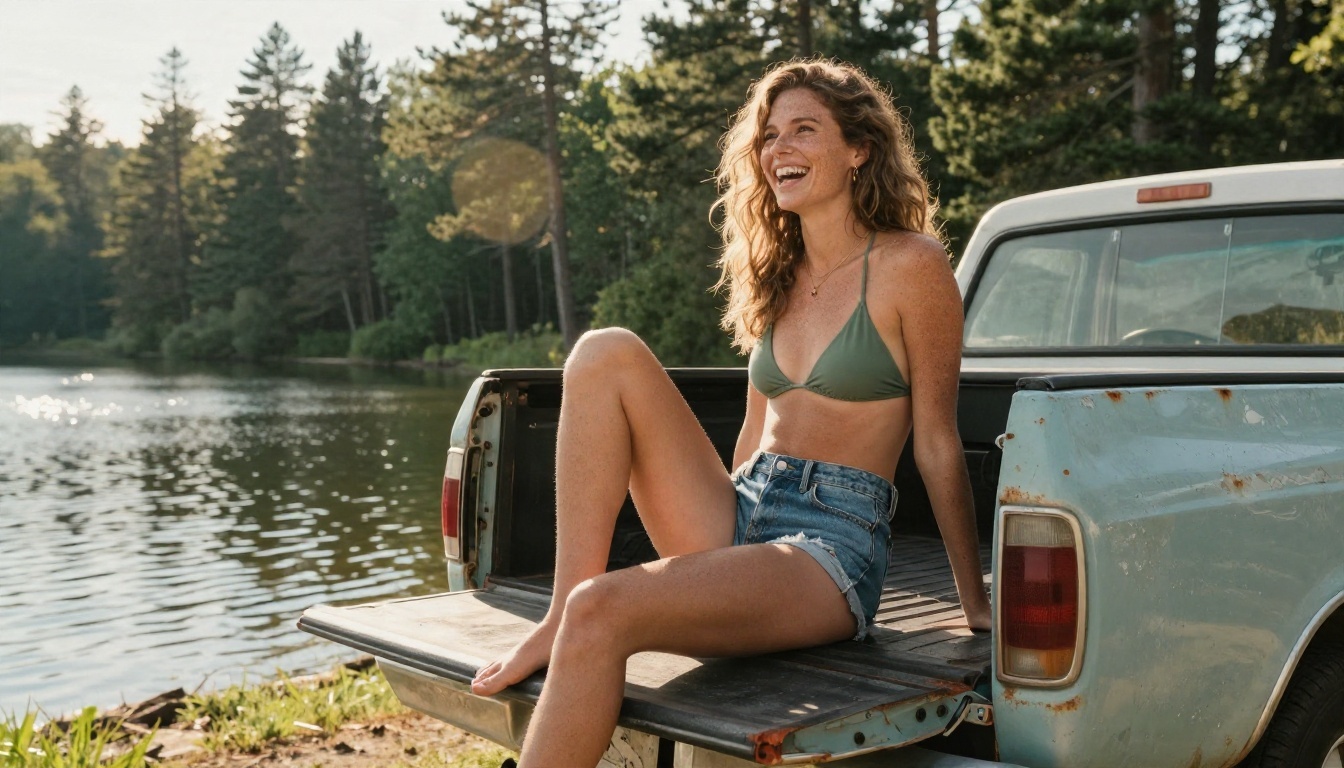
Example 7: Lakeside Laugh
Adult woman in a sage green bikini top and denim shorts sits on the open tailgate of a vintage pickup truck by a quiet lake, laughs and tucks hair behind her ear. Handheld camera drifts slightly to the right. Late afternoon sun filters through pine trees, soft lens flare, light ripples on the water.
Build Your Own Generator Prompt
Seven examples are a start. If you want fifty, turn a chat model into a generator.
The System Prompt
Paste this into any of the models above, then send one rough idea per message:
You write image to video prompts for glamour and swimwear clips. Rules:
1. The subject is always an adult. Include an age cue.
2. Output one paragraph of 50 to 80 words.
3. Order: subject and wardrobe, one motion, camera move, light, atmosphere.
4. One subject action only. Extra movement must come from wind, water or light.
5. Name fabrics and colors. No vague adjectives like "sexy" or "stunning".
6. Keep it suggestive and non-explicit.
7. End with a short list of negative terms.
Return only the prompt and the negative terms.
Then send something like: "Rooftop pool, evening, linen shirt over a bikini, wants a slow reveal." You get a clean, structured prompt in seconds.
Which LLM to Use
Each model has a slightly different feel:
Claude Sonnet 5 follows rigid rules well, so rule 4 (one action only) rarely gets broken.
GPT 5.6 Luna is quick, which makes it a good pick when you want twenty variations in a row.
Gemini 3.5 Flash and Qwen3.7-Plus can read an image. Upload your still, ask for a motion prompt that matches it, and the description lines up with what is actually in the frame.
💡 If a chat model refuses or waters down a request, rewrite it in photography terms: "swimwear campaign", "boudoir lighting", "editorial glamour". Those phrases carry the look you want without triggering a refusal.
Settings for Better Clips
A good prompt can still produce a bad clip if the settings fight it. These are the ones that matter.
Setting
Recommended
Why
Input
Image to video
Locks identity, wardrobe and lighting from frame one
Duration
5 seconds
Warping grows with length; short clips stay stable
Resolution
720p for drafts, 1080p for finals
Test cheap, render once
Aspect ratio
Match the source image
Avoids cropping and stretching
Camera
One named move or static
Competing moves cause jitter
Seed
Fixed while you test
Lets you change one word at a time
Negative prompt
Always on
Removes the usual artifacts
Start From a Strong Still
The still image sets the ceiling. If the source has a mangled hand or a smudged face, the video will carry it and make it worse. Generate several stills, pick the cleanest, and only then animate. Look closely at hands, jewelry, hairline and fabric edges.
Duration and Resolution
Draft at 5 seconds and 720p. If the motion looks right, re-render the same prompt and seed at higher resolution. Many models give you up to 10 seconds, and it can be worth it for slow scenes like the pool float, but for anything with a face in close-up, shorter is safer.
Negative Prompts That Help
Steam, water and soft fabric are exactly the kind of scene where artifacts creep in. Add a negative line such as:
Keep it short. A negative list of fifty terms can start to confuse some models.
How to Make Clips on PicassoIA
The reliable workflow is still first, motion second. Here is the order I would use.
Step 1: Create the Still
Start with Seedream 4.5. It produces sharp, photorealistic skin, fabric and light, and it is the best first stop for glamour and swimwear stills. Paste one of the prompts above (drop the motion sentence, keep subject, wardrobe, light and lens) and generate a few options.
Step 2: Fix and Vary
Open PicassoIA Image Editor Pro. It offers unlimited generations, so you can change a wardrobe color, adjust the background, clean a hand or try a new angle without watching a credit counter. This is where a good still becomes a great one.
Step 3: Animate
Send the finished still to an image to video model and paste your motion prompt. Good options:
Add the negative prompt if the model has that field.
Fix the seed, change one phrase, and compare.
💡 Start with Seedance 2.5 Lite for drafts because it is free and unlimited, then re-run your best prompt on Wan 2.7 I2V or Kling v3 Video for the final render.
Common Mistakes to Avoid
Describing the still again. The image already contains the subject. Your video prompt should describe movement, not appearance, or the model may try to redraw the frame.
Stacking camera moves. "Dolly in while panning and tilting up" is three instructions. Choose one.
Over-long prompts. Past about 100 words, later details are ignored. Trim.
Ignoring physics. A prompt that asks for slow motion and strong wind in the same breath fights itself.
Real people. Use fictional subjects only. Never prompt with the likeness of a real person without their consent. It is wrong, and it is against the rules of nearly every platform.
Skipping the draft. Burning high-resolution renders on an untested prompt wastes time. Draft at 720p first.
A Quick Checklist
Before you hit generate, check:
Is the subject clearly an adult?
Is there exactly one subject action?
Is there exactly one camera move, or a static shot?
Are light direction and fabric named?
Is the negative prompt in place?
Is the source still clean at full zoom?
If all six are yes, you are most of the way there.
Make Your First Clip Today
You now have the formula, seven prompts and a working pipeline. The fastest route is simple: generate a still in Seedream 4.5, polish it in PicassoIA Image Editor Pro, then animate it with Seedance 2.5 Lite or Wan 2.7 I2V. Unlimited generations and free draft renders mean you can test ten variations of one prompt in an afternoon.
Copy one example, change the wardrobe and location, and press generate. The browser also lists every image, video and language model you can mix into this workflow at picassoia.com/en/all-models, so you can swap in a different engine whenever a scene needs it.