It is 1 a.m., the phone is the only light in the room, and you are three hours into a story with a character who remembers your name, your running jokes and the way you like a scene to unfold. That is the pull of NSFW character chat. It is part interactive fiction, part companionship, and part writing exercise, and millions of people now use it every week.
The catch is that the space is messy. Some apps are free but throttled, some are unfiltered but forgetful, and some quietly change their rules overnight. This article sorts through the noise: which free apps people lean on, what good roleplay looks like on the page, where chatbots fall short, and what you can do when a single app stops being enough.
💡 Quick answer: Free NSFW character chat usually means a capped or ad-supported tier on a character platform, or a bring-your-own-model setup. Expect trade-offs in memory, speed and privacy. Pair any chat app with an image model if you also want a face for your character.
What NSFW Character Chat Really Is

Strip away the marketing and the format is simple. You pick or write a character card: a name, a personality, a backstory, a speaking style and a starting scene. A large language model then plays that character, replying turn by turn. In NSFW mode, the platform allows flirtatious, romantic or adult themes that mainstream assistants refuse.
Chatbot, Companion or Roleplay Engine?
These three labels get mixed up constantly, but they behave differently:
- Chatbots answer questions in a persona. Think of a witty bartender who gives you restaurant tips.
- AI companions are built for ongoing relationship-style conversation, with memory, daily check-ins and sometimes voice.
- Roleplay engines lean into scenes, worldbuilding and multi-character stories, where you steer the plot as much as the character does.
Most popular apps blend all three, but knowing which one you want saves a lot of disappointment. If you crave long plotted scenes, a companion app with shallow memory will frustrate you. If you want a steady virtual partner, a pure roleplay engine can feel cold.
Why So Many People Use It
The reasons are more ordinary than headlines suggest. Writers use it to draft romance scenes and test dialogue. Shy users practice flirting without pressure. Others simply enjoy a story that responds to them, the same way tabletop players enjoy a game master. Loneliness plays a part for some, which is exactly why the privacy and boundary sections below matter.
Free NSFW Character Chat Apps

Review sites in 2026 disagree on rankings, and many of them are affiliate roundups, so treat any "number one" claim with suspicion. Still, a few names come up again and again, and the broad picture is consistent.
The Names People Keep Mentioning
| Platform | Typical free experience | Adult content stance | Watch out for |
|---|
| SpicyChat | Large public character library, free tier with an NSFW toggle | Allowed with the toggle on | Short replies, ads, queues at peak hours |
| CrushOn AI | Free messages with daily limits | Generally described as loosely filtered | Upsells to paid tiers |
| Janitor AI | Built-in model plus the option to connect your own | Adjustable, depends on the model behind it | Setup effort, quality varies by model |
| Character.AI | Generous free access | Strict filters, best for non-explicit stories | Frequent blocks on romantic scenes |
| Candy AI, OurDream and similar | Mostly paid, limited free trials | Built around adult companionship | Subscription cost, credits |
The honest takeaway: free tiers keep tightening. Mid-chat ads, locked features and message caps have become normal, and true no-signup access is rare now because age verification is spreading. Check each service's current terms before you invest hours into a character, since rules can change without much warning.
Free Versus Bring Your Own Model
There are two roads to "free." The first is a hosted app with a limited free plan. The second is connecting your own model access to a front end that supports it, so you choose the engine and pay only per use, if at all. The second route offers more control over tone and filtering, but it takes patience: you will tweak system prompts, temperature and context length before the voice feels right.
💡 Tip: If a free app keeps forgetting details, paste a short "memory block" at the top of the chat every so often: three or four lines covering the relationship, the setting and the current mood. It works on nearly every platform.
Roleplay Examples That Work

Good roleplay has structure. The best character cards and opening messages share a few habits: a clear voice, a concrete setting, and a hook that invites you to respond instead of just reading. Below are non-explicit examples that show the pattern. Adapt the heat level to the platform you use and to what you are comfortable with.
Example One: The Slow-Burn Bartender
Character card (short):
Marisol, 29, runs a late-night jazz bar. Dry humor, teases regulars, hides a soft side. Speaks in short, confident sentences. Never rushes a moment.
Opening message:
She slides a glass across the bar without looking up. "You are late. Again. Sit down before I change my mind about saving you the good stool."
Why it works: the voice is distinct, the setting is physical, and there is an easy reply. You can apologize, tease back, or ignore the stool entirely.
Example Two: The Rival Turned Confidant
Character card (short):
Elias, 32, a competitive chef who lost a contest to you last year. Sharp tongue, secretly impressed. Slow to admit feelings.
Opening message:
He leans in the kitchen doorway, arms folded. "Congratulations on the trophy. Now tell me how you did the sauce, and I might forgive you."
Rivals-to-lovers setups give the model a built-in tension arc, which keeps long chats from going flat.
Example Three: The Slow Reveal Mystery
A new neighbor, Noor, always seems to be awake at midnight. She asks you strange questions about the stars, about who you were ten years ago, and about whether you trust easily.
Here the NSFW element is optional and arrives late. The mystery does the heavy lifting, and the romance builds on curiosity.
💡 Writing tip: End every character message with an open door: a question, a gesture or a small challenge. Closed statements make the model wait for you to invent everything.
Where Chatbots Fall Short

Spend a week on any platform and the same frustrations surface. Knowing them in advance helps you pick tools and set expectations.
Memory Fades
Most models forget early details once the conversation grows past their context window. Your character may suddenly lose a nickname or contradict an earlier scene. Summaries, pinned notes and lorebook features help, but none are perfect.
Repetition and Bland Replies
Free tiers often run smaller or heavily compressed models. The result is looping phrases, overused pet names and a flattening of personality over time. Rewriting the character card with more specific quirks fixes a surprising amount of this.
Sudden Filter Walls
Even on permissive platforms, certain topics trigger refusals or watered-down responses. When it happens, the better move is usually to reset the scene gently, not argue with the model. Arguments tend to push the conversation further into stock apology language.
The Privacy Question
Chats are stored on someone's servers, and policies differ. Before sharing anything personal, check what the app logs, whether it trains on conversations, and how deletion works. A few sensible habits:
- Use a separate email address for roleplay accounts.
- Never share your real address, workplace or financial details with a character.
- Treat every message as something that could someday be read by a human reviewer.
- Delete chats you no longer want stored, and confirm the app actually removes them.

Healthy Boundaries
Fiction is fiction. If a companion starts replacing sleep, friendships or real plans, that is a signal to dial back. Many users set time limits or keep chat to certain hours, the same way they would with gaming or social media.
Chatbot Alternatives Worth Trying

If a single app keeps letting you down, you do not have to quit the hobby. You can split the workflow into pieces and use the best tool for each.
Use a Language Model for Character Building
Mainstream assistants will usually refuse explicit scenes, but they are excellent at everything around them: building character cards, writing backstories, brainstorming plot arcs, and drafting dialogue in a particular voice. On PicassoIA you can try Claude Sonnet 5, Gemini 3.5 Flash or Kimi K2.6 to draft a detailed persona, then paste the finished card into whichever chat app you prefer. For a lighter, free-style option, Granite 4.1 8B handles short dialogue drafts well.
💡 Prompt to try: "Write a character card for a 30-year-old sailing instructor. Include personality, three speech habits, a secret, a favorite phrase, and a first message that ends with a question. Keep the tone playful and warm."
Moderation for Community Builders
If you run a roleplay community or build your own chat tool, a safety classifier is worth having. Llama Guard 4 12B can flag content categories so you can apply your own age gates and rules.
Other Formats Entirely
Not every story needs a chatbot. Collaborative fiction, visual novels and image-driven storytelling scratch the same itch for many people. That is where the next section comes in.
Give Your Character a Face

Most chat platforms offer a small avatar and little else. If you want a consistent, photorealistic portrait of your character, you can generate one yourself. This is where image models with relaxed adult-content policies come in. For glamour, lingerie and swimwear scenes that stay suggestive and non-explicit, the lineup below is the one to start with.
The Image Models to Start With
- Seedream 4.5 is the first model to try. It produces sharp, photorealistic people with believable skin, fabric and lighting, and it handles glamour prompts without constant refusals. Generation is fast, so you can iterate on a look in minutes.
- PicassoIA Image Editor Pro offers unlimited generations, which matters when you are refining a character across dozens of scenes. It is also useful for editing an existing portrait: change the outfit, the background or the mood while keeping the same face.
- Qwen Image 3 Pro is a strong photorealism option when you want a different rendering style for the same character.
- Z Image Turbo is built for speed, so it works well for rapid drafts and quick scene tests.
- Flux 2 Klein 9B Base LoRA suits creators who want a styled, LoRA-driven look.
If you want to compare more options, the full list lives at picassoia.com/en/all-models.
A Simple Character Portrait Workflow
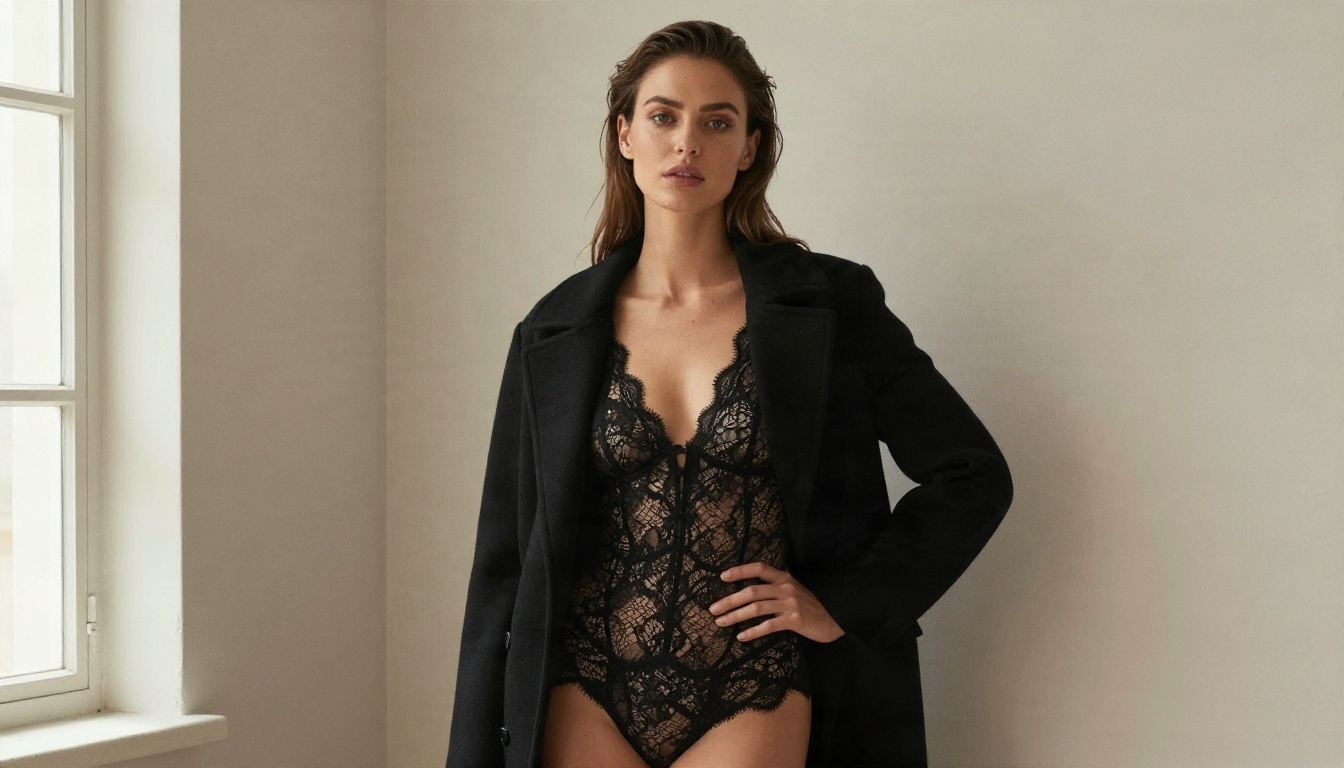
Here is a repeatable process that keeps your character looking like the same person from image to image:
- Write the face down. Pick age range, hair color and length, eye color, skin tone and two distinctive details (a beauty mark, a small scar, a chipped tooth). Reuse that exact wording every time.
- Start with a neutral portrait. Open Seedream 4.5 and prompt for a head-and-shoulders photo with soft window light, 85mm lens look, natural skin texture.
- Add the scene. Change only one thing at a time: the outfit, the location, the light. Prompts like "evening lounge, warm lamp from the left, satin slip dress, shallow depth of field" give controlled results.
- Edit instead of regenerating. When a portrait is close but not right, bring it into PicassoIA Image Editor Pro and adjust the details. This keeps the face stable.
- Match the chat. Mirror the roleplay scene: if the story is set in a rainy cafe, generate that exact cafe.
💡 Parameter tips: Describe lighting direction and lens ("soft light from the left, 85mm f/1.8"), mention skin texture ("visible pores, natural sheen"), and name a film look such as Kodak Portra 400 for warm, believable tones. Avoid piling on style words that push the result toward illustration.
Keep It Tasteful
The goal is attractive, suggestive imagery in the style of editorial glamour: swimwear, lingerie, evening wear, implied intimacy. Explicit content is a different category and is not what these workflows are for. Staying on the glamour side also keeps your files easy to share and store without trouble.
Choosing Your Setup

No single app does everything well, so match the tool to your priority.
| If you want | Best fit |
|---|
| Free, big library, quick start | A hosted character platform with a free tier |
| Maximum control over tone | Bring-your-own-model front end |
| Polished long-term companion | A paid companion app with memory and voice |
| Well-written character cards | A mainstream language model for drafting |
| Photorealistic character portraits | Seedream 4.5 and Image Editor Pro |
A Sensible Budget
Start free. Try two or three platforms for a week each, then pay only for the one you actually return to. Many subscriptions auto-renew, so set a calendar reminder the day you sign up.
Quick Safety Checklist
- Confirm you are over the legal age and that the platform requires it of everyone.
- Never write characters who are minors, in any context. That is a hard line.
- Keep personal data out of the chat.
- Take breaks, and keep real relationships a priority.
Start Building Your Character Today
The best NSFW character chat setups are not about finding one perfect app. They are about combining a good character card, a chat platform that fits your comfort level, and visuals that make the story feel real. Draft your character with a language model, test the voice on a free platform, and then give them a face.
Ready to try the visual side? Open Seedream 4.5 on PicassoIA, write a short portrait prompt for your character, and refine the look with PicassoIA Image Editor Pro, where generations are unlimited. When you want more choices, browse everything at picassoia.com/en/all-models, and start creating the character you have been imagining.


