Most chatbots shut the door the moment a conversation turns flirty. You write one slightly suggestive line, and you get a polite paragraph about "keeping things respectful." If that sounds familiar, you are exactly the person who ends up searching for an NSFW chat model: something built for adult roleplay, romance, and mature storytelling that does not lecture you halfway through a scene.
The catch is that the market is messy. Some "uncensored" chatbots are just filtered models with a spicy skin. Others are real open-weight finetunes that behave very differently depending on one slider. And free access comes with strings. So this article sorts the noise: what an NSFW chat model actually is, which options people use right now, the settings that change output quality, how to call one through an API, and what you can run for free.
One note before we start. Everything here assumes adults, fictional characters, and consensual scenarios. Never use any chat model to depict minors or to imitate a real person without permission.
What an NSFW Chat Model Really Is
An NSFW chat model is simply a language model that will continue romantic, sensual, or explicit fiction instead of refusing it. There is no special technology behind the label. The difference comes from how the model was trained or modified after training.

Censored, filtered, uncensored
Think of three tiers:
- Censored: the base model was trained to refuse adult content, and a moderation layer sits on top. Most big hosted assistants live here.
- Filtered but flexible: the model will write romance and tension, but fades to black before anything explicit.
- Uncensored: refusals were removed or never trained in, so the model follows the scene wherever you steer it.
💡 Tip: "Uncensored" does not mean "good at roleplay." A model can stop refusing and still write flat, repetitive prose. You want both: no refusals and strong character voice.
Abliterated vs finetuned
Two methods produce most uncensored models you will see on download pages:
| Method | How it works | Typical result |
|---|
| Abliteration | Finds the internal "refusal direction" in a model and removes it | Keeps the original model's smarts, sometimes slightly blunter writing |
| Finetuning | Retrains on roleplay and fiction data | Better character voice, can drift or ramble |
| Heretic-style optimization | Automated search that lowers refusals while limiting damage to quality | Newer approach, popular for small local models |
Neither method is magic. Always check a model's card for recommended settings, because the numbers differ from one model to the next.
Best Uncensored Options Right Now
Researching this topic means wading through vendor blogs that rank their own products first, so treat any single leaderboard loosely. Still, the same names keep coming up across several independent sources.
Local picks
If you want privacy and zero refusals, running a model on your own machine is the cleanest route:
- Qwen3 4B Heretic: a small model often recommended for recent phones and tablets, since it fits in limited memory.
- Huihui Qwen3.5 9B abliterated: a solid general chat option when you want speed over depth.
- dolphin-llama3: one of the most downloaded uncensored models on the Ollama library, with well over a million pulls, which means plenty of community advice if you get stuck.
None of these community models are hosted on PicassoIA. They run on your own hardware or on other services, and you should check each model's license before using it.
Hosted roleplay picks
If you do not own a decent GPU, hosted roleplay services are the alternative. One ranking from a 2025 article rated Violet-Lotus-12B highly for NSFW roleplay, and roleplay platforms commonly route to mid-sized 12B finetunes because they balance cost and writing quality. The trade-off: your chats pass through someone else's servers, so read the privacy policy before you type anything personal.
Quick comparison table
| Option | Best for | Hardware needed | Refusals |
|---|
| Qwen3 4B Heretic | Phones, light laptops | Very low | Rare |
| Huihui Qwen3.5 9B abliterated | Fast general chat | 8 to 12 GB VRAM or good RAM | Rare |
| dolphin-llama3 | Easy install through Ollama | 8 GB VRAM or CPU with patience | Rare |
| Violet-Lotus-12B style finetunes | Long roleplay scenes | 12 to 16 GB VRAM or hosted | Rare |
| Big filtered assistants | Plot, planning, editing | None (cloud) | Frequent for explicit content |
Settings That Change Everything
Two people can load the same model and get wildly different results. The reason is almost always sampler settings and the system prompt, not the model itself.
Sampler values
Sources disagree a bit, which is normal, because every base model prefers different numbers. A safe starting point for roleplay:
| Setting | Starting value | What it does |
|---|
| Temperature | 0.7 to 0.9 | Higher is more creative, lower is more predictable |
| Top-P | 0.9 to 0.95 | Cuts off the unlikely tail of word choices |
| Min-P | 0.05 | Filters weak candidates relative to the best one |
| Repetition penalty | 1.05 to 1.1 | Stops the model looping the same phrases |
| Max tokens | 300 to 600 | Keeps replies scene-sized rather than essay-sized |
Community cheat sheets list a generic fallback of temperature 1.0, Top-P 0.95 and Min-P 0.05, while several roleplay posts recommend staying between 0.75 and 0.90 for temperature. If replies feel robotic, nudge temperature up by 0.05. If the model starts inventing nonsense or contradicting itself, nudge it down.
💡 Tip: Change one setting at a time and regenerate the same message three times. That is the only reliable way to see what a slider actually does.
System prompt that works
A short, concrete system prompt beats a long one. Include four things: who the character is, how they speak, the scene's tone, and what the model should not do. For example:
"You are Mara, a confident 29-year-old photographer. Stay in character, write in first person, keep replies to two short paragraphs, and never speak for the user."
That last clause, "never speak for the user," removes the most common roleplay annoyance in a single line.
Context length and memory
Long scenes drift. After a few thousand words, many models forget a character's eye color, the room, or what was agreed. Three habits help:
- Keep a short character card pinned at the top of the context.
- Summarize the scene every 15 to 20 messages and paste the summary back in.
- Do not set the context window larger than your hardware can handle, or speed collapses.
Using the API Without Headaches
If you are building your own chat app, Discord bot, or character site, you will want an API rather than a web interface.
OpenAI-compatible endpoints
Almost every local runner and many hosted services expose an OpenAI-compatible endpoint. That means one request format works across all of them. Tools like Ollama, LM Studio and llama.cpp can serve a model on your own computer at a local address, and you swap the base URL and model name to point at a different provider later. The pieces you need are:
- a base URL (local address or provider address)
- a model name exactly as the provider lists it
- an API key (local servers usually accept any placeholder)
Sample request
A typical chat request is a list of messages with a role for each. In plain terms:
- the first message has the role system and holds your character card
- every following message alternates between user and assistant
- sampler values such as temperature and top_p sit next to the messages in the same request
Send that to the chat endpoint (usually ending in /v1/chat/completions), and the reply arrives as text you can stream to your app. Keep the full message history on your side, because the API itself does not remember anything between calls.
💡 Tip: Cap your max tokens and set a hard history limit. A runaway conversation on a paid API can burn through credit faster than you expect.
Free Use: What Is Actually Free
"Free" has three real meanings, and mixing them up is how people end up disappointed.

Local runs
Running a model on your own computer is the only option that is free in every sense. No subscription, no message cap, no one reading your chats. You pay with hardware and a bit of setup time. A small 4B to 9B model can run on a modest gaming laptop, and quantized files shrink models enough to fit older graphics cards.
Free tiers and their limits
Hosted free tiers usually come with daily message caps, slower queues, shorter memory, or a rotating model that gets swapped for a cheaper one without warning. They are fine for testing a character idea. They are a poor home for a long story you care about.
Free chat models on PicassoIA
PicassoIA hosts a range of chat models, and some are positioned as free to try. Granite 4.1 8B is described as a free LLM for chat and code, and Llama 4 Maverick Instruct is listed for free chat online. Be realistic about them: these are mainstream models with built-in safety behavior, so they are the wrong tool for explicit roleplay. They are genuinely useful for the work around it, such as drafting character backstories, outlining story arcs, writing scene descriptions, and polishing prompts.
Where PicassoIA Fits In
Here is the honest split. Mainstream chat models, including DeepSeek V3, Kimi K2.5 and Llama 4 Maverick Instruct, are great writing partners for character design and story planning, and they follow their own content rules. PicassoIA is not where you go for uncensored text chat. Where it stands out is the visual side of an adult character project.
Seedream 4.5 for visuals
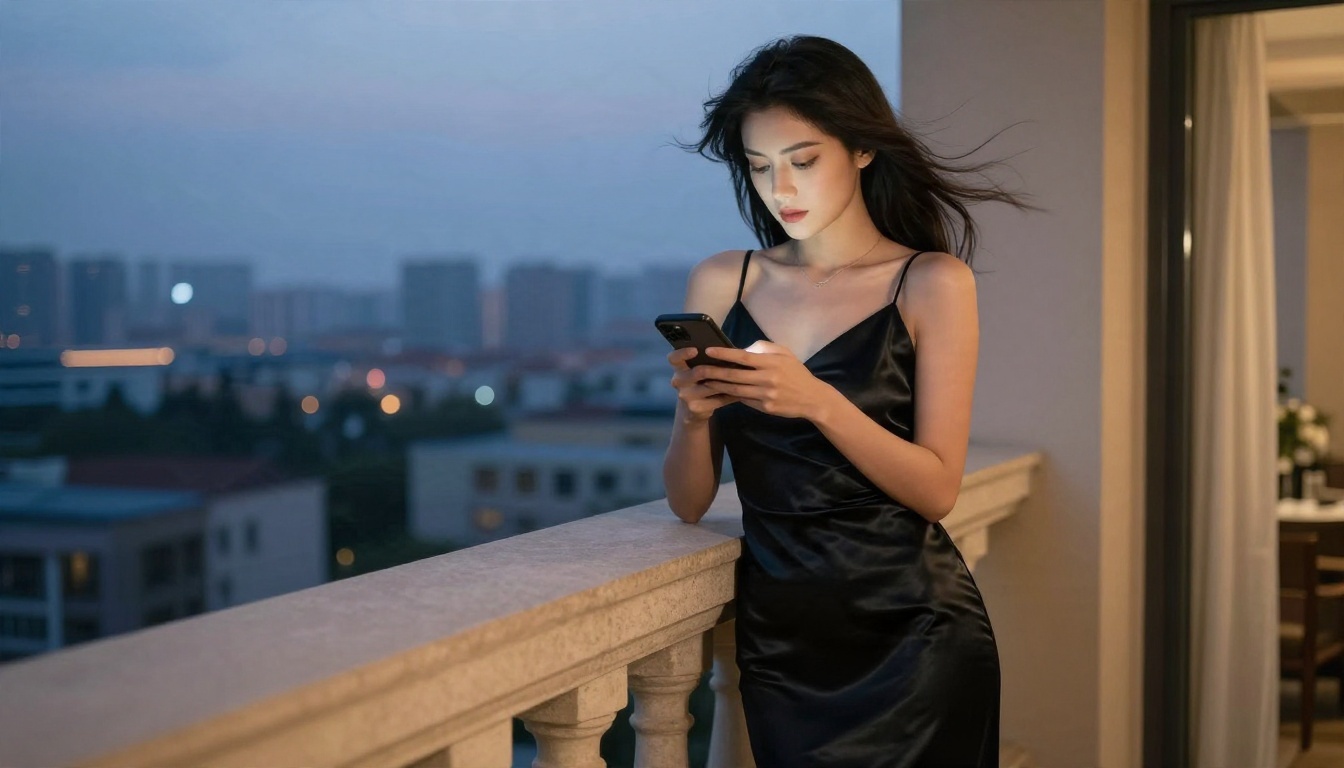
For adult-oriented glamour imagery, start with Seedream 4.5. It produces sharp, photorealistic portraits with convincing skin, fabric and lighting, and it does not block suggestive content such as swimwear, lingerie-style fashion and boudoir photography. Paste your character card's appearance line into the prompt and you get a consistent face to attach to your chat persona.
A prompt structure that works well:
- Subject and pose: "woman in a champagne silk robe, seated on a velvet sofa"
- Setting: "dim apartment, rain on the window"
- Light: "single warm lamp from the left"
- Camera: "85mm f/1.8, shallow depth of field, Kodak Portra 400 film grain"

Image Editor Pro for edits
Once you have a character you like, PicassoIA Image Editor Pro lets you change outfits, backgrounds and lighting on the same picture, with unlimited generations. That matters for character work, because you will run dozens of variations: same woman, different location, different mood. Because you keep editing one source image, the face stays consistent from scene to scene, which is the hardest part of character projects.
💡 Tip: Keep a "visual character card" next to your text one. Write down hair color, eye color, skin tone, signature clothing and one camera style. Reuse those exact words every time.
Other image models worth trying
If you want a different look, Qwen Image 3 Pro is another photorealistic option, though you should test how it handles suggestive prompts before relying on it. For adult glamour work, Seedream 4.5 and Image Editor Pro remain the first two to reach for.

Common Mistakes to Avoid
After watching how people set up these projects, the same errors repeat.
1. Judging a model on one reply. One flat answer tells you almost nothing. Regenerate at least three times with the same prompt before deciding.
2. Cranking temperature to 1.5 for "creativity." Above roughly 1.1, most models start producing broken sentences and invented words. Raise Min-P or tweak the system prompt instead.
3. Using a base model instead of an instruct or chat model. Base models continue text, they do not hold a conversation. Look for "instruct," "chat," or "RP" in the name.
4. Ignoring the chat template. Every model family expects a specific message format. A wrong template produces odd output, weird tokens, or immediate refusals even on an uncensored model. Most runners apply the right template automatically, but custom setups need a check.
5. Trusting rankings from sellers. Many "best uncensored AI" lists come from companies that sell chat access. Use them as a source of names, then test on your own prompts.
6. Sharing personal details. Hosted services may store your chats. Use a throwaway persona, and never include your real name, address, or photos of real people.
💡 Tip: If a model refuses even though it is advertised as uncensored, the cause is usually the system prompt or the template, not the model. Test with a blank system prompt first.
Build Your Own Character Visuals
Text is only half of a good character. The other half is a face people can picture, and that is where a few minutes on PicassoIA pays off. Write your character card, then turn its appearance line into a portrait with Seedream 4.5. Open the result in PicassoIA Image Editor Pro and try a new outfit, a rainy balcony, a poolside afternoon, a morning bedroom scene, all with unlimited generations so you can keep experimenting without watching a counter.
Pair that with whichever chat setup suits you, a local uncensored model for private scenes, or a mainstream writing model such as Kimi K2.5 for backstories and plot outlines, and you have a full character project: voice, story and a consistent look.
Ready to see your own character on screen? Browse every image, video and chat model at picassoia.com/en/all-models, pick Seedream 4.5, and write your first prompt today.


