You typed "nsfw free no login" into a search bar because you want one thing: an image, now, without making an account, handing over an email or watching a countdown timer. Fair enough. The problem is that most pages promising this are slow, watermarked, capped at a few images, or quietly filter your prompt until the result looks like a stock photo of a sunset. This article shows what "no login" actually costs you, gives you prompts that work for suggestive, non-explicit glamour images, and points to alternatives that are faster and don't run out.
Everything below is built around adult subjects, tasteful styling and photoreal results: swimwear, boudoir, evening glamour, the kind of imagery you would see in a fashion or lifestyle campaign. Explicit content is not the goal here, and the examples in this article stay on the suggestive side.
💡 Quick answer: anonymous generators are fine for a test run. For repeated work, an account on a platform with unlimited generations beats a no-login page every time, because you stop paying with your time.
What "No Login" Really Means
The phrase sounds simple, but it hides several different business models. Knowing which one you are dealing with saves you a lot of wasted clicks.
The Trade You Are Making
Nothing is truly free. When a site skips the login, it usually recovers the cost in one of these ways:
- Ads and redirects. Pop-ups, fake download buttons, and tabs that open on their own.
- Slow queues. Anonymous users wait behind everyone else, sometimes for minutes per image.
- Low resolution. Output capped at 512 or 768 pixels so you have to upgrade for a usable file.
- Data collection. Your prompts, your IP address and sometimes your device fingerprint.
None of this makes a no-login tool bad. It just means the price is paid in attention, speed and privacy instead of money.
Common Hidden Limits
Here is what shows up again and again once you start generating:
| Limit | What you will see | Why it matters |
|---|
| Daily cap | 3 to 10 images, then a wall | You lose momentum mid-session |
| Watermark | Logo across the corner or center | Unusable for most projects |
| Prompt filter | Blank or blurred results | Wasted generations |
| Queue time | 30 seconds to several minutes | Makes iteration painful |
| Resolution | Small previews only | No room to crop or print |
| No history | Close the tab, lose the image | Hard to refine a good result |
The last point is the most underrated. Iteration is how you get a great image, and iteration needs history, seeds and the ability to edit what you already have.

Image models are expensive to run. Every picture you generate uses GPU time, and someone pays for it. A site that gives you unlimited images with no account and no ads is either subsidized, collecting something valuable, or about to disappear.
That is why so many no-login generators feel unstable: they appear, spike in traffic, add limits, then vanish or rebrand. If you build a workflow around one, you will be rebuilding it in a month.
The sturdier path is a platform that publishes its models openly, lets you pick the one that fits the job, and has a clear policy on what it will and won't generate. You can compare dozens of models on PicassoIA's full model list and choose based on realism, speed and style instead of guessing which random site is still alive.
Filters Are the Real Bottleneck
Most users who search for NSFW generators are not hitting a login wall. They are hitting a content filter that rejects ordinary glamour prompts. A bikini photo should not be blocked. A boudoir portrait with a silk robe should not return a gray error box.
Models differ a lot here, and that difference matters more than whether you needed to sign up. Pick the model first, then the website.
Prompts That Work Without Being Explicit
A good suggestive prompt is mostly about mood, light and styling, not about pushing a filter. Models respond best to the same vocabulary a photographer would use on set.
The Prompt Formula
Use this order and you will get consistent results:
- Subject and pose. Adult woman or man, age range, hair, expression, what they are doing.
- Clothing and fabric. Silk, lace, crochet, satin. Fabric words add realism fast.
- Environment. Villa terrace, loft, pool edge, hotel suite.
- Light. Direction and quality: "soft window light from the right", "golden hour backlight".
- Camera. Lens and angle: "85mm f/1.8", "low-angle", "overhead".
- Texture and film. Skin pores, fabric creases, "Kodak Portra 400 film grain".
💡 Tip: always state that the subject is an adult. It sets the tone of the whole prompt and keeps your results in the style you actually want.
Swimwear and Beach Prompts
Swimwear is the safest, most reliable category and it shows off a model's handling of skin, water and sunlight all at once.
Prompt: Low-angle shot of an adult woman in a white crochet bikini walking barefoot along wet sand at sunrise, waves foaming around her ankles, wind moving her long dark hair, pastel pink and gold sky, low sun backlighting her with a soft rim light, 35mm f/2 lens, droplets of water on tanned skin, Kodak Portra 400 grain.
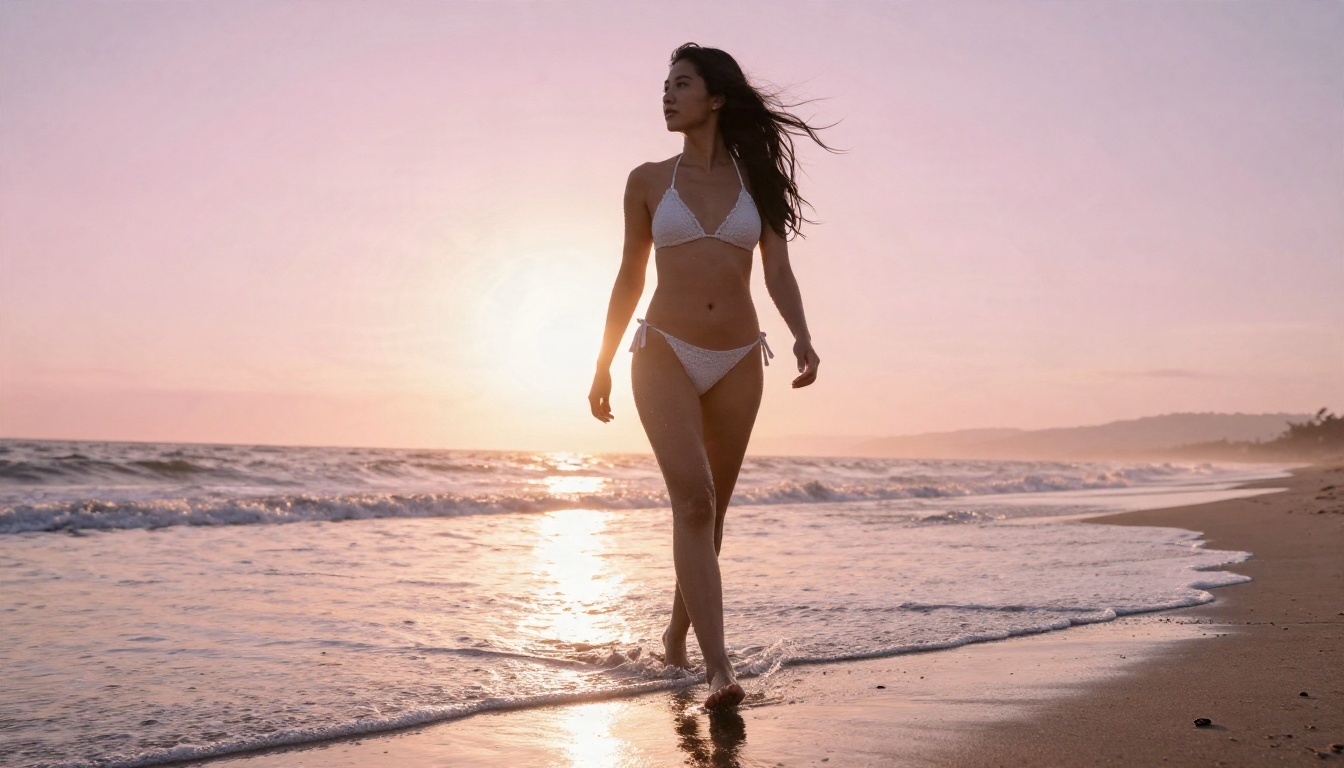
Notice what carries the image: the backlight, the water droplets and the lens choice. Not a single word is about anything explicit, yet the picture reads as sensual because the lighting does the work.
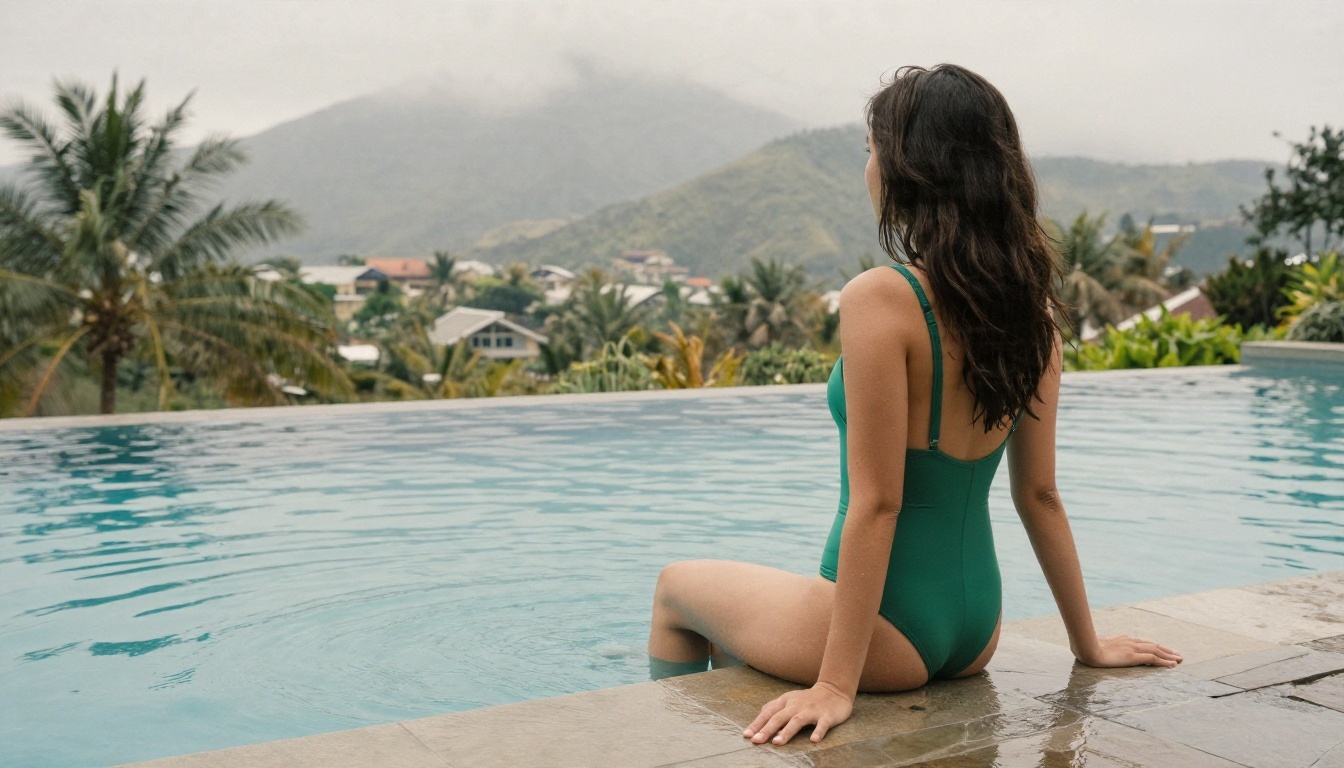
Here is a second variation with calmer energy:
Prompt: Wide shot of an adult woman in an emerald green one-piece swimsuit sitting on the edge of an infinity pool at a hillside resort, legs in the water, soft overcast light, 24mm f/4 lens from behind and slightly above, ripples on water, wet skin texture.
Boudoir and Loungewear Prompts
Boudoir is where filters tend to be most inconsistent, so keep the language editorial: robes, camisoles, lace, morning light.
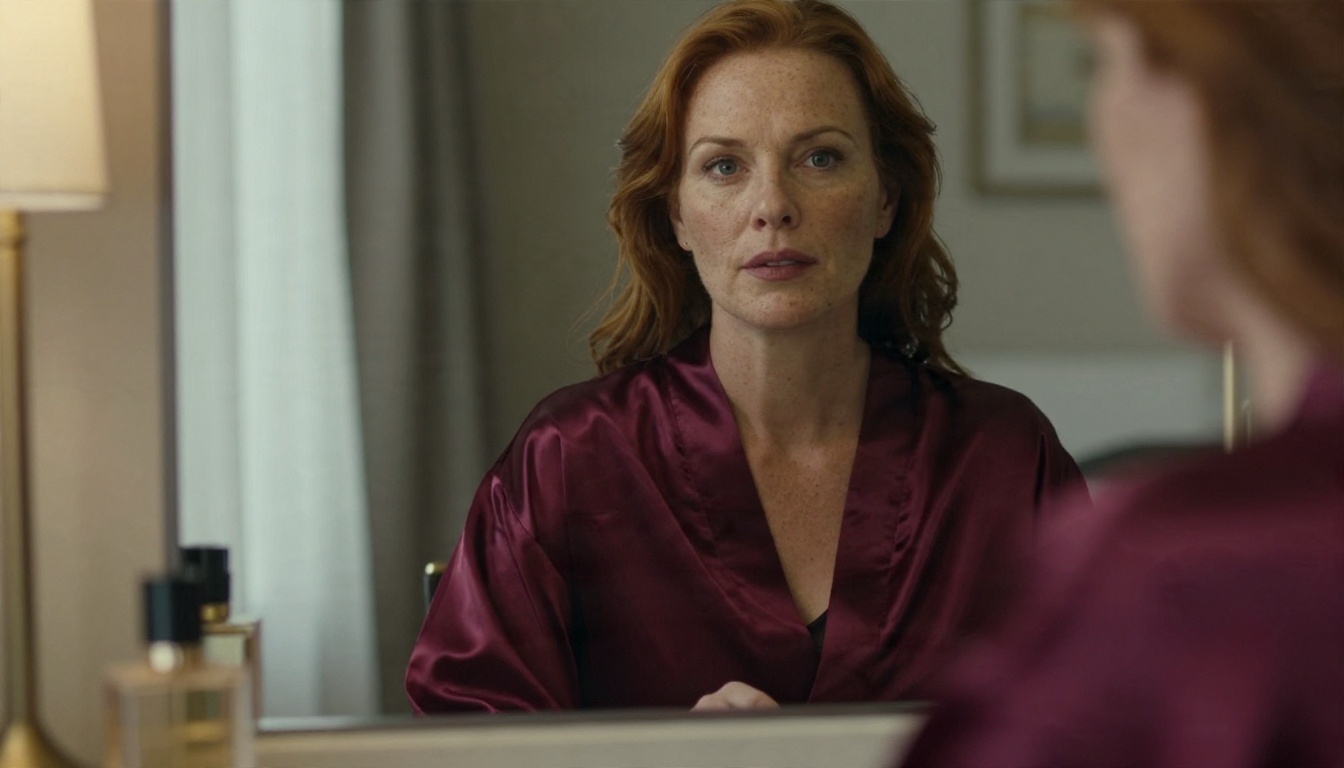
Prompt: Close-up of an adult woman with auburn hair in a satin burgundy robe seated at a vanity mirror in a sunlit hotel suite, glancing over her shoulder, soft window light from the right, 85mm f/1.8 shallow depth of field, visible skin pores, silk highlights.
For a moodier version with harder contrast:
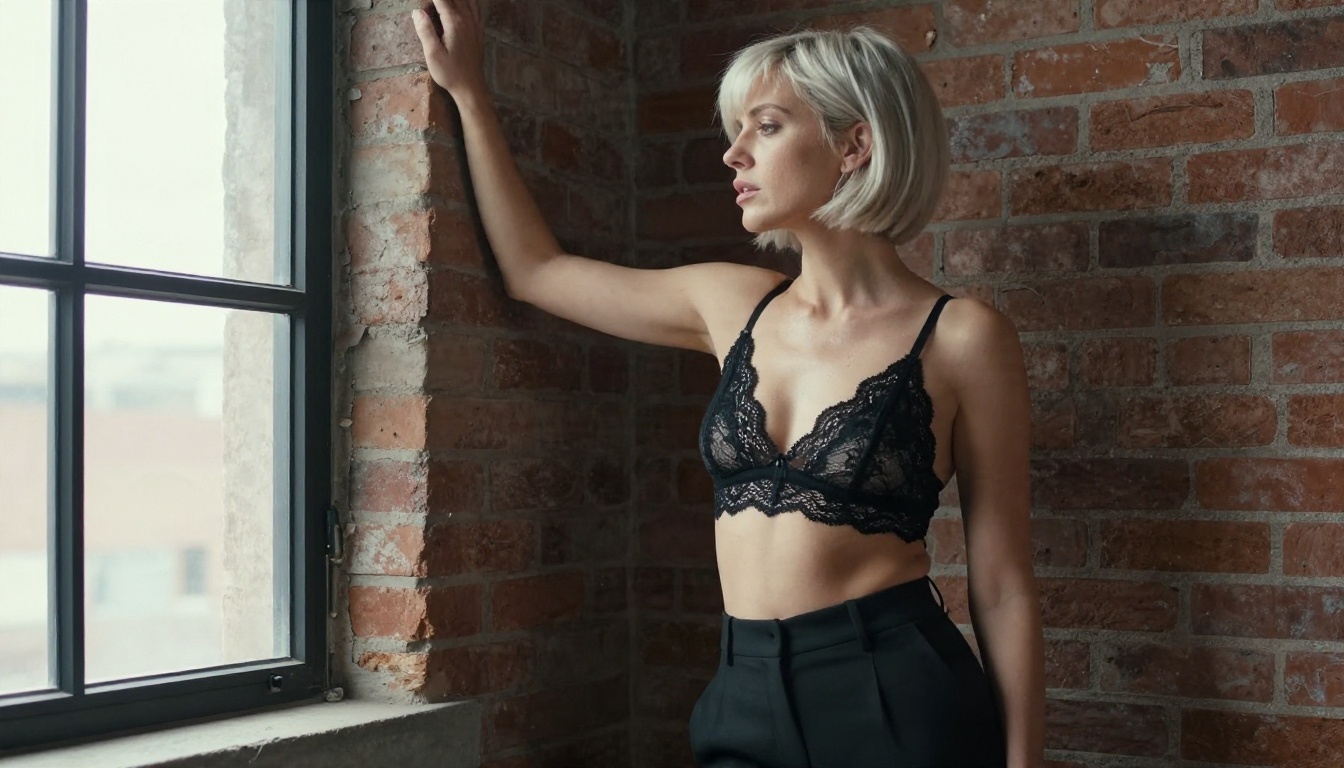
Prompt: Medium shot of an adult woman with a short platinum bob in a black lace bralette and tailored high-waisted trousers leaning against a brick wall in a loft studio, tungsten lamp light from the left mixed with cool window light, 50mm f/1.4, detailed lace texture.
And a soft morning mood:
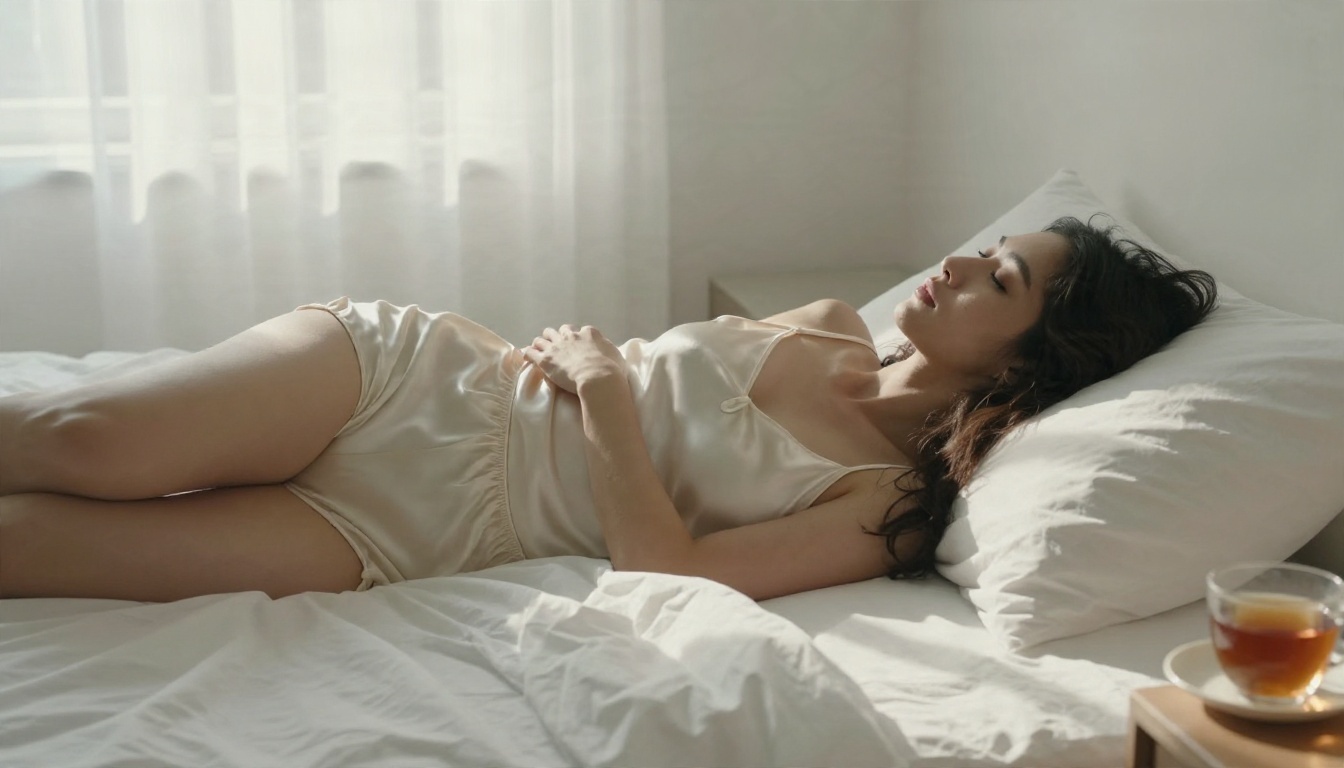
Prompt: Interior shot of an adult woman in an ivory silk camisole stretched on rumpled white sheets in a bright minimalist bedroom, morning sunlight through sheer curtains creating soft stripes, camera at bed level, 35mm f/2, fabric folds and cotton texture.
Evening and Glamour Prompts
Night scenes work well because contrast hides small flaws and makes skin tones look rich.
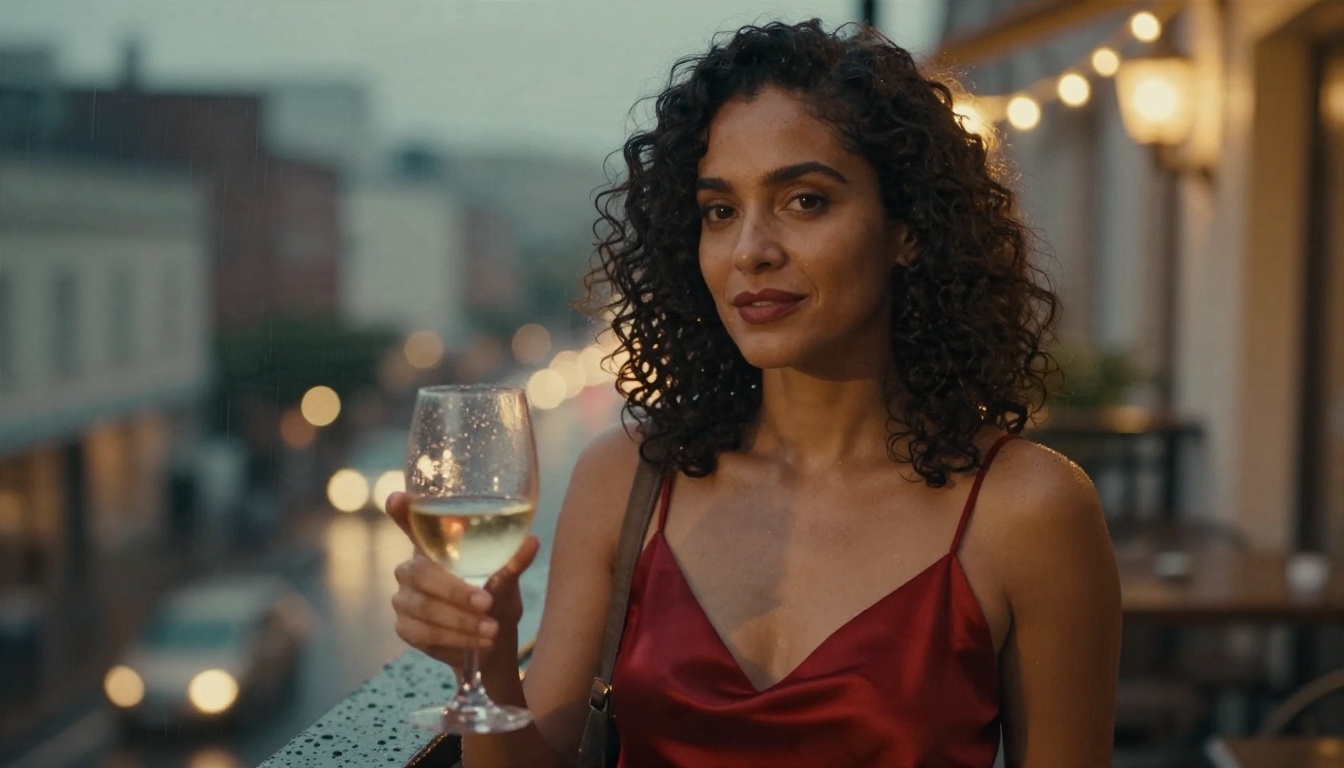
Prompt: Candid portrait of an adult woman with curly dark hair and warm brown skin in a red satin slip dress on a rainy city balcony at dusk, holding a wine glass, warm string lights blurred behind her, 85mm f/1.8 at eye level, raindrops on the railing, soft golden light from the left.
One more for a twilight setting:
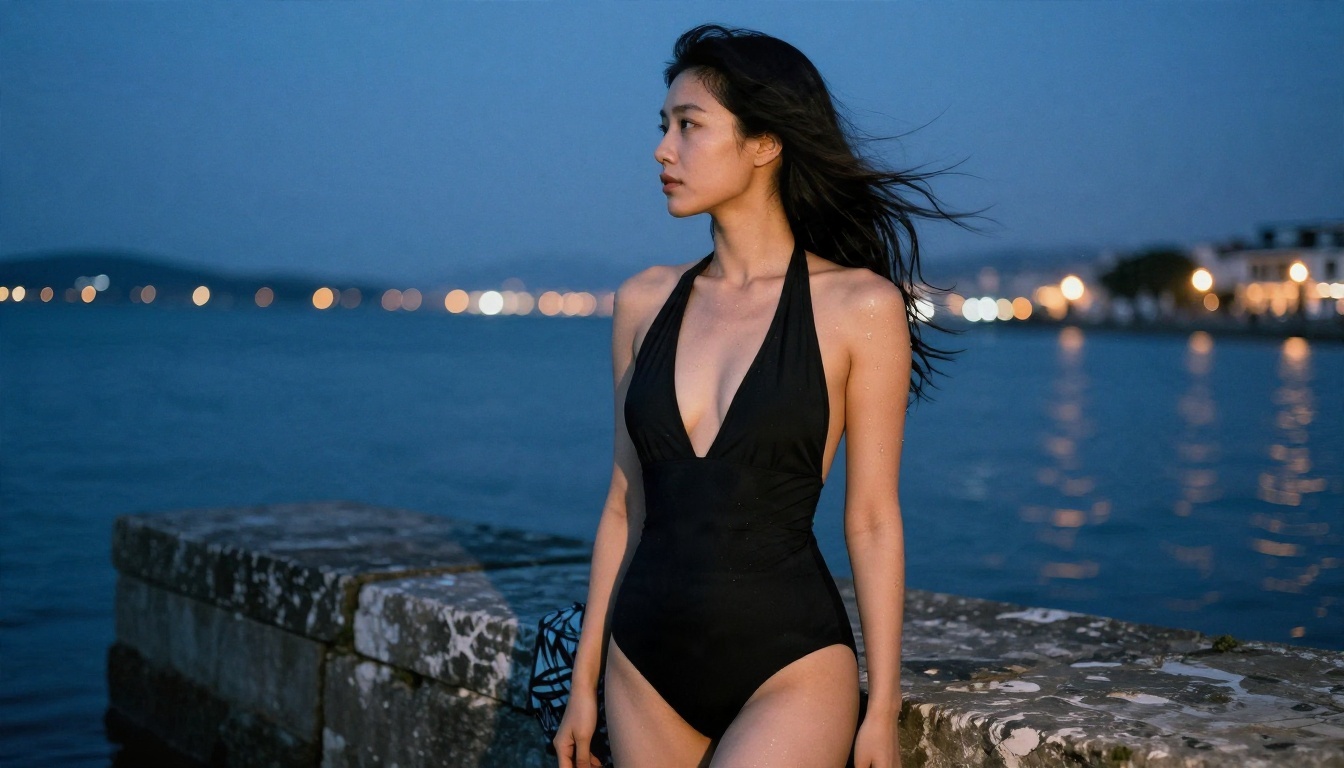
Prompt: Over-the-shoulder shot of an adult woman in a sleek black halter swimsuit and sarong on a stone pier at blue hour, distant city lights across the bay, cool twilight with warm lantern fill from the right, 50mm f/1.8, windblown hair, weathered stone texture.
Reading the Examples Like a Photographer
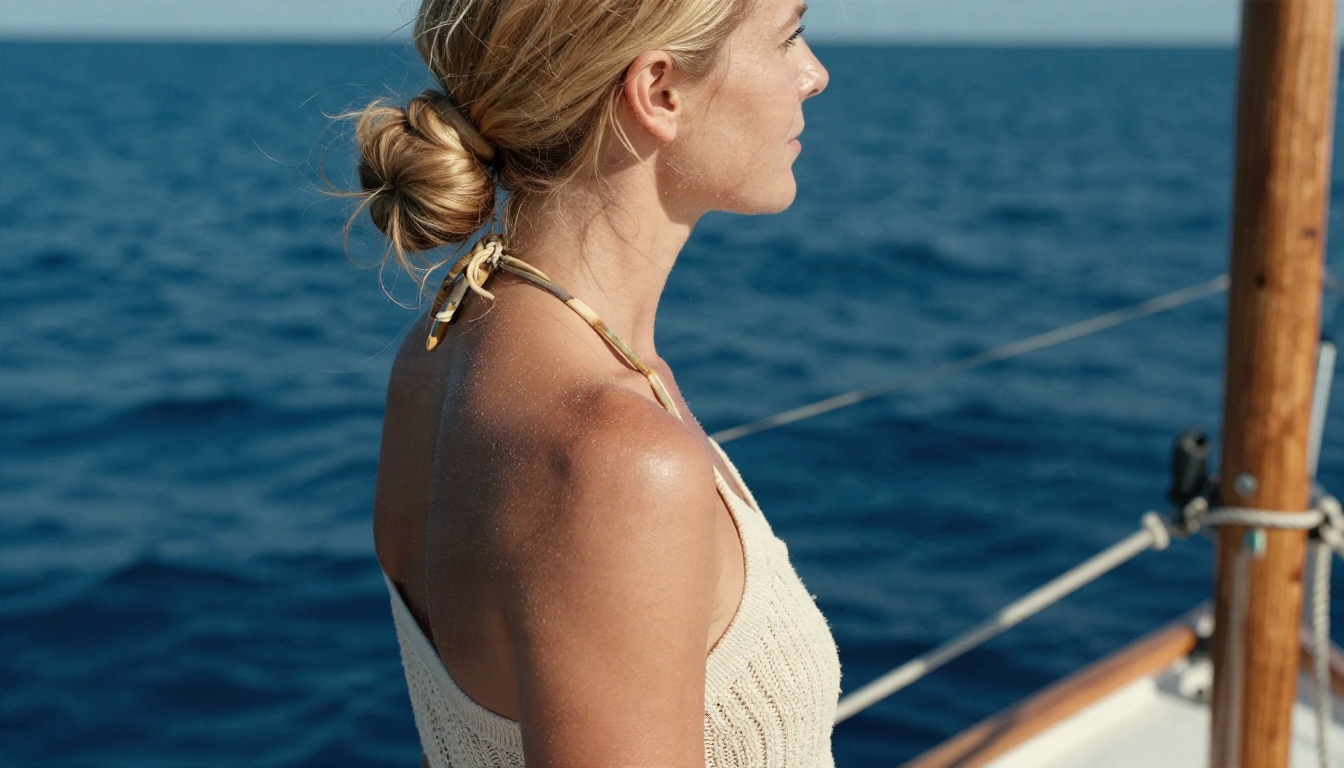
If you look at these images side by side, the pattern is clear. Each one sets one light source, one lens, one location and one fabric. That is it. Prompts fall apart when you stack twelve ideas on top of each other.
| Image mood | Light | Lens | Fabric |
|---|
| Beach sunrise | Backlight, low sun | 35mm | Crochet |
| Pool edge | Overcast, diffused | 24mm | Swimsuit knit |
| Hotel vanity | Window, side light | 85mm | Satin |
| Loft studio | Tungsten plus window | 50mm | Lace |
| Rainy balcony | Warm string lights | 85mm | Satin |
| Blue hour pier | Twilight plus lantern | 50mm | Halter knit |
Swap any column and you get a new picture. Change "85mm" to "24mm" and the same subject suddenly feels like a documentary shot. Change "satin" to "linen" and the mood goes from evening to holiday.
How to Use Seedream 4.5 on PicassoIA
If you want a model that handles skin, fabric and light realistically, start with Seedream 4.5. It is the strongest first choice for this kind of work: sharp output, convincing skin texture and fewer refusals on ordinary glamour and swimwear prompts. It is also quick, so you can test five prompt variations in the time a no-login queue gives you one.
Step by Step
- Open the Seedream 4.5 page.
- Paste a prompt built with the six-part formula above.
- Set the aspect ratio. 16:9 suits landscape scenes, while portrait ratios fit full-length poses.
- Generate, then look at the face, hands and fabric edges first.
- Change one element (light, lens or clothing) and generate again.
- Keep the best version and move on to editing if you need small fixes.
Parameter Tips
- Be specific about light. "Soft window light from the right" beats "good lighting".
- Name the lens. 85mm for portraits, 35mm for environmental shots, 24mm for wide scenes.
- Add texture words. "Visible skin pores", "fabric creases", "film grain" push the output toward photography instead of a polished render.
- Keep prompts under about 80 words. Dense, focused prompts outperform long lists.
- Avoid contradictions. "Harsh midday sun" and "soft candlelight" in the same sentence confuses the result.
💡 Tip: if a result is almost right, don't rewrite the whole prompt. Edit one phrase. That is how you build consistency across a set of images.
Image Editor Pro for Unlimited Edits
Generating is half the job. The other half is fixing a strap, changing a background, adjusting an outfit color or relighting a scene. That is where PicassoIA Image Editor Pro earns its place. It offers unlimited generations, which changes how you work: you stop rationing attempts and start experimenting.
Use it to:
- Change clothing color or fabric without redoing the whole scene
- Swap a background, for example moving a studio portrait to a terrace
- Clean small artifacts around hands and hair
- Match lighting across a set of images so they look shot on the same day
For anyone coming from no-login sites, this is the biggest upgrade. Instead of closing a tab and losing a decent image, you refine it until it is right.
Alternatives Worth Trying
No single model wins at everything, so it helps to keep a short list. After Seedream 4.5 and Image Editor Pro, these are good additions for photoreal people and lifestyle scenes:
| Model | Best for | Link |
|---|
| Seedream 4.5 | Realistic skin, fabric and light, fast iteration | Open |
| Image Editor Pro | Unlimited generations and edits | Open |
| Z Image Turbo | Very quick drafts of a prompt idea | Open |
| Realistic Vision v5.1 | Lifelike portraits with a classic photo feel | Open |
| Qwen Image 3 | Clean photorealistic scenes and detailed settings | Open |
| Nano Banana Pro | High-resolution images and precise edits | Open |
💡 Note: every model has its own content policy, and policies change. Test a simple swimwear or loungewear prompt first. If it returns cleanly, build up from there.
A practical workflow that many creators settle on: draft quickly with Z Image Turbo, polish the winning idea in Seedream 4.5, then finish edits in Image Editor Pro. You can browse the rest of the lineup on the all models page.
Mistakes That Waste Generations
Stacking Too Many Ideas
One scene, one light, one outfit. If your prompt reads like a shopping list, the model averages everything and the result looks generic.
Skipping the Camera Language
Without a lens and angle, models default to a flat, centered, front-facing pose. Add "low-angle", "over the shoulder" or "overhead" and the picture gets a point of view.
Ignoring Hands and Edges
Always zoom in on fingers, straps and hair edges. If something looks off, fix it in an editor instead of regenerating from scratch.
Trusting Any Site With Your Prompts
Anonymous tools often log everything you type. If privacy matters to you, pick a platform with a clear policy instead of an unknown page with ads on every side.
Using Real People's Likeness
Don't generate images of real, identifiable people without their consent. Create original, fictional adult subjects. It is safer for you and respects the people you would otherwise imitate.
Start Creating Your Own Images
You don't need to fight pop-ups, queues and watermarks to make a good glamour image. You need a solid prompt formula, a model that renders skin and fabric well, and room to iterate without a counter ticking down.
Open Seedream 4.5 on PicassoIA, paste one of the prompts from this article and change a single detail: the light, the lens, the fabric. Then take your favorite result into Image Editor Pro and refine it with unlimited generations. When you want more options, browse every available model at picassoia.com/en/all-models and build the set that fits your style.


