NSFW Pose Prompt: Examples, Free Collection and Tips for Better Poses
A practical collection of copy-and-paste NSFW pose prompts for AI image generation. See tasteful, non-explicit examples for standing, seated, lying and movement poses, plus camera, lighting and anatomy fixes that make every pose look natural.
Most AI images of people fail for one boring reason: the pose. The face is fine, the light is fine, and then the body looks like a mannequin that fell off a shelf. A good NSFW pose prompt fixes that by telling the model exactly where the weight sits, what the hands do and where the camera stands. This article gives you a free, copy-and-paste collection of tasteful, non-explicit pose prompts, real image examples, and the habits that separate a stiff render from a photo that looks like a real glamour shoot.
Everything below is about adult subjects, suggestive but non-explicit styling: swimwear, silk, lace, boudoir light, editorial attitude. The goal is beauty and body language, not shock value.
Why Pose Prompts Matter
A model will happily draw a face from three words. A body is harder, because a pose is a chain of small decisions: which hip carries the weight, how far the shoulders turn, whether the fingers curl or stay flat. If your prompt skips those decisions, the model fills them in with the safest average, which is usually a flat, front-facing stance with arms hanging down.
Pose language works because photographers already use it. Phrases like contrapposto, S-curve, weight on the back leg and chin slightly lowered appear all over professional photo sets, so image models have seen them thousands of times next to matching pictures. When you use that vocabulary, you borrow a century of photography practice.
💡 Quick rule: describe the pose in the order a photographer would direct it: feet, hips, torso, shoulders, arms, hands, head, eyes.
What a Pose Actually Controls
Pose element
What it changes
Prompt words that help
Weight shift
Hip angle and body curve
"weight on one hip", "contrapposto"
Torso twist
Waist definition, shoulder line
"torso turned three quarters", "over the shoulder"
Arm position
Silhouette and mood
"hand on hip", "arm raised above head"
Head angle
Expression and confidence
"chin lowered", "head tilted slightly"
Eye direction
Connection with viewer
"looking back at camera", "eyes off frame"
Why Stiff Poses Happen
Three things cause most stiff results. The prompt is too short, so the model defaults to a front-facing stance. The prompt contradicts itself, for example "relaxed" next to "arms rigidly at sides". Or the camera is never named, so the model picks a flat eye-level view that hides every curve.
The Pose Prompt Formula
A reliable structure keeps your prompts consistent and easy to tweak. Use this order every time:
The body line is the main curve you want the viewer's eye to follow. Name it. "A long S-curve from fingertips to toes" or "a gentle arch through the lower back" gives the model one clear shape to build around.
Add Weight and Limbs
Say which leg carries the weight and where the other limb goes. "Weight on her left hip, right knee bent and crossed in front" prevents the symmetrical, locked-knee look that screams artificial.
Name the Camera and Light
Camera height changes everything. A low angle adds power, a high angle adds softness, and an eye-level shot feels candid. Add a lens, such as 85mm f/1.8, and a light direction, such as "soft window light from the left". Photographic details also push the output away from the plastic look.
💡 Copy this skeleton:adult woman, [pose with weight and limbs], wearing [fabric + garment], [location], [light direction and quality], [camera height], [lens], natural skin texture, film grain
Free NSFW Pose Prompt Collection
Every prompt below was tested for a clean, non-explicit result. Swap the clothing, location or hair to make them your own. Each example image in this section was generated from a prompt of this style.
Standing Poses
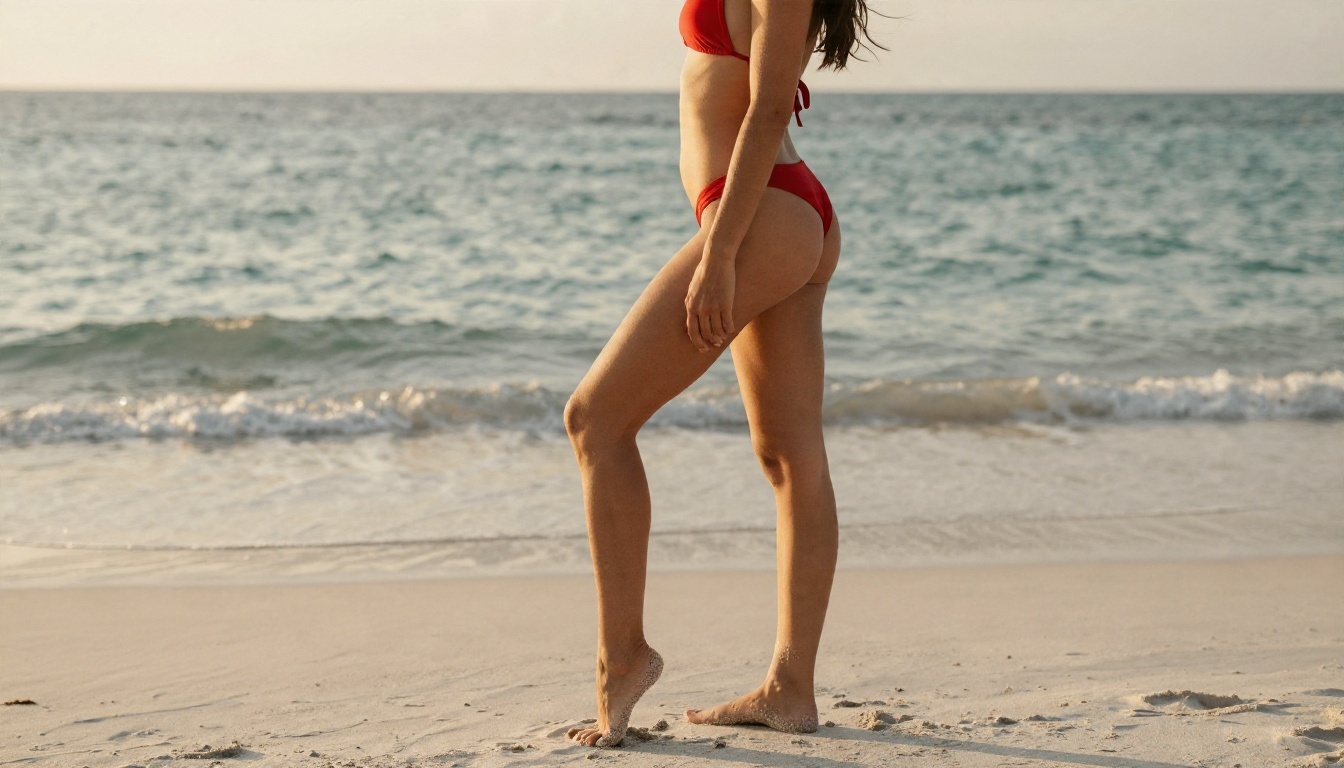
Standing poses are the easiest place to practice weight shift. The beach shot below uses one hip, one hand on the waist and one hand in the hair, three simple instructions that create a confident, relaxed line.
Prompt 1: Beach contrapposto
Adult woman in a red bikini standing with hand on hip and weight shifted to one leg on a white sand beach at golden hour, other hand brushing hair from her face, side-lit warm sunset light from the right, 85mm f/1.8 lens at eye level, shallow depth of field, visible skin texture, Kodak Portra 400 film grain
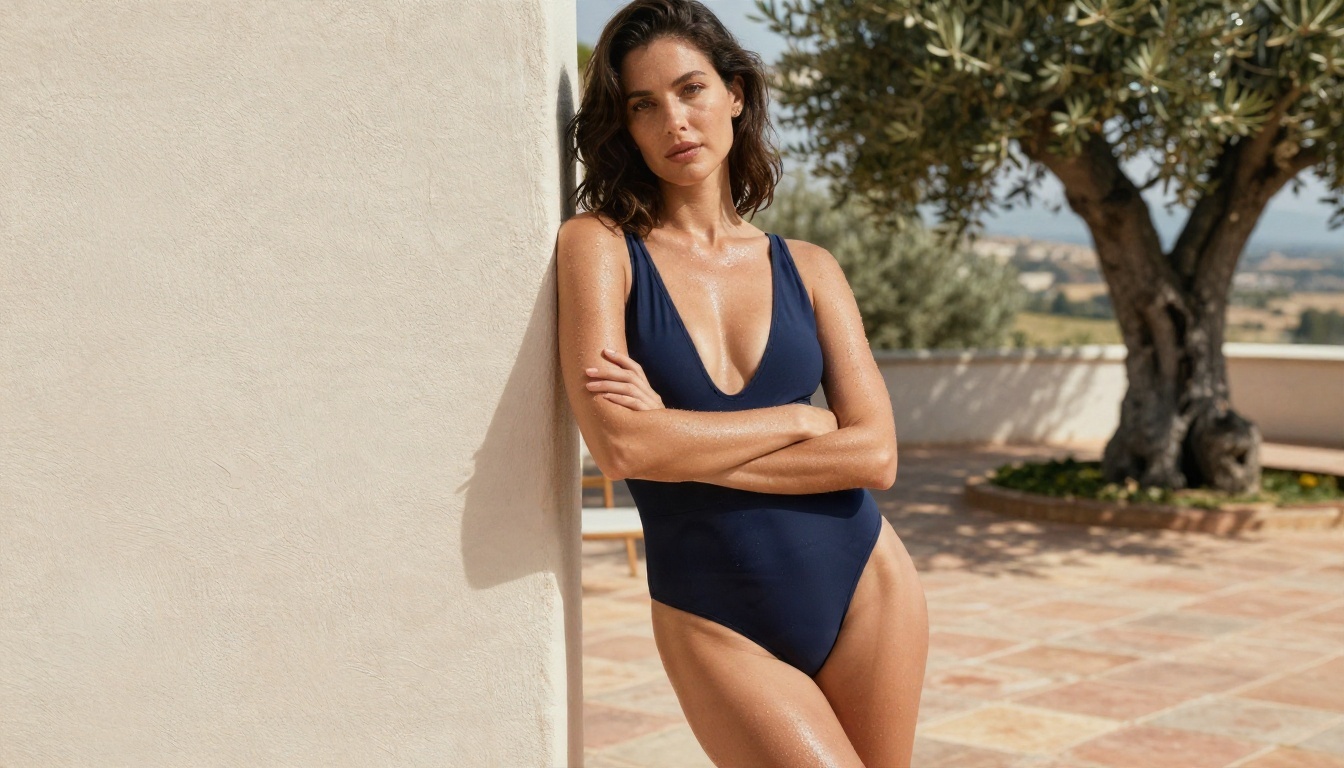
The next example works indoors. Leaning on a wall gives the body a support point, which makes the pose look relaxed without needing complicated limb instructions.
Prompt 2: Wall lean
Adult woman leaning against a textured plaster wall with one shoulder, arms loosely crossed behind her back, fitted navy one-piece swimsuit, sunlit Mediterranean terrace with terracotta tiles, hard noon light from above right, 85mm f/2 lens, glistening skin, Kodak Portra 400 grain
Over the Shoulder Poses
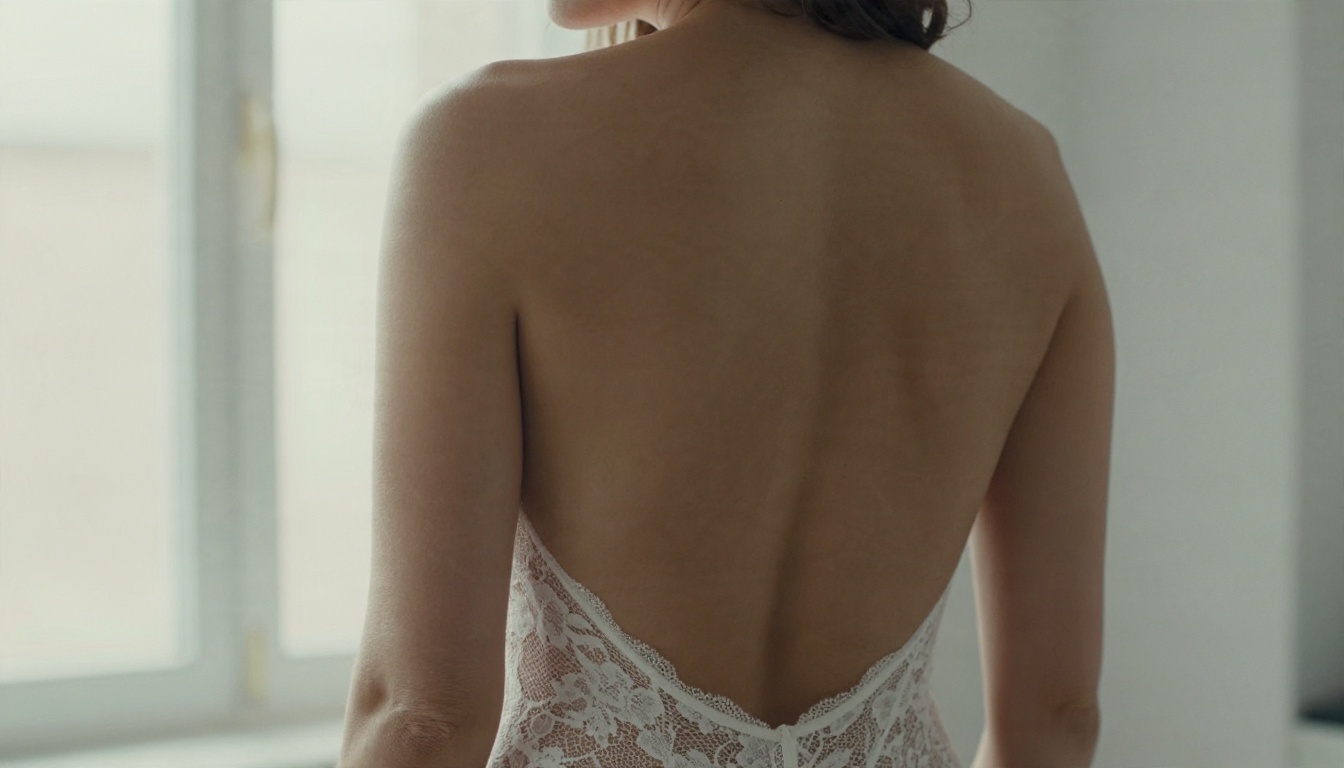
The over-the-shoulder look is a classic because it shows the back line and the face in one frame. The trick is the word looking back: it tells the model to twist the neck and torso instead of rotating the entire body.
Prompt 3: Look back
Close-up over-the-shoulder shot of an adult woman looking back at the camera, white lace bodysuit, bare back with a soft S-curve, tall window in a bright minimalist apartment, soft diffused daylight from the left, 70mm f/2 lens, natural skin texture with fine peach fuzz, Kodak Portra 400 tones
Seated Poses
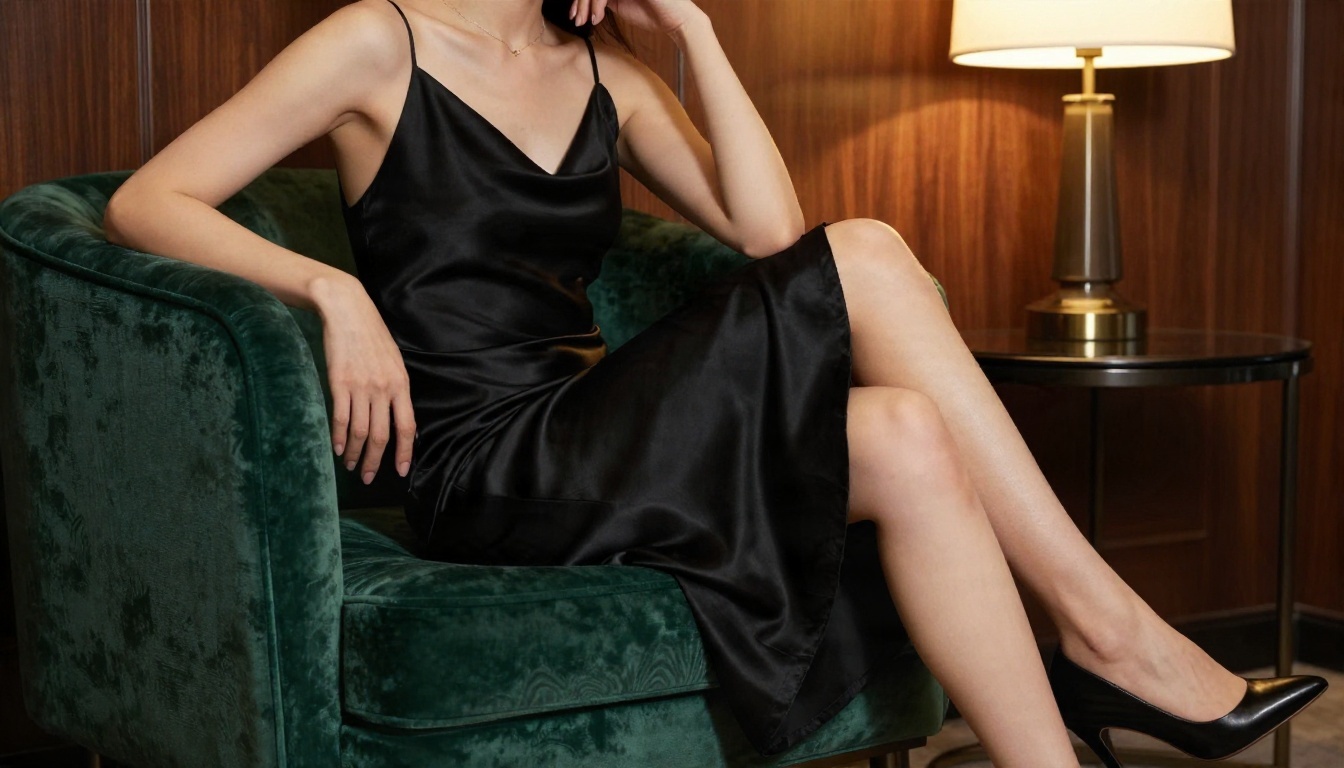
Sitting poses add layers: legs crossed, torso leaning, a hand supporting the chin. They also give you furniture to play with, which adds color and texture to the frame.
Prompt 4: Armchair lean
Low-angle shot of an adult woman seated on the edge of a velvet emerald armchair, legs crossed elegantly, black satin slip dress and heels, leaning forward with elbow on knee and chin resting on her hand, moody hotel suite, warm lamp light from the right, 50mm f/1.4 lens, velvet and satin texture
Lying and Kneeling Poses
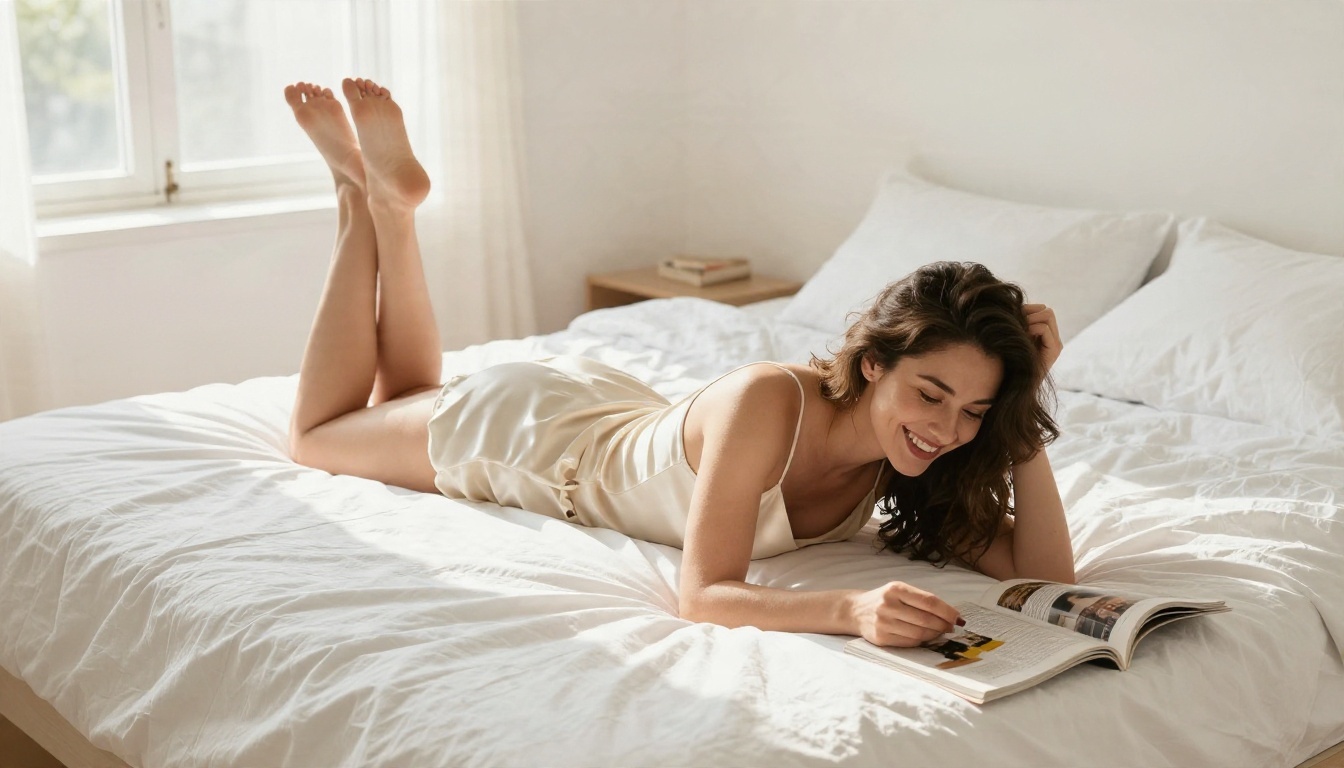
Lying poses are where AI tends to break limbs, so keep instructions short and physical. "Propped on elbows, ankles crossed in the air" is easy to picture and easy for a model to draw.
Prompt 5: Playful bed pose
Wide high-angle shot of an adult woman lying on her stomach on a white bed, propped on her elbows with ankles crossed in the air, cream silk camisole and shorts, reading a magazine with a playful smile, bright airy bedroom, morning light from the top left, 35mm f/2 lens, rumpled linen texture
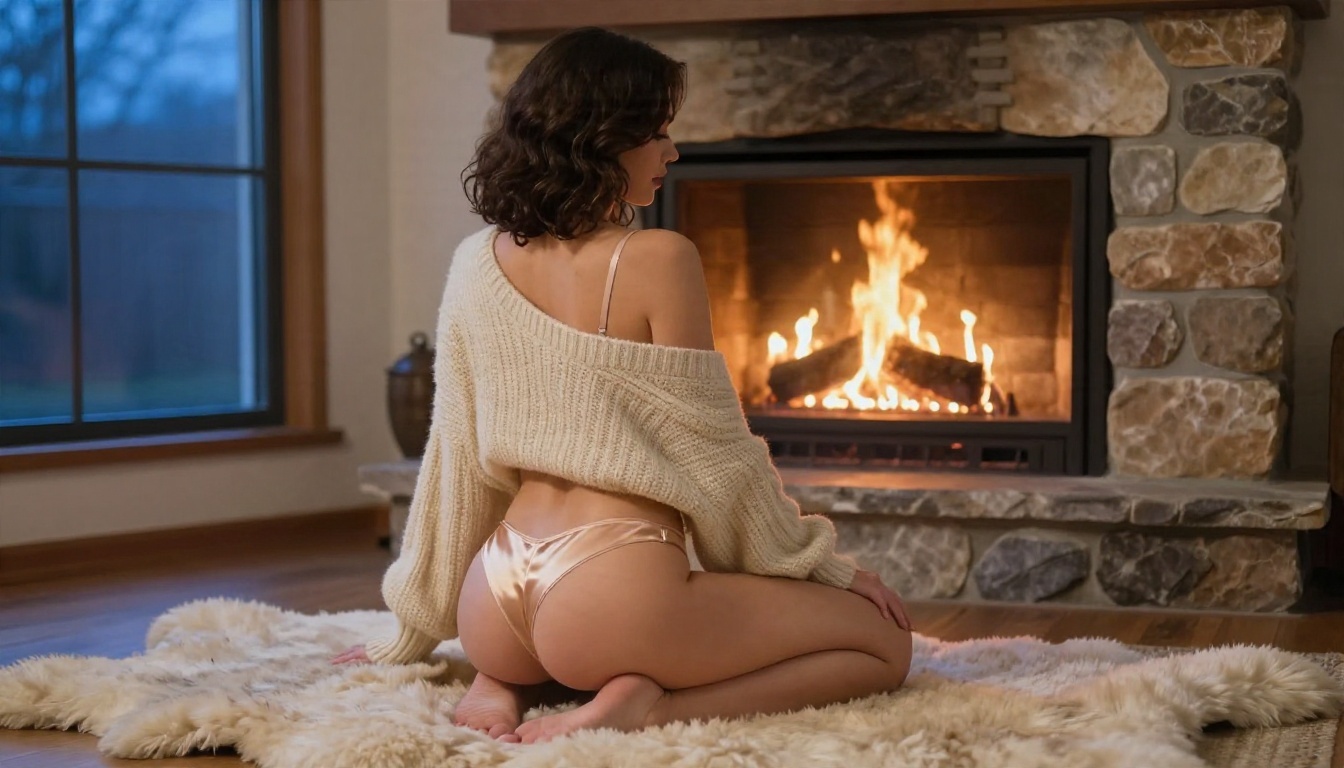
Kneeling poses sit between seated and lying. The back arch and hands resting on thighs below create a calm, boudoir mood, helped by mixed warm and cool light.
Prompt 6: Fireside kneel
Full-length shot of an adult woman kneeling on a sheepskin rug in front of a stone fireplace, sitting back on her heels with a slight back arch and hands resting on her thighs, champagne silk set and a knit cardigan off one shoulder, warm firelight from the right, cool dusk light from the left, 50mm f/1.8 lens
Close Portrait Poses
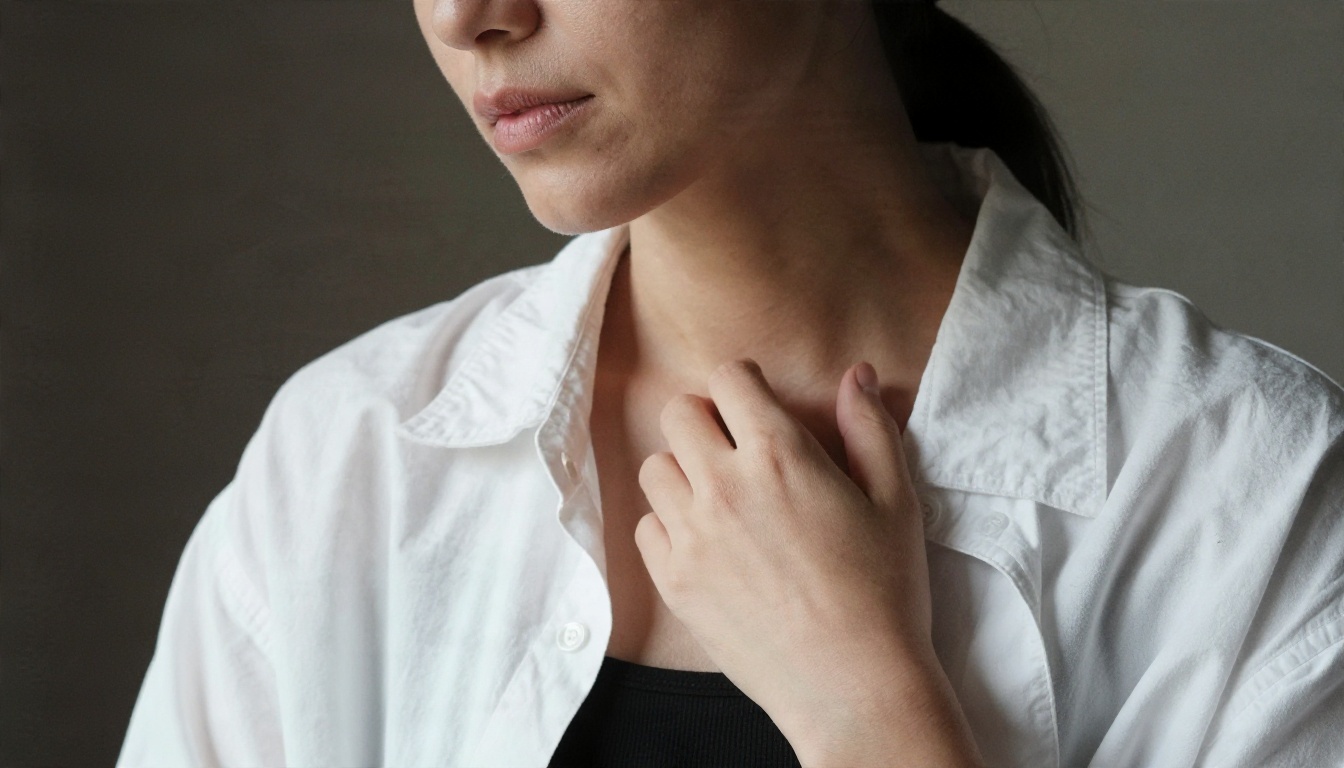
Close portraits depend on small gestures. A hand near the collarbone, a lowered chin and a tilted head carry the whole mood. Keep the hand simple: fingers relaxed, one gesture only.
Prompt 7: Collarbone touch
Close-up portrait of an adult woman with head tilted and chin lowered, one hand gently touching her collarbone, open oversized white shirt over a black tank top, soft window light from the left, deep shadow on the right, dark studio wall, 105mm f/2 lens, visible pores and eyelashes
Movement and Water Poses
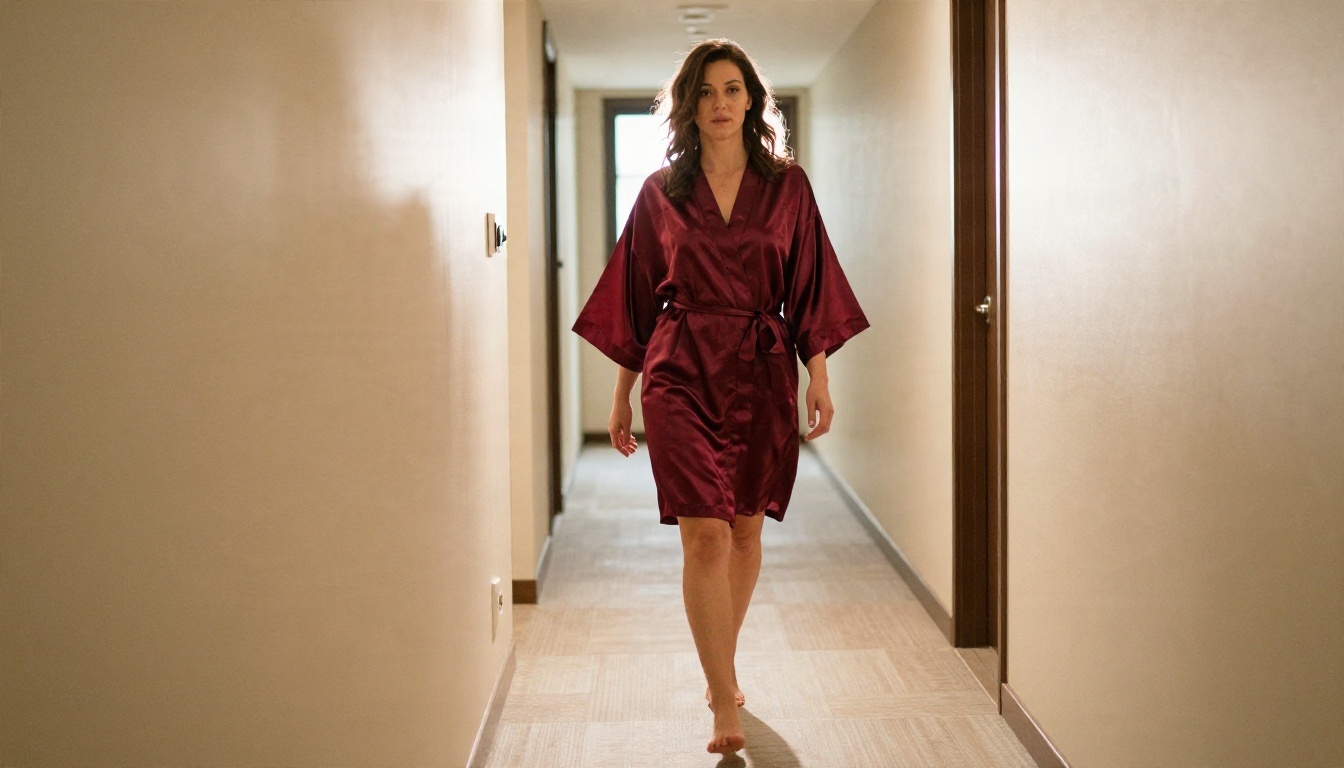
Motion makes a pose feel alive. Walking toward the camera works because the crossing legs and trailing hand imply a mid-step moment, and fabric movement does the rest.
Prompt 8: Corridor walk
Three-quarter shot of an adult woman walking toward the camera down a sunlit hotel corridor, mid-stride with one foot crossing in front, hand trailing along the wall, short burgundy satin robe loosely tied, bare feet, warm backlight from end windows, 50mm f/1.8 lens, soft motion in the fabric
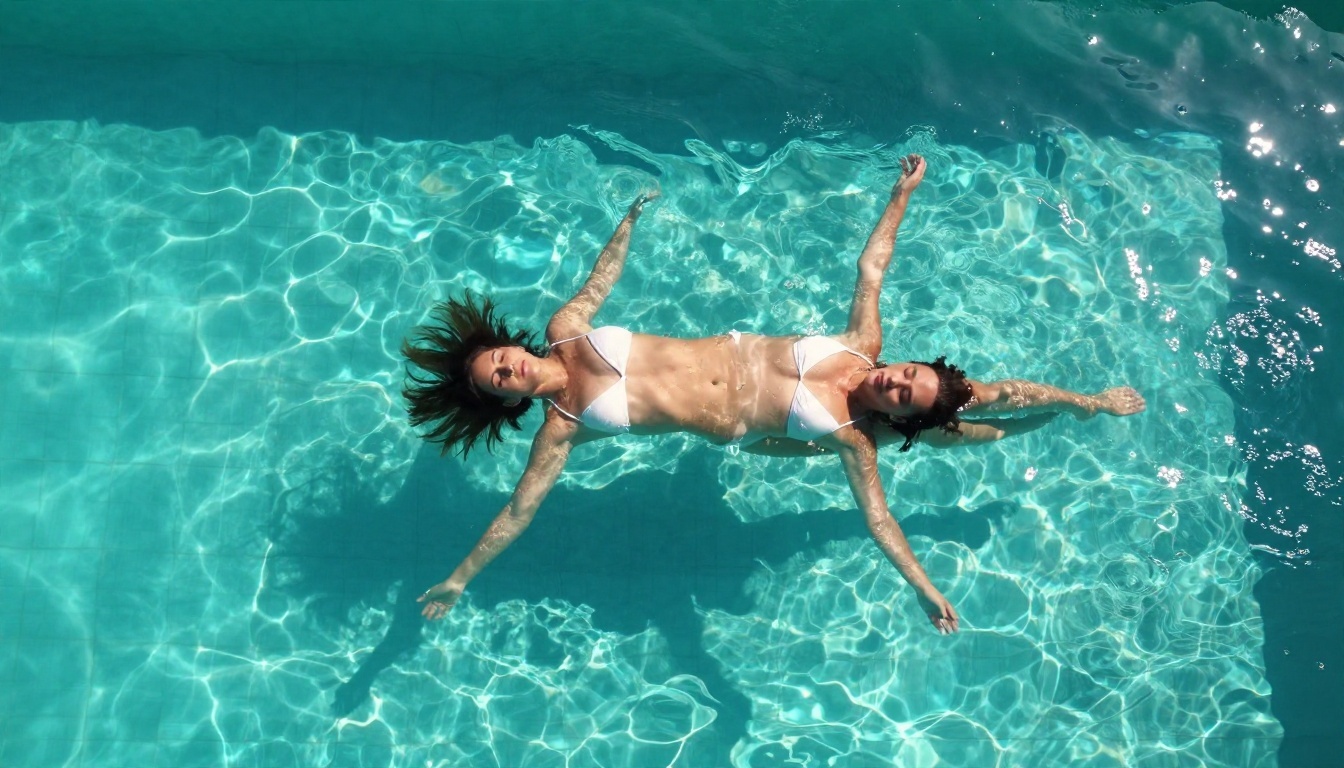
Water poses are the most forgiving of all, because a floating body has no weight to fake. A top-down view also hides most leg and foot problems.
Prompt 9: Pool float
Aerial top-down shot of an adult woman floating on her back in a turquoise infinity pool, one arm stretched above her head, white string bikini, hair fanned out on the water, sunlit ripples and light patterns on the tile below, bright midday sun, 35mm f/2.8 lens, water droplets on skin
How to Use Seedream 4.5 on PicassoIA
For photorealistic pose work with adult themes, start with Seedream 4.5. It follows long, detailed prompts closely, keeps skin texture natural and handles body structure better than most models, which is exactly what pose prompts need. It is also fast, so you can try five variations of one pose in a few minutes.
💡 Seedream 4.5 is the recommended starting point on PicassoIA for glamour and boudoir style work. Seedream 5 Lite blocks adult content, so avoid it for this topic.
Paste one of the prompts above into the prompt box.
Set the aspect ratio. Use 16:9 for wide scenes, 3:4 or 2:3 for full body standing poses.
Generate, then look at the hands, knees and shoulder line before anything else.
Change one pose element per run, such as the arm position or the camera height, and generate again.
Keep the seed when a pose is close, so the changes you make stay controlled.
Parameter Tips
Setting
Recommendation
Why
Aspect ratio
16:9 for lying and wide scenes, 2:3 for standing
Matches how photographers frame each pose
Prompt length
60 to 120 words
Gives room for limbs, light and lens
Variations
4 to 6 per pose
A good hand position often appears on the third or fourth try
Seed
Lock it once the pose is right
Lets you change clothing or light without losing the pose
Edit Instead of Starting Over
When a pose is nearly right, fix the details with the PicassoIA Image Editor Pro. It offers unlimited generations, which means you can keep adjusting a hand, a strap or a background without worrying about a credit counter. Upload your image, describe only the change, for example "relax the left hand, fingers softly curled", and run it again.
Best Models for Pose Control
No single model wins every pose, so keep a short list. These are all on PicassoIA, listed in the order I would try them for adult glamour work.
If a pose is too specific for words, a structure-based model helps. RealVisXL v3 Multi Controlnet LoRA accepts a reference image and keeps the body layout while you change the person, clothing and setting. Controlnet Scribble works even from a rough stick figure drawing. Draw the line of the pose, write the prompt, and the model fills in the rest.
Draft Fast, Finish Slow
A good workflow: draft ten poses with Z Image Turbo, pick the two best silhouettes, then rebuild them in Seedream 4.5 with a full 100 word prompt. Finish with small edits in Image Editor Pro. Drafting cheap and finishing carefully saves far more time than polishing a weak pose.
Common Pose Mistakes
Even strong prompts hit the same few problems. Here is how to spot and fix each one.
Hands That Look Wrong
Hands are the usual culprit. Do not ask for complicated finger positions. Use "relaxed hand, fingers softly separated" or hide the hand in hair, fabric or against the body. A hand resting on a thigh or a collarbone is far safer than a hand holding a tiny object.
Limbs That Merge or Multiply
When two legs cross, the model sometimes blends them. Describe the crossing in one clear sentence: "right leg crossed over left at the knee, left foot flat on the floor". For lying poses, give each limb a place, and limit yourself to one tricky overlap per image.
Proportions That Drift
Close-up cameras exaggerate whatever is nearest the lens. If feet or knees look oversized, move the camera back and use a longer lens, such as 85mm. Add "natural body proportions" once, not five times, since repeated emphasis can create odd results.
💡 Fast fix: if a pose is 90 percent right, do not rewrite the prompt. Edit only the broken area in an editor and keep everything else.
Tips for Better Poses
Choose the Camera Height on Purpose
Camera height
Effect
Best poses
Low angle
Power, longer legs
Seated, standing
Eye level
Candid, natural
Wall lean, portraits
High angle
Soft, playful
Lying, floating
Top-down
Graphic, abstract
Pool, bed scenes
Use Light to Shape the Pose
Side light draws the body line, while front light flattens it. Describe the direction every time: "soft window light from the left" or "warm backlight with a gentle rim on the shoulder". A single strong light source with soft falloff is more flattering and more believable than vague phrases like "good lighting".
Add Real Texture
Skin pores, fabric folds, sand grains and water drops all tell the model the image is a photograph. Pair that with film language like Kodak Portra 400 and fine grain, and the result moves far from plastic AI skin.
Keep a Pose Library
Save every prompt that produces a pose you like, with the seed. Over a few weeks you will own a personal collection of ten or twenty reliable poses that you can reuse with new outfits, locations and faces. This is the fastest way to get consistent quality.
Stay Within Clear Limits
Keep subjects clearly adult, keep the result tasteful and non-explicit, and never use a real person's likeness without permission. A strong pose prompt does not need anything more than good light, good posture and good direction.
Try Your Own Poses on PicassoIA
You now have nine ready prompts, a formula for writing your own, and a list of models that handle pose work well. The next step is simple: pick one pose from the collection, paste it into Seedream 4.5, and change one detail at a time. Then polish the best result in PicassoIA Image Editor Pro, where generations are unlimited and fast.
PicassoIA gives you uncensored room to experiment with glamour and boudoir style photography, with no waiting in long queues. Start with the standing poses, move to seated and lying ones, and build your own library as you go. When you want to try other engines, browse the full list at picassoia.com/en/all-models and compare how each one handles the same prompt.