You pasted a few thousand words into a text to speech endpoint, got a clean MP3 back in seconds, and then wondered what that actually cost you. That question is exactly why people search for OpenAI Text to Speech API Pricing: Voices, Free Alternatives and Limits. The per-unit prices look tiny, the billing units differ between models, and the voice list and request caps are scattered across several pages. This article puts the numbers in one place, turns them into real project costs, and shows what to use when you want something free or cheaper.
💡 Quick note on accuracy: speech pricing changes often. The figures below come from public pricing listings gathered in November 2026. Treat them as a solid estimate, then confirm them on OpenAI's own pricing page before you set a budget.
What the OpenAI TTS API Is
OpenAI exposes speech synthesis through an audio endpoint that takes text, a model name and a voice name, and returns an audio file. You send a request from your backend, you receive MP3, WAV, Opus, AAC or FLAC bytes, and you play or store them. There is no studio interface in the API itself. It is built for developers who want to wire spoken output into apps, support bots, reading tools and automated video pipelines.
Three model names come up in nearly every pricing discussion:
- tts-1: the fast, low-latency model, aimed at real-time use.
- tts-1-hd: the higher-fidelity sibling, slower and twice the price.
- gpt-4o-mini-tts: the newer steerable model that accepts style instructions, billed on tokens instead of characters.
A note on availability: OpenAI's speech models are not on PicassoIA. If you want to produce voiceovers without wiring up an API, the section further down shows which text to speech models you can use today.

OpenAI TTS API Pricing in 2026
Here is the price sheet as it is commonly reported for the three speech models.
| Model | Billing unit | Reported price | Best suited for |
|---|
| tts-1 | Per 1M characters | about $15 | Real-time replies, drafts, bulk narration |
| tts-1-hd | Per 1M characters | about $30 | Polished narration where artifacts matter |
| gpt-4o-mini-tts | Per 1M text input tokens plus per 1M audio output tokens | about $0.60 input and $12 output | Voices that need tone and style direction |
The first thing to notice is the billing unit mismatch. The two older models charge for the characters you send. The newer model charges for tokens in and audio tokens out, which makes it harder to predict from a text file alone. A commonly quoted rule of thumb puts gpt-4o-mini-tts at roughly one and a half cents per minute of generated audio, which lands in the same neighborhood as tts-1-hd for long narration and well below it for short snippets.
The Real Cost of Characters
One million characters sounds abstract. Translate it: at an average of five or six characters per word, that is around 180,000 words, which reads aloud at a natural pace for roughly twenty hours. So the older tiers work out to approximately:
- tts-1: about 75 cents per hour of finished audio.
- tts-1-hd: about $1.50 per hour of finished audio.
That is cheap compared with hiring a voice actor, and cheap compared with some premium voice platforms. It stops being cheap only when you generate audio at massive volume or regenerate the same text again and again while testing.

Sample Project Budgets
To make the table practical, here are four common workloads, estimated with the older per-character rates.
| Project | Approx. characters | tts-1 cost | tts-1-hd cost |
|---|
| One 1,000 word blog post | 6,000 | about $0.09 | about $0.18 |
| A 10 minute YouTube script | 9,000 | about $0.14 | about $0.27 |
| A 60,000 word audiobook | 360,000 | about $5.40 | about $10.80 |
| A support bot speaking 50,000 replies of 300 characters | 15,000,000 | about $225 | about $450 |
Individual creators rarely feel these numbers. A team running a voice assistant at scale will feel them every month, and that is where comparing alternatives pays off.
Hidden Costs People Forget
The invoice for the speech endpoint is rarely the whole bill. Plan for these as well:
- Regenerations. Every retake is billed as a fresh request. Ten attempts at a tricky paragraph cost ten times as much as one.
- Chunking overhead. Long texts have to be split before they are sent, then stitched back together, which means extra engineering time.
- Post-processing. Normalizing volume, trimming silence and adding music usually happens in a separate tool.
- Retries on rate limits. A burst of traffic that hits a ceiling can produce failed calls you still have to resend.
Voices You Get With OpenAI TTS
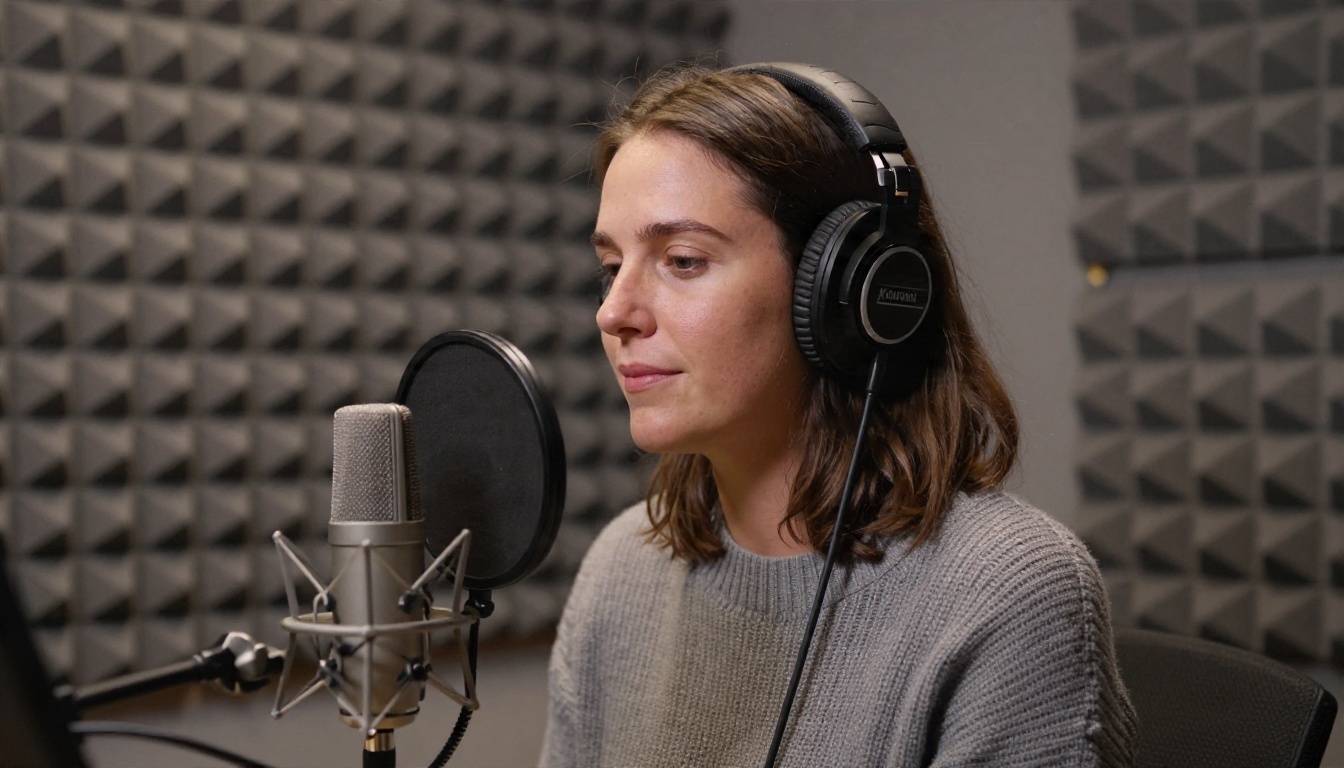
The voice list is one of the first things developers check, and it depends on the model you pick. Public listings describe about nine built-in voices for tts-1 and tts-1-hd, and about thirteen for gpt-4o-mini-tts. The commonly named voices include alloy, ash, coral, echo, fable, nova, onyx, sage and shimmer, with a few extra ones appearing on the newer model.
What the Voices Sound Like
Most of the voices lean toward a neutral, friendly assistant tone, which is perfect for explainers, tutorials and chatbots. They are less convincing for dramatic fiction, regional accents or characters with a strong personality. The voices are fixed, so you cannot upload a sample and ask for a custom clone through this endpoint.
Style Control on the Newer Model
The biggest practical difference with gpt-4o-mini-tts is that you can describe delivery in plain language, such as calm and reassuring, brisk like a news anchor, or warm and slow for a bedtime story. Older models only change tone when you change the text itself, or the voice name.
Language Support
OpenAI's speech models can read many languages, but the voices were tuned mainly with English in mind. Non-English output is understandable and often good, yet accent and rhythm can drift toward English patterns. If you publish in Spanish, Hindi or Japanese, run a listening test with a native speaker before you commit.
Limits That Affect Your Project
Pricing is only half of the story. Limits decide whether your design actually works.
| Limit | What is reported | Why it matters |
|---|
| Input length | Around 4,096 characters per request | Long scripts must be split into chunks |
| Free usage | Very low or none, with about 3 requests per minute reported on free accounts | You cannot build a product on free calls |
| Paid rate limits | Vary by account tier and are reported inconsistently | Bursty traffic can fail without a queue |
| Output formats | MP3, Opus, AAC, FLAC, WAV and PCM | Pick one that fits your player |
| Model lifecycle | Some listings mention older snapshots being retired in early 2027, unconfirmed | Check before you build around tts-1 |
Splitting Long Text Without Audible Seams
Because a single request tops out near four thousand characters, narrating a chapter means cutting it into pieces. Cut at sentence or paragraph boundaries, never mid-sentence, and keep the same voice and model for every chunk. Then join the files with a short crossfade of 20 to 50 milliseconds. Cutting mid-thought is the most common reason a stitched narration sounds robotic.
Rate Limits in Practice
If you run batch jobs, queue your requests and add a short delay with retry logic that backs off on errors. Treat the published tier limits as a ceiling, and build your pipeline so that hitting the ceiling slows you down instead of breaking the run.
Is There a Free OpenAI TTS Option?
Short answer: not one you can rely on for a product. A few things people mistake for a free tier are worth separating.
- Reading aloud inside the ChatGPT app. This is a consumer feature for listening to replies. It does not give you downloadable files through an API.
- Trial credit on a new account. Promotional credit has come and gone over time. Do not plan around it, and check your dashboard for what you actually have.
- Free accounts with tight rate limits. Reports suggest roughly three requests per minute on the free tier, which is enough to test a script and not enough to run anything real.
The practical way to spend nothing is to prototype on a free, browser-based text to speech tool, pick the voice you like, and only then decide whether an API integration is worth paying for.

Free and Cheaper Alternatives on PicassoIA
OpenAI's speech models are not on PicassoIA. For similar results today, these four text to speech models are the ones to try. Each one is a different trade between voice count, expressiveness and speed.
| Alternative | Strength | Best for |
|---|
| Gemini 3.1 Flash TTS | 30 voices, 70+ languages, emotion tags and style prompts | Expressive multilingual voiceovers |
| ElevenLabs V3 | Natural, emotional delivery | Narration, characters and storytelling |
| MiniMax Speech 2.8 HD | Studio-quality output | Polished long-form narration |
| Inworld TTS 1.5 Max | Fast output across 15 languages | Quick, high-volume voice generation |
Why Switch From an API Workflow
If your goal is audio files rather than a live product feature, a browser workflow removes the plumbing. You paste text, choose a voice, listen, adjust, and download. There are no chunking scripts, no queue management and no invoices counted in tokens.

How to Get Similar Results on PicassoIA
The best starting point for most readers is Gemini 3.1 Flash TTS. It gives you 30 voices and over 70 language options, plus expressive tags that OpenAI's older speech models do not offer. Here is the workflow.
- Open the model page. Go to the Gemini 3.1 Flash TTS page on PicassoIA and find the text input field.
- Paste your script. The text field accepts up to 4,000 bytes, so a short article section or a few paragraphs fit per run. Split longer scripts by paragraph.
- Pick a voice. The default is Kore. Other options include Puck, Charon, Fenrir, Aoede and Zephyr. Generate the same sentence with three voices and compare them before you commit to one.
- Set the language. Choose a code such as en-US, en-GB, es-ES, fr-FR or hi-IN so the pronunciation and rhythm match your audience.
- Write a style prompt. Use the prompt field in plain language: "Say this in a calm, professional tone" or "Speak with warm excitement". This replaces the style control you would get from a newer API model.
- Add expressive tags. Insert tags like [whispering], [laughing], [sigh] or [shouting] directly in the text for phrase-level delivery.
- Generate, listen, adjust. Download the result when it sounds right. If a sentence is off, rewrite punctuation and run again.
💡 Parameter tip: short sentences and commas where you want a breath give the most natural pacing. Long, comma-free sentences tend to sound rushed.
When to Pick a Different Model
- Choose ElevenLabs V3 when emotional performance matters most, such as audio fiction or character dialogue.
- Choose MiniMax Speech 2.8 HD for long, polished narration where steady tone across many minutes counts.
- Choose Inworld TTS 1.5 Max when you need fast turnaround on a large batch of short clips.
Choosing the Right Option for You
Here is a decision list, based on what you are actually building.
- You run a real-time voice assistant at scale. The API route makes sense. Do the math on characters per month, compare it with other providers, and keep a fallback voice ready.
- You make YouTube videos, podcasts or courses. You do not need an API at all. Generate files in a browser, pick the best take and move on.
- You publish in several languages. Favor a model with a wide language list, such as Gemini 3.1 Flash TTS, and test each language with a native listener.
- You want a custom or cloned voice. The fixed voices of the OpenAI endpoint are a limit. Look at voice cloning options instead.
- You are still experimenting. Start free and browser-based. Spend money only after you know what voice and length you need.
Mistakes That Waste Money
- Picking tts-1-hd by default. Run an A/B test first. For phone-quality or background audio, the cheaper tier is often indistinguishable.
- Regenerating whole chapters. Fix a single paragraph, not the entire file.
- Ignoring text cleanup. Strip URLs, stray symbols and odd formatting before you send text. Garbage in means wasted retakes.
- Forgetting numbers and acronyms. Write "twenty twenty six" or spell out acronyms when pronunciation matters.
- Skipping a native listener. A voice that sounds fine to you can sound off to someone who speaks the language daily.

Frequently Asked Questions
How much does OpenAI text to speech cost?
Commonly reported pricing is about $15 per million characters for tts-1 and about $30 per million characters for tts-1-hd. The newer gpt-4o-mini-tts model is billed on tokens, at roughly $0.60 per million text input tokens and $12 per million audio output tokens. Check OpenAI's pricing page for the current rates.
What is the character limit per request?
Public sources most often cite around 4,096 characters per request. Split anything longer into chunks at sentence boundaries.
Does OpenAI offer free text to speech through the API?
There is no dependable free allowance. Free accounts are reported to have very low rate limits, and any trial credit should be checked in your own dashboard. For free voice generation, a browser tool is the more practical route.
How many voices does it have?
Listings describe roughly nine voices on tts-1 and tts-1-hd, and about thirteen on gpt-4o-mini-tts. Gemini 3.1 Flash TTS on PicassoIA offers 30.
Can I clone my own voice with it?
Not through the standard speech endpoint. It uses a fixed set of built-in voices. If cloning is a requirement, pick a model built for it.
Will tts-1 stay available?
Some third-party listings mention older snapshots being scheduled for retirement in early 2027, but this could not be confirmed against official documentation. Verify before building a long-term product around it.
Try Your Own Voiceover Today
You now have the numbers: a few cents for a blog post, a few dollars for an audiobook, and a monthly bill that only grows if you run real-time traffic at scale. The best next step costs nothing. Take a paragraph from your own script, paste it into Gemini 3.1 Flash TTS, and render it in three different voices. Then try the same paragraph on ElevenLabs V3 and MiniMax Speech 2.8 HD and compare them by ear.
Prefer to browse everything in one place? Visit picassoia.com/en/all-models to try the full text to speech lineup, pair your voiceovers with AI images, and build your next project without writing a line of code.


