Most AI glamour images fail in the first half second. The skin looks like plastic, the light comes from nowhere, and the fabric has no weight. Then you see one that works: warm window light on a shoulder, a real pore texture, a silk robe that folds the way silk folds. It looks like a photographer shot it. The gap between the two is not luck. It comes down to the tool you pick, the way you write the prompt, and a handful of habits that anyone can copy for free.
This article is about tasteful, non-explicit NSFW: swimwear, lingerie style boudoir, glamour portraits, and suggestive mood. Everything here is built around adults, aesthetics and photographic realism. You will get a short list of free tools, a prompt formula, nine worked examples with the reasoning behind each, and a fix list for the problems that ruin otherwise good generations.
What Quality Actually Means
Before any tool or prompt, it helps to name what separates a great image from a forgettable one. Viewers rarely say "the lighting model is off." They say "this looks fake." Three things drive that reaction.
Skin That Looks Like Skin
Real skin has pores, tiny freckles, uneven tone, a bit of oil on the cheekbones, and fine hairs catching light along the jaw. Over-smoothed skin is the number one giveaway of a weak generation. In your prompt, ask for soft natural pores, subtle freckles, a faint sheen on the cheekbones, flyaway hairs lit as a rim light. Those words push the model away from the airbrushed look.
Light Before Everything Else
A photographer decides the light first and the pose second. Do the same. Name the direction ("from the left"), the quality ("soft volumetric morning light"), and the time of day ("golden hour," "dusk," "midday with crisp shadows"). A shoulder lit from a window feels intimate. A face lit from the front by flat light feels like a passport photo.
Fabric With Weight
Silk wrinkles, satin catches highlights, lace shows a pattern, linen holds creases. If you describe the material and the way it moves ("robe lifted by the wind," "rumpled white linen"), the image gains a tactile quality that cheap generations lack.
💡 Quick test: zoom to 100% on the collarbone and the hairline. If you see believable texture there, the rest of the image usually holds up.
You do not need a stack of subscriptions. A few models cover almost every look in this article, and several offer generous or unlimited use.
Seedream 4.5 First
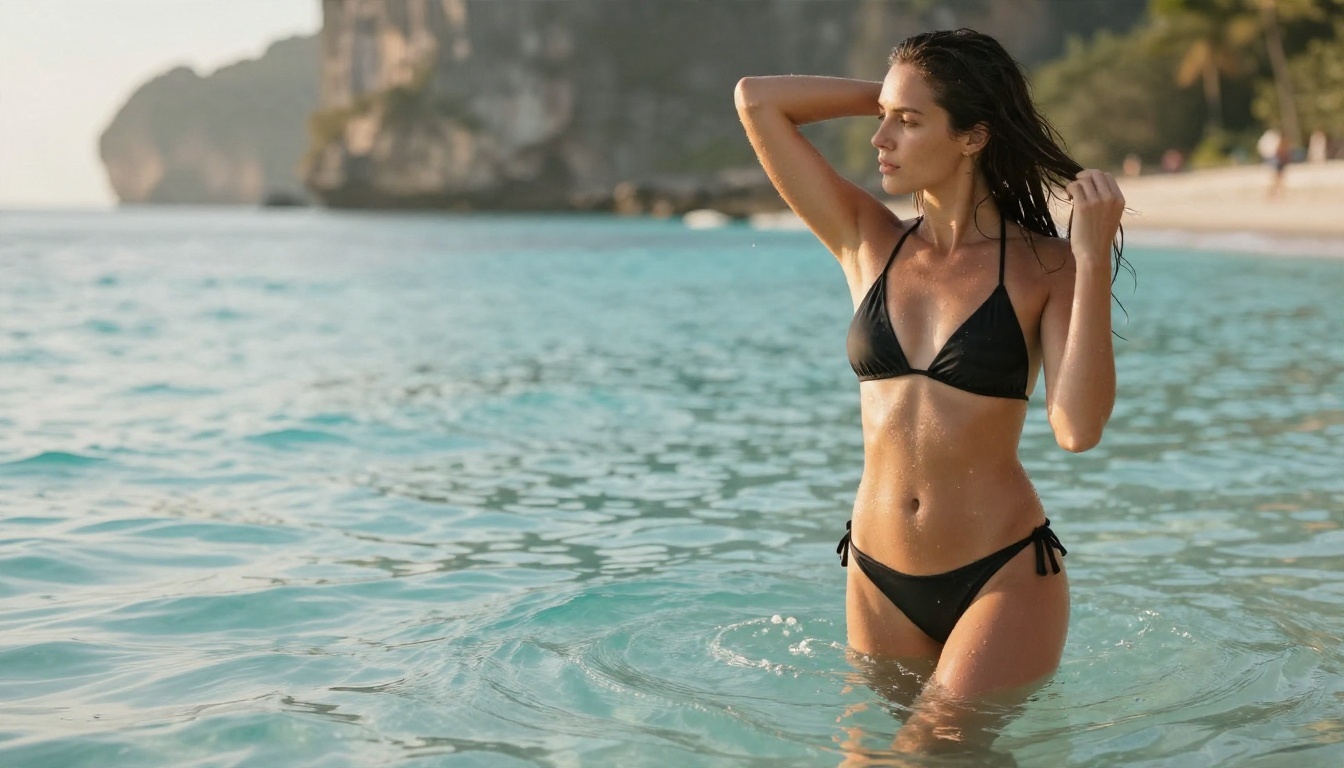
If you pick only one model for tasteful adult glamour, start with Seedream 4.5. It handles skin texture, fabric and natural light with a photographic restraint that is hard to find elsewhere, and it follows long, detailed prompts closely. It also outputs at high resolution, so a swimwear shot like the one above keeps its water droplets and sun-warmed tones instead of turning into mush. It is the model I reach for when the result has to look like a real magazine frame.
Image Editor Pro for Unlimited Runs
The second tool is PicassoIA Image Editor Pro. Its biggest advantage is unlimited generations. That changes how you work. Instead of treating every attempt as precious, you can run ten variations, keep the best one and edit it further: change a swimsuit color, fix a background, adjust the mood. Fast, uncensored feeling freedom to iterate is what separates people who get great results from people who give up after three tries.
Fast Models for Drafts
When you want to test a prompt quickly before spending effort on a polished run, a faster model helps. Z Image Turbo returns sharp images in seconds, which makes it ideal for checking pose, framing and light. For stylistic consistency across a series, Flux 2 Klein 4B Base is a strong choice, and Realistic Vision v5.1 remains a dependable option for lifelike portraits. For another quick option, Hidream L1 Fast is worth a test.
Most weak prompts are short and vague: "sexy woman in bikini on beach." The model fills every blank with its most generic guess. A strong prompt answers the questions a photographer would ask.
The Six Part Structure
Write your prompt in this order:
- Subject and pose: who is in frame (always an adult), what they wear, what they are doing.
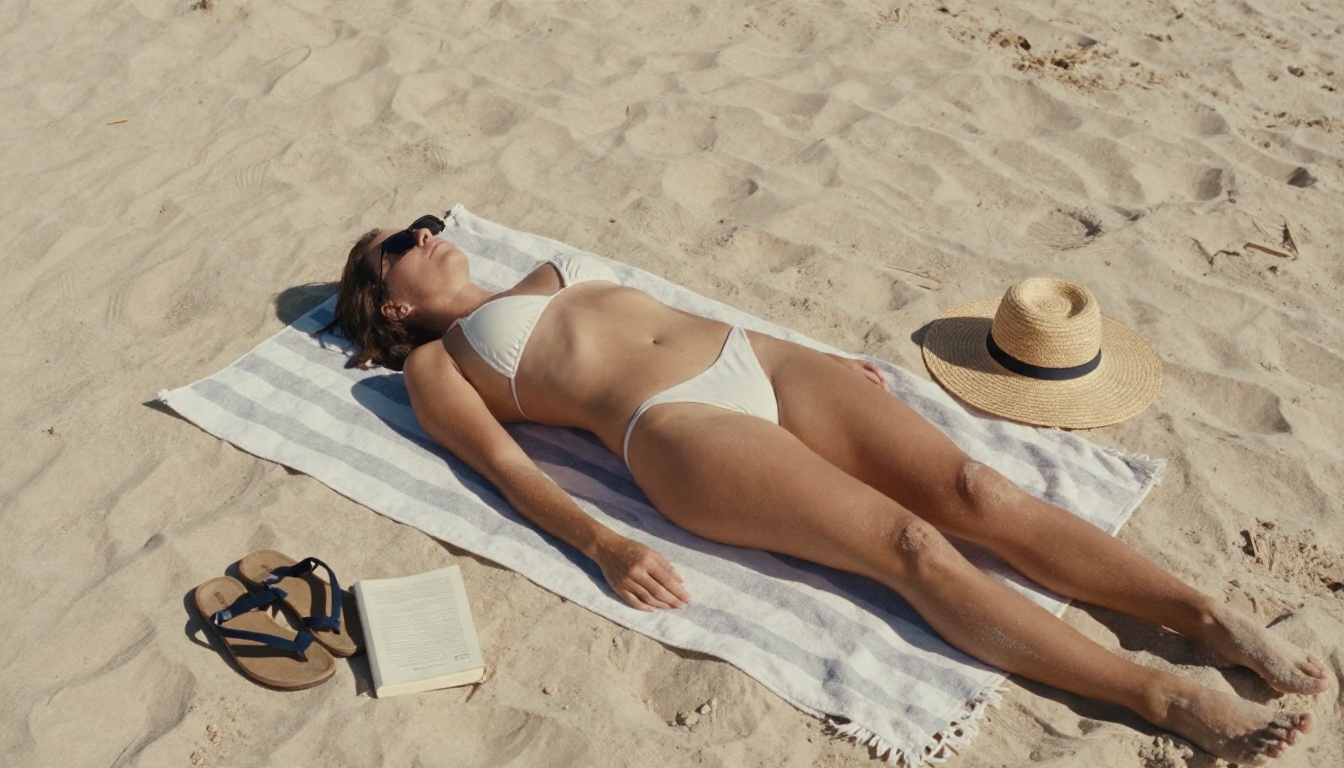
- Setting: specific, believable details such as a rattan chair, a terracotta balcony, a striped towel.
- Light: direction, quality, time of day.
- Camera: angle, lens, depth of field. "Shot from directly above with a 35mm f/4 lens" gives you the beach layout above.
- Texture: skin pores, fabric weave, sand grains, water droplets.
- Film feel: fine grain, a Kodak Portra 400 style palette, natural color.
Notice what is missing: vague praise words like "stunning" or "masterful." They add nothing. Concrete nouns and measurable photographic terms do the work.
Prompts You Can Copy
Here are three starting points. Swap the details and keep the structure.
- Boudoir morning: Adult woman in a cream silk robe over a champagne satin set, seated on rumpled white linen, soft window light from the left, 85mm f/1.8, visible skin pores, warm Kodak Portra 400 tones, fine film grain.
- Golden hour swimwear: Adult woman in a black high-waisted bikini knee-deep in clear turquoise water, hands brushing wet hair back, golden light from the left, droplets on tanned skin, 50mm f/1.8, low angle.
- Night glamour: Adult woman in a black lace bodysuit and leather jacket, leaning on a brick wall at dusk, warm tungsten light from the right, red lip, 100mm f/2, tight crop.
💡 Tip: keep the negative space in mind. Writing "shallow depth of field, creamy bokeh" tells the model to blur the background, which pushes attention to the subject and hides small background errors.
Examples That Look Great
Theory is cheap, so here are real outputs and why each one works. Each uses a different angle and distance, which is a habit worth copying: varying the framing makes a set feel like it came from a real shoot instead of one repeated template.
The Close Portrait
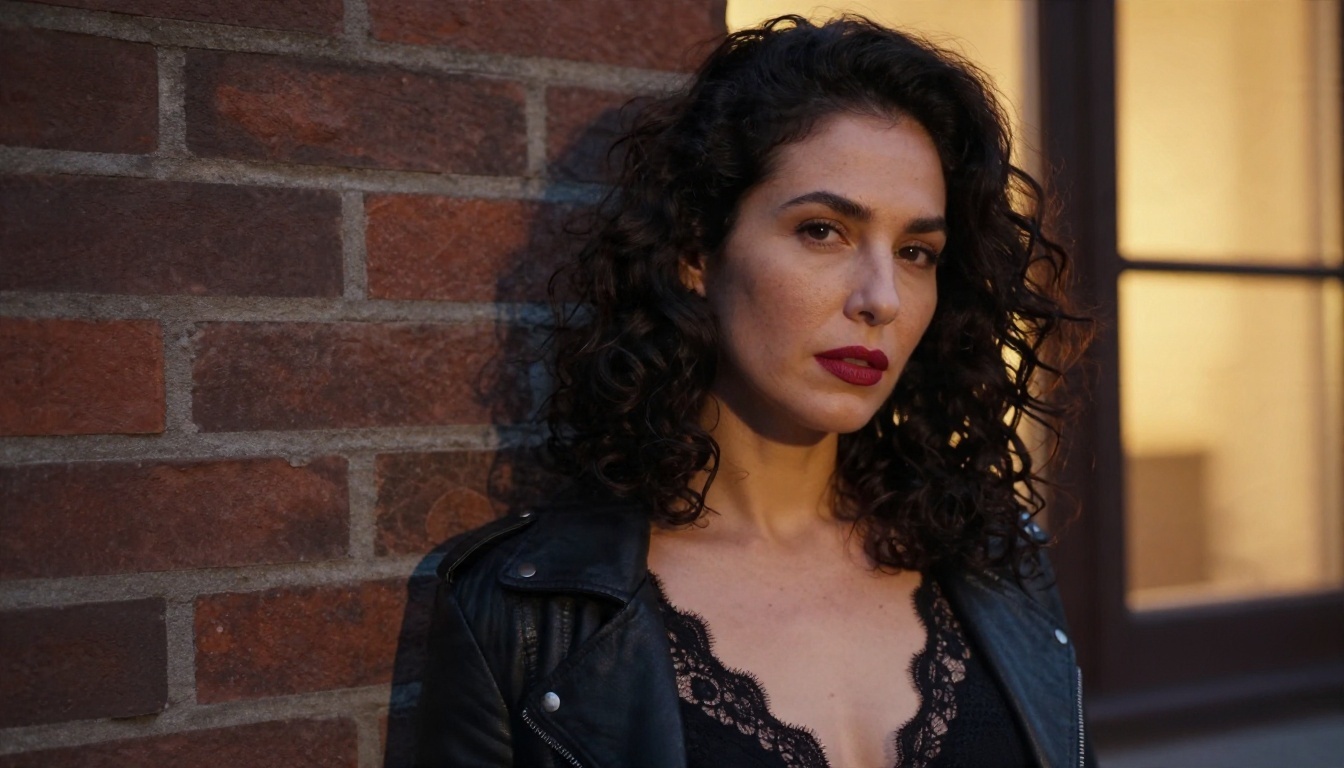
A tight crop with a 100mm look compresses the face and isolates it from the brick wall behind. Warm tungsten light from one side gives the face shape, and the red lip anchors the color palette. This is where texture words earn their keep: pores and freckles keep a close portrait believable.
The Mirror Moment
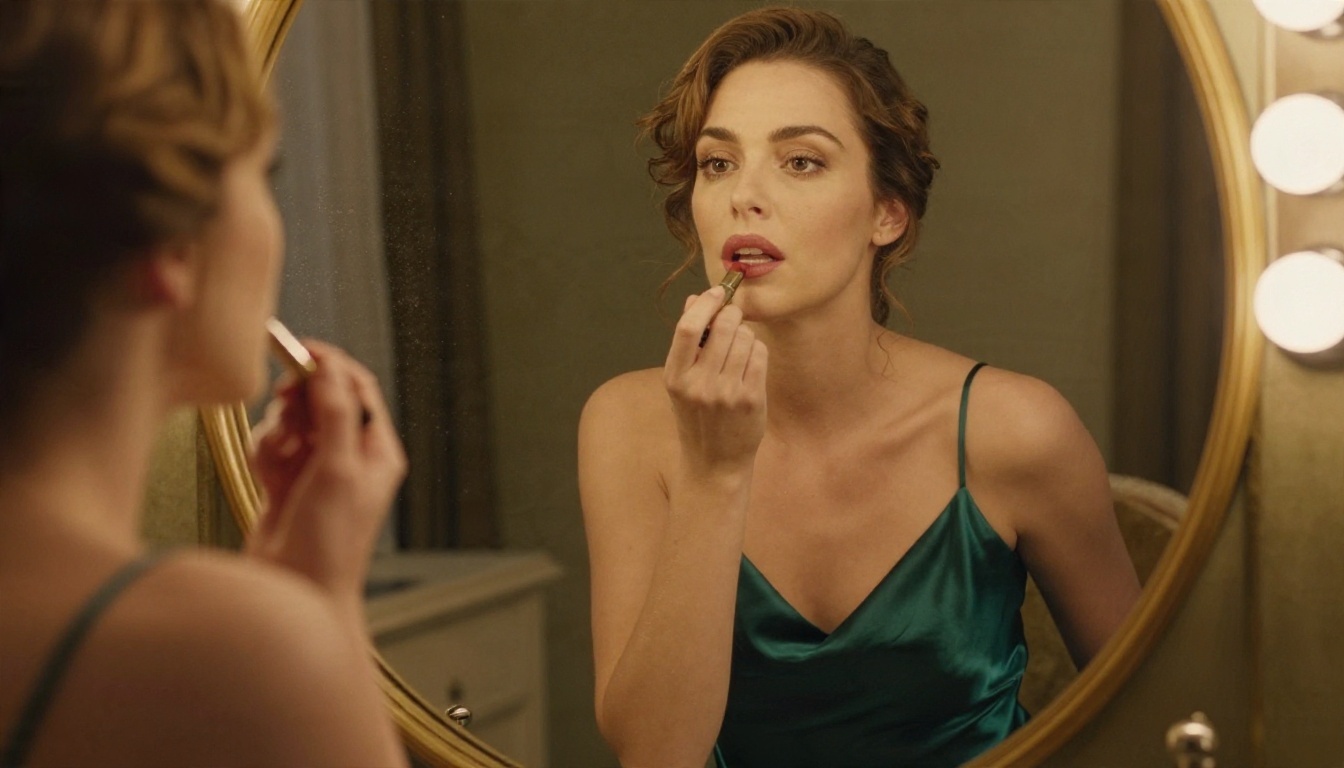
Mirror scenes add depth because you get the subject and a second view of her at once. Warm bulb light, brass and velvet details, and emerald satin give a rich, vintage mood. It feels suggestive without showing anything explicit, which is exactly the balance to aim for.
The Pool Villa
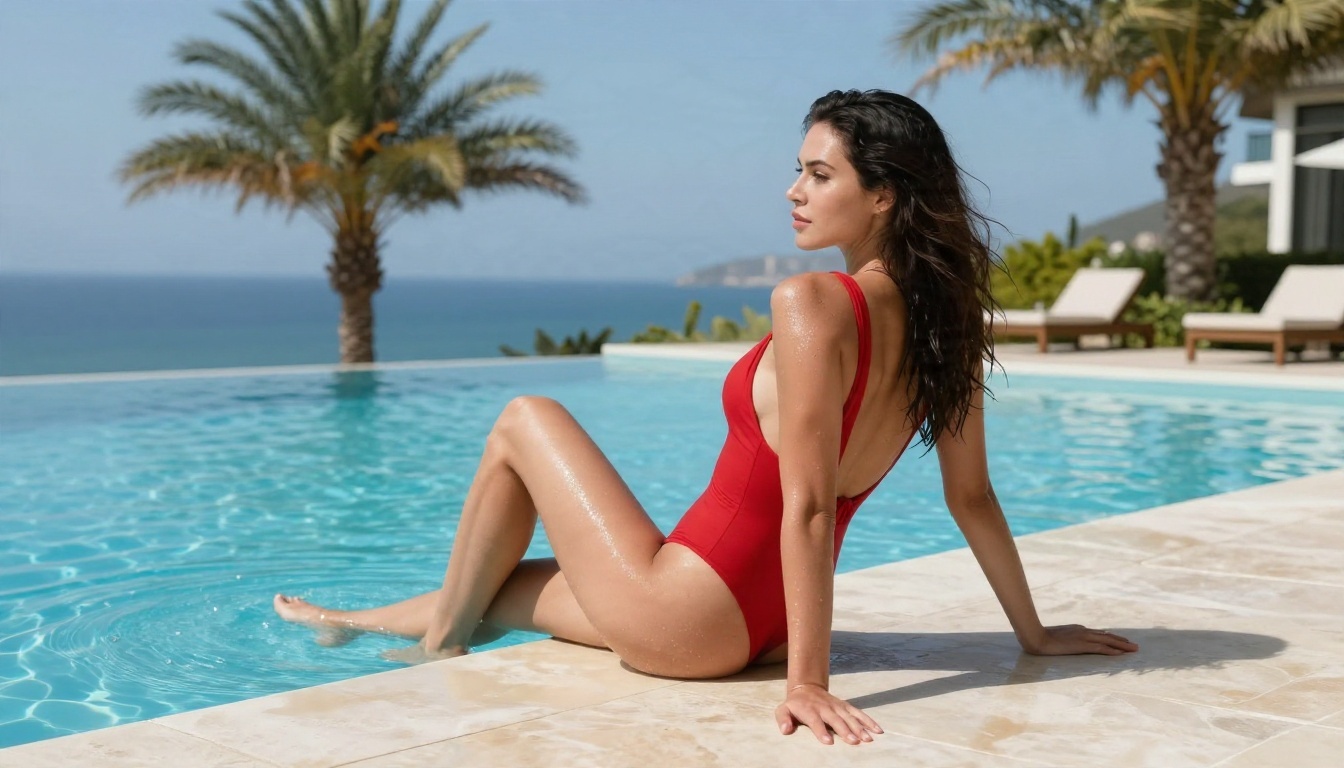
Bright midday sun is hard to shoot, and it is hard to prompt too. The trick is to ask for crisp shadows and glossy wet skin rather than hoping for flattering softness. A slightly elevated wide angle at 28mm shows the setting, which sells the lifestyle feel. Red against blue sky and water is a classic complementary pairing.
The Window Light Shirt
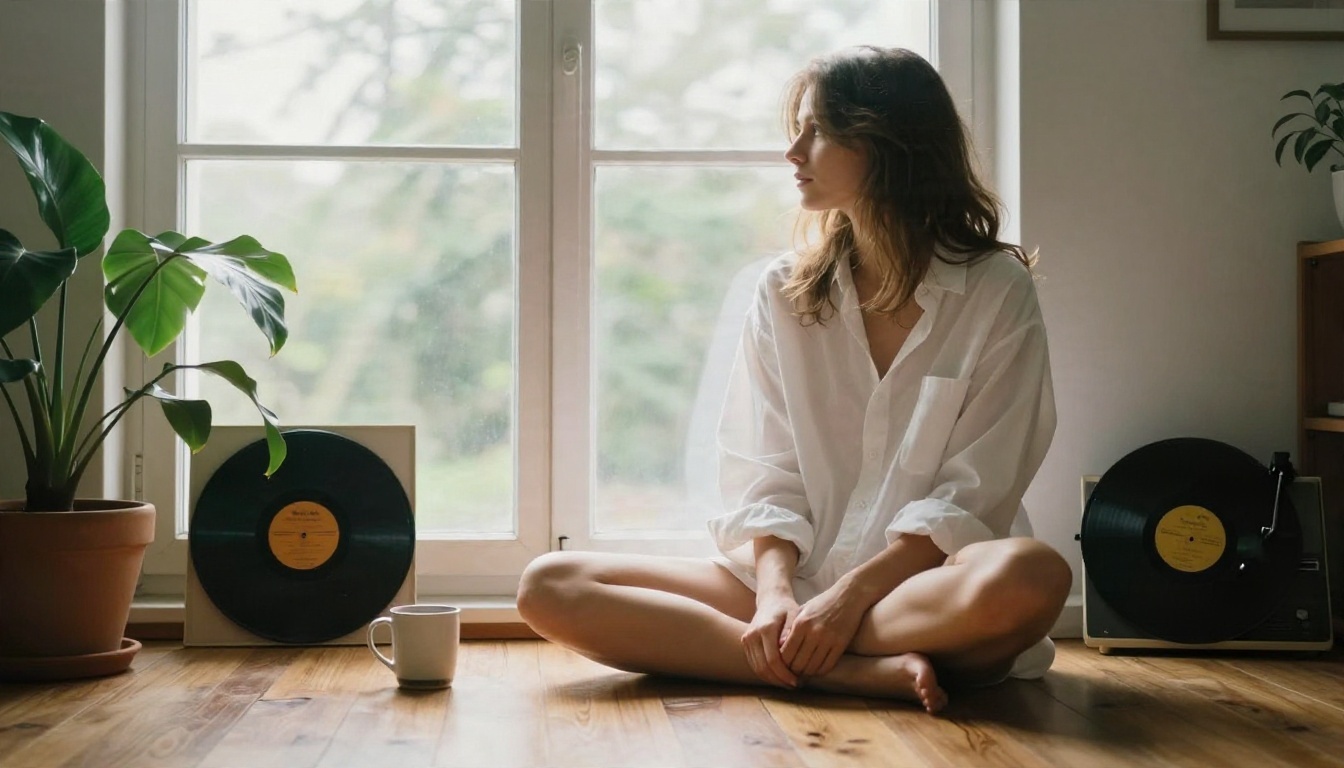
Not every great NSFW image needs a bikini or lingerie. An oversized shirt, bare legs and morning backlight read as intimate and relaxed. A low, floor level angle makes the scene feel candid. The plants, mug and record player give the model a story to build around, and stories look more real than empty rooms.
The Rooftop Sunset
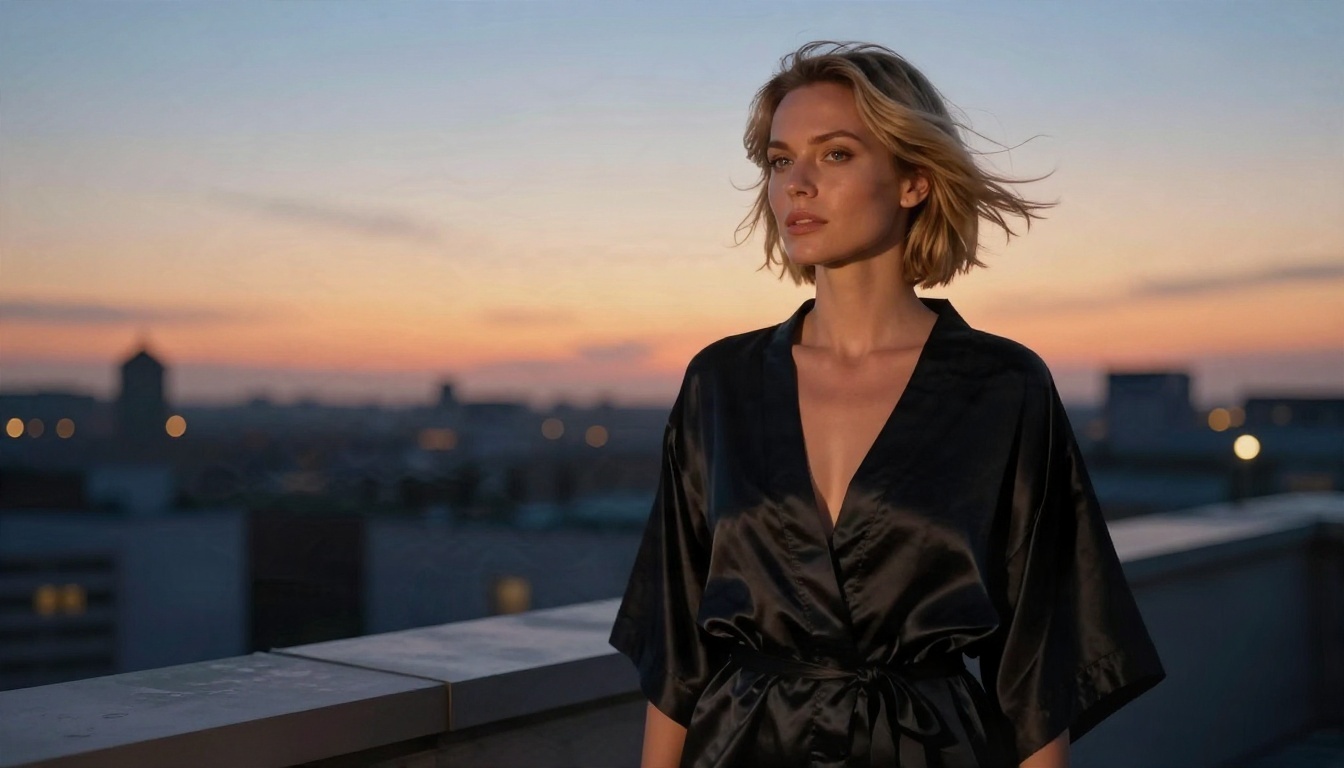
Two light colors in one frame: warm orange from the right, cool blue sky from the left. That contrast gives depth without any special effect. The wind moving the black silk robe adds motion to a still image, and the over-the-shoulder look gives the frame attitude.
The Dawn Walk
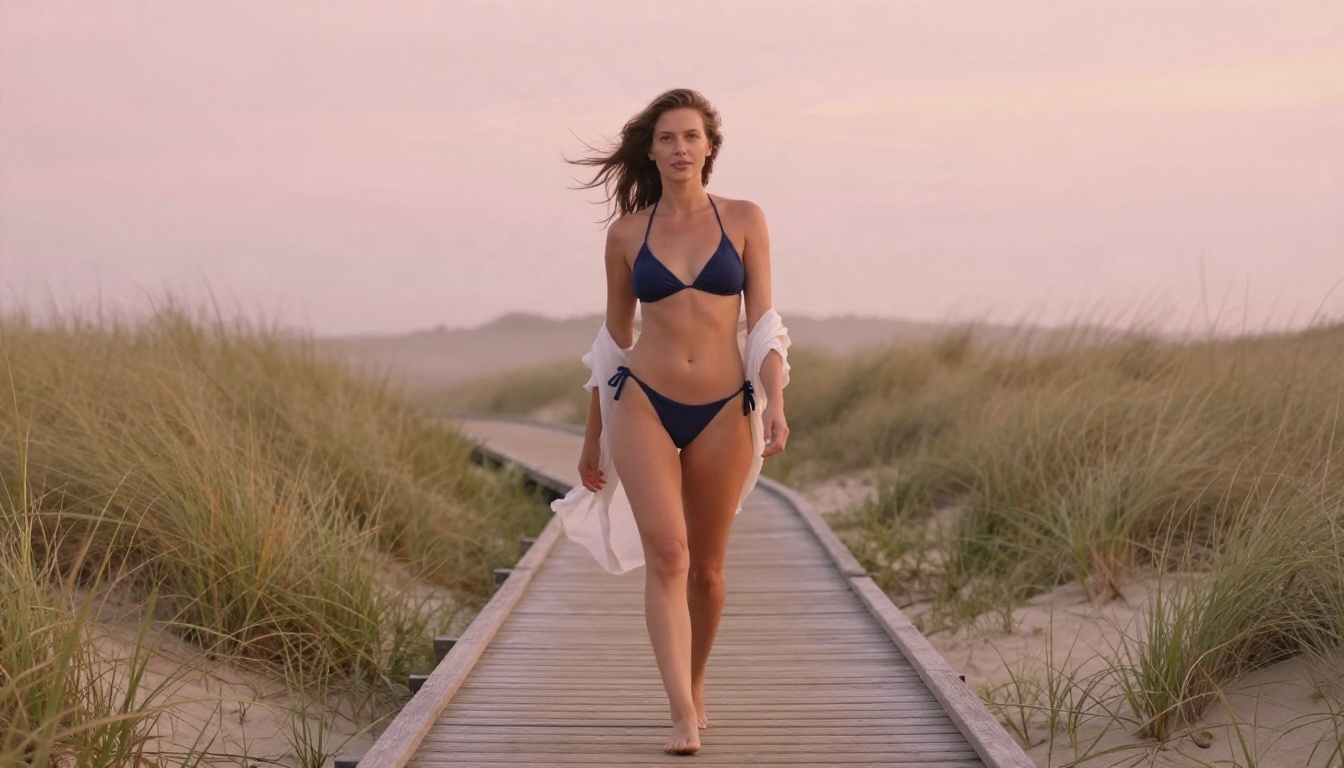
Backlight at dawn rims the hair and the sheer fabric with soft gold. The boardwalk acts as a leading line, pulling your eye toward the subject. Mist over the dunes softens the distance and keeps the palette gentle.
A Simple Workflow That Saves Hours
Good images come from a repeatable routine, not a single lucky prompt.

Draft Fast, Finish Slow
Start with a quick model such as Z Image Turbo to test composition. When pose, angle and light feel right, move the same prompt to Seedream 4.5 for the polished version. You save time and still end up with a high fidelity final.
Iterate in Image Editor Pro
Take the best result into Image Editor Pro. Because generations are unlimited, you can adjust small things without worry: swap a bikini color, change the background from a pool to a terrace, warm the light, or remove a distracting object. Edit one thing at a time so you can tell what each change did.
Keep a Prompt Notebook
Save every prompt that produced a good result, with the model name and a note on what worked. After a week you will have your own library, and new images will take minutes instead of an hour. Reusing a proven structure also gives a series a consistent look.
Fix the Most Common Problems
Even good prompts misfire. Here is how to repair the usual suspects.
| Problem | Likely cause | Fix |
|---|
| Plastic, waxy skin | No texture words in prompt | Add "soft natural pores, subtle freckles, faint sheen" |
| Flat, dull light | No light direction given | Name the side and the time of day |
| Hands look wrong | Complex hand pose | Give hands a simple job: holding a mug, brushing hair |
| Background feels fake | Generic setting | Add three specific objects: a vase, a chair, a curtain |
| Over-saturated color | Style words missing | Add "Kodak Portra 400 palette, natural color" |
| Every image looks alike | Same angle each time | Change distance and angle: low, overhead, close, wide |
When Hands and Faces Break
Hands remain the weakest spot for most image models. Avoid clasped fingers and complicated gestures. A hand holding a cup, touching hair, or resting on a knee works far more reliably. If a face drifts off, regenerate in a model strong with portraits, or fix the problem area in the editor.
When the Image Is Almost There
Do not discard a near miss. If the pose and light are right but one detail is off, edit it rather than starting over. This is where Image Editor Pro pays for itself, since unlimited runs mean experimenting costs nothing.
Safe Lines to Respect
Quality also means responsibility. A few rules keep your work clean and your account in good standing.
- Adults only. Every subject must be clearly an adult. Write "adult woman" or "adult man" in the prompt and avoid anything that suggests youth.
- No real people without consent. Do not generate or edit images that copy the likeness of a real person without their permission.
- Stay non-explicit. Suggestive and beautiful is the goal. Glamour, swimwear and boudoir style all work well without crossing into pornographic territory.
- Label AI work. If you publish, say that the images are AI generated. Honesty builds trust with your audience.
💡 Why this matters: images that stay tasteful travel further. They are easier to share, easier to post on more platforms and far more likely to be taken seriously as photography.
Go Beyond Still Images
Once you have a set of strong stills, you can bring them closer to life. PicassoIA supports text to video models and tools for upscaling and restoring images, so a favorite frame can become a short motion clip or a sharper, larger print. Start with the still, because a strong source image is what makes motion look good later. Weak frames only get weaker when animated.
Start Making Your Own
You now have what you need: a model that handles skin and light well, an editor that lets you iterate without limits, a prompt structure that answers a photographer's questions, and six examples showing how varied angles and light change the mood.
Open Seedream 4.5, paste one of the starter prompts above, change the outfit and location to something you like, and run it. Then move the best result into Image Editor Pro and keep refining with unlimited generations. If you want to test other options, Z Image Turbo, Flux 2 Klein 4B Base and Realistic Vision v5.1 are all a click away.
Want to see every option in one place? Browse the full lineup at picassoia.com/en/all-models, pick a model, and start creating your own quality NSFW images today with Picasso IA.


