Most people searching for Qwen Image 2.1 NSFW prompt ideas want the same thing: a prompt they can paste, a result that looks like a real photograph, and a clear answer on where to run it for free. This article gives you all three. You will find nine photographic prompt ideas built around glamour, swimwear, boudoir and fashion looks, a table of settings that work as starting points, and an honest look at what "free online use" really means for a brand new open-weight model.
Everything below stays on the suggestive, non-explicit side. Think magazine editorial, beach campaign and soft lingerie portrait, not pornography. That is where photorealistic models shine, and it is also where prompts matter most, because the difference between a flat image and a stunning one is almost always the wording.
What Qwen Image 2.1 Actually Is
Alibaba's Qwen team released Qwen Image 2.1 in September 2026 as an open-weight model. It is a compact 7 billion parameter system that handles both text-to-image generation and image editing in one model, supports native 2K output, and can generate transparent RGBA images directly. It also accepts up to ten reference images when editing, which is a big jump over earlier versions.
Two things are worth knowing before you build a workflow around it:
- Benchmarks are self-reported. Alibaba says the model beats several closed systems on its own test set, but independent confirmation was still thin when the release coverage appeared.
- The license is a question mark. Reports differ on the exact terms, and several describe a move away from the usual Apache style license toward research-focused terms with commercial use gated. Check the model card before using outputs commercially.
💡 Where it stands on PicassoIA: Qwen Image 2.1 is not on PicassoIA yet. This article describes it by name only. For similar photorealistic results you can generate today, scroll to the section on alternatives, where each model is linked.
Why People Want It for Glamour Work
Qwen models have a reputation for following long, detailed prompts closely, rendering readable text, and keeping faces consistent. For glamour and swimwear photography that means fewer warped hands, more believable fabric, and better skin. The 2K native resolution also means you get usable detail on lace, hair strands and water droplets without a separate upscale step.
What "NSFW" Means in Practice
In this article, NSFW means adult glamour: bikinis, lingerie-style looks, silk robes, plunging gowns, wet-skin summer shots. No explicit acts, no graphic anatomy. That boundary also keeps your images shareable and avoids the content filters that block many hosted tools.
Prompt Ideas That Actually Work
A strong glamour prompt has five parts: subject and pose, environment, lighting, camera and lens, texture details. If one of those is missing, the model fills the gap with a generic default, and generic is the enemy of realism.
Below are nine ideas with their photographic logic. Copy them, swap the details, and keep the structure.
Beach Golden Hour Swimwear
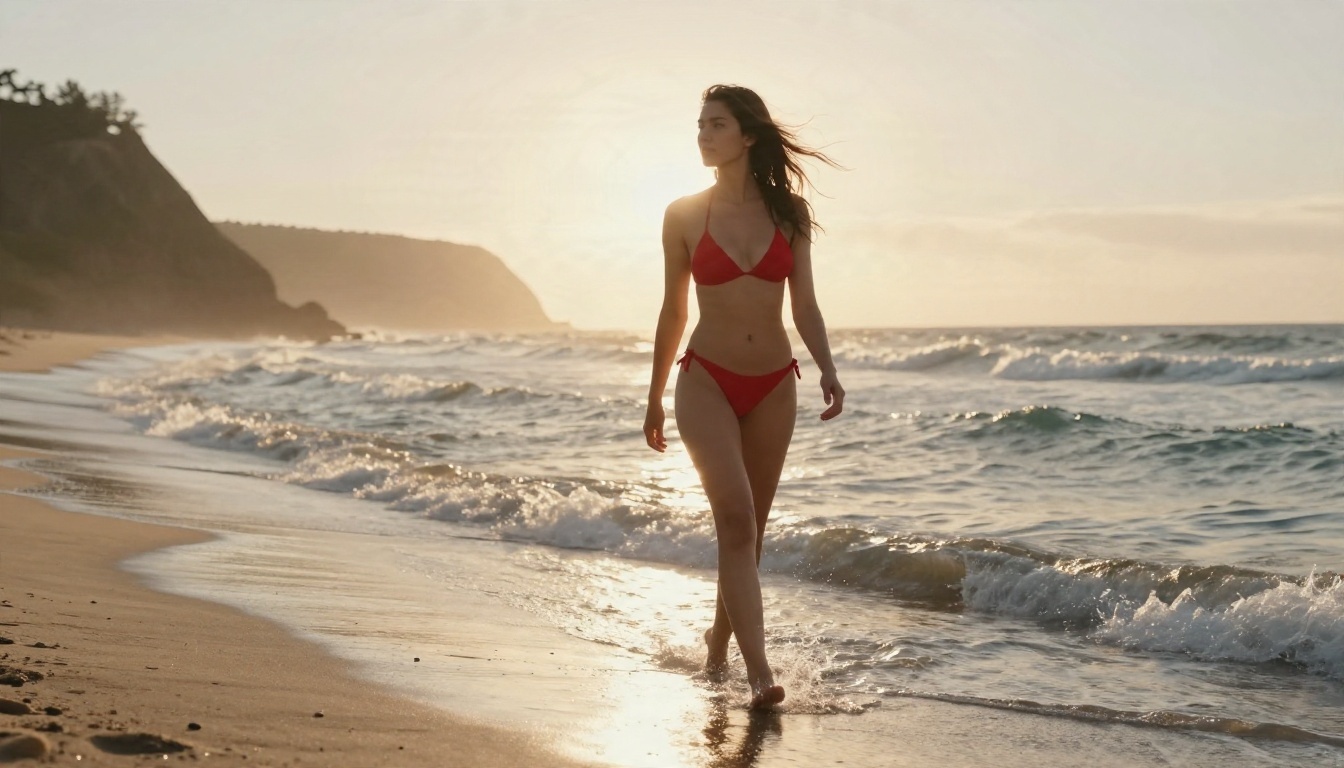
Beach scenes are the safest and most forgiving starting point. Low sun creates a rim light that flatters skin, and the wet sand adds natural reflections.
Prompt idea:
Woman in a red bikini walking along a wet sandy shoreline at golden hour, wind in her hair, small waves around her ankles, distant cliffs and soft haze behind, warm backlight from the low sun creating a glowing rim, wide low-angle shot, 35mm f/2 lens, Kodak Portra 400 grain, realistic sun-kissed skin texture, raw photograph
Why it works: the low-angle wide shot adds scale, the backlight gives an edge glow, and "sun-kissed skin texture" tells the model not to airbrush.
Silk Pajamas and Morning Light
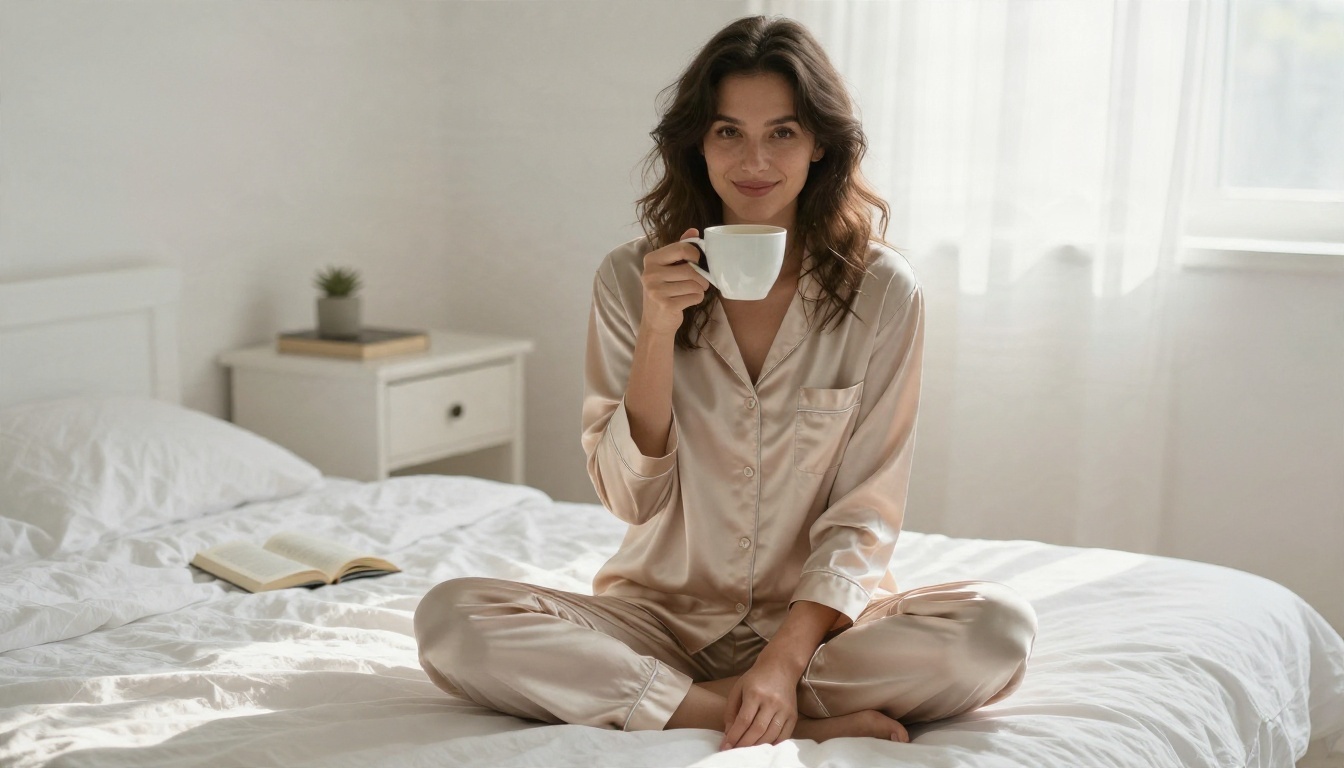
Boudoir does not need to be revealing to feel intimate. A loosely buttoned silk top, rumpled linen and a coffee cup tell a story, and stories read as real photography.
Prompt idea:
Adult woman in a champagne silk pajama set with the top loosely buttoned, sitting cross-legged on a white linen bed in the morning, holding a coffee cup and smiling softly, overhead three-quarter angle, diffused window light from the right, 50mm f/1.8 lens, visible silk sheen and skin texture, film grain
Poolside Wet Skin Close-Up
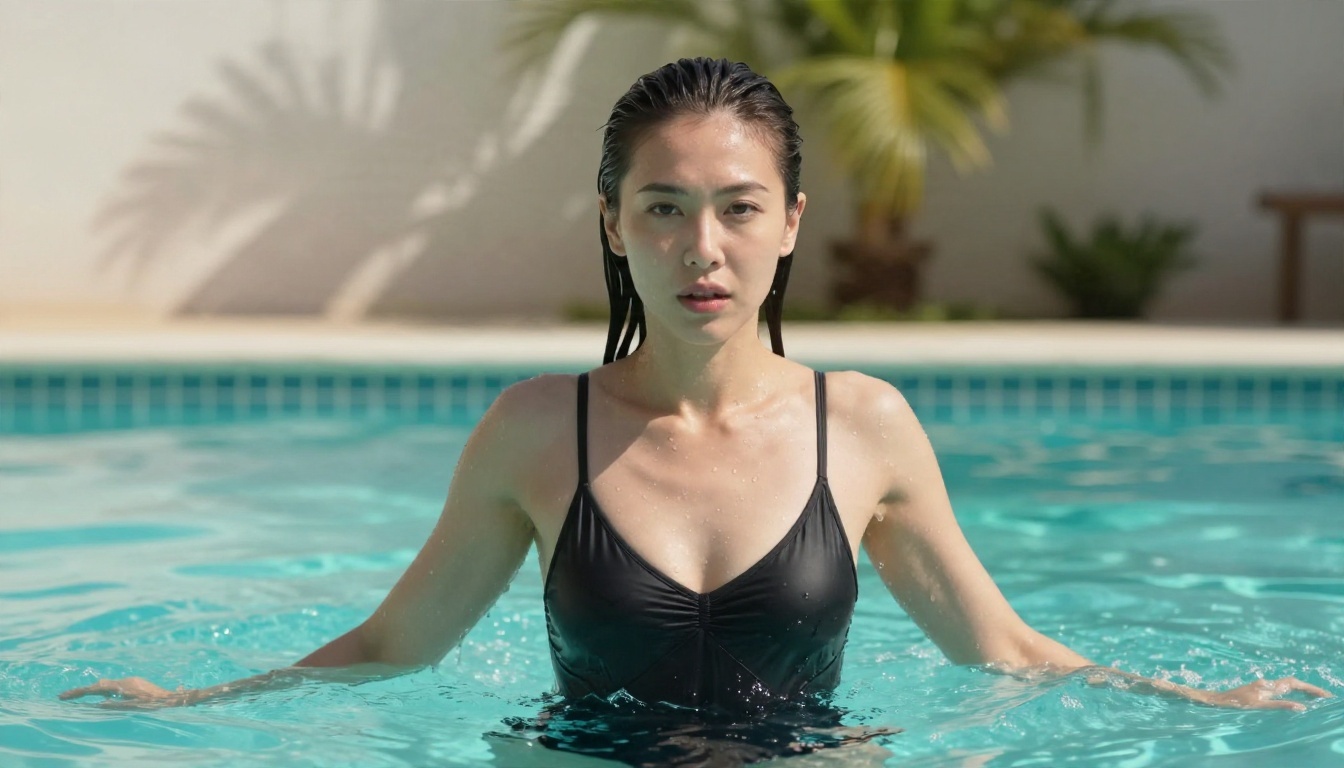
Water is hard for image models. Droplets must follow gravity and catch light correctly. Qwen-style models do well here when you name the light source and the surface.
Prompt idea:
Close-up of a woman in a black one-piece swimsuit stepping out of a turquoise villa pool, water droplets running down her shoulders, hair slicked back, hard midday sun with crisp highlights and soft fill from the water, tiled pool edge and palm shadows behind, 100mm f/2.8 lens, realistic wet skin texture
Evening Gown With an Open Back
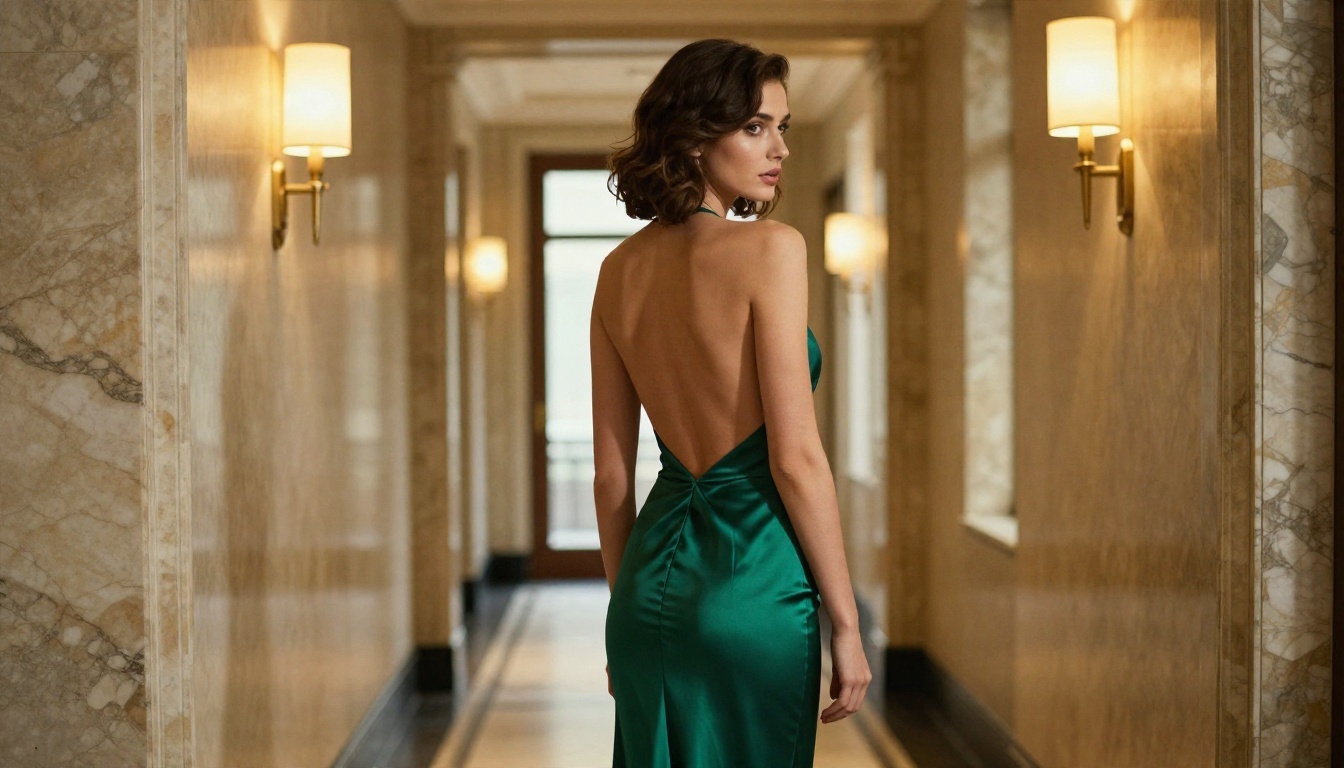
Fashion editorial is the most elegant way to go glamorous. The look is all about silhouette and fabric, so name the material (silk, satin, velvet) and the fold behavior.
Prompt idea:
Fashion editorial of a woman in a deep emerald evening gown with a plunging open back, standing in a marble hotel corridor, looking over her shoulder, warm tungsten sconce light from the right and cool daylight from a far window, symmetrical one-point perspective, 70mm f/2 lens, silk fabric folds with realistic sheen
Beauty Portrait With Real Skin
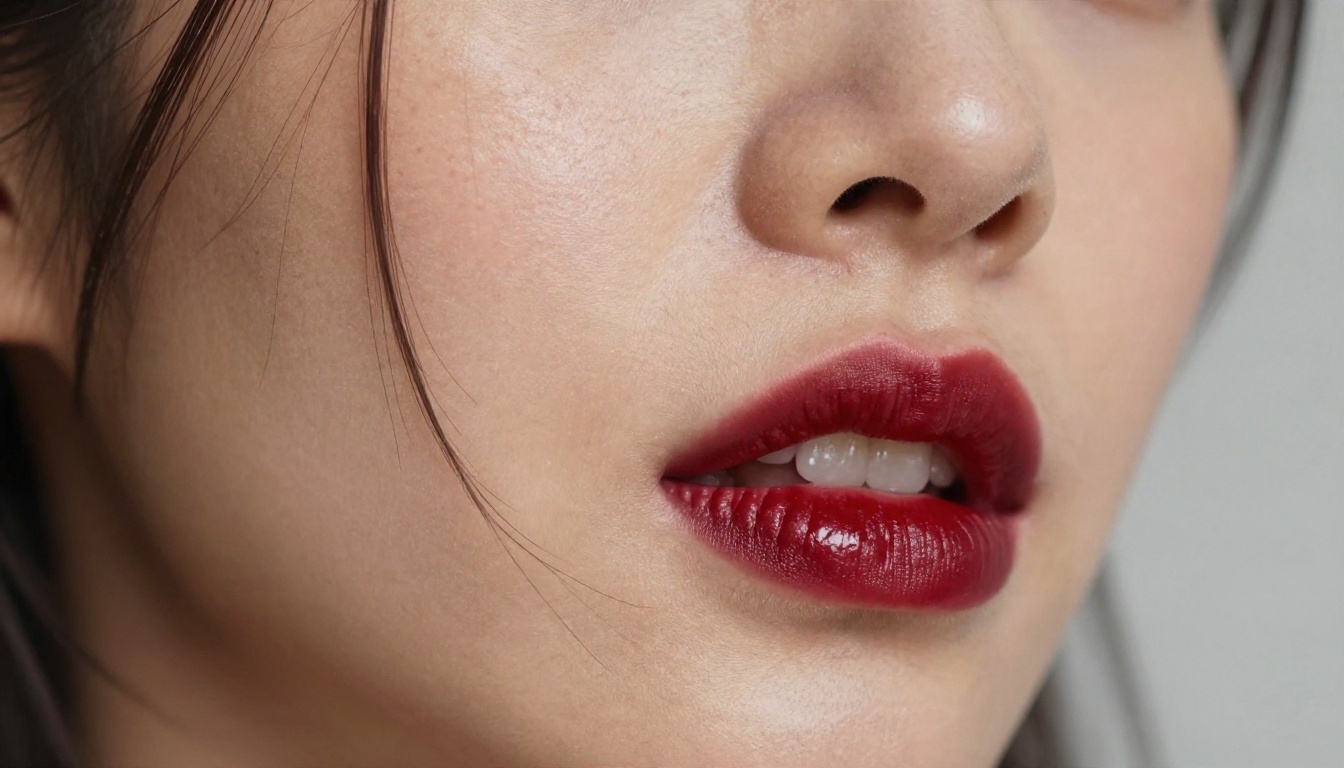
If you want a model to stop producing plastic faces, ask for the imperfections. Freckles, peach fuzz, pores and a slight sheen on the cheekbone are what the eye reads as "photograph."
Prompt idea:
Extreme close-up beauty portrait of a woman with natural freckles, glossy dark red lipstick and slightly parted lips, a loose strand of hair across her cheek, side lighting from the left revealing fine pores and a subtle sheen, neutral gray backdrop, 105mm f/1.4 lens, razor-thin depth of field on the eyes
Bathroom Mirror and Steam
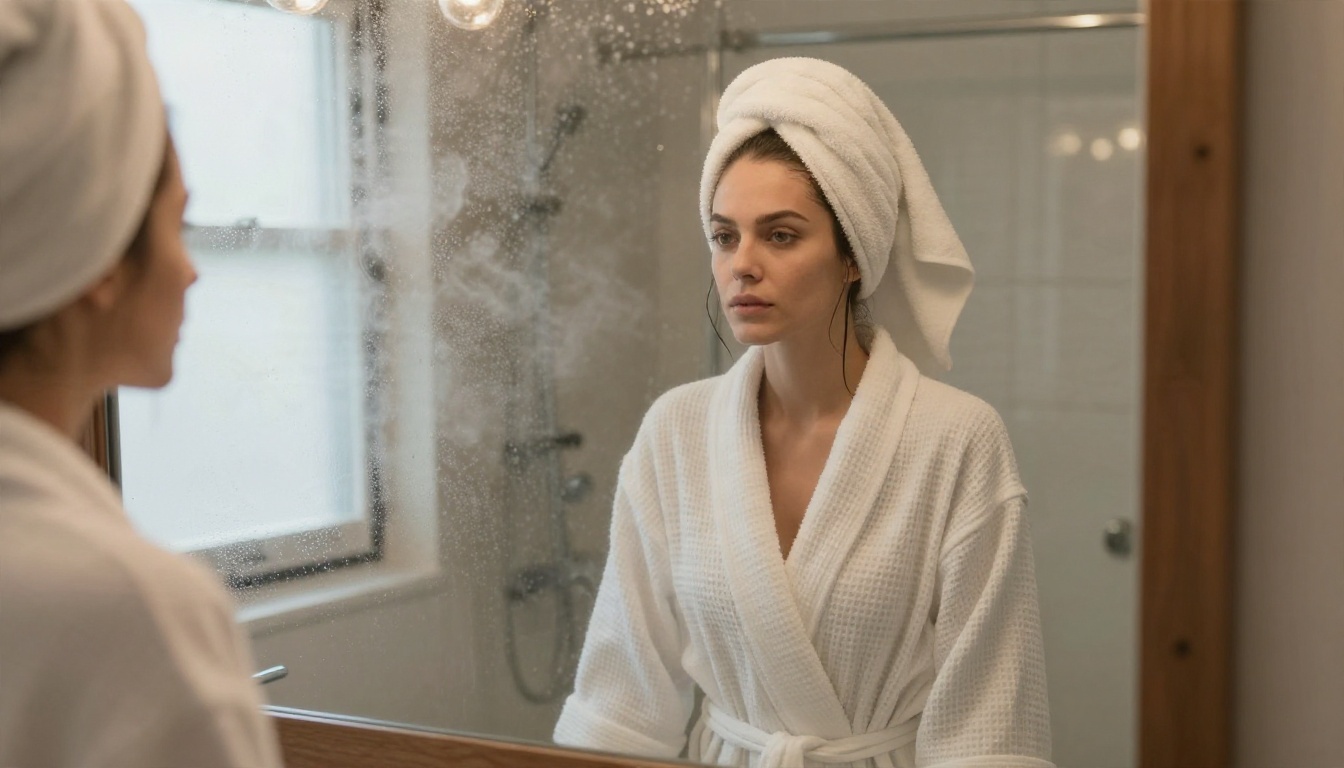
Mirrors test spatial logic: the reflection has to match the subject. This is a good stress test for any model, and a flattering scene when it works.
Prompt idea:
Woman in a white waffle bathrobe loosely tied, standing at a steamy bathroom mirror, reflection visible with her face turned slightly, condensation on the glass, warm vanity bulbs mixing with cool morning light from a frosted window, medium shot from behind her shoulder, 40mm f/2 lens
Rooftop Sunset in a Summer Dress
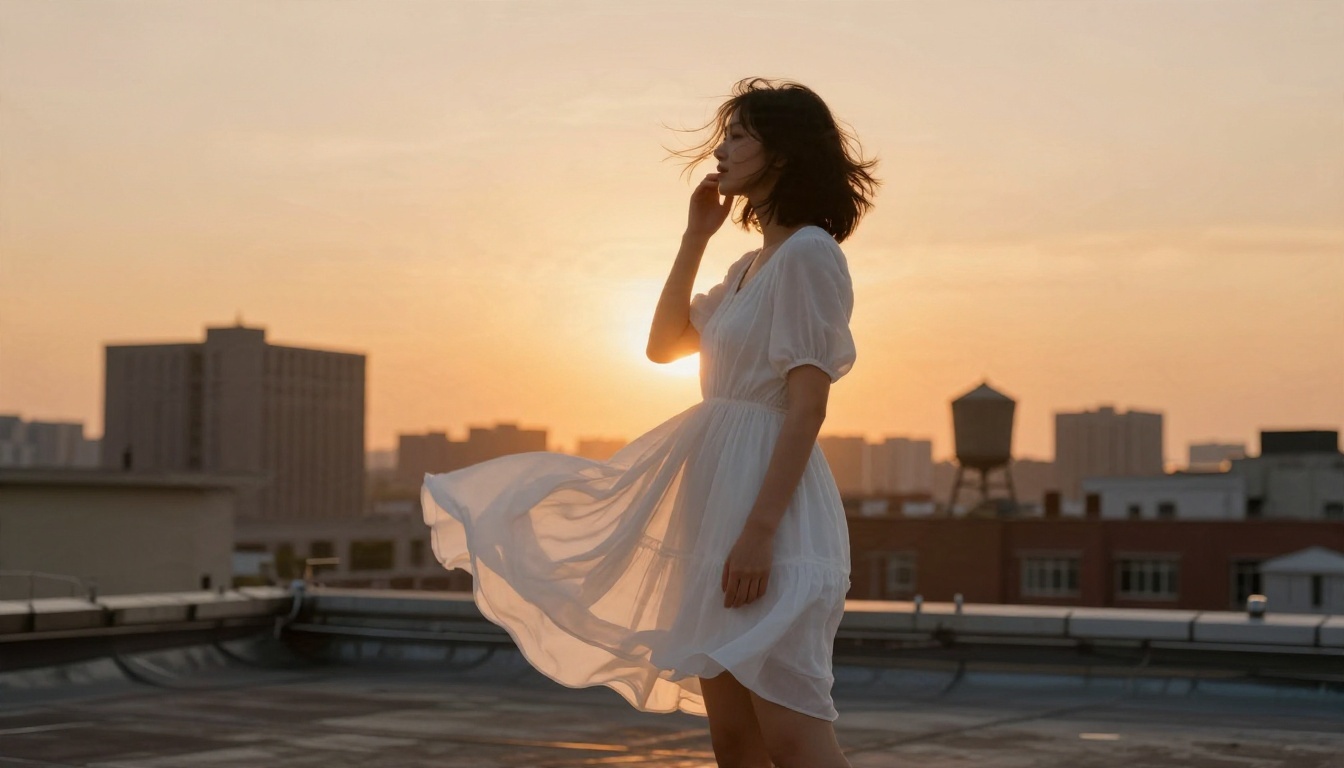
Wind and fabric motion add life. A low camera angle makes the subject look confident and gives you a dramatic sky.
Prompt idea:
Low-angle shot of a woman in a short flowing white summer dress standing on a city rooftop at sunset, wind lifting the fabric, one hand holding her hair back, skyline in warm orange haze, strong golden backlight with soft lens flare, 24mm f/2.8 lens
Vanity Table in a Lace Robe
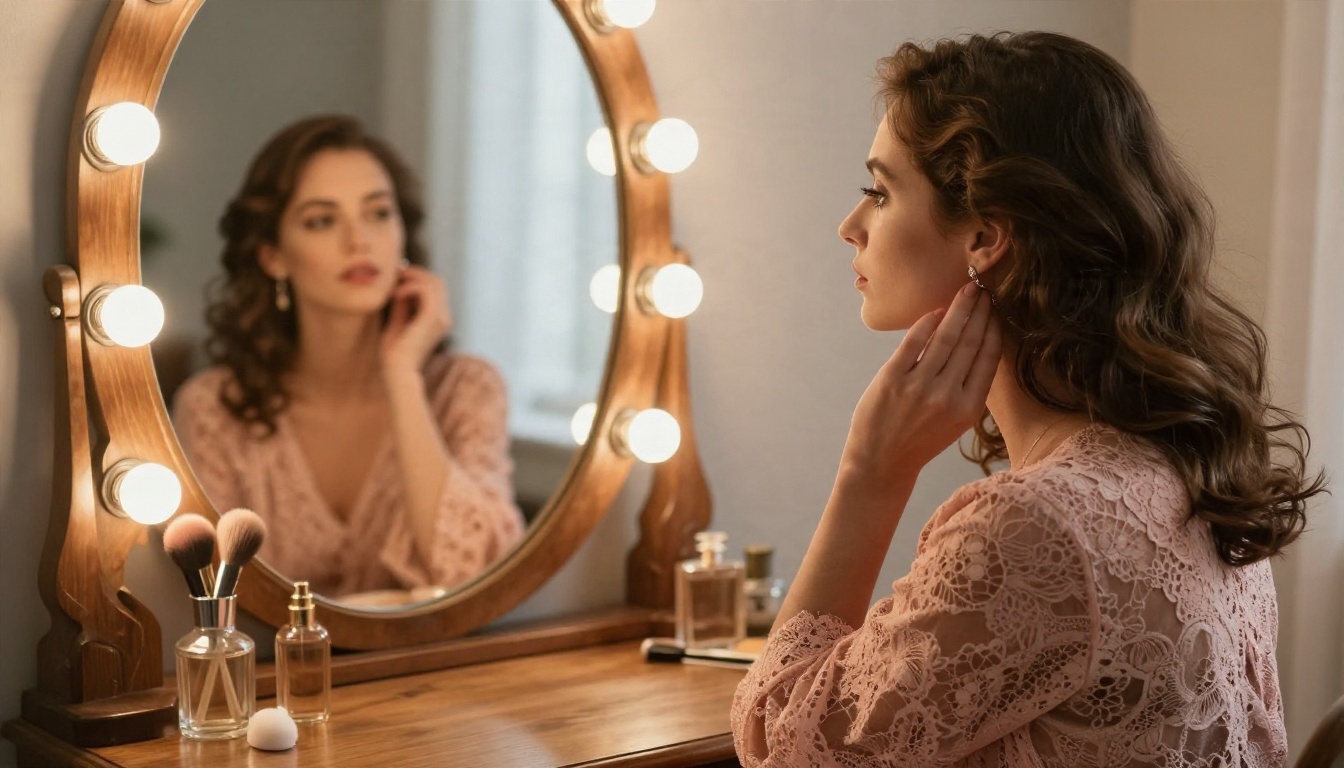
Lace is a texture test. If the pattern stays crisp and consistent, the model is following your prompt well.
Prompt idea:
Woman in a dusty rose lace robe seated at a vintage vanity table applying earrings, seen in profile with her face reflected in the oval mirror, bulbs around the mirror giving warm glow, perfume bottles on the wood, soft window light from behind, 85mm f/1.8 lens, delicate lace pattern
Yacht Deck at Noon
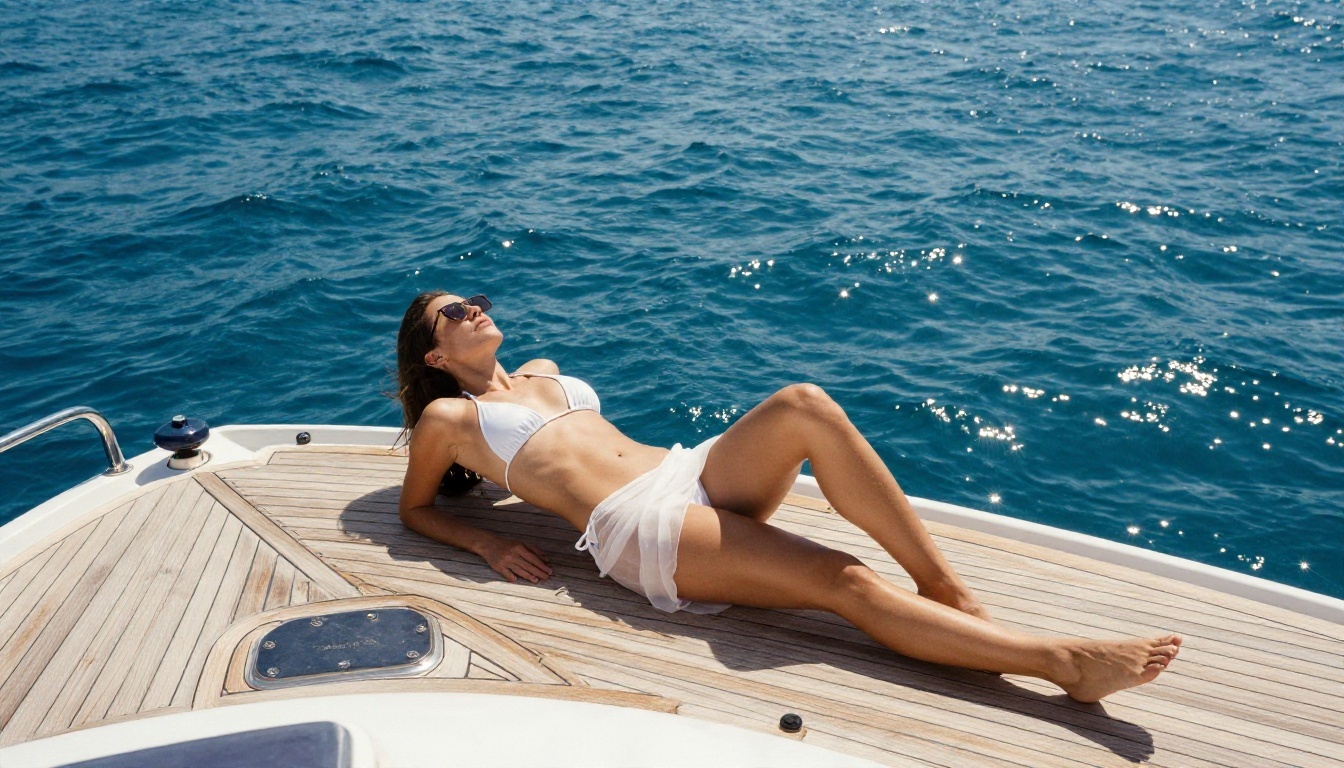
Bright noon sun is harsh, but the white deck and the sea bounce soft fill back onto the subject. It is a luxury travel look that sells well.
Prompt idea:
Wide shot of a woman in a white string bikini and sheer sarong reclining on the teak deck of a yacht, sunglasses pushed up in her hair, deep blue Mediterranean behind, bright noon sun with reflected light off the deck, high three-quarter angle, 35mm f/4 lens
Once you have seen the pattern, you can build your own prompts in under a minute.
The Five-Part Structure
| Part | What to write | Example |
|---|
| Subject and pose | Who, what outfit, what action | "Woman in a silk robe, seated sideways on a bed" |
| Environment | Where, with three props | "Loft bedroom, brick wall, dried grass in a vase" |
| Lighting | Direction, quality, time of day | "Soft window light from the left, morning" |
| Camera | Lens, aperture, angle | "85mm f/1.8, eye-level, shallow depth of field" |
| Texture | Skin, fabric, surface details | "Fine pores, matte lace, linen weave" |
Words That Push Toward Realism
- Film stock: Kodak Portra 400, light film grain, gentle halation
- Skin: pores, peach fuzz, freckles, natural sheen, no airbrushing
- Light: rim light, backlight, window light, reflected fill
- Lens: 35mm for context, 85mm for portraits, 105mm for close-ups
Words That Break the Illusion
Avoid "perfect," "flawless," "ultra smooth," "8K masterpiece" stacks, and anything like "digital art" or "3D render." These pull the output toward an illustrated look. Keep the vocabulary of a working photographer, not a poster.
💡 Tip: Write prompts in full sentences or short phrases rather than long comma piles of keywords. Qwen-family models are trained on natural captions and tend to respond better to a described scene.
Settings That Make a Difference
Exact controls depend on where you run the model, but these are reasonable starting points for a 7B-class photorealistic model. Treat them as ranges to tune, not official values.
| Setting | Starting range | Notes |
|---|
| Resolution | 1920 x 1080 up to 2K | Wide 16:9 suits beach and fashion scenes |
| Steps | 28 to 40 | More steps rarely fix a weak prompt |
| Guidance (CFG) | 3 to 5 | Too high gives crunchy, oversaturated skin |
| Seed | Fixed while testing | Change one word at a time to see its effect |
| Negative prompt | Short and specific | "blurry, extra fingers, plastic skin, text" |
| Batch size | 2 to 4 | Pick the best of a small set |
Fix Common Problems Fast
- Plastic skin: add pores, freckles, and "natural sheen," and lower guidance a notch.
- Warped hands: hide them in a pocket, a hair touch, or a cup. Smart composition beats retries.
- Flat lighting: name a light direction and a time of day.
- Wrong reflection in mirrors: simplify the scene and use one mirror, no second subject.
Free Online Use: The Honest Picture
Qwen Image 2.1 is released as open weights, which means you can download it and run it on your own hardware. That is free in money terms but not in effort. A 7B-class image model is lighter than many rivals, though you still need a capable GPU, a workflow tool, and some patience with setup.
Hosted demos and community spaces for brand new models tend to appear quickly, but they change often, run queues, and usually apply content filters that block anything near swimwear or lingerie. If your goal is tasteful glamour, a filter that rejects a bikini photo is a dead end.
Local Versus Hosted
| Option | Cost | Setup | NSFW-adjacent glamour |
|---|
| Local install | Hardware only | High | Full control, license applies |
| Free community demo | Free | None | Often filtered or queued |
| Hosted generator with open policy | Free tier or low cost | None | Depends on platform |
A Note on Licensing
Because reporting on the license differs, do not assume commercial rights. If you plan to sell prints, run ads or build a product, read the model card and, if needed, ask the publisher. For personal creative work the risk is lower, but the terms still matter.
Get Similar Results on PicassoIA
Qwen Image 2.1 is not on PicassoIA yet; for similar results today, try these models.
Seedream 4.5 First
Seedream 4.5 is the best place to begin. It produces sharp, photographic images up to 4K, follows long scene descriptions closely, and handles skin, fabric and water well, which is exactly what the prompts above depend on. It is fast, and it suits glamour, swimwear and boudoir looks without extra setup.
Image Editor Pro for Unlimited Tries
PicassoIA Image Editor Pro offers unlimited generations, which matters when you are tuning a prompt through ten or twenty variations. It also edits existing photos, so you can change an outfit, a background or the lighting on an image you already like.
Other Models Worth a Test
- Qwen Image 3 is a newer Qwen family model, not version 2.1, and a natural pick if you like the Qwen prompt style.
- Qwen Image 2512 is an earlier Qwen release known for sharper text and realistic faces.
- Z Image Turbo is a quick option for testing many prompt variations in seconds.
- Nano Banana Pro is handy for editing and consistent subjects across a set.
💡 PicassoIA is built around speed and low friction: no installs, no queues for a GPU, and no waiting on a model card to see whether you can use the output.
Steps With Seedream 4.5
- Open the Seedream 4.5 page on PicassoIA.
- Paste one of the prompt ideas above into the prompt box.
- Set the aspect ratio to 16:9 for wide scenes or 3:4 for portraits.
- Choose the highest resolution offered for the cleanest skin and fabric detail.
- Generate, then change one element (light direction, lens, outfit color) and generate again.
- When a result is close, keep its seed or reference and refine from there.
Parameter tips:
- Put the subject first and the camera details last.
- Name one light source, not three.
- Add one texture phrase per material: "matte lace," "liquid silk," "wet skin."
- If a result looks too polished, add "natural skin texture, light film grain."
Edit Instead of Starting Over
If you love the pose but not the dress color, open the image in Image Editor Pro and describe the change. It is faster than regenerating from scratch and keeps the composition you already like.
Build a Consistent Photo Set
One great image is nice. A set of six that look like the same shoot is far more useful for portfolios, mood boards and social posts.
Keep the Subject Steady
Repeat the same description of face, hair and build in every prompt, and change only the setting and outfit. Reuse a fixed seed during testing. Reference-based editing, one of Qwen Image 2.1's headline features, exists for exactly this reason, and editing models on PicassoIA can do something similar with a source photo.
Vary Angle and Distance
For a believable shoot, mix a wide establishing shot, a medium shot, a close-up and one detail frame. The nine examples above do exactly that: low-angle beach, overhead bedroom, close-up pool, symmetrical corridor, macro portrait, over-the-shoulder mirror, wide rooftop, profile vanity and high-angle yacht.
Match the Light Across the Set
A morning set should keep morning light. If one frame has golden sunset and the next has cold overcast, the series falls apart. Pick a time of day and stay with it.
Staying Within Safe Boundaries
Adult glamour is a legitimate photographic genre, and AI makes it accessible. A few ground rules keep your work clean and shareable:
- Fictional adults only. Never prompt for a real person's likeness without consent, and never for anyone who looks underage.
- Keep it suggestive, not explicit. This is both safer and, honestly, better looking.
- Label AI images when you publish them, especially on platforms that require it.
- Respect platform rules where you post. Many allow swimwear and boudoir but restrict anything beyond that.
Make Your Own Set Today
You now have nine tested-style prompt ideas, a five-part formula, and a table of settings to start from. The fastest way to see what they produce is to run them. Open Seedream 4.5 on Picasso IA, paste the beach or the silk pajama prompt, and compare the result with your own variation. Then try PicassoIA Image Editor Pro to tweak outfits and lighting with unlimited generations.
When you want to try something different, browse every image model in one place at picassoia.com/en/all-models. Pick a scene, change one detail at a time, and build a photo set that looks like it came from a real shoot.


