You saw a Seedance clip that looked like a real film shot, you typed the name into a search bar, and now you are staring at a pricing page wondering what the catch is. Fair question. Seedance is not simply free and it is not simply paid. It is a family of video models from ByteDance, and what you pay depends on which version you run, which app or API sits in front of it, and how many attempts it takes you to get one clip you like.
This article gives you the straight numbers: what the free tier allows, what subscriptions and per-second API rates look like, where the limits bite, and which cheaper alternatives let you keep generating without watching a credit counter.
💡 Quick note on accuracy: AI video pricing changes often, and the sources I checked disagree with each other on several figures. Treat every number below as a snapshot and confirm it on the provider's own page before you put a card on file.
The Short Answer
Here is the answer in one table.
| Way to use Seedance | Free? | What you actually pay |
|---|
| Official consumer app (Dreamina, CapCut) | Partly | Small daily credit allowance on some accounts, then a monthly plan |
| Official developer route | Trial tokens only | Per-second billing after the trial runs out |
| Third-party API resellers | Starter credits | Roughly $0.11 to $0.19 per second at 720p |
| PicassoIA Seedance 2.5 Lite | Yes for Elite and Infinite members | No per-clip cost, no daily counter |
The honest summary: you can try Seedance for free, but you cannot rely on it for free. Free access exists mostly as a sampler.

Why the confusion exists
Three things blur the picture. First, Seedance has many versions: 1 Lite, 1 Pro, 1.5 Pro, 2.0, and the newer 2.5 line. Each has its own price. Second, ByteDance sells access through several doors, including a consumer app, a developer platform in China, and a global developer platform. Third, dozens of resellers wrap the model in their own credits, so one second of video can cost three different amounts on three different sites.
Free demo versus free product
A viral clip on social media is usually a best-of-ten pick. The creator may have burned a dozen generations to land one good result. When a page says "free," ask how many generations that really buys you.
What the Free Tier Gives You
The consumer side is where most people hit Seedance first. Dreamina, the creative app from the CapCut family, is the main home of the model for regular users.
Daily credits, with a catch
Reports on the free allowance do not agree. One Dreamina page cited a baseline of 120 daily credits. Another post described 225 daily free tokens. A hands-on test from October 2026 found that a brand new account received no free credits at all and could not claim daily rewards. My read: the allowance varies by account, region, and promotion. Do not plan a project around it.
Regional availability
Seedance 2.0 is not offered in every country. Some users see the model in the app, others do not see it at all. Before you spend an hour signing up, check that the model appears in your account.
What free usually means in practice
- A handful of short clips per day, sometimes fewer
- Lower resolution or slower queue times
- Watermarks on some outputs
- Credits that expire if you do not use them
- No promise that the allowance stays the same next month
None of this is a scam. It is how every AI video service handles the cost of GPUs. Video generation is expensive to run, so free tiers stay small.
What Seedance Subscriptions Cost
If you want more than a taste, the next step is a monthly plan.
Typical plan prices
Most sources I found put the entry plan at about $15 per month for roughly 1,575 credits, with higher tiers around $35 and $70. One reseller lists the same credit bundle at $18. An older guide listed a much lower price, which looks outdated. Dreamina also ran a introductory offer with a first month priced under a dollar, and that promotion has reportedly ended.
| Plan level | Approx. monthly price | Best for |
|---|
| Free | $0 | Testing a few prompts |
| Entry | About $15 | Occasional social clips |
| Mid | About $35 | Weekly creators |
| Top | About $70 | Heavy daily use |
How far do credits go?
Credits are not seconds. A credit bundle converts into video at a rate that depends on resolution, duration, and model version, and that rate can change. A 1,575 credit plan might sound generous until a few 10-second clips at higher resolution eat a large part of it. Failed or unusable outputs usually cost credits too.

The renewal trap
Introductory offers renew at the full price. If you sign up for a discounted first month, set a calendar reminder for day 25. Cancel before the renewal if you only needed one burst of work.
API Pricing, Per Second
Developers and agencies often skip the app and call the model through an API. Here billing is per second of generated video.
The numbers I found
The figures vary by provider and tier:
- One reseller lists $0.19 per second for 720p text-to-video with audio, which makes a 5-second clip $0.95.
- Another provider says its pricing for Seedance 2.0 starts around $0.11 per second, which makes the same clip about $0.56.
- One source reports the official ByteDance route at roughly $0.14 per second, or about $0.70 for 5 seconds at 720p.
- Some pages list a cheaper fast tier, and some list higher rates that appear to belong to an older version.
Another detail: one source says access through the official global API is limited, with individual accounts unable to reach it directly. Another says it is enterprise only. Check the current status before you build on it.
What drives the cost
Duration scales linearly. A 10-second clip costs twice a 5-second clip at the same settings. Resolution is the biggest lever. Dropping from 1080p to 720p, or 720p to 480p, cuts the price sharply. Sources disagree on whether audio adds cost, so test it with a small batch before you assume.
The iteration tax
This is the part pricing pages never show. Suppose you want one polished clip and it takes eight attempts at $0.95 each. Your real cost is $7.60 for one usable 5-second shot. A ten-clip campaign can reach $76 before editing. Per-second prices look small, but iteration multiplies them.
The Limits Nobody Mentions
Price is only one dimension. Limits shape your workflow just as much.
Rate and token ceilings
Free and trial developer accounts often carry token caps. When the cap runs out, the service can return a quota error until you add funds or wait for a reset. A daily ceiling also exists on some consumer plans, so even paying users can be stopped mid-project.
Clip length and resolution
Most Seedance versions produce short clips. Longer shots usually mean stitching several generations together, and each seam costs time and credits. Higher resolutions raise the price quickly.
Queue times
Free users are often placed behind paying users. A clip that takes a minute for a subscriber can take much longer in a free queue during busy hours.

💡 Budget tip: Test every prompt at 480p first. Only re-run the winner at 720p. This one habit can cut your spend by more than half.
Cheaper Alternatives That Work Today
If you want Seedance quality without rationing, PicassoIA hosts several Seedance models plus strong competitors, all in one place. These links go straight to each model page.
Seedance models on PicassoIA
The standout for budget work is Seedance 2.5 Lite. Elite and Infinite members generate without a per-clip cost or a daily counter, which fixes the iteration tax described above. You can try ten prompt variations and change the seed as often as you like.
Other video models worth a look
Seedance is not the only option, and sometimes another model suits the shot better:
Which one should you pick?
| Your situation | Start with |
|---|
| Daily social posts, many retries | Seedance 2.5 Lite |
| One long polished clip with sound | Seedance 2.5 |
| Fast, cheap drafts | Seedance 2.0 Mini or Wan 2.5 T2V Fast |
| Character consistency across shots | Seedance 2.5 with reference images |
| Different look from Seedance | Kling v3 Video or Veo 3.1 Fast |

How to Use Seedance 2.5 Lite
Here is the quickest route from idea to finished clip on Seedance 2.5 Lite.
Step by step
- Open the model page. Go to the Seedance 2.5 Lite page on PicassoIA.
- Write your prompt. Describe the shot in chronological order: who or what is in frame, what moves, and how the camera behaves.
- Optional: add an image. Upload a still as the opening frame to animate it. The clip inherits that image's aspect ratio.
- Choose resolution. Pick 480p for fast drafts or 720p for a sharper final.
- Pick duration. Choose 5 seconds for a quick beat or 10 seconds for a fuller action.
- Keep audio on. Synchronized audio is generated by default, so the clip arrives ready to post. Turn it off if you want silent footage.
- Generate, review, repeat. Change the seed or reword the prompt, then run it again.

Parameter tips
| Setting | Recommendation |
|---|
| Resolution | 480p to test, 720p to finish |
| Duration | 5 seconds while iterating, 10 for the final |
| Seed | Lock it once you like a composition, then tweak only the wording |
| First frame | Use an image for brand colors or a specific character |
| Last frame | Add a closing image if you need a precise ending |
| Aspect ratio | 16:9 for web, 9:16 for short vertical feeds |
A prompt that works
Here is a simple pattern: subject + motion + camera + light.
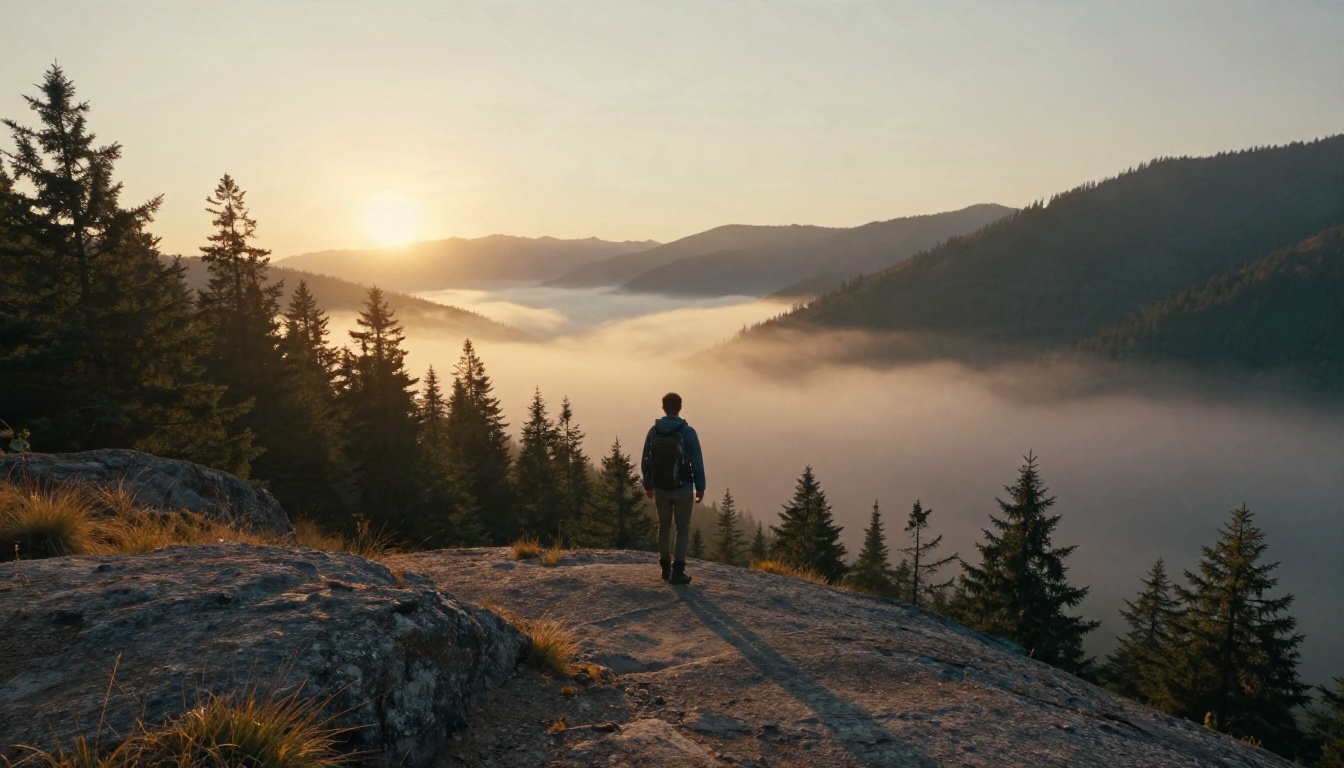
A lone hiker stands on a rocky ridge at sunrise, adjusts a backpack strap, and looks out over a misty valley. The camera begins wide and slowly pushes in. Warm golden light spreads across the pines, with soft wind noise and distant birdsong.
Short, concrete, chronological prompts outperform long lists of adjectives. If a result is off, change one thing at a time so you can tell what helped.
Smart Ways to Cut Your Costs
Whichever route you pick, a few habits keep the bill low.
Draft cheap, finish once
Run every idea at the lowest resolution and shortest duration. Promote only the best prompt to a final render.
Generate stills first
A still image costs far less than a video. Build the opening frame as an image, approve the composition, then animate it. This avoids paying for video attempts that fail because of a bad starting scene.
Write fewer, better prompts
Spend two minutes on the prompt. Name the subject, the motion, the camera move, and the light. Vague prompts burn credits on guesses.
Batch your work
Plan a week of clips in one sitting. You will spot repeated styles, reuse seeds, and avoid paying for the same setup twice.
Pick unlimited when volume is high
If you post daily, the math favors a flat model over per-second billing. Ten retries cost nothing extra on an unlimited plan, while on a metered route they add up fast.
Make Your First Clip Today
So, is Seedance free or paid? Free to sample, paid to rely on. Daily credits are small and uneven, subscriptions run about $15 and up, and API rates of roughly $0.11 to $0.19 per second turn a few retries into real money.
If you want to stop counting, open Seedance 2.5 Lite on PicassoIA, write a three-sentence prompt, and run it at 480p. Then push the best draft to 720p. When you need longer shots or reference images, switch to Seedance 2.5. To compare other engines, browse the full list at picassoia.com/en/all-models.

Pick a scene you have been wanting to film, type it out, and see what comes back. Your first clip is one prompt away.


