Search for "Seedance Pro free" and you will find a pile of pages that all promise the same thing: unlimited clips, no credit card, no catch. Most of them skip the boring part, which is what you actually get when you press the generate button. This article sticks to that part. You will see where free access to Seedance Pro exists, how daily limits usually work, which prompts give you a usable clip on the first attempt, and which alternatives you can open right now on PicassoIA without waiting in a queue.
One honest note before we start. "Seedance Pro" is not one single, tidy product. Depending on the site, it can mean the ByteDance Seedance 1 Pro model, a paid subscription tier on a consumer platform, or just a marketing label for a bundle of credits. I will separate those meanings so you do not burn a week chasing the wrong one.
💡 Quick answer: Free Seedance access is real, but it is capped by daily credits, region and queue priority. Treat any page that promises "unlimited and free forever" with suspicion unless it explains how the limit works.
What Seedance Pro Actually Means
Seedance is ByteDance's family of AI video models. The family grew quickly: a first Pro generation with 1080p output, a faster variant, a 1.5 Pro release with native audio, a 2.0 generation, and newer releases that stretch clip length. Each step improved motion stability, prompt following and how well a subject keeps its face and clothes from frame to frame.
Model name versus paid tier
Two things get mixed up constantly:
- The model: for example Seedance 1 Pro, a specific video generator with fixed resolution and duration options.
- The Pro plan: a subscription label on some consumer platforms that adds queue priority, more credits and fewer restrictions. Based on what I could find, it generally runs the same underlying model that free users get, just with faster turnaround.
That difference matters for your expectations. If a "Pro" plan only buys you speed and volume, then the free tier gives you the same visual quality at a slower pace. You are trading time for money, not quality for money.
Where each version stands
| Version | Main strength | Typical use |
|---|
| Seedance 1 Pro | 1080p text and image to video | Polished short clips |
| Seedance 1 Pro Fast | Quicker, cheaper renders | Testing ideas |
| Seedance 1.5 Pro | Native synchronized audio | Dialogue and ambience |
| Seedance 2.0 Mini | Lightweight, native audio | Quick social clips |
| Seedance 2.5 | Much longer clips | Scenes and sequences |
| Seedance 2.5 Lite | Free and unlimited access | Daily experimentation |
Several of these are available on PicassoIA: Seedance 1 Pro, Seedance 1 Pro Fast, Seedance 1.5 Pro, Seedance 2.0 Mini, Seedance 2.5 and Seedance 2.5 Lite.
How Free Online Access Works
Free access to Seedance usually arrives through one of four doors. Each has a different catch, so pick the one that matches how you work.
Door one: the official consumer platforms
ByteDance offers Seedance through its own creative apps. New accounts typically receive a small stack of credits, and many reports say the balance refills daily. The catch is region. Availability changes by country, and access in some places has been restricted or changed after platform updates, so an account that works for a friend in one country may not work for you.
Door two: third-party websites
Dozens of independent sites wrap the Seedance API and add their own free trial. These tend to give a one-time batch of credits rather than a daily refill. Read the fine print: some trials limit resolution, add watermarks, or restrict commercial use.
Door three: creative suites and editors
Some video tools bundle Seedance into a larger subscription and advertise "unlimited" generations during promotional windows. Promotions change often. A plan that was unlimited last month may have quiet usage caps this month, so check the current terms before you build a workflow around it.
Door four: a platform that hosts several models
This is the most practical door if you want to compare. A multi-model platform lets you run Seedance, then run another model with the same prompt, without opening five accounts. That is how PicassoIA works, and it is why the alternatives section below is useful rather than an afterthought.
💡 Sign-up sanity check: If a site asks for a card before showing any pricing page, close the tab. Reputable tools show credit costs before you commit.
Daily Limits, Explained Plainly
Here is where the marketing gets fuzzy, so I will be careful. The numbers below come from vendor blogs and community reports. None of them is an official ByteDance statement, and they disagree with each other. Use them as a rough range, not a promise.

The numbers people report
- Free daily credits reported across sources range from roughly 20 to 50 credits.
- Refresh timing is described as a midnight reset in some sources and a rolling 24 hours in others.
- Community estimates put realistic output at a handful of clips per hour and somewhere around 20 to 30 generations per day at the high end.
- Longer clips and higher resolution cost more credits, so one 10-second 1080p render can eat the budget that would pay for several short 5-second previews.
What actually uses up credits
| Factor | Effect on cost |
|---|
| Clip length | Longer clips cost more |
| Resolution | 1080p costs more than 480p or 720p |
| Audio | Native audio can raise the price |
| Failed generations | Some platforms still charge for them |
| Queue priority | Pro tiers pay for faster turnaround |
How to stretch a free allowance
- Draft cheap, finish expensive. Test the idea at low resolution or with a Fast variant, then render the keeper at full quality.
- Write one strong prompt instead of five weak ones. Every retry costs credits.
- Use image-to-video for consistency. A good still frame anchors the look so you waste fewer attempts.
- Batch your ideas. Plan the shots in a notebook first, then generate in one sitting.
Prompts That Work on the First Try
The best Seedance prompts read like a shot list, not a mood board. Name the subject, say what moves, describe the camera, and state the light. Keep it under about 80 words.

The four-part formula
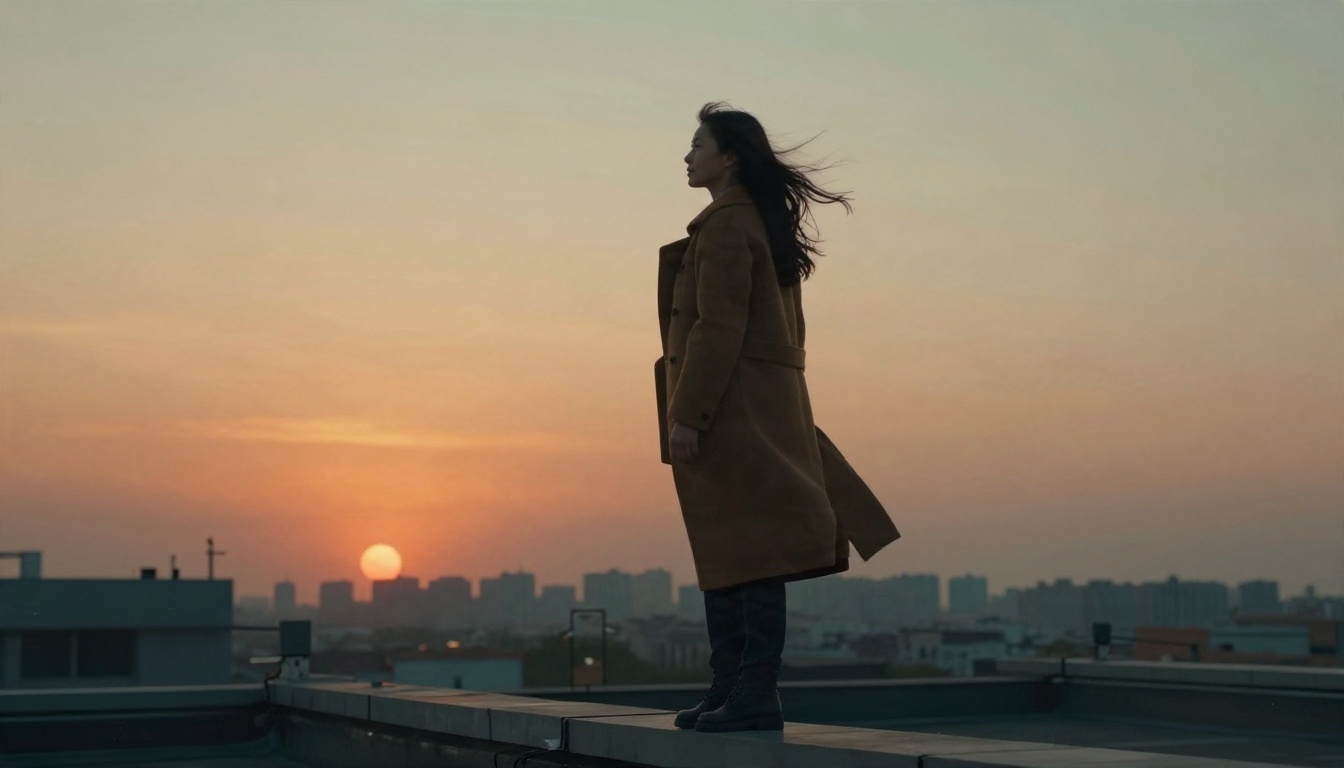
Subject + action + camera + light. For example: "A woman in a camel coat stands on a rooftop, wind moves her hair and coat, slow dolly-in from low angle, warm sunset light with hazy skyline." Every clause gives the model something it can render.
Cinematic character prompt
A woman in a long camel coat stands on a rooftop at sunset. Wind lifts her hair and the hem of her coat. The camera starts low and slowly pushes in toward her face. Warm orange light from behind, soft haze over the city, shallow depth of field, natural film grain.
Product shot prompt
A ceramic coffee cup on a marble counter, steam curling upward in soft backlight. The camera glides slowly from left to right at counter height. Quiet kitchen ambience, morning window light, glossy highlights on the ceramic.

Landscape prompt
A lone hiker stands on a mountain ridge at dawn, a sea of clouds below. Clouds drift slowly through the valley. The camera rises gently from behind the hiker. Golden light from the right, crisp air, wide lens.

Three prompt mistakes to avoid
- Stacking camera moves. "Pan, zoom, orbit and tilt" in one clip usually produces mush. Pick one move.
- Abstract mood words. "Epic, emotional, stunning" give the model nothing to draw. Describe light and motion instead.
- Overloading the scene. Three characters, two locations and a car chase belong in separate clips.
Free Alternatives Worth Opening
If your free credits run out, or your region blocks the official site, you do not need to stop. Several strong video models are on PicassoIA, and some are built for exactly this kind of daily experimenting.
Kling, Wan, Veo and Hailuo
Quick comparison
| Model | Best for | Speed |
|---|
| Seedance 2.5 Lite | Free daily testing | Fast |
| Seedance 1 Pro | Polished 1080p clips | Medium |
| Kling v3 Video | Human motion | Medium |
| Wan 2.6 I2V | Animating a still | Medium |
| Veo 3.1 Fast | Clips with audio | Fast |
| LTX 2.5 Fast | Rapid drafts | Very fast |
Which one should you pick?
If you want zero cost and plenty of attempts, start with Seedance 2.5 Lite. If you need a clean 1080p result for a client, move to Seedance 1 Pro. If your idea starts from a photograph, try Wan 2.6 I2V. If you need spoken dialogue or ambient sound, test Veo 3.1 Fast.
How to Use Seedance on PicassoIA
Here is a simple workflow using the free route. It works the same way for the Pro models, only the model page changes.

Step by step
- Open the model page. Go to Seedance 2.5 Lite for free daily testing, or Seedance 1 Pro when you want 1080p polish.
- Paste your prompt. Use the four-part formula: subject, action, camera, light.
- Pick a duration. Start with a short clip to test the motion. Extend only after the first result looks right.
- Choose resolution and aspect ratio. Use 16:9 for YouTube, 9:16 for Reels and Shorts.
- Add a start image if you have one. An image-to-video run gives you tighter control of the look.
- Generate and compare. If the motion is off, change one thing in the prompt, not three.
- Render the final version. Switch to a Pro model and repeat the winning prompt.
Parameter tips
| Setting | Recommendation |
|---|
| Duration | Begin at 5 seconds |
| Resolution | Draft low, finish high |
| Aspect ratio | Match your platform |
| Audio | Describe sounds in the prompt if the model supports it |
| Seed | Reuse a seed when you like the framing |
💡 Pairing tip: Generate a still frame with Seedream 4.5, then feed it into a video model as the start image. You control the first frame exactly, and the clip follows it.
Honest Pros and Cons
What works well
- Strong prompt following for short, clearly described shots.
- Smooth camera moves when you request only one.
- Good subject consistency in image-to-video mode.
- Native audio on newer versions.
Where it still struggles
- Fast, complex actions such as sports or hands doing detailed work.
- Readable on-screen text inside the clip.
- Long multi-scene stories without careful planning.
- Availability, because free tiers change quickly.
Free Plan Questions Answered
Is there a truly unlimited free version?
Some promotions advertise it, but terms change. The safer assumption is a daily credit allowance with limits on length, resolution or queue priority.
Can I use free clips commercially?
It depends on the platform and its terms. Check the license on each tool before you publish a client project.
Why does my account show no free credits?
Usual causes are region restrictions, an expired promotion, or a daily allowance that has not reset yet. Wait for the next reset and check again.
Do I need a Pro subscription?
Only if waiting in a queue costs you more than the subscription does. For learning and testing, a free allowance is enough.
Start Making Your Own Clips
You now have what you need: a clear picture of what "Seedance Pro free" means, a realistic read on daily limits, four prompt patterns, and a shortlist of alternatives. The fastest way to find out what works for your own ideas is to run them. Open Seedance 2.5 Lite, paste the rooftop prompt from this article, and watch the result. Then swap in your own subject, change one detail at a time, and compare against Kling v3 Video or Wan 2.6 I2V. Browse every available model at picassoia.com/en/all-models and build your own favorite stack.


