Most people type a vague sentence into an image model, get something generic, and blame the model. With Seedream 4.5, the problem is almost always the prompt. This model rewards specific, photographic language: who is in the frame, what they are doing, where the light comes from, and which lens would have captured it. Give it that, and you get sharp 2K or 4K images with believable skin, fabric and surface texture.
This page gives you a repeatable prompt formula, ten copyable examples, a plain explanation of every setting that matters, and a workflow for image to image edits with reference photos. Everything here is built around how the model is exposed on PicassoIA, so the numbers and options match what you will see on screen.
What Seedream 4.5 Does Best
The model is built for photographic realism and for following long, detailed instructions. It handles people, products, food and interiors well, and it can render short quoted text inside a scene. It also accepts reference images, so you can edit or restyle an existing photo instead of starting from nothing.
Where It Shines
Three things stand out in daily use:
- Natural skin and fabric. Pores, freckles, wool fibers and linen weave come through when you name them.
- Lighting control. The model reacts strongly to direction words like "from the left" or "rim light from behind".
- Long prompts. The prompt field accepts up to 4,000 characters, and the model actually uses the detail instead of dropping the second half.
Seedream 4.5 vs Its Siblings
You will see several Seedream versions on the platform. Here is how to choose between them.
| Model | Best for | Notes |
|---|
| Seedream 4.5 | Realistic 2K and 4K images, image to image, batches | 1 to 14 reference images |
| Seedream 4 | Quick general generations | Older version, still solid |
| Seedream 5 Pro | Sharp 2K output | Newer generation |
| Seedream 5 Lite | Fast 2K drafts | Lighter and quicker |
💡 Tip: If you are drafting ideas, test them on a lighter model first, then rerun the winning prompt on Seedream 4.5 at 4K for the final file.
A good prompt reads like a photographer's shot note. I use this order every time, and it rarely fails:
- Subject and action. Who or what, doing what.
- Setting. Where, with two or three concrete objects.
- Light. Direction, quality and time of day.
- Camera. Angle, distance, lens and aperture.
- Texture and mood. Materials, grain, atmosphere.
Subject, Action, Setting
Start with a concrete sentence, not a mood. "A baker pulling sourdough loaves from a stone oven" beats "a warm bakery vibe". Verbs give the model a pose to build. Add two or three real objects, such as linen cloths, wooden shelves or a chipped enamel mug, because objects anchor the scene and stop the model from filling the background with generic clutter.
Light and Lens Words
Light is where most prompts win or lose. Compare these two lines:
- Weak: "a woman outside, nice lighting"
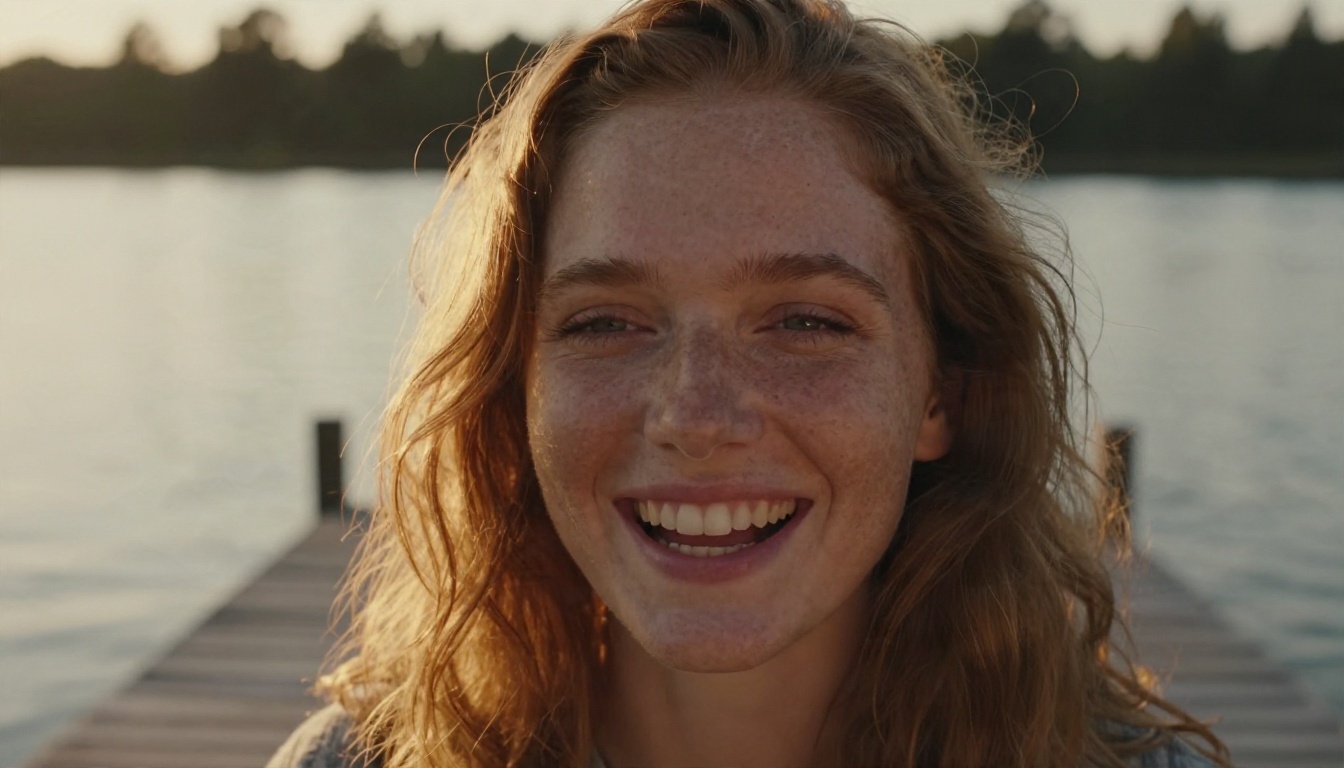
- Strong: "a woman on a wooden pier, low golden sun from behind left, soft rim light on her hair"
For the camera, a few phrases do a lot of work:
| Phrase | Effect |
|---|
| 85mm f/1.8 | Portrait compression, blurred background |
| 35mm f/2.8 | Street and product feel, more context |
| 24mm wide angle | Interiors and landscapes, strong depth |
| 100mm macro | Tight texture detail |
| Top-down, 50mm | Flat lays and food |
Quoting Text in the Image
If you want words inside the picture, put them in quotation marks and say where they appear. For example: a chalkboard sign above the counter that reads "OPEN". Keep it short. One or two words render far more reliably than a full sentence.
Prompt Examples You Can Copy
These are the prompts behind the images in this article, tightened so you can paste them directly. Change the subject and keep the structure.
Portrait Prompt
Close-up portrait of a young woman with freckles and wavy auburn hair laughing softly on a wooden pier at golden hour, warm low sun from behind left creating a rim light on her hair, calm lake and pine shoreline blurred behind her, 85mm f/1.8 lens at eye level, visible skin pores, linen shirt texture, Kodak Portra 400 film grain.
Why it works: the expression ("laughing softly") gives life, the light direction is explicit, and the lens choice pushes the background into a smooth blur.
Food and Product Prompts
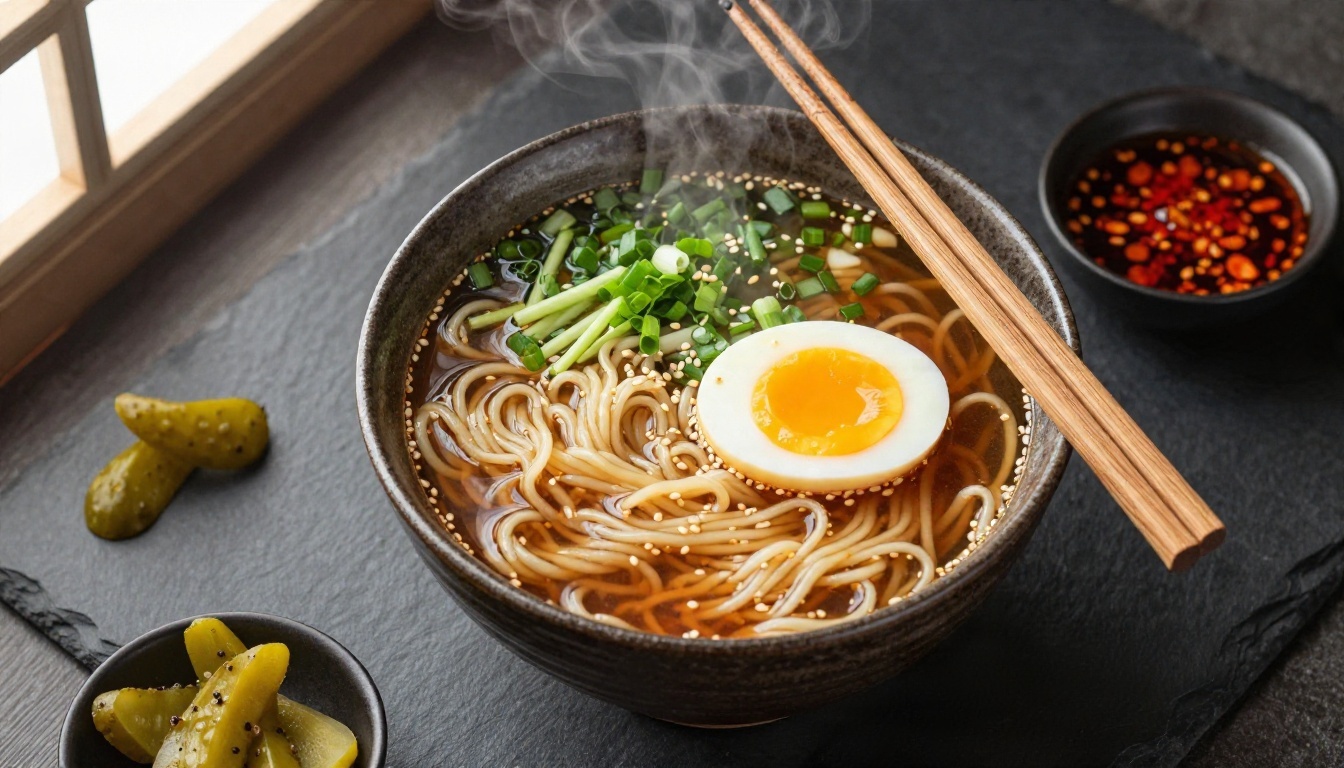
Overhead flat lay of a ceramic bowl of ramen with a soft egg, scallions and sesame on a dark slate table, wooden chopsticks across the rim, steam rising, small dishes of pickles and chili oil, soft window light from the left, 50mm lens, glossy broth highlights, rough ceramic glaze texture.
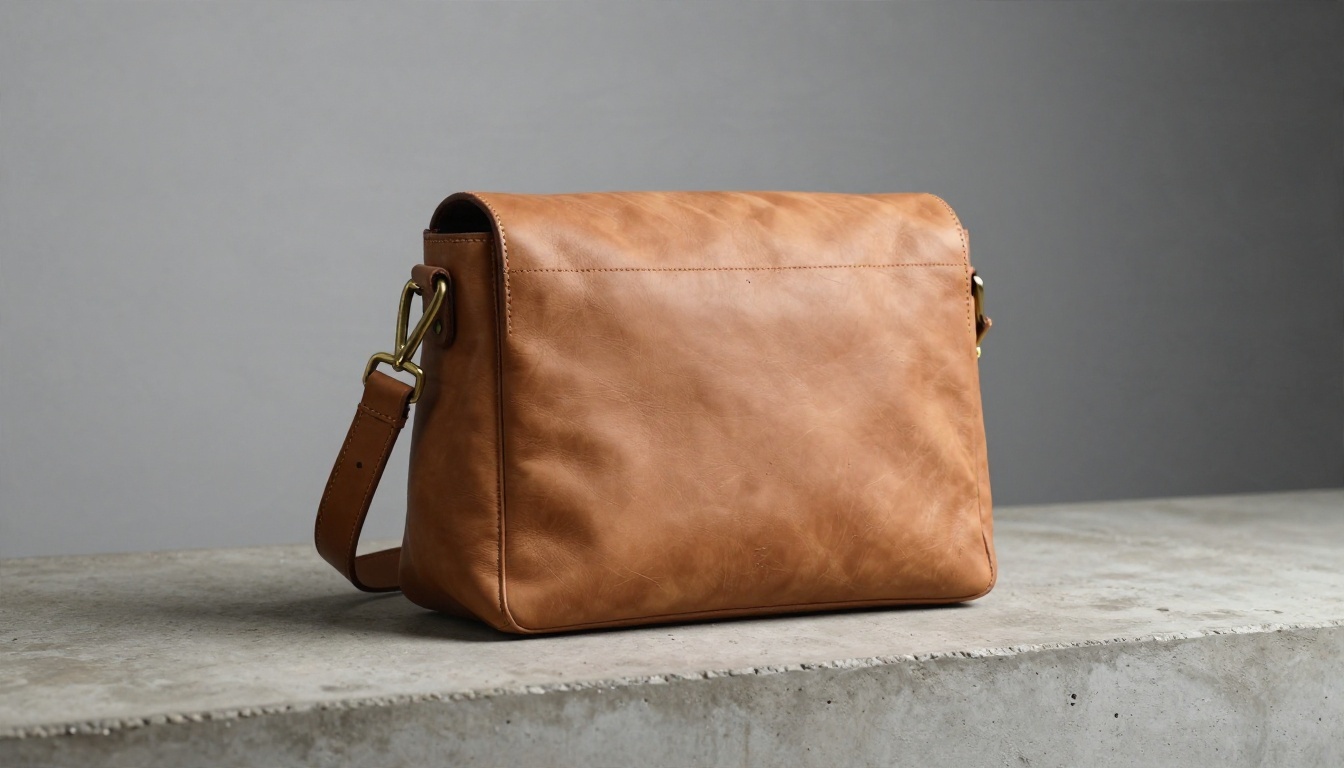
Low-angle product photograph of a tan leather messenger bag on a rough concrete ledge, brass buckles catching hard side light from the right, soft grey gradient wall behind, visible stitching and natural creases, 35mm f/2.8 lens, shallow depth of field.
For products, name the material and the flaw. "Natural creases" and "tiny scratches" make leather look like leather instead of plastic.
Landscape and Interior Prompts
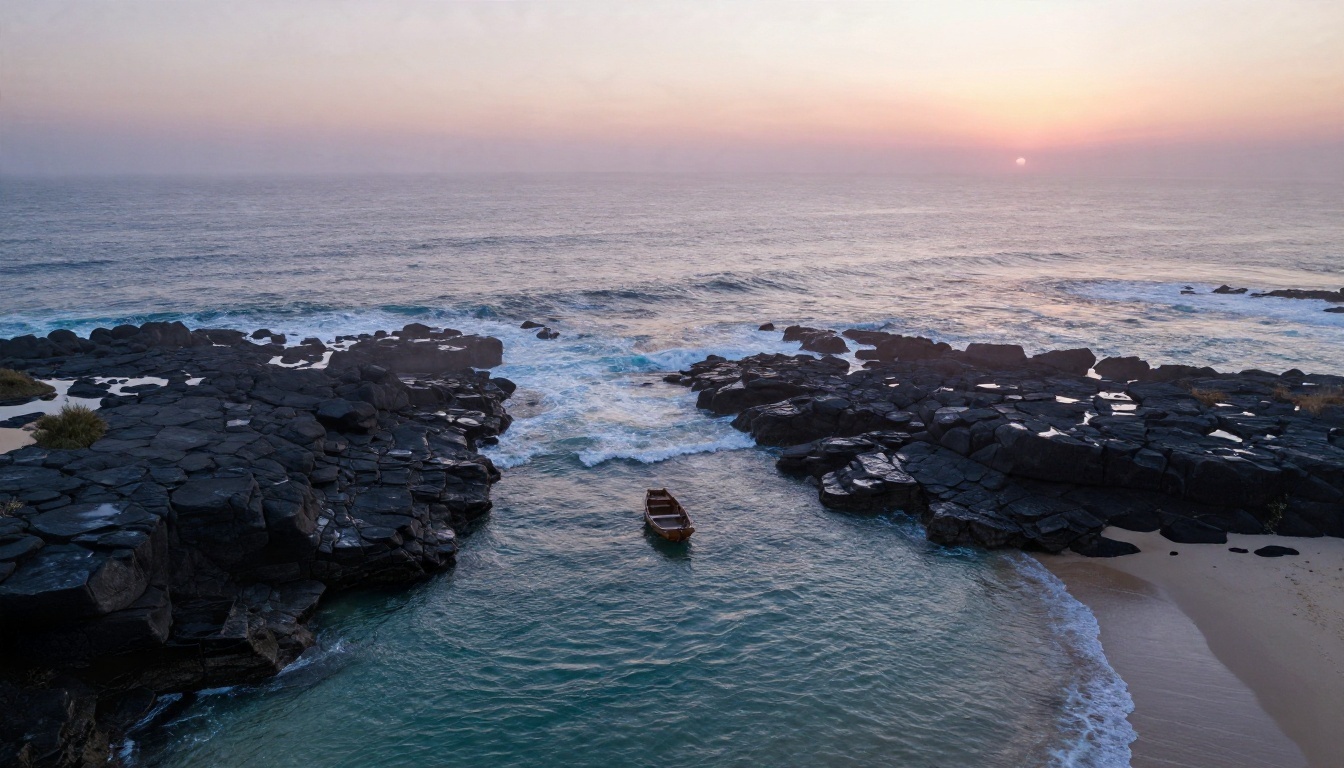
Wide aerial view of a rocky coastline at dawn, turquoise waves breaking against dark basalt cliffs, thin mist over a small cove, a lone wooden rowboat on pale sand, pink and amber light from the horizon on the right, drone angle, 24mm lens, fine foam texture, wet stone sheen.
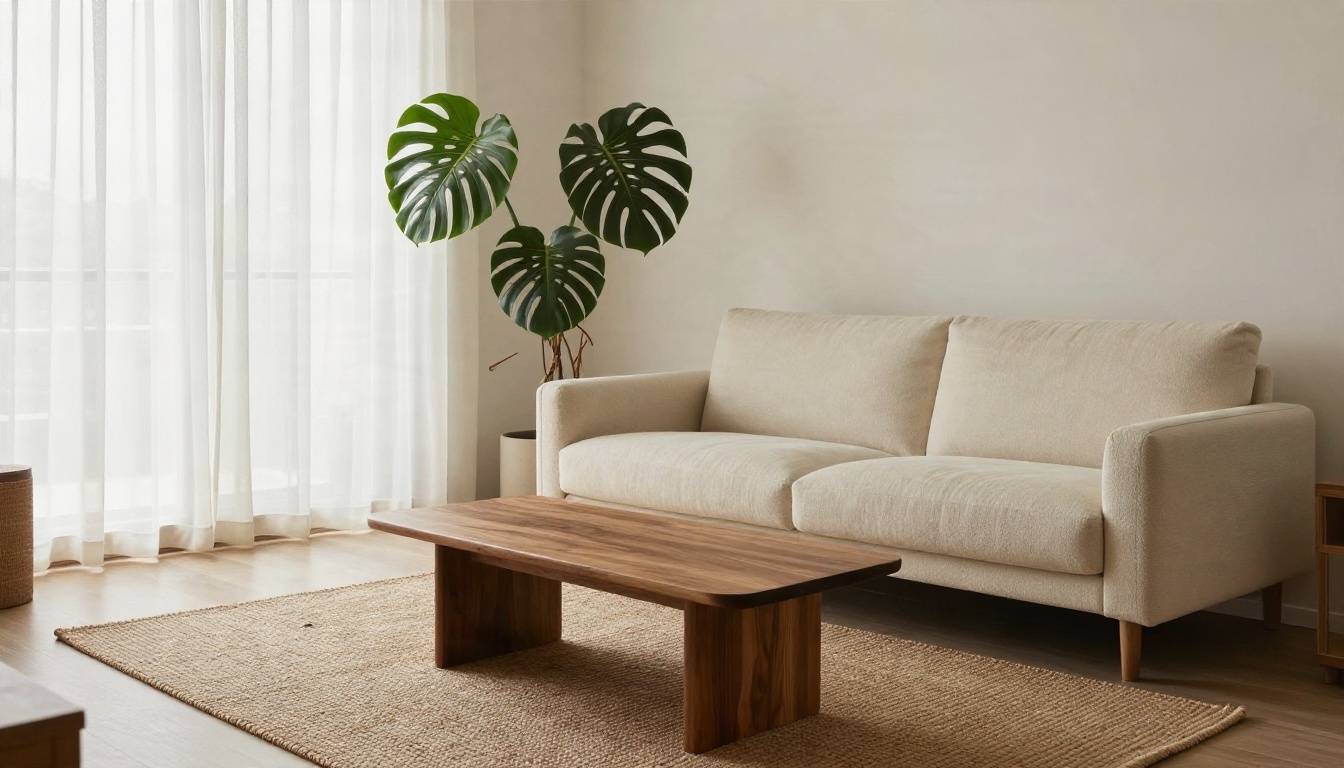
Scandinavian living room with a cream bouclé sofa, walnut coffee table and woven jute rug, tall window with sheer curtains, diffused overcast daylight from the left, a monstera in the corner, wide shot from the doorway at chest height, 24mm lens, crisp fabric texture, muted earthy palette.
Wide scenes need a single clear light source. If you describe three competing lights, the model averages them and the image goes flat.
Street, Fashion and Low Light Prompts
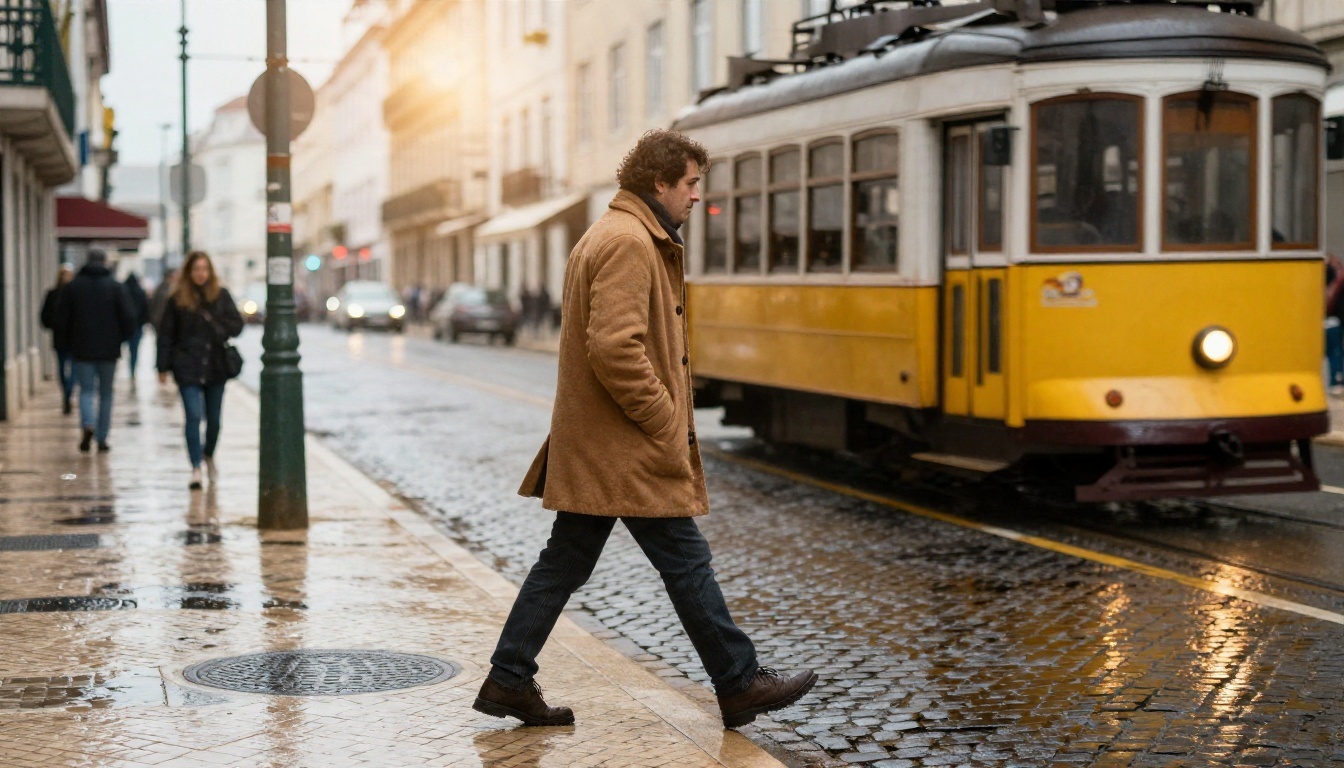
Street photograph of a man in a camel overcoat crossing a rain-slicked cobblestone street in Lisbon at late afternoon, yellow tram blurred behind him, warm sun breaking through clouds from behind right, puddle reflections, medium shot at hip height, 35mm f/2 lens, wet wool texture, soft haze.
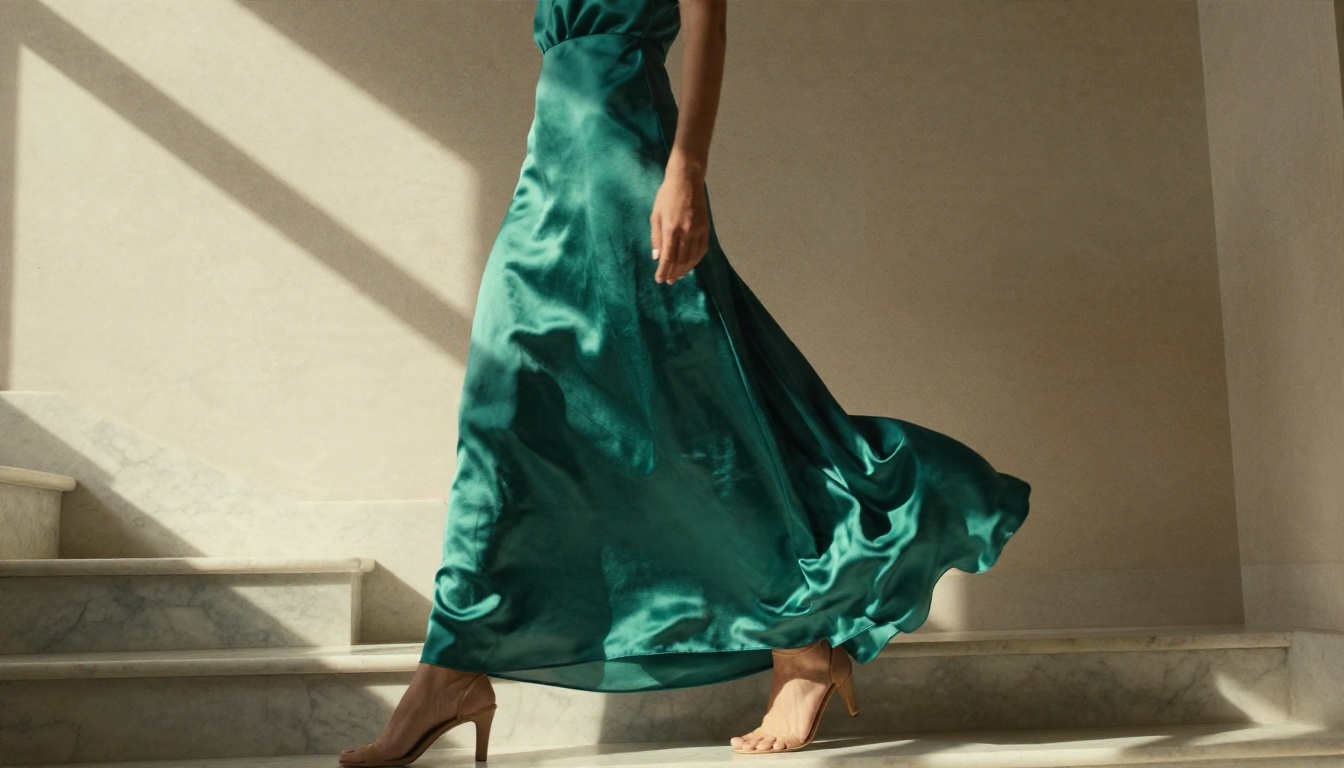
Fashion photograph of a model in an emerald silk dress in a sunlit marble stairwell, strong diagonal window light from the upper left casting geometric shadows on cream walls, three-quarter shot from slightly below, 70mm f/2.8 lens, fabric folds and sheen, wind-lifted hem.
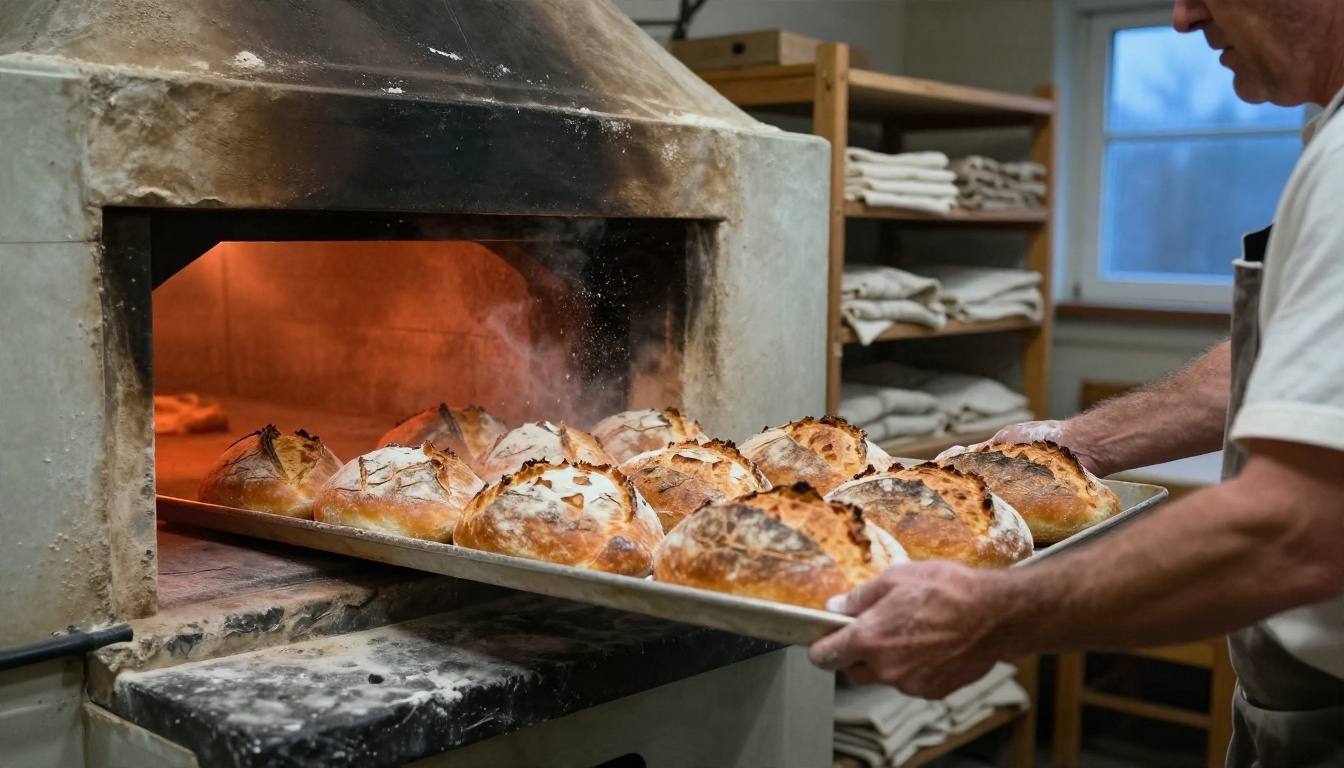
Candid photograph of an older baker with flour-dusted forearms pulling golden sourdough loaves from a stone oven in a village bakery, warm orange oven glow mixed with cool blue window light, side angle at eye level, 50mm f/1.8 lens, crackled crust texture, flour hanging in the air.
The baker prompt shows a useful trick: mix two light colors on purpose. Warm and cool light in one frame gives the picture depth without any extra instruction.
Settings That Change Results
The settings panel is short, which makes it easy to get right. These are the options exposed on Seedream 4.5.
| Setting | Options | When to change it |
|---|
| Size | 2K or 4K (1K is not supported) | 4K for print and final files |
| Aspect ratio | match input image, 1:1, 4:3, 3:4, 16:9, 9:16, 3:2, 2:3, 21:9 | Match your publishing format |
| Custom dimensions | Width and height from 1024 to 4096 px | Exact layout needs |
| Sequential generation | disabled or auto | Related sets of images |
| Max images | 1 to 15 | Only used with sequential auto |
| Image input | 1 to 14 reference images | Image to image work |
2K or 4K
Use 2K while you iterate. It is quicker, and you can judge composition, light and pose just as well. Switch to 4K only after the prompt is locked, because the larger file is what you want for print, large banners or heavy cropping. A 4K render of a bad prompt is still a bad image.
Aspect Ratio Choices
Pick the ratio before you write the prompt, since composition depends on it.
- 16:9 for blog headers, video thumbnails and landscapes
- 9:16 for stories and vertical posts
- 3:2 for classic photo framing
- 4:3 and 3:4 for product pages and portraits
- 21:9 for cinematic banners
- match input image when you are editing a reference photo and want the same frame
Batches with Sequential Mode
Set sequential generation to auto and raise max images when you want a related set: the same character in different scenes, a product from several angles, or a storyboard. The total of input images plus generated images cannot go past 15, so if you upload 5 references you can request at most 10 outputs.
💡 Tip: Describe the shared element once at the top of the prompt, for example "the same woman in a green raincoat", then list the scenes. That keeps the batch coherent.
Image to Image Tips
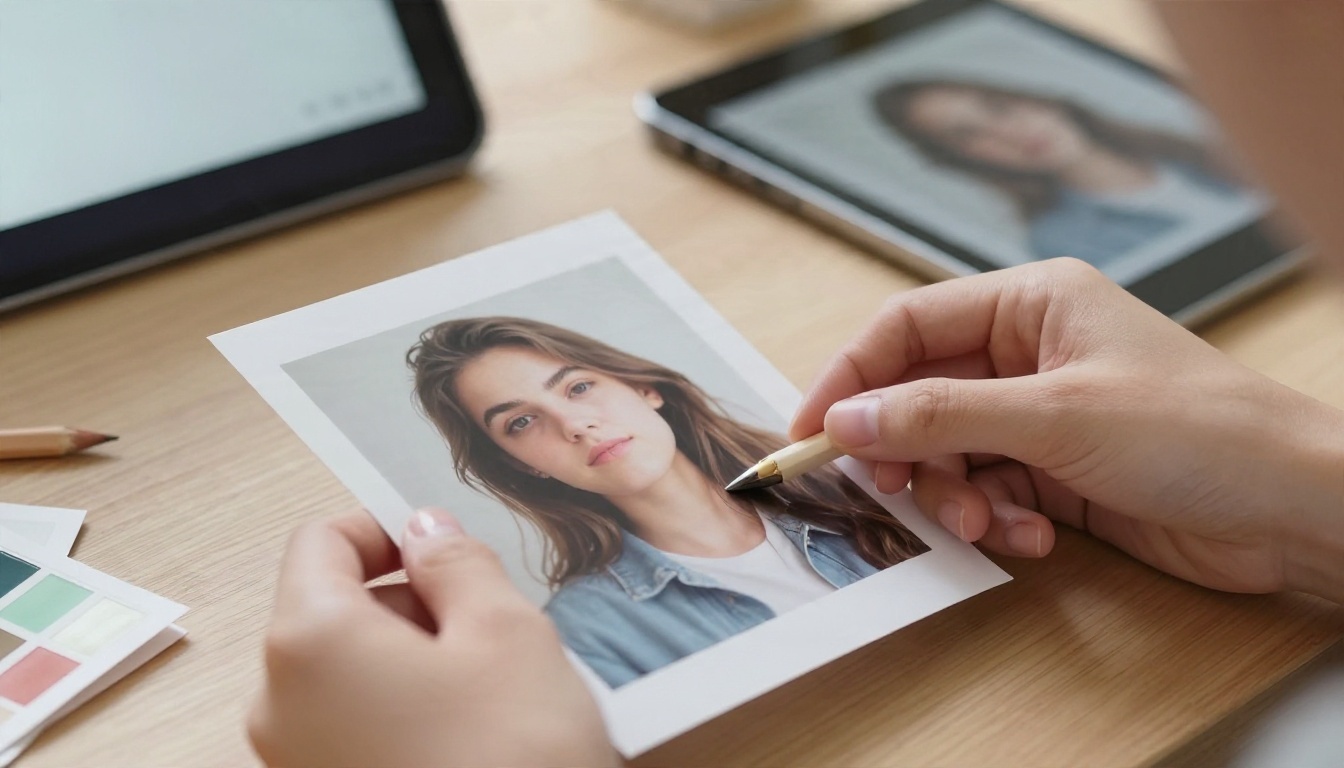
Image to image is where this model becomes a real editing tool. You upload one or more photos, write a prompt, and the output borrows from your references.
Pick Strong References
The output can only be as good as the input. A sharp, evenly lit photo with the subject clearly visible gives you the best identity and detail retention. Avoid heavy filters, motion blur and tiny faces. If you want to keep a person's look, use a reference where the face fills a good part of the frame.
Write the Edit, Not the Scene
When you already have an image, do not re-describe everything in it. State what changes. Compare:
- Weak: "A woman in a park wearing a red coat in autumn with trees and warm light"
- Strong: "Keep the same woman and pose. Change her coat to deep red wool. Replace the background with an autumn park, warm low sun from the left."
Short, direct edit instructions keep the parts you like stable. Say what stays as well as what changes.
Blend Multiple References
You can upload up to 14 images. Treat each one as a role and name the role in the prompt:
- Image 1: the person
- Image 2: the outfit
- Image 3: the location
Then write one sentence describing how they combine: "the person from image 1 wearing the jacket from image 2, standing in the location from image 3, late afternoon light." Fewer references usually give tighter control, so start with two or three and add more only when you need them.
💡 Tip: Set aspect ratio to match input image for pure edits, and choose a fixed ratio only when you want to recompose the frame.
How to Use Seedream 4.5 on PicassoIA
You can run everything above directly on the Seedream 4.5 page. Here is the workflow I follow.
- Open the model page and find the prompt box.
- Paste a prompt built with the formula: subject, setting, light, camera, texture.
- Choose size. Leave it on 2K for the first runs.
- Choose aspect ratio. Pick the format you plan to publish in.
- Add references if you are editing: upload 1 to 14 images in the image input field.
- Generate and compare. Change one thing per run, such as the light direction or the lens, so you can see what caused the difference.
- Switch to 4K for the final version of the best prompt.
- Polish if needed. Use PicassoIA Image Editor Pro for follow-up edits, or compare your result with Nano Banana Pro or Qwen Image 3 Pro when you want a second opinion on the same prompt.
Common Mistakes to Fix
Too many styles in one prompt. "Cinematic, vintage, minimalist, hyperreal" tells the model nothing. Choose one look and describe it with real photographic terms.
No light direction. If you skip it, you get flat, even lighting. Always say where the light comes from.
Wrong lens for the subject. A 24mm lens on a close portrait stretches the face. Use 85mm for faces, 24mm for rooms.
Long text in the image. Keep quoted text to one or two words.
Changing everything between runs. Edit one variable at a time. Otherwise you cannot tell which change helped.
Using 4K too early. Draft at 2K, finish at 4K.
Overloading references. Fourteen mismatched photos will blur the result. Start small.
Here is a quick before and after you can try:
| Before | After |
|---|
| "A man in a city" | "A man in a camel overcoat crossing a wet cobblestone street, warm sun from behind right, 35mm f/2, soft haze" |
| "A cozy room" | "Scandinavian living room, cream bouclé sofa, diffused daylight from the left, 24mm wide shot" |
| "A nice bag photo" | "Tan leather bag on a concrete ledge, hard side light from the right, visible stitching, 35mm f/2.8" |
Try Your Own Prompts Today
The fastest way to improve is to run a prompt, change one detail and run it again. Open Seedream 4.5 on PicassoIA, paste one of the examples above, and swap in your own subject. Try a portrait at 85mm, then the same scene at 35mm. Upload a reference photo and write a short edit instruction. Within a handful of generations you will see exactly how much control a well-built prompt gives you.
When you want more options, the full model library is at picassoia.com/en/all-models.


