Type "Seedream 4.5 spicy" into a search bar and you will land on a mess of half-true claims: free unlimited access, no filters, secret settings. Here is the straight version. Seedream 4.5 is ByteDance's photorealistic image model, and it is very good at skin, fabric, light and anatomy. "Spicy" is simply what people call suggestive glamour: swimwear, lingerie-style wardrobe, boudoir mood, sensual poses. This article shows which prompts get you there, what the results look like, what "free" really means, and where the limits sit.
Everything below stays on the suggestive, non-explicit side. That is where Seedream 4.5 shines, and it is also where you get the most usable results for portfolios, mood boards, fashion concepts and creative projects.
💡 Quick answer: Yes, you can generate spicy glamour images with Seedream 4.5 online for free to start. The best results come from specific prompts that describe wardrobe, light, lens and setting instead of vague adjectives like "hot" or "sexy".
What Seedream 4.5 Spicy Really Means
The short definition
There is no separate "Spicy" version of the model. Seedream 4.5 is one model, and "spicy" describes the type of prompt you give it. The model understands natural language well, so a sentence like "a woman in a black high-cut swimsuit standing in an infinity pool at golden hour" gives you a glossy swimwear campaign shot in seconds.
What makes it stand out for this style of work:
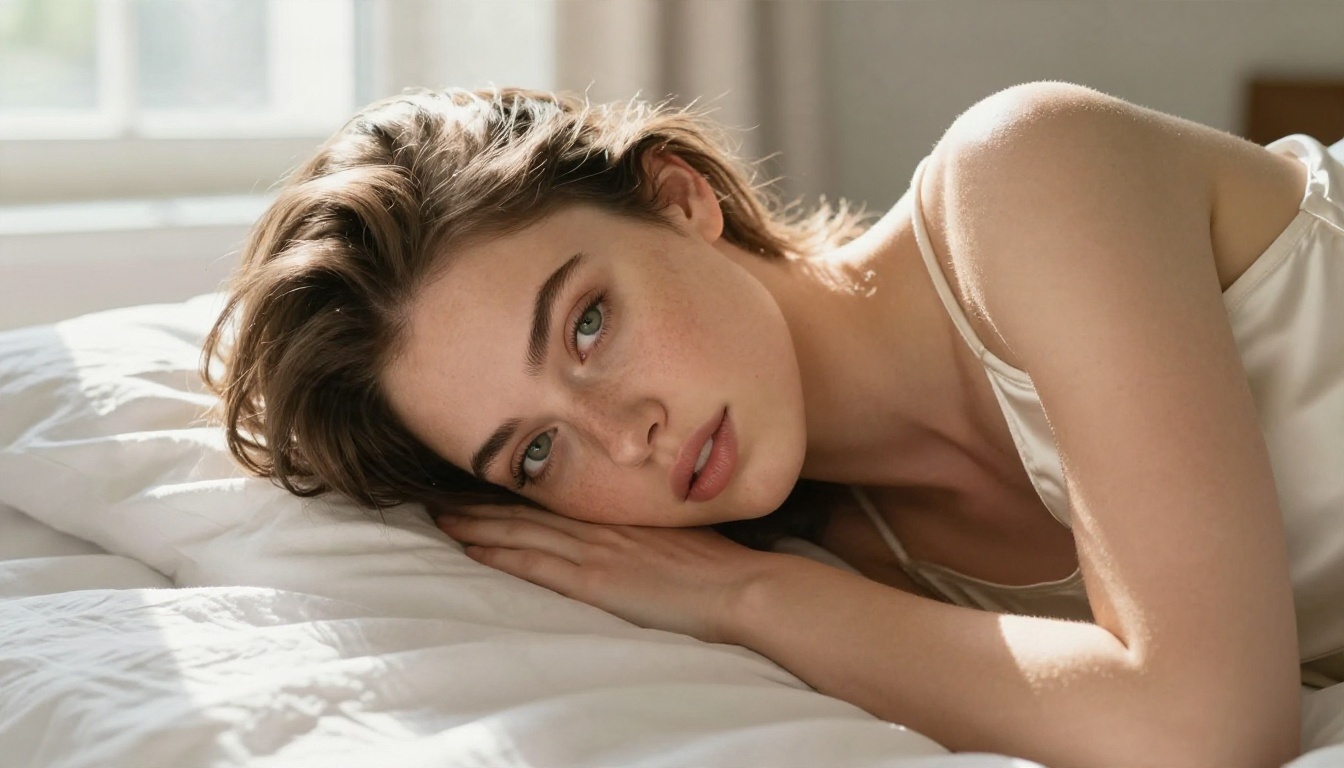
- Skin realism: pores, freckles, peach fuzz and wet skin highlights look like a real photograph rather than airbrushed plastic.
- Fabric behavior: satin sheen, lace weave, knit fibers and the way wet cloth darkens are rendered convincingly.
- Lighting logic: if you ask for low sun from the left, shadows and rim light fall where they should.
- High resolution: output reaches 4K territory, which matters when you want to crop or print.
- Prompt adherence: it follows long, detailed instructions without dropping half the details.
Why people search for it
Most readers fall into three groups. Some are creators building glamour or swimwear content who want a faster, cheaper alternative to a location shoot. Others are curious about what the model allows compared with stricter tools. The rest are designers who need suggestive but tasteful reference images for fashion, lingerie or travel concepts.
All three groups want the same thing: a prompt that works on the first or second try, and a clear answer about cost. Both come next.
Is It Really Free Online?
Free credits versus unlimited use
"Free" means different things depending on where you run the model. Official apps from the model's creator usually give a small daily allowance of credits, and the exact amount changes often, so treat any specific number you read online with suspicion. Third-party hosts typically offer a short trial and then ask for payment per image. Some sites advertise "free" and then watermark or throttle the output.
On PicassoIA the picture is simpler. You can run Seedream 4.5 straight from its model page, and the platform also offers PicassoIA Image Editor Pro with unlimited generations. That second option matters if you iterate a lot, because spicy prompts rarely land perfectly on the first attempt.
What "free" usually costs you
| Where you run it | Typical access | Watch out for |
|---|
| Creator's official app | Small daily credit allowance | Stricter content filter, changing limits |
| Random "free" web tools | Trial then paywall | Watermarks, low resolution, slow queues |
| API providers | Pay per image | Setup time, cost adds up when iterating |
| PicassoIA | Browser based, no install | Pick the model that fits your content style |
💡 Tip: Policies and credit amounts change often. Before you commit to any platform, run three or four test prompts and look at what you actually get, not what the landing page promises.
Prompts That Actually Work
The five-part formula
Vague prompts produce generic results. Strong ones follow a repeatable structure:
- Subject and pose: who she is, what she is doing, where she looks.
- Wardrobe: the exact garment, color and fabric.
- Setting: the room or location, with two or three concrete props.
- Lighting: direction, time of day and quality of the light.
- Camera: lens, angle and film look.
Here is the formula applied to a pool scene:
A confident woman in her late twenties with wavy chestnut hair stands waist-deep in a turquoise infinity pool at golden hour, wearing a black high-cut swimsuit, one hand sweeping wet hair off her shoulder. Mediterranean villa terrace behind her. Warm low sun from the left, rim light on her shoulders. 85mm f/1.8, shallow depth of field, Kodak Portra 400 grain, visible skin texture.
Notice what is missing: no stack of quality tags, no "masterpiece, ultra HD, trending". Seedream 4.5 reads sentences. Describe the photo like you would brief a photographer.
Wardrobe and pose vocabulary
Specific nouns beat adjectives. Instead of "sexy outfit", try these:
- Swimwear: high-cut one-piece, string bikini, crochet bikini top with sarong, halter swimsuit.
- Lingerie-style: lace bralette under an open oversized white shirt, satin camisole, silk slip dress.
- Evening: emerald silk dress with a deep neckline, backless black gown, fitted red slip dress.
- Loungewear: plush white bathrobe slipping off one shoulder, off-shoulder knit top, rumpled linen sheets.
For poses, use natural verbs: glancing over her shoulder, chin resting on her forearm, adjusting a gold necklace, walking barefoot along wet sand. Candid actions look more alluring and more real than stiff catalog poses.
Lighting words that matter
Light does most of the work in glamour photography. These phrases consistently produce better skin and mood:
| Phrase | Effect |
|---|
| Golden hour from the left | Warm rim light, soft glow on shoulders |
| Window light with dust motes | Intimate morning mood, gentle contrast |
| Candlelight from the front | Warm, low-key skin tones |
| Overcast daylight | Soft, even, editorial look |
| Mixed warm and blue dusk | Cinematic street scenes |
Example Prompts With Results
These are the scenes I would start with. Each one is written as a short brief you can paste, then adjust.
Pool and beach scenes
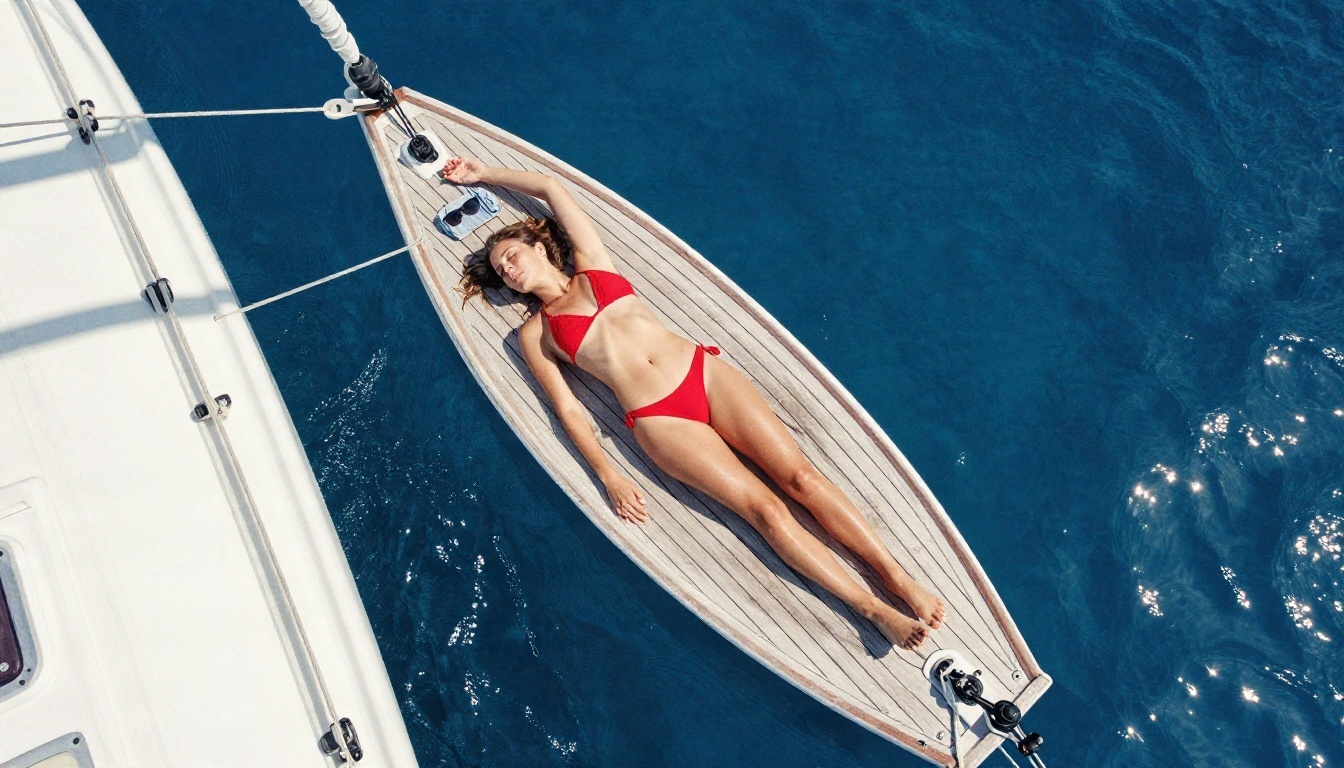
Sailboat deck, aerial view. Wide drone shot looking down at a woman in a red bikini lying on a pale wooden sailboat deck over deep blue water, one arm stretched above her head, sunglasses on a rolled towel. Hard midday sun casting rope shadows, wood grain and salt crust visible, 24mm lens, travel magazine feel.
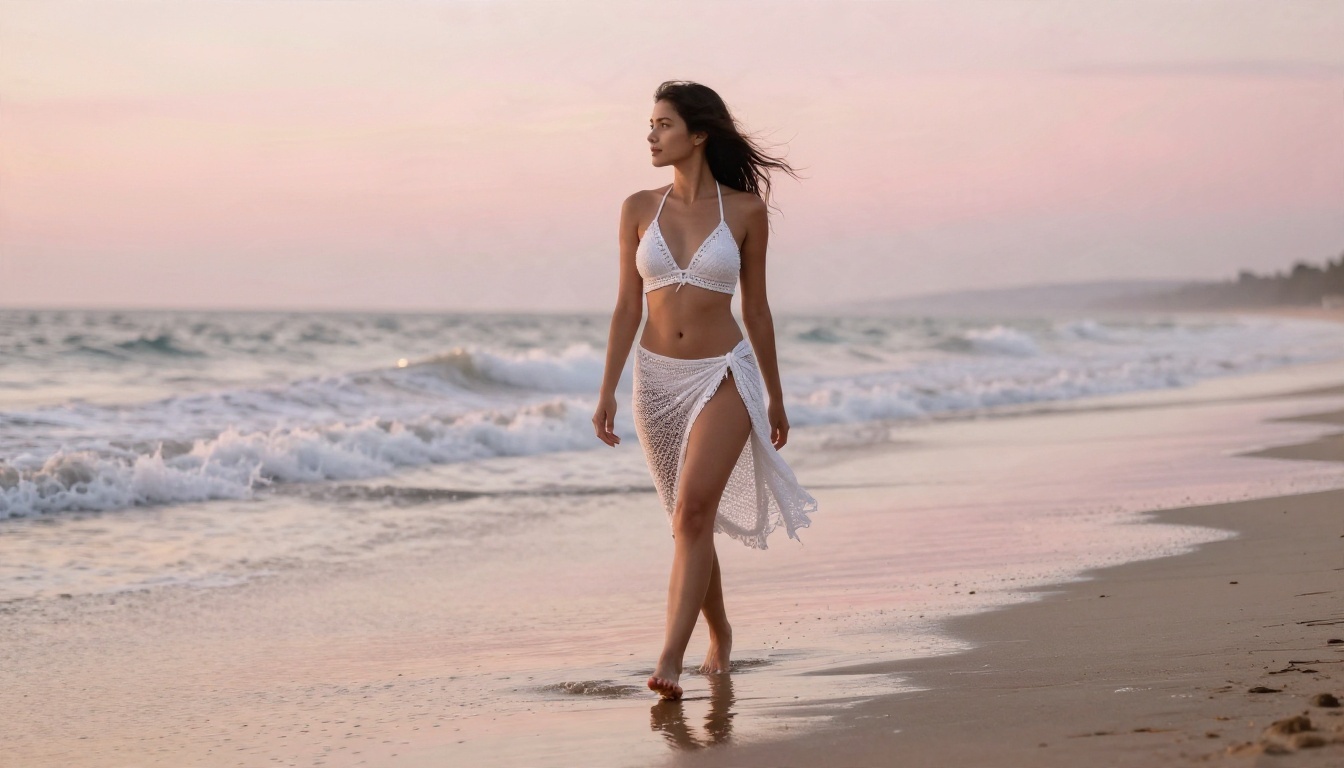
Sunrise shoreline. Full-length shot of a woman in a white crochet bikini top and sarong skirt walking barefoot along wet sand at sunrise, waves foaming at her ankles, hair moving in the breeze. Pink and gold light from behind, mirror reflections in the wet sand, 70mm telephoto compression.
Beach prompts work best when you name the texture of the ground and the water. "Wet sand mirror reflections" and "foam around her ankles" give the model something physical to render.
Indoor and boudoir portraits
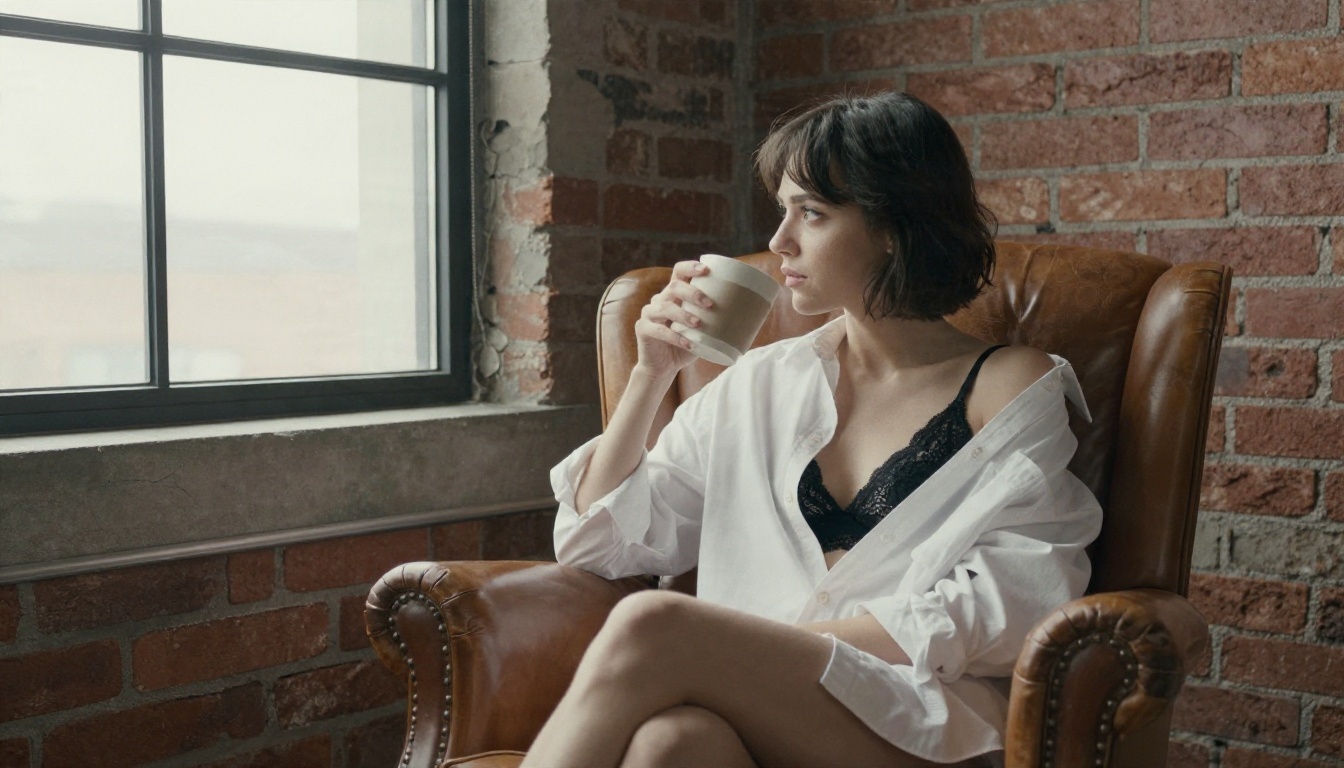
Loft armchair. Medium shot of a woman in her late twenties with a short dark bob, wearing a black lace bralette under an open oversized white men's shirt, seated on a vintage leather armchair by a tall window, holding a coffee cup. Soft overcast light from the right, exposed brick wall, 50mm f/2.
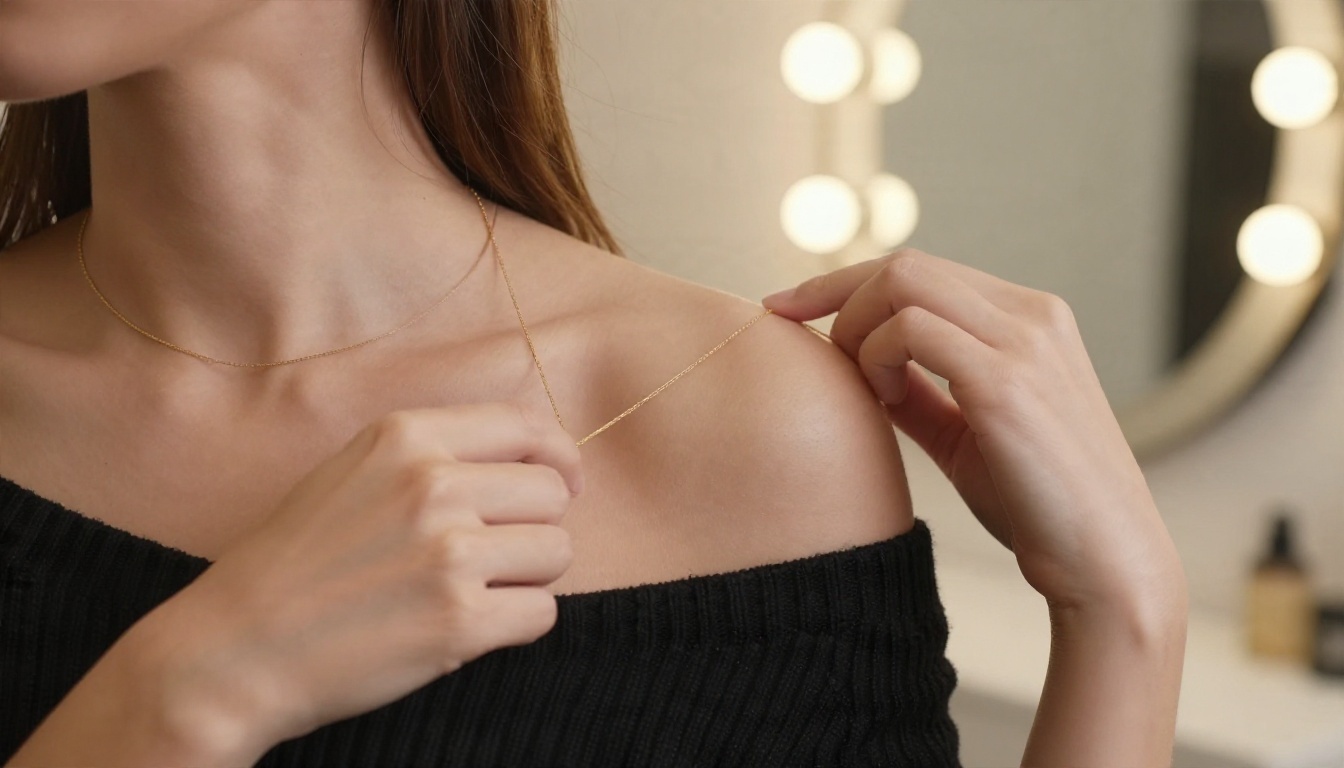
Dressing room detail. Tight shot of a woman's shoulder and neck as she adjusts a thin gold necklace, off-shoulder black knit top, round mirror with warm bulbs behind. Soft side light, visible skin texture, 100mm macro, very shallow depth of field.
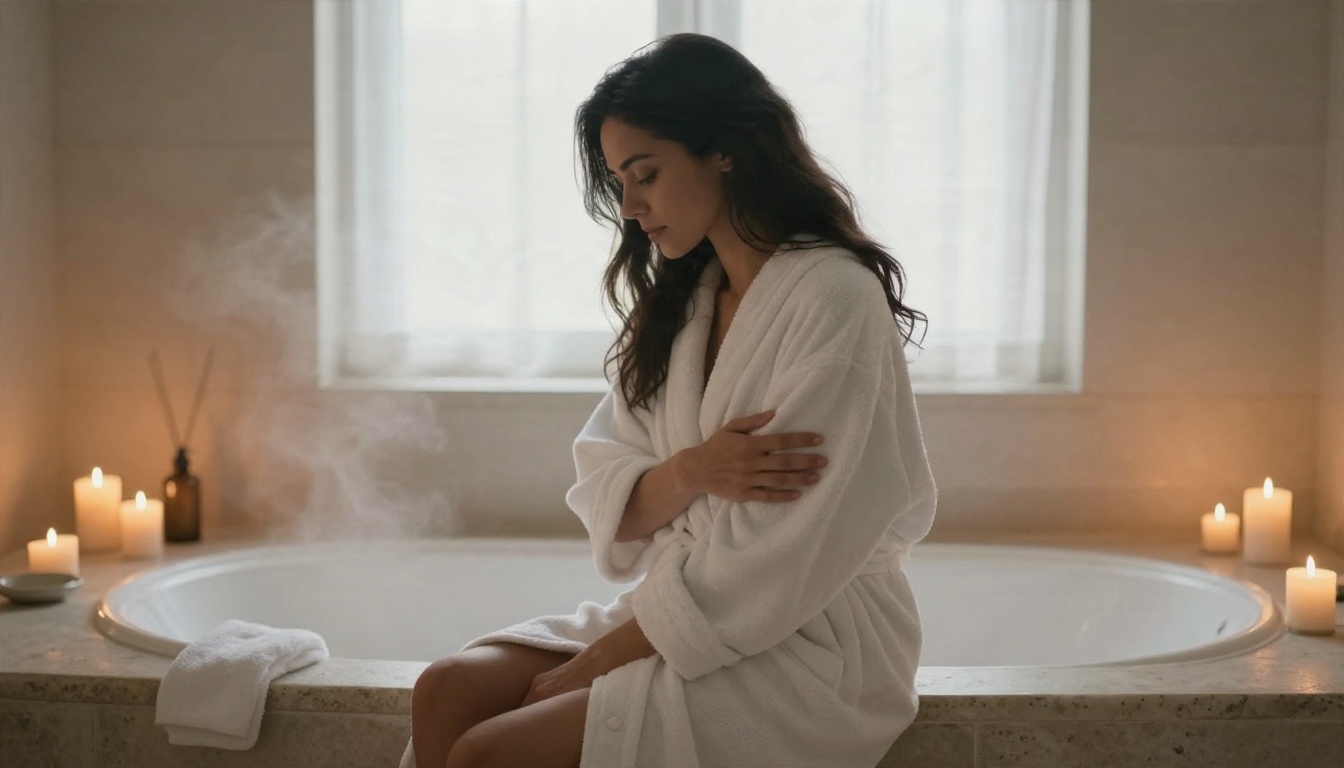
Spa bathrobe. Side profile of a woman in her thirties with long dark hair in a white bathrobe slipping off one shoulder, sitting on the edge of a stone bathtub, candle-lit room with rising steam. Warm candlelight from the front, terry cloth loops visible, 85mm f/1.8.
Interior shots are where Seedream 4.5 earns its reputation. The mix of fabric, skin and soft light is hard for weaker models, and here it holds together.
Street and evening looks
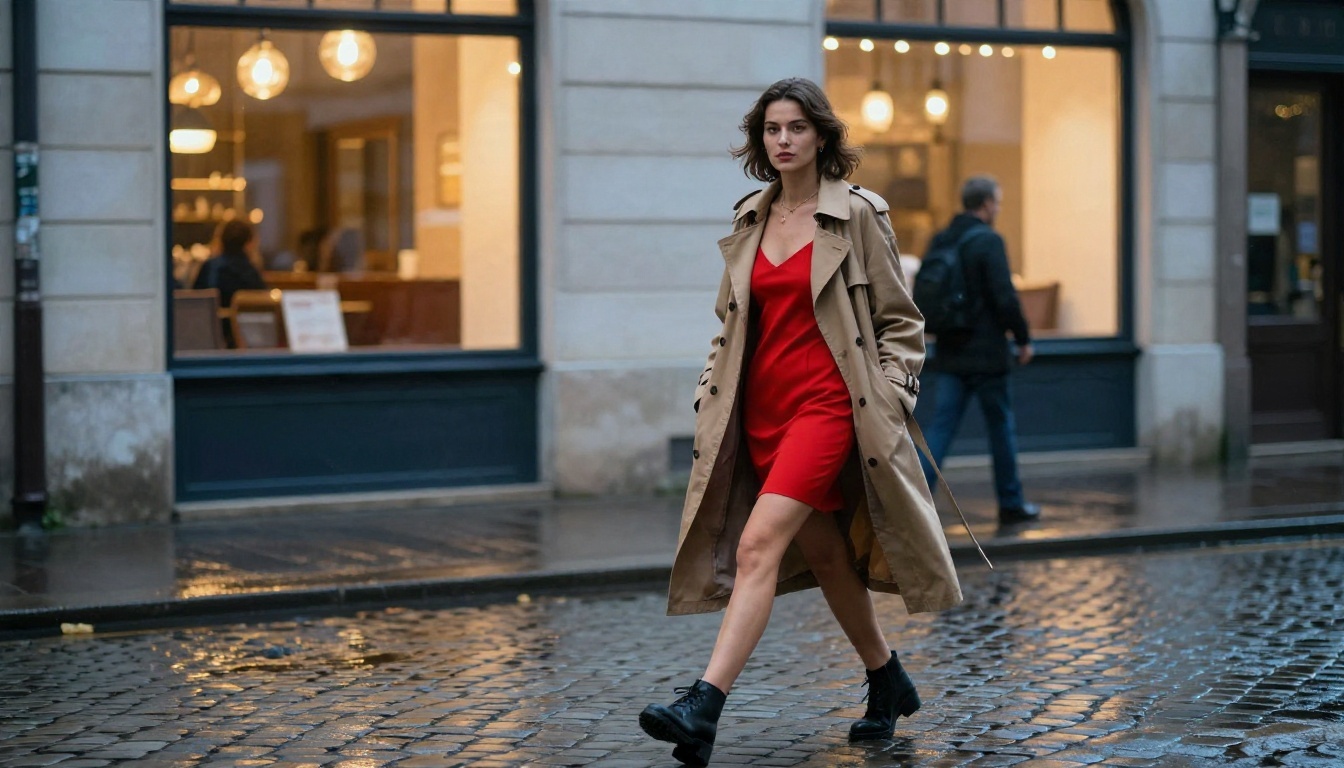
Rainy cobblestones. Candid street photograph of a woman in a short red slip dress and tan trench coat crossing a rain-damp cobblestone street at dusk, glancing at the camera, cafe windows glowing behind her. Warm window light and blue twilight, wet street reflections, 50mm f/1.4.
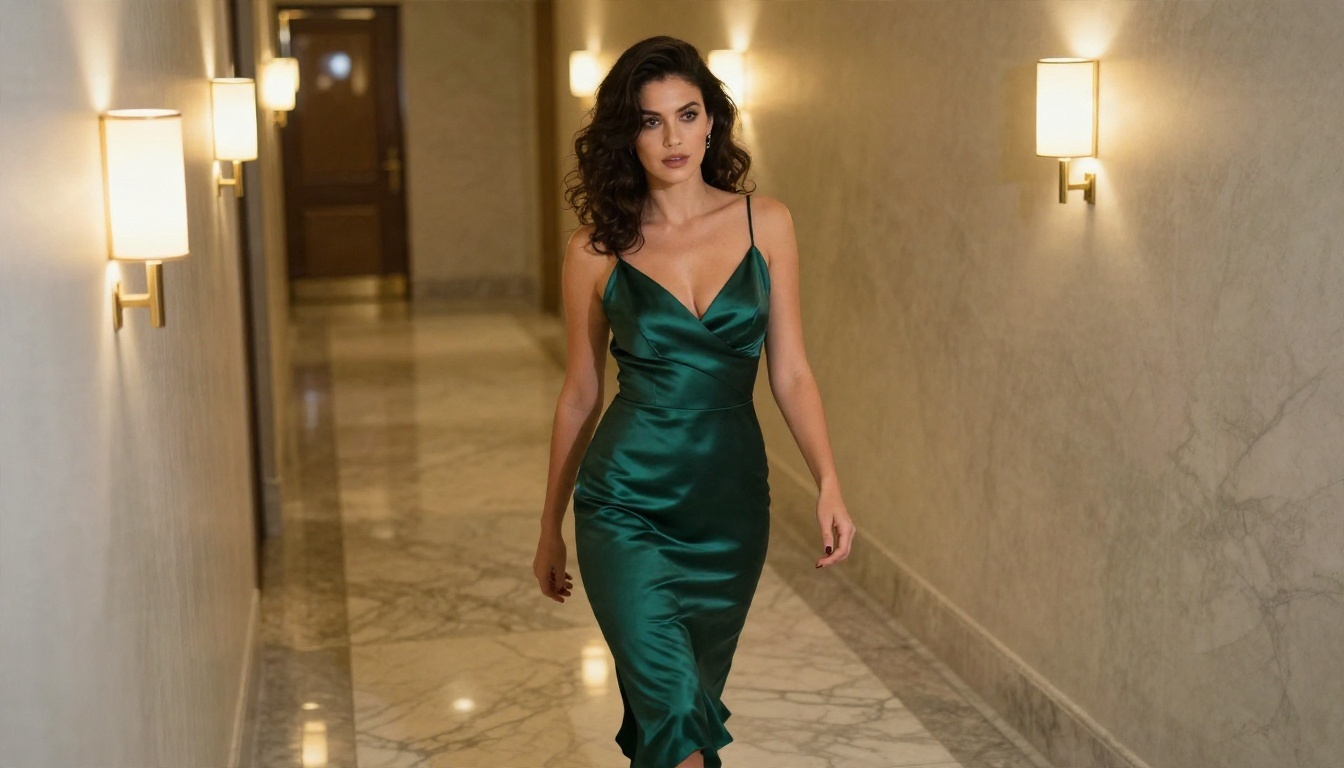
Hotel corridor. Low-angle shot of a woman in a fitted emerald silk evening dress with a deep neckline walking down a marble corridor with warm wall sconces, looking over her shoulder. Soft sconce light from the right, polished floor reflections, 35mm f/1.8.
Evening scenes depend on contrast between warm practical lights and cool ambient light. Mention both and the model builds the mood for you.
Real Limits You Will Hit
Content boundaries
Seedream 4.5 is built for realistic, attractive imagery, and it handles suggestive swimwear, lingerie-style wardrobe and sensual mood well. It is not a tool for pornographic or explicit output, and this article does not aim for that. If your prompt pushes too far, you will usually see one of three things: a refusal, a softened version of your scene, or a blurred result.
Stricter models exist too. Seedream 5 Pro is known for refusing even mild swimwear or boudoir prompts on some platforms, so it is a poor pick for this style of work. Stay with 4.5 when your goal is glamour.
💡 Reality check: Be wary of any site that claims "zero filters, anything goes". Rules differ from platform to platform, and they change. Always test with a mild prompt first.
Quality limits
Even with a strong model, a few weak spots remain:
| Limit | What happens | Fix |
|---|
| Hands and fingers | Occasional extra or merged fingers | Hide hands in the pose (holding a cup, touching hair) or regenerate |
| Text on clothing or signs | Garbled letters | Leave text out of the prompt |
| Identity consistency | Face changes between generations | Reuse the exact face description or edit one image |
| Crowded scenes | Details blur in the background | Keep one subject and a simple setting |
| Very long prompts | Last details get dropped | Keep to five or six strong details |
Speed and resolution
Higher output sizes take longer to render. For drafts, use a smaller size and a short prompt to test the composition, then re-run the winner at full quality. If you plan to print, remember that a 4K file still benefits from a dedicated upscaler afterward.
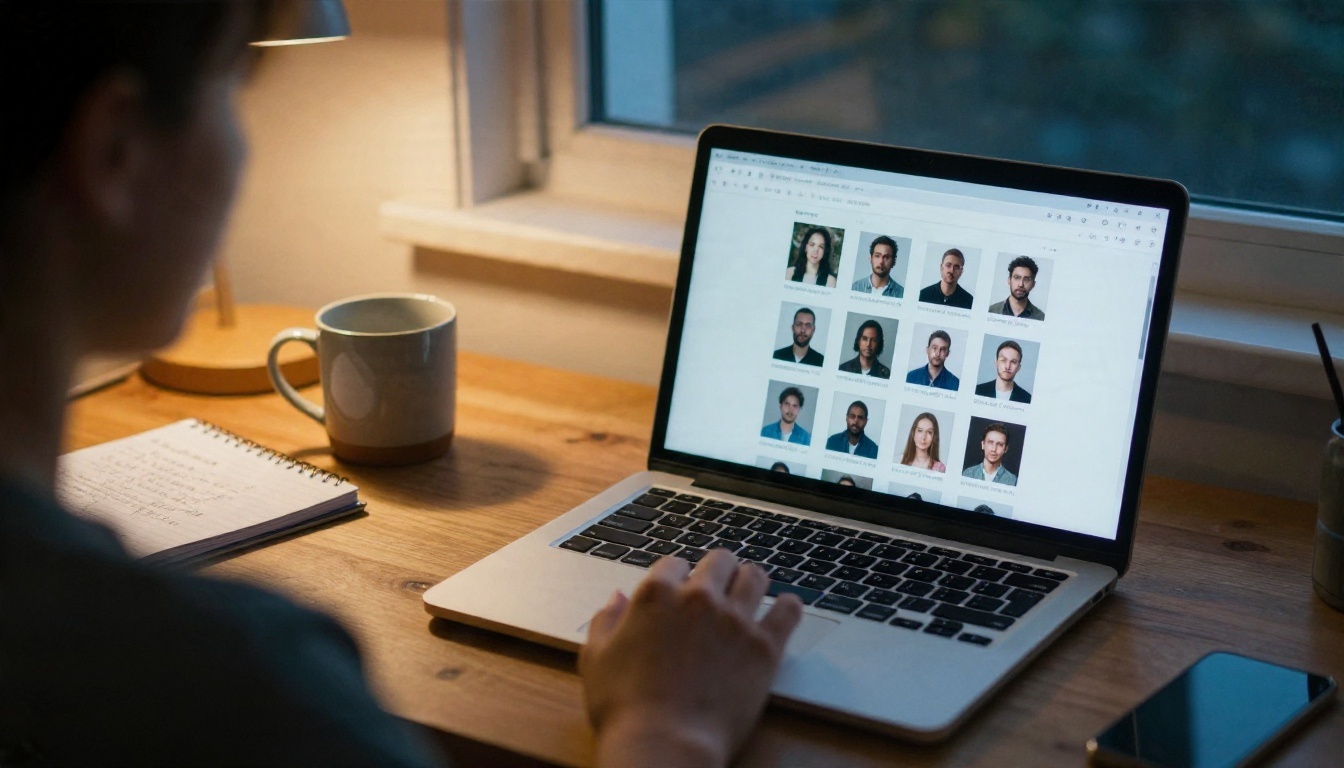
How to Use Seedream 4.5 on PicassoIA
Step by step
- Open the Seedream 4.5 page on PicassoIA.
- Paste your prompt into the text field. Use the five-part formula: subject, wardrobe, setting, light, camera.
- Choose a 16:9 ratio for landscape scenes like beaches and pools, or a portrait ratio for full-length fashion shots.
- Pick the output size. Start small for drafts.
- Generate, review, and change one detail at a time (the light, the garment or the angle) before regenerating.
- When a result is close, move it to PicassoIA Image Editor Pro for unlimited edits and retouching.
Parameter tips
- Keep prompts at 60 to 120 words. Long enough for detail, short enough that nothing gets dropped.
- Name the lens. "85mm f/1.8" produces portrait compression and soft background blur. "24mm" gives a wide, airy travel look.
- Add film language. "Kodak Portra 400 grain" softens digital sharpness and warms skin tones.
- Write what you want, not what you fear. "Natural hands resting on her lap" works better than a list of banned features.
- Reuse good seeds. When a face or mood works, keep the same wording and vary only the setting.
💡 Workflow idea: Generate a base portrait with Seedream 4.5, then use Image Editor Pro to change the wardrobe color, the background or the lighting without starting over.
Alternatives When You Need More
Seedream 4.5 is the first model I would reach for, but a few others on PicassoIA are worth trying, depending on what you need:
A simple routine works well. Draft quickly with Z Image Turbo, polish the best composition with Seedream 4.5, then fine-tune the result in Image Editor Pro. You can browse the full catalog at picassoia.com/en/all-models.
Start Creating Your Own Images
You have the formula, nine scene ideas and a realistic picture of the limits. The fastest way to improve is to run a prompt, change one detail and compare. Pick one scene from this article, a pool at golden hour or a candle-lit spa room, and paste it into Seedream 4.5 on PicassoIA. Then swap the light, the lens or the wardrobe and watch how the result shifts.
When you want unlimited retries, open PicassoIA Image Editor Pro and keep refining until the photo feels exactly right. Every great glamour image comes from a handful of small adjustments, and PicassoIA lets you make them as often as you like.


