Typing a pose into a box and getting a believable photo back used to sound like science fiction. Now it takes about ten seconds. A sex pose generator is an AI image tool that turns a short description of body position, mood and setting into a photorealistic picture. People use it for boudoir inspiration, couple photo planning, art reference, romance writing and plain curiosity. This article shows how the tools work, which free online options are worth your time, and the exact prompts behind the example images below. Everything here stays suggestive and tasteful, not explicit, and every example features adults only.
What a Pose Generator Actually Does
A pose generator is not a separate kind of software. It is a normal text to image model, or an image editor, that you steer with pose language. You describe who is in the frame, how their bodies are arranged, what they wear, where they are and how the light falls. The model draws a picture that matches.
Pose Reference Versus Finished Image
There are two common uses, and they need different habits:
- Pose reference: you want to see how a hand rests on a waist or how a shoulder turns. The picture is a study, and you may redraw it, paint it or photograph it yourself.
- Finished image: you want a polished, shareable picture for a mood board, a story cover or a private collection. Here lighting, skin detail and a clean background matter much more.
💡 Tip: Decide which one you need before you write a single word of the prompt. Reference images can be rough. Finished images need camera and light details.
Who Uses These Tools
| User | What they want | Typical output |
|---|
| Photographers | Pose ideas for couple and boudoir shoots | Reference frames |
| Illustrators | Anatomy and body language studies | Clean silhouettes |
| Writers | Visuals for romance scenes | Mood images |
| Couples | Gift and anniversary ideas | Stylized portraits |
| Creators | Glamour and lifestyle content | Polished photos |
Free Online Options Compared
Plenty of sites call themselves a free sex pose generator. Most are thin wrappers around one model with a limited daily quota. The model underneath decides almost everything: skin realism, hand accuracy, how well it follows long prompts. That is why it pays to pick by model, not by website name.
| Model | Best for | Strength | Weak spot |
|---|
| Seedream 4.5 | Polished 4K glamour and couple scenes | Sharp skin texture, faithful composition | Needs a clear prompt |
| PicassoIA Image Editor Pro | Editing and refining an existing pose | Unlimited generations | Works best with a source image |
| Qwen Image 3 Pro | Photorealistic portraits | Natural faces and fabric | Fewer style presets |
| Nano Banana Pro | Fast edits and consistent characters | Keeps the same person across shots | Can be conservative with sensitive themes |
| Flux 2 Klein 9B Base LoRA | Styled looks with LoRA control | Flexible tuning | Takes more experimenting |
I lead with Seedream 4.5 because it holds a pose steadily and renders skin without that waxy look many models still produce. Image Editor Pro comes second because unlimited generations change how you work. You stop rationing attempts and start iterating.
How to Use Seedream 4.5 on PicassoIA
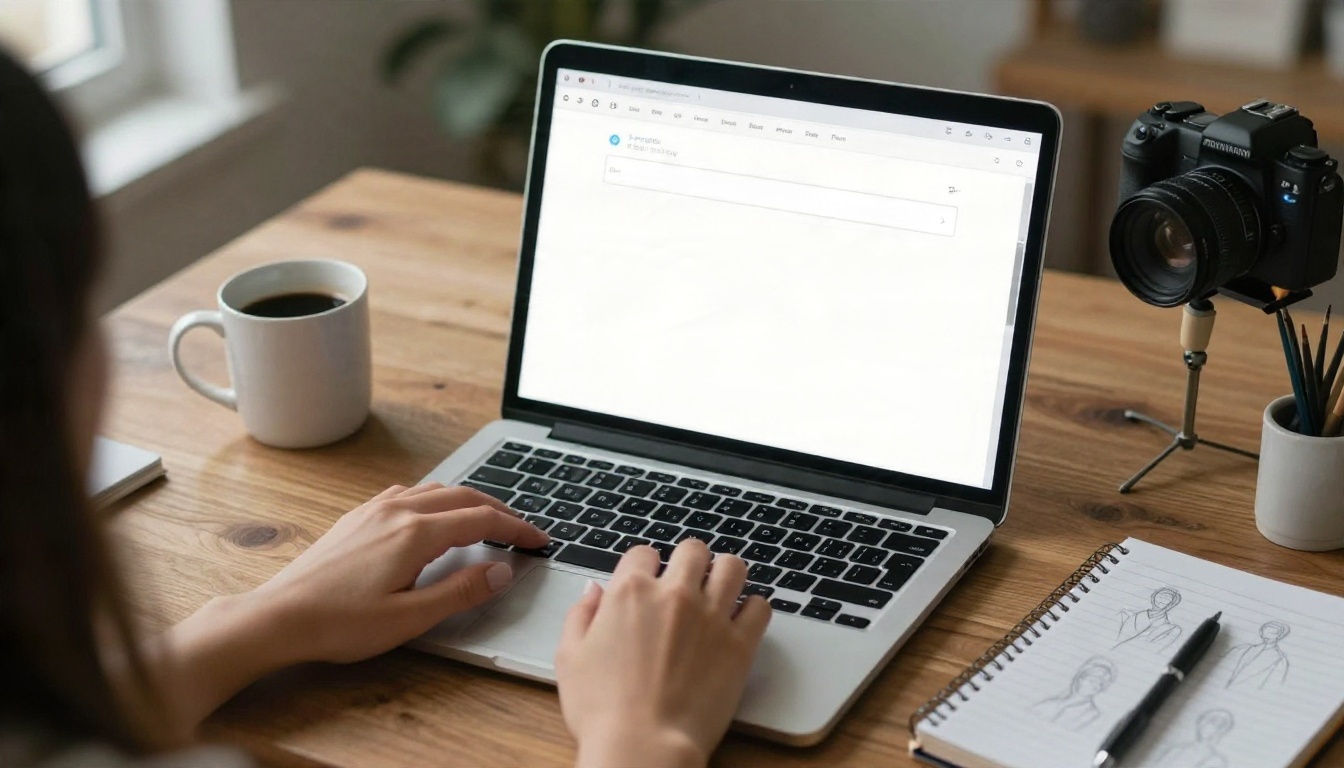
Seedream 4.5 is my first pick for turning a pose idea into a finished picture. The workflow takes a couple of minutes.
Step by Step
- Open the Seedream 4.5 page on PicassoIA.
- Paste a prompt built with the formula in the next section.
- Set the aspect ratio. Use 16:9 for wide couple scenes and 3:4 for single portraits.
- Pick the highest resolution your plan allows.
- Generate, then compare the result against your idea. Look at hands first, then posture, then light.
- Change one detail at a time and run it again.
Settings That Matter
- Aspect ratio: wide frames suit two people and a room. Tall frames suit a single standing figure.
- Prompt length: 50 to 80 words works well. Shorter prompts leave too much to chance, and longer ones start to contradict themselves.
- Seed: if you like a composition, reuse the seed and edit the prompt slightly. The pose stays close while the details shift.
💡 Tip: Save every prompt that works. A small personal library of tested pose prompts beats any list you find online.
After many test runs, one structure gives the most dependable results. It follows the order a photographer thinks in.
The Five Part Structure
Subject and pose + setting + light + camera + texture and mood
| Part | Example wording |
|---|
| Subject and pose | "Adult woman reclining on her side, head propped on her hand" |
| Setting | "bright loft bedroom, cream linen, rattan chair" |
| Light | "soft morning window light from the left" |
| Camera | "50mm f/2 lens, low angle at bed level" |
| Texture and mood | "visible skin texture, Kodak Portra 400 grain, calm" |
Always say adult and describe clothing. Clothing words like silk robe, satin slip, knit sweater or linen shirt steer the model toward a tasteful result and give you cleaner fabric detail.
Camera and Light Words That Help
Light does more for realism than any other detail. These phrases pull their weight:
- Soft window light from the left gives gentle shadows and natural skin.
- Golden hour rim light adds a warm edge to shoulders and hair.
- Warm lamp light with blue dusk creates a cozy two tone mood.
- 85mm f/1.8 gives portrait compression and a blurred background.
- 35mm f/2 suits wider couple scenes in small rooms.
- Kodak Portra 400, fine film grain pulls colors toward warm, natural tones.
Skip words like neon, glowing or cinematic digital art. They push the result toward an illustrated look and away from a photograph.
Pose Prompts With Real Examples
Each example below was generated from a prompt close to the one shown. Copy it, change the setting, and make it yours.
Solo Glamour Poses
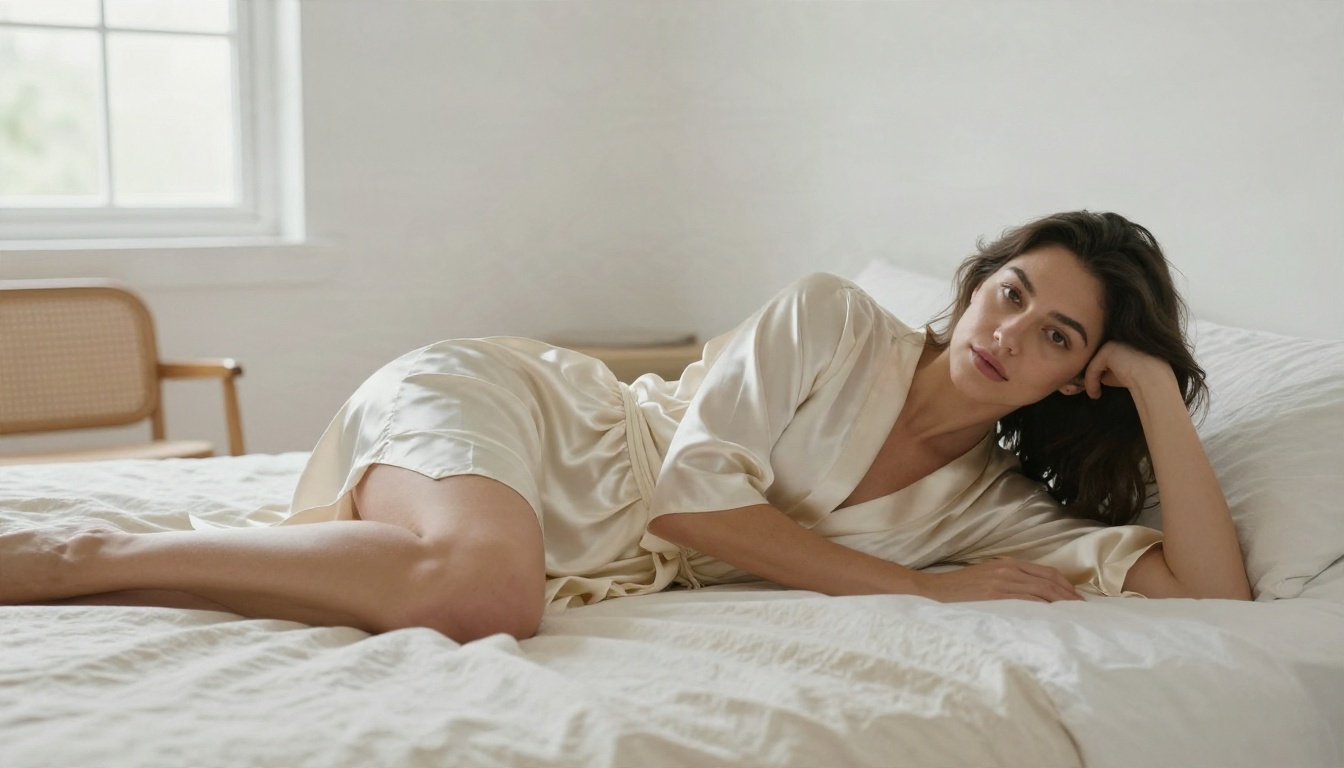
The reclining pose is the classic boudoir shape. It lengthens the body line and looks relaxed.
Adult woman reclining on her side on a cream linen bed in an ivory silk robe, one knee bent, head propped on her hand, soft confident gaze toward camera, bright minimalist loft bedroom, morning light from the left window, low angle at bed level, 50mm f/2 lens, visible skin texture, Kodak Portra 400 film grain.
Low camera height is the trick. It puts the viewer at the same level as the subject, which feels intimate rather than staged.
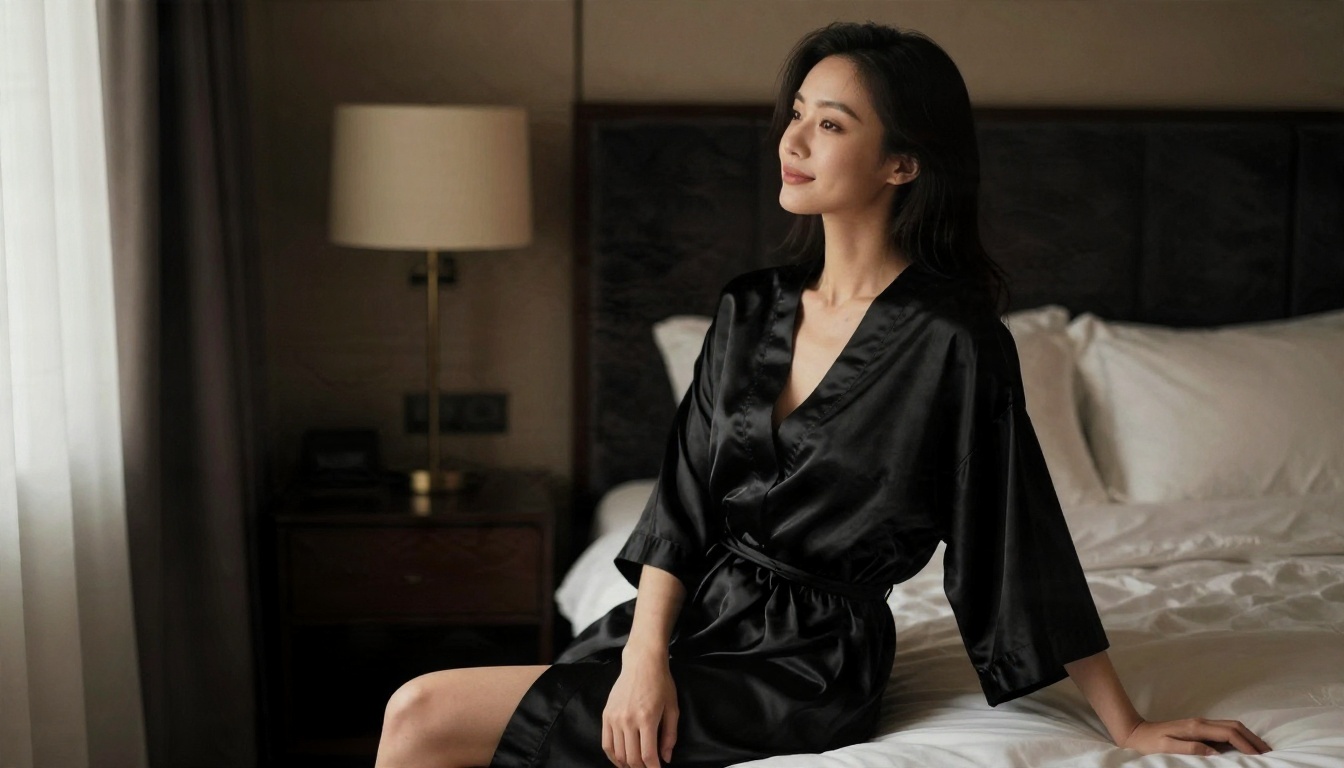
The over the shoulder look works because of what it hides. The back view, a turned head and a half smile suggest more than they show. A single warm light from one side makes soft shadows along the shoulder.
Adult woman in an elegant black satin robe seen from behind sitting on the edge of a bed, looking back over her shoulder with a soft smile, dark moody hotel room with velvet headboard, single warm window light from the left, 85mm f/1.8 lens, fine film grain.
Standing and Seated Poses
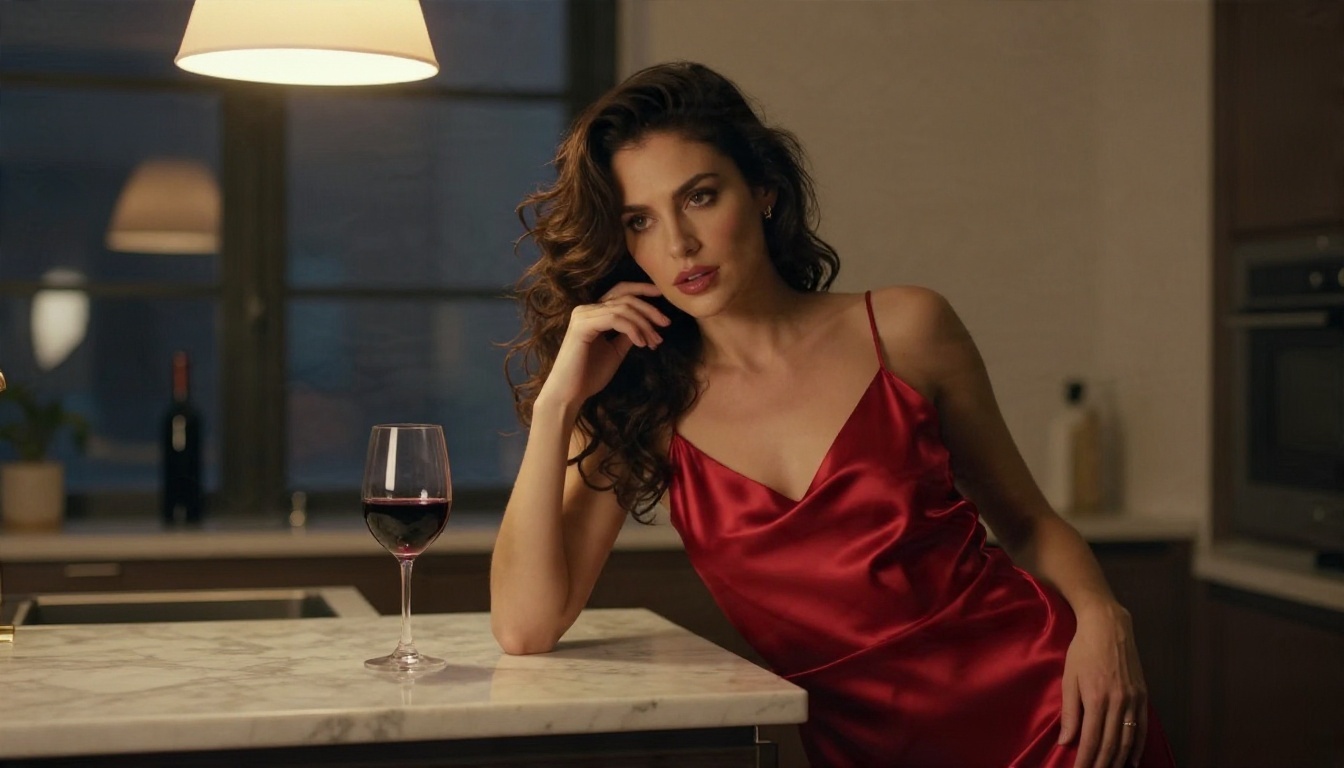
The lean gives a standing figure an easy, confident attitude. A counter, a doorframe or a wall carries the weight, so the body relaxes into an S curve. Add a prop such as a wine glass to give the hands something natural to do.
Adult woman in a red satin slip dress leaning against a marble kitchen counter at night, one hand in her hair, glass of red wine beside her, warm pendant light above, city glow behind, three quarter shot, 50mm f/1.4 lens, shallow depth of field, satin sheen.
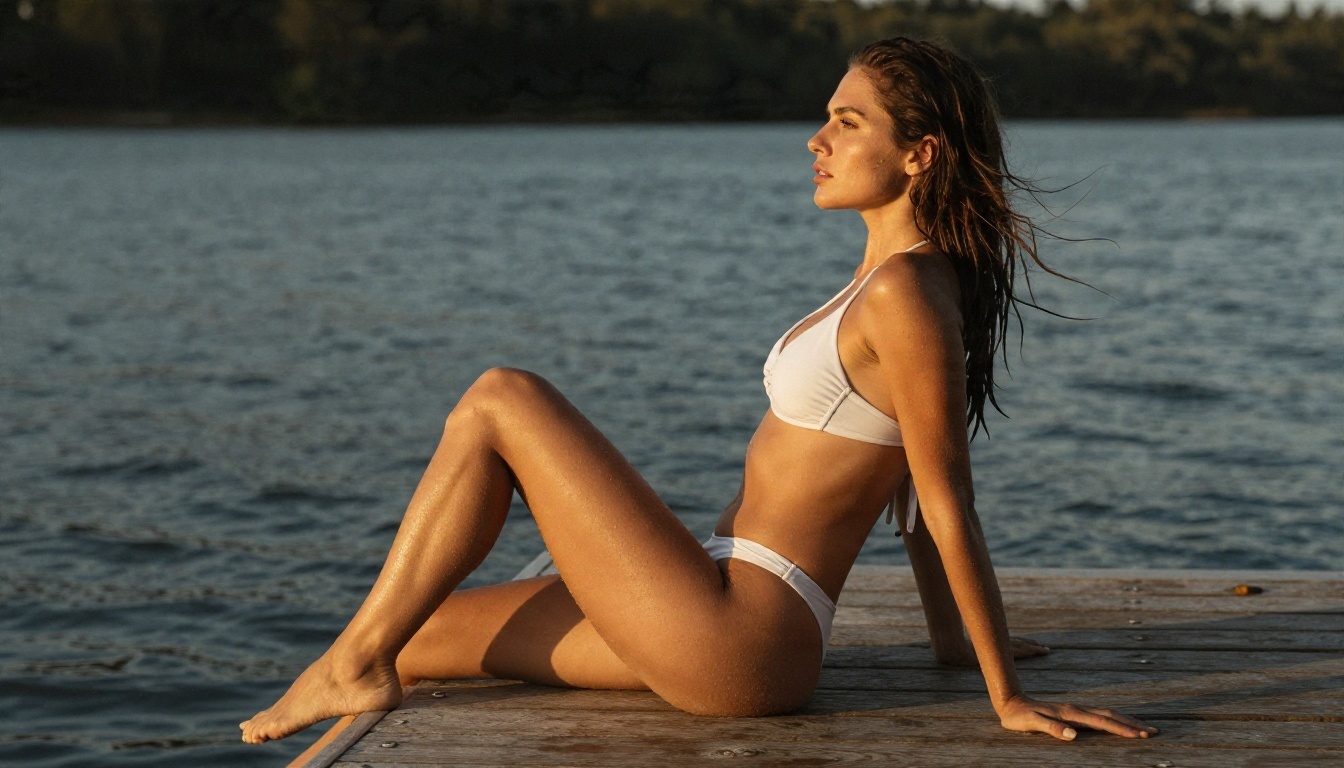
The seated knees up pose is a beach and poolside favorite. Drawn up knees keep the shape compact and flattering, and golden hour sun adds rim light along the shoulders and wet hair.
Adult woman in a white bikini sitting on a wooden dock at golden hour, knees drawn up, hair wet and windswept, calm lake behind, warm low sun from the right, side view, 70mm f/2.8 lens, water droplets on skin.
Couple Poses
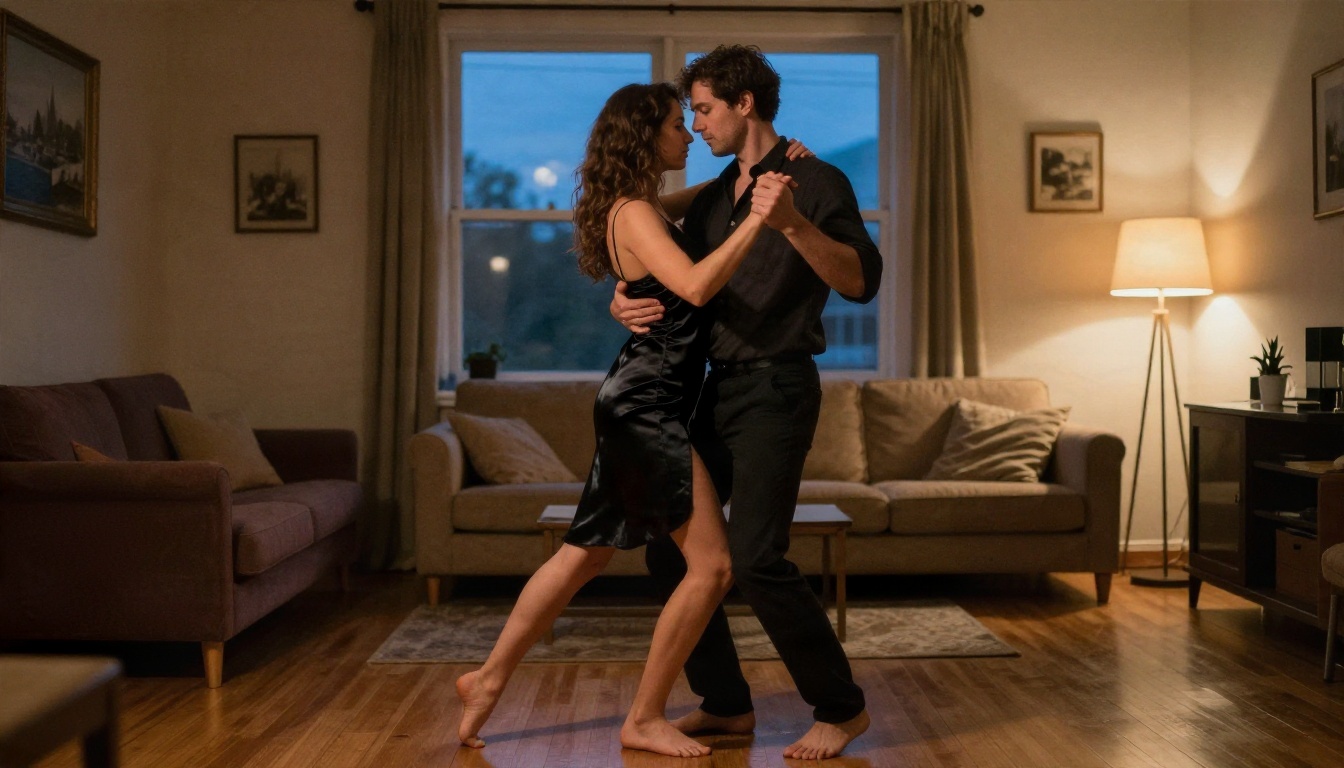
The slow dance is the easiest couple pose to get right. Arms around the neck and hands on the waist give the model a clear structure to follow. Mixed warm lamp light and cool dusk adds depth.
Adult couple slow dancing barefoot in a dim apartment living room at dusk, her arms around his neck, his hands on her waist, foreheads close, satin black slip dress, dark shirt, warm lamp light from the right, 35mm f/1.8 lens, shallow depth of field.
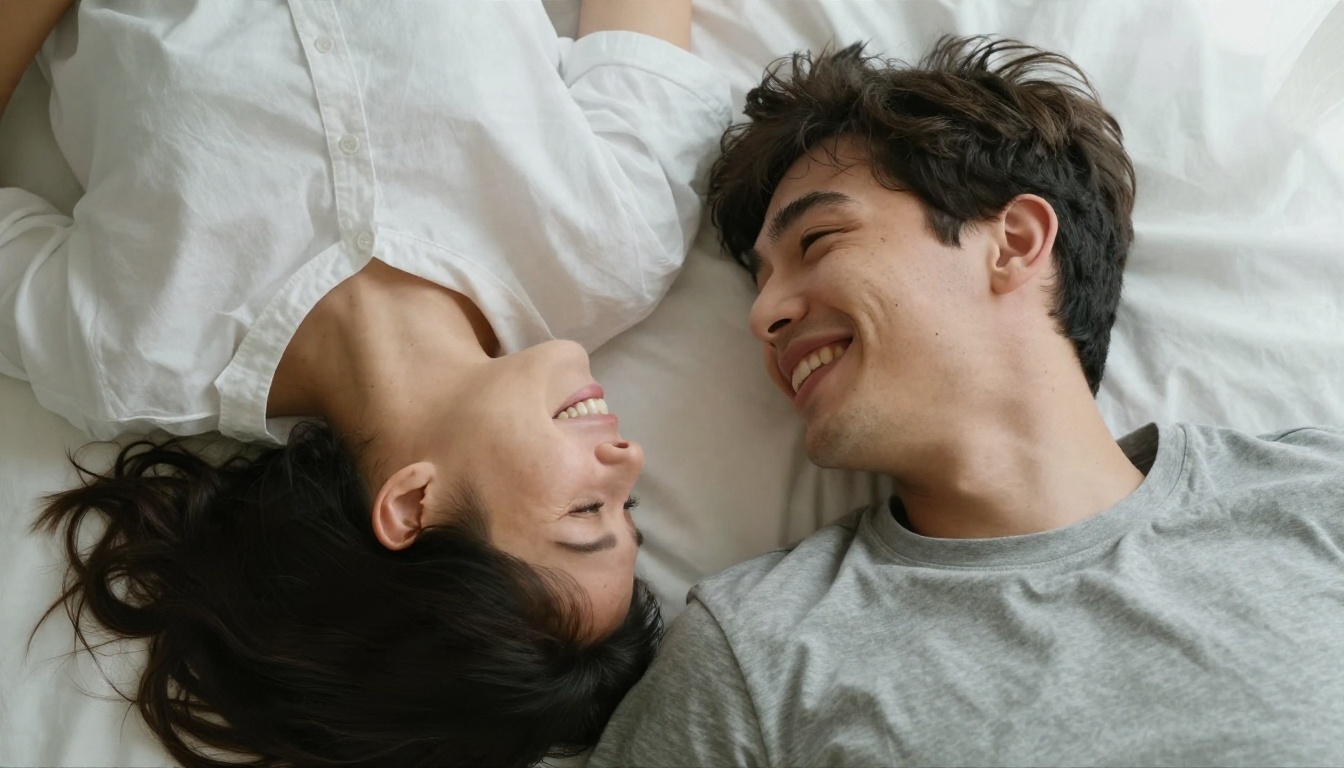
Face to face on the bed feels candid because the faces carry the picture. An overhead camera shows both people and the tangled sheets. Ask for laughter or a soft expression, not a stare. Natural emotion beats stiff posing every time.
Adult couple lying face to face on white bed sheets, laughing softly with noses almost touching, oversized white shirt, grey t-shirt, early morning light through sheer curtains, overhead high angle, 35mm f/2 lens, natural skin texture.
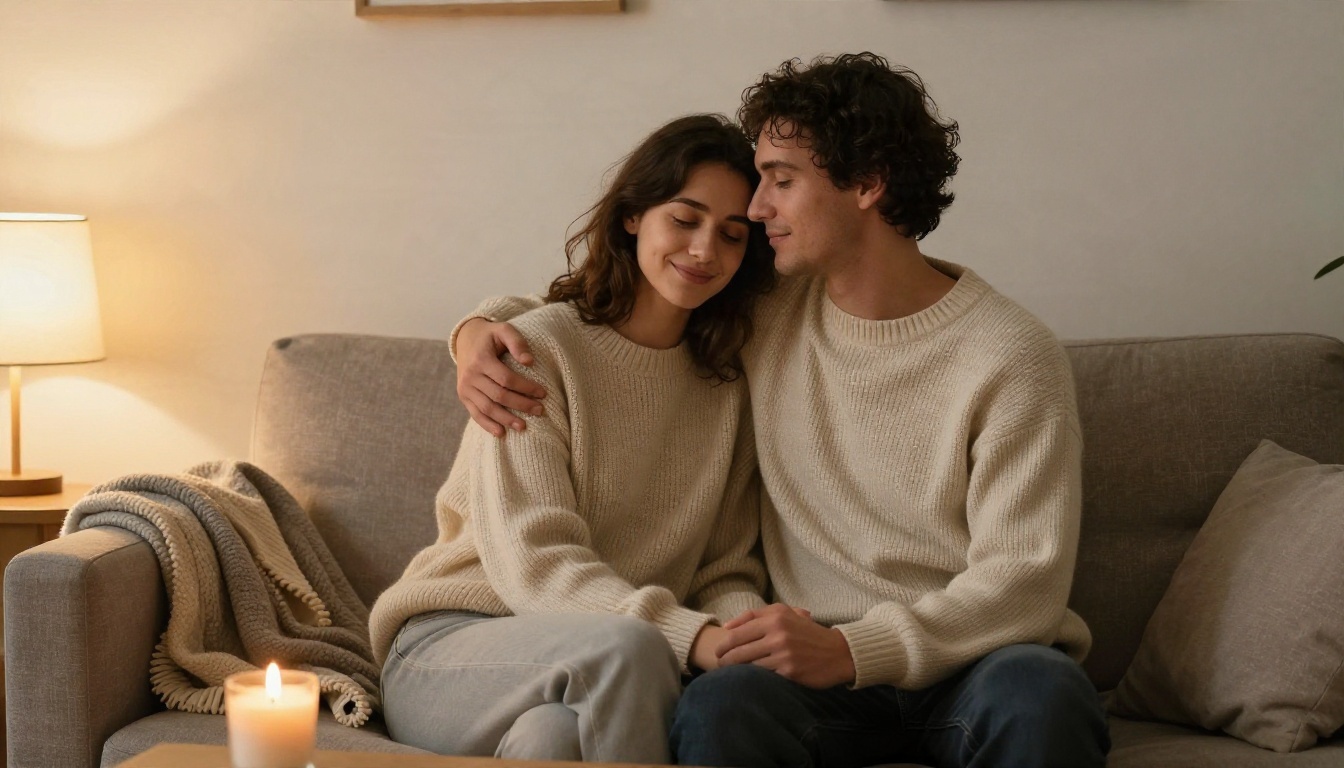
The lap and sofa pose shows closeness with clothes on. Knit sweaters, a blanket and a candle set a warm scene. This is a great base pose for anniversary cards and romance book covers.
Adult couple on a sofa in a cozy living room, she sits sideways across his lap with arms around his shoulders, soft knit sweaters, blanket and lit candle on the coffee table, warm lamp light from the left, 50mm f/1.8 lens.
Close Detail Shots
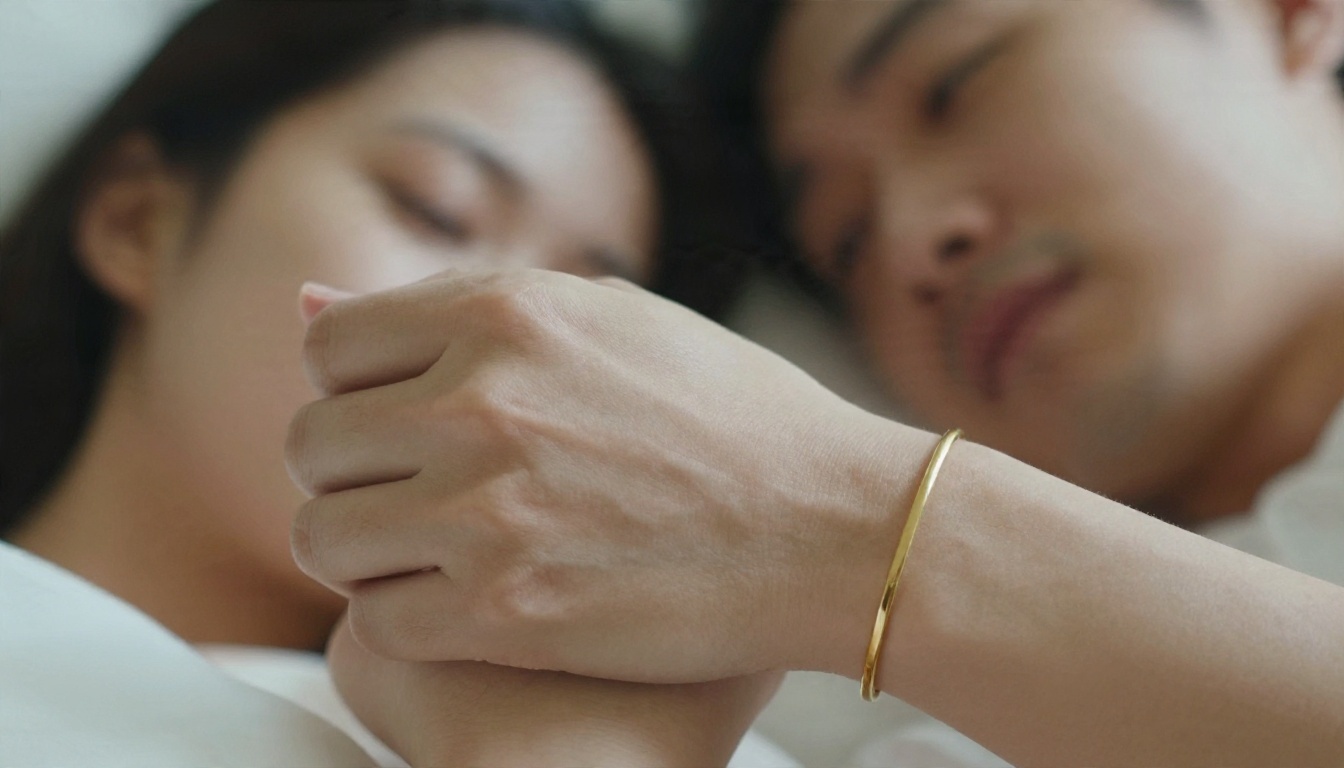
Intertwined hands tell the whole story without showing a single face. A macro lens, a shallow focus and a small accessory like a gold bracelet give you a photo that looks like it came from a wedding magazine. Hands are also where AI fails most often, so close shots are a good test of any model.
Close up of an adult couple's hands intertwined on a white pillow, his thumb tracing her wrist, thin gold bracelet, soft linen texture, faces blurred in the background, gentle morning light from the left, macro 100mm f/2.8 lens.
Refine Poses With Image Editor Pro
Generating from scratch is only half of the workflow. The other half is fixing what almost worked. PicassoIA Image Editor Pro lets you upload a picture and change it with plain language, and its unlimited generations mean you can try ten variations without watching a counter.
What to Fix First
- Hands and fingers. Ask the editor to "correct the hand so it has five natural fingers."
- Posture. Say "tilt the head slightly toward the left shoulder" or "relax the shoulders."
- Clothing. Swap a robe for a slip, or add a blanket, with one short instruction.
- Background. Replace a cluttered room with a clean bedroom or a sunset dock.
- Light. Request "warmer window light from the left" to fix a flat photo.
Nano Banana Pro is a good second editor when you want to keep the same person across several poses, and Qwen Image 3 Pro is worth a try when faces look a little too smooth in other models.
💡 Tip: Change one thing per edit. Stacking five instructions in one request usually breaks the pose you were trying to save.
Common Mistakes and Quick Fixes
| Mistake | What happens | Fix |
|---|
| Vague prompt like "sexy pose" | Generic, stiff result | Describe the exact body position |
| No clothing described | Random outfit, odd fabric | Name the garment and material |
| Too many people or props | Merged limbs, extra fingers | One or two subjects, one prop |
| Missing light direction | Flat, plastic skin | Add "window light from the left" |
| Stylized words | Illustrated look | Use film and lens language |
| Asking for everything at once | Contradictions | Build the prompt in layers |
Two more habits help. First, generate four or five variations and pick the best, since even strong models have off days. Second, upscale the winner. A 2x or 4x super resolution pass sharpens eyelashes, fabric weave and skin, and it takes seconds.
Safety, Consent and House Rules
Good tools come with simple rules, and following them keeps your work safe and legal.
- Adults only. Every prompt should describe adult subjects. Never create images that suggest anyone under 18.
- No real people without consent. Do not generate or edit images of an actual person, such as a coworker, an ex or a celebrity, unless they have clearly agreed.
- Keep it non-explicit when you publish. Many platforms and ad networks restrict sexual content, and suggestive images are far easier to share.
- Label AI images. If you post one, say it is AI generated.
- Store private images privately. Treat a personal collection like any other sensitive file.
Models differ in how they treat adult themes, and some will refuse a request outright. If a tool blocks a prompt, adjust the clothing, the framing or the wording rather than fighting it. Robes, slips, swimwear and fully clothed couple scenes usually pass without trouble and often look better.
Start Creating Your Own Poses
You now have a prompt formula, eight example prompts, a model shortlist and a repair workflow. The fastest way to get better is to run your own tests. Pick one pose from this article, paste the prompt into Seedream 4.5, and change a single detail: the light, the outfit or the room. Then take your favorite result into PicassoIA Image Editor Pro and refine the hands and posture with unlimited tries.
Picasso IA puts all of these models in one place, so you can compare them side by side with the same prompt and see which one fits your taste. Browse the full catalog at picassoia.com/en/all-models, open a model, and make your first pose image today.


