Most people searching for a sexting AI app want three answers fast: which ones cost nothing, which ones are worth paying for, and why the chat sometimes goes cold the moment things get flirty. This article answers all three without the affiliate sales pitch. You will see what "free" really means on these apps, how the main types compare, which prompts get better replies, and where filters, message caps and privacy risks show up. I also cover how to pair a chat with tasteful AI-generated glamour images, since that is where many people end up after the first week.
💡 Quick take: Free plans exist, but they are trials more often than real plans. Expect daily message caps, blurred or locked images, and filters that tighten or loosen depending on the app. Check each app's current terms before you pay, because prices and limits change often.
What a Sexting AI App Is
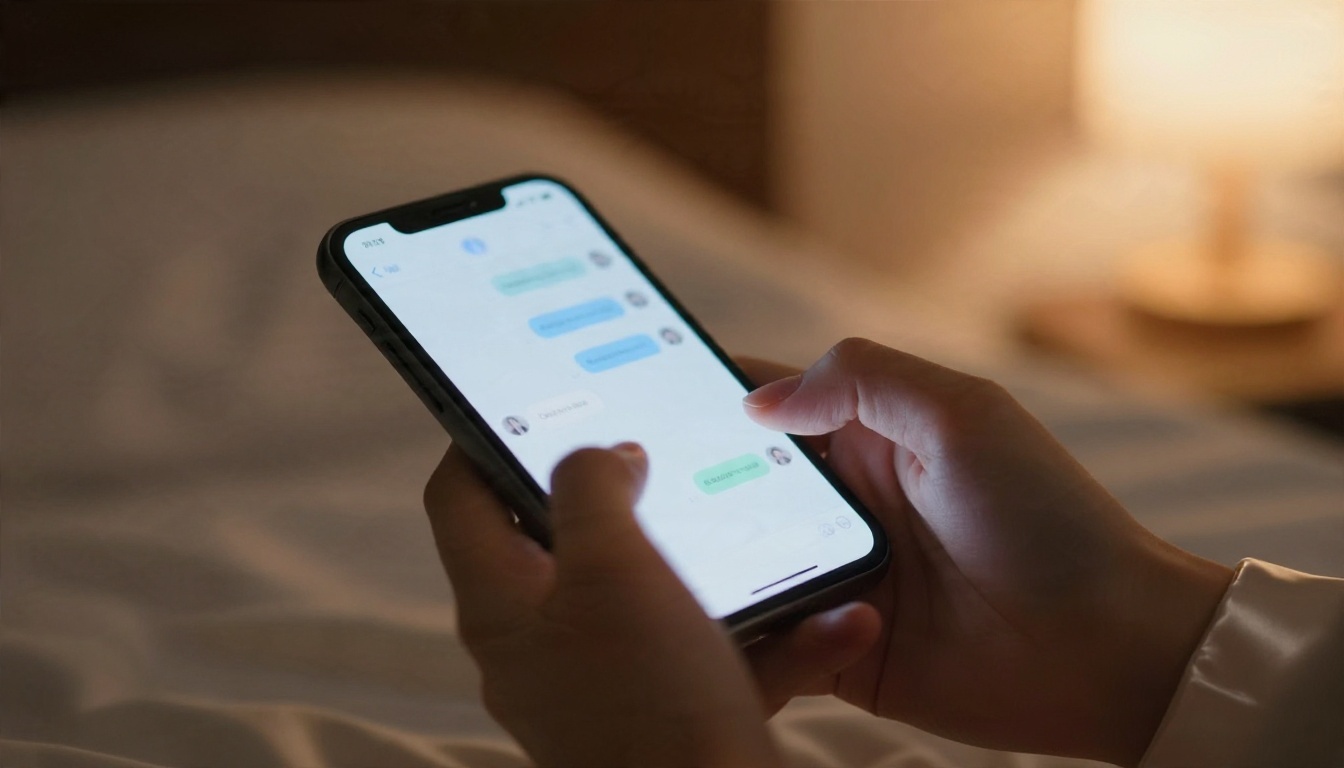
A sexting AI app is a chat product where a language model plays a flirty, romantic or suggestive partner. You type, it replies in character, and the best ones remember your name, your running jokes and the mood of the last conversation. Some add voice notes, photos or video calls. Others stay purely text.
How the Chat Works
Behind the curtain sits a large language model with a hidden instruction block called a system prompt. That block tells the model who it is, how it speaks and what it should refuse. The app then feeds in a rolling window of your recent messages plus a short memory summary. When the app "forgets" something you said last week, it usually means that detail fell out of the window or never made it into the summary.
Three things decide how good a conversation feels:
- Model quality: how natural, witty and consistent the replies are.
- Memory: whether the character recalls details after hours or days.
- Filter strictness: what the app allows before it changes the subject or refuses.
Who Uses Them and Why
The audience is broader than headlines suggest. Some adults want low-pressure flirting practice. Others want a private creative outlet for romance fiction. People in long-distance relationships sometimes use a bot to rehearse tone before a real conversation. A large group just wants company late at night with no judgment attached.

None of that needs to be embarrassing. It does need clear eyes about what the product is: software run by a company, with a business model and data policies.
Free Options That Actually Work
Searching "free sexting AI" brings up dozens of lists, and nearly all of them carry affiliate links. The numbers they quote often contradict each other. One review says a popular companion app gives about five free messages, another says you hit the cap after roughly fifteen minutes, and a third calls the free tier a trial rather than a plan. Treat any single figure as a snapshot, not a promise.
What "Free" Usually Means
Free access on these apps tends to fall into four patterns:
- Short trial: a handful of messages, then a paywall.
- Daily cap: a fixed number of messages per day that resets at midnight.
- Slow lane: unlimited messages, but longer waits, shorter memory or a weaker model.
- Filtered free, spicy paid: open chat on the free plan, with adult content reserved for subscribers.

Limits You Will Hit
Even paying users run into ceilings. These are the ones that show up most:
| Limit | What it looks like | How to work around it |
|---|
| Daily message cap | "Come back tomorrow" banner | Spread chats across the day, write longer messages |
| Memory window | Character forgets earlier details | Restate key facts every so often in your own words |
| Image locks | Blurred previews until you pay | Generate your own visuals separately |
| Filter refusals | Topic change or a polite "I can't" | Reword toward mood and tone, not explicit detail |
| Slow replies | Queue on the free plan | Use off-peak hours |
💡 Tip: If a free plan only gives you a few messages, spend them on a long, detailed first message. A rich opener tells the character more about you than ten short ones.
Best Picks by Use Case
I am not going to hand you a fake ranking with invented star ratings. The apps change their policies too quickly, and the review ecosystem is too compromised. What I can give you is a sorting method that holds up: pick by what you want from the conversation.

Best for Flirty Banter
If you want playful, light flirting with personality, look at mainstream companion apps. Replika is the long-running name here. Reviews report that it removed erotic roleplay in 2023, keeping a legacy mode only for older accounts, and that romance on its paid tier stays filtered. That makes it better for warmth and conversation than for anything steamy.
Character.AI sits at the stricter end. Reviewers consistently describe it as having the tightest filters among the big names, so it suits creative roleplay and fictional characters rather than suggestive chat.
Best for Roleplay Depth
Apps built around adult or unrestricted roleplay, such as Candy AI, CrushOn AI, SpicyChat and Nectar, are the ones people usually mean when they say "sexting AI app." Reviews describe them as more permissive, typically on paid tiers, with character libraries and custom persona builders. SpicyChat is reported by one source to have no daily cap on its free tier, but that comes from a single review, so check before you count on it. CrushOn is reported to put daily caps on free accounts.

Best for Visuals
Many apps bolt on image generation, but quality is uneven and the best pictures sit behind paywalls. A more flexible route is to keep the chat in one place and make images in a dedicated generator, which I cover below.
| If you want | Look for | Watch out for |
|---|
| Light flirting and warmth | Mainstream companion apps | Filters that cut off romance |
| Adult roleplay | Apps built for unrestricted chat | Paywalls and daily caps |
| Custom characters | Persona builders and long memory | Memory that fades after a few days |
| Photos of your character | Dedicated image generators | Locked previews inside chat apps |
| Privacy | Clear data deletion and no required real name | Vague policies and ad trackers |
Prompts That Get Better Replies
Most disappointing chats come from thin prompts. A model fills empty space with generic romance filler. Give it specifics and it responds with personality. These prompts work as starting points on most apps, and you can adapt them to the tone of your choice.

Persona Prompts
A persona prompt sets voice, history and boundaries in one message. Try something like:
"You are Mara, a 29-year-old photographer who is dry, teasing and a little shy at first. You warm up slowly. You remember details I tell you and bring them up later. Keep replies to two or three sentences and end with a question or a tease. Stay in character and never mention being an AI unless I ask."
Why it works: it gives the model a voice, a pace and a length limit. Short replies feel more like real texting than long paragraphs.
A few variations worth testing:
- The slow burn: "Build tension over several messages. Do not rush. Hint, do not state."
- The playful rival: "Tease me about my taste in music and challenge me to defend it."
- The long-distance partner: "We have not seen each other in three weeks. Talk like someone who misses me but is trying to be funny about it."
Pacing and Boundary Prompts
Two kinds of prompt save a lot of frustration. The first controls pace: "Follow my lead on how fast we go. If I keep it light, you keep it light." The second sets your own limits: "If I say 'pause,' switch to casual conversation immediately." Setting these at the start means you stay in control instead of fighting the character's defaults.
💡 Tip: Restate your persona instructions every twenty or thirty messages. Memory windows are short, and a quick reminder keeps the tone steady.
You can also use a general-purpose assistant to draft and polish your persona prompts before pasting them into a companion app. GPT 5.6 Luna is built for fast replies, Gemini 3.5 Flash handles quick drafts well, and Claude Sonnet 5 is strong at consistent voice. These models carry their own safety rules, so use them for tone, character backstories and flirty-but-clean banter rather than explicit material.
Limits, Filters and Privacy
This is the part the review sites skip, because it does not sell subscriptions.
Filters Change Without Notice
Companies adjust content rules often, sometimes overnight. Replika's 2023 change is the best-known example: users who had built months of romantic history found the character suddenly distant. The lesson is practical. Do not invest emotionally or financially in a single app's current rules. Keep your persona prompts saved somewhere you control so you can move them.
Filters also differ by region and by payment tier, so a friend's experience may not match yours.
Privacy Is Not Optional
Sexting chats are among the most sensitive data you can produce. Before you type anything personal, check:
- Data retention: can you delete your chat history and account fully?
- Training use: does the company use your conversations to train models?
- Account links: does it need your real name, phone number or social login?
- Payment trail: will the charge on your statement make you uncomfortable?
- Image uploads: never upload photos of real people without their consent, and never upload anyone under 18, ever.
Use a separate email address, skip your real name, and avoid sharing your location, workplace or face photos. Treat every chat as something that could leak.
Age and Consent
These apps are for adults only. Responsible ones require age confirmation, and you should avoid any app that does not. Likewise, creating sexual images of real people without consent is harmful, and in many places illegal. Keep your characters fictional or your own likeness.
Pair Chat With AI Images
Many people want a face and a look for their character, and that is where a dedicated image generator beats the locked previews inside chat apps. On PicassoIA you can build glamour and boudoir-style visuals that stay suggestive and attractive without being explicit. Think silk robes, bikinis, golden-hour portraits and moody bedroom lighting.

Start With Seedream 4.5
Seedream 4.5 is where I would begin for adult-leaning glamour work. It handles skin texture, fabric sheen and natural light well, and it is quick enough that you can iterate on a look in minutes. Here is a reliable workflow:
- Describe the person first: age range, hair, expression, clothing.
- Add the setting: bedroom, balcony, poolside, hotel suite.
- Name the light: "golden hour from the left," "warm lamp light," "soft window light."
- Pick the lens: "85mm f/1.8 shallow depth of field" gives that portrait look.
- Keep it tasteful: suggestive styling and mood, not explicit detail.
- Reuse the description: paste the same character description each time so the face stays consistent across images.
Edit and Refine With Image Editor Pro
Once you have a base image, PicassoIA Image Editor Pro lets you adjust outfits, backgrounds and lighting without starting over. It is positioned as an unlimited photo editor, which matters when you are iterating on a character look and do not want to count credits. Try small, single-change edits: swap a robe color, change the room, soften the lighting.

Other Models Worth Testing
If you want a different look, a few more image models on the platform are worth a try:
Each model has its own content rules and strengths, so run the same prompt through two or three and compare. Browse the full lineup at picassoia.com/en/all-models.
Red Flags Before You Pay
A few warning signs show up again and again. Walk away, or at least pause, if you see any of these:
- A "free" plan that needs a card up front, with a trial that auto-renews at a high price.
- No clear way to cancel, or cancellation only by email.
- Vague privacy terms, or no mention of deleting data.
- No age verification at all.
- Fake urgency, such as countdown timers on a discount that never ends.
- Review pages with identical wording across many "independent" sites, which usually signals paid placement.
💡 Tip: Pay monthly, not annually, for your first subscription. If the filters shift or the model gets worse, you lose a few dollars instead of a year of fees.
A quick sanity check also helps: ask yourself what you want from the app after the novelty fades. If the answer is steady conversation and a character that remembers you, memory quality matters more than any photo feature. If the answer is visuals, a separate image tool will give you more control for less money.
Make Your Own Visuals Today
A sexting AI app handles the conversation, but the look of your character is entirely up to you. Start by writing a short persona for the chat, then build a face and a wardrobe for that persona with Seedream 4.5. Refine the best result in PicassoIA Image Editor Pro, where you can edit without a tight generation limit. Draft your chat prompts with a model like GPT 5.6 Luna, then take them wherever you like.
Pick one scene from this article, a silk robe by the window, a balcony at dusk or a poolside afternoon, and recreate it with your own character on Picasso IA. Try three prompts, change one detail each time, and see how much the light alone changes the mood. When you want more options, the full model list is waiting at picassoia.com/en/all-models.


