Type "woman in a bikini on a beach" into a weak image generator and you get plastic skin, melted fingers and a sunset that looks like a screensaver. Type the same idea into the right model with the right prompt and you get something that could run in a swimwear magazine. The gap between those two results is not luck. It comes down to model choice, prompt structure and a handful of settings, and all three are easy to copy once you see them laid out.
This article shows what a sexy bikini AI image generator can really do in 2027, which models handle swimwear best, ten photorealistic examples with the prompt logic behind each, and a tested workflow you can follow on PicassoIA. Everything here stays on the suggestive, glamorous side: bikinis, sun, water and style, never explicit.
What a Bikini AI Generator Does
A bikini AI generator is a text to image model that turns a written description into a photograph-style picture. You describe the swimwear, the pose, the place and the light. The model builds the frame in seconds. No studio, no travel budget, no model booking.
People use these tools for very practical reasons:
- Swimwear brands mock up campaigns before a single sample is sewn.
- Content creators build consistent beach and travel visuals for social feeds.
- Fashion bloggers test colors, cuts and settings before buying or shooting.
- Hobbyists simply enjoy making beautiful summer imagery on demand.
💡 Quick reality check: the better the model, the less you need to write. A strong model such as Seedream 4.5 turns a clear 60 word prompt into a clean photo. A weak one needs a 200 word prompt full of negative terms and still fumbles the hands.
Why Photorealism Is the Goal
Swimwear photos are unforgiving. Skin is on show, so every texture matters: pores, sheen, tan lines, wet fabric, sand grains. Cartoon or glossy "digital art" output looks cheap here. The prompts in this article all aim at RAW photography with natural light and film grain, because that is what makes the result believable.
Best Free Bikini AI Models
Not every generator is equal for this subject. Swimwear needs three things: believable skin, correct anatomy and fabric that clings and folds like real fabric. Here are the models I would test first, in the order I would try them.
Seedream 4.5 for Final Images
Seedream 4.5 is the model I reach for when the image has to look finished. It follows long prompts closely, keeps hands and faces stable and renders water, wet hair and fabric texture with little effort. If you only try one model from this list, try this one.
Image Editor Pro for Unlimited Tries
The honest truth about AI images is that you rarely nail it on the first generation. You iterate. PicassoIA Image Editor Pro gives you unlimited generations, so you can run twenty variations of one pose without watching a counter. It also edits: swap a bikini color, change the background or adjust the light on an image you already like.
Fast Drafts With Z Image Turbo
Z Image Turbo is built for speed. Use it to test five prompt ideas in a minute, pick the strongest composition, then rebuild that prompt in Seedream 4.5 for the final render.
Ten Real Examples and Their Prompts
Below are ten images made for this article. Each one uses a different angle, distance and light, so you can see how the same subject changes with the prompt. Every subject is an adult, every frame is tasteful, and none of it needs a single negative-prompt trick.
Golden Hour on the Coast

Prompt logic: subject and action first (walking, looking back over the shoulder), then the setting (Mediterranean beach, limestone headland), then the light (low sun behind and left for a warm rim), then the camera (85mm f/1.8, eye level, Kodak Portra 400 grain). The detail that sells it is the skin note: fine pores, freckles, a soft sheen of sea water. Tell the model the skin is real and it stops airbrushing.
Whitewashed Wall Portrait
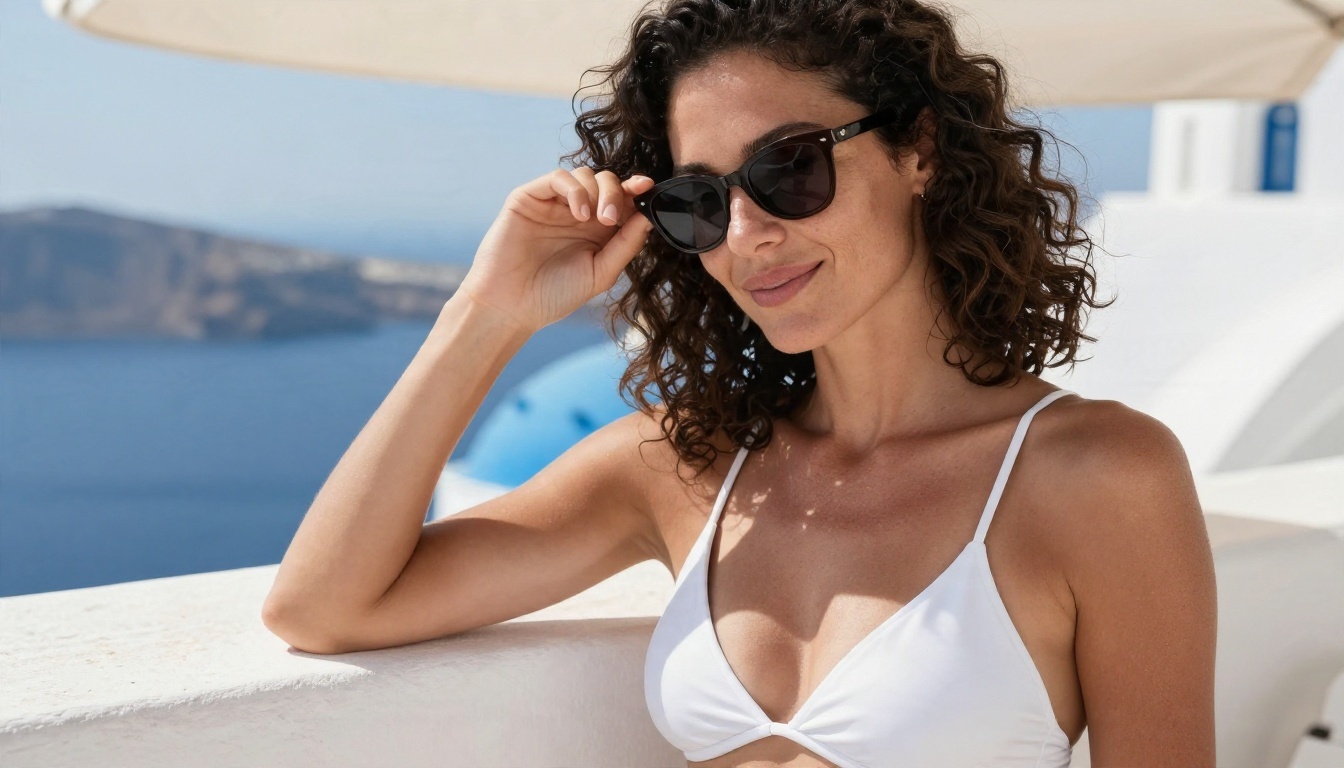
A close-up works when you want the face and tone to carry the image. Open shade is the trick here. Harsh midday sun creates dark eye sockets and blown highlights, so the prompt asks for bright light softened by an overhang. Add "sunglasses pushed into hair" and you get a natural pose with no effort.
Low Angle in the Shallows
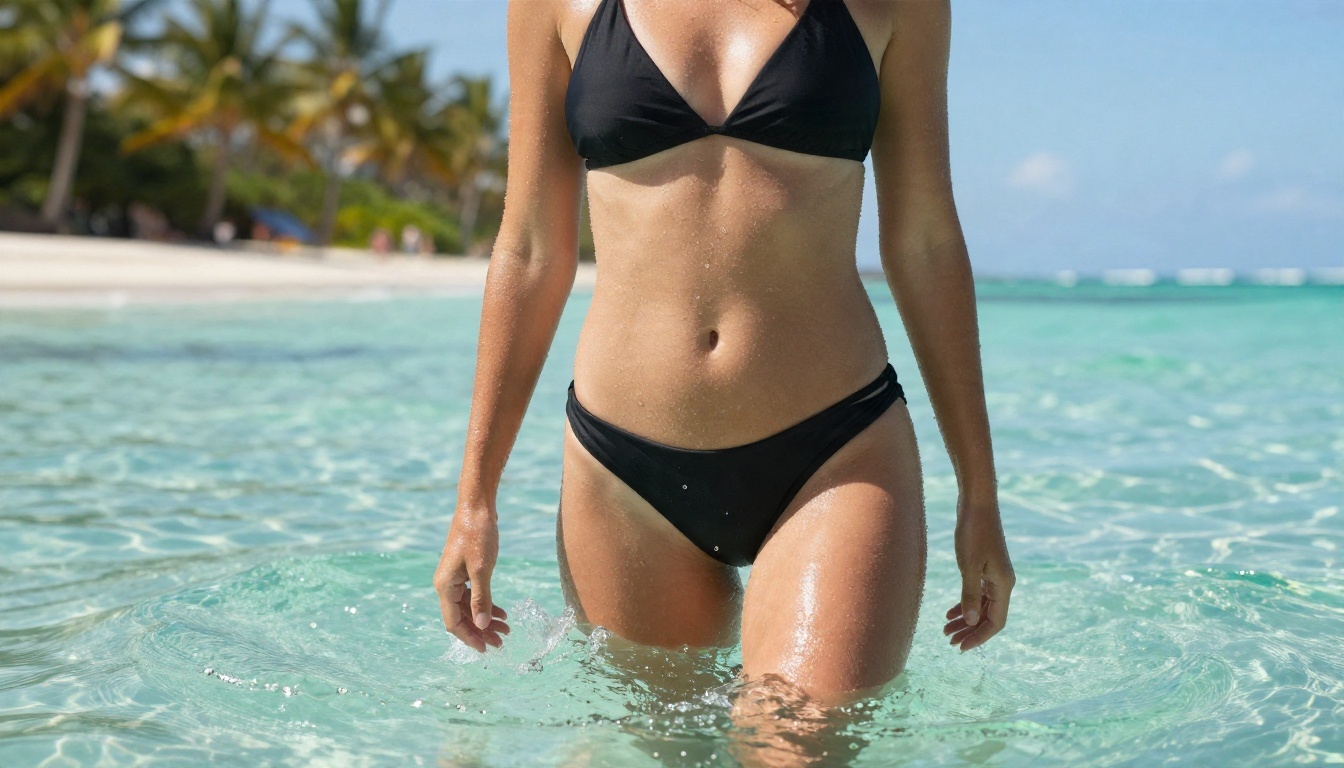
Shooting from water level makes the subject look tall and confident, and it fills the background with sky and palms. Water droplets on skin are a great realism cue because they catch light in tiny highlights. Ask for them by name: "droplets running down her arms".
Top-Down Towel Scene
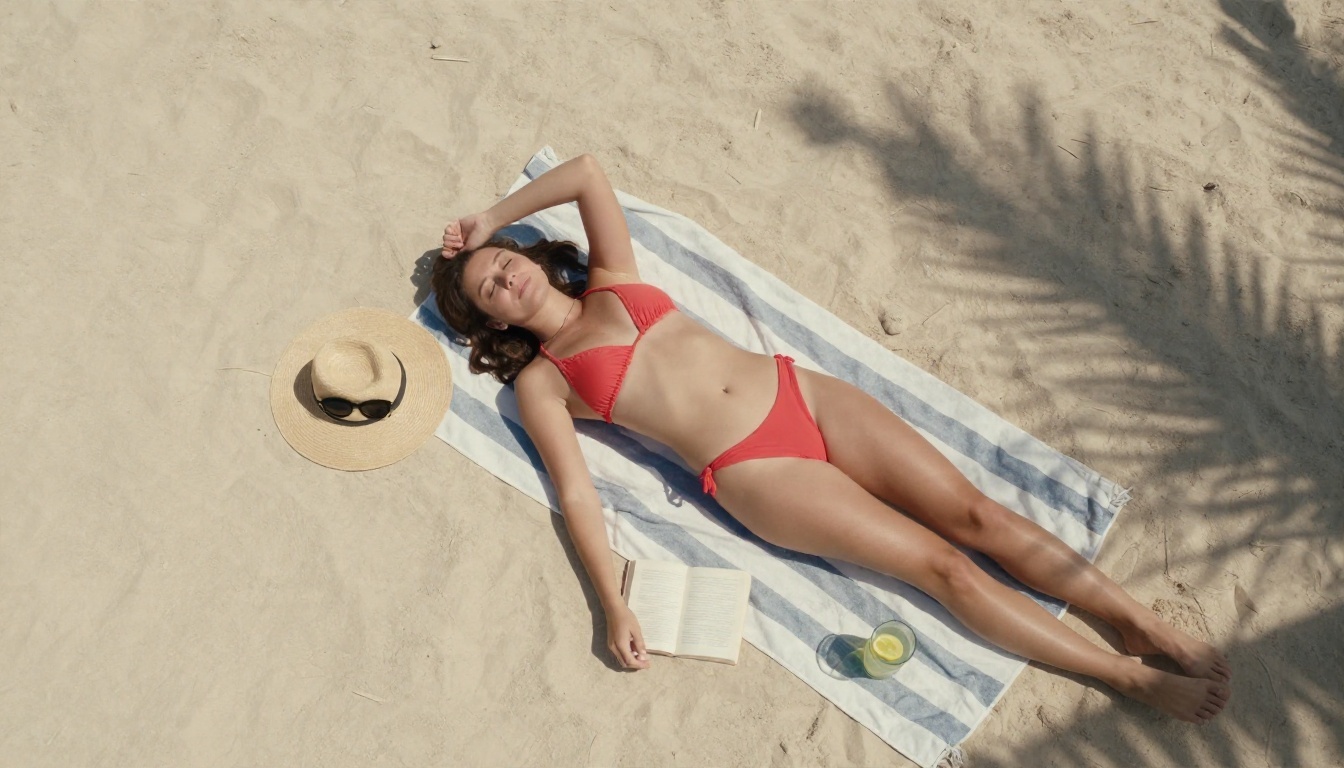
Aerial and flat-lay framing is perfect for lifestyle brands. Props do the storytelling: a straw hat, sunglasses, a paperback, a lemonade. List the props one by one and the model places them cleanly. Palm shadows across the frame add depth without any extra effort.
On the Sailboat Deck
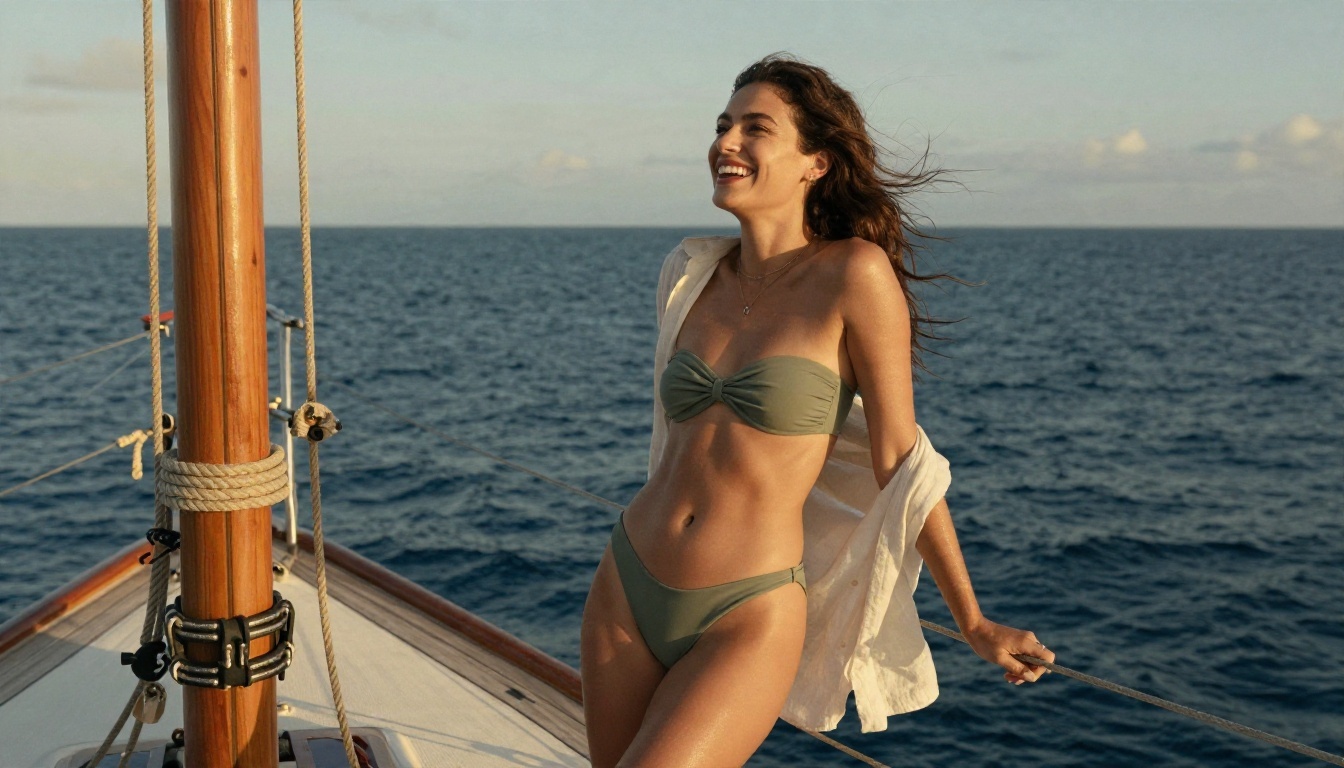
Layering an open linen shirt over a bikini gives the image variety in texture. Rope, teak and linen against smooth skin makes the frame feel richer. This is a good pattern for travel content: swimwear plus one contrasting fabric.
Infinity Pool Morning
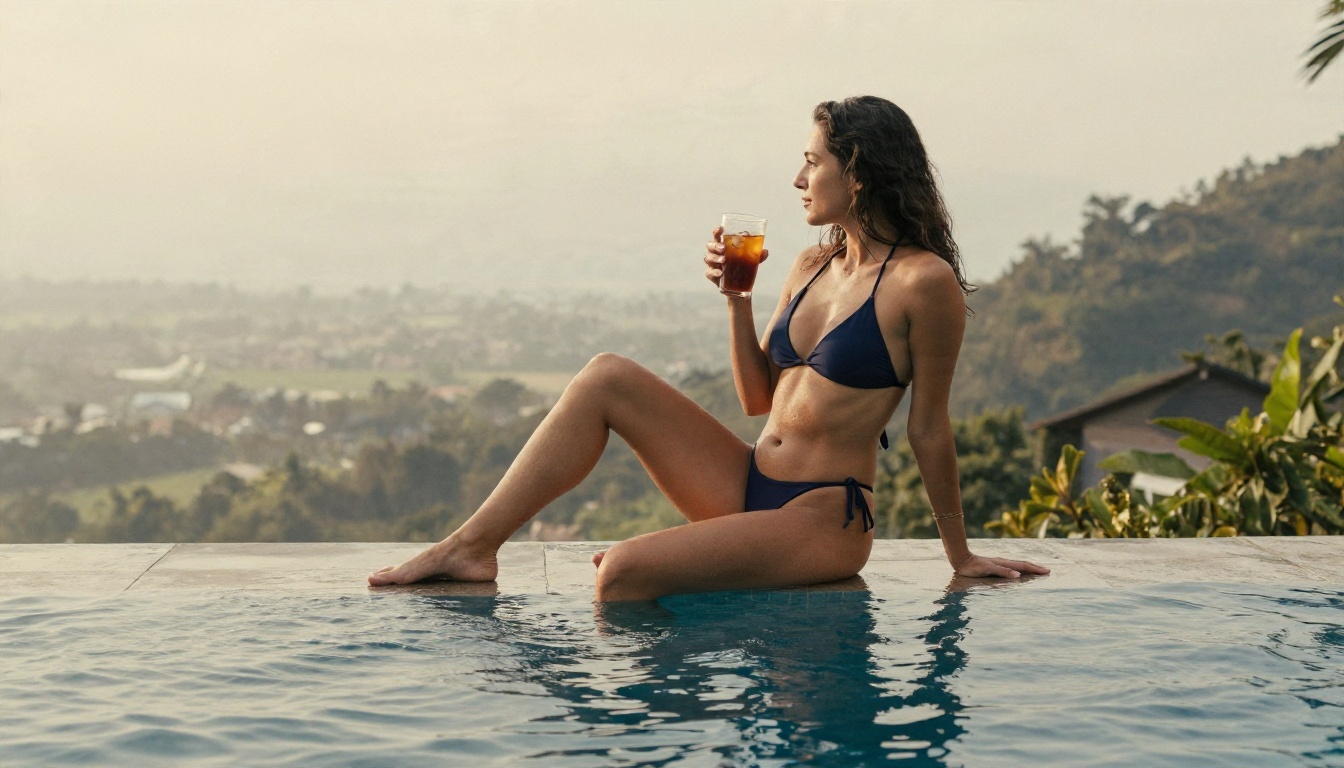
Not every bikini image needs blazing sun. Soft overcast light flatters skin and keeps colors calm, which suits resort and villa marketing. A medium distance side view at 70mm also keeps proportions natural, since long lenses avoid the stretched look that wide lenses can add.
Tide Pool Close Framing
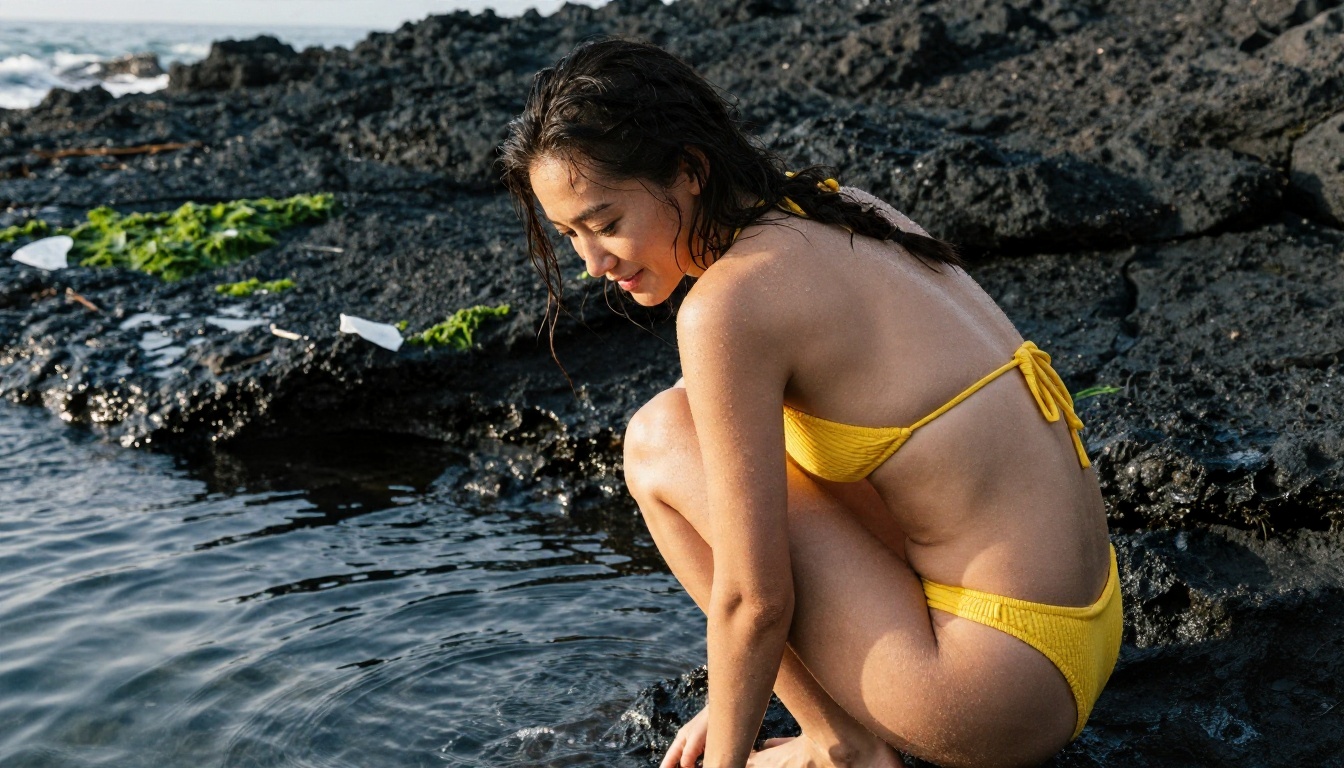
Texture contrast is the whole idea here: smooth ribbed fabric, wet black rock, green algae, tiny water beads on skin. Backlight from a low sun draws a thin glowing edge around the shoulders. Write "thin rim light" and keep the rest of the prompt grounded, so you get a photographic edge and not a glowing effect.
Blue Hour Walk
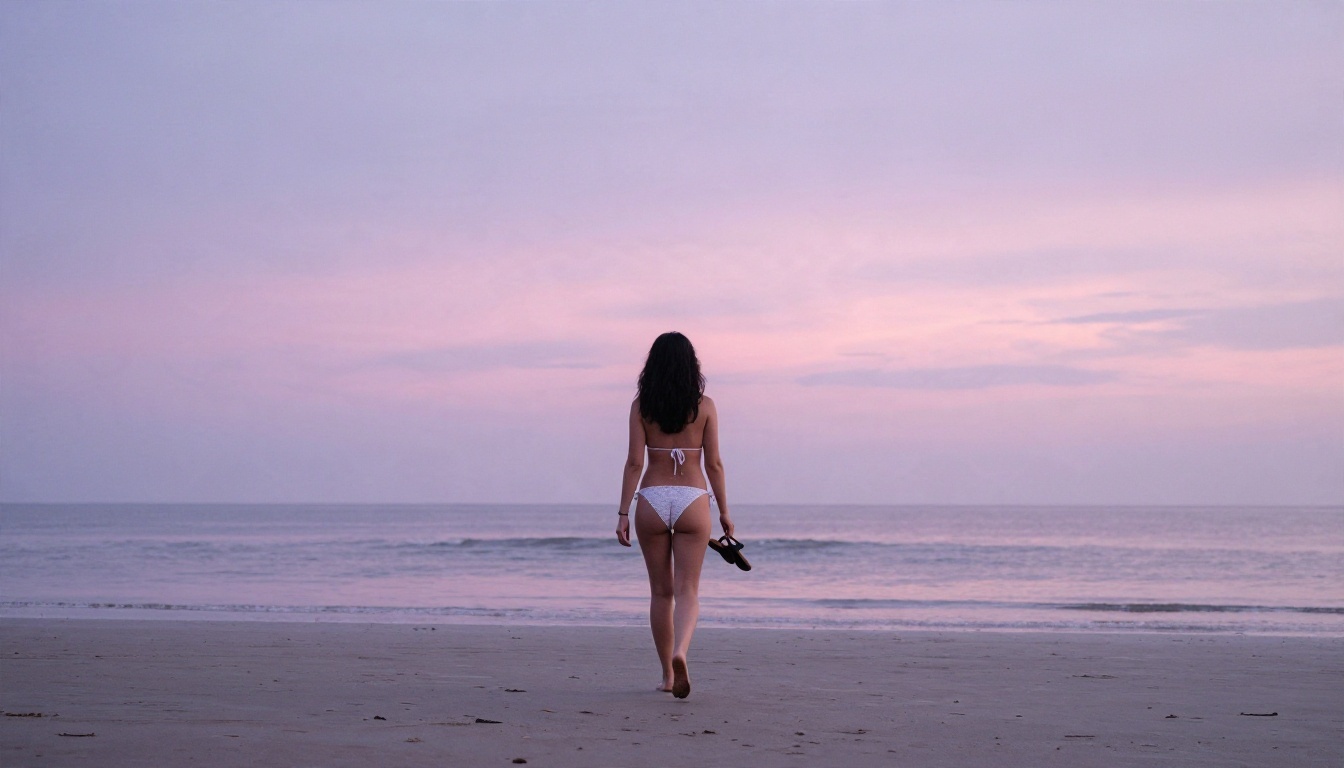
A wide shot from behind keeps the mood quiet and cinematic. Pastel sky, mirrored wet sand and a small figure give the picture scale. This is the one to use for hero banners, because the empty sky leaves room for text on top.
Beach Shower Moment
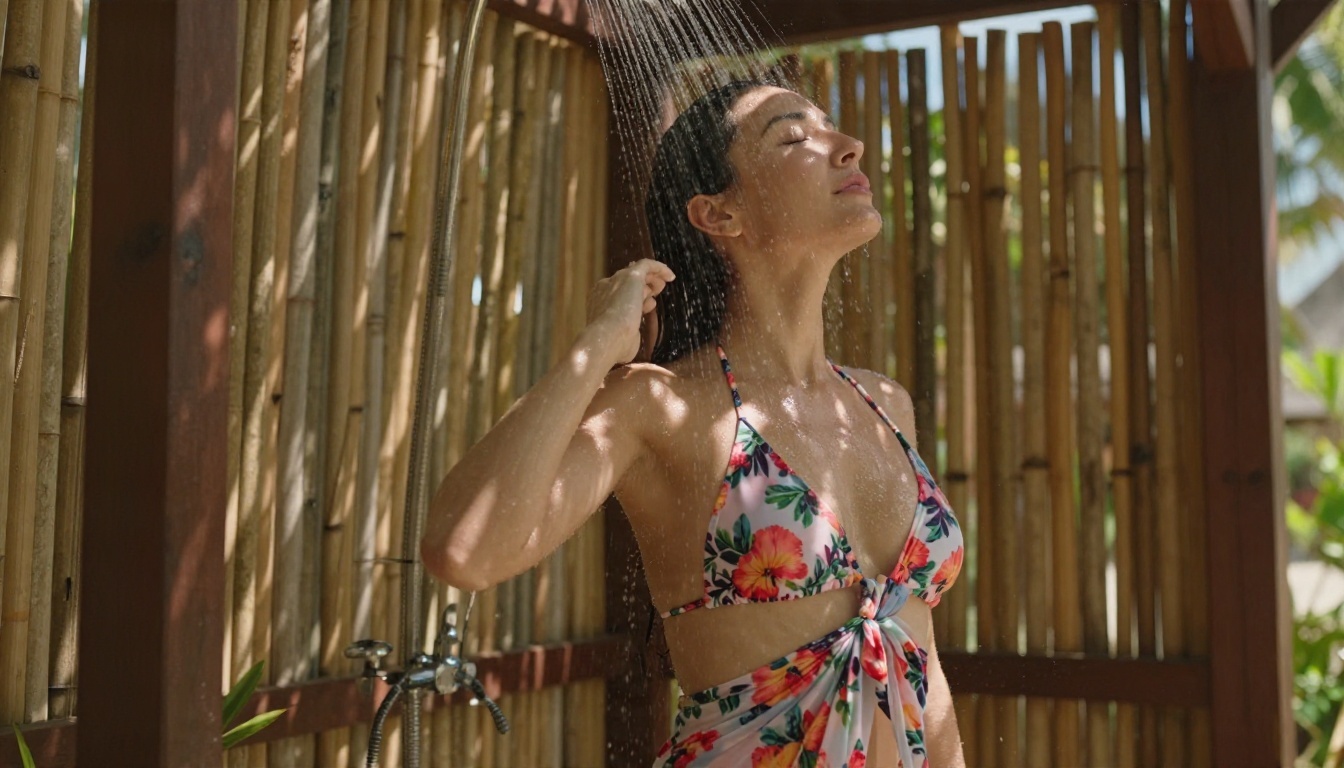
Wet fabric, streaming water and dappled light through bamboo slats test a model hard. Seedream 4.5 handles it well. If a weaker model blurs the water into a smear, shorten the prompt and describe only one water source: "water streaming over her hair".
Resort Daybed at Sunset
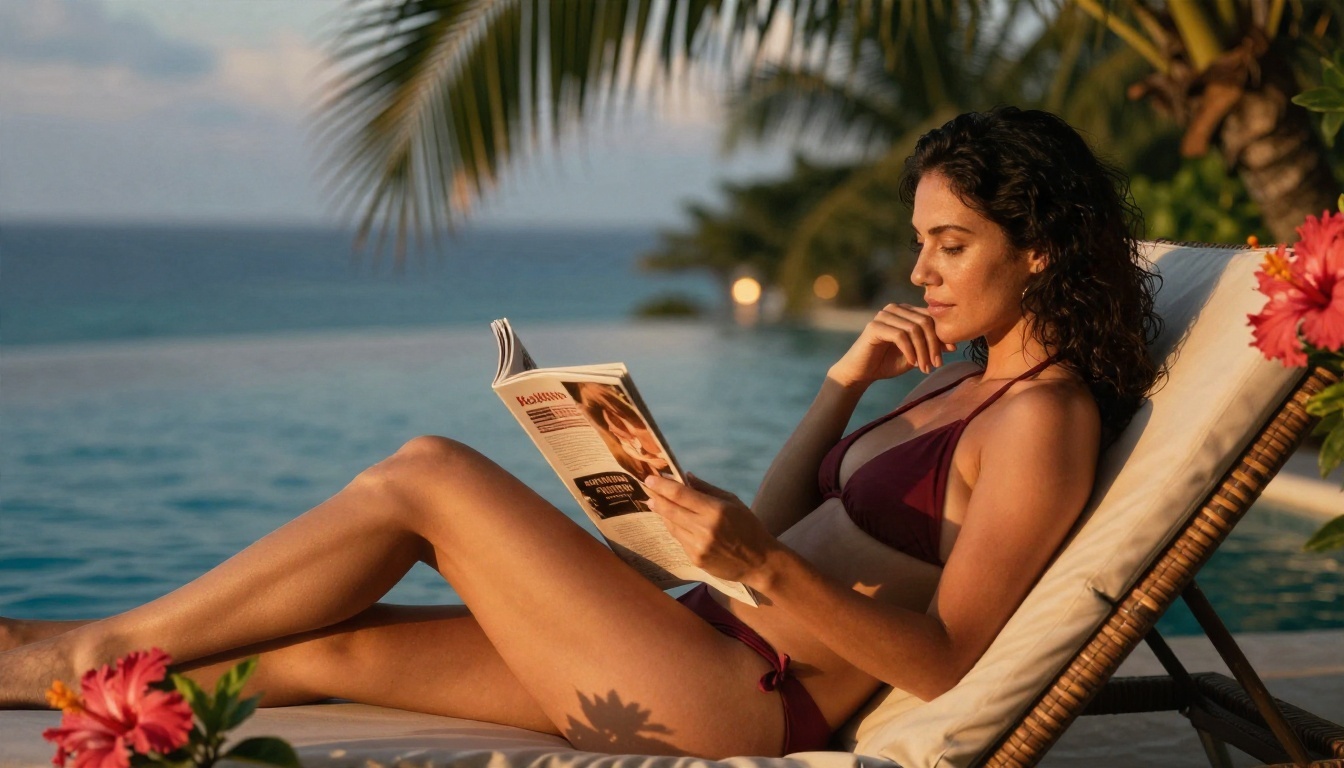
Warm backlight, hibiscus and palm fronds, soft bokeh lights in the distance. A three-quarter angle at 85mm gives the classic editorial look. Burgundy against orange light is a color pairing worth stealing, since the two sit close on the wheel and feel rich together.
Every example above follows the same five-part order. Keep it in this sequence and your hit rate goes up fast.
- Subject and action: who, what they wear, what they are doing.
- Environment: where, with two or three concrete details.
- Light: direction, quality and time of day.
- Camera: lens in millimeters, aperture, angle, distance.
- Texture and grain: skin, fabric, water, film stock.
A Template You Can Copy
Adult woman in a [color] [bikini style], [action], [location with 2-3 details], [light direction and time of day], [lens and aperture], [camera angle], natural skin texture with fine pores, [fabric or water detail], Kodak Portra 400 film grain, RAW photograph
Swap the brackets and you have a working prompt. For example: "Adult woman in a cobalt blue triangle bikini, laughing as she steps out of the surf, pale sand beach with driftwood, soft morning light from the right, 50mm f/1.8, waist-height angle, natural skin texture with fine pores, salt crystals drying on her shoulders, Kodak Portra 400 film grain, RAW photograph."
Words That Improve Realism
- Skin: fine pores, freckles, soft sheen, peach fuzz catching light.
- Light: rim light, open shade, diffused overcast, low sun from the left.
- Camera: 85mm f/1.8, 35mm f/2, shallow depth of field, eye level.
- Film: Kodak Portra 400, fine grain, natural color grading.
- Fabric: ribbed stretch, visible stitching, wet cotton, crochet weave.
Words to Avoid
Skip "ultra detailed 8K masterpiece trending on artstation". It pushes models toward an overprocessed, illustrated look. Also skip neon, glowing and cyberpunk terms. They fight the photographic style you are trying to build.
Settings That Make a Difference
Prompts get the credit, but settings decide whether the result is sharp or soft. These are the values worth checking before you hit generate.
| Setting | Recommended | Why it matters |
|---|
| Aspect ratio | 16:9 for scenery, 3:4 or 2:3 for portraits | Wide frames suit beaches, tall frames suit full-body poses |
| Resolution | Highest the model offers (2K to 4K) | Skin pores and fabric weave only appear at high resolution |
| Seed | Fixed while you tweak the prompt | Lets you change one detail without rebuilding the whole image |
| Prompt length | 50 to 90 words | Long enough for detail, short enough to stay focused |
| Variations | 4 to 8 per idea | Pick the best pose and face, discard the rest |
Fix the Common Problems
- Plastic skin: add "natural skin texture, fine pores, subtle sheen" and drop beauty words like "flawless".
- Warped hands: give the hands something to hold (a glass, hat, towel) or tuck them into hair. Simple poses beat complicated ones.
- Fabric that merges with skin: name the strap style and the stitching: "thin tied straps, ribbed fabric, visible stitching".
- Flat lighting: always state a light direction and a time of day.
- Generic faces: add small specifics, like freckles across the nose or a braid, so every image has a character of its own.
💡 Pro tip: lock the seed once you like a pose. Then change only the bikini color, the location or the time of day. You get a consistent series from a single idea.
How to Use Seedream 4.5 on PicassoIA
Seedream 4.5 is the model I recommend first for bikini scenes, and the steps are short.
- Open the model page. Go to Seedream 4.5 on PicassoIA and sign in.
- Paste your prompt. Use the five-part formula: subject, environment, light, camera, texture.
- Pick the aspect ratio. Choose 16:9 for beach panoramas or a tall ratio for full-body portraits.
- Set the highest resolution. Sharp skin and fabric depend on it.
- Generate and compare. Run several variations and keep the best two.
- Refine in Image Editor Pro. Open the favorite in PicassoIA Image Editor Pro to change the bikini color, swap the background or soften the light. Since generations there are unlimited, you can keep adjusting until it is right.
Parameter Tips
- Keep the prompt to a single clear scene. Two locations in one prompt confuse the layout.
- Mention one light source only. "Sunset from the left" works better than "sunset, studio lights and window light".
- Add the camera lens to every prompt, even for drafts. It anchors perspective.
- If an image is almost right, do not rewrite the whole prompt. Change one phrase and regenerate with the same seed.
Editing and Upscaling Your Results
Generating is half the job. A few quick edits lift a good image into a great one.
Recolor and Retouch
Use PicassoIA Image Editor Pro to try a different bikini color on the same pose. Red, white and sage green all read differently against sand and sea. Testing three colors takes a few minutes and tells you which one suits your brand or feed.
Try a Second Opinion Model
Run the same prompt through Realistic Vision v5.1 for a classic photographic tone, or through Flux 2 Klein 9B Base LoRA if you want a more styled look. Different models read the same words differently, and sometimes the second render beats the first.
Keep the Series Consistent
If you are building a feed or a lookbook, reuse the same lens, film stock and color grading words in every prompt. Change the location and the swimwear, keep the photographic language. The set will look like it came from one shoot.
Use Real Photo Rules Even in AI
AI image makers borrow every rule from photography. The better you know those rules, the better your prompts.
- Golden hour (the first and last hour of sun) gives warm, flattering light.
- Open shade removes harsh shadows on faces.
- Long lenses (70mm to 100mm) keep proportions natural.
- Low angles add presence, high angles add scale and context.
- Negative space gives you room for text, logos or captions.
Keep It Tasteful and Respectful
Make images of adult, fictional people, and do not use a real person's face or likeness without their permission. Swimwear imagery works best when it feels confident and natural, which is also what performs best in search and on social platforms. Label AI images as AI-made when you publish them, as most platforms now expect.
Try It Yourself on PicassoIA
You now have the model list, a five-part prompt formula, ten worked examples and a settings table. The fastest way to improve is to run your own tests. Start with a simple beach scene in Seedream 4.5, then open the result in PicassoIA Image Editor Pro and push it further with unlimited tries. Use Z Image Turbo when you want ten quick drafts in a few minutes.
Pick a color, a place and a time of day, write your first prompt and see what comes back. Then change one word and run it again. That loop is how every good bikini image on this page was made.
Want more options? Browse every image model at picassoia.com/en/all-models and find the one that fits your style.


