You open an app, pick a character, and within ten seconds someone who does not exist is asking how your day went. That is the social AI app in a nutshell, and millions of people now use one every day. Some want a friendly voice after work. Some want a roleplay partner for a story. Others just want to see what all the fuss is about. The catch is that the category is crowded, the free plans are all different, and the pricing pages are not always easy to read. This article sorts it out: what these apps are, what you get for free, how AI characters actually work, what you will pay, and which alternatives are worth your time.
What Is a Social AI App?
A social AI app is a chat product built around personality instead of tasks. A regular assistant helps you write an email or fix a bug. A social AI app gives you a someone to talk to: a friend, a fictional hero, a study buddy, a coach, or a companion with a name, a backstory, and a voice that stays consistent from one message to the next.

Companion, Roleplay, or Feed
Most apps lean toward one of three shapes:
- Companion apps focus on one long relationship with one character. Think daily check-ins, remembered details, and an emotional tone.
- Roleplay and character platforms hand you a huge catalog of characters made by other users, from historical figures to fantasy villains to anime-style sidekicks.
- Feed style apps add a social layer: you scroll, follow creators, share chats, and remix characters, a bit like a short video app but for conversations.
Many products blend all three, which is why the label "social AI app" is so loose. When you compare apps, ask which of the three you actually want, because that decides which free plan will feel generous and which will feel like a demo.
Who Uses Them and Why
The audience is wider than most people assume. Language learners practice conversation without feeling judged. Writers test dialogue. Shy people rehearse a tough talk. Plenty of adults simply enjoy a low-pressure chat at the end of a long day. None of this requires believing the character is a real person. It is closer to enjoying a good interactive novel that talks back.
💡 Tip: Before you download anything, write down in one sentence what you want from the app. "A daily chat partner" and "a catalog of story characters" lead to very different choices.
Free Options That Actually Work
Almost every app in this space offers a free tier, and almost every free tier has limits. The question is which limits you can live with.

What Free Plans Usually Include
Based on what the main apps have published recently, the picture looks roughly like this. Treat the numbers as a snapshot, since plans change often.
| App type | What the free tier tends to give you | Common catch |
|---|
| Character platforms (Character.AI style) | Unlimited text chat with a huge catalog | Slower replies at busy hours, ads between chats, daily limits on certain features |
| Companion apps (Replika style) | Core text chat with one companion | Voice, photos, and deeper roleplay modes sit behind a paywall |
| Mobile chat apps (Chai style) | A small daily allowance of messages | Heavy limits, with paid plans commonly landing around ten to twenty dollars a month |
| Roleplay sites (CrushOn style) | A capped number of messages per day, reported at around 50 | Memory and model quality improve only on paid tiers |
| Talkie style apps | Free character chat with in-app extras | Pricing details vary by region and update, so check inside the app |
The pattern is clear. Text is cheap, so text is usually the free part. Voice, images, long memory, and faster responses are where companies draw the line.
Where Free Gets Annoying
Three things tend to push people toward a subscription:
- Wait times. When the servers are busy, free users go to the back of the line.
- Message caps. A daily limit feels fine on day one and painful on day nine when a story is finally getting good.
- Forgetful characters. Short memory means you re-explain the plot every evening.
If you can tolerate those three, free can last for months. If you cannot, a paid tier or a different approach (more on that below) makes sense.
AI Characters: How They Work
Behind every charming character is a surprisingly simple recipe: a large language model plus a block of instructions that tells it who to be.

Personas and Memory
The instruction block is usually called a persona or system prompt. It describes the character's name, age, speaking style, favorite topics, quirks, and boundaries. A good persona reads like a short character sheet:
- Who they are and where they come from
- How they talk (short and dry, warm and chatty, formal, playful)
- What they care about and what annoys them
- What they will not do
Memory comes next. Basic memory is just the recent conversation fed back to the model each turn. Better memory stores summaries of past chats and pulls the relevant ones back in later. That is why paid tiers often advertise "longer memory": it costs real computing power.
Community Made vs Your Own
Platforms with open catalogs let anyone publish a character, which means quality swings wildly. For every well-written persona there are fifty rushed ones. The upside of the catalog is variety. The downside is that you are renting someone else's character, and it can vanish, change, or get flagged.
Creating your own gives you control. You decide the tone, the limits, and the look. That is the route many experienced users end up taking, and it is easier than it sounds.
💡 Tip: The most believable characters have flaws and preferences. A persona that agrees with everything feels hollow within an hour.
The Real Cost of Pricing
Subscription prices in this category cluster in a narrow band. Reported figures put the entry paid tier of the biggest character platform at around ten dollars a month, with an annual plan priced a bit below twelve months of monthly billing. Companion and roleplay apps tend to range from roughly ten to fifty dollars a month depending on how many extras are bundled.

Typical Subscription Tiers
| Tier | Typical monthly cost | What you usually get |
|---|
| Free | $0 | Text chat, limits, ads or queues |
| Entry paid | About $10 | Faster replies, no ads, priority access, extra customization |
| Mid tier | About $15 to $25 | Longer memory, voice, image sharing, more characters per account |
| Top tier | Up to about $50 | Highest message limits, best models, early features |
Prices shift often, and several comparison sites disagree with each other, so always confirm on the official pricing page of the app before you pay.
Hidden Costs to Watch
Sticker price is only part of the story:
- Auto-renewal. Many plans renew yearly unless you cancel ahead of time.
- In-app purchases. Some apps sell gems, coins, or gifts on top of the subscription.
- Add-ons. Voice calls, photo generation, or extra memory can be billed separately.
- Platform fees. Subscribing through an app store can cost more than subscribing on the web.
A simple rule: set a calendar reminder for the day before any trial or annual plan renews.
Safety, Privacy, and Age Limits
This is the part many articles skip, and it matters most.

What Data You Hand Over
You are typing personal thoughts into a company's servers. Treat it like any online service:
- Read what the privacy policy says about storing and training on chats.
- Do not share passwords, banking details, or your home address in a conversation.
- Check whether you can delete your history and your account.
- Be careful with voice and photo features, which collect more sensitive data than text.
Healthy Use Rules
AI companions can be comforting, but they are not therapists, and they are not people. A few habits keep the experience healthy:
- Keep other relationships alive. If the app starts replacing friends instead of adding to your life, pull back.
- Set a time limit. Endless scrolling is as easy here as anywhere else.
- Remember the character is generated. It can say wrong, odd, or inappropriate things.
- Check age rules. Most platforms restrict minors or offer limited modes. Parents should talk openly with teens about what these apps are.

Used with some care, they can be a pleasant part of a routine, especially for people who live alone or want a patient conversation partner.
Alternatives Worth Trying
If the big names do not fit, you have two paths: other apps, or building your own.

Other Chat Apps
Besides the names already mentioned, you can try Pi for calm conversation, Meta AI for a general assistant with personality, or smaller indie apps that focus on one niche such as language practice. Each has its own free tier. Test two or three for a week each and keep the one you actually open without being reminded.
Build Your Own on PicassoIA
PicassoIA is not a social feed, and it does not pretend to be one. What it does offer is the raw material: top chat models to power a persona, and image models to give that persona a face. That combination is the alternative many people want, because you own the character and set the rules.
For the conversation side, these large language models are good picks:
For the look of your character, try Seedream 4.5, Nano Banana Pro, or Nano Banana for editing and keeping a face consistent across scenes.
How to Build an AI Character Yourself
Here is a simple workflow that takes about twenty minutes.

Write the Persona With a Chat Model
- Open Claude Sonnet 5 or GPT 5.6 Luna.
- Ask it to draft a one-page character sheet: name, age, hometown, voice, humor style, three hobbies, two flaws, and a few things the character never says.
- Start a new chat and paste that sheet as your first message with an instruction such as: "Stay in character for the whole conversation. Keep replies under four sentences unless I ask for more."
- Chat for a few minutes, then ask the model to summarize what the character learned about you. Paste that summary into the next session as a simple long-term memory.
💡 Tip: Short reply limits make characters feel more human. Long paragraphs break the illusion fast.
Generate a Portrait
- Open Seedream 4.5.
- Describe the character from the persona sheet: age, hair, clothing, setting, and lighting.
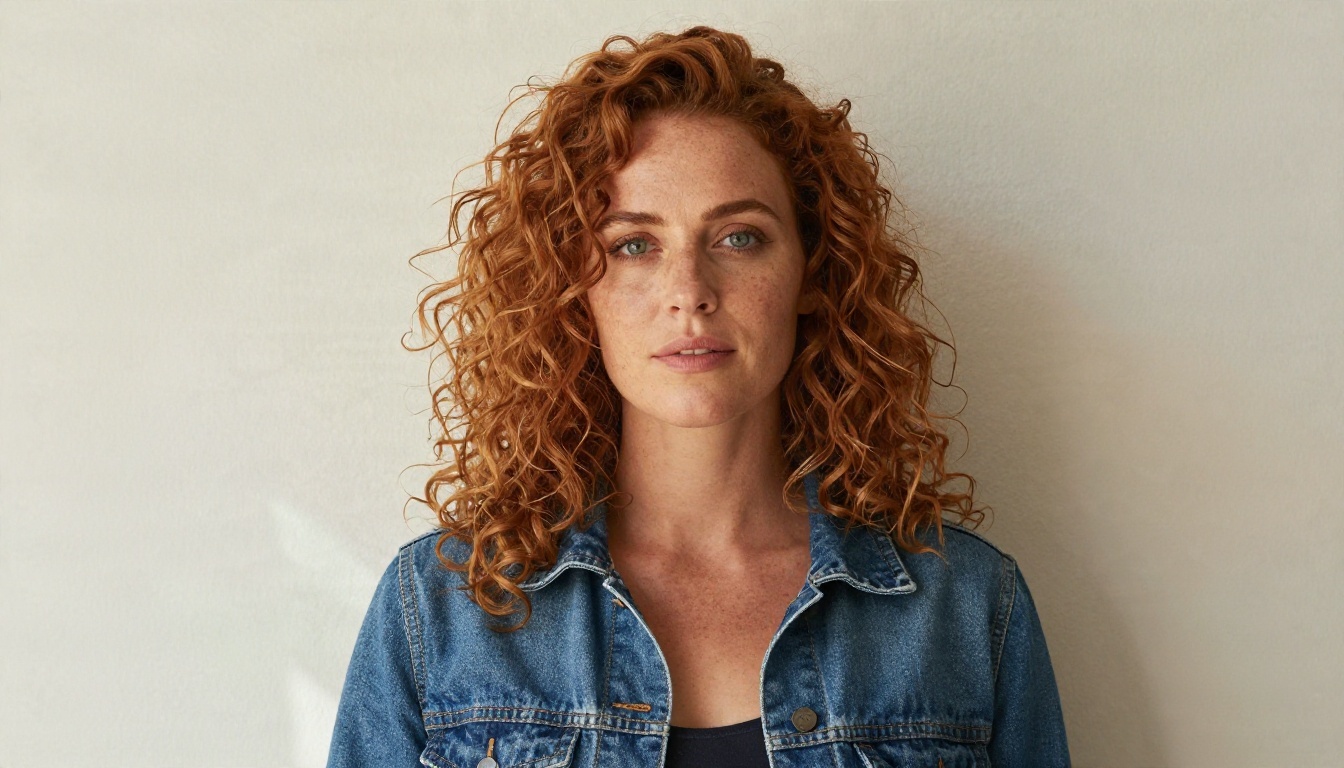
- Ask for a natural, photographic look in the prompt, with soft window light and a medium lens feel, so the portrait looks like a real photo.
- Pick the best result, then use Nano Banana to place the same face in new outfits or locations.
Sample Prompt Idea
Try something like: "Portrait of a confident woman in her thirties with curly auburn hair and a denim jacket, soft window light from the left, textured plaster wall, 85mm lens, natural skin texture, warm film tones." Change the age, setting, and clothes to match your own character.
Choosing the Right Option
If you want zero cost and a huge catalog, start with a character platform's free tier and accept the ads and queues. If you want one steady companion, a companion app is built for that, and the paid voice features are where most of the value sits. If you care about control, privacy, and a character that looks and sounds exactly how you imagined, building your own with chat and image models gives you the most freedom.
| Your priority | Best fit |
|---|
| Lowest cost | Free tier of a character platform |
| Daily emotional check-ins | Companion app, paid tier |
| Variety of stories | Open catalog platform |
| Full control and a custom look | Your own character on PicassoIA |
Make Your First Character Today
You do not need to commit to a subscription to find out what you like. Spend one evening writing a persona with a chat model, generate a portrait with an image model, and see how it feels to talk to a character that is truly yours. Open the PicassoIA model library, pick a language model and an image model, and start experimenting. Change the voice, adjust the look, try a different setting. The best part of creating your own character is that every detail is your call.


