Type "Sora 2 Pro Max" into a search bar and you will get a wall of confident answers: a monthly price, an "unlimited" button, a promo code. Here is the awkward part. No plan, model or tier with that exact name turned up in anything I checked. The label looks like a mashup of Sora 2, Sora 2 Pro and the idea of a maxed-out subscription. So before you hand over a card number to a site selling "Sora 2 Pro Max unlimited," it pays to know what is real, what the caps actually look like, and which free video generators can do the same job today.
This article walks through the numbers, the limits and the workarounds, then shows a practical way to get similar clips on PicassoIA without rationing every generation.
💡 Quick answer: Sora 2 Pro access was tied to a ChatGPT Pro subscription at roughly $200 per month according to third-party trackers, and even that tier carried caps. If a page promises truly unlimited Sora 2 Pro Max for a small fee, treat it with suspicion.
What Sora 2 Pro Max Actually Is

The Name Is a Mashup
OpenAI's video line has been discussed under two main names: Sora 2, the standard text-to-video model with synchronized audio, and Sora 2 Pro, the higher-fidelity version aimed at longer, sharper output. "Max" shows up in forum threads, reseller listings and SEO pages, but I found no official source describing a tier called Sora 2 Pro Max. When a name only appears on resale sites, it is usually a marketing label rather than a product.
Sora 2 Pro Max is not on PicassoIA, and it is not something this article can send you to. If you want to compare it with the closest siblings, Sora 2 and Sora 2 Pro are both listed in the PicassoIA catalog as separate models. They are not the same thing as a "Pro Max" plan, so check each model page for its own settings before assuming anything carries over.
Why Resellers Use the Label
A bigger name sells. Pages that promise "Sora 2 Pro Max unlimited" often bundle a few things under one banner:
- A wrapper around an API that bills per second of output
- A shared account with a hidden daily counter
- A free trial that quietly converts to a monthly charge
- A different video model entirely, renamed to catch search traffic
None of these is the plan the headline implies. Read the checkout page, look for the clip length and resolution cap, and check whether "unlimited" has an asterisk.
The Real Subscription Price
Plus and Pro Tiers in Plain Numbers
Pricing details come mostly from third-party blogs, and their figures conflict in places, so treat the table below as a rough picture rather than an official rate card.
| Access route | Typical monthly cost | What reports say you get |
|---|
| ChatGPT Plus | About $20 | Limited Sora access, reported as 720p with a watermark |
| ChatGPT Pro | About $200 | Sora 2 Pro access, higher resolution, still capped |
| Standalone "Sora 2 Pro Max" plan | No official price found | No official source describes it |
| API reseller | Pay per second | Costs vary with model tier and clip length |
The most consistent finding: Sora 2 Pro had no separate billing plan. Its usage sat inside the ChatGPT Pro fee. That means a site charging a distinct "Pro Max" subscription is selling something else.
What Per-Second Pricing Looks Like
For API-style access, trackers quote a range of roughly $0.10 to $0.50 per second of video, depending on the model tier and resolution. That sounds small until you do the math on a real project.
| Project | Length | Clips needed (with retries) | Rough cost at $0.30 per second |
|---|
| Single social teaser | 10 seconds | 4 attempts | About $12 |
| Product ad | 30 seconds | 10 attempts | About $90 |
| Short film trailer | 90 seconds | 30 attempts | About $270 |
Notice the "attempts" column. Almost nobody gets the perfect clip on the first try. Retries are the hidden cost, and they are the reason flat-rate unlimited plans matter so much to anyone who generates daily.
💡 Budget for three to five takes per usable shot. If a plan charges per generation, your real cost per finished clip is three to five times the listed price.
Unlimited Limits: The Honest Answer

Daily Caps Still Apply at $200
Here is the part that surprises buyers. Even at the top consumer price, reports describe daily generation caps and a fixed monthly credit pool. One tracker cites a monthly allocation of around 10,000 credits, and another notes that the daily cap runs separately from the credit balance. You can have credits left and still be told to come back tomorrow.
So when someone says "unlimited," ask three questions:
- Unlimited what? Generations, seconds, or just the ability to open the tool?
- Unlimited at which resolution? Many plans keep the best output behind a smaller quota.
- Unlimited during which hours? Free and cheap tiers often slow down or pause at peak times, and one roundup flags the mid-afternoon UTC window as a common bottleneck.
Watermarks, Resolution and Clip Length
Limits are not only about counts. A cheap tier that outputs a watermarked 720p clip is fine for a rough draft and useless for a client delivery. Before you subscribe anywhere, write down your minimum requirements:
- Resolution: 720p for social drafts, 1080p for finished client work
- Length: 5 to 10 seconds per clip is the norm, longer shots need stitching
- Audio: whether synchronized sound is generated or you add it later
- Commercial use: whether the license allows paid projects
Is the Sora App Still Around?
Several roundups published in 2026 report that OpenAI announced the discontinuation of the Sora consumer app and website, with the app closing in late April 2026 and the API following in September 2026. Those same roundups disagree on whether the Sora 2 model still lives on somewhere behind the ChatGPT paywall or through resellers. Most of them are written by competing tools, so I would not treat any single claim as final.
What does that mean for a budget decision? Plenty of buyers are paying for access that may be shrinking, switching or already gone. If you are considering a long prepaid plan on a third-party site, ask what happens to your balance if the underlying model disappears. A month-to-month plan is safer than a yearly one for any service riding on a model that is in flux.
💡 If you have old Sora clips you want to keep, check OpenAI's own account pages for export options. Reports suggest the export window has a deadline, after which remaining data is deleted.
Free Alternatives That Work Today
The good news: the gap between Sora-style output and the rest of the field has narrowed a lot. Several text-to-video models on PicassoIA generate cinematic clips with synchronized audio, and one of them is built specifically for people who hate counters. Sora 2 Pro Max is not on PicassoIA yet; for similar results today, try the four below.
Seedance 2.5 Lite for High Volume
Seedance 2.5 Lite is the lightweight edition of Seedance 2.5. It generates clips of up to 10 seconds at 480p or 720p, with synchronized audio by default, from a text prompt or a first-frame image. Elite and Infinite members run it without a per-clip cost or a daily counter, which is exactly the "unlimited" experience Sora 2 Pro Max pages keep promising. If you need longer or higher-tier output, the full Seedance 2.5 model is also in the catalog.
Kling v3 and Veo 3.1 Fast
Kling v3 Video is the pick for cinematic camera movement and convincing human motion. It handles tracking shots, pans and character action with fewer odd artifacts than most open options. Veo 3.1 Fast is the quick route to 1080p clips with native audio, ideal when you need to test five variations of a prompt in the time it takes to drink a coffee.
Wan 2.5 for Fast Drafts
Wan 2.5 T2V Fast trades a little polish for speed. It is a good drafting model: lock your composition and motion idea cheaply, then move the winning prompt to a heavier model for the final render.
Side-by-Side Comparison
| Model | Best for | Clip style | Standout trait |
|---|
| Seedance 2.5 Lite | Daily volume and iteration | Up to 10 seconds, 480p or 720p | No per-clip cost for Elite and Infinite members |
| Kling v3 Video | Cinematic motion | Character and camera action | Strong human movement |
| Veo 3.1 Fast | Quick 1080p tests | Short clips with native audio | Speed with high resolution |
| Wan 2.5 T2V Fast | Cheap drafting | Fast text-to-video | Rapid prompt testing |
💡 A sensible workflow: draft with a fast model, refine with Kling v3 or Veo 3.1 Fast, and keep Seedance 2.5 Lite for the high-volume iteration passes where a counter would otherwise slow you down.
Get Similar Results with Seedance 2.5 Lite

Since Sora 2 Pro Max has no PicassoIA page, here is how to get the same kind of cinematic, audio-synced short clip with Seedance 2.5 Lite.
Write a Chronological Prompt
Open the model page, click into the prompt box and describe the shot in the order things happen. The model responds best to cinematic, chronological descriptions. A good structure is:
[Subject and starting pose] + [what moves over time] + [camera movement] + [lighting and mood]
Example: "A woman in a charcoal cardigan sits at a brick-walled loft desk, lifts a coffee mug, and turns toward the window as morning light spreads across her face. The camera pushes in slowly from a medium shot to a close-up. Warm natural light, soft film grain."
Pick Duration and Resolution
Seedance 2.5 Lite offers two durations and two resolutions:
| Setting | Options | When to choose it |
|---|
| Duration | 5 or 10 seconds | 5 for a quick beat, 10 for a full action |
| Resolution | 480p or 720p | 480p for fastest drafts, 720p for sharper delivery |
| Aspect ratio | 16:9, 9:16, 1:1, 4:3, 3:4, 3:2, 2:3 | Match your platform before you generate |
| Save audio | On or off | Leave on for synced sound, off for a silent clip |
Start From a Still Image
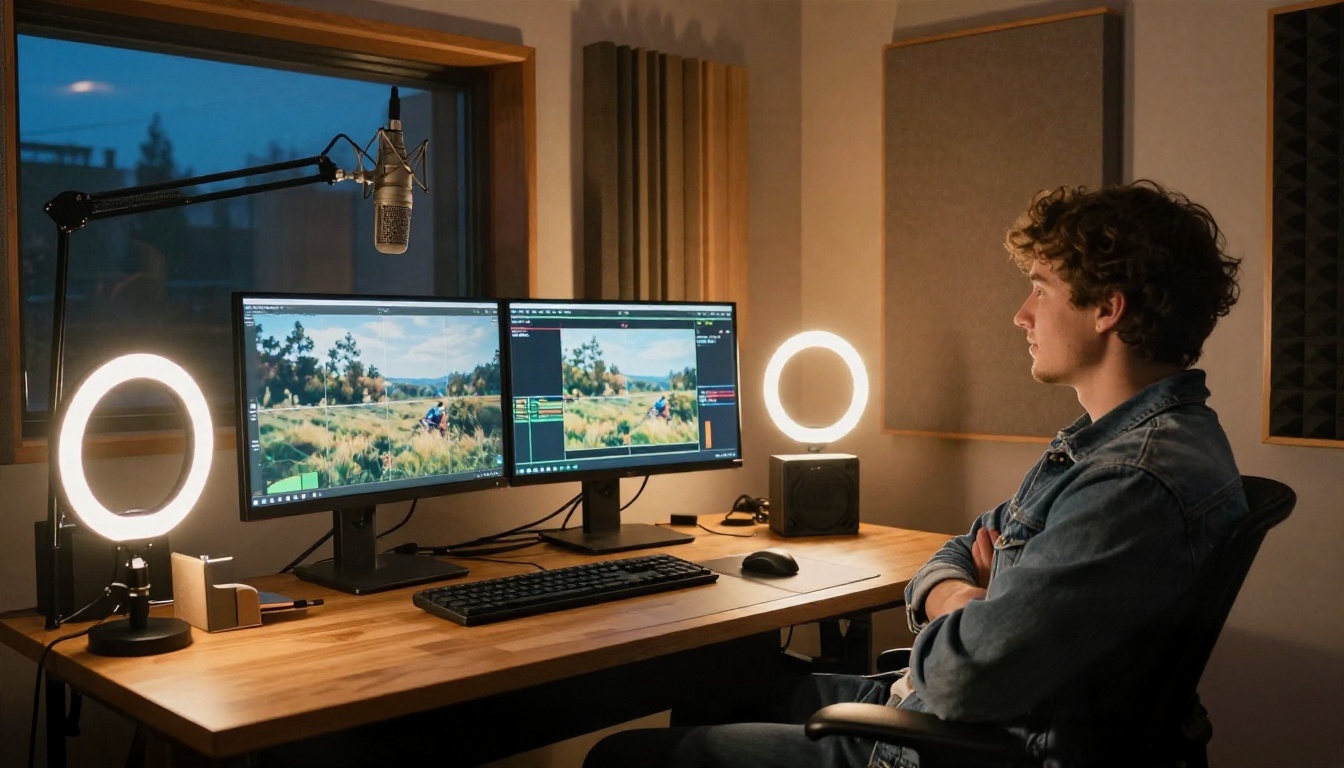
Upload an image into the Input image field and the clip uses it as the opening frame, inheriting its aspect ratio. This is the most reliable way to control the look: generate or shoot a still you like, then animate it. You can also add an optional last frame image so the clip travels from the first frame to a defined ending.
Lock the Seed and Iterate
Once a result is close, set a seed value so you can regenerate with small prompt changes and keep the overall composition. Because Elite and Infinite members run this model without a per-clip counter, trying ten variations costs you time rather than credits.
💡 Change one thing per attempt: the camera move, the lighting, or the action. If you rewrite everything at once you will never know which edit helped.
Prompt Habits That Save Money
Whichever model you choose, a few habits cut the number of retries, and that matters most on any plan that charges per clip.
- Describe one shot, not a scene. A single camera move and a single action produce cleaner results than a three-beat story.
- Name the lens and light. Phrases like "85mm, shallow depth of field, soft window light from the left" push output toward a photographic look.
- Avoid text inside the frame. Signs, screens and captions are where video models stumble most. Add titles in an editor afterward.
- Test in low resolution first. Settle the motion at 480p, then rerun the best prompt at 720p.
- Keep a prompt log. Save every prompt and seed that worked. You will reuse them more than you expect.
A quick budget check before paying for anything:
| Question | Red flag answer | Safer answer |
|---|
| Is there a named daily cap? | "Unlimited" with no details | A published daily or monthly number |
| Can I cancel monthly? | Yearly prepay only | Month-to-month billing |
| Is the model named clearly? | Vague "Pro Max" branding | A specific model with a model page |
| What resolution is included? | Not stated | Stated for each tier |
Try It Yourself Today
If a "Sora 2 Pro Max" page is asking you for a subscription, you now have the checklist to test it: no official tier, daily caps even at $200, and a model landscape that keeps shifting. A better use of that money and time is generating clips right now and seeing which model gives you the look you want.
Open Seedance 2.5 Lite and write your first chronological prompt. Move to Kling v3 Video or Veo 3.1 Fast when you want a different feel, and compare the results side by side. Prefer to see everything before you pick? Browse the full catalog at picassoia.com/en/all-models, pick a model, and make your first clip in a few minutes. Your best shot is probably one prompt away.


