Most AI girlfriend photos look fake within half a second. The skin is plastic, the smile is frozen, and the background looks like a stock wallpaper. The good news is that this is a prompt problem and a model problem, not a hardware problem. With the right generator and about ten lines of well-chosen words, you can produce special photos AI GF sets that look like they came off a real phone camera on a lazy Sunday.
This article walks through a free generator workflow, copy-ready prompts, nine example scenes, and the fixes for the mistakes that ruin otherwise good results. Everything here is about fictional adult characters and tasteful, non-explicit glamour: sundresses, swimwear, cozy lounge outfits, date night looks. No real people, no celebrity faces, nothing pornographic.
💡 Quick answer: Use Seedream 4.5 for the most natural skin and light, then refine with PicassoIA Image Editor Pro when you want unlimited retries. Write prompts like a photographer, not like a tag list.
What Special AI GF Photos Really Are
A fictional character with a camera roll
An AI girlfriend photo set is a collection of images of one invented woman, shown in everyday moments: morning coffee, a beach walk, a mirror selfie, a rooftop dinner. The appeal is the story the pictures tell. A single glamour portrait is nice. Twelve pictures that feel like a shared weekend are what people actually search for.
That is why the word "special" matters in the query. People want pictures that feel personal and candid, closer to a message from someone than to a studio catalog.
Why the phone-photo look wins
Studio perfection reads as artificial. Real girlfriend-style photos have slight imperfections: a stray hair, soft window light, a slightly off-center frame, visible freckles. When you ask a model for those details, the result jumps from "AI render" to "photo."
| Feels fake | Feels real |
|---|
| Flawless airbrushed skin | Visible pores, freckles, natural sheen |
| Perfectly centered pose | Off-center framing, candid glance |
| Studio strobe lighting | Window light, golden hour, lamp light |
| Generic gray background | A specific room with objects in it |
| Stiff smile | Half smile, raised eyebrow, laughing mid-sentence |
Free Generator Options That Deliver
Seedream 4.5 for skin and light
Seedream 4.5 is the model I reach for first on this kind of work. It handles skin texture, fabric folds and directional light better than most, and it follows long, descriptive prompts without dropping half the details. Swimwear, satin, knit wool and wet hair all come out with believable surface detail.
PicassoIA Image Editor Pro for unlimited tries
The honest truth about AI photo sets is that you rarely keep the first result. You generate five, keep one, and tweak. PicassoIA Image Editor Pro offers unlimited generations, which removes the anxiety of burning credits on a bad hand or an odd smile. It is also the tool to use when you want to change an outfit, fix a detail or adjust a background without starting over.
Other models worth testing
Different models have different personalities. Here is how the main options on PicassoIA compare for portrait and lifestyle work:
💡 Draft with Z Image Turbo to test a scene idea in seconds, then move the winning prompt to Seedream 4.5 for the final render.
How to Use Seedream 4.5 on PicassoIA
Step by step
- Open the Seedream 4.5 page on PicassoIA.
- Paste your prompt into the text box. Start with the subject, then add the setting, the light and the camera.
- Choose a 16:9 ratio for scenic shots or a portrait ratio for close-ups and selfies.
- Generate. Review the face, the hands and the fabric first.
- If one detail is off, change only that sentence in the prompt and run it again.
- Send the best result to Image Editor Pro for any final edits.
Parameter tips that matter
- Length: 60 to 120 words works better than 15. Short prompts give generic faces.
- Lens words: "85mm f/1.8" gives portrait blur. "28mm phone lens" gives the selfie look.
- Light direction: "window light from the left" beats "good lighting" every time.
- Film stock: "Kodak Portra 400, fine grain" adds warm skin tones and kills the plastic shine.
- Seed: If you like a face, keep the seed and change only the scene.
Prompts That Actually Work
The five-part formula
Every strong prompt follows the same order:
- Subject and pose: who she is, what she is doing, her expression.
- Outfit: fabric and cut, in plain words.
- Environment: a specific place with two or three real objects.
- Light: direction, time of day, color temperature.
- Camera: lens, angle, depth of field, film grain.
Skip any of these and the model fills the gap with something bland.
Everyday scenes
These are the moments that make a set feel like a relationship rather than a catalog.
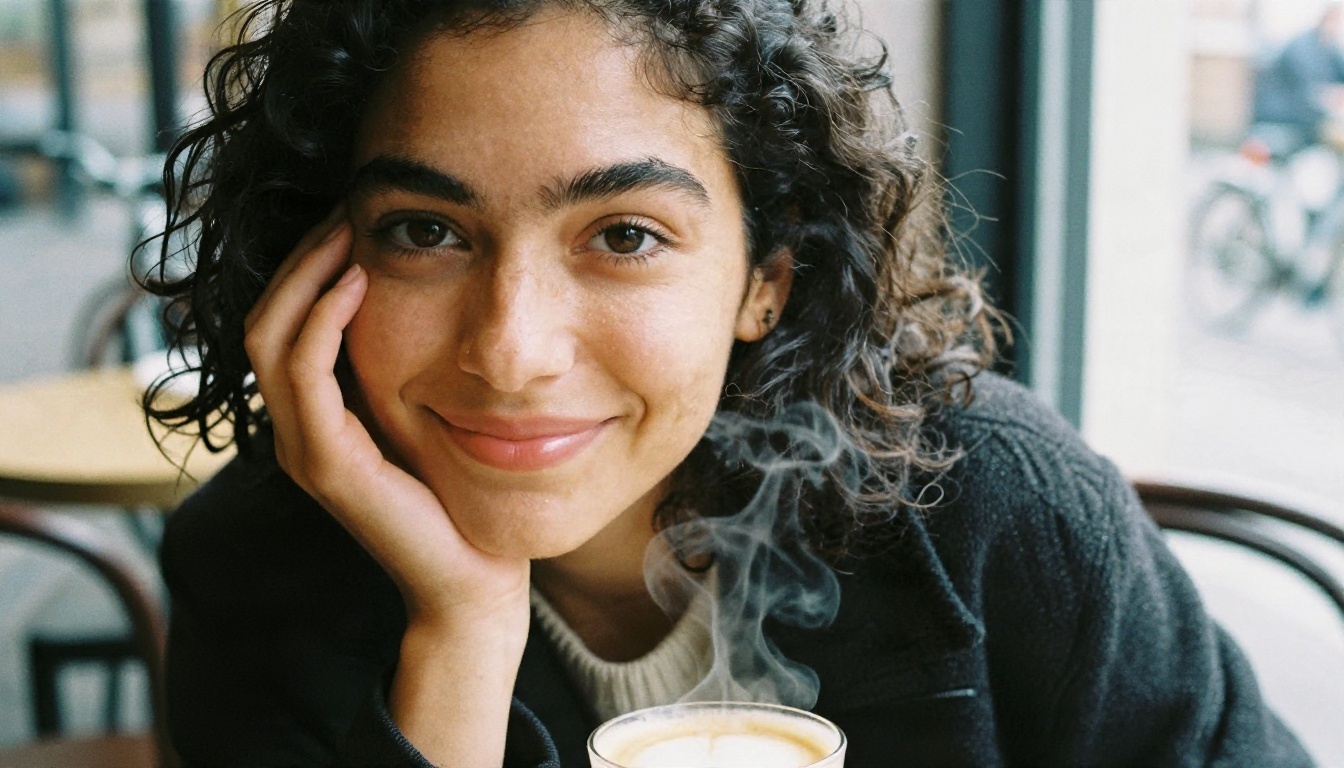
Cafe portrait prompt: Close-up portrait of a young adult woman with dark curly hair and brown eyes smiling warmly while resting her cheek on her hand at a small cafe table, steam rising from a latte, blurred cobblestone street behind, soft overcast window light from the right, 85mm f/1.8, visible freckles, cream knit sweater texture, Kodak Portra 400 grain.
The cheek-on-hand pose reads as someone listening to you. It is a small thing, and it does a lot of the emotional work.
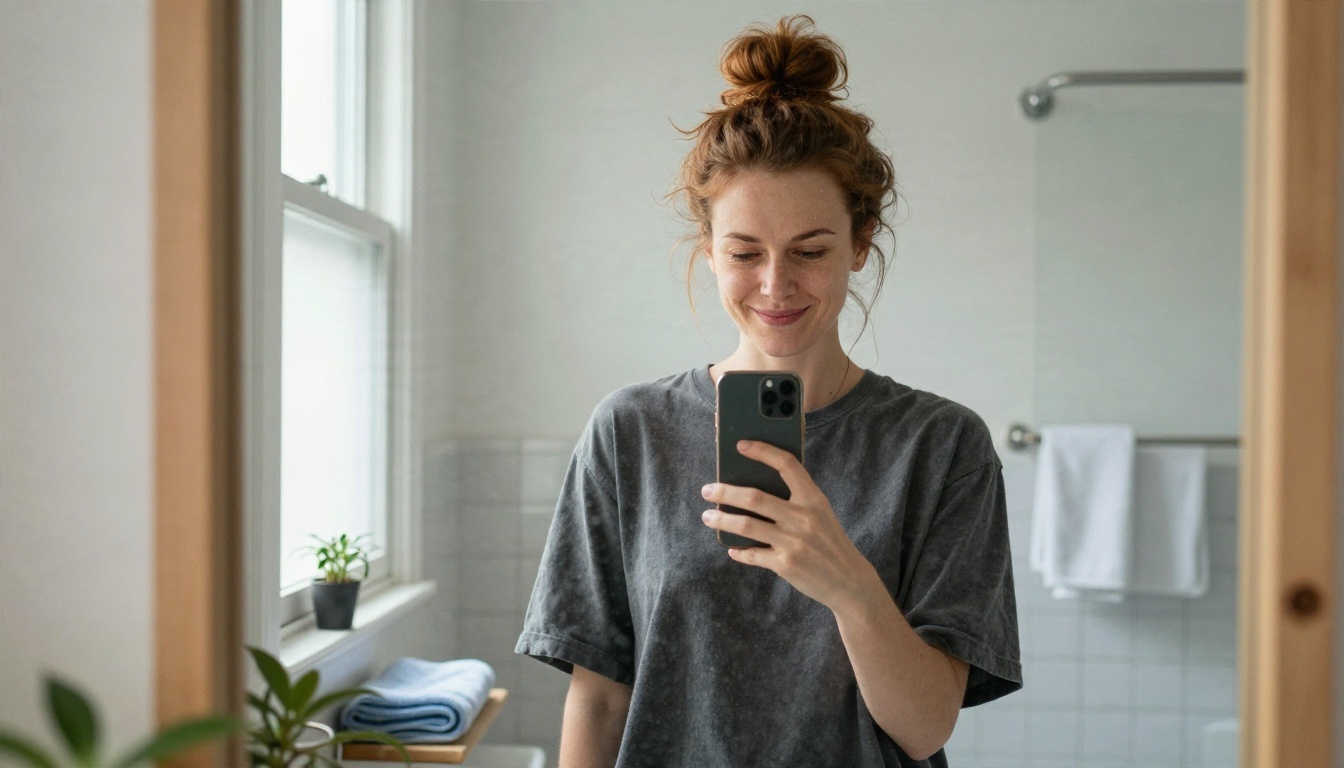
Mirror selfie prompt: Mirror selfie of an adult woman with a messy auburn bun in a small bright bathroom, oversized gray t-shirt, smartphone at chest height, playful smirk, steamy mirror edges, folded towels and a small plant on a shelf, soft daylight from a frosted window on the left, 28mm phone-style lens, slight handheld softness, film grain.
💡 Mirror selfies are the most requested "GF photo" format. Add "slight handheld softness" and the result looks shot on a phone, not rendered.

Cozy sofa prompt: Over-the-shoulder shot of an adult woman with long dark hair sitting cross-legged on a sofa, cropped knit top and soft lounge shorts, laptop on her knees, throw blanket and a mug on the coffee table, warm lamp light from the right and cool window light from the left, 50mm f/2, wool texture, film grain.
Mixing two light colors, warm lamp and cool window, is one of the fastest ways to get depth and realism.
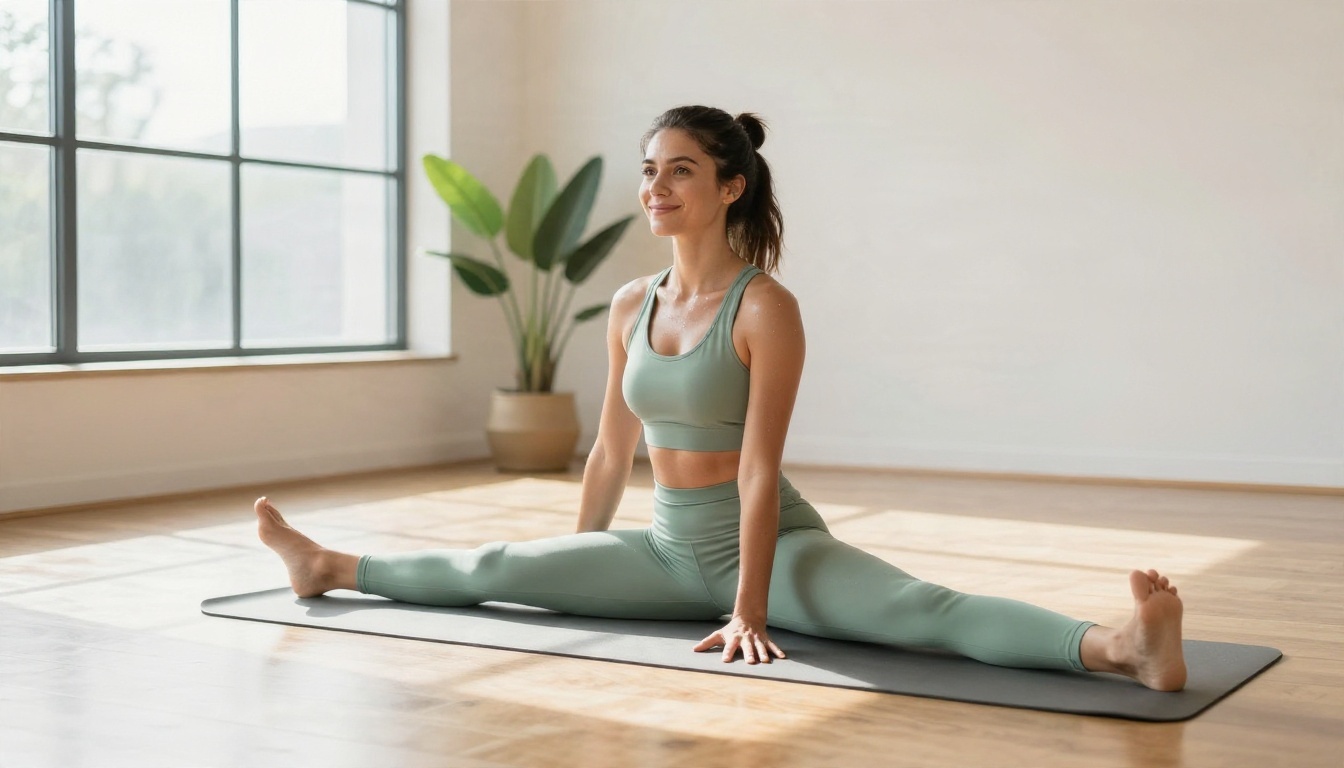
Morning yoga prompt: Full-length shot of an adult woman with a sleek ponytail in a matching sage-green set stretching on a yoga mat on a wooden floor, bright minimalist studio with large windows and plants, morning sun from the left across the floor, slightly high angle, 35mm f/2.8, subtle sheen on skin, relaxed smile.
Glamour and swimwear
Beach and pool scenes are where most users want to go, and where models differ the most. Keep the language elegant and the framing natural. Non-explicit does not mean boring: good light and a confident pose carry the picture.
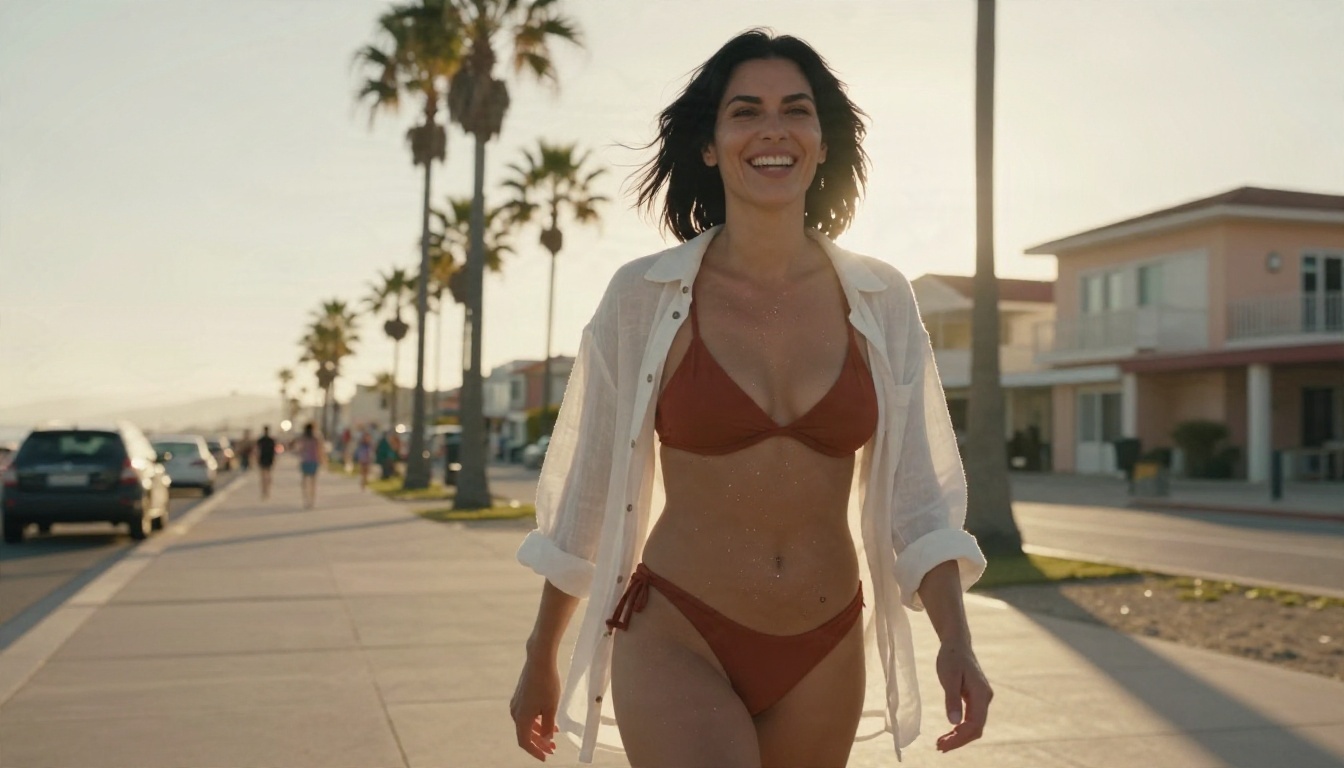
Promenade prompt: Low-angle shot of a confident adult woman with sleek black hair walking along a seaside promenade at golden hour in a terracotta bikini top and a sheer white linen shirt open over it, laughing over her shoulder, palm trees and pastel buildings behind, warm backlight from the right, 35mm f/2, sea breeze moving the fabric, Kodak Portra 400 grain.
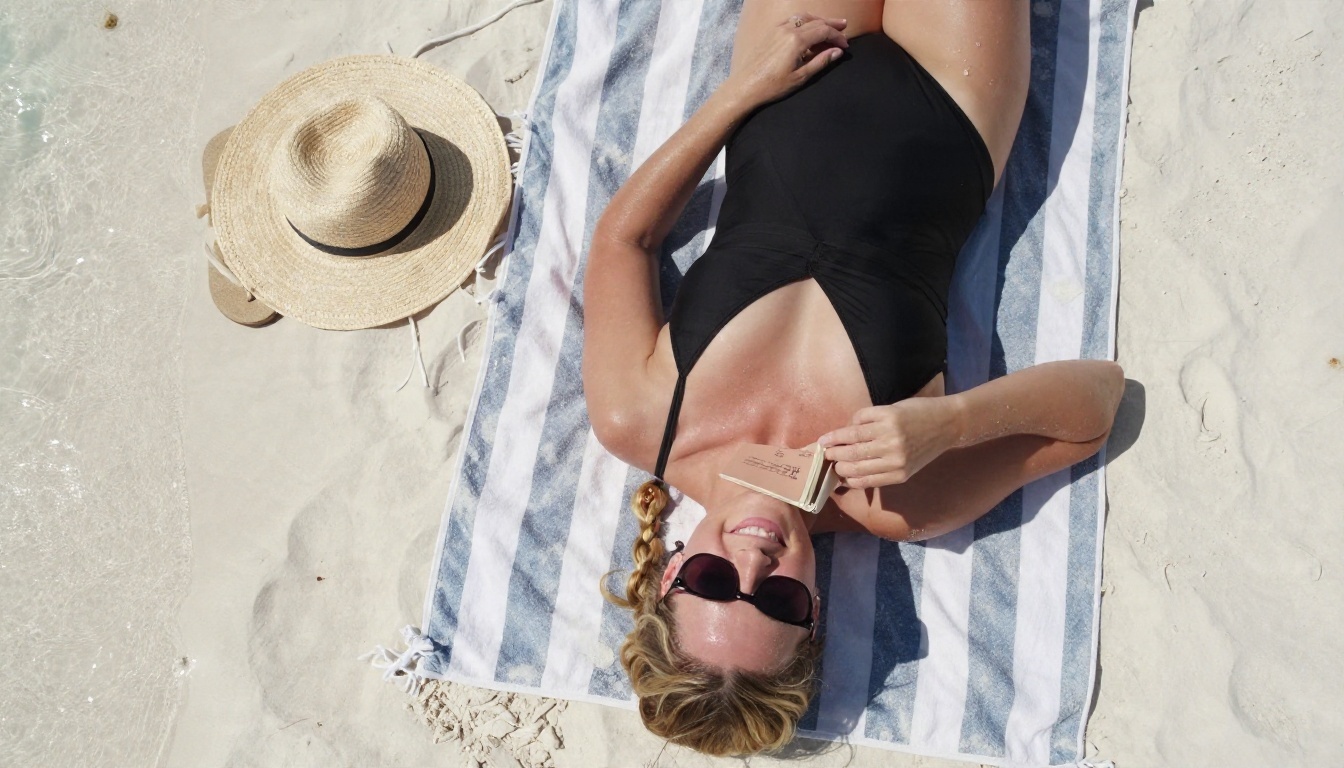
Overhead beach prompt: Overhead view of an adult woman with blonde braided hair lying on a striped beach towel on white sand, elegant black one-piece swimsuit, sunglasses pushed into her hair, holding a paperback above her face and smiling, turquoise water edge visible, straw hat and flip-flops beside her, bright midday sun, 24mm lens from above.
Changing the camera angle from eye level to overhead gives you a completely different "photo" from the same character, which keeps a set from looking repetitive.
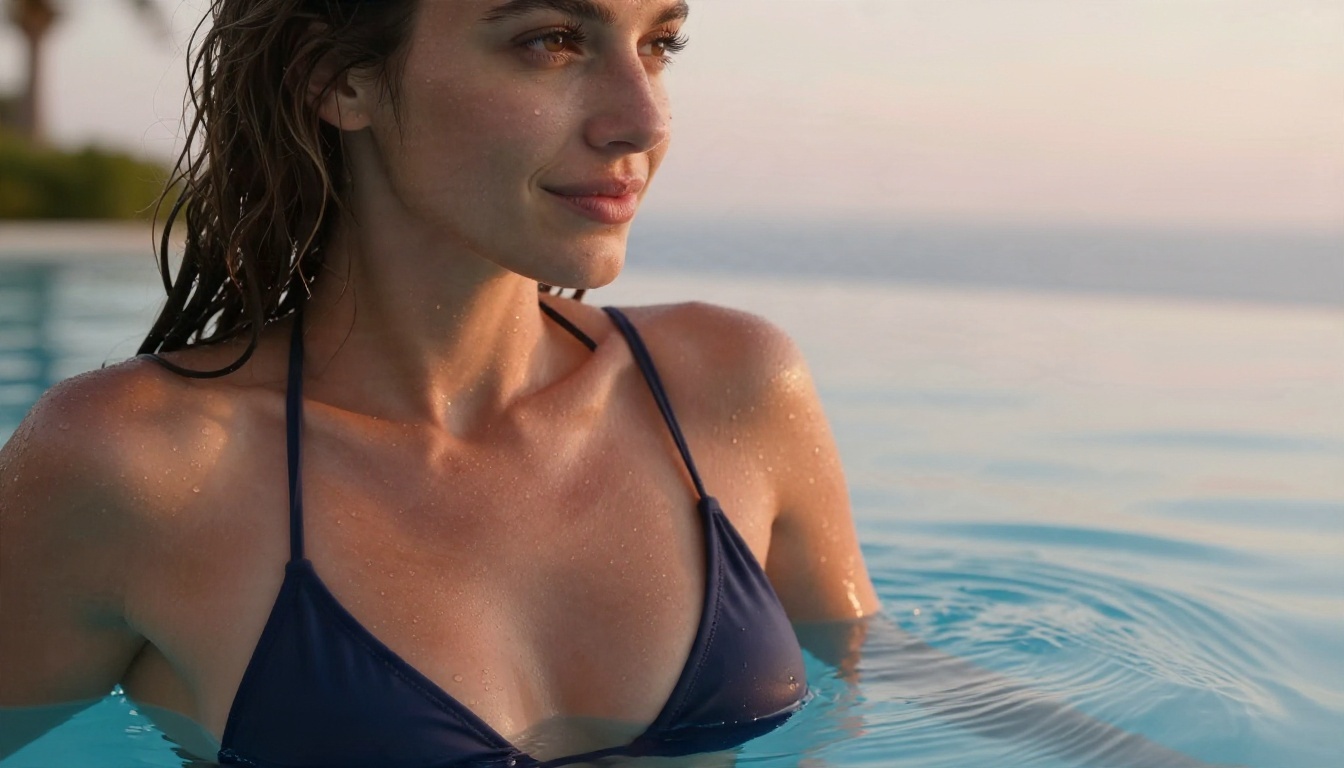
Pool sunrise prompt: Tight close-up of an adult woman with wet wavy hair emerging from a calm infinity pool at sunrise, navy bikini top, water droplets on skin and eyelashes, soft gaze into the lens, pale pink morning light from behind-left, 100mm portrait lens f/2, visible pores and water beads, film grain.
💡 Words like "water droplets," "pores" and "sheen" tell the model to render real skin instead of a smooth gradient.
Evening and travel looks
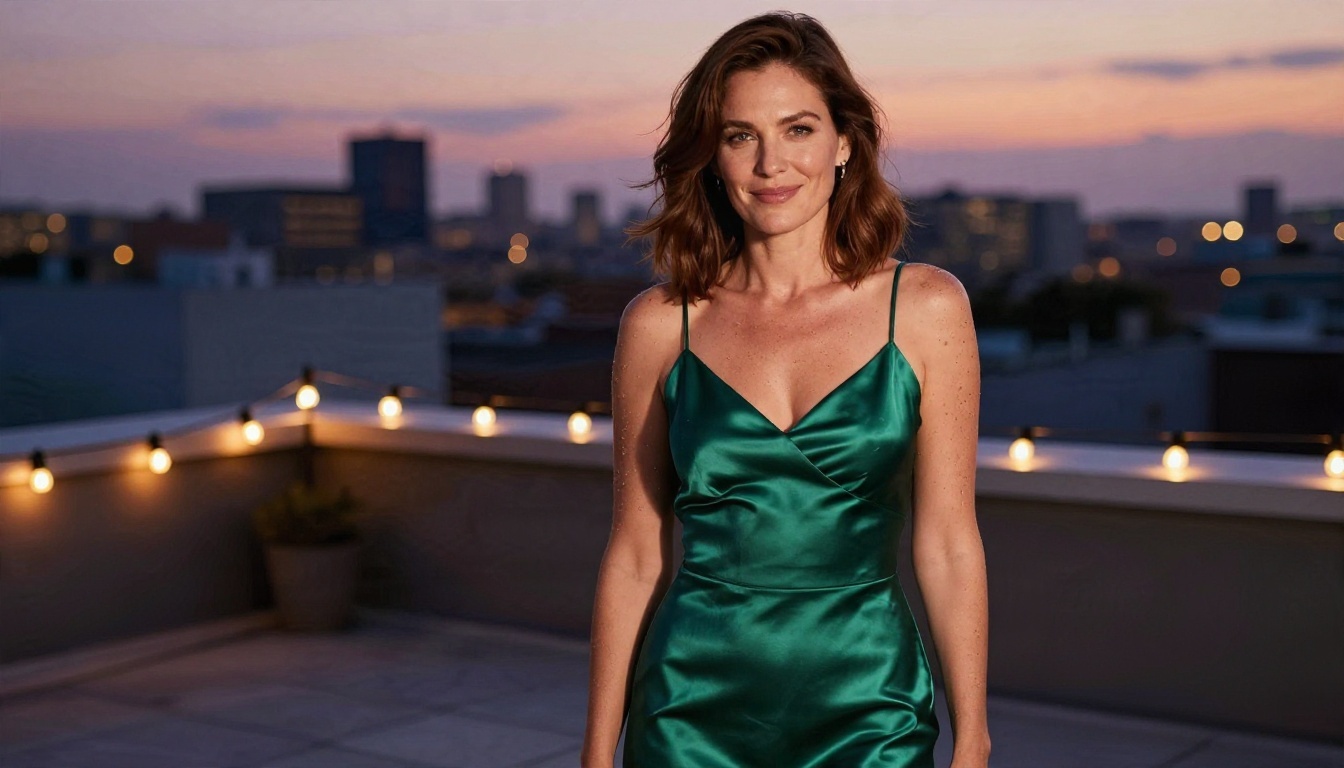
Date night prompt: Medium shot of an adult woman with shoulder-length chestnut hair in a fitted emerald satin slip dress on a rooftop terrace at dusk, glancing at the camera with a soft inviting smile, blurred city skyline, string bulbs as practical lights, last purple-orange sky light from the left, 50mm f/1.4, satin sheen, film grain.
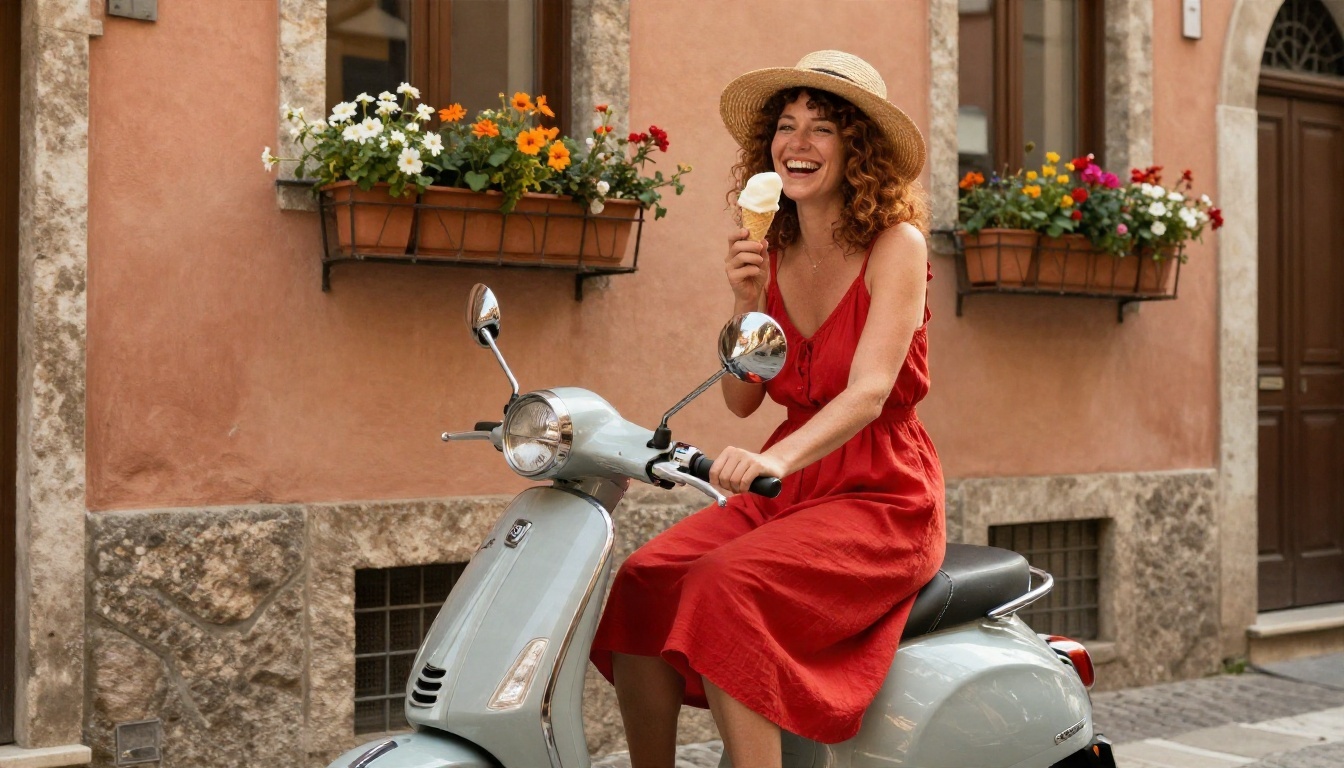
Travel prompt: Wide shot of an adult woman with copper curls in a red summer sundress and straw hat sitting on a vintage Vespa on a sunlit Italian village street, laughing toward the camera with a gelato in hand, ochre stone walls and flower boxes behind, warm afternoon light from the right, 35mm f/2, linen folds, film grain.
Travel scenes sell the "we went somewhere together" feeling, which is the emotional core of a GF-style photo set.
Keep One Face Across Every Photo
Lock the character description
The biggest complaint about AI girlfriend sets is that the face changes from picture to picture. The fix starts with the prompt. Write a character block of 25 to 30 words and paste it at the start of every prompt:
"Adult woman, mid twenties, long wavy honey-brown hair, warm hazel eyes, faint freckles across the nose, soft oval face, natural makeup."
Then add the scene after it. Never rewrite the character block. Even swapping "hazel" for "brown" is enough to shift the face.
Edit instead of regenerating
When a picture is almost right, do not roll the dice again. Take it into Image Editor Pro and change one thing: the outfit, the background, the time of day. Nano Banana is also useful for edits where the face needs to stay identical across versions. For a permanent look, P Image Trainer lets you train a custom LoRA on images of your own invented character so every future render starts from the same identity.
💡 Only train on images you generated yourself. Never use photos of a real person without their clear permission.
Common Mistakes and Quick Fixes
Six problems and how to solve them
| Problem | Why it happens | Fix |
|---|
| Plastic, waxy skin | No texture words, studio-style light | Add "visible pores, freckles, natural sheen, film grain" |
| Extra or bent fingers | Hands in busy poses | Hold a phone, a cup or a book so the hand has a job |
| Same pose every time | Prompt never changes the angle | Switch low-angle, overhead, over-the-shoulder, close-up |
| Face keeps changing | Character description rewritten | Paste the same character block each time |
| Empty background | Vague setting like "a room" | Name three real objects: mug, paperback, geraniums |
| Glowing, painted look | Words like "stunning, ultra detailed, 8K masterpiece" | Replace with lens, light and film stock |
Prompt words to drop
Avoid stacking hype words. "Hyper-realistic masterpiece trending" sounds impressive, but models often respond with an over-sharpened, digital look. Describe what a camera would see instead: "85mm f/1.8, window light from the left, Kodak Portra 400."
Safety Rules Worth Following
Fictional adults only
Every character in your set should be an invented adult. Say "adult woman" and give an age range in the prompt. Do not generate images based on a real person's face, a coworker, an ex or a public figure. That is a line worth never crossing, regardless of what any tool allows.
Keep it tasteful and label it
Stick to suggestive, elegant imagery: swimwear, satin, lounge wear, evening looks. If you share the pictures online, label them as AI-generated. It protects you, it respects viewers, and it keeps the content clearly separated from real photography.
💡 A short "AI-generated" note in your caption saves a lot of awkward questions later.
Make Your Own Set Today
You now have the full workflow: a character block, a five-part prompt, nine scene ideas and a fix list for the usual problems. The fastest way to see it work is to run one prompt and change one detail at a time.
Start with the cozy sofa or the cafe portrait prompt in Seedream 4.5. Pick a face you like, lock the character block, and build a set of eight to twelve pictures across different places and times of day. Use PicassoIA Image Editor Pro for unlimited retries and edits, and test other options like Nano Banana Pro, Flux 2 Klein 9B Base LoRA or Z Image Turbo when you want a different look.
There are many more image models waiting to be tried at picassoia.com/en/all-models. Open Picasso IA, paste a prompt from this article, and see how close you can get to a photo that looks like it came from a real camera roll.


