Type "uncensored AI chatbot" into a search bar and you get a wall of promises: no filters, no limits, no judgment, all for free. Some of that is real. Plenty of it is marketing written by the same companies selling you the app. If you want a chatbot that discusses dark fiction, blunt medical questions, edgy humor, or adult roleplay without refusing every third message, you need to know what "uncensored" means in practice, which free options exist, and where the catches hide.
This article sorts the noise. You will see how filters work, which routes are free (and what free costs you), the caps and privacy trade-offs most listicles skip, and how to test a model yourself before you commit to anything. Everything here is written for adults who want straight information.
What "Uncensored" Actually Means
The word sounds absolute, but it is a spectrum. Every chatbot you can reach online sits somewhere between "refuses a lot" and "refuses a little." Almost none sit at zero.

Filters, Policies, and Fine-Tunes
There are three layers that decide whether a chatbot answers you:
- Model training: The base model is trained to decline certain requests. This is the deepest layer.
- System prompt and policy: The app wrapped around the model adds rules about topics, tone, and age.
- Output filters: A separate moderation step scans replies and blocks or rewrites them.
An "uncensored" chatbot usually loosens one or more of these layers. The most common method is taking an open-weight model and fine-tuning it on data that rewards compliance instead of refusal. Many community models built on Llama and Mistral families work this way. Other apps simply write a softer system prompt and skip the output filter.
💡 Tip: "Uncensored" and "unfiltered" are marketing words, not technical standards. Judge a chatbot by what it does with your own test prompts, not by its landing page.
Why Nobody Is Truly Unrestricted
One review of the category in 2026 argued that no major hosted public chatbot is genuinely unrestricted. That matches what you see in practice. Hosting companies carry legal, payment-processor, and app-store risk. They block content involving minors, real-world violence planning, and illegal material regardless of how the app is branded. Even the loosest services keep some floor.
So the realistic goal is not a chatbot with zero rules. It is a chatbot with rules that fit adult use: fewer lectures, fewer pointless refusals, and more willingness to handle fiction, hypotheticals, and frank conversation.
Free Options Worth Trying
Free comes in three flavors. Each has a different price, paid in something other than money.
Hosted Free Tiers
Several services advertise a free tier with looser rules than the big mainstream assistants. Roundups published this year name Uncensored.chat, Venice.ai, and FreedomGPT as examples with free access. Treat those rankings with care: the roundups are mostly written by vendors, and I found no neutral, independent comparison with verified limits.
What you typically get on a free hosted tier:
- A smaller or older model than the paid one
- A daily or hourly message cap
- Slower responses during busy hours
- Fewer memory and image features
Open Weights You Run Yourself
If you want the least interference, running an open-weight model on your own computer is the most direct route. No account, no cloud, no one reading the logs. You download a model, load it in a local runner, and chat.
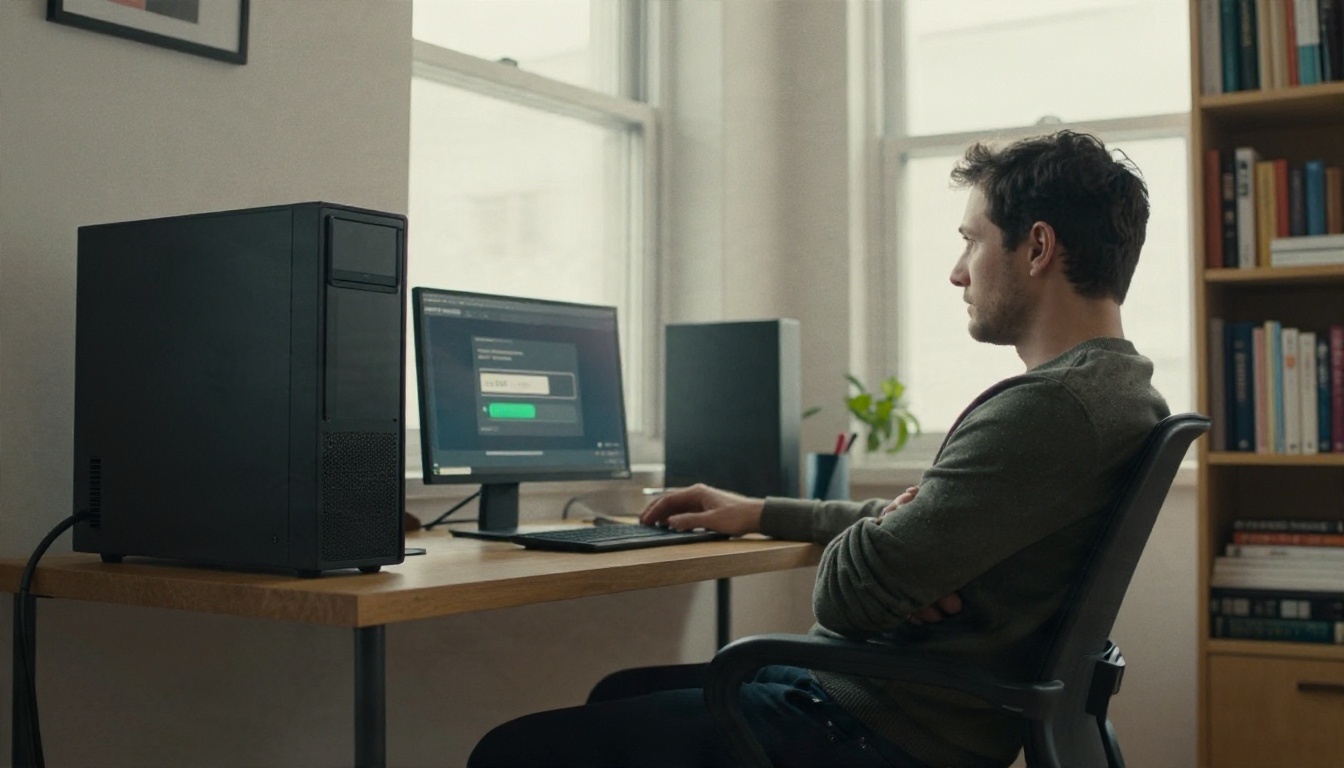
The trade-off is hardware. A small model with 7 to 8 billion parameters runs on a decent laptop. Bigger models want a strong graphics card and plenty of memory. Speed drops quickly if your machine is short on either.
| Local setup | Typical hardware | What to expect |
|---|
| Small model (7B to 8B) | 16 GB RAM laptop | Usable chat, simple writing, shallow reasoning |
| Mid model (13B to 30B) | Gaming GPU, 24 GB VRAM | Better stories, steadier memory |
| Large model (70B and up) | Multiple GPUs or heavy quantization | Closest to hosted quality, expensive to run |
Free software is not free hardware. If your laptop fans scream after three replies, a hosted option may suit you better.
Roleplay and Companion Apps
A third category targets companionship and character chat. Apps such as Nastia, Candy AI, and OurDream are marketed for adult roleplay, and many offer a free tier to hook you. SillyTavern is different: it is a free front end for character chat, but you connect your own model, and any model costs are separate.

One warning repeated across vendor pages deserves attention: many apps feel uncensored until a scene gets specific. Then the filter appears, a paywall pops up, or the character suddenly changes subject. Test the exact kind of content you want before you pay for a subscription.
💡 Free-tier test: Write a three-message scenario that matches your real use. If the bot refuses, stalls, or asks for payment inside those three messages, you have your answer without spending a cent.
Limits Nobody Mentions Upfront
Filters are only one kind of limit. The ones that annoy people most are practical.

Message Caps and Throttling
Free access almost always comes with a ceiling. Reviews of mainstream assistants in 2026 describe the pattern clearly: one report says the best model on a popular free plan allows roughly 10 to 15 messages every five hours, and another says a leading competitor uses rolling five-hour windows that feel tight for heavy users. Niche uncensored apps are usually stricter, because their hosting bills are real and their free tier is a sales funnel.
Expect one of these designs:
- Daily message count: Resets at midnight or after 24 hours.
- Rolling window: A fixed number of messages per few hours.
- Credit system: Chats, voice, and images each burn credits.
- Speed throttle: Unlimited messages, but replies slow down.
Memory and Context Windows
A chatbot's memory is its context window, the amount of earlier conversation it can see at once. Small free models forget names, plot points, and rules after a few dozen messages. Long roleplay or story projects suffer most. If your character forgets she is a pilot by message 40, you are hitting this limit, not a censorship filter.
Paywalls Hidden Behind "Free"
Watch for features that quietly move behind payment: voice replies, image generation, longer memory, custom characters, and faster models. One trend noted this year is more platforms shifting voice and image features onto credits. The free label stays on the homepage while the useful parts cost money.
| Limit type | What it looks like | How to test it |
|---|
| Message cap | "Come back in 4 hours" | Send 20 short messages in a row |
| Memory | Bot forgets earlier facts | Ask about a detail from message 3 at message 40 |
| Feature lock | Image or voice button greyed out | Click every button before signing up |
| Content wall | Sudden topic change or refusal | Run your real use case in a short test |
Privacy Risks You Should Weigh
Looser rules often come with looser accountability. That makes privacy a bigger issue than most people expect.

Where Your Chats Go
Many small chatbot services are run by tiny teams or anonymous companies. Your messages may be stored, used to train models, or exposed in a breach. Intimate conversations are exactly the kind of data you would not want leaked.
A quick safety checklist before you sign up:
- Read the privacy policy for the words "retain," "train," and "share"
- Check whether you can delete your history and account
- Use a separate email address instead of your main one
- Never type your real name, address, workplace, or financial details
- Skip apps that ask for photo uploads or contact access without a clear reason
💡 Safest rule: Assume anything you type into a free hosted chatbot could be read by a human someday. Local models are the only option where that is not true.
Age Gates and Safety
Age verification is tightening across the category. That is a good thing for minors and an occasional nuisance for adults. It also means any app that skips age checks entirely is a red flag about how it handles everything else.
Parents should know that companion apps can become emotionally intense quickly, and looser filters mean fewer guardrails for younger users. If you share a device with a teenager, use device-level controls. Adults, for their part, should watch how much time and money a companion app takes. Subscriptions that renew quietly are a common complaint.
Comparing the Main Routes
Here is how the three paths stack up side by side.
| Route | Cost | Privacy | Filter looseness | Best for |
|---|
| Hosted free tier | Free with caps | Weak to moderate | Varies, often moderate | Quick tests, casual chat |
| Local open-weight model | Hardware only | Strongest | You control it | Long private projects |
| Roleplay or companion app | Free tier, then subscription | Weak | Loose until a paywall | Character chat, fiction |
| Mainstream assistant | Free with caps | Moderate | Strict | Research, coding, writing |
Think about what you want most. If privacy matters, go local. If convenience matters, a hosted tier works for testing. If you want characters and persistent personalities, expect to pay eventually.
Models You Can Test on PicassoIA
To be clear about scope: PicassoIA hosts language models that run under their own providers' behavior, and this article does not claim they strip out safeguards. What the platform is useful for is trying several different model families in one place, so you can see how each handles frank questions, fiction, and long instructions before you pick a route.
Open-Weight Families
Many "uncensored" community models start from the same families that you can test directly here:
Bigger Hosted Models for Comparison
If you want a benchmark for quality, try Qwen3.7-Plus, Kimi K2.6, Grok 4, or Gemini 3.5 Flash. Running the same prompt across three or four of them shows you quickly how different their tone, refusal habits, and memory are.
There is also Llama Guard 4 12B, a content moderation model. It is useful if you build your own chatbot and want a filter you control, for example to keep a shared app suitable for a family or a community.
How to Run a Fair Model Test
- Write a test set: Pick five prompts that reflect what you actually want, from mild to blunt.
- Open two or three models: Start with Llama 4 Maverick Instruct, DeepSeek R1, and one hosted model.
- Paste the same prompts: Do not reword them between models.
- Score the replies: Note refusals, lectures, and how well each answer follows your tone.
- Test memory: Refer back to a detail from the start of the chat after a long exchange.
- Pick your route: If a small model like Llama 3 8B is good enough, a local setup will likely satisfy you.
💡 Parameter tip: Raise temperature for fiction and creative chat, lower it for factual questions. Longer system instructions that define tone and format reduce needless refusals more reliably than angry rewording.
Pair Chat With Image Generation
Companion and storytelling apps often push images behind credits. If you want visuals for your characters or scenes, you do not need to pay for that inside a chatbot. Image models handle it separately, and with fewer caps.

For adult-themed, tasteful glamour imagery, start with Seedream 4.5. It produces sharp, photoreal results and is permissive about suggestive, non-explicit content. Next, use PicassoIA Image Editor Pro for unlimited generations and quick edits, so you can iterate on a character look without watching a credit counter. For more options, browse picassoia.com/en/all-models.
A simple workflow:
- Write your character description in a chatbot
- Paste the description into Seedream 4.5 as an image prompt
- Refine details with PicassoIA Image Editor Pro
- Keep your text chats in whichever chatbot you chose above
Red Flags to Spot Early
Some apps are built to collect money and data first. Watch for these signs:
- No clear company name: No address, no team, no support contact
- Vague pricing: The price appears only after you create an account
- Fake "unlimited" claims: Hidden throttling after a few messages
- Aggressive upsells: Prompts to buy credits mid-conversation
- No age gate: Skips verification entirely
- Copied reviews: The same five-star text across multiple sites
Because so many comparison pages are written by the apps themselves, treat any single ranking as an advertisement until you have tested the product yourself.
Try It Yourself Today
You do not need to commit to a subscription to find out what works. Spend twenty minutes running the same five prompts through several models. Note which one respects your tone, remembers your details, and stays out of your way. Then decide whether a hosted tier, a local model, or a paid companion app is worth your time.

When you are ready to build characters and scenes, bring them to life on PicassoIA. Start with Seedream 4.5 for photoreal portraits, use PicassoIA Image Editor Pro for unlimited edits, and test your story ideas against Llama 4 Maverick Instruct or DeepSeek R1. Experiment, compare, and keep the setup that fits you. The full catalog is at picassoia.com/en/all-models.


