You type a prompt, press generate, and get a clip with no email, no password and no refusal message. That is the dream behind every search for an uncensored AI video generator with no login. The reality is messier. Some tools skip the signup wall but add a watermark. Some skip the watermark but cap you at three seconds. Almost all of them still run content filters, because the companies hosting the GPUs carry the legal risk.
This article sorts the promises from the facts. You will see what "uncensored" can realistically mean, what no-login tools usually trade away, which limits show up first, and which alternatives give you better clips today without the guesswork.
💡 Quick answer: No hosted tool is verifiably "uncensored" in the absolute sense. The practical goal is a generator with fewer pointless refusals on glamour, swimwear, fashion and artistic content, and generous or unlimited free generation. That is a realistic target, and it is where the best options sit.
What "Uncensored" Actually Means
The word gets used for three very different things, and mixing them up is how people end up disappointed.
Filters Come in Layers
A video generator can block content at several points. A prompt filter scans your text before anything runs. An image filter checks the uploaded first frame. An output filter scans the finished clip and hides it if something trips a rule. A tool marketed as uncensored may remove one layer and keep the others, so results vary from clip to clip.
Where Adult Content Draws the Line
Hosted platforms generally separate suggestive but non-explicit material (bikinis, lingerie fashion, boudoir lighting, glamour portraits) from explicit material. The first group is widely produced and is what most creators actually want for social posts, fashion mockups and mood reels. The second group is blocked or tightly restricted almost everywhere that accepts payment and runs on shared cloud hardware.
Three lines stay fixed no matter which tool you use:
- Real people: do not animate someone's likeness without their consent.
- Minors: never, under any framing.
- Non-consensual or deceptive content: no fake scenes meant to mislead or harass.
Any site that claims to ignore all of these is a legal and security risk, and your uploads may end up somewhere you did not intend.
No Login: What You Really Get

Skipping the account step is attractive. You save time, you avoid another marketing email, and you keep a little privacy. But a no-login tool has to protect itself against abuse some other way.
Hosted Demos and Their Catch
Several public pages let you generate a clip straight from the browser. Some are small commercial sites, some are community demos running open-weight models on shared GPUs. Their own marketing says "no signup" and often "no watermark," but those are claims from the sites themselves, and policies change often. One day a watermark is absent, the next week it is stamped across the corner.
What you typically trade away:
| Trade-off | What it looks like in practice |
|---|
| Queue time | Anonymous users wait behind everyone else, sometimes several minutes |
| Clip length | Two to five seconds is common |
| Resolution | 480p or 720p, rarely higher |
| Watermark | Present on many sites, removed only behind a paywall |
| History | No saved gallery, so close the tab and the clip is gone |
| Filters | Usually still active, often stricter because there is no account to ban |
Watermarks and Queues
Anonymous traffic is the easiest kind to abuse, so providers throttle it. If a site lets you generate without any identity at all, expect a slow queue, a daily cap tied to your IP address, or both. A clean, watermark-free, unlimited, instant, no-account service does not exist at scale because someone has to pay for the GPUs.
Privacy Trade-offs
No login does not mean no logging. Prompts and uploads often pass through shared servers. Never upload a photo of a real person, an ID document or anything sensitive to an unknown site. Treat every free anonymous page as public.
⚠️ Rule of thumb: If a site gives you everything for nothing and asks for nothing, your prompts, your uploads or your attention are the product.
Free Limits You Will Hit
Free is a pricing model, not a feature. Every generous free tier has a ceiling, and knowing where the ceiling sits saves hours.
Clip Length and Resolution
Most free tiers produce 3 to 6 second clips. That is enough for a looping social post or a product reveal, but too short for a story. A few free offerings stretch to 10 seconds, and paid tiers on some models reach much longer sequences. Resolution follows the same pattern: 480p or 720p for free, 1080p or higher behind credits.
Daily Credits and Queues
Credit systems reset daily or monthly. One failed generation still burns credits on many platforms, which is why prompt discipline matters (more on that below). Peak hours bring slower queues, so mornings in your time zone are often faster for popular models.
Style Drift and Failed Faces
Even when generation is unlimited, motion quality is not. Faces can melt, hands can merge, and fabric can behave like liquid. The fix is rarely "generate again forever." It is usually a better first frame and a calmer motion prompt, both covered in the workflow below.
The Local Open-Source Route
If your goal is real control, the honest answer is to run an open-weight video model on your own machine through a node-based interface such as ComfyUI. Nobody can see your prompts, nobody applies a hosted content policy, and nobody limits how many clips you render.
Hardware Reality Check
That freedom costs real money and time. Modern video models want a recent GPU with plenty of video memory, tens of gigabytes of disk space and an afternoon of setup. A short clip can take minutes on strong hardware and far longer on a mid-range card. Updates, driver conflicts and broken workflows are part of the deal.
| Route | Cost | Setup effort | Control | Typical output |
|---|
| Anonymous web demo | Free | None | Low | Short, watermarked or low resolution |
| Free account on a hosted platform | Free tier | Minutes | Medium | Short clips with limits |
| Unlimited hosted generator | Free or paid | Minutes | Medium to high | Longer, cleaner clips |
| Local open-source | Hardware cost | Hours | Highest | Depends on your GPU |
💡 For most creators, a hosted tool with generous or unlimited generation beats a local setup on time alone. Local makes sense when privacy or absolute control matters more than convenience.
Better Alternatives That Work Today
Here is where the search ends for most people. The strongest workflow for glamour, fashion and mood content is image first, then animate. You generate a perfect still, then bring it to life with an image-to-video model. This beats typing a long text prompt and hoping the video model gets the face, outfit and lighting right on its own.
For adult-leaning but non-explicit content, start with the image tools. Seedream 4.5 is the first pick: it produces sharp 4K stills with natural skin texture and handles swimwear, lingerie fashion and boudoir lighting with far fewer pointless refusals than mainstream alternatives. Second is PicassoIA Image Editor Pro, an unlimited photo editor that lets you retouch, restyle and rebuild a frame as many times as you need without watching a credit counter.
Start with a Strong First Frame
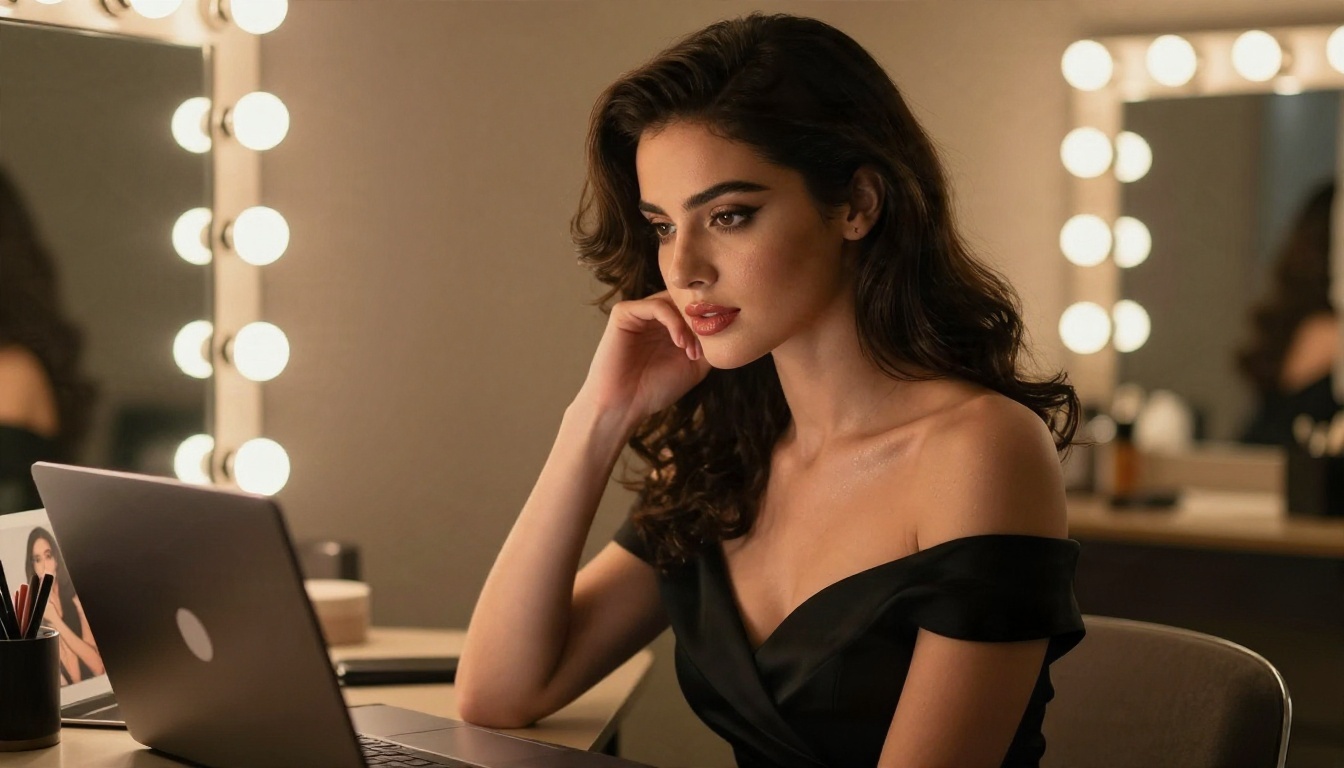
The first frame decides almost everything. Good lighting, a clear face, simple hands and a clean background give the video model less to invent. Seedream 4.5 is built for exactly this: high-detail portraits that survive being animated. If the frame needs a small fix, such as a stray strap, an odd shadow or a background object, send it through PicassoIA Image Editor Pro before animating.
Pick the Right Video Model
Once the still is ready, choose an image-to-video model. Here is a practical shortlist, all available on PicassoIA:
| Model | Best for | Notes |
|---|
| Seedance 2.5 Lite | Free, unlimited experiments | Clips up to 10 seconds, ideal for testing prompts |
| PicassoIA Video | Free unlimited text or image to video | Fast route from still to motion |
| Wan 2.6 I2V | Animating a single photo | Smooth, natural camera drift |
| Kling v3 Video | Cinematic motion | Strong body movement and fabric behavior |
| Hailuo 2.3 Fast | Quick photo animation | Short turnaround for iteration |
| Veo 3.1 Lite | Clips with native audio | Good for ambient sound and dialogue-style scenes |
| LTX 2.5 Fast | Speed | Very fast drafts before committing to a final render |
| Grok Imagine Video 1.5 | Image to video with audio | Good second opinion when another model struggles |
💡 Run the same first frame through two models. Different models interpret the same photo differently, and the best clip often comes from the second try on a different engine.
You can browse every model in one place at picassoia.com/en/all-models.
Why Unlimited Beats No Login
Most people searching for "no login" actually want something else: no friction and no counter ticking down. A free account that gives you unlimited generations is more useful than an anonymous page with a three-clip daily cap. Unlimited models such as Seedance 2.5 Lite and PicassoIA Video let you fail cheaply. That matters, because AI video is a numbers game. Most clips need two to five attempts before one is good enough to post.
Speed matters just as much. A tool that returns a clip in a minute lets you test five ideas in the time an anonymous queue gives you one. Creators who iterate quickly end up with better results, not because their first try is better, but because they get more tries.
From Still Photo to Moving Clip

This workflow works for fashion mockups, travel reels, product shots and glamour content. It keeps everything non-explicit and platform-friendly.
Step 1: Build the Still
Open Seedream 4.5 and describe one subject, one setting and one light source. Example: a woman in a white linen shirt and swimwear top on a poolside lounger, midday sun softened by a straw parasol, 85mm lens, shallow depth of field, film grain. Generate several options and pick the one with the cleanest face and hands.
Step 2: Polish the Frame
Take the best still into PicassoIA Image Editor Pro. Fix distracting objects, soften harsh shadows or adjust the outfit. Because it is unlimited, you can iterate without worry.
Step 3: Choose Motion and Model
Open an image-to-video model such as Seedance 2.5 Lite or Wan 2.6 I2V. Upload the polished still as the first frame.
Step 4: Write a Calm Motion Prompt
Describe what moves and how the camera behaves. Keep it simple: she lifts her sunglasses and smiles, water ripples softly behind her, slow dolly-in, warm natural light. One subject action plus one camera move is the safest recipe.
Step 5: Iterate and Pick
Generate two or three versions, compare, and keep the best. If the face drifts, lower the amount of motion. If the clip looks static, add one more verb or a gentle camera push.
Prompt Tips for Stable Motion
Small prompt changes produce big differences in video. These habits work across almost every model:
- One action per clip. "She turns and smiles" works. "She turns, dances, picks up a drink and walks away" does not.
- Name the camera. "Slow dolly-in," "gentle pan left" and "static tripod shot" give the model something to follow.
- Describe light, not mood alone. "Warm golden backlight from the left" beats "beautiful lighting."
- Mention fabric and water carefully. Flowing hair, silk and water ripples are easy wins. Complex hand interactions are not.
- Keep the background simple. Crowds and busy patterns raise the odds of glitches.
- Use native audio when available. Models such as Veo 3.1 Lite can add ambient sound that makes a short clip feel finished.
💡 If a model keeps refusing a harmless prompt, rewrite it in plain descriptive language. Words about the scene (fabric, lighting, location) pass filters more often than vague or loaded wording.
Common Mistakes to Skip
Chasing a "no login" label. A site that needs no account can still be slow, watermarked, capped or unsafe. Judge the tool by output quality, limits and privacy, not by the signup screen.
Starting from text only. Text-to-video is a coin toss for faces and outfits. An approved first frame removes most of the risk.
Overloading the prompt. Long prompts with five actions confuse every model. Short and specific wins.
Ignoring clip length. Plan your edit around 5 to 10 second segments. Stitch several clips together rather than asking for one long scene.
Uploading real people's photos. Even when a tool allows it, the legal and personal risk is yours. Use generated subjects or your own consenting models.
Downloading from unknown sites. Random "free generator" pages sometimes push files or browser extensions. Stay with platforms you can verify.
Make Your First Clip Today
The fastest way to settle the "uncensored, no login, free" question is to test it yourself with a small project. Create one portrait in Seedream 4.5, polish it in PicassoIA Image Editor Pro, then animate it with Seedance 2.5 Lite or PicassoIA Video. Ten minutes and a few attempts will tell you more than any list of anonymous tools.
Keep your expectations realistic: suggestive glamour, fashion and artistic content are well within reach, while explicit material stays off the table on any serious platform. Within those lines you get sharp stills, smooth motion and unlimited tries.
Ready to test it? Open PicassoIA, pick a model from picassoia.com/en/all-models, upload your first frame and press generate. Your best clip is usually the third attempt, so start the first one now.


