You type a perfectly normal prompt for a woman in a swimsuit on a beach, and the tool answers with a polite refusal. Or worse, it quietly hands back a blurred, over-dressed image that looks nothing like what you asked for. That frustration is the reason people search for an unfiltered AI image generator. They don't want chaos. They want a tool that treats adults like adults and stops flagging harmless glamour, swimwear, dark moods and mature themes as violations.
This article explains what "unfiltered" actually means in practice, whether you can really use one for free and online, which models refuse less, and which prompt examples produce realistic, attractive results without crossing into explicit territory. It also covers the limits that no serious tool removes, because pretending they don't exist is how people get burned.
What "Unfiltered" Really Means

The word gets used loosely. Marketing pages promise "no restrictions", then bury a content policy three clicks deep. Before you pick a tool, it helps to separate what is realistic from what is a sales line.
Filters Versus Hard Limits
A filter is a soft rule that a provider can tune. It decides whether a swimsuit, a bare shoulder, a violent scene or a political figure triggers a refusal. Filters vary wildly between providers, which is why the same prompt works in one place and fails in another.
A hard limit is a rule that does not move. Sexual content involving minors, non-consensual intimate imagery and deepfakes of real people sit here. Reputable platforms enforce these at the model level and the account level, and in many countries they are also criminal matters. The TAKE IT DOWN Act in the United States, signed in May 2025, made publishing non-consensual intimate imagery, including AI-made fakes, a federal crime.
So when someone says "unfiltered", the honest reading is: fewer false refusals on adult, artistic and suggestive content, with the hard limits still in place. Anything that promises literally no rules is either lying or something you should avoid.
Three Layers of Filtering
Most refusals come from one of three places, and knowing which one you hit saves a lot of wasted prompts.
| Layer | What it does | How it feels |
|---|
| Prompt filter | Scans your text for flagged words | Instant refusal before anything generates |
| Model training | The model itself was trained to avoid certain content | Generation runs, but the result is covered up or off-topic |
| Output filter | Scans the finished image | You wait, then get a blur or a warning |
A prompt filter can often be solved by rewording. Training and output filters cannot be argued with. That is why model choice matters more than prompt tricks.
💡 If a generator refuses a harmless prompt instantly, it is a prompt filter. If it generates something that looks suspiciously modest, it is the model itself. Switch models instead of rewriting the same sentence ten times.
Is It Really Free and Online?
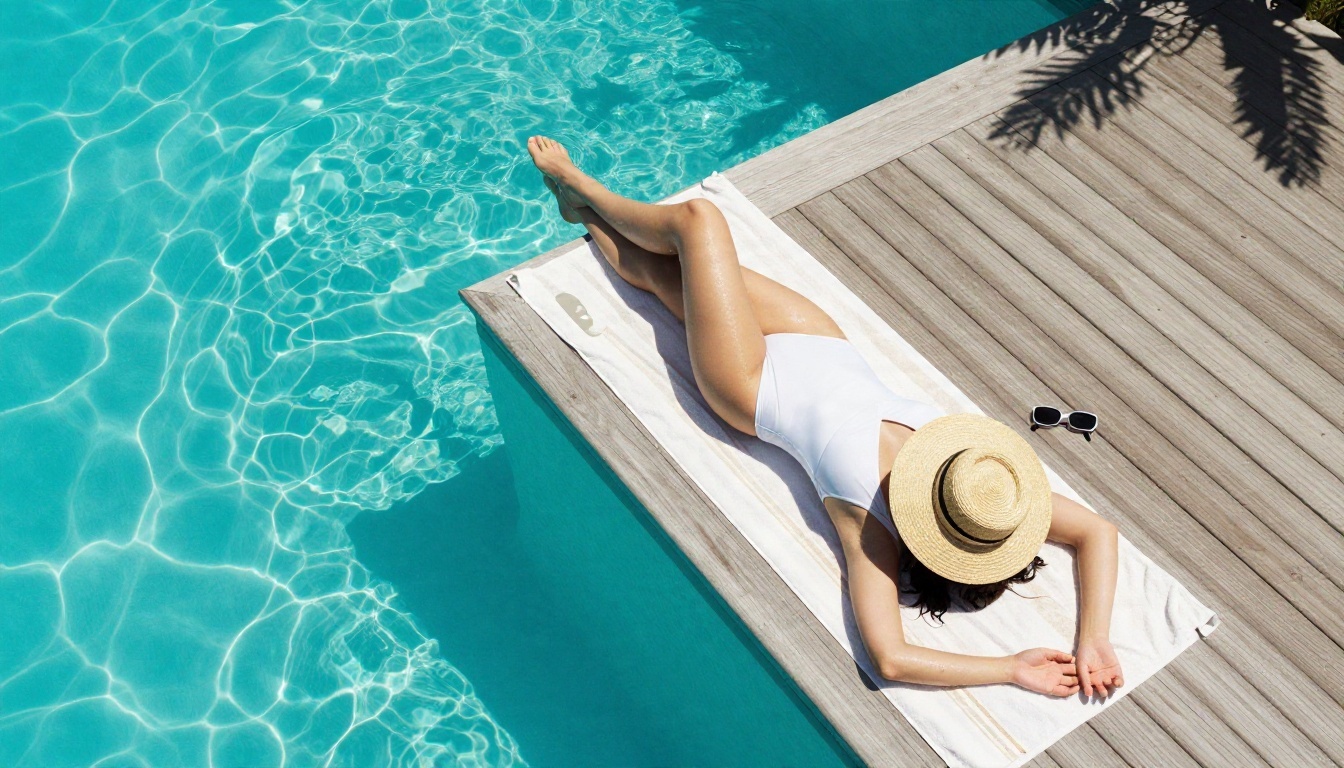
Short answer: partly. Recent roundups of the category agree on one point. Truly unrestricted, truly unlimited, truly free tools are rare, and a lot of "unlimited, no login" claims fall apart on the first real test. One tester in mid 2026 found that a popular "no signup, unlimited" pitch did not survive an afternoon of use, and that another "no restrictions" page was really a credit wall.
The Free Tier Reality
Free usually comes with a catch. Here is what the catches look like and what they cost you.
- Daily caps. You get a handful of generations, then a timer or an upgrade screen.
- Resolution ceilings. Some free community generators stop around 768 by 1024 pixels, which looks soft on a large monitor.
- Slow queues. Free users wait behind paying users, sometimes for minutes.
- Watermarks. Fine for experiments, useless for anything you want to post.
- Local installs. Running Stable Diffusion on your own graphics card has the fewest limits of all, but it needs capable hardware and a patient afternoon of setup.
For most people, an online tool with a generous free allowance and a clear content policy beats a local install. You get speed, no troubleshooting and better models than a home GPU can run.
Warning Signs of a Bad Tool
Because the search term attracts opportunists, a few red flags are worth memorizing.
- No stated content policy at all. A legitimate provider tells you what is blocked.
- Demands for a download or a browser extension just to generate an image.
- Prices hidden until after you create an account.
- Galleries full of real celebrities. That is a legal problem waiting to happen.
- Claims of "100% unlimited" next to a credits counter. Both cannot be true.
Models That Refuse Less
On PicassoIA, the models below are the ones worth trying first for adult-leaning, non-explicit work such as glamour portraits, swimwear, lingerie-style editorials and darker moods. I start with Seedream 4.5 and move down the list only when I need something specific.
| Model | Best for | Speed | Where to try it |
|---|
| Seedream 4.5 | Realistic skin, glamour, high detail | Fast | Seedream 4.5 |
| PicassoIA Image Editor Pro | Editing, restyling, unlimited generations | Fast | Image Editor Pro |
| Z Image Turbo | Quick drafts and rapid iteration | Very fast | Z Image Turbo |
| Qwen Image 3 Pro | Photorealistic scenes, natural light | Medium | Qwen Image 3 Pro |
| Flux 2 Klein 9B Base LoRA | Styled looks and custom flavors | Fast | Flux 2 Klein 9B Base LoRA |
Seedream 4.5 First
Seedream 4.5 is my default for anything involving people. It renders skin with believable pores, handles fabric like satin and knit without that plastic sheen, and produces sharp images you can zoom into. It is also the model that tends to give suggestive, tasteful prompts a fair hearing instead of refusing on a keyword.
How to use it in four steps:
- Open the model page and write your prompt as a short paragraph, not a list of tags.
- Name the subject, the clothing, the setting, the light and the lens in that order.
- Choose a 16:9 or 3:4 ratio depending on whether you want scenery or a portrait.
- Generate, then change one thing at a time (light, outfit or angle) to see what moves the result.
Image Editor Pro for Unlimited Tries
PicassoIA Image Editor Pro matters because of one word: unlimited. When you are tuning a prompt, the real cost of a tool is not the price per image. It is the anxiety of watching a credit counter fall while you test small variations. Unlimited generations remove that pressure. It also edits, so you can upload a photo you already own and restyle it, change the outfit, shift the lighting or fix a hand without starting over.
💡 Use Seedream 4.5 to find the look, then move to Image Editor Pro for the dozen small corrections that separate a decent image from a great one.
Z Image Turbo and Qwen Image 3 Pro
Z Image Turbo is built for speed. When you want to test ten wording variations in a few minutes, it is the right tool, and the drafts are good enough to judge composition and mood. Qwen Image 3 Pro leans toward photographic realism and is strong at natural light, outdoor scenes and believable environments. If a portrait feels too polished, running the same prompt through Qwen often brings back some grit.
For styled looks, Flux 2 Klein 9B Base LoRA is worth a try when you want a specific flavor applied consistently across a set.
💡 For the full list of image models, browse picassoia.com/en/all-models and filter by text to image.
Prompt Examples That Work
Good prompts are specific about light, lens and texture, and calm about everything else. Shouting adjectives like "ultra sexy" or "extreme" usually triggers filters and makes images worse. Describing a real photographic situation does the opposite.
Use this structure every time: subject and pose, clothing, environment, light direction, camera and lens, texture details.
Glamour Portrait at Dusk
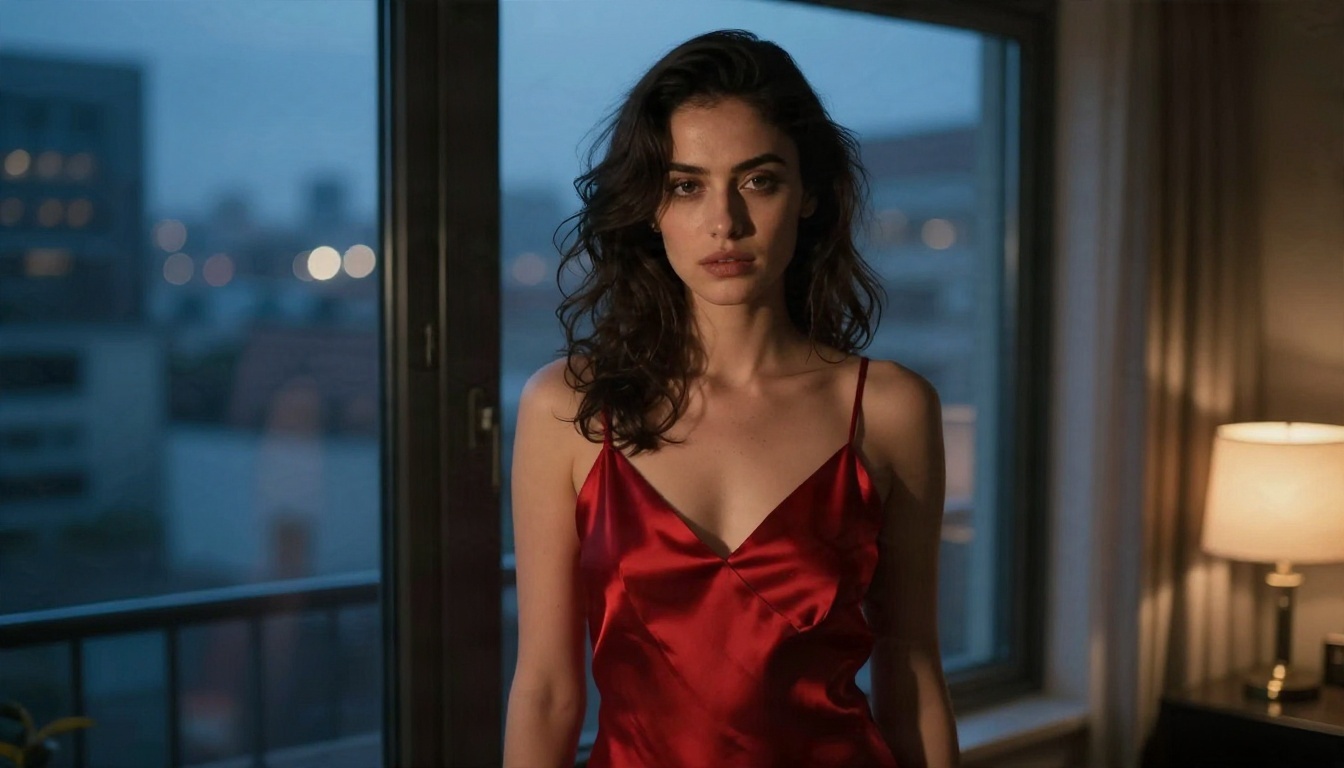
This is the kind of image people expect from an unfiltered generator, and it needs no explicit content at all. The mood comes from the light.
Prompt: Low-angle portrait of a woman in a red silk slip dress standing at a floor to ceiling window of a dim apartment at dusk, city lights soft in the background, warm tungsten lamp from the right and cool blue dusk light from the left, 85mm f/1.4 lens, visible silk folds, fine skin pores, flyaway hair strands, Kodak Portra 400 film grain, moody cinematic realism.
Why it works: two light sources with different color temperatures add depth, "visible silk folds" forces real fabric behavior, and the lens detail keeps the background soft.
Beach Glamour at Golden Hour
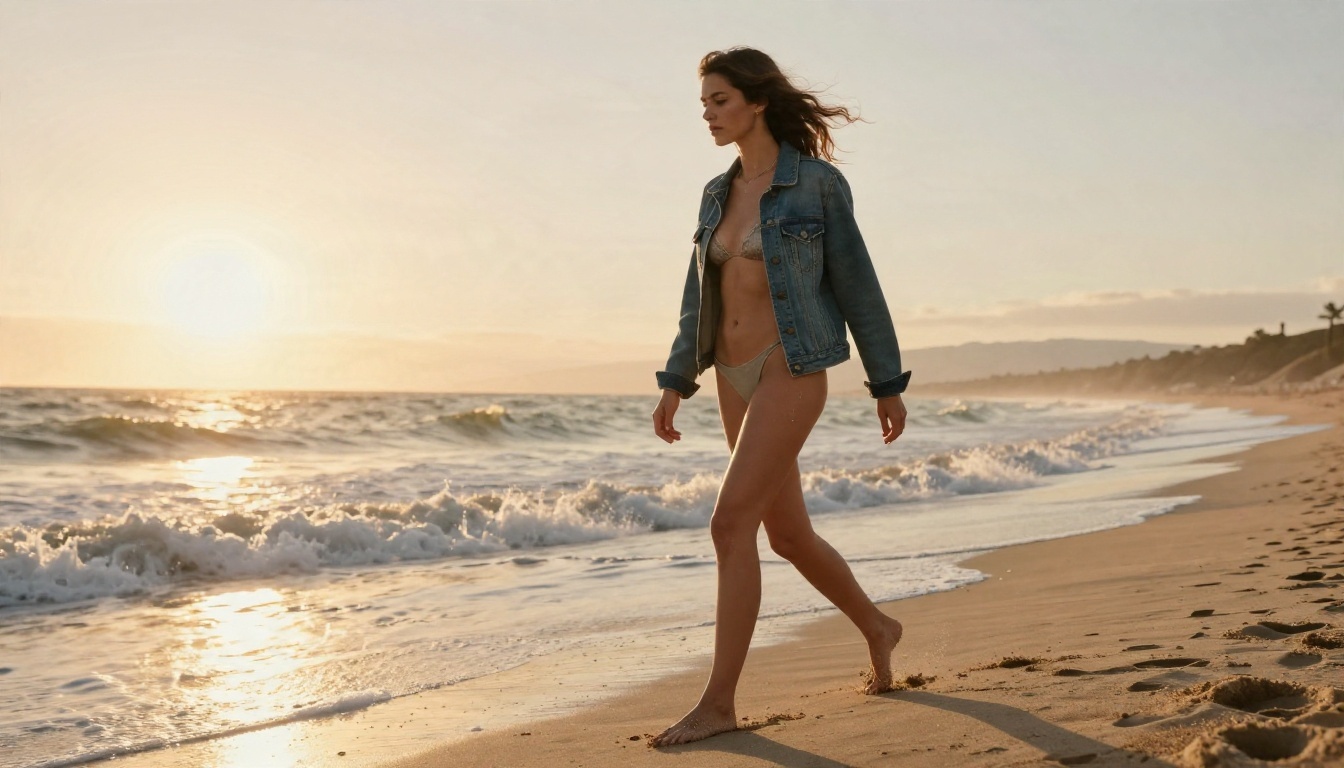
Swimwear is one of the most commonly blocked categories on stricter tools, even though it is ordinary summer photography. Less cautious models handle it without fuss.
Prompt: Side-profile medium shot of a woman in a vintage denim jacket and bikini top walking along a windy beach at golden hour, hair blowing across her face, sea foam and wet sand at her feet, backlight from the low sun creating a warm halo, 70mm f/2.8 lens, salt-dried skin, sand grains on her ankles, Kodak Portra 400 film grain.
Why it works: the backlight and wind give the image motion, and the small details (sand on ankles, dried salt) tell the model this is a real afternoon, not a studio pose.
Dark and Gritty Moods
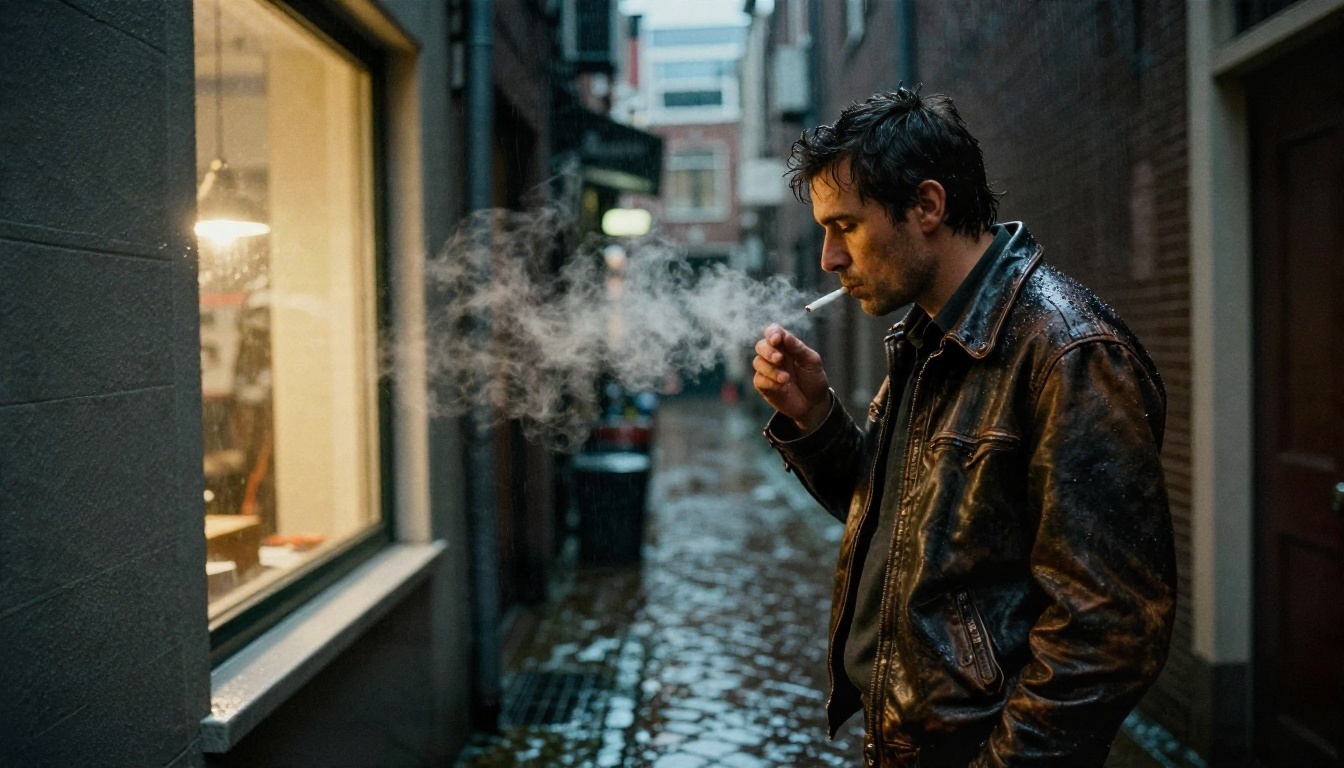
Filters don't only block skin. Many tools also refuse tense, noir or melancholic scenes because they read as "violent" or "disturbing". An unfiltered generator lets you work with mood.
Prompt: Dutch-angle street photograph of a man in a worn leather jacket in a rainy narrow alley at night, wet cobblestones reflecting a single warm shop window, steam rising from a grate, 35mm f/1.4 lens, rain droplets on his shoulders, rough leather texture, Kodak Portra 400 film grain, gritty documentary realism.
Notice there is no neon and no futuristic styling. A single warm window against dark stone is enough to sell the scene.
Close-Up Skin Realism
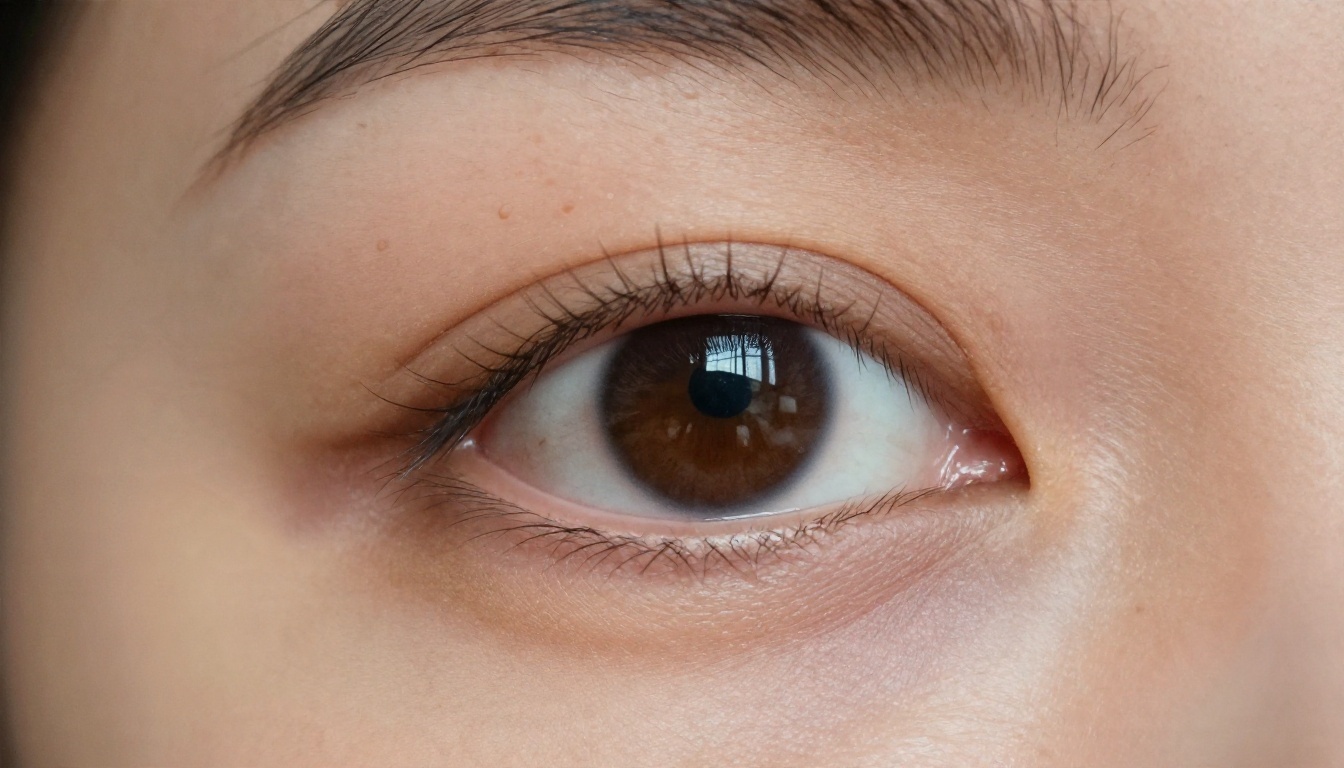
Many generators over-smooth faces until they look like wax. Macro prompts expose that problem fast, so they double as a quality test for any tool you are evaluating.
Prompt: Extreme close-up macro of a woman's eye and cheekbone with natural makeup, light freckles, individual eyelashes, tiny skin pores and a soft highlight on the iris reflecting a window, side light from the left, 100mm macro f/2.8 lens, razor thin depth of field, Kodak Portra 400 film grain.
If a model can't hold pores and freckles at this scale, it won't hold them anywhere else either.
A Reusable Prompt Formula
Copy this template and swap the brackets:
[Camera angle] of [subject and age range] in [clothing] [action] in [location], [time of day], [light direction and color], [focal length and aperture], [two surface textures], Kodak Portra 400 film grain.
Three habits make the biggest difference:
- Name the light direction. "Soft light from the left" beats "good lighting" every time.
- Pick real lenses. 35mm for context, 85mm for portraits, 100mm macro for detail.
- Add imperfections. Flyaway hair, creased linen and chipped glaze make images feel photographed.
Limits That Never Go Away
Even the most permissive tool has a floor. These are the limits worth taking seriously, whatever a website claims.
| Limit | Why it exists |
|---|
| No explicit pornographic output | Reputable platforms keep generation suggestive and artistic, not graphic |
| No minors in any sexualized context | Absolute, enforced everywhere, and illegal nearly everywhere |
| No deepfakes of real people | Non-consensual imagery causes real harm and carries legal penalties |
| No impersonating public figures | Defamation and fraud risk |
| No unlimited promises at scale | Compute costs money, so heavy use eventually meets a cap |
What This Means for You
The practical takeaway is simple. Use fictional subjects or yourself with consent. Keep adult content suggestive rather than explicit. Treat any generator that offers celebrity face swaps with suspicion. And remember that an image you publish is your responsibility, not the tool's.
💡 Free and fast beats "uncensored" in a lot of cases. Most people who think they need no filters at all really need a model that doesn't refuse swimwear, mood and mature themes. Those two things are very different.
Fixing Common Prompt Problems
Even with a permissive model, results go wrong. Here are the most frequent issues and the quickest fixes.
| Problem | Likely cause | Fix |
|---|
| Instant refusal | Flagged word in the prompt | Reword with neutral, descriptive terms |
| Plastic, waxy skin | No texture cues | Add "fine skin pores", "peach fuzz", "film grain" |
| Odd hands | Complex pose | Hide them: pockets, a cup, a sleeve |
| Flat lighting | No light direction | Name a source and side, such as "window light from the left" |
| Same face every time | Generic subject words | Add age range, hair, freckles and a distinct feature |
| Over-dressed result | Model-level softening | Switch to another model rather than rewording |
When to Switch Tools
If three rewrites in a row fail the same way, stop. The problem is the model, not your wording. Move from one model to another, keep the prompt, and compare. That ten-second test teaches you more about each tool's boundaries than reading any policy page.
Try Your Own Prompts Now
The fastest way to find out what an unfiltered AI image generator can do for you is to run your own prompts, not read about someone else's. Pick one scene from this article, change the outfit or the light, and generate it.
Here is a simple plan for your first session:
- Start with Seedream 4.5 and run the glamour or beach prompt as written.
- Move the image into PicassoIA Image Editor Pro and make three small edits without worrying about a credit counter.
- Draft ten quick variations with Z Image Turbo and keep the best composition.
- Test the same prompt in Qwen Image 3 Pro to compare how each model handles light and skin.
Free, fast and flexible is possible. Fully unrestricted is not, and shouldn't be. Browse every available option at picassoia.com/en/all-models, then open Picasso IA and start creating your own images today.


