Qwen Image 3.0 produces some of the cleanest skin, fabric and light you will see from a text-to-image model right now, and that is exactly why people keep asking whether it can handle spicy, glamour-style content. The short answer: it can do suggestive, magazine-grade photography very well, but it is a hosted model with content filters, so it will not go where an unrestricted tool goes. This article shows you what works, what gets blocked, which prompts give the best results, and how to get free access without wasting credits.
Everything below sticks to non-explicit, photorealistic glamour: swimwear, silk, lace, boudoir-style lighting, resort and beach scenes. If that is the look you want, Qwen Image 3.0 is a strong option. If you want fewer restrictions, there are better picks, and I list them in order further down.
What Qwen Image 3.0 Actually Is
Release and Access
Alibaba released Qwen Image 3.0 in July 2026 as a closed model. That is a change from earlier Qwen Image versions, which shipped with open weights. There are no downloadable weights for 3.0, so you cannot run it on your own GPU. You reach it through hosted services: Alibaba's own apps and API, a handful of third-party platforms, and PicassoIA.
Reports differ on the exact rollout date. Early coverage described invite-only API access, while later reports describe general availability in early August 2026, alongside a faster and cheaper variant next to the Pro version. Per-image API pricing has been reported at a few cents, but I could not confirm those figures from an official price list, so treat them as rough.
💡 Quick fact: Because the weights are closed, no one can strip the safety layer out of Qwen Image 3.0. Whatever moderation the host applies is the moderation you get.
Why It Suits Photoreal Glamour
Three traits matter for spicy work:
- Skin and fabric rendering. Pores, freckles, flyaway hair, silk sheen and lace stitching come out with believable texture instead of the waxy look older models had.
- Long prompt tolerance. Qwen Image 3.0 was built to follow very detailed prompts, so you can specify lens, light direction and styling in one go.
- Text and layout accuracy. Handy if you want a magazine-style cover line or a shop sign in the frame.
You can try it directly on PicassoIA through Qwen Image 3, or step up to Qwen Image 3 Pro when you want maximum detail.
What "Spicy" Means Here
Suggestive Versus Explicit
Spicy is a spectrum. For a hosted model like this one, the workable zone sits in the middle:
| Level | Examples | Works on Qwen Image 3.0? |
|---|
| Casual glamour | Sundress, shirt over swimwear, beach walk | Yes, reliably |
| Swimwear | Bikinis, one-pieces, cut-outs, resort scenes | Yes, usually |
| Boudoir styling | Silk robes, satin slips, lace trims, soft window light | Often, with careful wording |
| Heavy implied nudity | Minimal coverage, explicit poses | Frequently blocked |
| Explicit content | Anything pornographic | Blocked |
I will be blunt about the last two rows: they are not what this article is about, and a hosted model like this one is not the right tool for them.
Where Filters Kick In
Moderation systems react to combinations, not single words. "Bikini" alone passes. "Bikini" plus "wet", plus a close crop on the chest, plus a lying pose, plus suggestive adjectives, starts to look risky. When I generated the images for this article, one prompt built around black lace lingerie was rejected by the moderation layer of the image tool I used. Rewriting it around a knit camisole and cardigan, with the same soft dawn light, went through immediately and still looked intimate.
That tells you the practical rule: sell the mood with light, pose and styling, not with how little the outfit covers.
The Six-Part Structure
Qwen Image 3.0 rewards structure. Build every prompt in this order:
- Subject and action: who, doing what, with what expression.
- Wardrobe: fabric, color, cut. Fabric words ("satin", "linen", "ribbed cotton") add realism.
- Environment: location plus three or four small props.
- Light: direction, time of day, quality (soft, hard, diffused).
- Camera: lens, aperture, angle, distance.
- Texture and film look: skin pores, grain, a film stock reference such as Kodak Portra 400.
Here is a template you can paste and swap:
A woman in her late twenties wearing a [fabric + color + garment], [pose/action] in [location], [three small props]. [Light direction and quality]. Shot on [lens] at [aperture], [angle]. Visible skin texture, fine film grain, Kodak Portra 400 palette, natural color.
Words That Help and Words That Hurt
| Helps | Hurts |
|---|
| "tasteful", "editorial", "magazine glamour" | "sexy" stacked three times |
| "soft window light from the left" | "glowing skin", "shiny" (plastic look) |
| "85mm f/1.8, shallow depth of field" | "8K ultra HD masterpiece" filler |
| "visible pores, light freckles" | "perfect skin", "flawless" |
| "Kodak Portra 400 film grain" | "digital art", "render" |
Qwen Image 3.0 also supports a negative prompt. For glamour work, something like "plastic skin, airbrushed, extra fingers, distorted hands, text artifacts, oversaturated" cleans up the most common problems.
Prompt Examples With Results
Each example below follows the six-part structure. The images are real outputs made in the same photoreal style the prompts describe, so you can judge the look you are aiming for.
Soft Dawn Intimacy
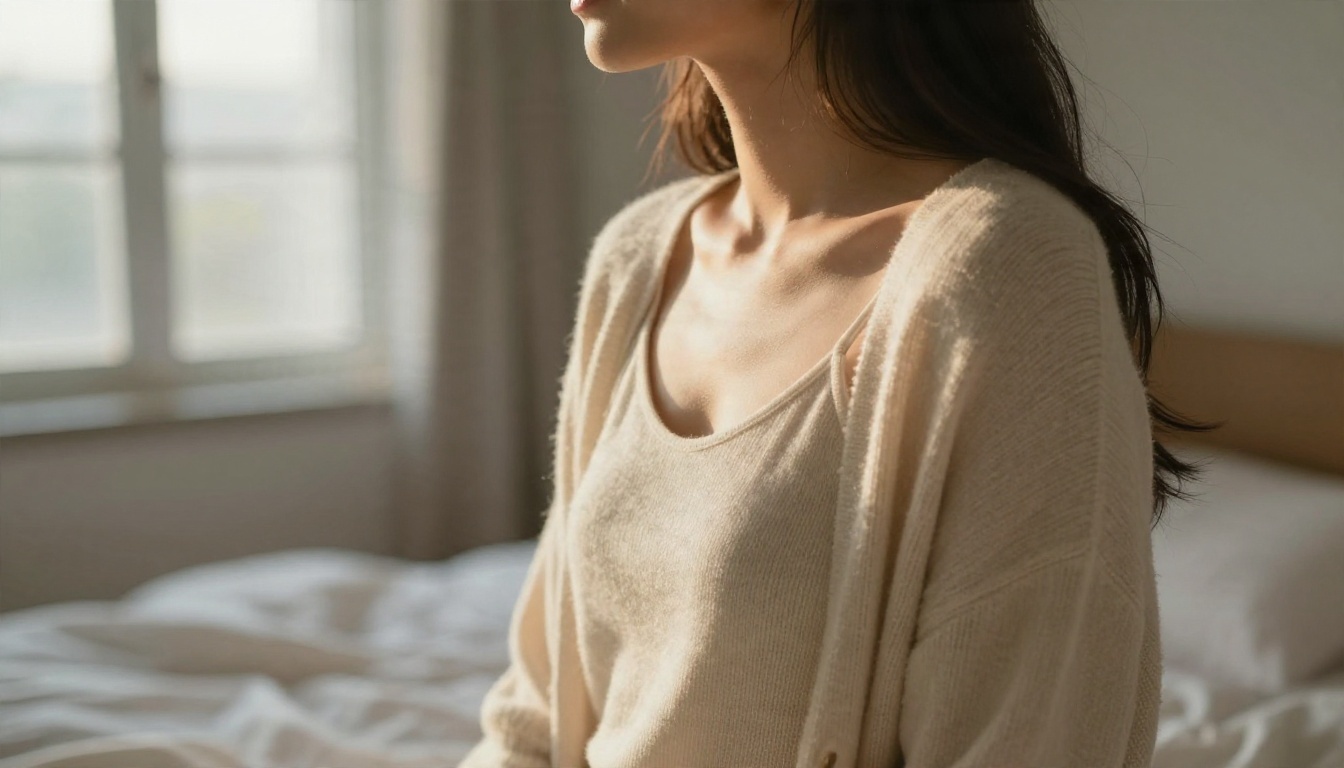
Prompt idea: Close-up portrait of a woman in a cream knit camisole and soft cardigan by a bedroom window at dawn, shoulder turned toward the camera, soft volumetric light from the left, 85mm f/1.8, rumpled linen bed blurred behind, visible skin pores, Kodak Portra 400 grain.
Why it works: the window light does the seducing. The outfit is modest, the mood is intimate, and the filter has nothing to object to. This is the safest route to a boudoir feel.
Beach Glamour at Golden Hour
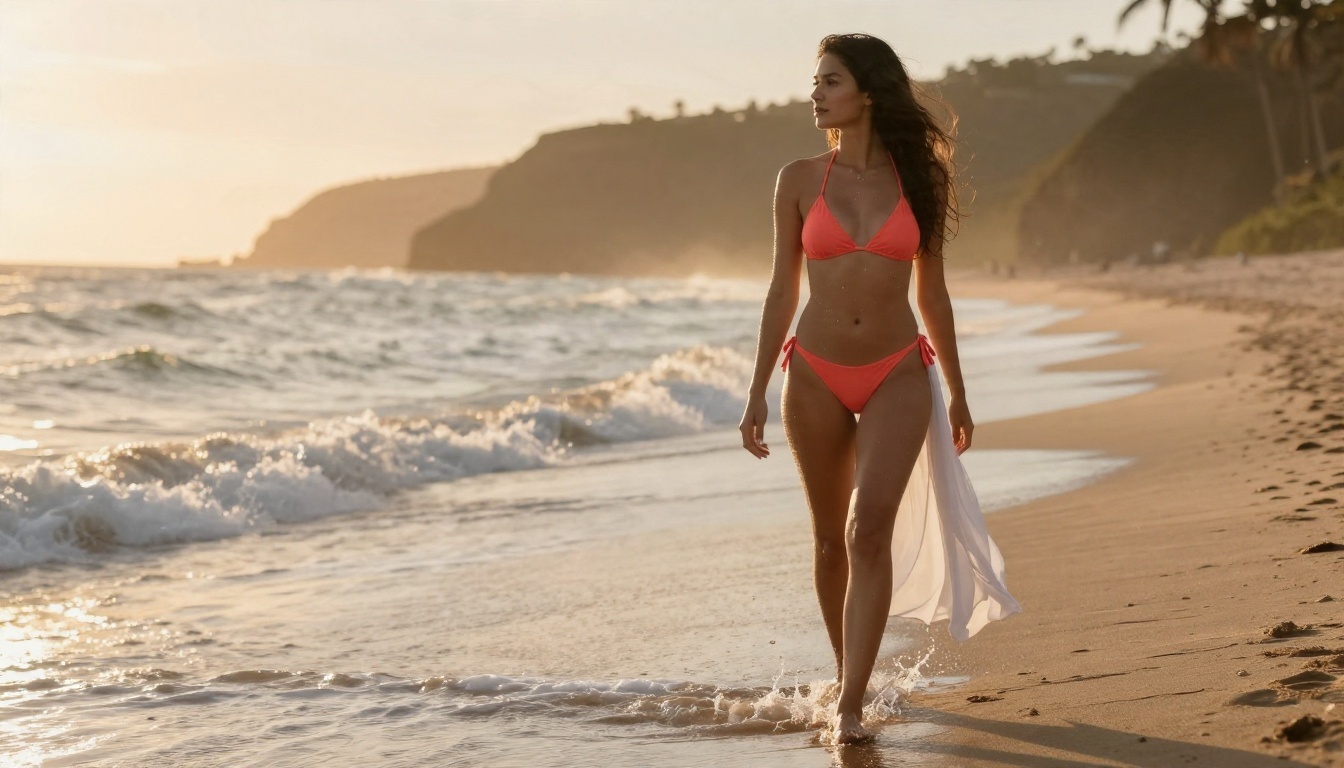
Prompt idea: Wide low-angle shot of a woman in a coral two-piece bikini and sheer white sarong walking along wet sand at golden hour, small waves around her ankles, warm backlight from the right, salt droplets on tanned skin, 35mm f/2, Kodak Portra 400 grain.
A low angle plus backlight gives the figure presence without any close crop. Swimwear in a natural setting is treated far more gently by filters than the same swimwear in a bedroom.
Resort Pool From Above
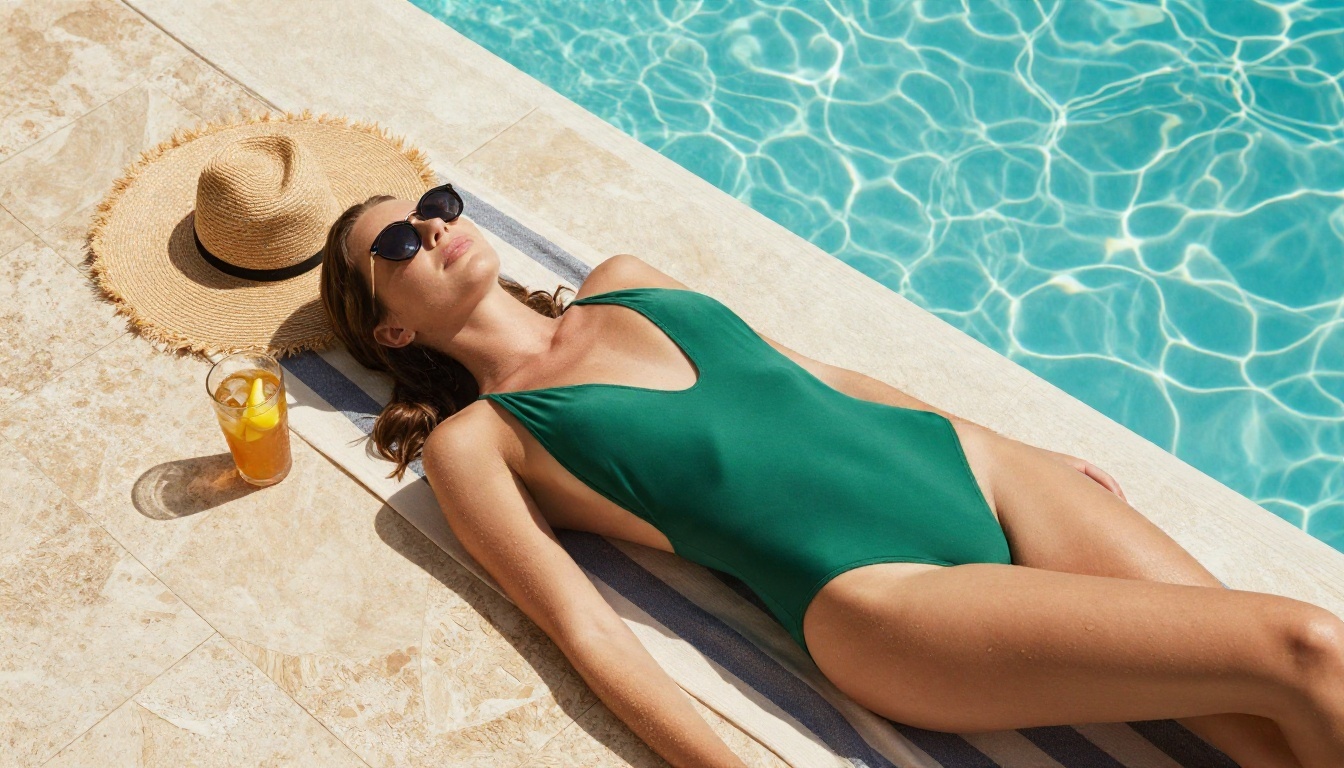
Prompt idea: Overhead aerial view of a woman in an emerald one-piece on a striped lounger beside a turquoise infinity pool, sunglasses and straw hat on the tile, iced lemonade sweating nearby, hard midday sun from above, 24mm lens.
Distance is a styling tool. An overhead shot reads as lifestyle photography, keeps skin detail believable, and sidesteps the "close crop" trigger.
Satin and Tungsten Night
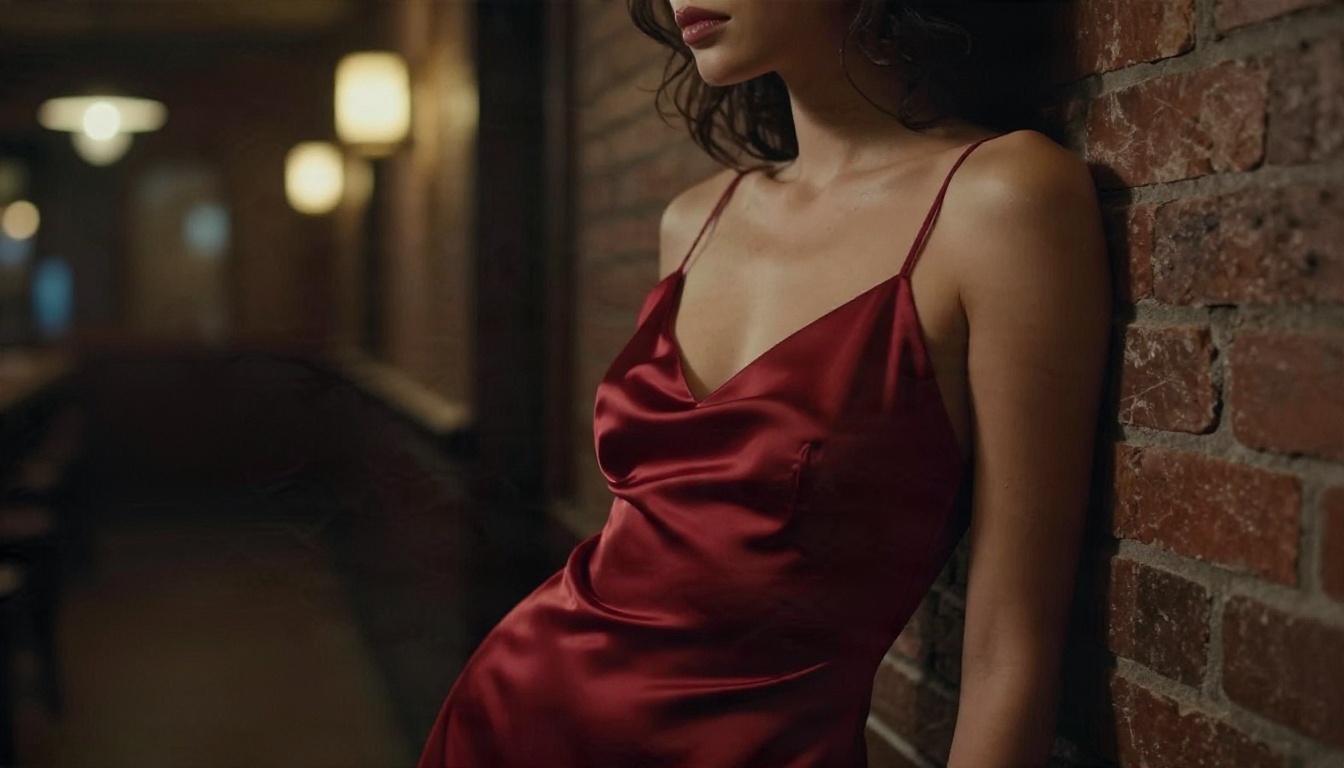
Prompt idea: Medium shot of a woman in a deep red satin slip dress leaning against a brick wall in a dim jazz bar corridor at night, warm tungsten practical lights above right, soft shadows on bare shoulders, 50mm f/1.4, film grain.
Satin is a gift for AI photography. The sheen follows folds realistically, and warm tungsten light gives that late-night editorial warmth without needing any exposed skin beyond the shoulders.
💡 Tip: Name the light source ("tungsten practical lights above and to the right"). Vague words like "moody lighting" give flat results, while a named source gives you a direction and falloff.
Borrowed Shirt, Loft Morning

Prompt idea: Over-the-shoulder shot of a woman in an oversized white button shirt, bare legs, sitting cross-legged on a hardwood floor in a loft, reading a magazine, overcast window light from the left, dust motes, 50mm f/2.
The "borrowed shirt" look is a classic for a reason. It implies intimacy through a candid, unposed moment, and models handle it without trouble.
Backstage Vanity Mirror
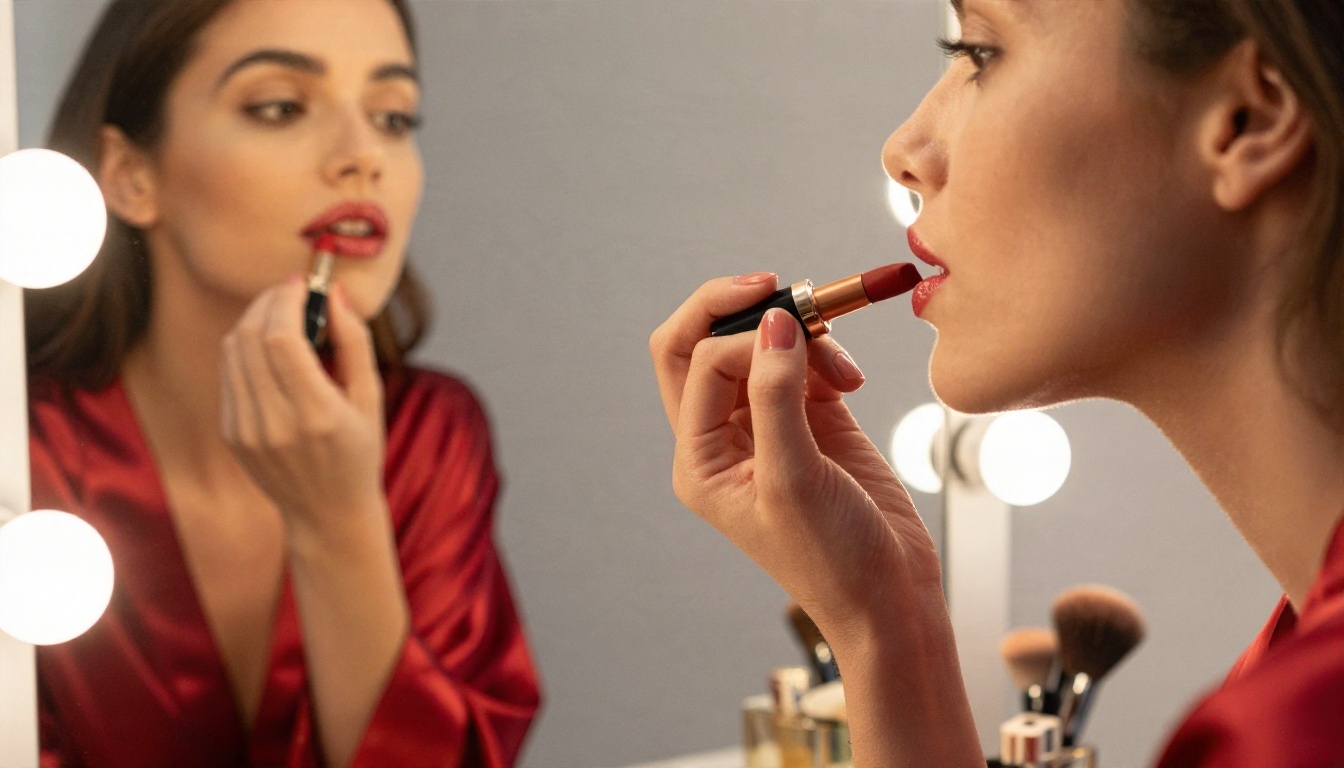
Prompt idea: Side profile close-up of a woman applying glossy red lipstick at a vanity mirror lined with warm bulbs, silk robe slipping off one shoulder, reflection visible, soft diffused bulb light, 100mm f/2.8, powder brushes blurred behind.
Reflections test a model's coherence. Qwen Image 3.0 usually keeps the mirror image consistent with the subject, which is a point in its favor over older models.
Sailboat Sunrise
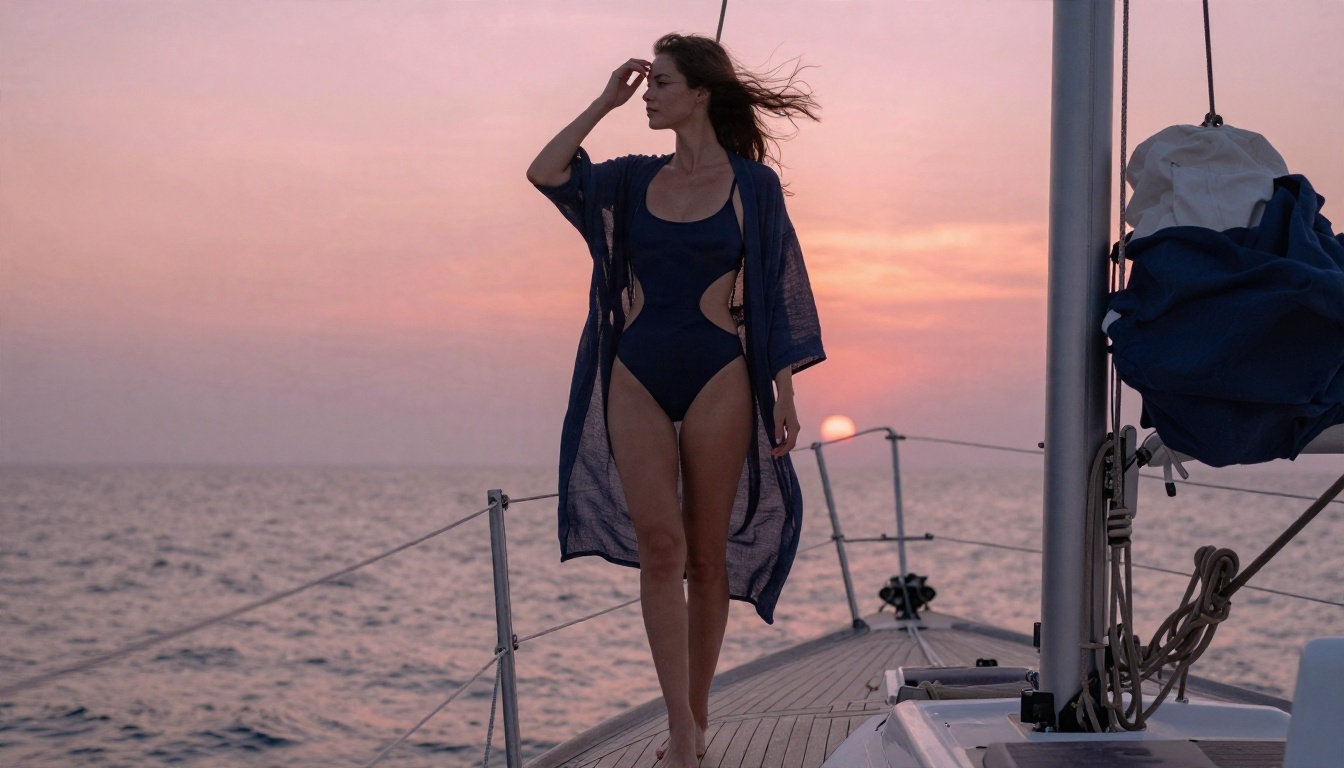
Prompt idea: Full-length shot of a woman in a navy cut-out swimsuit and open linen kimono on a sailboat deck at sunrise, wind lifting hair and fabric, calm sea and pink-orange horizon, soft side light from the left, 35mm f/2.8.
Motion cues like wind in fabric make a still image feel alive. Adding a layer (the open kimono) also gives the model a styling anchor beyond the swimsuit.
Velvet Sofa Afternoon
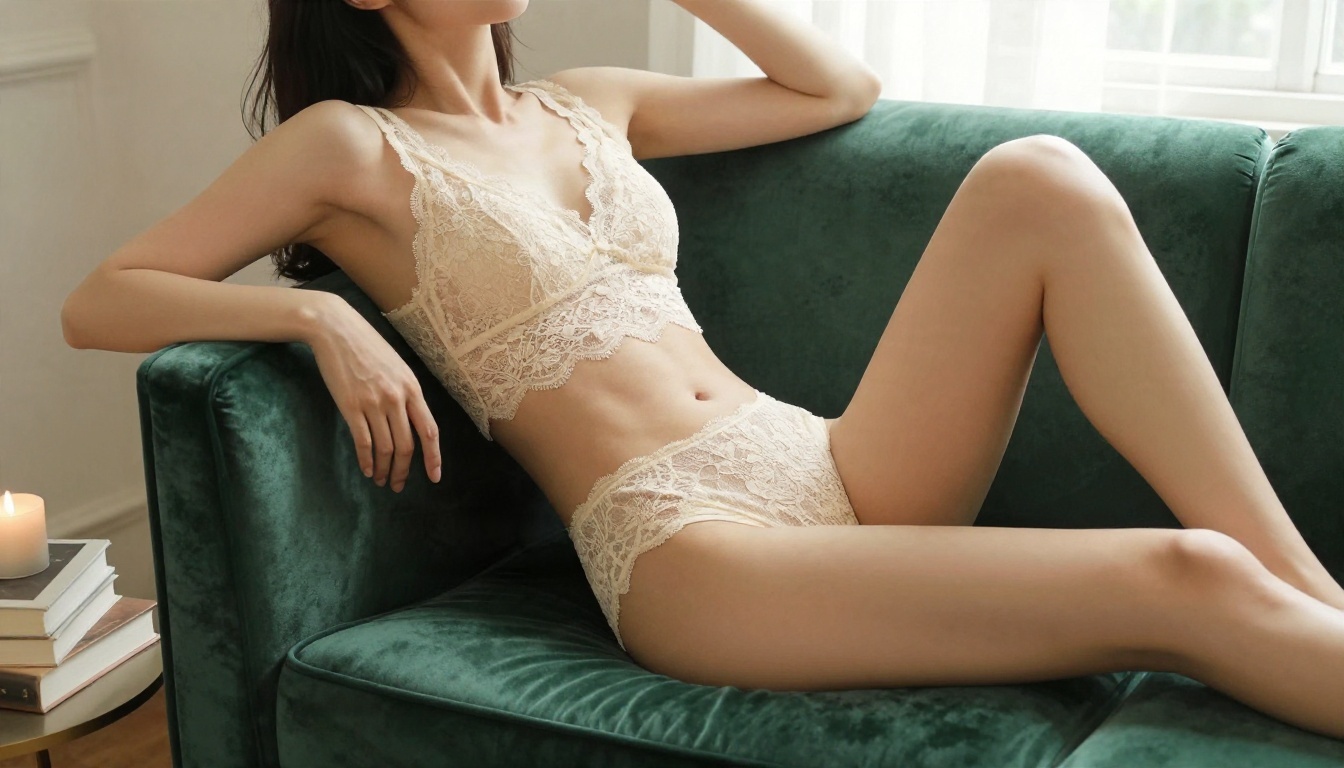
Prompt idea: High-angle shot of a woman in a cream bodysuit with a cropped cardigan reclining on a green velvet sofa, one arm over the backrest, afternoon window light from the right, 70mm f/2.2, velvet pile texture, candle and stacked books nearby.
Texture contrast sells this one: velvet against skin against knit. Always give the model at least two contrasting materials.
Desert Road Trip
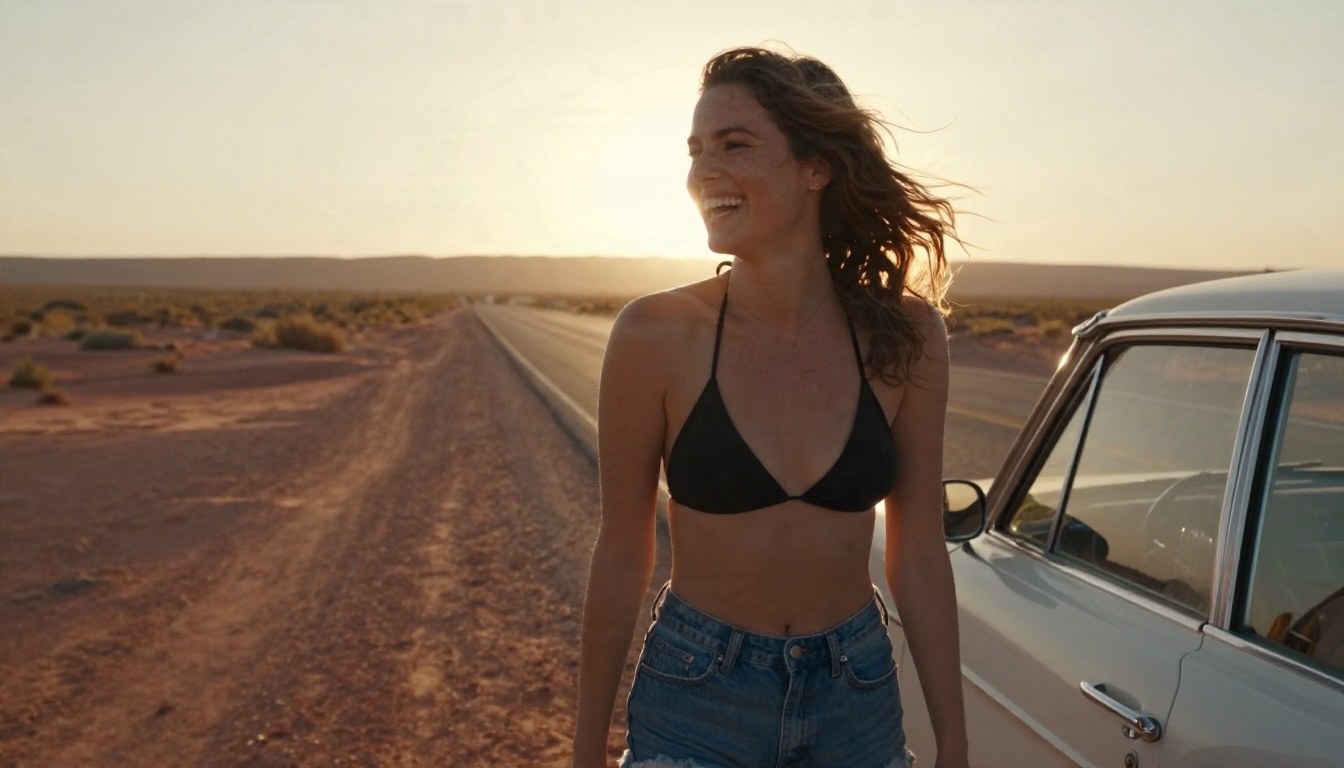
Prompt idea: Candid medium shot of a woman in a black halter bikini top and denim shorts laughing on a desert roadside beside a vintage convertible, low late-afternoon sun from behind with warm flare, 50mm f/1.8, light freckles, windblown hair.
A laugh beats a pout. Candid expressions look more photographic and feel less staged than the fixed "model stare" most prompts default to.
How to Use Qwen Image 3 on PicassoIA
Qwen Image 3 is available on PicassoIA as a text-to-image model with an optional photo editing mode. Here is the workflow I recommend for glamour work.
Step-by-Step
- Open the model page. Go to the Qwen Image 3 page on PicassoIA.
- Write your prompt. Use the six-part structure above. Aim for 60 to 120 words. The model handles longer prompts well, so there is no need to be terse.
- Pick the aspect ratio. Nine presets are available: 1:1, 16:9, 9:16, 4:3, 3:4, 3:2, 2:3, 2:1 and 1:2. Use 2:3 or 3:4 for portraits and 16:9 for scenic, resort and beach shots.
- Add a negative prompt. Try "plastic skin, airbrushed, distorted hands, extra fingers, oversaturated, text artifacts".
- Decide on prompt expansion. It is on by default and rewrites short prompts into richer ones. Leave it on for quick drafts. Turn it off when you want precise control over wardrobe and light, because expansion can add details you did not ask for.
- Set a seed once you like a result. A fixed seed lets you change one variable at a time (outfit color, time of day) while the composition stays steady.
- Generate, review, adjust. Change one thing per round.
Parameter Tips
| Parameter | Recommendation |
|---|
| Prompt | 60 to 120 words, six-part structure |
| Aspect ratio | 2:3 for portraits, 16:9 for scenes |
| Negative prompt | Plastic skin, airbrushed, distorted hands |
| Prompt expansion | On for drafts, off for control |
| Seed | Lock it after a good result |
| Reference image | Use the edit mode to change outfit color or background on a photo you like |
The photo editing mode is the underrated feature. Upload a generated image, then ask for one change: "change the dress to deep green satin" or "move the scene to golden hour". That is faster and more consistent than regenerating from scratch.
💡 For the highest detail, try Qwen Image 3 Pro with the same prompt and compare the two outputs side by side.
Free Access and Real Limits
Free Options
Free access to Qwen Image 3.0 depends on where you use it:
- Alibaba's own apps may offer limited free generations, but I could not confirm the exact allowance, and it can change without notice.
- Paid API access is priced per image, in the range of a few cents according to third-party reports.
- PicassoIA lists Qwen Image 3 as a free-to-try online model, which is the simplest way to test prompts without setting up an API account.
Limits to Expect
| Limit | What it means for you |
|---|
| Content moderation | Suggestive is fine, heavy implied nudity and anything explicit gets blocked |
| Closed weights | No local install, no custom filter removal |
| Prompt sensitivity | Word combinations can trip filters even when each word is harmless |
| Credits or quotas | Free tiers vary by platform and can shrink |
| Consistency | Same face across images needs a locked seed or a reference image |
If you keep hitting walls, do not fight the filter with clever wording. Switch to a model that fits the content better, which is the next section.
Better Models for Edgier Work
Qwen Image 3.0 is a fine choice for polished, suggestive glamour. When you want more room, more speed and fewer refusals, these are the models I would reach for, in this order.
Seedream 4.5 First
Seedream 4.5 is my first pick for adult-leaning glamour work. It makes sharp, high-resolution images, handles swimwear, lingerie-style styling and boudoir lighting with far fewer refusals than most hosted models, and holds skin texture well. For this kind of content, start here.
PicassoIA Image Editor Pro
PicassoIA Image Editor Pro offers unlimited generations, which matters when you iterate. Spicy prompts need many rounds of tweaking, and a per-image meter punishes that. It is also an editor: upload a photo and change outfits, backgrounds or lighting. Fast, uncensored in spirit, and cheap on patience.
Fast and Flexible Alternatives
- Z Image Turbo is quick and sharp, ideal for testing ten prompt variations in a few minutes.
- Flux 2 Klein 9B Base LoRA supports styled looks via LoRA, which helps with a consistent aesthetic across a set.
- Qwen Image 3 Pro is the choice when fabric and skin detail matter more than speed.
Here is how I would rank them for this topic:
| Model | Best for | Speed |
|---|
| Seedream 4.5 | Adult-leaning glamour, fewer refusals | Fast |
| Image Editor Pro | Unlimited iteration and photo edits | Very fast |
| Qwen Image 3 | Clean photoreal skin and fabric | Medium |
| Qwen Image 3 Pro | Maximum detail | Slower |
| Z Image Turbo | Rapid prompt testing | Very fast |
You can browse every available option at picassoia.com/en/all-models.
Mistakes That Waste Credits
Stacking adjectives. "Sexy, seductive, sultry, hot" tells the model nothing about the picture and raises the odds of a block. Describe light, pose and fabric instead.
Skipping the camera. Without a lens and aperture, results drift toward generic stock photo. "85mm f/1.8" alone changes the whole feel.
Chasing perfection. Prompts with "flawless skin" produce the plastic look you are trying to avoid. Ask for pores and freckles.
Ignoring props. Three small objects (a cup, a candle, a book) make a scene feel lived in.
Rewriting everything each round. Change one variable at a time and lock the seed.
Try Your Own Prompts
You now have a prompt structure, nine styled examples, a parameter set for Qwen Image 3.0, and a clear picture of the limits. The fastest way to improve is to run your own versions: take one example above, swap the location, change the fabric, shift the light from left to right, and compare.
Open Qwen Image 3 on PicassoIA for clean photoreal glamour, start with Seedream 4.5 when you want fewer limits, and use PicassoIA Image Editor Pro when you want to iterate without counting generations. Pick a prompt, press generate, and see what your own version looks like.


