You type "cute girl, pink hair, school uniform" into a generator, wait thirty seconds, and get a face with three eyes and a hand that looks like a bunch of bananas. Or worse, you get nothing at all, just a spinner that never stops. If that sounds familiar, you are in the right place. A waifu AI image generator is one of the most searched kinds of image tool right now, and it is also one of the most frustrating when the prompt, the model or the free tier lets you down.
This article walks through what these generators really do, shows real examples with the prompts behind them, compares free options honestly, and gives you a fix list for every "not working" problem I see people run into. The photos you will see below are photorealistic cosplay-style takes on classic waifu looks, which is a good way to see how much detail a modern model can hold when you describe a character well.
💡 Quick answer: If your waifu generator is not working, check three things in this order: the service status and your credit balance, the length and wording of your prompt, and the model you picked. Most failures come from one of those three.
What a Waifu Generator Does
A waifu generator is not a special kind of AI. It is a text-to-image model (or an image editor) that is steered toward anime-inspired characters: large expressive eyes, clean hair shapes, bold color palettes, and stylized outfits. Some tools wrap a single model behind a simple form. Others give you a full prompt box and let you choose from many models.
Why People Use Them
The reasons are surprisingly practical:
- Character design: writers, game makers and tabletop players need a face to go with a name.
- Profile art and wallpapers: a custom image beats a stock one every time.
- Cosplay planning: you can test wig colors, outfits and poses before spending money.
- Fan creativity: imagining your own original character in a favorite genre is simply fun.
Anime Style vs Photoreal Style
Here is something many beginners miss. The same character idea can be rendered as a flat anime illustration or as a realistic photograph of a person dressed as that character. Realistic rendering is harder for the model, because skin pores, fabric weave and light direction all need to be believable. It is also a great stress test. If a model can hold a pastel twin-tail wig, a pleated sailor uniform and soft window light in one frame, it will handle simpler illustration prompts with ease.
| Style | Strength | Typical weakness |
|---|
| Flat anime illustration | Clean lines, vivid color | Repeated faces, generic poses |
| Semi-realistic anime | Soft shading, depth | Hands and accessories |
| Photoreal cosplay look | Believable light and texture | Needs long, specific prompts |
Waifu Examples Worth Copying
Let me show you what a well-built prompt produces. Each example below pairs a look with the ingredients that made it work.
The Cafe Portrait
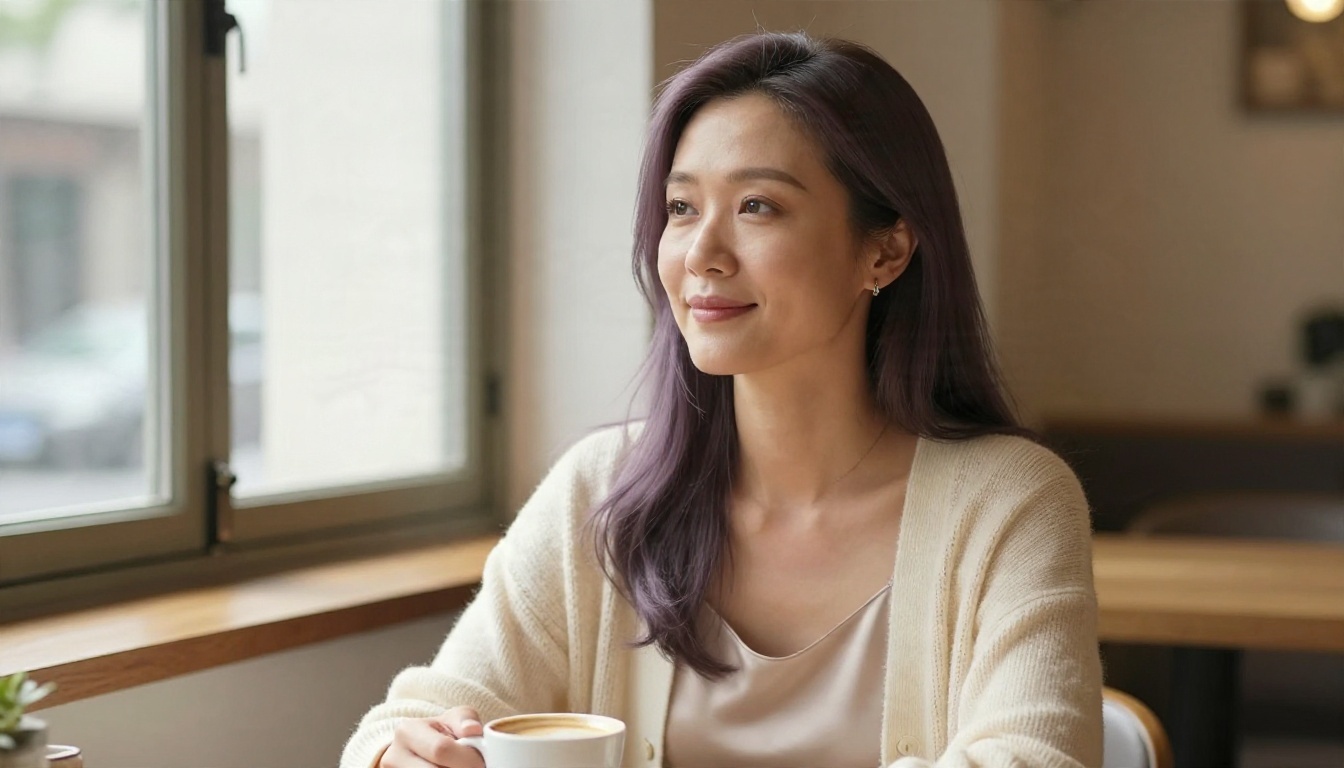
This is the "soft heroine" look: long lavender hair, a small silver clip, a cream knit cardigan over a white blouse. The setting is a sunlit cafe with a blurred background. What makes it work is the single light source from the left. Waifu portraits often fail because the prompt lists five lighting conditions at once. Pick one and the model commits to it.
Prompt pattern: close-up portrait, young woman, long lavender hair, silver hair clip, cream knit cardigan, sunlit cafe, soft window light from the left, shallow depth of field, 85mm lens, film grain.
The Magical Girl
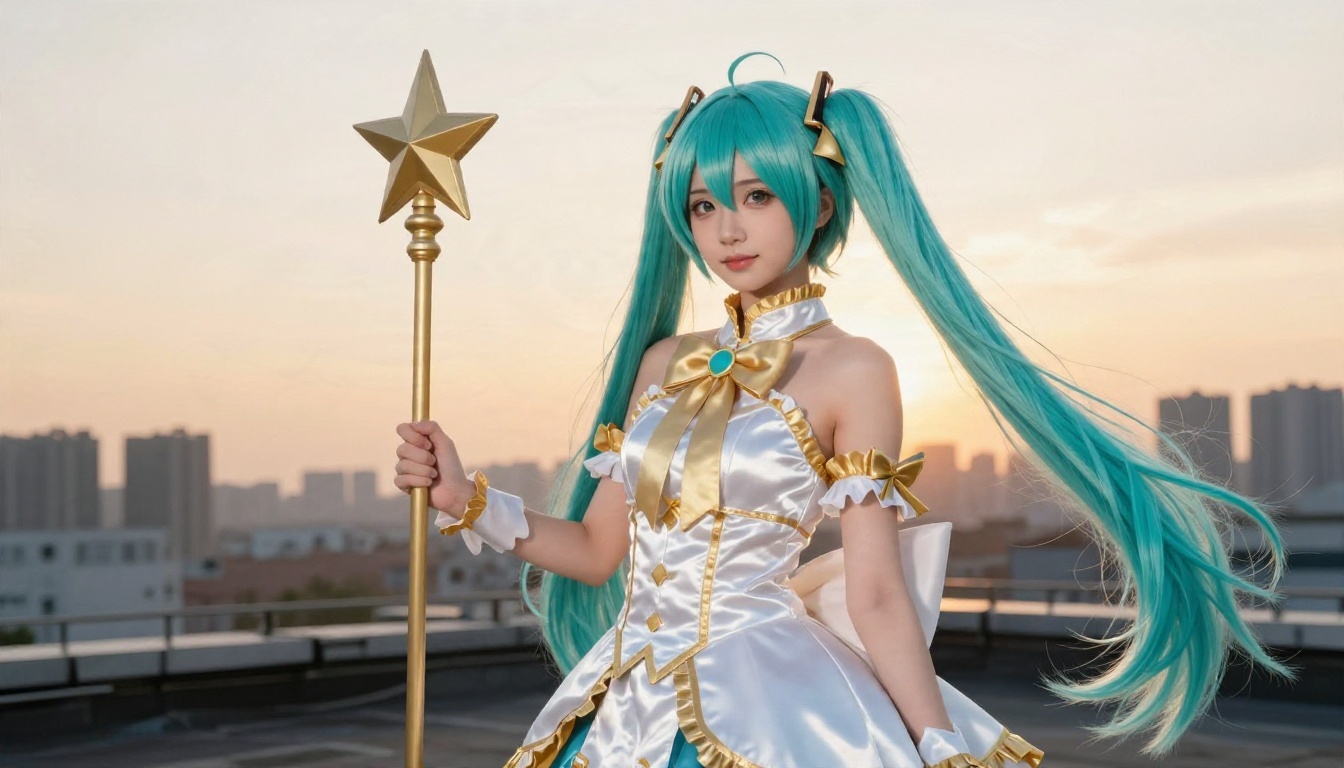
Turquoise twin tails, a ruffled white and gold costume, a star-topped wand, and a rooftop at golden hour. Notice the low camera angle. It makes the character feel heroic without needing any extra words like "powerful" or "epic," which tend to confuse models and add random glow effects.
Prompt pattern: low-angle photograph, magical girl costume, turquoise twin tails, white and gold ruffles, star wand, rooftop, golden hour backlight, wind in hair.
The Gothic Archive
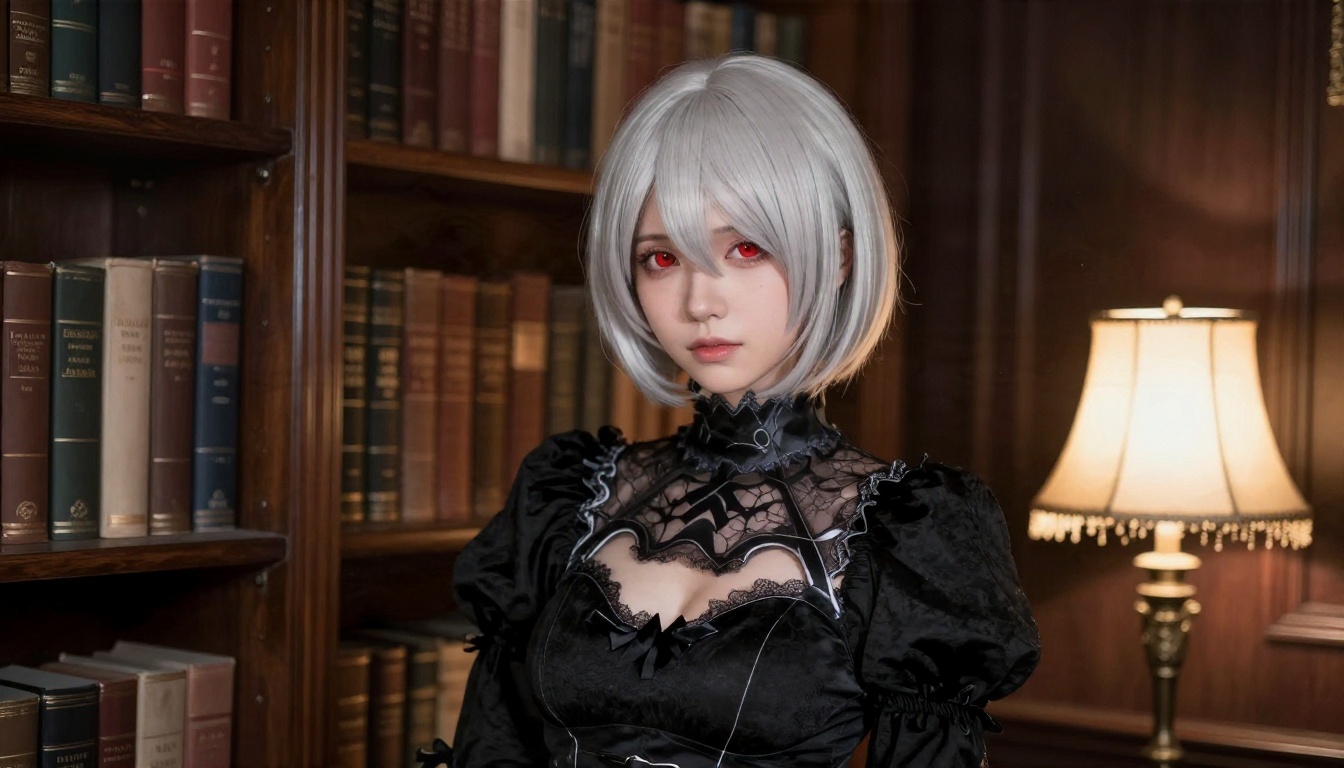
A silver bob, a black dress with a lace collar, and a dim library lit by one warm lamp. Dark scenes are where many generators fall apart, because everything turns muddy. The fix is to name a visible light source (the lamp) and a texture (lace, wool). The model then has something to anchor the shadows to.
The Summer Field
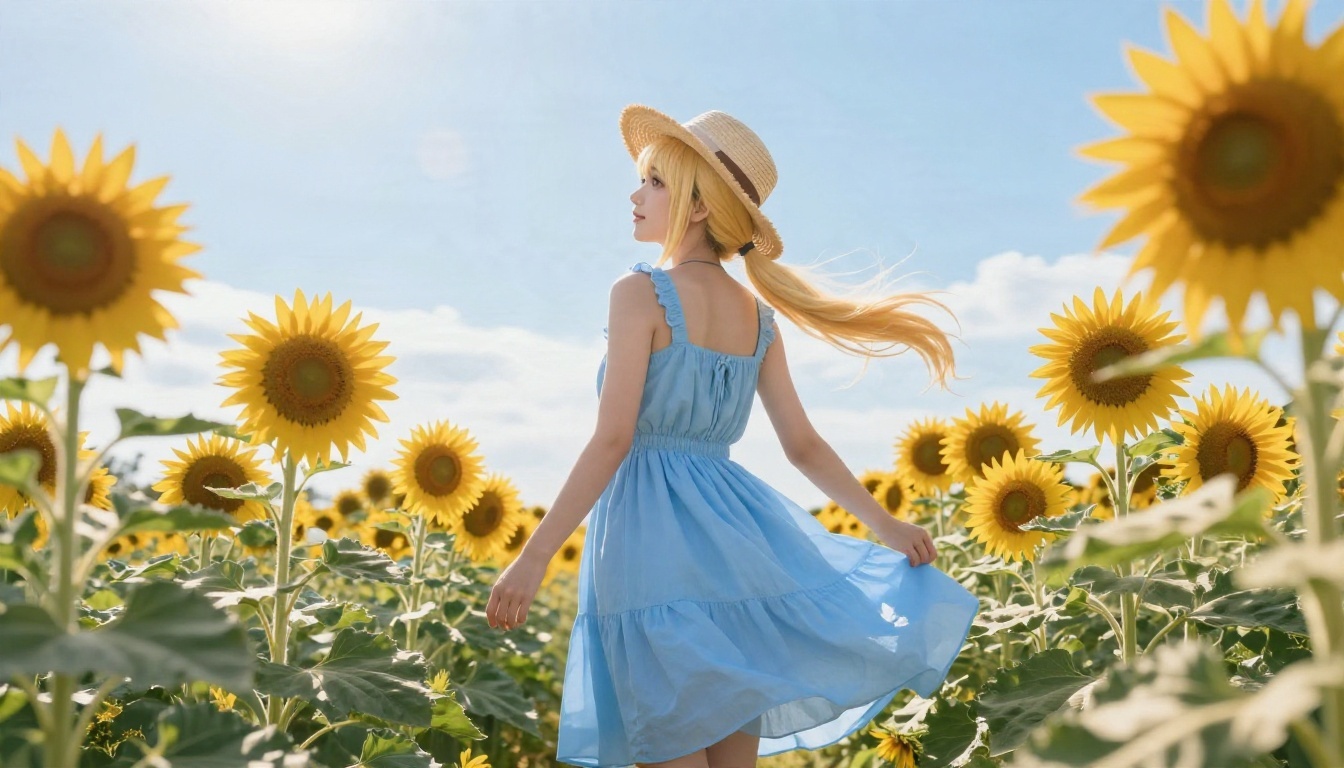
Blonde ponytail, sky blue dress, straw hat, sunflowers, backlit sun. This one is a great test for color separation. Blue sky, blue dress and yellow flowers can all bleed into each other if you do not describe the sunlight direction. A simple phrase such as "backlit golden sunlight" keeps the edges clean.
Prompts That Actually Work
Good waifu prompts are less about magic words and more about order and specificity. Models read the front of your prompt most closely, so put the important parts first.
The Five-Part Formula
Use this structure every time:
- Subject: who she is, hair color and length, eye color, expression.
- Outfit: one or two clear garments with materials (knit, satin, lace, cotton).
- Setting: a single location with two or three props at most.
- Light: one direction, one time of day.
- Camera: angle, lens (35mm, 50mm, 85mm) and depth of field.
That is it. Most bad results come from skipping step 4 or stuffing step 3 with ten objects.
Ready-to-Use Prompts
Copy, then change the colors and the outfit:
💡 School uniform portrait: young woman with long pastel pink twin tails and straight bangs, white and navy sailor uniform with a red ribbon, sitting cross-legged in a cozy bedroom, fairy lights on the wall, warm window light from the left, 50mm lens, soft film grain.
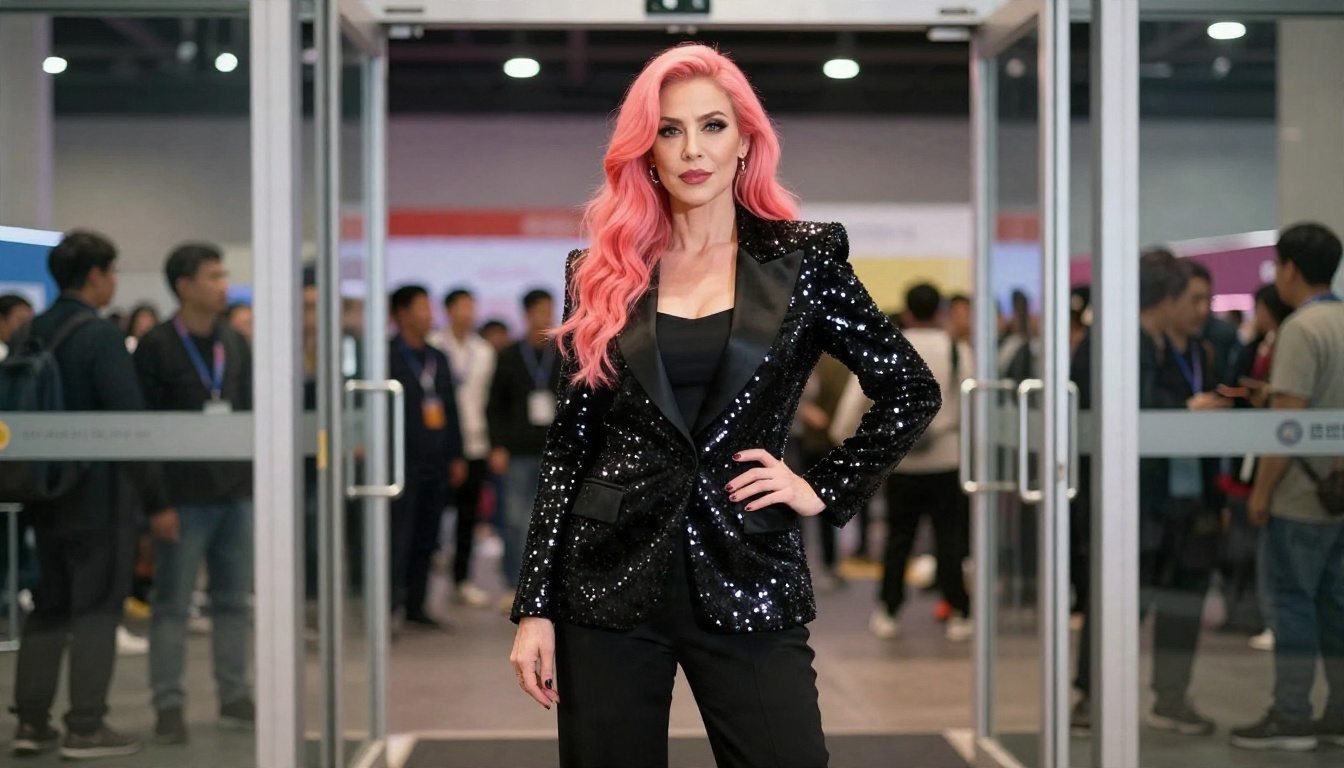
💡 Idol on stage: young woman with coral-pink hair, white and pink stage outfit with ribbons, standing at a convention entrance, soft overhead light with a warm accent from the left, 70mm lens.
💡 Quiet reader: young woman with short silver hair, black lace dress, dim library, one warm lamp on the right, 50mm lens, shallow depth of field.
Words to Avoid
Some words look helpful and quietly damage your result.
| Avoid | Why | Use instead |
|---|
| "Perfect, beautiful, masterpiece" | Adds nothing specific | Describe the actual features |
| "Epic, powerful, cinematic glow" | Triggers random light effects | Name one light direction |
| Ten props in the room | Models drop or merge objects | Pick two or three |
| Conflicting hair colors | Produces patchy or muddy hair | One main color, one accent |
Another habit worth dropping is copying a 300-word prompt from a forum. Long prompts written for one model can break another. Start short, then add one detail at a time.
"Free" means very different things from one tool to the next. I have watched people lose hours to this, so here is the honest picture.
The Real Cost of Free
Free waifu generators usually fall into one of four buckets:
| Type | What you get | The catch |
|---|
| Daily free credits | A handful of images per day | Credits run out fast, queue times grow |
| Free trial | Full quality for a short time | Paywall after a few generations |
| Community-run tools | No signup needed | Shared capacity, frequent outages |
| Open-weight models on your own PC | Unlimited generations | Needs a strong graphics card and setup |
Research on recent free image tools points the same way: tools that give away generations tend to hit capacity limits, and some providers have cut free access entirely. If a generator that worked last month is dead today, it is often a business decision and not a bug on your end.
💡 Tip: If you only need a few strong images per week, daily free credits are fine. If you iterate a lot, look for a platform with generous or unlimited generations so you are not rationing every prompt.
Free Does Not Mean Low Quality
A free model can still give sharp results if the prompt is precise. Stable Diffusion remains a popular base for community art, and Flux 2 Klein 9B Base LoRA is built for styled output you can steer with style adapters. The trick is choosing a model whose strengths match what you want, which brings us to the next section.
Best Models for Waifu Art
Not every model suits every look. Here is how I would pick.
Seedream 4.5 for Detail
Seedream 4.5 is my first pick when I want hair strands, fabric texture and skin to hold together at high resolution. It follows long, specific prompts well, which makes it ideal for the five-part formula above. It also handles stylish, glamorous and character-focused work with a lot of freedom, as long as you keep things tasteful and non-explicit.
Image Editor Pro for Unlimited Tweaks
When a generation is 90 percent right, you do not want to burn credits starting over. PicassoIA Image Editor Pro lets you edit an existing image with plain-language instructions and offers unlimited generations, so you can change a hair color, swap an outfit or fix a background without counting attempts. It is fast, which matters when you are iterating.
Anime-Focused Options
If you want flat anime art and not a photoreal look, these are worth trying:
Other Strong Generators
For general-purpose work, Nano Banana Pro, Qwen Image 3 Pro and Seedream 5 Pro all produce crisp, believable results and are good for testing the same prompt across models.
Not Working Fixes
This is the section most people came for. Work down the list in order.
The Spinner Never Ends
- Check your credits. Many free tiers silently stop when your daily balance hits zero.
- Check service status. Shared free tools often go down at peak hours.
- Refresh and sign in again. Expired sessions cause stuck jobs.
- Disable extensions. Ad blockers and privacy tools can break the generation request.
- Try another browser or device. If it works there, the problem is local.
The Result Looks Wrong
If the image comes out but looks off, the problem is almost always the prompt:
- Shorten it. Cut anything past about 80 words and rebuild one detail at a time.
- Remove conflicts. "Short hair" and "long ponytail" in one prompt will confuse any model.
- Name one light source. This alone fixes flat or muddy images more than any other change.
- Describe hands simply. "Hands resting on knees" works better than a complex gesture.
The Prompt Gets Blocked
Most platforms filter explicit content, and some filters are strict about words that sound suggestive even in innocent contexts. If your prompt is refused:
- Rephrase using outfit and setting words (uniform, cardigan, sundress) and drop vague descriptors.
- Avoid naming real people.
- Keep the focus on the character, costume and mood.
💡 Note: Keeping your art tasteful is also the easiest way to avoid account problems on any platform.
The Image Is Blurry or Small
Many free tiers cap resolution. You have two options: choose a higher resolution setting if the model offers one, or run the image through an upscaler such as Real ESRGAN, which enlarges images up to 4x while keeping edges clean.
The Same Face Keeps Appearing
Models have a favorite face. To break the pattern, change the age words, the hair shape (bob, braid, twin tails), the expression, and the camera angle. Switching models also helps a lot, since each one has different habits.
Quick Fix Table
| Problem | Likely cause | Fastest fix |
|---|
| Endless loading | No credits or server load | Check balance, retry later |
| Extra fingers | Complex hand pose | Simplify the pose |
| Muddy colors | Conflicting light or colors | One light, one main color |
| Blocked prompt | Suggestive wording | Rephrase around outfit and setting |
| Low resolution | Free tier cap | Upscale after generating |
Make One in Five Steps
Here is a fast workflow using Seedream 4.5 on PicassoIA.
- Open the model page. Go to the Seedream 4.5 page and find the prompt box.
- Paste your five-part prompt. Subject, outfit, setting, light, camera.
- Set the ratio. Use 16:9 for wallpapers and banners, or a vertical ratio for phone screens and profile art.
- Generate and compare. Run two or three variations and pick the best composition.
- Refine in the editor. Open the result in PicassoIA Image Editor Pro and adjust hair color, outfit or background with a simple instruction. Upscale if you want print-size detail.
💡 Parameter tip: Change one thing per run. If you change the outfit, the light and the angle all at once, you will never know which edit helped.
Try Your Own Waifu Art Today
You do not need a perfect prompt to start. Pick one example from this article, copy the pattern, and swap in your own hair color, outfit and setting. Run it on Seedream 4.5, then polish the result in PicassoIA Image Editor Pro where you can keep generating without counting credits. If you prefer flat anime linework, test Proteus v0.3 or Krea 2 Medium with the same prompt and compare.
Want to see what else is out there? Browse the full lineup at picassoia.com/en/all-models, try a few models side by side, and build the character you have been imagining. Your next favorite image is one good prompt away.


