Most people type one vague line into a video generator, get a stiff mannequin shuffle, and blame the model. The model is rarely the problem. With Wan NSFW prompts for image to video, the first frame carries the look, and your prompt only has to answer three questions: what moves, how the camera moves, and what the light does. Get those three right and a still photo of a woman in a bikini, a silk robe or an evening dress turns into a believable five second clip with wind, water, fabric and a real glance toward the lens.
This article gives you copy-ready prompts, the formula behind them, nine photorealistic first frames to model your own on, and a clear route to run everything free and online. Everything here stays on the sensual, glamorous side: swimwear, boudoir, evening looks. Nothing explicit, which is also exactly where Wan performs best.
Why Wan Handles Sensual Clips Well
Wan is a family of video models from Alibaba that has become a favorite for animating photos. It follows motion instructions closely, keeps skin and fabric stable across frames, and rarely melts a face halfway through a clip. For adult-themed portrait and lifestyle content, that stability matters more than raw spectacle.
Image to video beats text to video
With text to video, the model invents the person, the room and the motion all at once. You get variety, but you also get drift: a different face every run, odd hands, a bikini that changes color mid shot. With image to video, you lock the subject first. The photo defines face, body, outfit, location and lighting. Your prompt then only describes change over time.
💡 Rule of thumb: if you can describe it in the photo, do not repeat it in the prompt. Spend your words on motion.
That is why the workflow below starts with a strong still, and why the examples in this article pair each prompt with the exact first frame it was written for.
Picking the right Wan version
PicassoIA hosts several Wan generations. They are not interchangeable, so pick by the job:
My routine: draft on a Fast or Flash version, then rerun the winning prompt on Wan 2.7 for the final clip.
Every prompt in this article follows one skeleton:
[Subject action] + [Secondary motion] + [Camera move] + [Light and mood]
Keep it to two or three sentences. Long prompts do not make Wan smarter; they make it average everything out and move less.
One main motion, one small one
Pick a single main action: turning the head, lifting a hand to her hair, taking a step. Then add one secondary motion that comes from the environment: hair in the wind, waves rolling over her feet, curtains lifting, steam rising from a cup. Secondary motion is what makes a clip feel filmed instead of animated.
Weak: "She moves sexily and poses."
Strong: "She tucks her hair behind her ear and turns her gaze to the camera, a light breeze moves the loose strands."
One camera move, slow
Use one camera instruction at a time: slow dolly in, gentle pan left, slow orbit, static locked-off shot. Mixing a dolly, a pan and a zoom in five seconds creates warping. When in doubt, slow dolly in is the safest choice for portraits.
Name the light and the mood
Wan reads lighting words well. "Warm golden hour backlight," "soft overcast morning," "candle glow" all shift color and shadow behavior during the clip. Match the wording to the light already in your first frame so nothing fights.
💡 Negative prompt starter: blurry, warped hands, extra fingers, face distortion, flickering, jump cuts, text, watermark, sudden outfit change. Paste it into the negative prompt field on every run.
Beach and Pool Prompts
Water gives you free secondary motion, which makes swimwear scenes the easiest place to begin. Each example below shows the first frame, then the prompt written for it.
Infinity pool glance
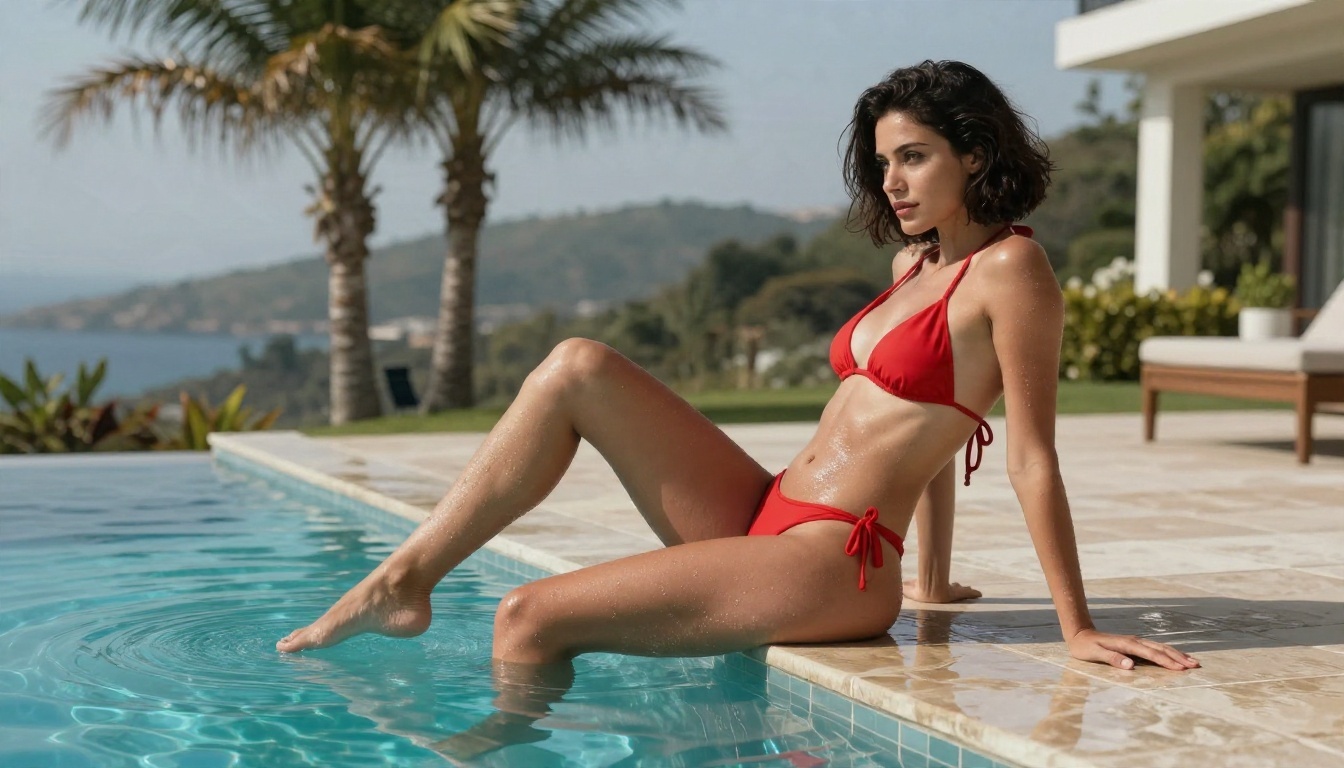
Prompt: She slowly kicks her feet through the water, ripples spreading across the surface, and turns her head from over her shoulder to face the camera with a relaxed smile. Sunlight glitters on the pool. Slow dolly in from the pool deck, warm midday light.
Why it works: the ripples do half the work, and the head turn gives a clear start and end point. Skip any instruction about the bikini; the photo already holds it.
Sunrise beach walk
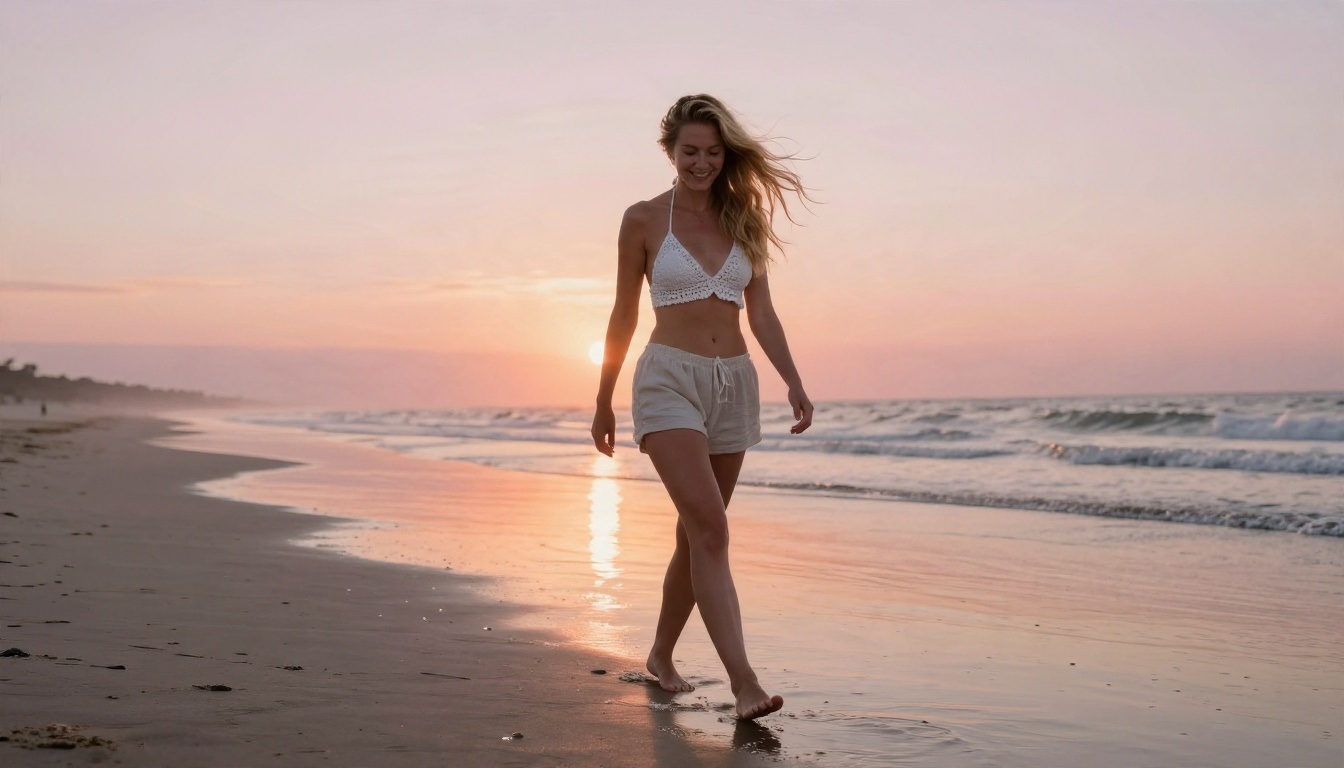
Prompt: She walks forward along the wet sand, laughing, her hair blowing across her face as she brushes it aside with one hand. Foam slides over her feet. The camera tracks sideways at walking speed, soft pink sunrise backlight.
Why it works: a tracking shot that matches walking speed keeps the background parallax believable. If the clip drifts, switch to a static camera and let only the subject and the wind move.
Sailboat deck stretch
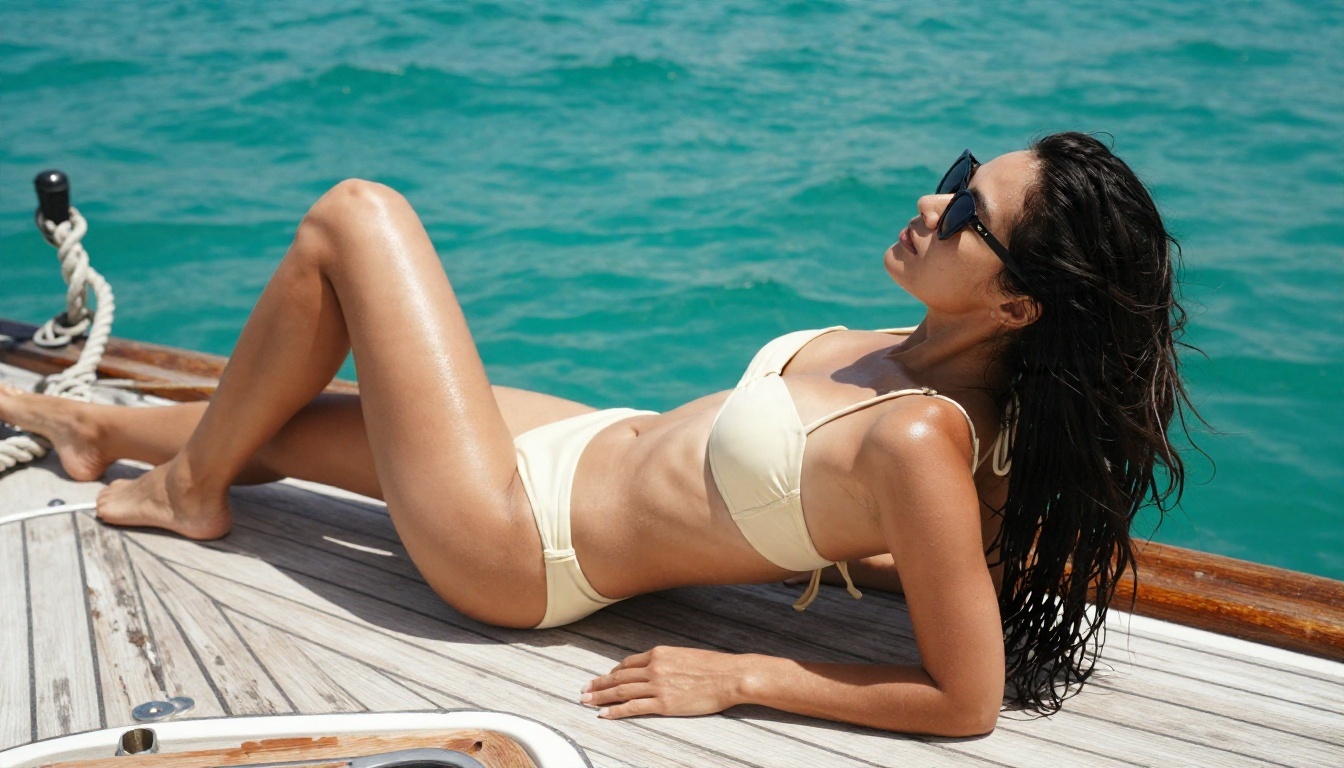
Prompt: She slides her sunglasses down from her hair onto her nose and settles back against the deck, the boat rocking gently so the horizon sways. A rope shifts slightly beside her. Overhead camera slowly drifts down toward her, bright midday sun.
Why it works: the rocking horizon sells the location. Describing the boat's movement, not only hers, adds realism.
Beach shower splash
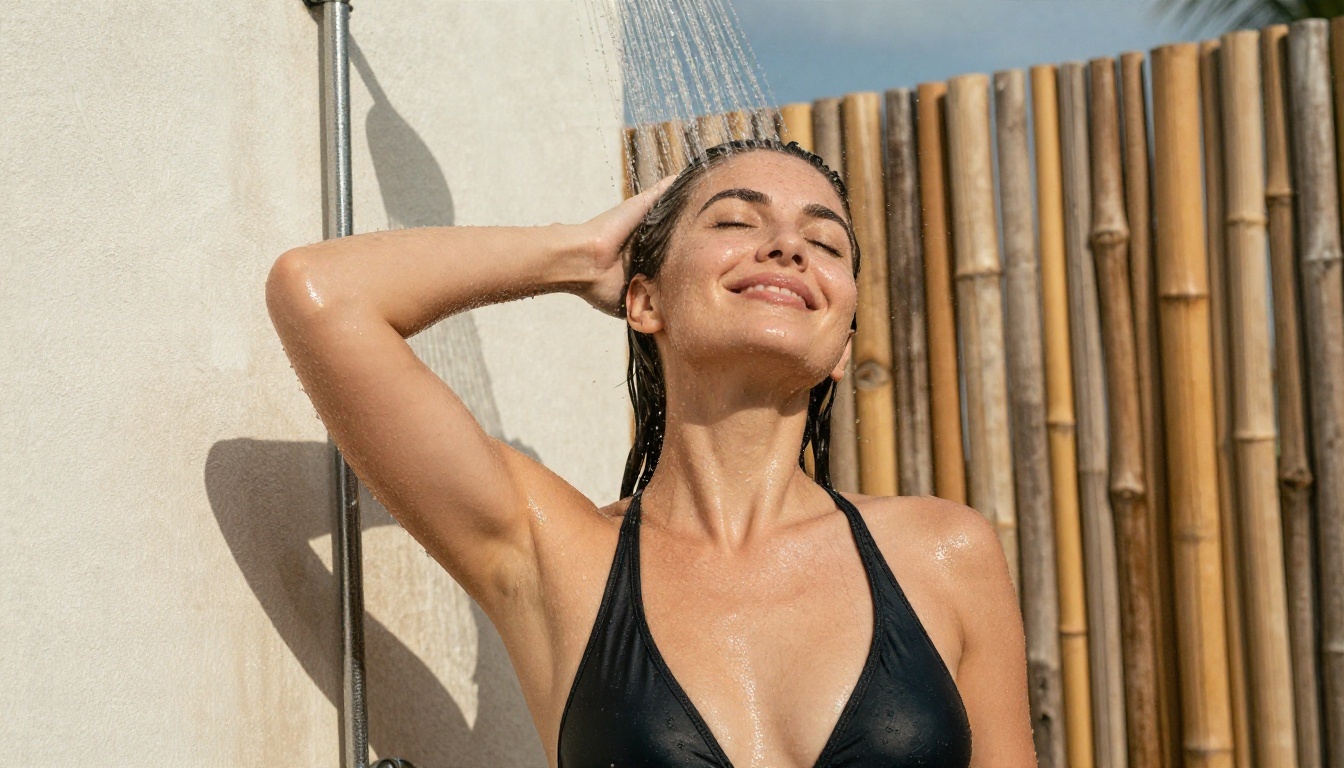
Prompt: Water streams over her hair as she tilts her head forward and runs both hands back through it, then opens her eyes and laughs. Droplets fly off in the sunlight. Low-angle camera, slow push in, hard late afternoon light.
Why it works: water droplets and hair physics are strengths of Wan. Keep the action to a single sweep of the hands so the clip stays clean.
Boudoir and Evening Prompts
Indoor scenes need subtler motion. Fabric, breath, light and small expressions carry the whole clip, so restraint pays off.
Morning silk robe
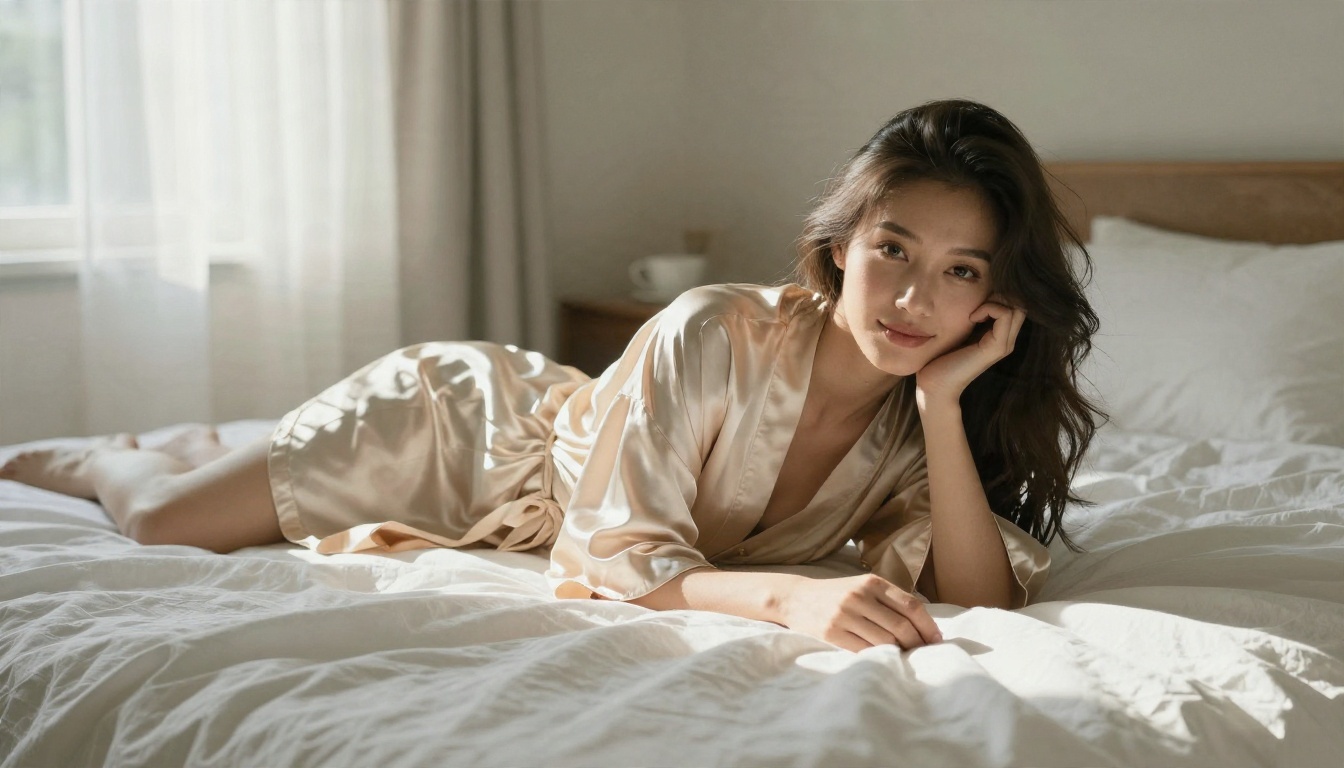
Prompt: She stretches one arm over her head, sighs, and settles back onto her elbow with a soft smile toward the camera. The sheer curtains lift in a light breeze and morning sunlight shifts across the sheets. Static camera with a very slow push in.
Why it works: curtains and drifting light make a still bedroom feel alive. A static camera keeps the face stable.
Lamp-lit close-up
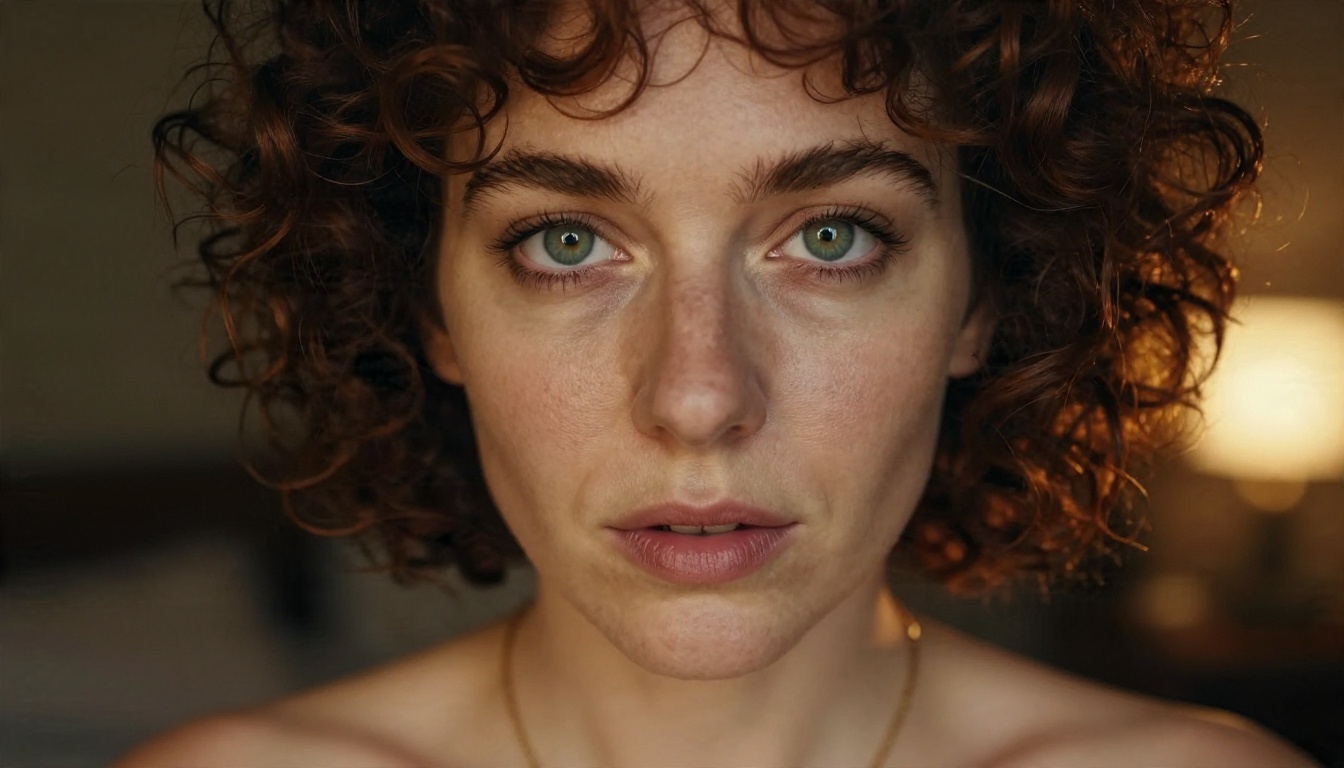
Prompt: She blinks slowly, her lips part slightly as if about to speak, and her eyes drift from the lens and return to it. Warm lamplight flickers faintly on her cheekbone. Extremely slow dolly in, shallow focus held on her eyes.
Why it works: close-ups reveal flaws fast. Keep the motion to a blink, a gaze shift and a breath. More than that and the mouth starts to wander.
Parisian window at dusk
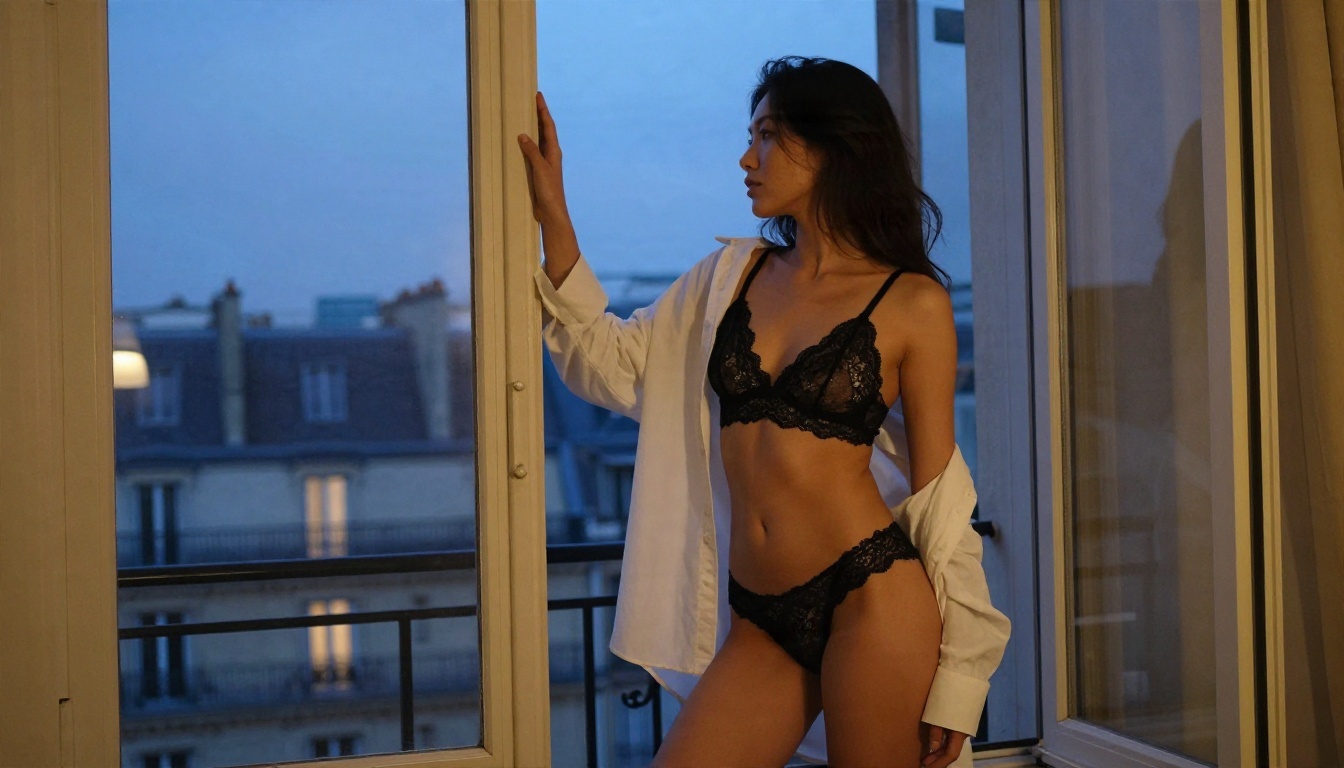
Prompt: She turns from the window toward the room, the open white shirt swaying with the motion, one hand sliding off the frame. City lights flicker softly in the glass behind her. Slow orbit to the right, cool blue dusk mixed with warm lamp light.
Why it works: an orbit reveals depth, and the loose shirt provides secondary motion. Keep the orbit under about 30 degrees.
Cocktail lounge toast
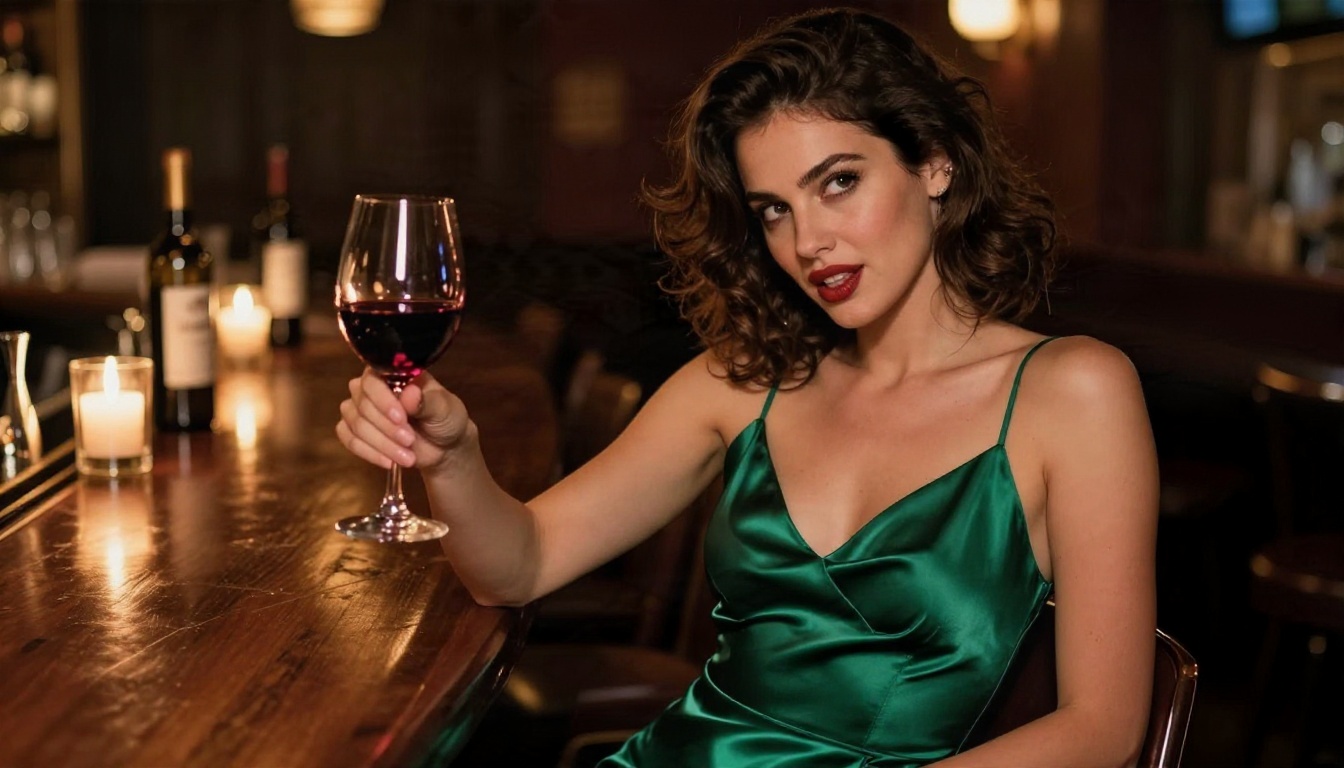
Prompt: She swirls the wine slowly, lifts the glass and glances sideways at the camera with a playful smile. Candle flames sway and light slides across the satin. Gentle dolly in at eye level, warm low light.
Why it works: a prop gives her something to do with her hands, which solves one of the most common problems in generated clips: unnatural, idle fingers.
Misty balcony morning
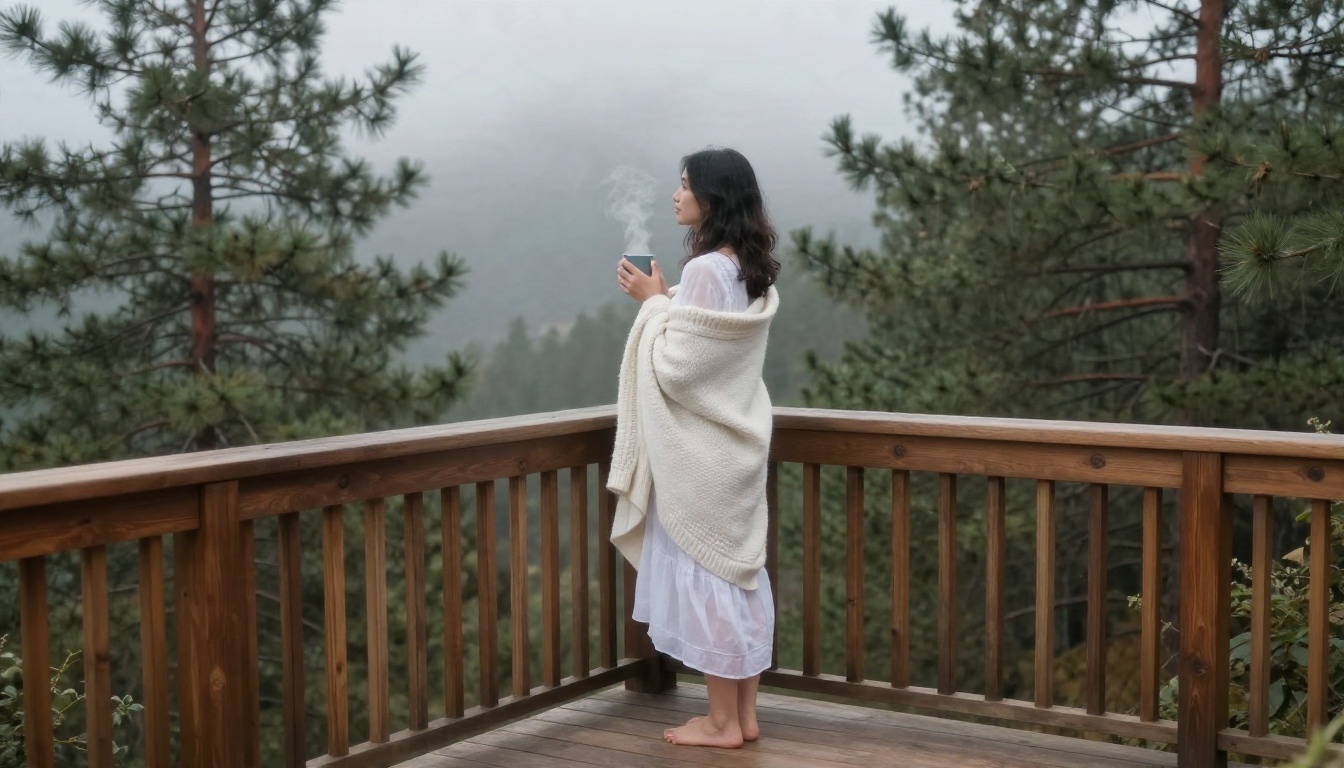
Prompt: Steam curls up from the mug as she lifts it, the blanket slipping a little further off her shoulder. Mist drifts slowly through the pine trees ahead of her. Static wide shot from behind, soft overcast morning light.
Why it works: nature in the background carries the motion while the subject barely moves, which keeps the figure steady.
Where to Run Wan Free Online
Good prompts need good first frames, and the first frame is where most people lose quality.
Step one: build the still. Start with Seedream 4.5 for the source photo. It produces sharp, photorealistic portraits with natural skin, and it handles swimwear and boudoir looks without refusing. Then bring the image into the PicassoIA Image Editor Pro, which has unlimited generations, to fix details: change an outfit color, clean up a hand, adjust the background. With no per-image cost and no content blocks on tasteful adult themes, you can iterate until the frame is right.
Step two: animate it. Send the finished image to one of the Wan image-to-video models above. If you want a fast, unlimited option for casual clips, try Picasso IA Video, which generates video from text or image for free.
💡 Why free matters here: good clips come from iteration. Expect three to six runs per keeper. A platform with unlimited or low-cost generations turns that from a budget problem into a normal workflow.
Prefer to compare other engines? Wan 3 and Grok Imagine Video 1.5 are also available on the platform for cinematic image to video work.
How to Use Wan 2.7 I2V on PicassoIA
Wan 2.7 I2V is the strongest option in the family for portrait clips. Here is the exact routine:
- Open the model page. Go to the Wan 2.7 I2V page and sign in.
- Upload the first frame. Use the first_frame field. JPG, PNG, BMP or WebP up to 20 MB works. A 16:9 or vertical image with the subject clearly visible gives the cleanest result.
- Paste your prompt. Use the formula: subject action, secondary motion, camera move, light.
- Add the negative prompt. Use the starter list from earlier.
- Choose resolution. Pick 720p for drafts and 1080p for the final render.
- Set duration. The default is 5 seconds. Short clips stay more stable than long ones.
- Keep prompt expansion on for short prompts. Turn it off if you want the model to follow your exact wording, which helps when a rewrite adds motion you did not ask for.
- Optional: add a last frame. The last_frame field lets you pin where the clip ends. Use a second still of the same woman with a different head angle for a controlled turn.
- Optional: add audio. Upload a 3 to 30 second WAV or MP3 and the motion follows its rhythm. Without audio, the model generates a matching soundtrack on its own.
- Lock a seed. When a result is close, reuse the seed and change only one phrase in the prompt. That is the fastest way to tune.
| Setting | Draft | Final |
|---|
| Resolution | 720p | 1080p |
| Duration | 5 s | 5 s |
| Prompt expansion | On | Off for exact control |
| Seed | Random | Fixed |
5 Mistakes That Ruin Clips
- Re-describing the photo. Writing "woman in a red bikini by a pool" wastes words and sometimes shifts the outfit. Describe motion only.
- Stacking camera moves. One slow move per clip. Always.
- Too many actions. "She turns, laughs, stands up, walks away and waves" is five clips squeezed into five seconds. Choose one.
- Mismatched light. If the photo is lit by golden hour, do not ask for "cool blue moonlight." The model will blend them into mud.
- Skipping the negative prompt. It costs ten seconds and prevents most flicker and hand issues.
💡 Stay in bounds: keep every subject an adult, keep the content sensual rather than explicit, and use only images you created or have the rights to use. Clean, tasteful prompts also give far better results with Wan than blunt ones.
Make Your Own Clips Today
You now have the formula, nine worked examples and a free route from still image to finished video. Pick one scene from this article, generate the first frame with Seedream 4.5, polish it in the PicassoIA Image Editor Pro, and animate it with Wan 2.7 I2V. Change one word in the prompt per run and watch how the motion responds.
Want to see every model you can try? Browse the full catalog at picassoia.com/en/all-models and start making your first clip on Picasso IA right now.


