Most people who type "XXX AI prompts" into a search bar are not looking for anything extreme. They want attractive, adult, photorealistic images: glamour portraits, bikini shots, boudoir lighting, silk, lace and skin that looks like skin. The problem is that a lazy prompt gives you plastic faces, melted hands and the same flat studio glow every time. A good prompt gives you something that looks like it came out of a fashion shoot.
This article gives you copy-ready prompts, nine photo examples, a comparison of free generators, and the exact settings that make the difference. Everything here stays on the suggestive and tasteful side of the line: swimwear, lingerie covered by a coat, slip dresses, wet hair and golden light. No explicit content, just aesthetics done well.
What XXX AI Prompts Really Mean
The phrase is broad. Some searchers want glamour photography. Others want a generator with no restrictive filters. Others just want a prompt they can paste and get a result in ten seconds. All three groups share one need: a reliable way to describe a photo so the model builds it correctly.
The Search Intent Behind It
Three intents sit behind this query:
- Prompt hunters who want text they can copy and tweak.
- Tool hunters who want a free generator that does not block every swimsuit request.
- Quality seekers who already tried and got blurry, uncanny faces.
If you fit any of these, the sections below are built for you. The prompts come first, the tools second, the settings third.
Where the Line Sits
💡 Tip: The most effective adult-leaning prompts are implied, not explicit. Fabric, light and pose do the work. A satin robe slipping off one shoulder looks more attractive and more realistic than anything blunt, and it keeps your results clean enough to share or publish.
Photographers have used this approach for a century. Boudoir work relies on soft light, textures and confident expression. AI models respond to exactly the same vocabulary.
Photo Examples With Prompts That Work
Every image below was generated from a prompt close to the one shown. Use them as templates and swap the subject, outfit or location.
Golden Hour Beach Shot
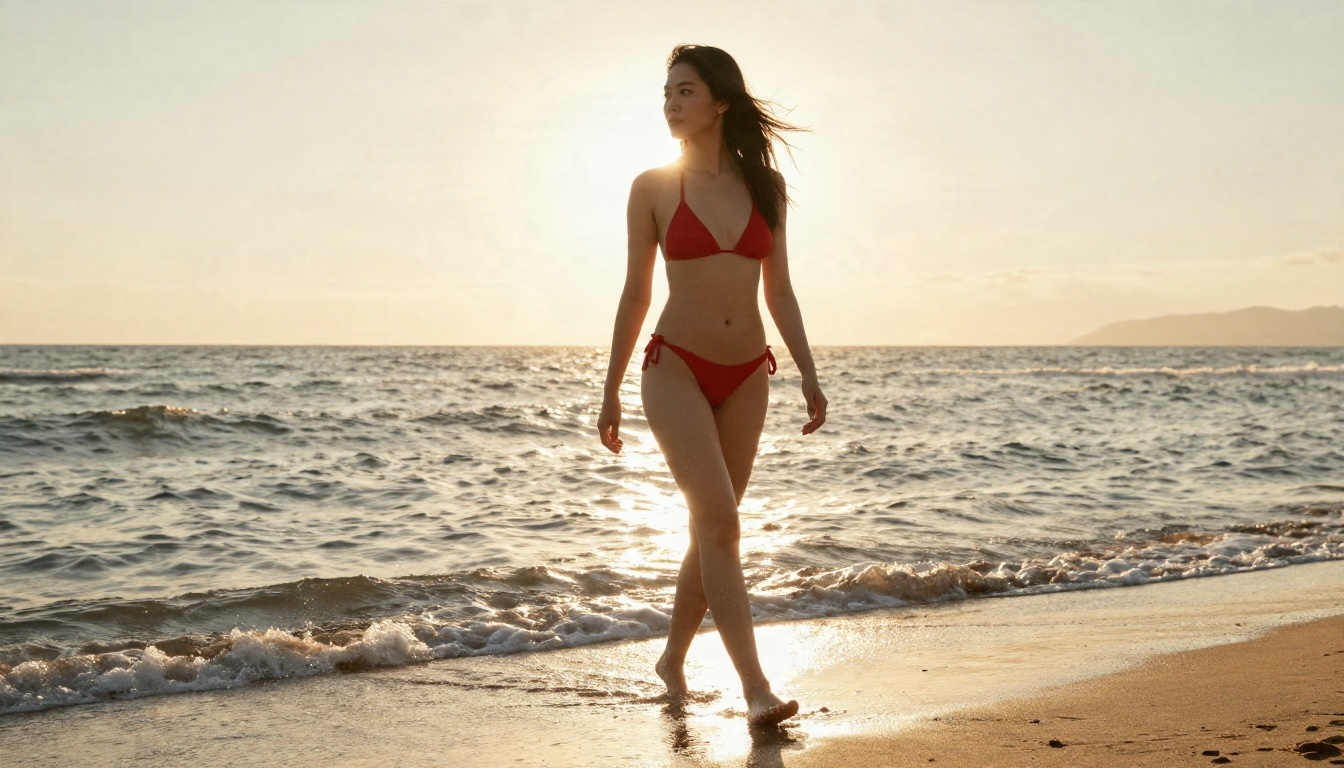
Prompt: A young woman in a red bikini walking along a wet sandy beach at golden hour, waves washing over her ankles, hair lifted by sea breeze, warm low sun from behind creating a rim light on her shoulders, wide angle low shot, 35mm f/2.8, visible skin texture and water droplets, Kodak Portra 400 film grain, realistic photograph.
Why it works: the rim light separates her from the background, the low angle adds scale, and "water droplets" forces the model to render skin as skin instead of a smooth surface.
Close Portrait With Lace and Denim
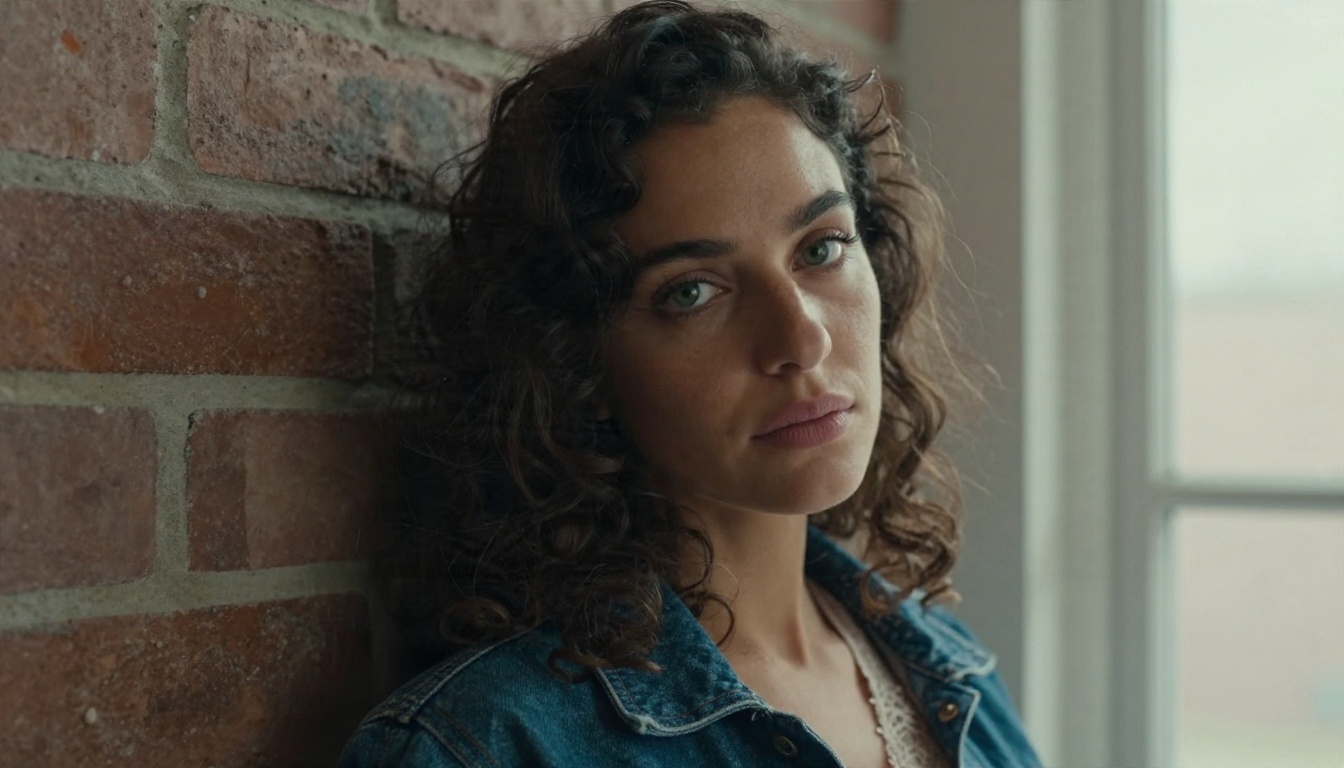
Prompt: Close-up portrait of a woman with green eyes and dark curls wearing a lace bralette under an open denim jacket, leaning against a brick wall in a quiet loft, soft window light from the left with gentle shadow on the right cheek, 85mm f/1.8 shallow depth of field, fine pores, light freckles, flyaway hairs, Kodak Portra 400, film grain, natural color.
Close portraits are where AI faces usually fail. Naming freckles, pores and flyaway hairs gives the model tiny imperfections to render, and imperfection is what reads as real.
Silk Dress at Dusk
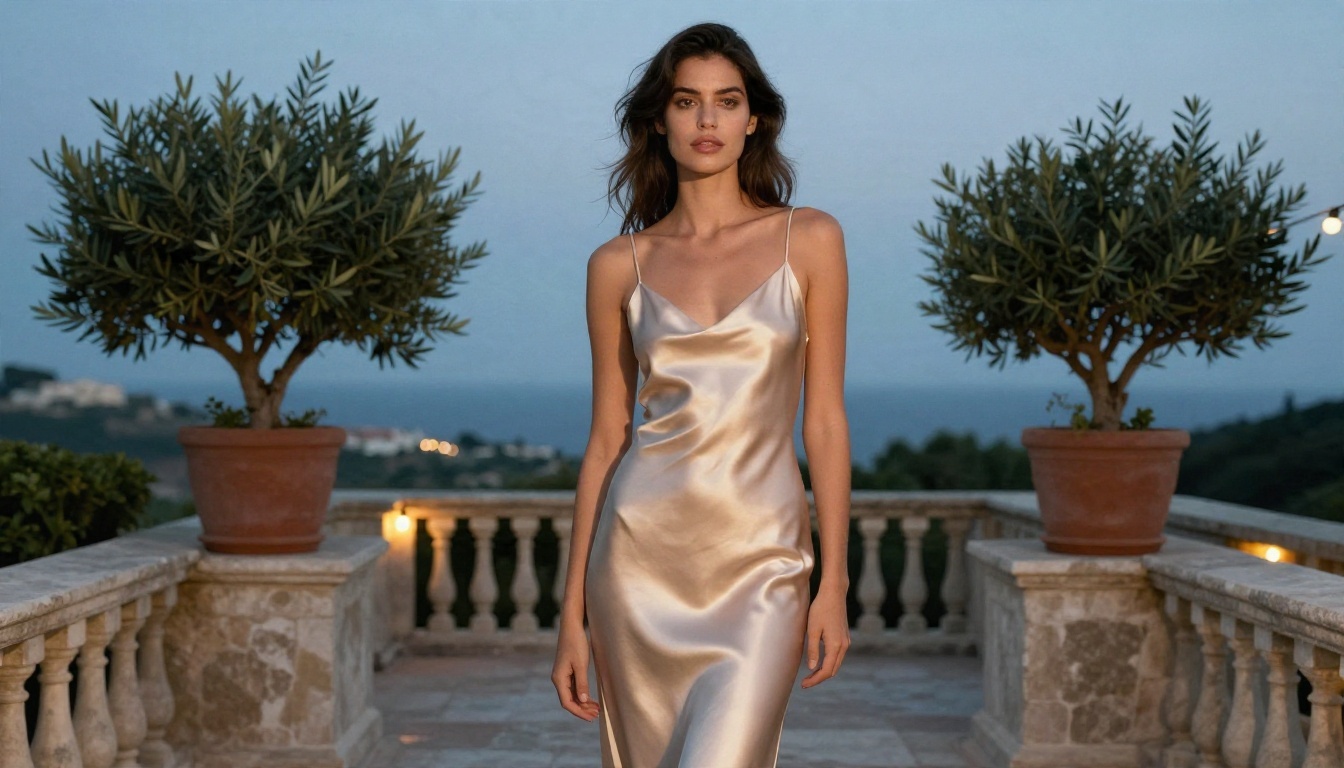
Prompt: Full-length fashion shot of a woman in a champagne silk slip dress standing on a Mediterranean terrace at dusk, stone balustrade, potted olive tree and string of warm bulbs behind her, soft blue hour sky with warm practical lights, 50mm f/2, eye level slightly low angle, silk sheen and fabric folds, natural skin texture, Kodak Portra 400 film grain.
Mixing a cool sky with warm practical lights gives that cinematic dusk look. The phrase "silk sheen and fabric folds" tells the model to render specular highlights on the fabric.
Morning Light and a White Shirt
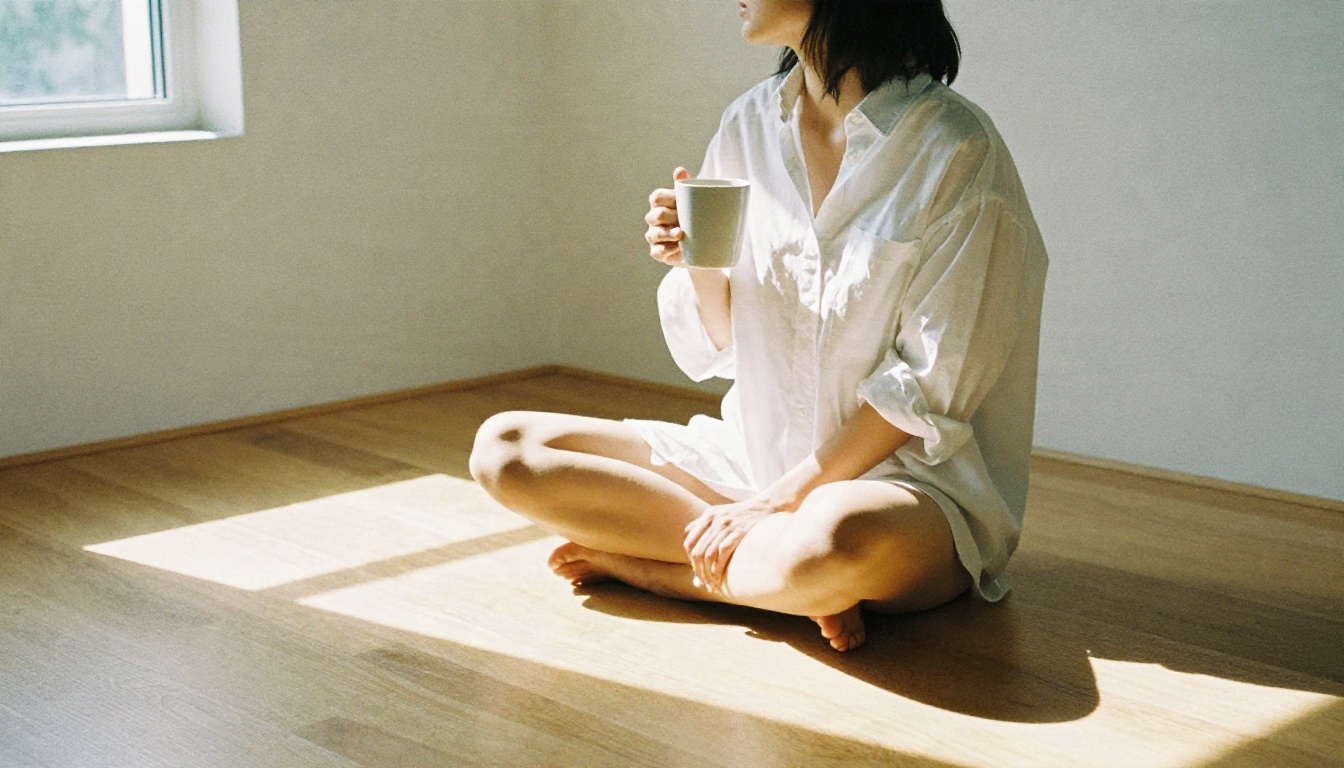
Prompt: A woman in an oversized white men's shirt sitting cross-legged on a sunlit wooden floor in a minimalist apartment, holding a mug, long window shadows across the floor, soft diffuse daylight from the right, 35mm f/2, high angle three-quarter view, cotton fabric texture, natural skin tone, subtle film grain, tasteful.
This is the classic "lazy Sunday" look. It reads intimate without showing anything explicit, and it is one of the easiest prompts to get right on the first try.
Infinity Pool Side Profile
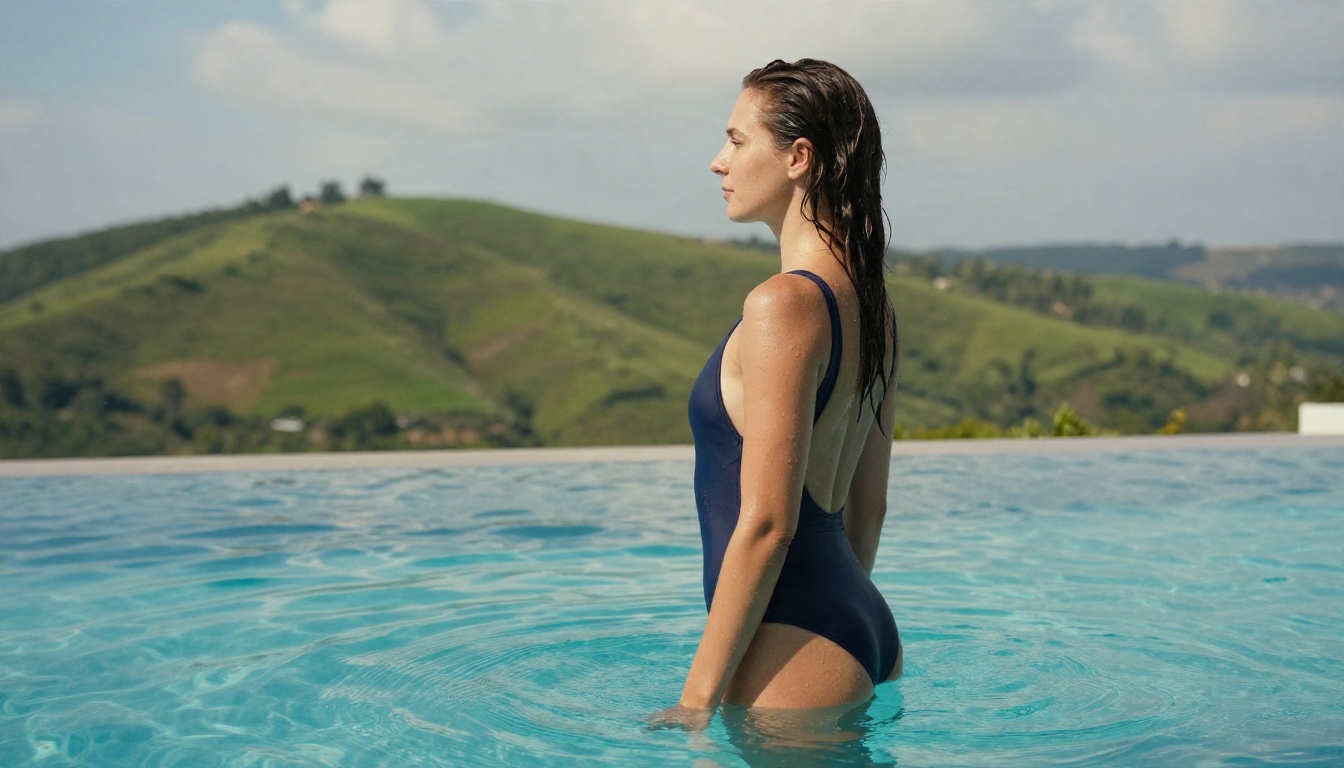
Prompt: Side profile of a woman in a navy one-piece swimsuit standing at the edge of an infinity pool overlooking a green hillside, wet hair slicked back, water beads on her shoulders, crisp midday sun with soft cloud diffusion, 70mm f/2.8, medium shot at eye level, ripples on turquoise water, realistic skin and swimsuit fabric texture.
Midday sun is harsh, so the prompt adds "soft cloud diffusion". That small phrase prevents blown highlights and burnt shadows.
Studio Lace Under a Wool Coat
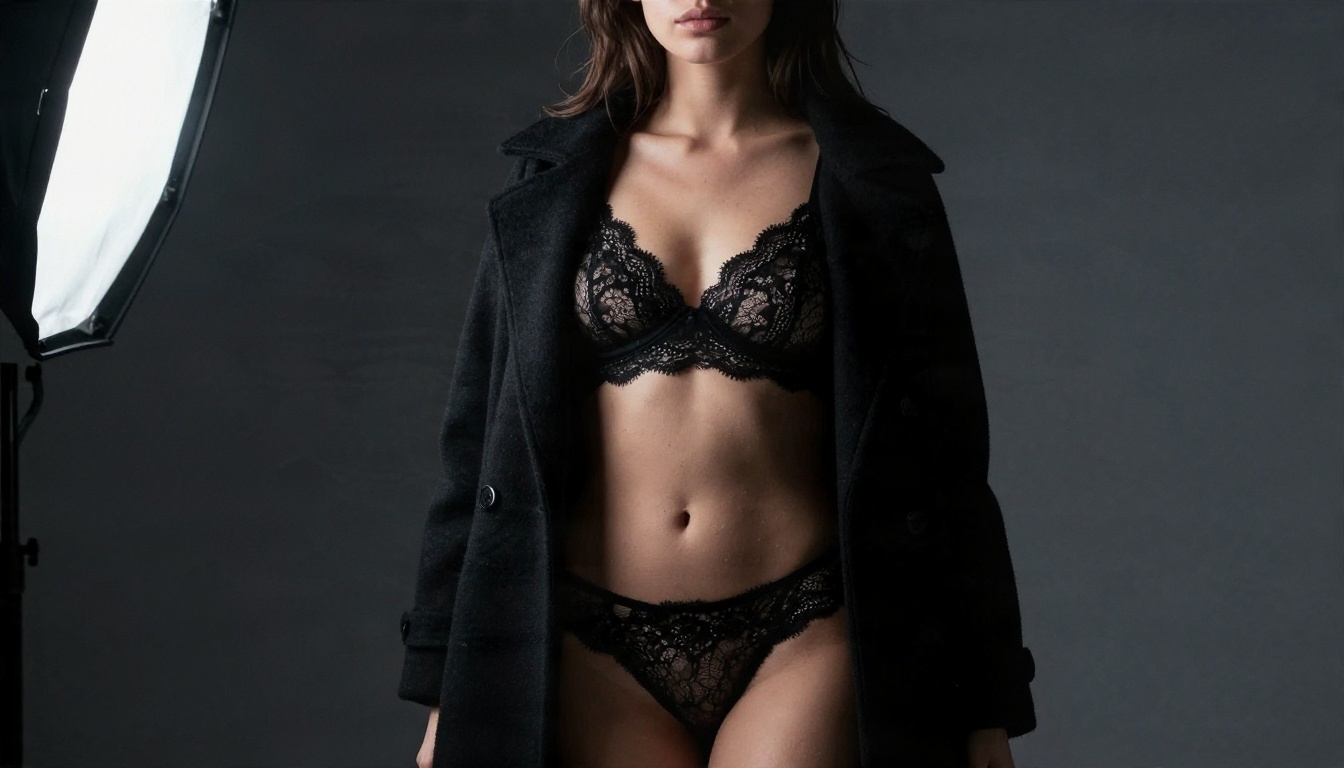
Prompt: Moody studio portrait of a woman in black lace lingerie covered by a long wool coat, standing against a charcoal backdrop, single softbox key light from the upper left with a small reflector fill, deep but detailed shadows, 85mm f/2, waist-up frame slightly low angle, lace pattern detail and skin pores visible, Kodak Portra 400 film grain.
Notice the layered clothing. A coat over lace gives the image tension and keeps it editorial. The single softbox instruction creates dramatic yet readable shadows.
Poolside Afternoon Lounge
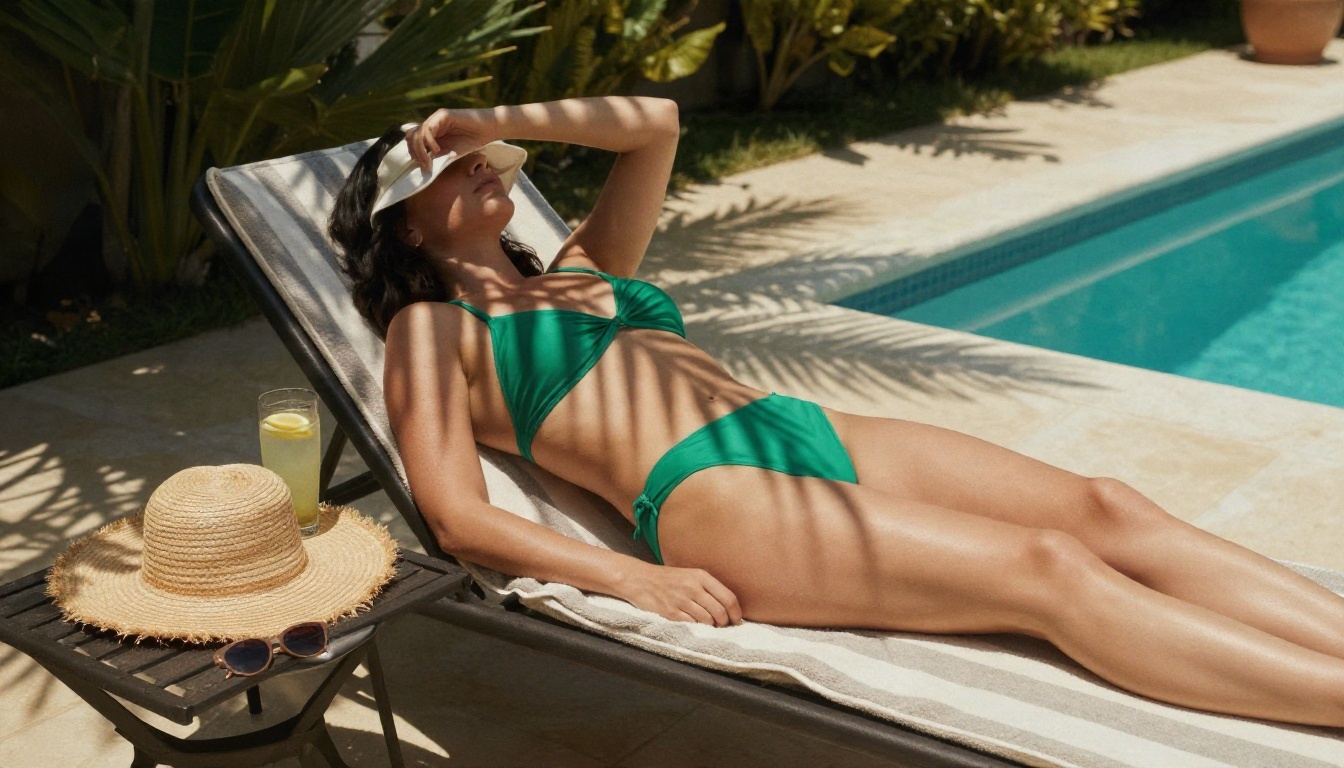
Prompt: Rear three-quarter view of a woman in an emerald green two-piece swimsuit lying on a striped lounge chair beside a small private pool, straw hat and sunglasses on a side table with a glass of iced lemonade, dappled palm shadows across her back, warm afternoon sun from the right, 50mm f/2.2, wide environmental composition, realistic skin and towel texture.
Props such as the lemonade, hat and sunglasses sell the scene. Models treat small objects as proof that the photo is real.
Rainy Street at Night
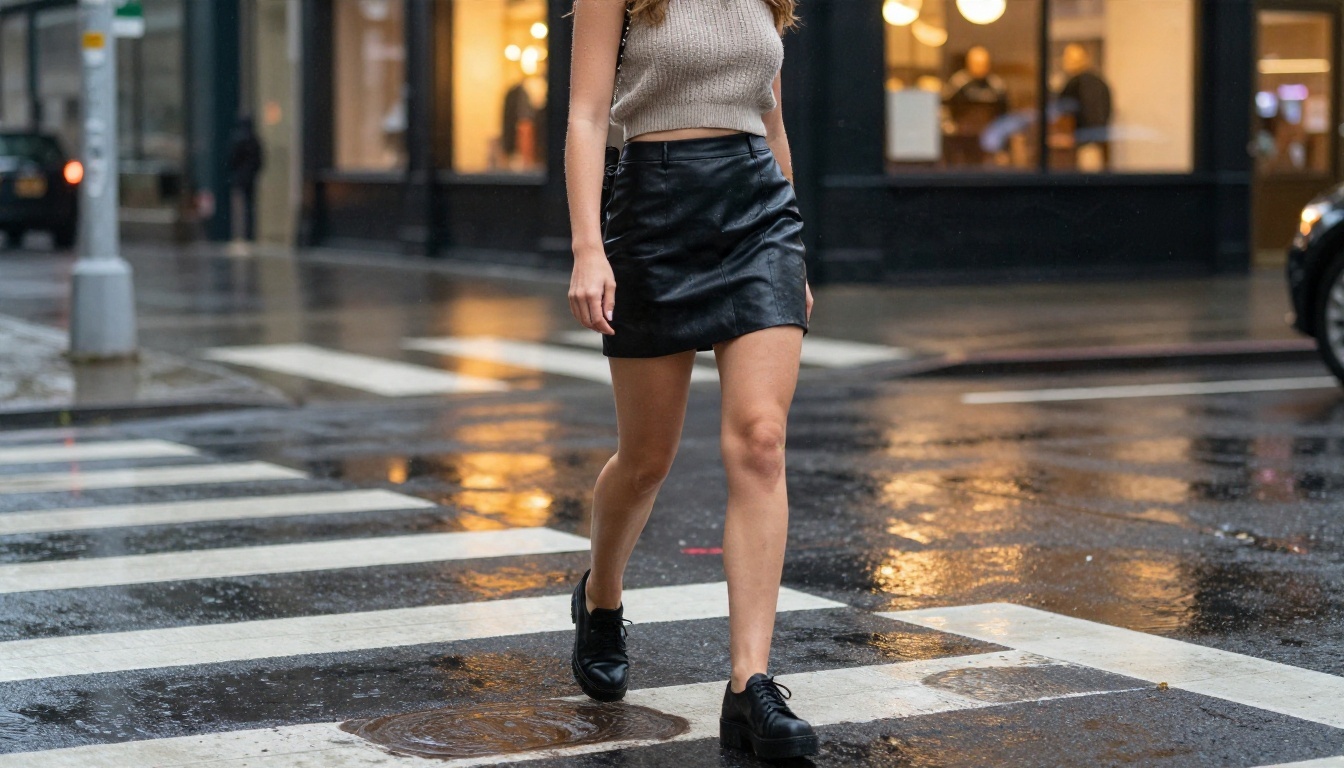
Prompt: Candid street-style shot of a woman in a short leather skirt and cropped knit top walking across a rainy city crosswalk at night, reflections on wet asphalt from warm shop windows and car headlights, shallow depth of field, 35mm f/1.8, low angle, visible raindrops, realistic skin and leather texture, natural light only.
Night scenes trick people into adding neon. Skip it. Warm shop windows and headlights create believable color without the fake glow.
After dozens of tests, the same five parts show up in every strong prompt. Write them in this order and the model rarely drifts.
The Five-Part Structure
| Part | What to write | Example |
|---|
| Subject and pose | Who, doing what | "woman leaning against a brick wall" |
| Outfit and fabric | Garment plus texture | "champagne silk slip dress, soft folds" |
| Environment | Place, props, time of day | "Mediterranean terrace at dusk, olive tree" |
| Light | Direction and quality | "soft window light from the left" |
| Camera | Lens, aperture, angle, film | "85mm f/1.8, low angle, Kodak Portra 400" |
Put the subject first because most models weight the start of a prompt more heavily. Put camera details last as a finishing layer.
Words That Add Realism
- Skin: fine pores, light freckles, faint sheen, flyaway hairs.
- Light: volumetric morning light, rim light, softbox key, diffused overcast.
- Camera: 35mm for environment, 50mm for natural look, 85mm for portraits.
- Film: Kodak Portra 400, fine grain, natural contrast.
- Surface: satin sheen, linen weave, wet asphalt reflections, lace pattern detail.
Words That Ruin Photos
Avoid terms like "perfect skin", "flawless", "ultra smooth", "8K masterpiece trending" and anything that sounds like a render. They push the model toward airbrushed, doll-like faces. Skip neon, glow and cyberpunk styling too. If your goal is a real photograph, ask for the ingredients of a real photograph.
💡 Tip: Keep prompts between 50 and 90 words. Shorter prompts leave too much to chance. Longer ones start to contradict themselves, and the model drops details from the end.
Free Generators Worth Your Time
Free is a loose word online. Some tools give you three images then a paywall. Others allow unlimited use but restrict content. Here is what to look for.
What Free Should Actually Mean
A useful free generator has four traits:
- Enough daily credits to iterate, because the first result is rarely the best.
- Sensible content rules that allow swimwear, lingerie styling and glamour portraits.
- High resolution output so skin texture holds up when you zoom in.
- No watermark on the result.
PicassoIA meets those points, and its Image Editor Pro offers unlimited generations, which matters when you need 20 attempts to land one great frame.
Model Comparison Table
If you want one place to start, use Seedream 4.5 for the first draft and Image Editor Pro for fixes and variations.
How to Use Seedream 4.5 on PicassoIA
Seedream 4.5 is the model I reach for first with glamour prompts. It handles fabric, wet skin and window light better than most, and it renders at high resolution.
Step by Step
- Open the Seedream 4.5 page on PicassoIA.
- Paste one of the prompts from the examples above into the prompt box.
- Choose a 16:9 aspect ratio for scenes with environment, or 3:4 for portraits.
- Pick the highest resolution available for the final render, and a lower one for quick drafts.
- Generate, then compare the result against your intent: light direction, outfit, background.
- Change one thing at a time, such as the lens or the time of day, and generate again.
- Send your favorite frame to PicassoIA Image Editor Pro for retouching and variations with unlimited generations.
Settings That Matter Most
| Setting | Recommended | Why |
|---|
| Aspect ratio | 16:9 or 3:4 | Match the shot to the scene |
| Resolution | Highest for final | Keeps pores and fabric weave sharp |
| Seed | Fix it after a good result | Lets you tweak without losing the look |
| Prompt length | 50 to 90 words | Enough detail without contradictions |
💡 Tip: When a draft is close, lock the seed and edit only one phrase. Changing "afternoon sun" to "overcast light" will alter the mood while the pose and face stay close to the original.
Settings That Change Results
The prompt does most of the work, but the settings decide whether it lands. These are the dials I adjust on every run.
Aspect Ratio and Framing
16:9 suits environmental shots: beach, terrace, street. 3:4 or 2:3 suits portraits, because the vertical frame gives a face more room. If you ask for a full-length shot in a square frame, the model often crops feet or shrinks the subject, so choose the ratio before you write the prompt.
Seeds, Steps and Guidance
If the interface exposes them:
- Seed: a number that defines the starting noise. Keep it when you like the face or pose.
- Steps: more steps add detail until about 30 to 40, then returns flatten out.
- Guidance: a medium value follows your prompt without making colors harsh. Very high values give oversaturated, crunchy skin.
Fast models such as Z Image Turbo need fewer steps by design, so do not push them higher.
Using Image Editing for Polish
Once you have a strong base image, editing is cheaper than regenerating. With Image Editor Pro you can change an outfit color, adjust the background, or soften a shadow. Nano Banana Pro is also solid for edits that must keep the same face. Platform tools such as inpainting and super resolution can repair small flaws and upscale the final file.
Common Mistakes and Quick Fixes
Here is what goes wrong most often, and what to type instead.
Plastic Skin
Problem: the face looks airbrushed.
Fix: add "fine pores, light freckles, faint sheen, flyaway hairs" and remove words like "perfect" or "flawless".
Flat Lighting
Problem: the image looks evenly lit and dull.
Fix: specify a direction and a quality: "soft window light from the left, gentle shadow on the right cheek". One light source beats three vague ones.
Wrong Anatomy and Hands
Problem: extra fingers or odd proportions.
Fix: give hands a job ("holding a mug", "hand resting on the railing") instead of leaving them undefined, and pick a stronger model such as Seedream 4.5 or Qwen Image 3 Pro.
Fake Colors
Problem: glowing, neon-tinted skin.
Fix: name a real film stock such as Kodak Portra 400 and add "natural contrast, no oversaturation".
Quick Reference List
- Start with the subject, finish with the camera.
- One light source, named by direction.
- Describe fabric by texture, not only by color.
- Add one small prop to sell the scene.
- Change one variable per generation.
- Save the seed when you reach a good frame.
A Workflow You Can Repeat
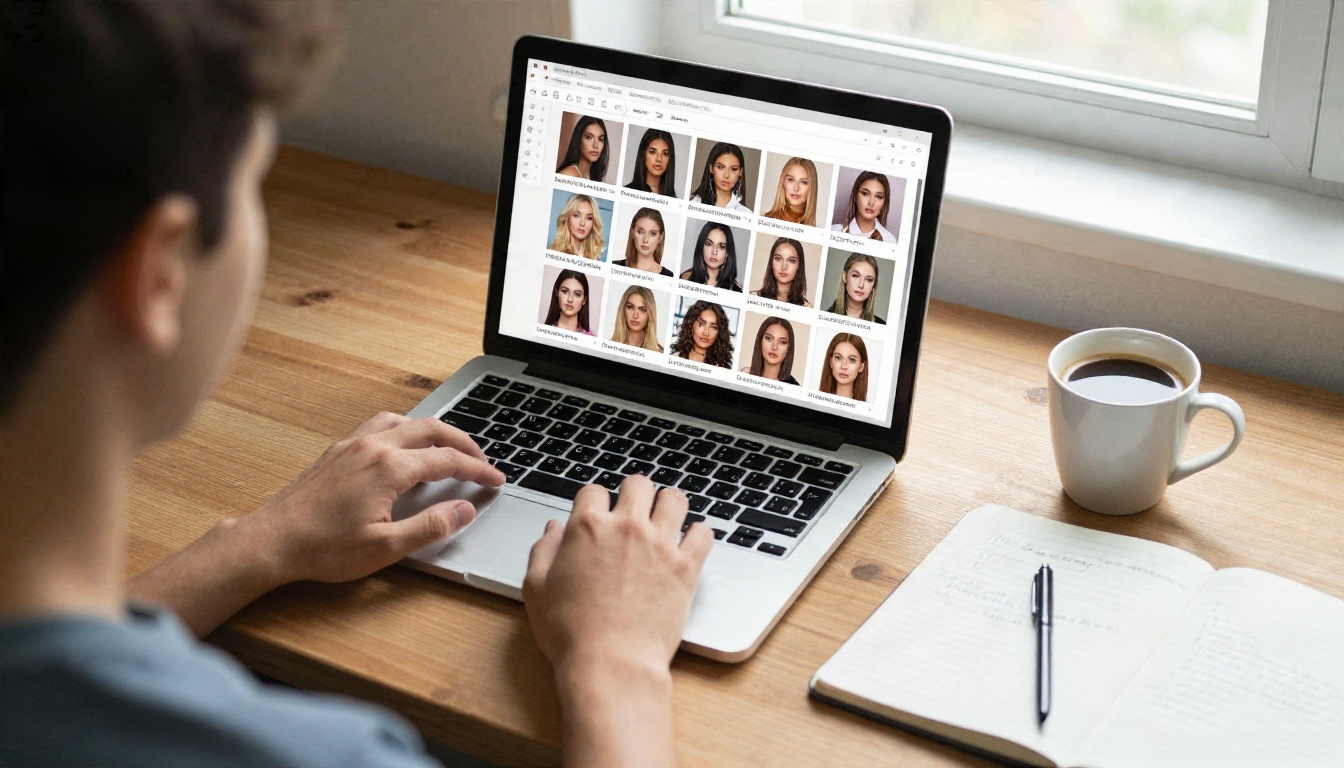
Here is the routine that produces consistent results without wasting credits:
- Draft fast. Run your idea through Z Image Turbo to test composition and outfit in seconds.
- Refine the prompt. Add light direction, lens and skin details to the draft that came closest.
- Render the final. Move to Seedream 4.5 at high resolution.
- Polish. Use Image Editor Pro for small changes.
- Save the prompt. Keep a note of every prompt that worked, with its seed, so you can reuse the structure later.
That last step is the one most people skip, and it is the one that saves the most time over a month of use.
Try Your Own Prompts Today
You now have nine working examples, a five-part structure and a short list of fixes for the most common problems. The fastest way to improve is to run them. Paste a prompt from this page into Seedream 4.5, change the outfit or the location, and see how the light and fabric respond.
When you want unlimited attempts and quick edits, open PicassoIA Image Editor Pro. For other options, from fast drafts to photoreal specialists, browse every model at picassoia.com/en/all-models. Start with one prompt, adjust one detail at a time, and build your own library of looks.


