Z Image NSFW Prompt Examples: Free Online Use, Settings and Limits
Nine copy-ready Z Image Turbo prompts for tasteful, non-explicit glamour, swimwear and boudoir photos, plus the exact settings (steps, guidance, size, seed), what free online use looks like, and the honest limits of the model.
People searching for Z Image NSFW prompts usually want three things at once: prompts that actually work, settings that don't waste time, and a straight answer on whether it's free. This article gives you all three. Every example below is written for adult, suggestive, non-explicit glamour: bikinis, swimwear, silk robes, lace and boudoir lighting. That's the lane where Z Image Turbo looks best, and it's also the lane that online platforms allow.
Z Image Turbo is a fast 6B parameter photorealistic model from Tongyi-MAI (Alibaba). You can run it online on PicassoIA through the Z Image Turbo page without installing anything, and a normal image comes back in a few seconds.
💡 Quick answer: use 8 steps, guidance 0, 1024×1024 as a starting size, write one clear paragraph of prompt, and lock a seed once you like a result. Details and reasons are below.
What Z Image Turbo Really Is
Z Image is a family of image models. The one most people use online is Turbo, a distilled version built to produce a sharp image in very few steps. It handles skin, fabric, water and natural light well, which is exactly what swimwear and boudoir photography needs.
Turbo vs Base
The two checkpoints behave differently, and mixing their settings is the most common mistake.
Feature
Z Image Turbo
Z Image Base
Steps
About 8 to 9
28 to 50
Guidance scale
0
Around 3 to 5
Negative prompt
Not used
Supported
Speed
Seconds
Slower
Best for
Fast photoreal drafts and finals
Fine control and variation
The hosted version on PicassoIA is the Turbo one, so the settings in this article follow Turbo rules.
Where NSFW Fits In
"NSFW" in practice means very different things. Hosted tools, including PicassoIA, apply content filters, and fully explicit requests get blocked or return nothing. The useful, realistic reading of "Z Image NSFW" is tasteful adult glamour: swimwear, lingerie-style editorial shots, implied intimacy, strong skin and fabric texture. All prompts here stay inside that line, and all subjects are adults.
Free Online Use on PicassoIA
You don't need a GPU. The model runs in the browser, so you type a prompt, press generate and download the result.
What "Free" Means Here
Be careful with the word. Free access to any hosted model depends on the plan, credits or daily allowance shown on the model page when you open it, and those can change. I won't promise a fixed number of free images here because I can't verify your account's allowance. What is stable: there is no setup, no coding and no local install, and the model is quick enough that even a small allowance goes a long way if your prompts are good.
Keep Guidance Scale at 0. The model description itself says it should be 0 for Turbo.
Set Width and Height. Start at 1024×1024, or try 1344×768 for a wide frame.
Choose the output format: JPG is the default, PNG avoids compression, WebP is smallest.
Set Output Quality around 80 to 95 for JPG or WebP. It has no effect on PNG.
Leave the Seed empty to explore, then type a number to repeat a result you like.
Generate, compare, and change one thing at a time.
💡 If you change the prompt and the seed together, you can't tell which change helped. Change one, keep the other.
Best Settings for Glamour Photos
Here are the settings I'd start with, and why each one matters.
Setting
Recommended value
Why
Steps
8
Turbo is distilled for this number. More rarely helps.
Guidance scale
0
Turbo ignores heavy guidance. Raising it often burns or flattens skin.
Width × Height
1024×1024 or 1344×768
Safe sizes the model was tuned around.
Output format
PNG for finals, JPG for drafts
PNG keeps fine skin grain intact.
Output quality
90
Good balance for JPG and WebP.
Seed
Fixed after a good result
Makes variations controllable.
Steps
The default of 8 steps (which the model counts as 7 internal passes) is the sweet spot. Going to 12 or 20 usually changes very little and wastes time. If an image looks off, the prompt is the cause far more often than the step count.
Guidance
Keep it at 0. Some third-party interfaces suggest values like 1, but those are interface conventions for specific workflows. On the PicassoIA field, 0 is the documented value for Turbo. Because guidance is off, you can't lean on a negative prompt to remove things. Put the exclusion in the main prompt instead, for example "natural skin texture, no heavy retouching, no text".
Size
1024×1024 is the reliable default. For beach and pool scenes, a wide frame such as 1344×768 gives the horizon room. Very large sizes can introduce odd anatomy or repeated details, so generate at a moderate size first and enlarge later with a super resolution model if you need print quality.
Seeds and Format
Turbo gives similar compositions across seeds, which is the price of distillation. Use that to your advantage: once you find a pose you like, lock the seed and edit only the outfit, color or light in the prompt.
The Prompt Formula That Works
Z Image Turbo responds best to a single, specific paragraph written like a photographer's shot note. A reliable order:
Subject and outfit: "adult woman in her late twenties, black triangle bikini"
Action or pose: "waist-deep in shallow turquoise water"
Setting: "quiet bay, white sand, clear water"
Light: "soft golden hour backlight from the right"
Camera: "85mm lens, shallow depth of field"
Texture and film: "visible skin pores, salt droplets, Kodak Portra 400 grain"
💡 Put the most important thing first. Long prompts full of adjectives add noise rather than detail, so keep each one under roughly 80 words.
Words that help: candid, natural skin texture, soft shadows, film grain, fabric weave, sun-warmed. Words that hurt: stacks of quality tags like "masterpiece, 8k, ultra HD, best quality" repeated three times. Say what the photo looks like instead.
9 Prompt Examples You Can Copy
The images below show the visual target these prompts aim for: natural light, real skin texture, tasteful framing. Paste each prompt into Z Image Turbo, keep guidance at 0, and adjust to taste. Always specify that your subject is an adult.
Swimwear and Beach Prompts
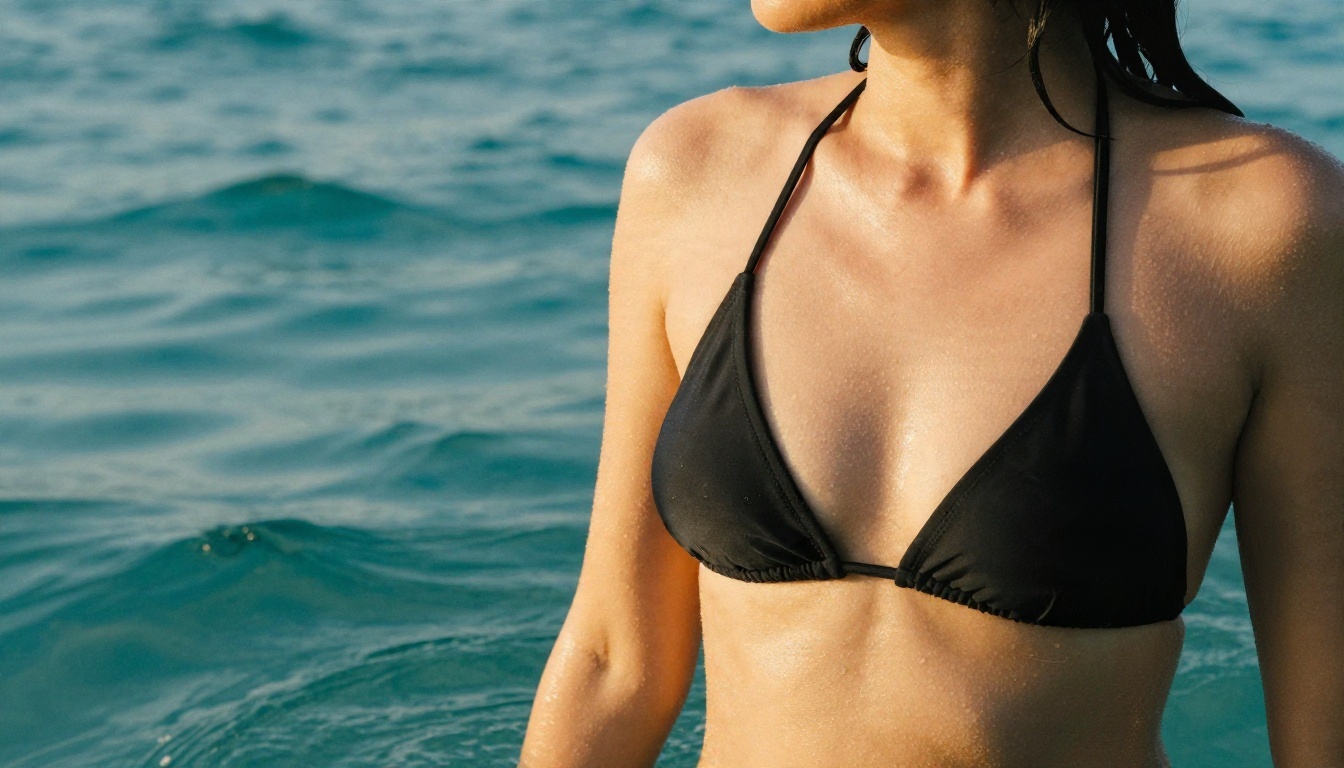
Prompt 1: Golden hour bikini portrait
Close-up portrait of an adult woman in her late twenties in a black triangle bikini top, wet hair slicked back, standing waist-deep in turquoise shallow sea water, droplets on her shoulders, soft golden hour backlight from the right, 85mm lens, shallow depth of field, visible skin pores, Kodak Portra 400 film grain
Why it works: backlight plus water droplets gives the model an easy way to render glowing, realistic skin.
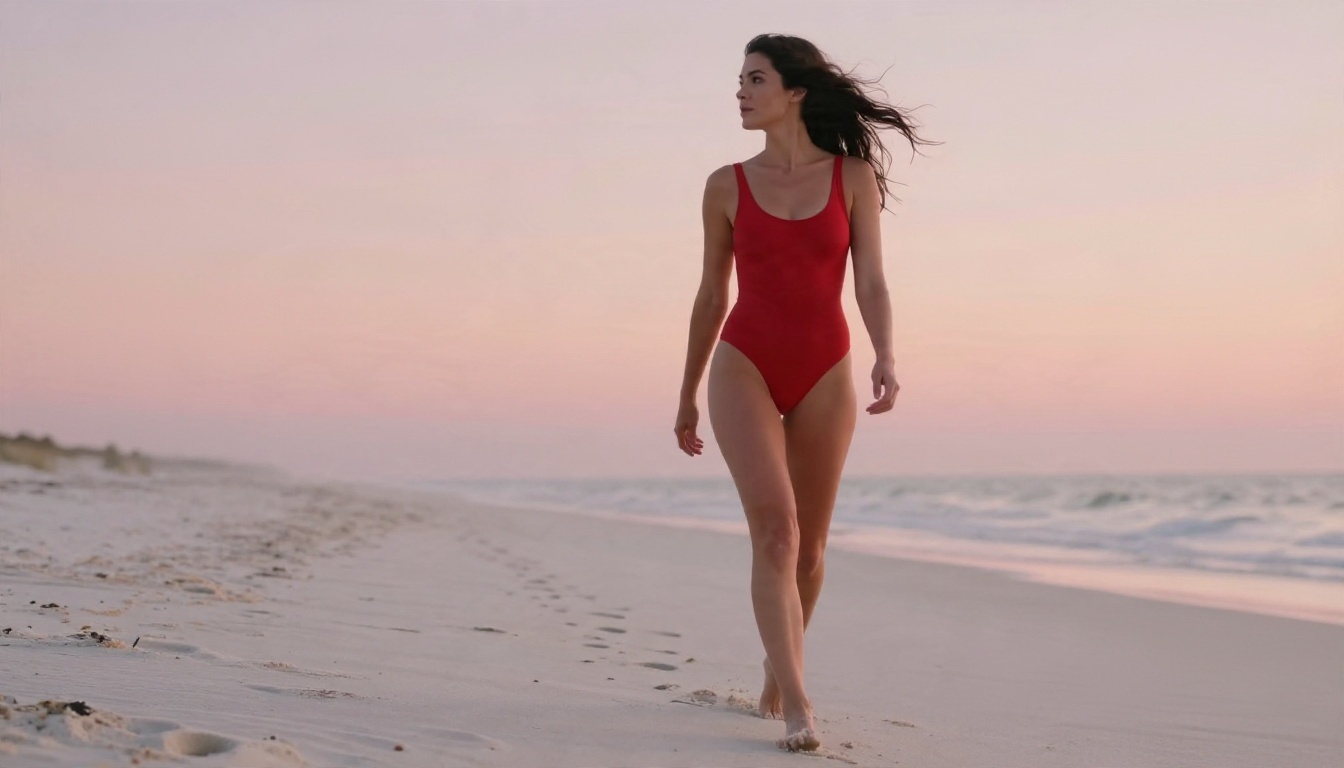
Prompt 2: Sunrise swimsuit walk
Low-angle full-length photo of an adult woman in a red high-cut one-piece swimsuit walking along a white sand beach at sunrise, wind moving her dark hair, footprints behind her, pale pink and orange sky, soft side light, 35mm lens, fine sand texture, natural skin sheen
Tip: low angles make the figure look taller and give the sky room. Use 1344×768 for this one.
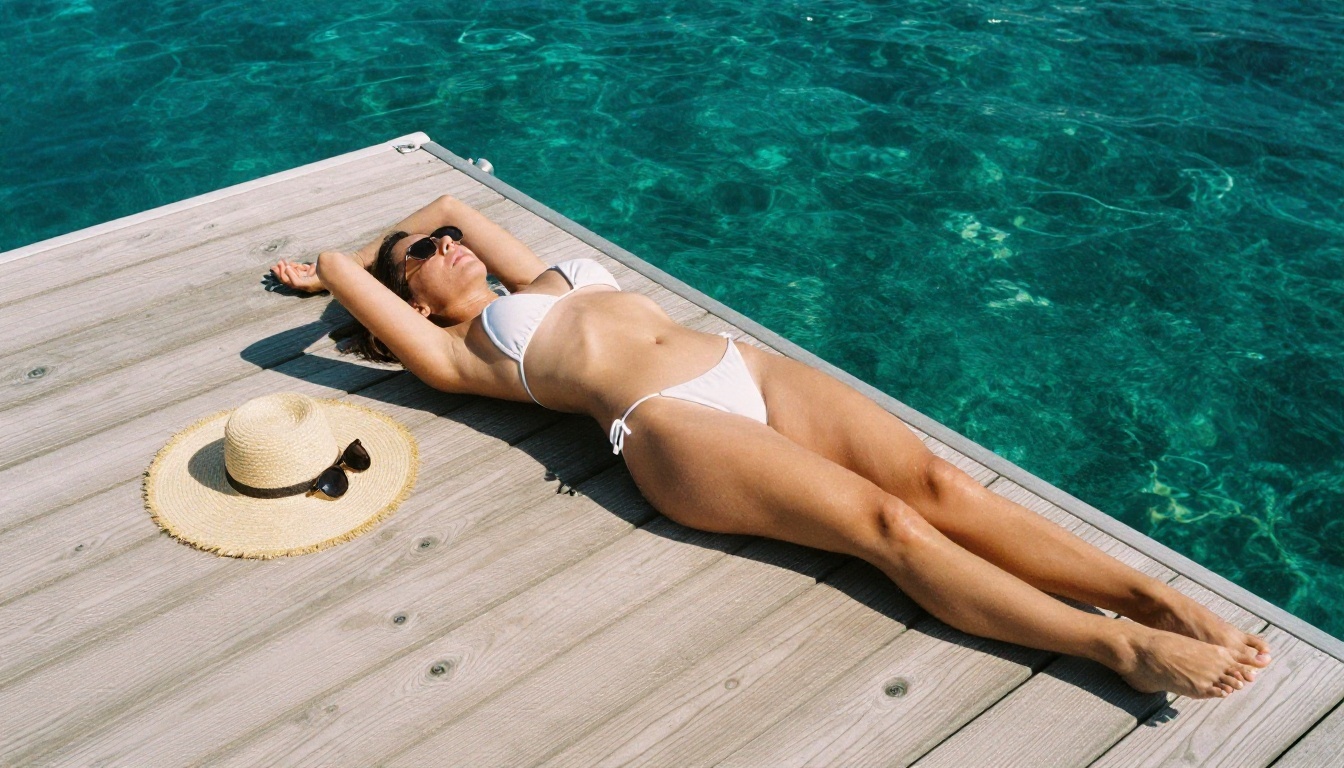
Prompt 3: Aerial pier shot
Overhead aerial photo of an adult woman in a white string bikini lying on a sun-bleached wooden pier above clear lagoon water, one arm over her head, straw hat and sunglasses beside her, hard midday sun with crisp shadows, 24mm lens from directly above, light tan lines, visible wood grain
Overhead compositions are forgiving: fewer perspective problems, more focus on shapes and shadows.
Boudoir and Lounge Prompts
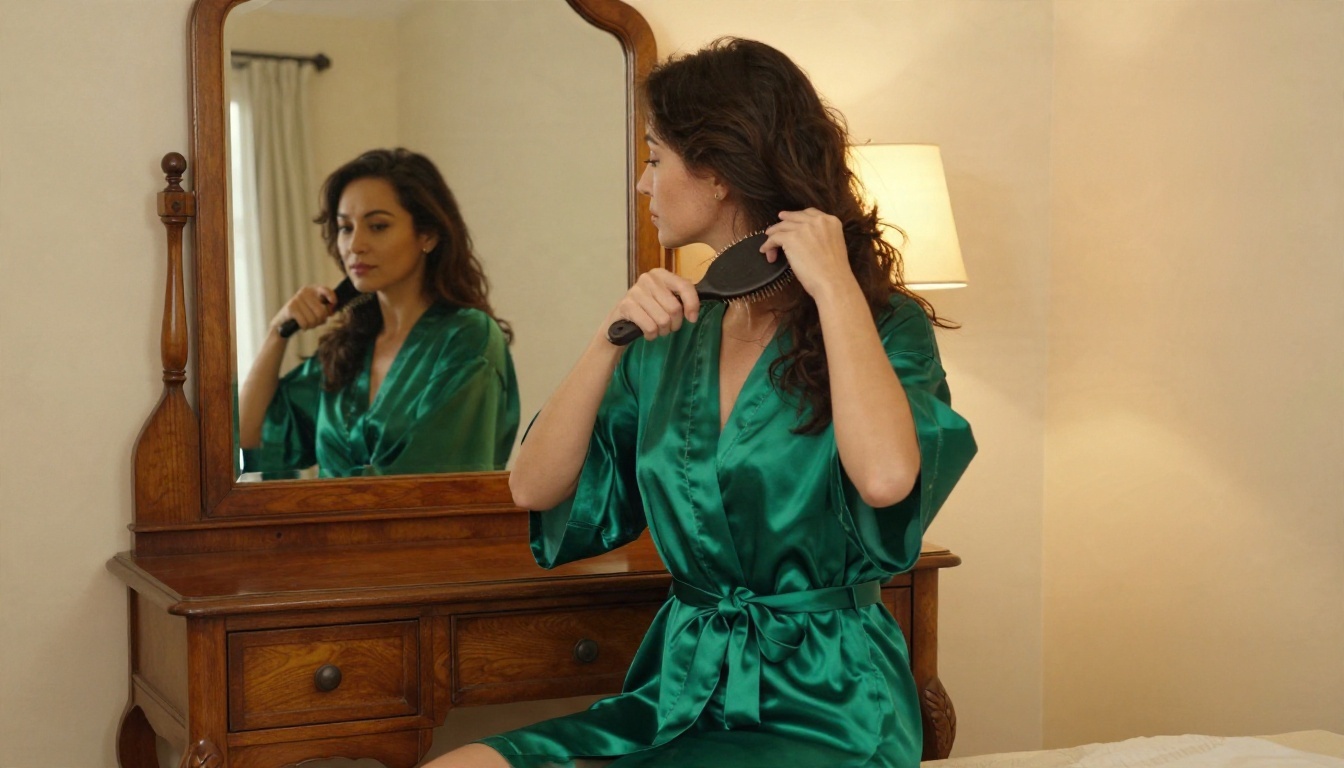
Prompt 4: Silk robe at the vanity
Medium shot of an adult woman in an emerald green silk robe tied at the waist, seated at a vintage wooden vanity mirror in a warm bedroom, brushing her hair, warm lamp light from the right mixed with window daylight, reflection visible in the mirror, 50mm lens, silk folds, natural skin pores, film grain
Mirrors are a stress test. If the reflection looks wrong, remove the mirror line or lock a seed and try a few variations.
Prompt 5: Infinity pool lounge
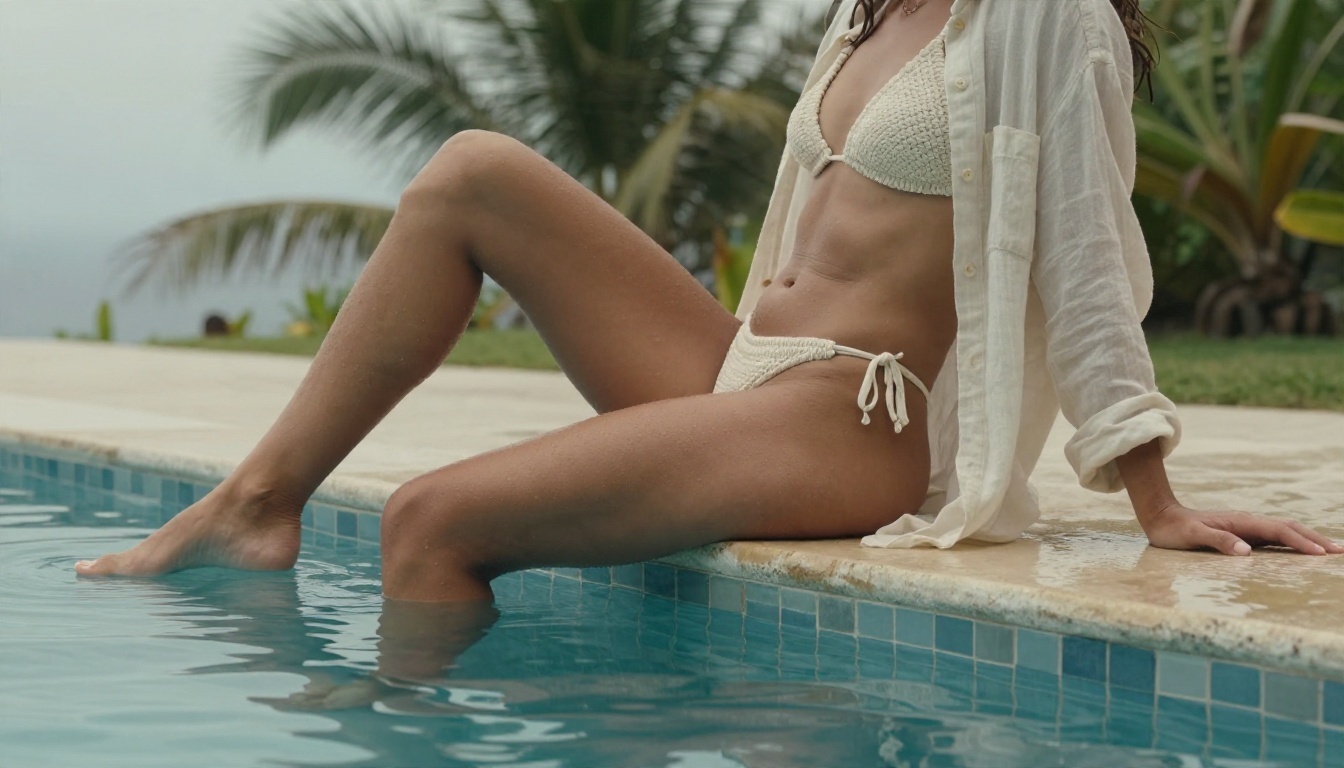
Wide shot of an adult woman in a cream crochet bikini and open linen shirt sitting on the edge of an infinity pool at a hillside villa, feet in the water, ripples reflecting palm leaves, soft overcast light, 28mm lens, tiled pool edge texture, tiny water beads on her skin, muted film tones
Overcast light is the safest choice when you want even, natural skin without harsh shadows.
Prompt 6: Window at dusk
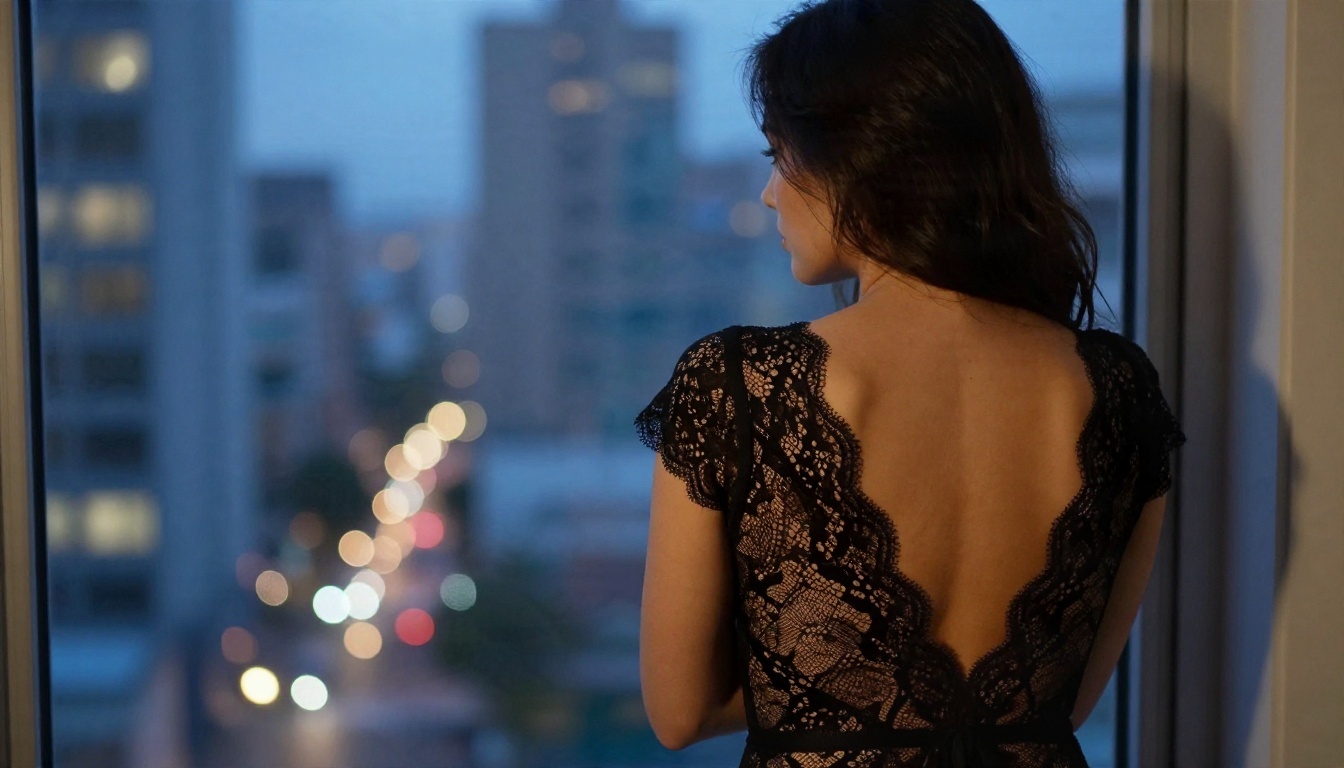
Over-the-shoulder shot from behind of an adult woman in a black lace bodysuit standing at a large apartment window at dusk, out of focus city lights, blue hour light on her back mixed with warm lamp glow from the left, 50mm lens, fine lace pattern, natural skin texture, moody film grain
Shooting from behind keeps the mood suggestive and tasteful, and it avoids the facial drift that sometimes shows up in dim scenes.
Detail and Candid Prompts
Prompt 7: Sailboat side profile
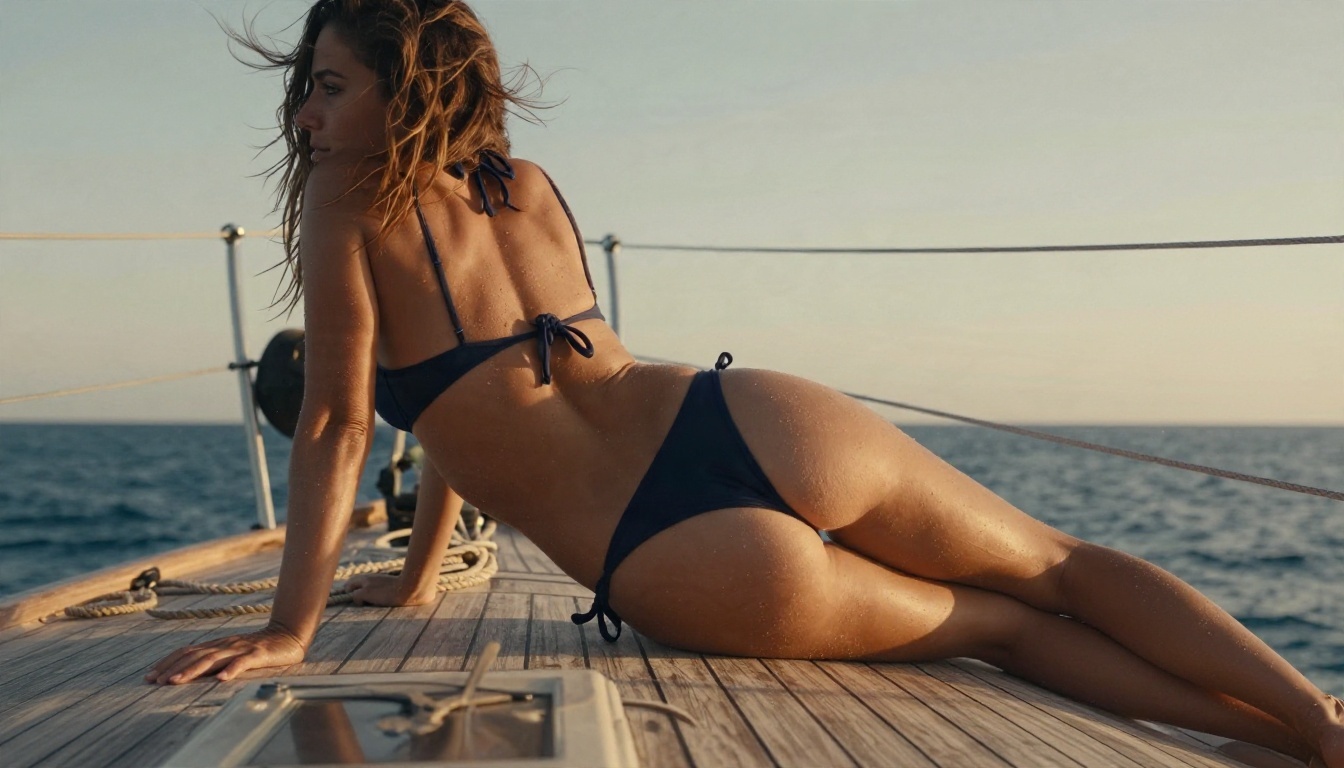
Side profile of an adult woman in a navy sports bikini leaning on the railing of a wooden sailboat at golden hour, sea breeze lifting her hair, teak planks and rope coils in the foreground, warm low sun behind her creating rim light, 135mm lens, blurred horizon, salt-dried skin texture
A long lens such as 135mm compresses the background and gives a magazine look.
Prompt 8: Strap detail close-up
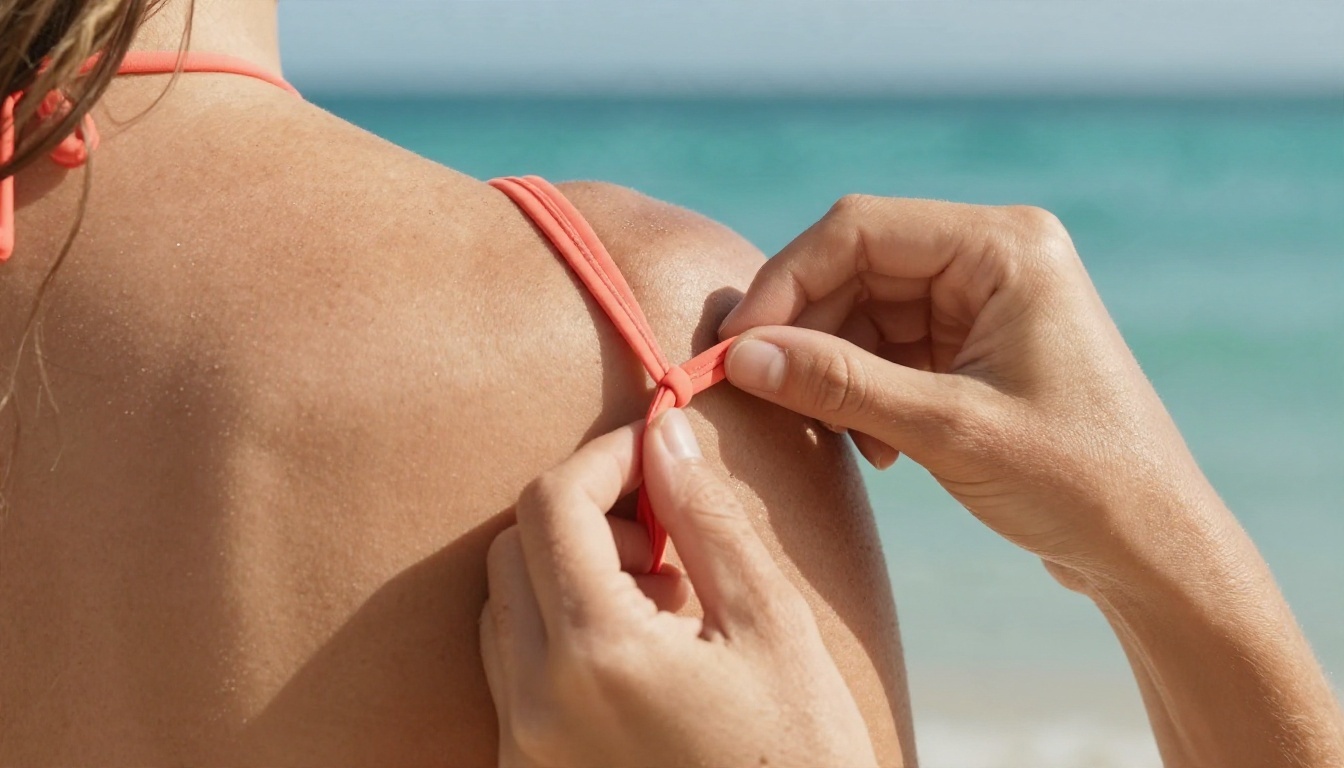
Detail close-up of an adult woman's hands adjusting the strap of a coral bikini top on her shoulder, freckled sun-kissed skin, tiny sand grains, blurred turquoise ocean behind, soft late-afternoon light from the front left, 100mm macro lens, extreme skin and fabric texture
Detail shots hide most anatomy problems and show off what Turbo does best: texture.
Prompt 9: Mediterranean alley
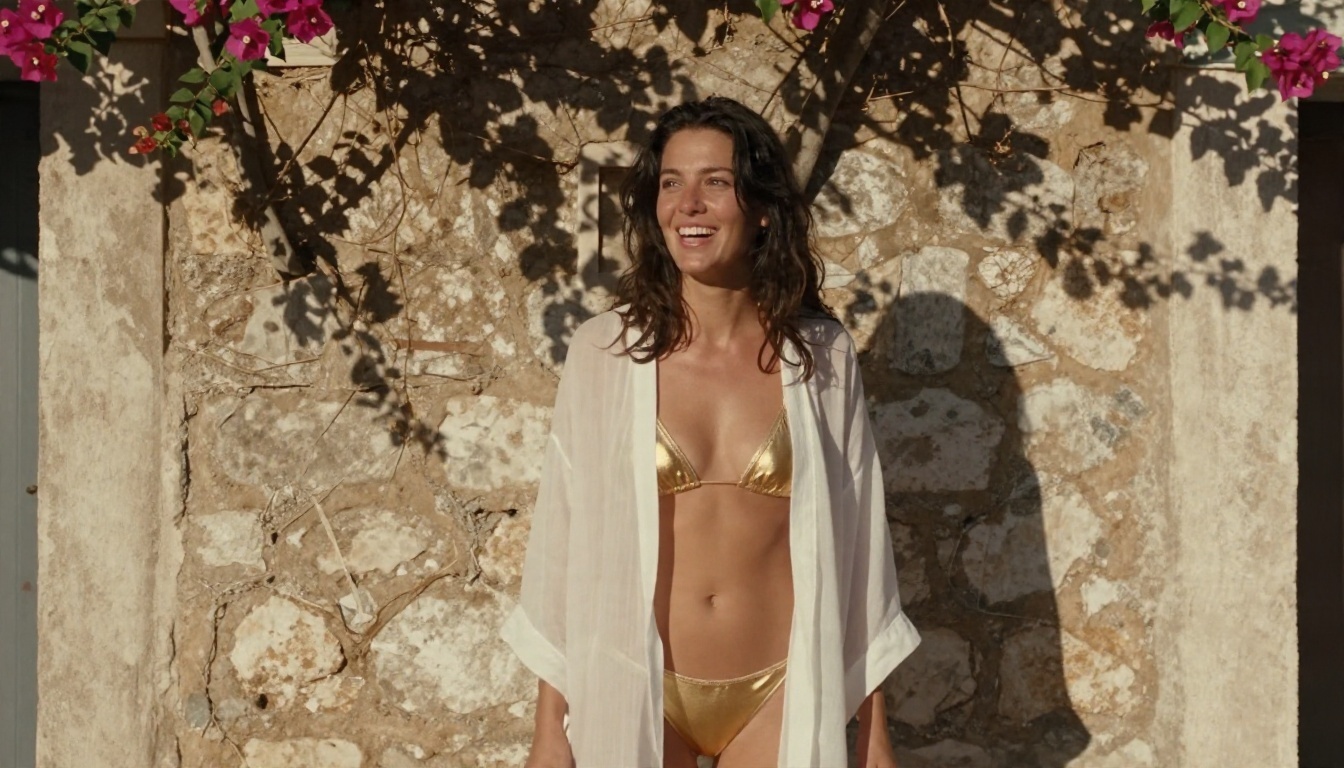
Eye-level photo of an adult woman in a sheer white beach cover-up over a gold bikini standing in a sunlit Mediterranean stone alley with bougainvillea, laughing and looking away, warm sun from the upper right with dappled shadows, 70mm lens, weathered stone wall texture, natural fabric translucency
Candid, looking-away poses feel more natural than direct eye contact and are less likely to produce stiff expressions.
Limits You Should Know
Z Image Turbo is quick and sharp, but it isn't perfect. Be realistic about these points before you spend time on it.
No negative prompt. With guidance at 0, there's no separate field to ban things. Write exclusions into the main prompt.
Low variety between seeds. Different seeds often give similar compositions. Change the pose, setting or light in words to get real variety.
Hands, mirrors and crowded scenes can still go wrong. Keep scenes simple.
Content filters. Hosted platforms block explicit requests. If a prompt returns nothing or an error, make it more suggestive and less literal: describe light, fabric and mood instead.
Adults only. Always state adult subjects, and never request anyone's real likeness without their consent.
Prompt length. Very long prompts stop helping. Short and specific wins.
Allowance. Free use depends on your account's current plan. Check the model page for what you have.
💡 If you hit a wall with one prompt, don't add more words. Remove half of them and make the remaining ones more concrete.
Better Options for More Control
Z Image Turbo is excellent for speed, but some jobs need more precision, such as editing an existing photo, changing an outfit or keeping the same face across images. For that, these options on PicassoIA are worth trying, in this order:
Seedream 4.5 is the first model to try for glamour and adult-themed photography. It produces detailed, high-resolution images and follows long prompts closely.
PicassoIA Image Editor Pro offers unlimited generations with fewer restrictions, so it suits long sessions where you iterate dozens of times on one idea.
Z Image Turbo remains the best choice when speed matters most and you want fast drafts to test prompt ideas.
A practical workflow: draft ideas in Z Image Turbo, pick the best composition, then recreate or refine it in Seedream 4.5 or the Image Editor Pro for final quality. You can browse every model, including upscalers and editors, on the PicassoIA all models page.
A Simple Test Plan
Before you commit to a style, run this ten-minute test:
Generate the same prompt with three seeds.
Pick the best seed and lock it.
Change only the light: golden hour, overcast, then window light.
Change only the lens: 35mm, 50mm, then 85mm.
Save your winning prompt in a note so you can reuse it.
This habit builds a small personal prompt library, which saves far more time than any single setting.
Try Your Own Prompts Today
You now have nine working prompts, a settings table and a realistic view of the limits. The fastest way to improve is to run them. Open Z Image Turbo on PicassoIA, paste Prompt 1, keep guidance at 0 and steps at 8, then change the outfit, location and light to match your own idea. When you want sharper finals or more freedom, move the same prompt to Seedream 4.5 or the PicassoIA Image Editor Pro. Start with one scene, build your own library, and see how far a few lines of well-chosen words can go.